Flowlu vs SuiteDash 2026: Which Client Portal CRM Wins?
Flowlu and SuiteDash both promise to replace five tools with one. They win in different places: Flowlu on CRM depth and revenue forecasting, SuiteDash on white-label client portals. Here's the honest split.
Flowlu vs SuiteDash comes down to one question: do your clients log in? Flowlu is built around deals, invoices, and project margin. SuiteDash is built around a branded client portal. Both replace several tools. They just replace different ones.
TL;DR
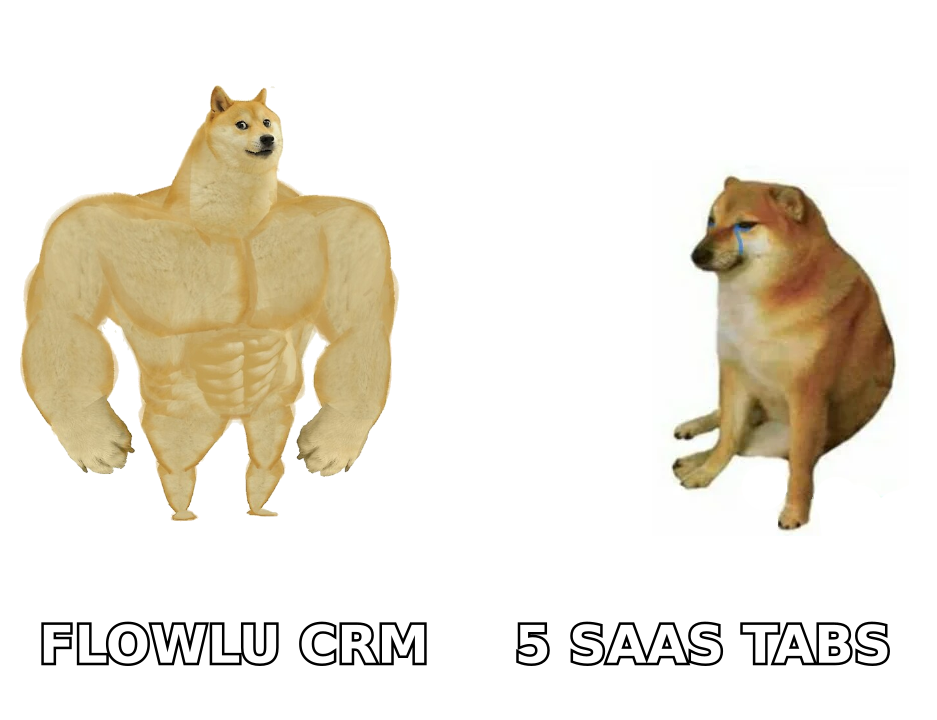
- Flowlu wins on CRM and money. Sales pipelines, revenue forecasting, invoicing, and project profitability sit in one place. If you need to know which deals close and which projects lose money, Flowlu is the stronger core.
- SuiteDash wins on client portals. Fully white-labeled portals, custom domains, client-facing file exchange, and LMS-style onboarding are its reason to exist. Agencies that sell "your own branded workspace" pick SuiteDash.
- Pricing shapes differ more than the sticker price. Flowlu charges per user and scales with headcount. SuiteDash charges flat per account with unlimited clients — great for agencies with many clients and few staff.
- Neither is a lead-generation tool. Both manage relationships you already have. Filling the top of the funnel still needs a prospecting data source.
- Quick rule: internal-team-heavy and deal-driven → Flowlu. Client-facing, brand-obsessed, service delivery → SuiteDash.
What are Flowlu and SuiteDash, actually?#
Both tools sell the same promise: replace your CRM, project tracker, invoicing app, file share, and chat with one subscription. They just arrive from opposite directions.
Flowlu started as a business-operations suite for small companies. Its center of gravity is money: opportunities, pipelines, estimates, invoices, recurring billing, expense tracking, and project profitability. Projects hang off deals, and deals roll up into revenue forecasts. It behaves like a lightweight ERP that happens to include a CRM.
SuiteDash started as a client portal and grew outward. Its center of gravity is the client experience: a branded portal at your own domain, with your logo, your colors, your login screen. Clients log in to see files, invoices, forms, project progress, and learning content. The CRM and project modules exist to feed that portal.
Think of it like two restaurants. Flowlu is the one with the serious kitchen — food cost, margin, and throughput are all dialed in, and the dining room is fine. SuiteDash is the one with the spectacular dining room and a competent kitchen. Both feed you. Which matters more depends on whether your customers judge you on the meal or the room.
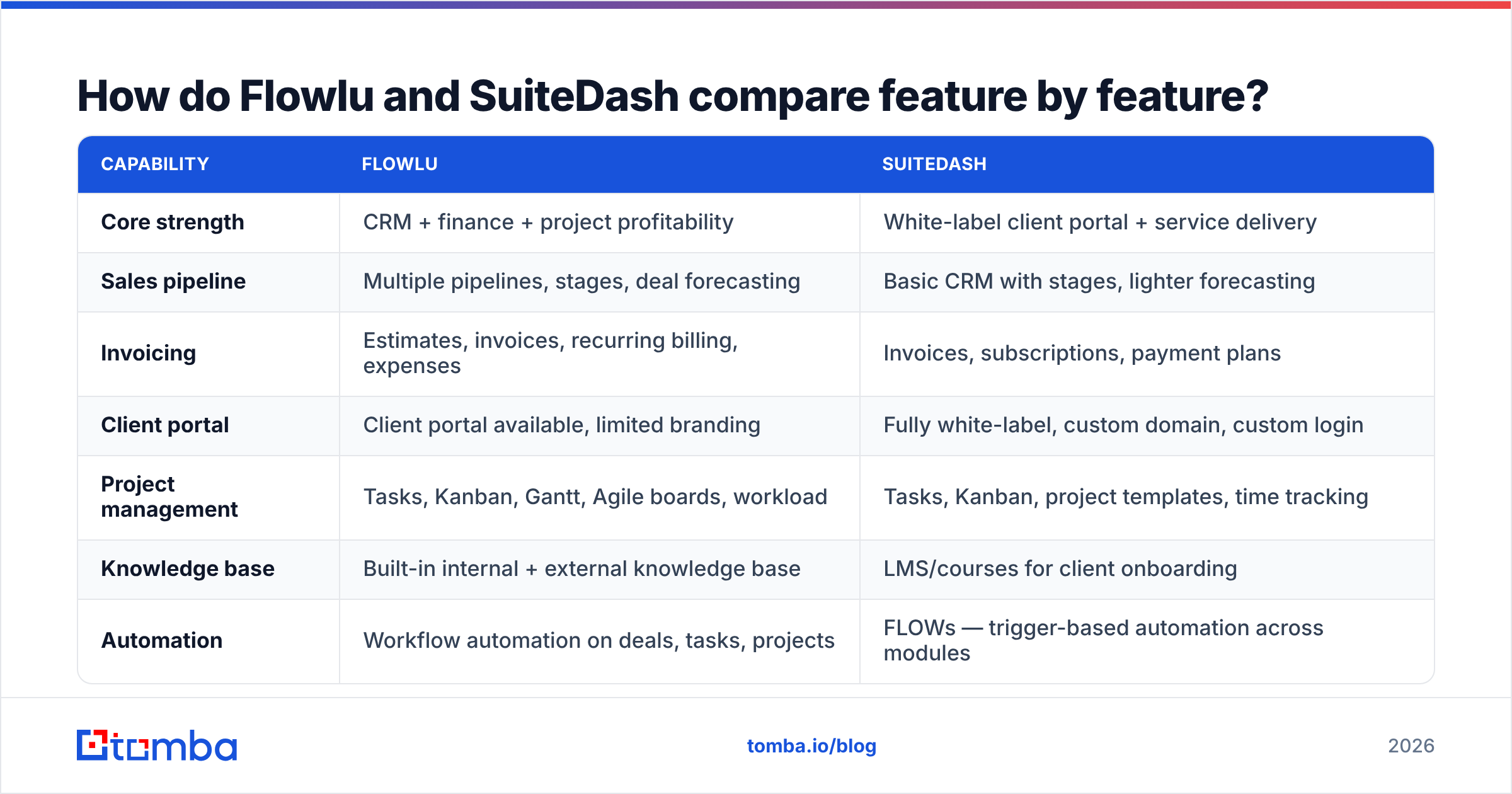
Flowlu vs SuiteDash: how do they compare feature by feature?#
| Capability | Flowlu | SuiteDash |
|---|---|---|
| Core strength | CRM + finance + project profitability | White-label client portal + service delivery |
| Sales pipeline | Multiple pipelines, stages, deal forecasting | Basic CRM with stages, lighter forecasting |
| Invoicing | Estimates, invoices, recurring billing, expenses | Invoices, subscriptions, payment plans |
| Client portal | Client portal available, limited branding | Fully white-label, custom domain, custom login |
| Project management | Tasks, Kanban, Gantt, Agile boards, workload | Tasks, Kanban, project templates, time tracking |
| Knowledge base | Built-in internal + external knowledge base | LMS/courses for client onboarding |
| Automation | Workflow automation on deals, tasks, projects | FLOWs — trigger-based automation across modules |
| File exchange | Files on projects and tasks | Dedicated secure client file exchange |
| Email marketing | Basic email, integrations | Built-in email campaigns and drip sequences |
| Pricing model | Per user per month | Flat per account, unlimited clients |
| Free tier | Yes, limited users and features | No true free tier; low-cost entry plan |
| Best fit | Teams selling and delivering billable work | Agencies whose brand lives inside the portal |
The table hides one thing worth stating plainly: Flowlu's modules feel more finished individually, SuiteDash's modules feel more connected to each other. Flowlu's invoicing is genuinely good invoicing. SuiteDash's invoicing is adequate. But it sits three clicks from a client's branded dashboard, and a FLOW can fire it off when a project stage changes.
Which one is cheaper in practice?#
Sticker prices mislead in any Flowlu vs SuiteDash pricing check. The two vendors charge on different axes.
Flowlu bills per user. A five-person team pays five seats. A fifteen-person team pays fifteen. Clients and external collaborators typically don't consume paid seats, but your internal headcount is the meter. That's fine at 3–8 people and starts to sting past 20.
SuiteDash bills flat per account with unlimited clients and, on higher tiers, generous staff allowances. A three-person agency serving 200 clients pays the same as a three-person agency serving 20. That model suits high-client-count, low-headcount businesses. The classic boutique agency shape, in other words.
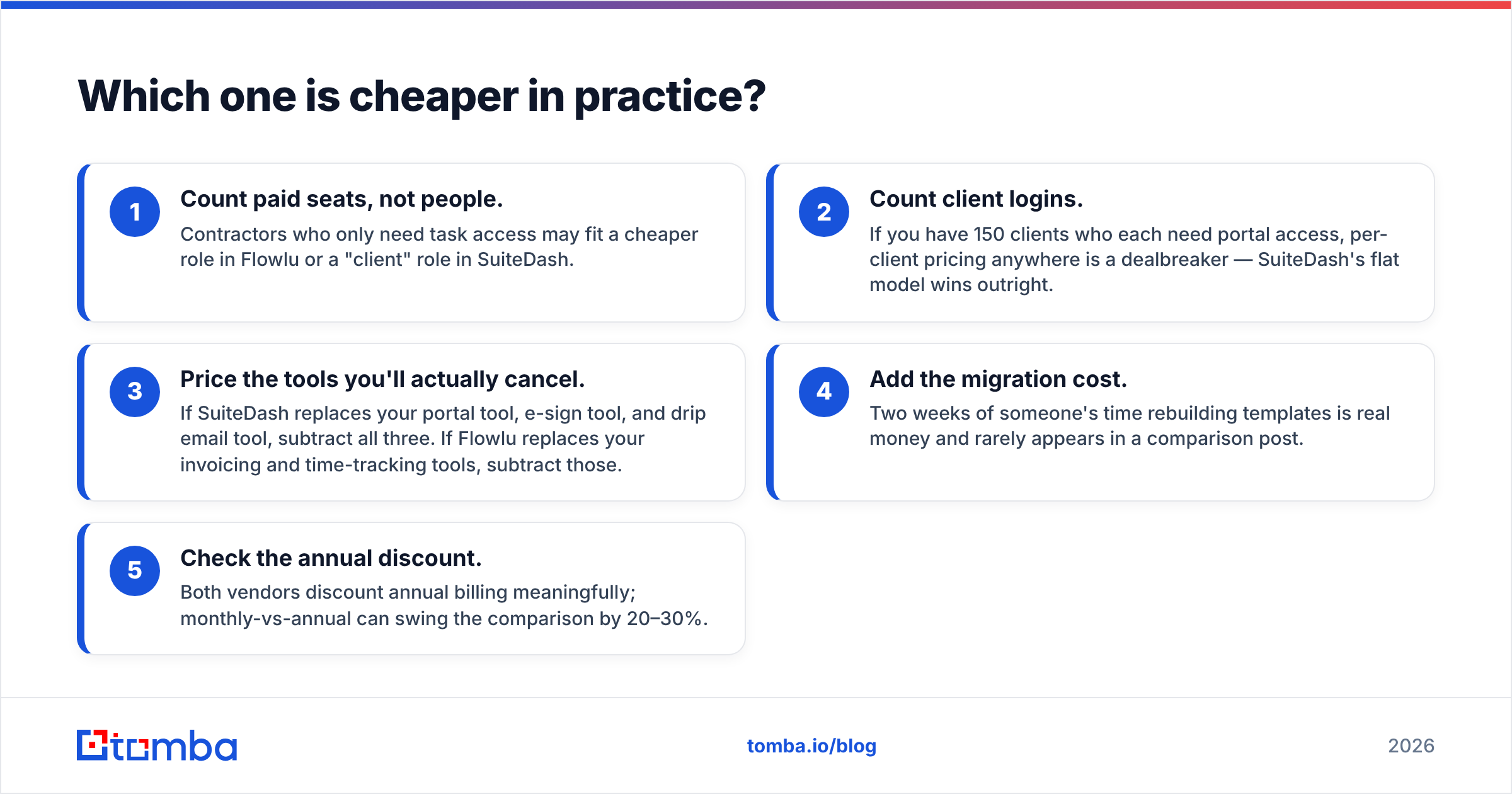
Run the arithmetic on your actual shape before comparing plan names:
- Count paid seats, not people. Contractors who only need task access may fit a cheaper role in Flowlu or a "client" role in SuiteDash.
- Count client logins. If you have 150 clients who each need portal access, per-client pricing anywhere is a dealbreaker — SuiteDash's flat model wins outright.
- Price the tools you'll actually cancel. If SuiteDash replaces your portal tool, e-sign tool, and drip email tool, subtract all three. If Flowlu replaces your invoicing and time-tracking tools, subtract those.
- Add the migration cost. Two weeks of someone's time rebuilding templates is real money and rarely appears in a comparison post.
- Check the annual discount. Both vendors discount annual billing meaningfully; monthly-vs-annual can swing the comparison by 20–30%.
Verify current numbers directly on flowlu.com and suitedash.com before you commit. Both have repriced tiers more than once. Review aggregators like G2 lag behind vendor pricing pages by months.
Is Flowlu better than SuiteDash for sales teams?#
Yes, and it isn't close.
If your business runs on deals — inbound leads, outbound prospecting, proposals, negotiation, close — Flowlu gives you the machinery: multiple pipelines, custom stages, deal values, win probability, forecast reports, and activity logging against each opportunity. You can see expected revenue by month and by owner. A won deal then flows straight into a project and an invoice, with no re-entry.
SuiteDash has CRM objects too. But they hold the clients you already have; they don't model a competitive sales process. Forecasting is thin. Pipeline reporting is thin. If your "sales process" is a referral, a scoping call, and a signed proposal, that's completely fine. If you have three reps working a 90-day cycle, it isn't.
There's a second gap worth naming: neither tool sources contacts. Flowlu will happily forecast a pipeline. It will not tell you the email address of the VP of Operations at a company you want to work with. That's a separate layer. Most teams pair a CRM like Flowlu with an email finder for contact discovery. An email verifier then cleans the list before it touches the CRM. Skip that step and a third of your records bounce, and your sender reputation quietly degrades.
Is SuiteDash better than Flowlu for client-facing agencies?#
Yes — and this is the single clearest dividing line in the whole comparison.
SuiteDash's white-labeling goes further than a logo upload. You get a custom domain, custom login page, custom email sending domain, and a portal experience where the SuiteDash brand is essentially invisible. For agencies that sell process and professionalism — marketing shops, bookkeeping firms, consultancies, design studios — that portal is part of the product. Clients see "portal.youragency.com," not a third-party tool with your logo in the corner.
Layer on what clients can do in there: upload files to a secure exchange, sign documents, pay invoices, fill dynamic forms, book time, and work through onboarding courses in the built-in LMS. That last one is underrated. Swap a 45-minute onboarding call for a self-serve course clients finish before kickoff. At scale, that is a real margin gain.
Flowlu does have a client portal, and it's serviceable for sharing project status and invoices. But branding control is more limited. The portal reads as "our project tool, opened up to you" rather than "your workspace with us."
What do Flowlu and SuiteDash both get wrong?#
Neither vendor advertises these, so budget for them.
The learning curve is real on both. SuiteDash in particular is notorious for a dense interface with an enormous settings surface. Agencies routinely report two to four weeks before the portal feels right. Flowlu is more approachable out of the box but has more shallow spots once you push a module hard.
Mobile is a compromise. Both offer mobile access, but neither mobile experience matches a purpose-built app like a dedicated CRM's iOS client. If your team sells from the road, test this before signing an annual plan.
Reporting hits a ceiling. Both give you dashboards and standard reports. Neither is a BI tool. Want cohort profitability by service line, cross-referenced with acquisition channel? You'll be exporting to a spreadsheet. That's normal at this price point, but worth knowing.
Integrations are thinner than the big platforms. Compared to what an ecosystem like HubSpot offers, both have modest native integration catalogs and lean on Zapier or Make for the long tail. Check that your accounting tool, calendar, and e-sign provider connect natively before you assume they do. If you're wiring data in programmatically, confirm the API covers the objects you need — the same way you'd check a Tomba API endpoint before building against it.
Neither fills the funnel. Say it again because it's the most common post-purchase disappointment. You buy an all-in-one, you get organized, and three months later revenue is flat. Organization was never the bottleneck. Pipeline volume was.
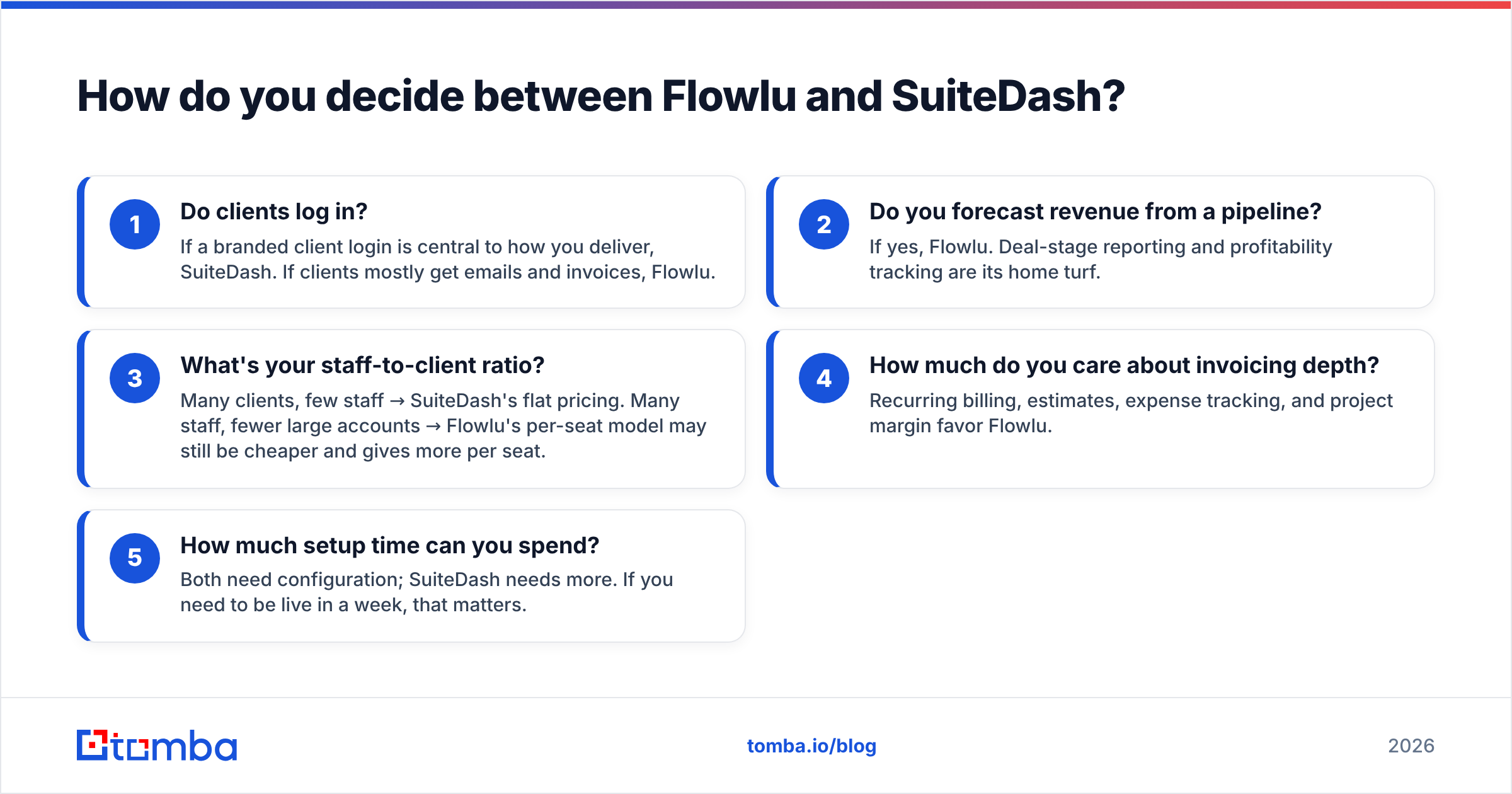
How do you decide between Flowlu and SuiteDash?#
Answer these five questions honestly and the choice usually makes itself.
- Do clients log in? If a branded client login is central to how you deliver, SuiteDash. If clients mostly get emails and invoices, Flowlu.
- Do you forecast revenue from a pipeline? If yes, Flowlu. Deal-stage reporting and profitability tracking are its home turf.
- What's your staff-to-client ratio? Many clients, few staff → SuiteDash's flat pricing. Many staff, fewer large accounts → Flowlu's per-seat model may still be cheaper and gives more per seat.
- How much do you care about invoicing depth? Recurring billing, estimates, expense tracking, and project margin favor Flowlu.
- How much setup time can you spend? Both need configuration; SuiteDash needs more. If you need to be live in a week, that matters.
A practical middle path: run both free trials with one real client's data — not demo data. Push a real project, a real invoice, and a real onboarding sequence through each. The tool that survives contact with an actual client is your answer. It usually becomes obvious inside three days.
What should you use alongside either tool?#
Whichever you pick, you're buying a system of record for relationships you already have. The two adjacent jobs it won't do are finding new contacts and keeping contact data accurate.
For finding: you need a way to go from "this company is a good fit" to "here is the decision-maker's verified email." A domain search turns a company website into a list of role-based contacts. Data enrichment then fills in job titles, company size, and social profiles, so your CRM records aren't just names in a box.
For accuracy: B2B contact data decays roughly 2–3% per month as people change jobs. A CRM full of stale records produces bad forecasts and hard bounces. Verify your database periodically, especially before any outbound campaign. That protects both your deliverability and your reporting. If your list includes catch-all domains, a catch-all verifier is the difference between guessing and knowing.
The stack that actually works for most small agencies and consultancies looks like this: a prospecting data layer, an all-in-one like Flowlu or SuiteDash as the operating system, and a sending tool for sequences. Three layers, clear boundaries, no overlap.
The Flowlu vs SuiteDash verdict#
Pick Flowlu if you sell billable work, run a pipeline with more than one rep, and care about knowing which projects make money. It's the stronger business-operations core, and its CRM is genuinely a CRM rather than a contact list.
Pick SuiteDash if your client experience is your differentiator, you serve a lot of clients relative to headcount, and a fully branded portal would let you charge more or churn less. The flat pricing model alone justifies it for high-client-count agencies.
Pick neither if what you actually need is more qualified conversations. No amount of workflow tidiness fixes an empty pipeline.
That last case is the common one. Before you spend two weeks migrating into any all-in-one, make sure you have a repeatable way to find the right people at the right companies. Tomba's Email Finder does exactly that: search by domain, name, or company, get verified professional emails, and push them into whichever platform you land on. The free tier gives you 25 searches a month, so you can test the data quality yourself. Paid plans start at $49/mo on Starter, with Growth at $99/mo; see Tomba pricing for the full breakdown. Fill the funnel first, then pick the system that manages it.
Related guides#
Ready to find emails that actually work?
Join 150,000+ professionals who stopped guessing and started sending. Free credits on signup — no credit card required.
Get the Tomba newsletter
Practical outbound tactics and product updates — once every two weeks.
About the author