Forager vs Leadsforge: Which B2B Data Tool Wins in 2026?
Forager and Leadsforge both promise clean B2B contact data, but they solve different problems and charge in very different ways. Here is the honest breakdown, plus the cheaper option most teams land on.
TL;DR
- Forager is a contact-data platform built around a large, frequently refreshed B2B person and company graph. It sells on depth, API access, and enterprise-style contracts — expect a demo call before you see a number.
- Leadsforge is a lighter, AI-assisted list builder. You describe the audience in plain language, it returns a list. Fast to start, thinner on verification controls and enterprise governance.
- The real forager vs leadsforge decision is not "which has more records" — it is whether you need a queryable data layer (Forager) or a fast list vending machine (Leadsforge).
- Both charge in ways that punish small teams: seat minimums, annual commitments, or credit blocks you cannot roll over.
- If your actual job is "find and verify work emails for a named list of companies," a per-credit email finder like Tomba does it for less. Starter is $49/mo and the free tier gives you 25 searches to test accuracy first.
What are Forager and Leadsforge, exactly?#
They get lumped together in "B2B lead data" roundups, but they are different categories of product wearing similar marketing.
Forager (see forager.ai) positions itself as a data infrastructure company. The pitch is a continuously refreshed graph of professionals and companies — job changes, firmographics, contact points — exposed through search, enrichment, and API. Buyers are usually RevOps, data teams, or growth engineers who want to pipe records into a warehouse or CRM rather than click around a UI.
Leadsforge sits at the other end. It is an AI-first list builder: you type something like "heads of marketing at Series B fintechs in the UK" and it assembles a prospect list. The value is speed and low friction. There is no data-modelling exercise, no schema mapping, no integration project. You get a CSV or a push into your sequencer and you start sending.
That difference cascades into everything else — pricing shape, accuracy guarantees, export limits, and who on your team actually owns the tool.
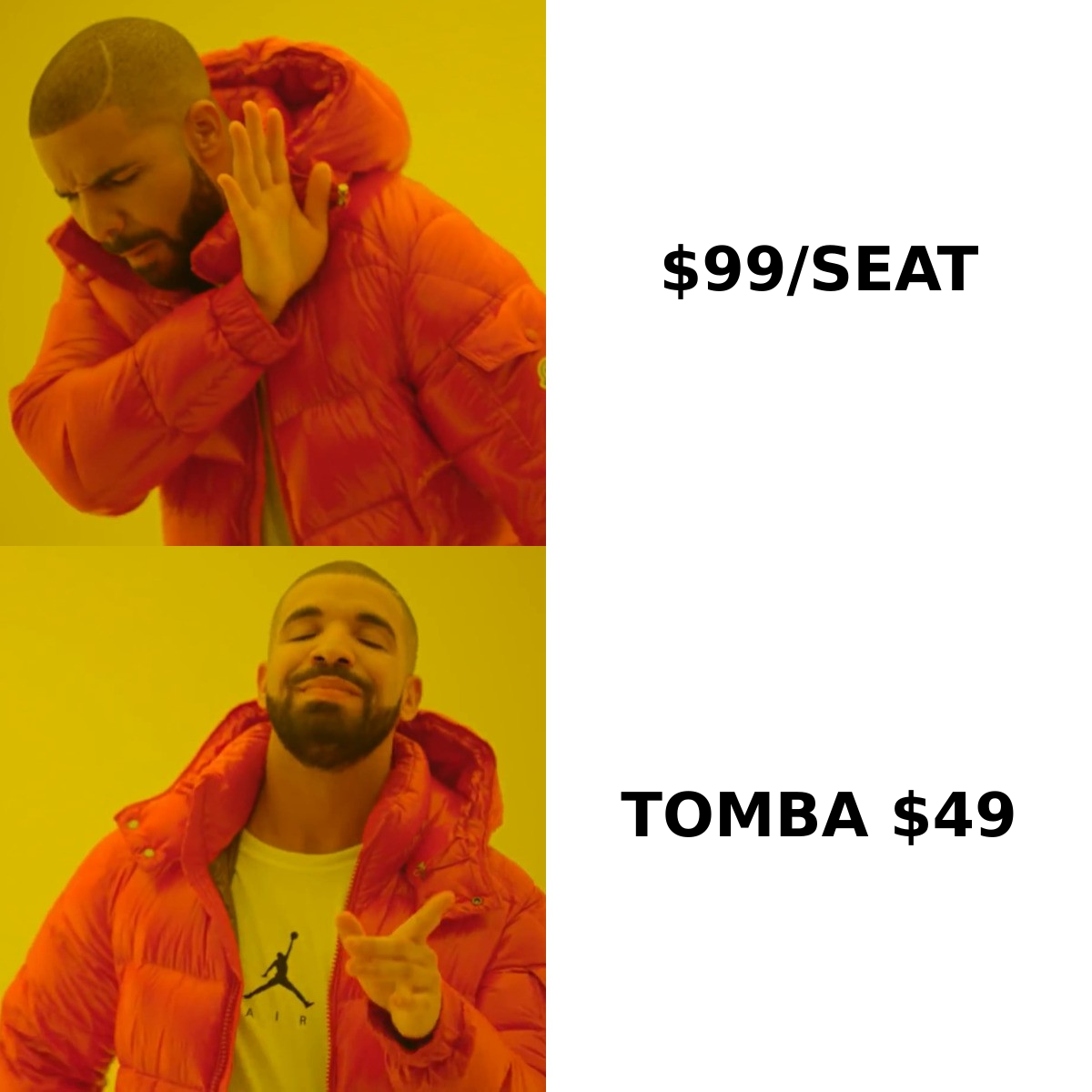
How do Forager and Leadsforge compare head-to-head?#
Here is the practical comparison, with a per-credit email finder in the third column so you can see what you are paying the premium for. Vendor pricing changes often and neither Forager nor Leadsforge publishes a full public rate card at the time of writing — treat the pricing row as directional and confirm on their own pages.
| Dimension | Forager | Leadsforge | Tomba |
|---|---|---|---|
| Core model | Contact + company data graph | AI list builder | Email finder + verifier |
| How you buy | Demo-led, custom contract | Self-serve tiers / credits | Public tiers, self-serve |
| Entry price | Not publicly listed | Not consistently listed | Free (25 searches), then $49/mo |
| Free trial | Sales-gated | Limited free credits | Free tier, no card |
| Best for | RevOps, data teams, API pipelines | Founders, small SDR teams | Anyone verifying emails at volume |
| API access | Yes, central to the product | Limited | Yes, on all paid plans |
| Bulk workflows | Yes | Yes, list-oriented | Yes, bulk finder + verifier |
| Verification depth | Included, varies by record type | Basic | Dedicated verifier, catch-all handling |
| Seat minimums | Common on annual deals | Occasionally | None |
| Learning curve | Moderate to high | Very low | Low |
The pattern that shows up over and over in G2 category reviews of lead-intelligence tools: teams overbuy on breadth and underbuy on verification. You end up paying enterprise rates for a database, then paying again for a verifier because the bounce rate on exports is unacceptable.
Which one has better data accuracy?#
Neither vendor's headline accuracy number should decide this for you, because they are measured differently.
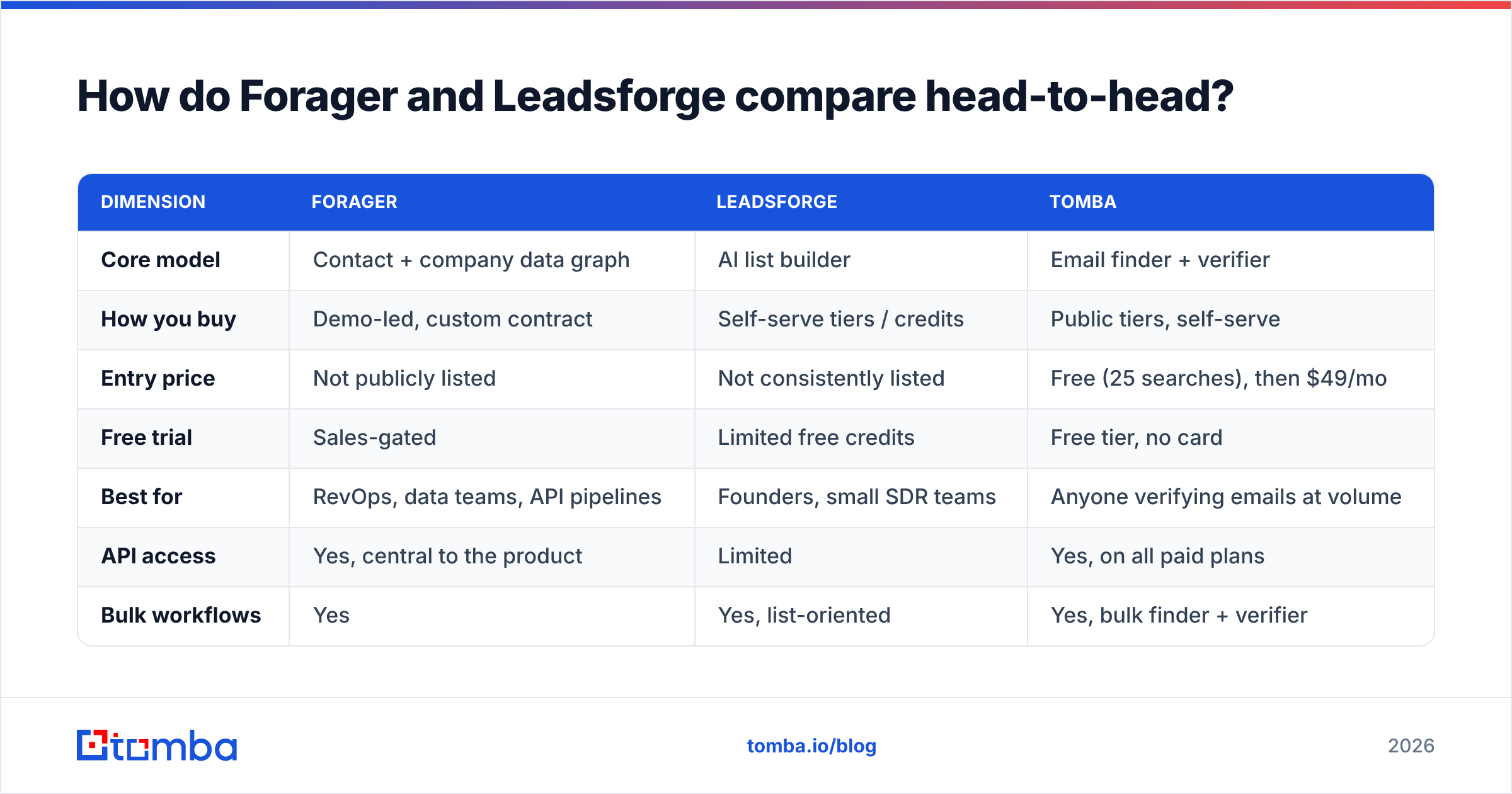
Forager's advantage is refresh cadence. A contact graph that re-crawls and re-validates on a rolling schedule will beat a static database on job-change accuracy — and job changes are the single biggest source of decay in B2B data. Research consistently puts B2B contact-data decay somewhere in the 25–30% per year range, and most of that is people moving roles.
Leadsforge's advantage is that the AI layer narrows the list before you ever export, so you waste fewer credits on obviously wrong-fit records. But narrowing is not verifying. A perfectly targeted contact with a dead mailbox still bounces.

The only accuracy test that matters is the one you run yourself:
- Build a 100-row control list of companies you already know well — ideally ones where you have a few confirmed contacts.
- Run the same list through each tool without cleaning the input. Real inputs are messy; test messy.
- Measure coverage separately from accuracy. Coverage is "how many rows came back with an email." Accuracy is "how many of those actually resolve." A tool with 90% coverage and 60% accuracy is worse than one with 60% coverage and 95% accuracy.
- Verify the outputs with a neutral third tool so you are not grading a vendor with its own scorecard. Run everything through an independent email verifier before you compare.
- Check the catch-all handling explicitly. Catch-all domains are where most vendors quietly inflate their numbers by marking everything "valid." A proper catch-all verifier will tell you it is uncertain instead of guessing.
Do that and the forager vs leadsforge question usually answers itself for your specific ICP — the winner is rarely the same across industries or geographies.
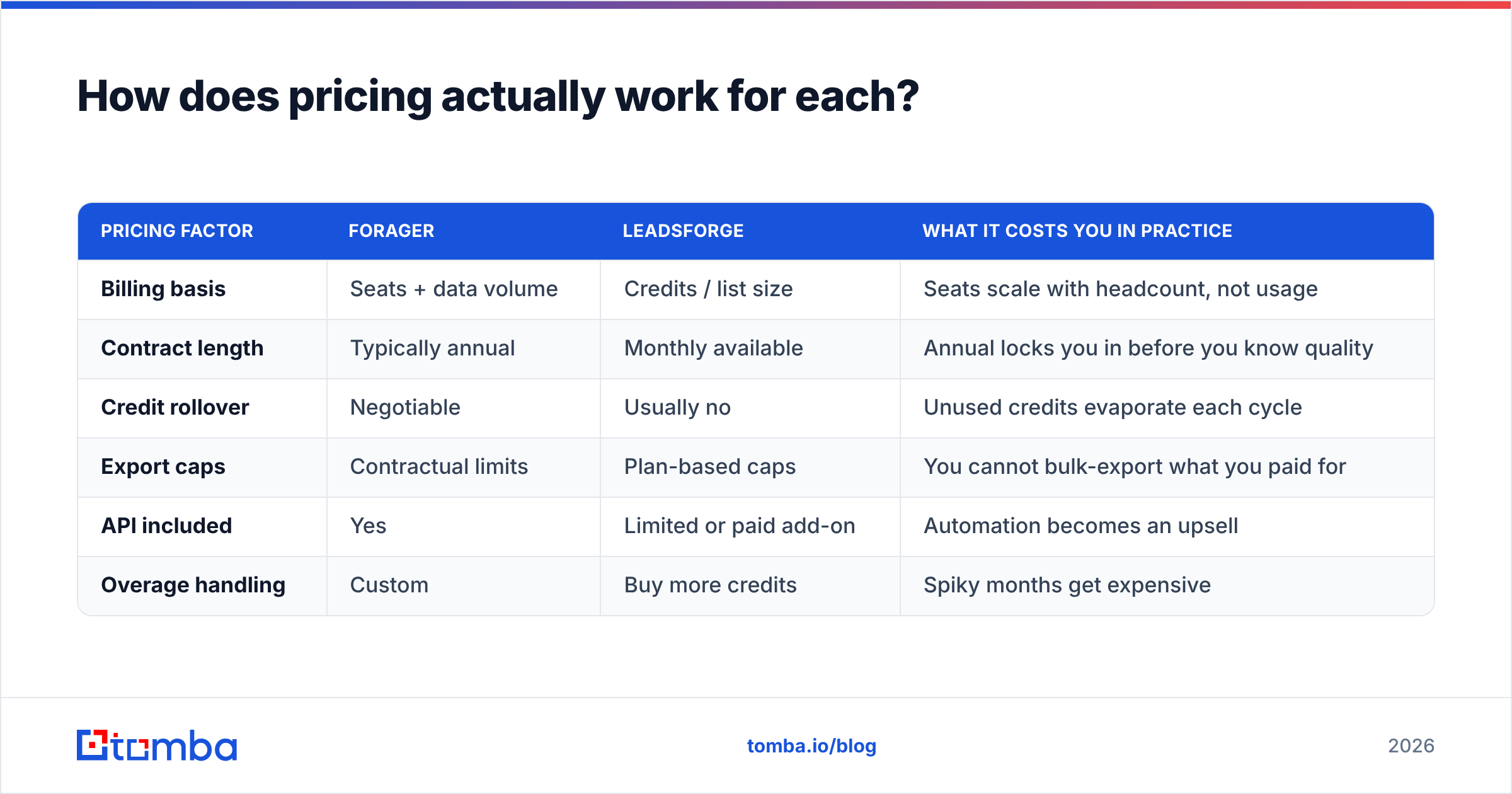
How does pricing actually work for each?#
This is where most buyers get surprised, so read the contract mechanics rather than the pricing page.
| Pricing factor | Forager | Leadsforge | What it costs you in practice |
|---|---|---|---|
| Billing basis | Seats + data volume | Credits / list size | Seats scale with headcount, not usage |
| Contract length | Typically annual | Monthly available | Annual locks you in before you know quality |
| Credit rollover | Negotiable | Usually no | Unused credits evaporate each cycle |
| Export caps | Contractual limits | Plan-based caps | You cannot bulk-export what you paid for |
| API included | Yes | Limited or paid add-on | Automation becomes an upsell |
| Overage handling | Custom | Buy more credits | Spiky months get expensive |
Compare that to a published, self-serve ladder. Tomba pricing runs Free (25 searches/mo), Starter $49/mo, Growth $99/mo, Pro $249/mo, and Enterprise custom — no seat minimum, no demo gate, and the API is on every paid plan. That does not make it a Forager replacement for a data team building a warehouse. It does make it a straight substitute for the 80% of teams who bought a data platform and only ever used the email lookup.

Who should choose Forager?#
Pick Forager if three or more of these are true:
- You have an engineer or RevOps owner. Forager's value comes from the API and enrichment pipeline, not the UI. Without someone to wire it up, you are paying for capability you will not touch.
- You care about job-change signals. Tracking when a champion moves companies is a genuine revenue play, and a refreshed graph is the right primitive for it.
- You are enriching, not prospecting. If you already have accounts and need to fill in fields at scale, a data platform beats a list builder.
- You have budget above roughly $15k/year. Below that, the demo-led motion tends to price you into a plan that does not fit.
- Compliance matters. Enterprise data vendors publish sourcing documentation and DPAs; scrappier tools often do not. Read the GDPR implications for your regions before you buy any contact database.
Skip it if you are a two-person team who needs 500 emails this month. You will spend three weeks on procurement to get something you could have bought with a credit card.
Who should choose Leadsforge?#
Pick Leadsforge if:
- Speed beats precision. You need a list today, you will iterate on messaging, and a 5% bounce rate is survivable for now.
- Nobody on the team writes SQL. The natural-language interface genuinely removes friction for non-technical founders.
- Your ICP is broad. AI list builders do well on "SaaS companies, 50–200 employees, US." They do worse on narrow, weird niches where the underlying data is thin.
- You want month-to-month. Not being locked into an annual deal is worth real money when you are still testing channels.
Skip it if you are sending high volume. Without strong verification, list-builder output will damage your sender reputation faster than any subject line can save it. If you go this route, budget for a separate verification step — it is not optional.
Where does Tomba fit in this comparison?#
Honestly: it is a different shape, and pretending otherwise would be a bad recommendation.
Forager is a data platform. Leadsforge is a list builder. Tomba is a finder-and-verifier — you bring the target (a domain, a name, a company, a LinkedIn profile) and it returns a verified work email plus enrichment around it.
That narrower scope is the point for a specific buyer. If your workflow is "sales picks accounts → we need the right person's email → it must not bounce," you do not need a graph and you do not need an AI to guess your ICP. You need coverage and verification, priced per lookup.
Concretely, the overlapping jobs look like this:
- Find contacts at a known company — domain search returns the people and the email pattern for any domain.
- Turn a list of names into emails — the bulk email finder handles CSV in, verified CSV out.
- Automate it — the Tomba API is on every paid plan, including the $49 Starter, with no seat pricing attached.
Where Tomba does not compete: warehouse-scale enrichment jobs, intent data, job-change monitoring at population scale. If those are your requirements, Forager is a more serious answer and you should evaluate it properly.

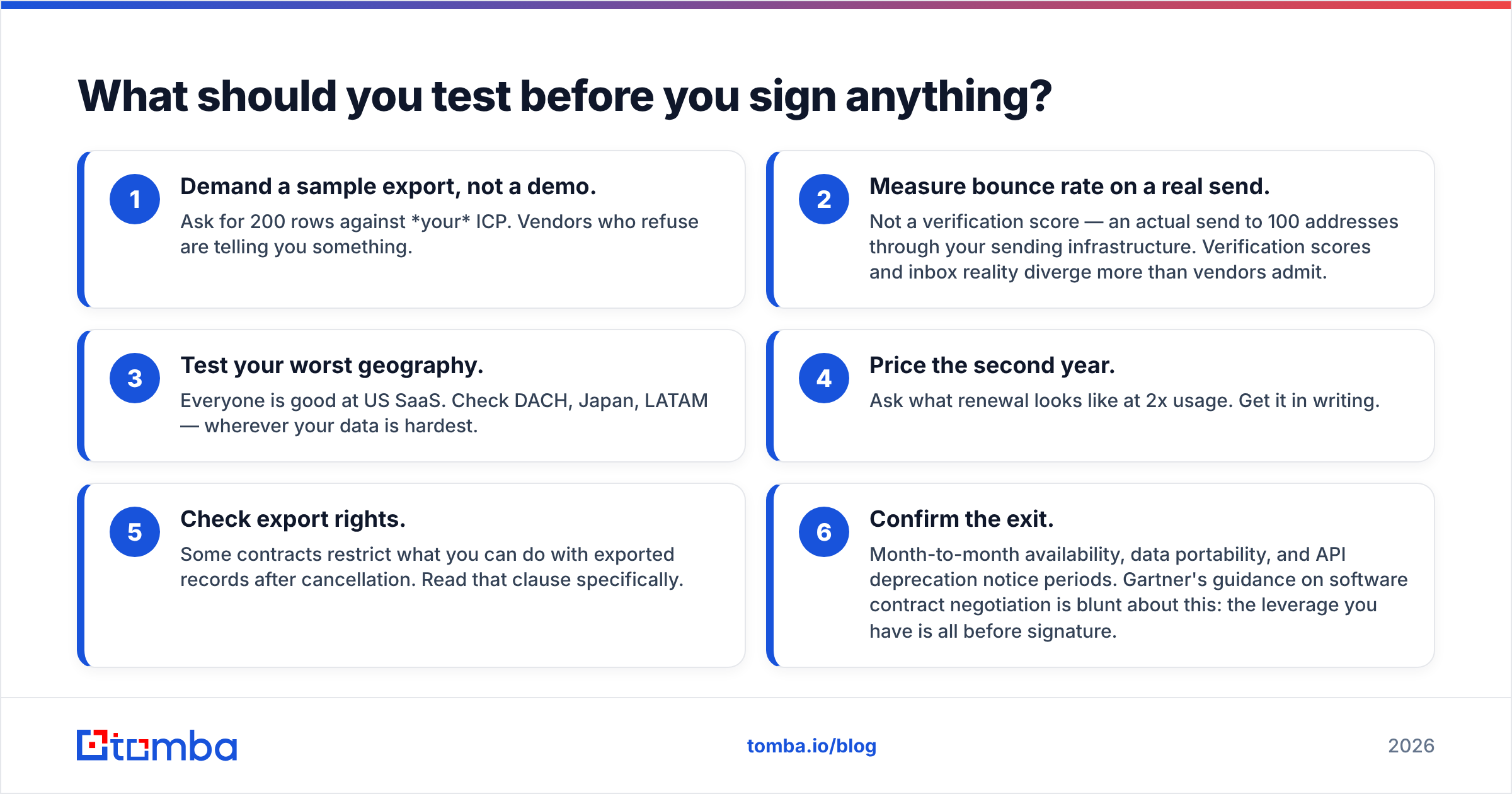
What should you test before you sign anything?#
Run this checklist before any annual commitment. It takes about two hours and routinely saves five figures.
- Demand a sample export, not a demo. Ask for 200 rows against your ICP. Vendors who refuse are telling you something.
- Measure bounce rate on a real send. Not a verification score — an actual send to 100 addresses through your sending infrastructure. Verification scores and inbox reality diverge more than vendors admit.
- Test your worst geography. Everyone is good at US SaaS. Check DACH, Japan, LATAM — wherever your data is hardest.
- Price the second year. Ask what renewal looks like at 2x usage. Get it in writing.
- Check export rights. Some contracts restrict what you can do with exported records after cancellation. Read that clause specifically.
- Confirm the exit. Month-to-month availability, data portability, and API deprecation notice periods. Gartner's guidance on software contract negotiation is blunt about this: the leverage you have is all before signature.
Is one clearly better than the other?#
No — and any post that tells you otherwise is selling something.
Forager wins on depth, refresh, and API-first architecture. It is the right call for a data-mature team with budget. Leadsforge wins on time-to-first-list and accessibility. It is the right call for a small team that needs motion this week. Both will underperform if you skip verification, because both are upstream of the thing that actually determines results: whether the email lands.
The most common outcome we see is teams buying one of these, discovering that 70% of their usage is plain email lookup, and then bolting on a cheaper per-credit tool for that layer. If you suspect that is you, invert the order — start with the cheap layer and only buy the platform once you can name the specific query it answers that the cheap layer cannot.
Ready to test the accuracy claim yourself?#
Before you sit through a demo or commit to an annual contract, get a baseline. Run 25 of your hardest target accounts through the Tomba Email Finder on the free tier — no card, no sales call — and see what coverage and verification actually look like on your ICP. Then walk into the Forager or Leadsforge conversation with a number to beat instead of a marketing claim to evaluate. If the free tier already covers what you needed, Starter at $49/mo covers the rest, and you have just saved yourself a procurement cycle.
Related guides#
Ready to find emails that actually work?
Join 150,000+ professionals who stopped guessing and started sending. Free credits on signup — no credit card required.
Get the Tomba newsletter
Practical outbound tactics and product updates — once every two weeks.
About the author