Forager vs SalesQL: Which B2B Email Finder Wins in 2026?
Forager sells real-time contact data at scale. SalesQL lives inside LinkedIn as a browser extension. We break down match rates, pricing, verification, and which one actually belongs in your outbound stack.
TL;DR
- Forager is a data-network play: large refreshed contact database, API-first delivery, enrichment at list scale. It fits RevOps teams filling a CRM, not reps hunting one prospect at a time.
- SalesQL is a browser-extension play: you work inside LinkedIn, click, and it returns emails and phone numbers for the profiles or search results on screen. It fits SDRs who prospect visually.
- Neither tool is a full replacement for the other. Forager wins on volume and pipeline delivery; SalesQL wins on speed-per-profile and cost of entry.
- Both leave the same gap: verification depth. Catch-all domains and role accounts still slip through unless you run a separate verification layer.
- If you need one platform that does discovery, enrichment, and verification under a single credit pool with a published API, a general-purpose email finder like Tomba is the cheaper consolidation path.
Choosing between Forager and SalesQL is really a choice between two different theories of prospecting. One says "give me the whole market as a dataset." The other says "give me the contact I'm looking at right now." Pick the wrong theory for your team and you will pay for capacity you never touch, or you will hit a ceiling in month two.
What is Forager and who is it built for?#
Forager positions itself as a real-time B2B contact and company data network. The pitch is coverage and freshness: hundreds of millions of professional profiles, refreshed on a rolling cycle rather than dumped once a quarter, delivered through an API, bulk files, or integrations rather than a point-and-click UI.
That shape tells you the buyer. Forager is sold to teams that already have a system of record and want it fed — RevOps, growth engineering, data teams building lead-scoring models, agencies building lists for clients. You describe an audience with filters (title, seniority, headcount, industry, technology, geography), and you get records back in bulk.
The practical consequence: Forager is strong when your unit of work is a list of 5,000 accounts. It is awkward when your unit of work is this one VP of Engineering I found on LinkedIn ten seconds ago.
Forager also leans on job-change and profile-change signals. If a contact moves companies, a refreshed network catches it faster than a static database, which matters because roughly a fifth of B2B contact records decay every year. Fresh data is not a nice-to-have — it is the difference between a 40% bounce rate and a 2% one.
What is SalesQL and who is it built for?#
SalesQL is a Chrome extension that overlays LinkedIn and LinkedIn Sales Navigator. Open a profile, click the icon, and it surfaces personal and work emails plus phone numbers where available. Run a Sales Navigator search, and it can extract contacts from the result set in batches, organize them into lists, and export to CSV or push to a CRM.
The buyer here is the individual rep or a small SDR pod. There is no data-engineering step. You do not describe an ICP in filter syntax — you find people the way you already find them, on LinkedIn, and SalesQL fills in the contact details behind the profile.
SalesQL's entry price is deliberately low, and there is a free tier with a small monthly credit allowance, which makes it a common first purchase for founders doing their own outbound. Its ceiling is equally deliberate: everything flows through LinkedIn, so your total addressable prospect universe is whatever LinkedIn surfaces and whatever LinkedIn's rate limits allow you to page through in a day.
How do Forager and SalesQL compare head-to-head?#
Here is the honest side-by-side. Pricing figures move — confirm current numbers on each vendor's own pricing page before you commit budget.
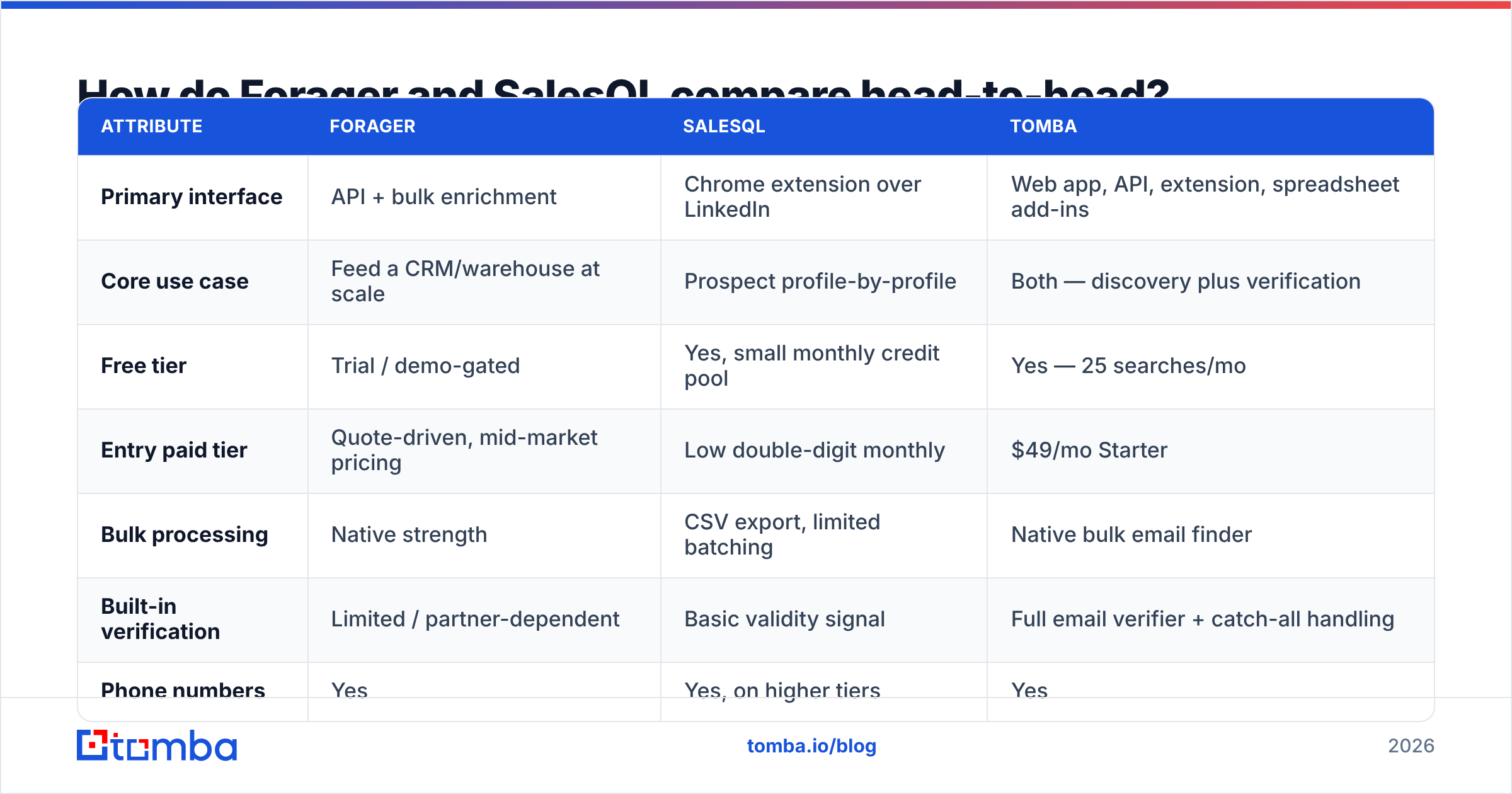
| Attribute | Forager | SalesQL | Tomba |
|---|---|---|---|
| Primary interface | API + bulk enrichment | Chrome extension over LinkedIn | Web app, API, extension, spreadsheet add-ins |
| Core use case | Feed a CRM/warehouse at scale | Prospect profile-by-profile | Both — discovery plus verification |
| Free tier | Trial / demo-gated | Yes, small monthly credit pool | Yes — 25 searches/mo |
| Entry paid tier | Quote-driven, mid-market pricing | Low double-digit monthly | $49/mo Starter |
| Bulk processing | Native strength | CSV export, limited batching | Native bulk email finder |
| Built-in verification | Limited / partner-dependent | Basic validity signal | Full email verifier + catch-all handling |
| Phone numbers | Yes | Yes, on higher tiers | Yes |
| Works without LinkedIn | Yes | No | Yes |
| Best for | RevOps, data teams, agencies | SDRs, founders, recruiters | Teams wanting one stack |

The table hides one thing worth saying plainly: these tools rarely compete in the same deal. When a team evaluates "Forager vs SalesQL," it usually means they have not yet decided whether their outbound problem is a data problem or a workflow problem. Answer that first and the tool choice resolves itself.
What does each tool actually do well?#
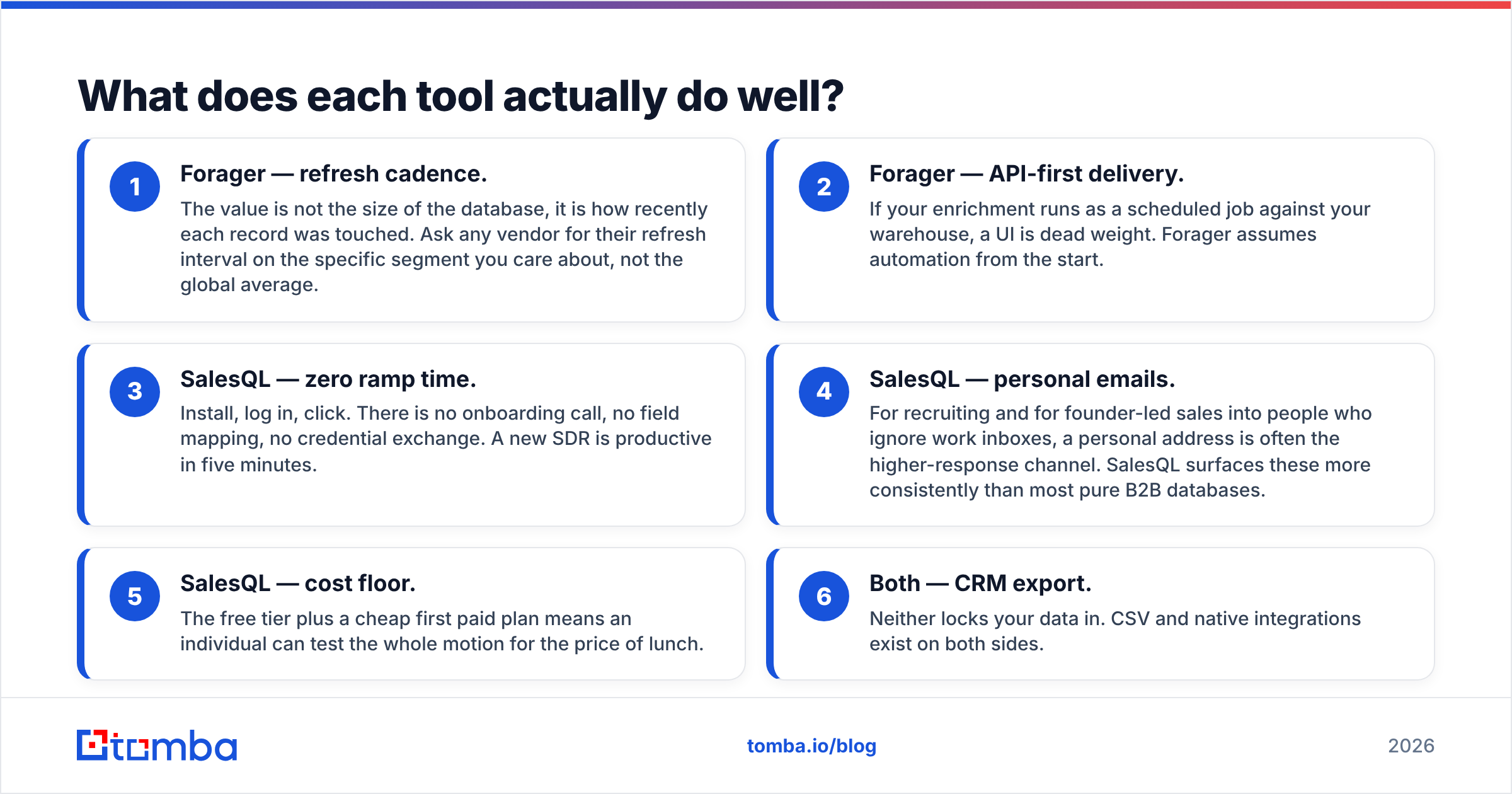
- Forager — refresh cadence. The value is not the size of the database, it is how recently each record was touched. Ask any vendor for their refresh interval on the specific segment you care about, not the global average.
- Forager — API-first delivery. If your enrichment runs as a scheduled job against your warehouse, a UI is dead weight. Forager assumes automation from the start.
- SalesQL — zero ramp time. Install, log in, click. There is no onboarding call, no field mapping, no credential exchange. A new SDR is productive in five minutes.
- SalesQL — personal emails. For recruiting and for founder-led sales into people who ignore work inboxes, a personal address is often the higher-response channel. SalesQL surfaces these more consistently than most pure B2B databases.
- SalesQL — cost floor. The free tier plus a cheap first paid plan means an individual can test the whole motion for the price of lunch.
- Both — CRM export. Neither locks your data in. CSV and native integrations exist on both sides.
How accurate are Forager and SalesQL in practice?#
Accuracy claims in this category are close to meaningless without definitions, so define your terms before you test.
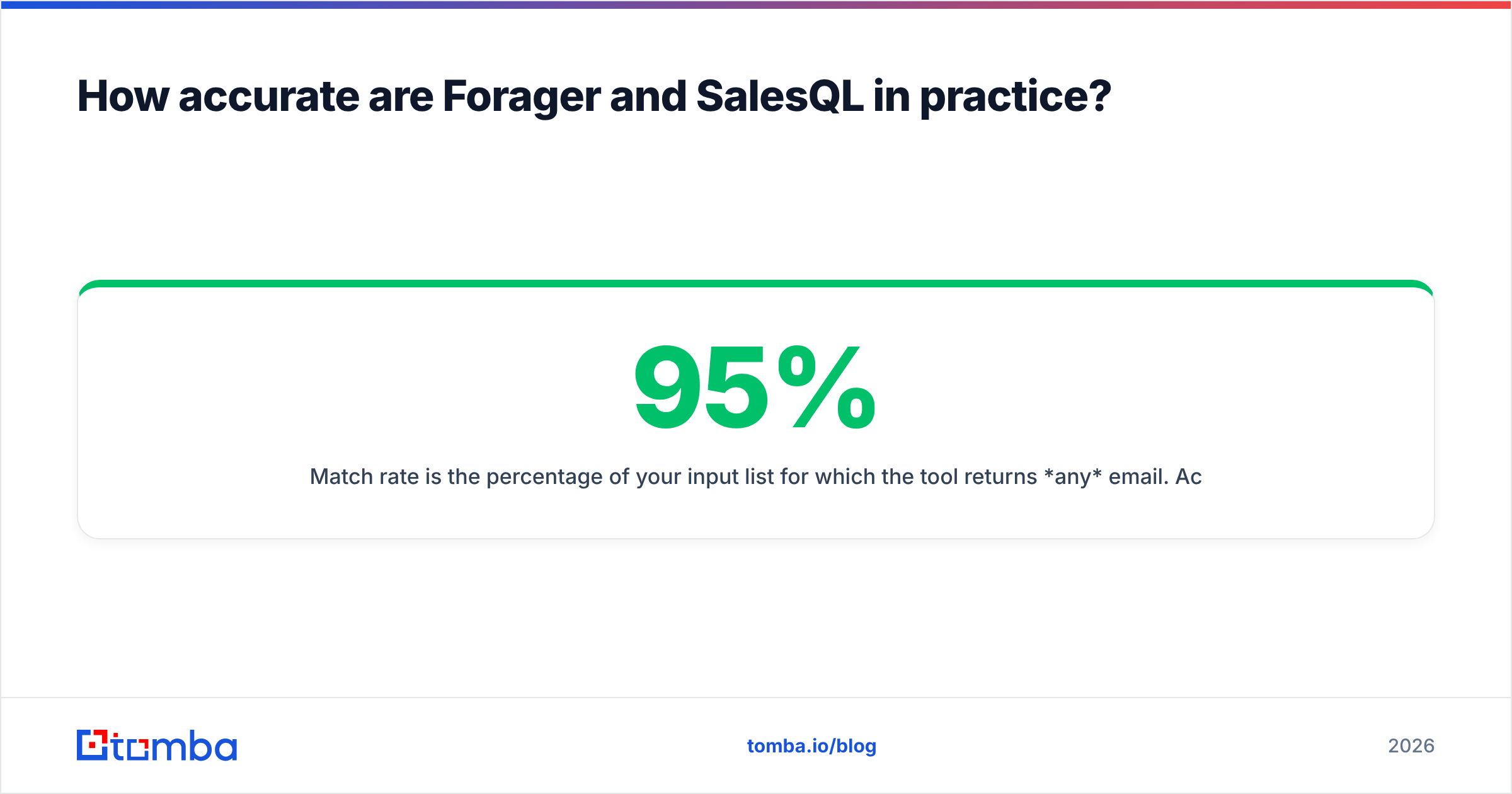
Match rate is the percentage of your input list for which the tool returns any email. Accuracy is the percentage of returned emails that are deliverable. Vendors love quoting the first number and calling it the second. A tool that returns an address for 95% of your list and bounces on 20% of them is worse than a tool that returns 60% and bounces on 2%.

Run this test before you buy either one:
- Take 200 contacts you already have confirmed, deliverable emails for. Real ones, from replies — not from another database.
- Strip the email column. Feed the names and domains to each tool.
- Measure three things: how many it found, how many matched your known-good address exactly, and how many it returned that you know are wrong.
- Then run everything each tool returned through an independent verifier and record bounce predictions.
That third step is where most evaluations fall apart. Forager and SalesQL both return addresses that "look right" — first.last@domain.com on a domain that accepts everything. A catch-all server says yes to every address you throw at it, which means an unverified catch-all result is a coin flip dressed up as data. If a meaningful slice of your ICP sits on catch-all domains, budget for a catch-all verifier regardless of which tool you pick.
What does each one cost at real volume?#
The sticker price is not the number that matters. The number that matters is cost per deliverable contact.
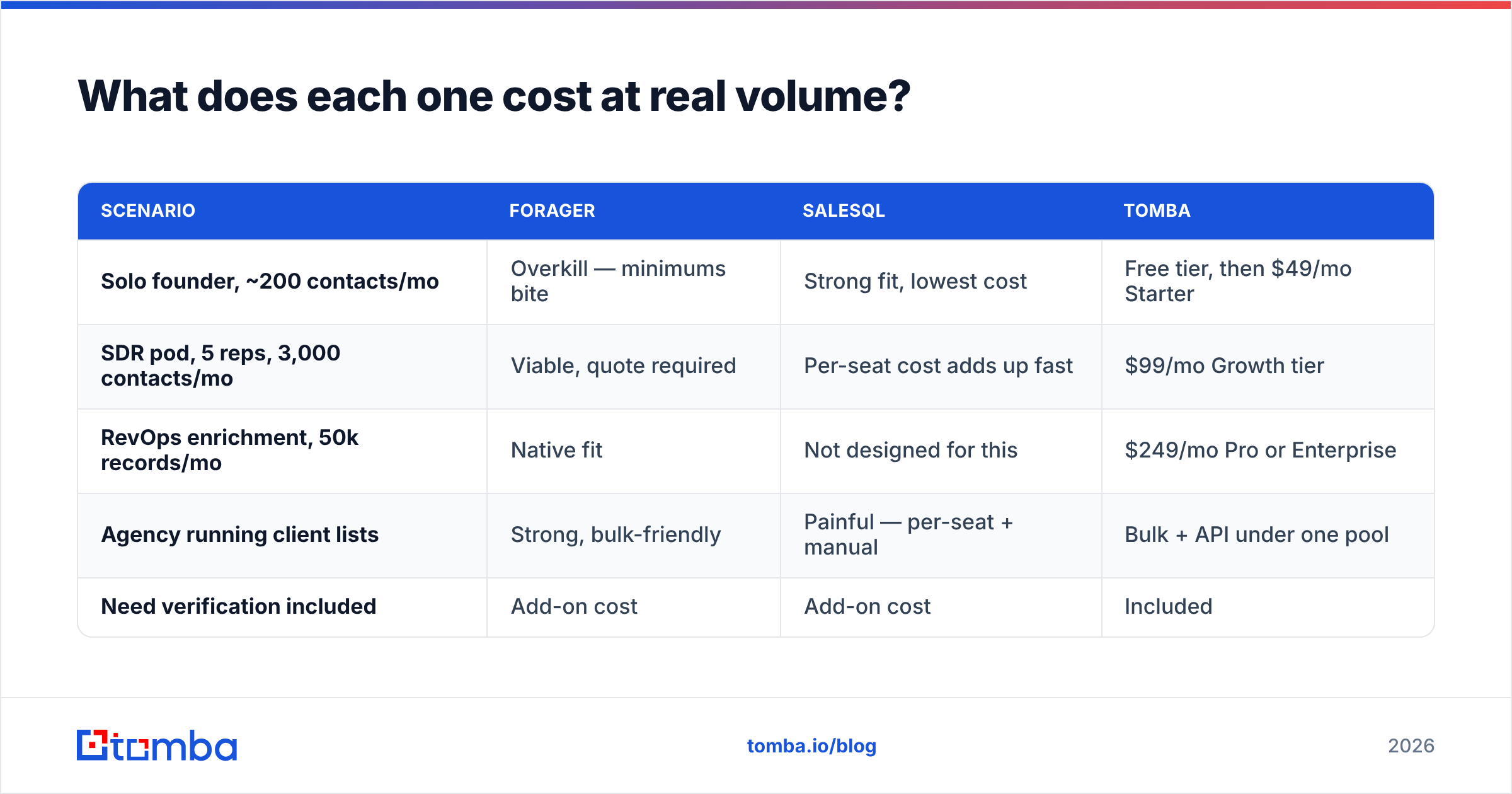
| Scenario | Forager | SalesQL | Tomba |
|---|---|---|---|
| Solo founder, ~200 contacts/mo | Overkill — minimums bite | Strong fit, lowest cost | Free tier, then $49/mo Starter |
| SDR pod, 5 reps, 3,000 contacts/mo | Viable, quote required | Per-seat cost adds up fast | $99/mo Growth tier |
| RevOps enrichment, 50k records/mo | Native fit | Not designed for this | $249/mo Pro or Enterprise |
| Agency running client lists | Strong, bulk-friendly | Painful — per-seat + manual | Bulk + API under one pool |
| Need verification included | Add-on cost | Add-on cost | Included |
Two cost traps to watch for.
Per-seat pricing on extensions. SalesQL charges per user. Five reps means five subscriptions, and credits usually do not pool across them. A team plan that looks cheap at one seat can quietly exceed a platform subscription at five.
Credit burn on unverified results. If a tool charges a credit for every lookup regardless of outcome, and 30% of lookups return nothing usable, your effective price per usable contact is 43% higher than advertised. Ask both vendors, explicitly: do you charge for a no-result lookup? Their answers will differ.
For reference, Tomba pricing runs Free (25 searches/mo), Starter $49/mo, Growth $99/mo, Pro $249/mo, and custom Enterprise — with finding and verification drawing from the same pool rather than being billed as separate products. That single-pool structure is the main reason consolidation often beats a two-tool setup on total cost.
What are the limits nobody puts in the sales deck?#
Forager's limit is discoverability of fit. Because it is quote-driven and API-first, you cannot cheaply find out whether its coverage is good in your niche before you talk to sales. Coverage in US SaaS mid-market is a solved problem across every vendor. Coverage in German manufacturing, Brazilian logistics, or sub-50-employee healthcare practices is where databases diverge wildly. Push for a sample of 500 records from your exact segment during evaluation. If a vendor will not run that test, that is your answer.
SalesQL's limit is the platform it depends on. Everything is downstream of LinkedIn. That creates three exposures: LinkedIn's rate limits cap your daily throughput, LinkedIn's UI changes can break the extension until it is patched, and aggressive extraction carries account-restriction risk. None of these are hypothetical — they are the standard failure modes for every LinkedIn-layer tool, which is why teams that scale past a certain volume almost always add a non-LinkedIn source. A dedicated LinkedIn finder or a domain-based search gives you a second path to the same person when the first one is throttled.
Both share a compliance limit. Personal emails and phone numbers carry different obligations under GDPR and similar regimes than work addresses do. Legitimate-interest processing for B2B outreach is defensible; blasting scraped personal Gmail addresses is a different risk category. Talk to whoever owns compliance before you export personal contact fields at volume, and check independent reviews on G2 for how each vendor handles data-subject requests in practice.
Which one should you actually pick?#
Pick Forager if your outbound is programmatic. You have a warehouse, an ICP defined in filters rather than in someone's head, and a need to enrich thousands of records on a schedule. You are buying a pipe, not an app.
Pick SalesQL if your outbound is manual and LinkedIn-native. Reps browse, qualify by eye, and want contact details without leaving the tab. You are buying speed, and you are fine with a ceiling because you are nowhere near it.
Pick neither if you are trying to solve both problems and are about to buy two subscriptions plus a verifier plus an enrichment add-on. That stack is where budgets quietly balloon. Peers in this space handle it differently — BookYourData, for example, sells pre-verified list downloads with a pay-as-you-go model that suits teams who want data without a subscription commitment at all, which is a genuinely different and reasonable answer to the same question.
The consolidation case is simple arithmetic. If discovery, verification, catch-all handling, bulk processing, and API access are five line items today, replacing them with one platform on a shared credit pool usually cuts cost and always cuts integration overhead. Tomba's domain search covers the list-building side, verification runs on the same credits, and the Tomba API handles the programmatic side that Forager buyers care about — without a quote-gated sales process to get started.
Frequently asked questions#
Is SalesQL safe to use with LinkedIn? It operates within LinkedIn's UI, which means the usual caution applies: keep extraction volumes reasonable, avoid running multiple scraping extensions simultaneously, and do not treat a LinkedIn account you depend on as expendable. Most restrictions come from aggressive volume, not from the tool itself.
Does Forager have a free trial? Access is generally demo- or quote-gated rather than self-serve. If you want to test coverage without a sales cycle, start with a self-serve tool and benchmark Forager against it later with real data in hand.
Can I use both together? Yes, and some teams do — Forager for the programmatic list build, SalesQL for the opportunistic profile lookups reps do ad hoc. Just track combined cost per deliverable contact, because two partial tools plus a verifier frequently costs more than one complete one.
Do I still need a separate verifier? Almost certainly. Neither tool's built-in validity signal is a substitute for a full SMTP-level check with catch-all logic, and bounce rates above 3% start damaging sender reputation immediately.
Start with a real test, not a demo#
Do not decide Forager vs SalesQL from a feature grid — including this one. Take 200 known-good contacts, run them through each option, and compare deliverable results per dollar. That test takes an afternoon and saves a year of paying for the wrong shape of tool.
If you want a baseline to measure both against, start free with the Tomba Email Finder — 25 searches a month with no card, verification included on every result, and the same API your engineers would use in production. Run your 200-contact test against it alongside the other two, and let the bounce rate pick the winner.
Related guides#
Ready to find emails that actually work?
Join 150,000+ professionals who stopped guessing and started sending. Free credits on signup — no credit card required.
Get the Tomba newsletter
Practical outbound tactics and product updates — once every two weeks.
About the author