Freshworks Alternatives 2026: 9 CRM and Sales Tools Compared
Freshworks bundles CRM, support, and marketing into one suite — but the bundle is also the problem. Here are 9 alternatives that beat it on price, data, or depth.
TL;DR
- Freshworks works best for mid-market teams that want CRM, helpdesk, and marketing under one login and are fine paying per-seat for all three.
- The three reasons teams leave: per-seat costs that compound across products, thin native contact data, and a CRM that lags HubSpot and Pipedrive on pipeline depth.
- Best cheap swap: Zoho CRM ($14/user/mo). Best UX swap: Pipedrive. Best free-tier swap: HubSpot. Best support-only swap: Zendesk or Intercom.
- If your real problem is empty CRM fields rather than the CRM itself, replacing Freshworks won't fix it — you need a data layer like Tomba underneath whatever CRM you pick.
- Budget 3–6 weeks for a migration if you're moving more than 25k contacts and any custom modules.
What is Freshworks and who actually uses it?#
Freshworks is a suite. That single fact explains both why teams buy it and why they leave.
Think of it like a hotel all-inclusive package: the buffet, the pool, and the gym are all included, and none of them are the best in town. Freshworks sells Freshsales (CRM), Freshdesk (support ticketing), Freshservice (ITSM), and Freshmarketer (marketing automation) as separately-priced products that share an identity layer and a contact record.
The typical buyer is a 50–500 employee company that got tired of paying for Salesforce plus Zendesk plus a marketing tool and wanted one vendor, one invoice, one support contract. For that buyer, it genuinely works. Freshservice in particular is a strong ITSM product that competes seriously with ServiceNow at a fraction of the cost.
The typical leaver is one of three profiles:
- The outgrown startup — started on the free/Growth tier, now has 15 reps, and the per-seat math across two products stopped being cheap.
- The sales-led team — bought the suite for support, inherited Freshsales, and finds the pipeline management shallow compared to Pipedrive or HubSpot.
- The data-starved team — has the CRM but not the contacts, and discovered that Freshsales' built-in enrichment covers a small slice of their ICP.
Profile 3 is the one people misdiagnose most often. Switching CRMs does not fill empty email fields.
Why do teams look for Freshworks alternatives?#
Four concrete reasons show up over and over in G2 reviews and migration threads:
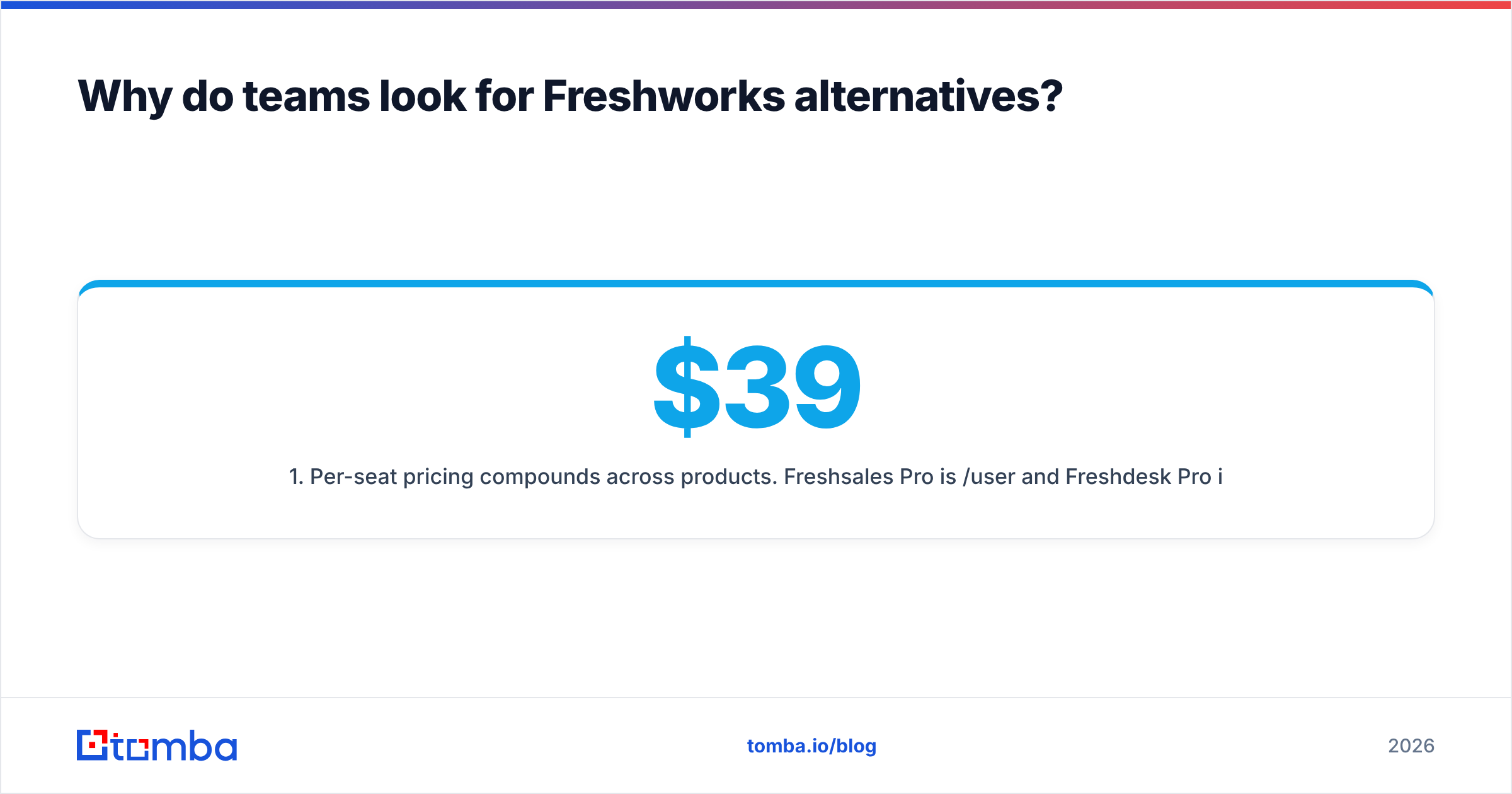
- Per-seat pricing compounds across products. Freshsales Pro is $39/user/mo and Freshdesk Pro is $49/agent/mo. A 20-person team using both lands near $21k/year before add-ons. The suite discount rarely closes that gap versus best-of-breed tools at each layer.
- Feature depth per product is "good, not best." Freshsales handles a linear pipeline fine. It struggles with multi-product deals, complex forecasting, and revenue attribution — the things a dedicated CRM invests its entire roadmap in.
- Native data coverage is thin. Auto-profile enrichment works well on large, well-indexed companies and drops off fast for SMB, non-US, and technical-buyer segments.
- Migration lock-in fear grows with time. The longer you stay, the more custom modules and workflows you build, and the harder the eventual exit becomes. Teams that sense this at 18 months often leave at 24.
Add a fifth, softer reason: AI feature parity. Freddy AI shipped early and improved, but every competitor now has an AI layer, so the differentiator evaporated.
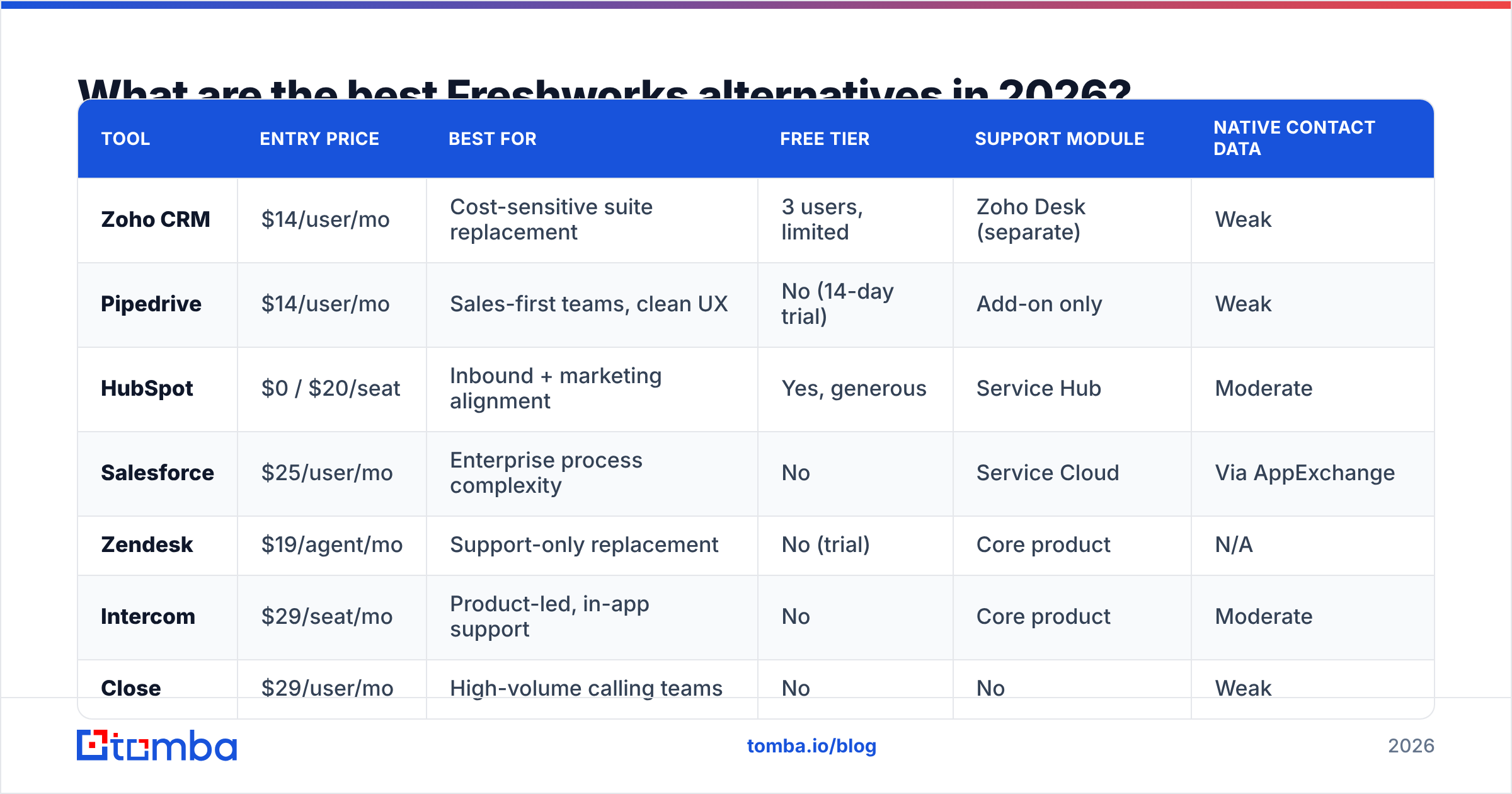
What are the best Freshworks alternatives in 2026?#
Here's the full comparison. Prices are list, billed annually, per user per month unless noted.
| Tool | Entry price | Best for | Free tier | Support module | Native contact data |
|---|---|---|---|---|---|
| Zoho CRM | $14/user/mo | Cost-sensitive suite replacement | 3 users, limited | Zoho Desk (separate) | Weak |
| Pipedrive | $14/user/mo | Sales-first teams, clean UX | No (14-day trial) | Add-on only | Weak |
| HubSpot | $0 / $20/seat | Inbound + marketing alignment | Yes, generous | Service Hub | Moderate |
| Salesforce | $25/user/mo | Enterprise process complexity | No | Service Cloud | Via AppExchange |
| Zendesk | $19/agent/mo | Support-only replacement | No (trial) | Core product | N/A |
| Intercom | $29/seat/mo | Product-led, in-app support | No | Core product | Moderate |
| Close | $29/user/mo | High-volume calling teams | No | No | Weak |
| Monday CRM | $12/seat/mo | Ops teams already on monday.com | Yes, limited | Via boards | None |
| Copper | $12/user/mo | Google Workspace-native teams | No | No | Weak |
Notice the last column. Every one of these tools assumes contact data arrives from somewhere else. That's not a flaw in the comparison — it's the structural reality of the CRM market, and it's why the "which CRM" question is only half the decision.
Zoho CRM — the direct suite-for-suite swap#
Zoho is the closest structural match: a full suite (CRM, Desk, Campaigns, Books) from a single vendor at roughly half the per-seat cost. Zoho One bundles 45+ apps at $37/user/mo, which is genuinely hard to beat on raw price.
The trade-off is UI density and a steeper admin learning curve. Zoho gives you more knobs; you will turn more of them.
Pick it if: you liked the suite model and left purely over cost.
Pipedrive — the sales-first swap#
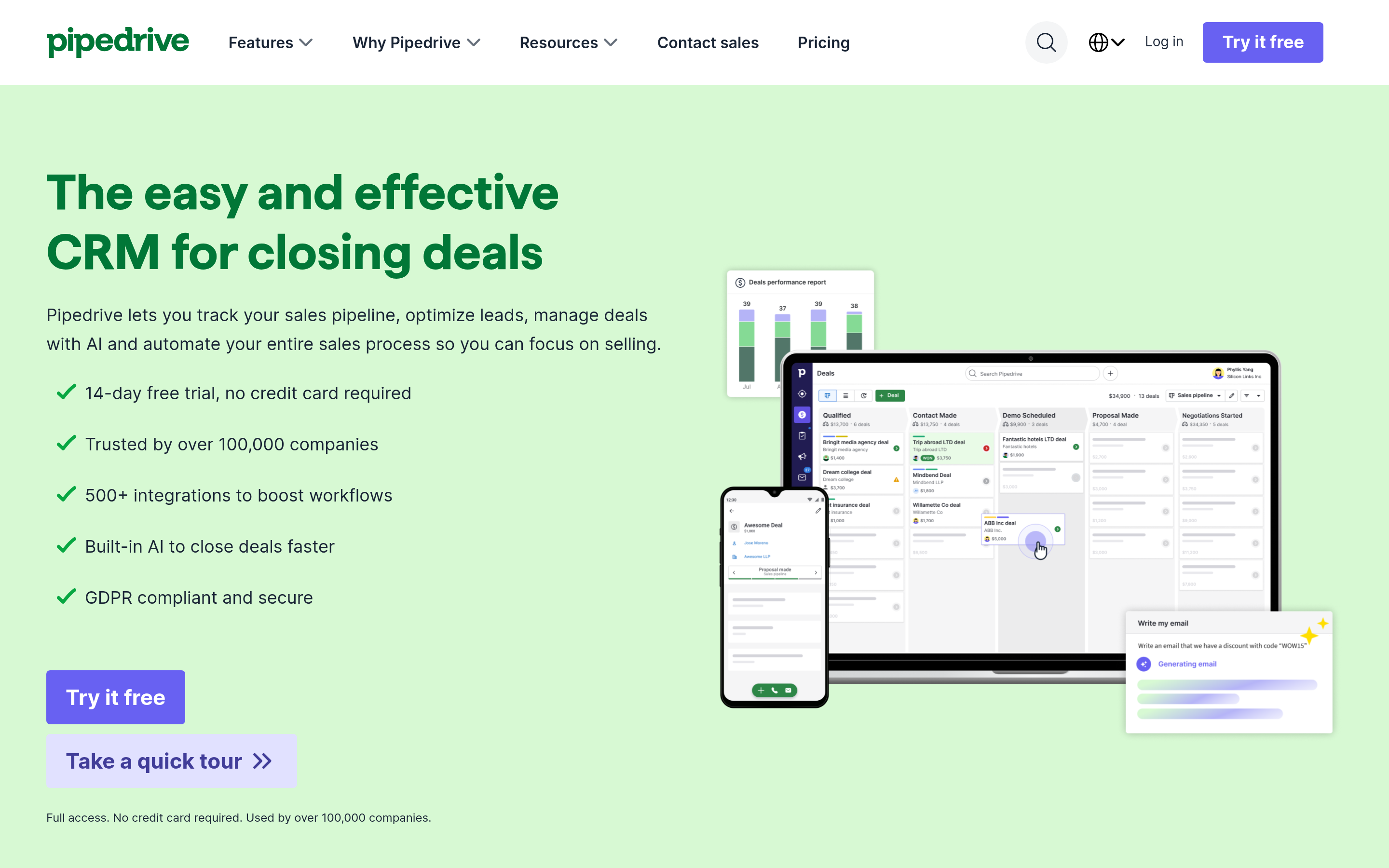
Pipedrive does one thing: move deals through stages. No helpdesk, no ITSM, no marketing automation beyond basic sequences. Reps adopt it faster than any CRM on this list because there's almost nothing to learn.
Pick it if: Freshsales felt like a CRM designed by a support company. (It partly was.)
HubSpot — the free-tier swap#
HubSpot's free CRM is unlimited-user with capped features, which makes it the lowest-friction landing spot for a team of 5–15. Starter Customer Platform runs $20/seat/mo. The catch is well-documented: Marketing Hub pricing scales on contacts, not seats, and can spike hard past 10k records. Read the HubSpot pricing page line by line before committing.
Pick it if: marketing and sales need to share one record and you want room to start free.
Salesforce — the up-market swap#
If you're leaving Freshworks because your process outgrew it — territories, CPQ, multi-currency forecasting, partner portals — Salesforce is the honest answer, at 3–5x the total cost once you add an admin and implementation partner.
Pick it if: the constraint is process complexity, not price.
Zendesk and Intercom — the support-only swaps#
If Freshdesk was the only module you actually used, don't shop for a CRM at all. Zendesk starts at $19/agent/mo and remains the category benchmark for ticketing depth. Intercom is stronger for in-app, product-led motions with its AI agent handling first-touch resolution.
How do you replace Freshworks' data layer?#
This is the section most alternatives roundups skip, and it's the one that determines whether your new CRM actually performs better.
Freshsales includes auto-profile enrichment. When you rip it out, you inherit empty fields. A CRM with blank email and phone columns is an expensive spreadsheet.
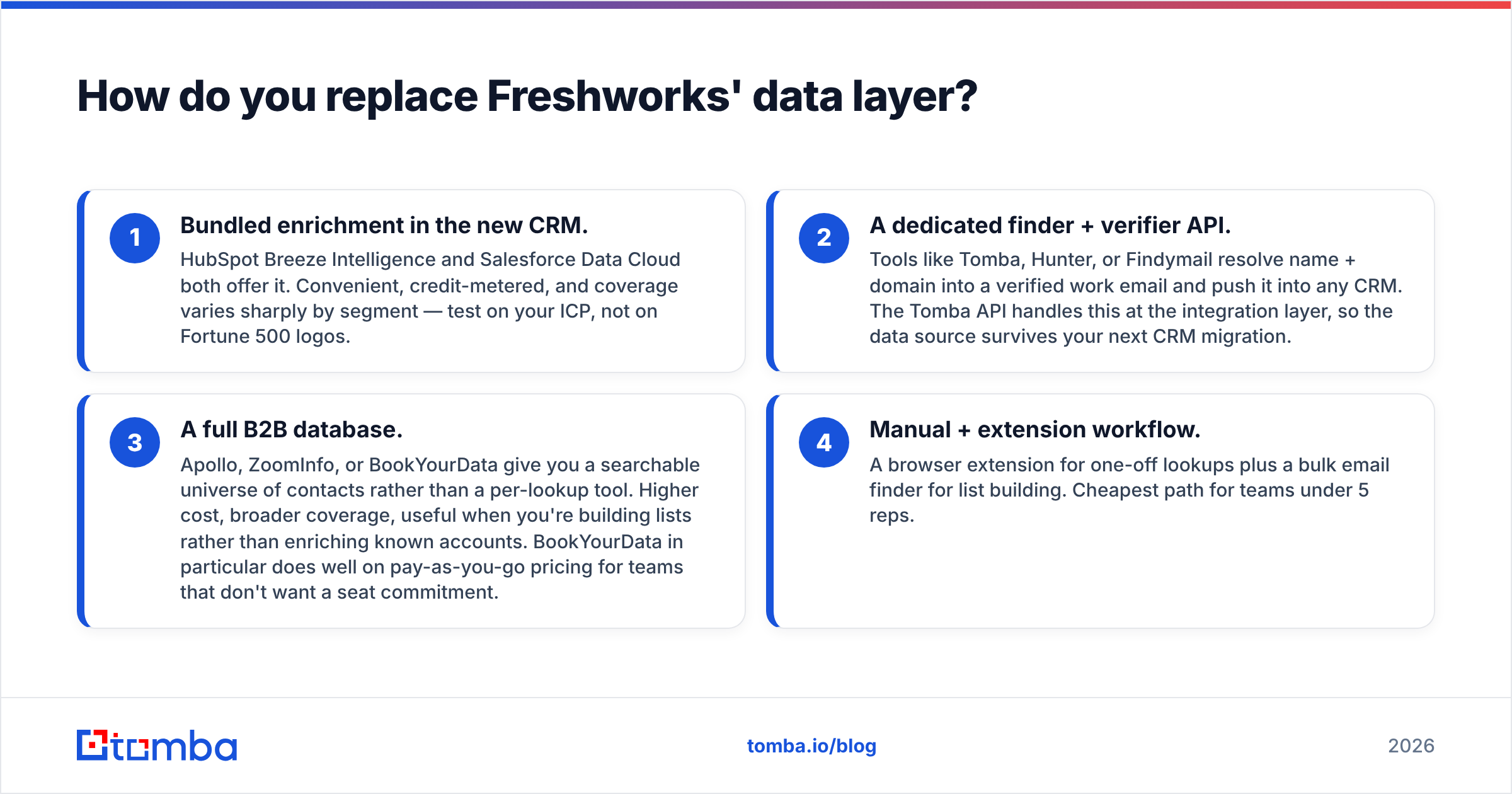
Four ways to rebuild that layer:
- Bundled enrichment in the new CRM. HubSpot Breeze Intelligence and Salesforce Data Cloud both offer it. Convenient, credit-metered, and coverage varies sharply by segment — test on your ICP, not on Fortune 500 logos.
- A dedicated finder + verifier API. Tools like Tomba, Hunter, or Findymail resolve name + domain into a verified work email and push it into any CRM. The Tomba API handles this at the integration layer, so the data source survives your next CRM migration.
- A full B2B database. Apollo, ZoomInfo, or BookYourData give you a searchable universe of contacts rather than a per-lookup tool. Higher cost, broader coverage, useful when you're building lists rather than enriching known accounts. BookYourData in particular does well on pay-as-you-go pricing for teams that don't want a seat commitment.
- Manual + extension workflow. A browser extension for one-off lookups plus a bulk email finder for list building. Cheapest path for teams under 5 reps.
The strategic point: keep the data layer decoupled from the CRM. If enrichment lives inside Freshsales, leaving Freshworks costs you your data pipeline too. If it lives in an independent API, migration is a config change.
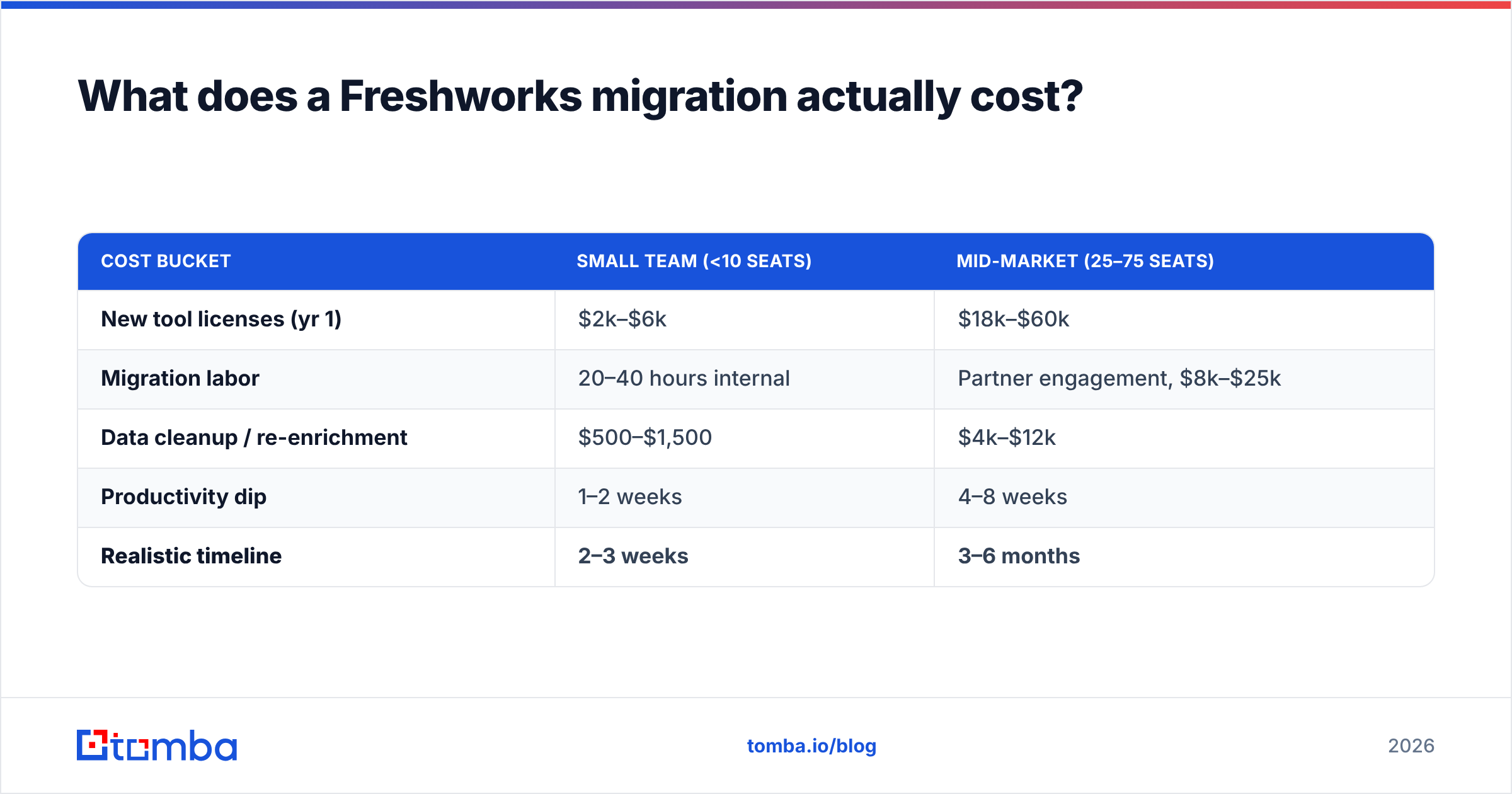
What does a Freshworks migration actually cost?#
Budget in three buckets, not one.
| Cost bucket | Small team (<10 seats) | Mid-market (25–75 seats) |
|---|---|---|
| New tool licenses (yr 1) | $2k–$6k | $18k–$60k |
| Migration labor | 20–40 hours internal | Partner engagement, $8k–$25k |
| Data cleanup / re-enrichment | $500–$1,500 | $4k–$12k |
| Productivity dip | 1–2 weeks | 4–8 weeks |
| Realistic timeline | 2–3 weeks | 3–6 months |
Three things reliably blow up migration timelines:
- Custom modules. Freshsales custom objects don't map cleanly to every target schema. Audit these first — they're the long pole.
- Workflow rebuilds. Automations do not export. Every sequence, assignment rule, and SLA policy gets rebuilt by hand.
- Dirty data carried forward. Migrating 40k stale contacts means paying to store and enrich garbage. Run a bulk verify pass before import, not after. Teams routinely find 20–30% of an aged CRM list is undeliverable.
Run the cleanup before migration and you often shrink the record count enough to drop a pricing tier on the new platform. That alone can fund the cleanup.
Which Freshworks alternative should you choose?#
Decide by constraint, not by feature checklist:
- Constraint is budget → Zoho CRM, or Monday CRM if your ops team already lives there.
- Constraint is rep adoption → Pipedrive. Nothing else on this list gets used as consistently.
- Constraint is sales-marketing alignment → HubSpot, with a hard eye on contact-tier pricing.
- Constraint is process complexity → Salesforce, and accept the admin headcount.
- Constraint is support quality only → Zendesk or Intercom; skip the CRM swap entirely.
- Constraint is pipeline volume, not tooling → Don't migrate at all this quarter. Fix your data.
That last bullet deserves emphasis. A meaningful share of "we need to leave Freshworks" projects are really "our outbound isn't working" projects wearing a costume. Before you spend three months on a migration, check whether your bounce rate is above 4% and whether your reps have verified contact details for more than half their target accounts. If either answer is bad, a new CRM changes nothing.
What should you do before you sign anything?#
Run this sequence over two weeks:
- Export usage data from Freshworks. Which modules do people actually open? Most suite buyers use 40% of what they pay for.
- Price the real seat count, not the current one. Include next year's hiring plan.
- Test data coverage on 100 real accounts from your ICP in every finalist tool. Vendor-supplied coverage stats are measured on their best segments, not yours.
- Ask each vendor for their export format in writing. If they hedge, that's your future migration pain quantified.
- Pilot with one team for 30 days before a company-wide rollout.
Step 3 is the one teams skip and regret. Coverage claims are averages across a vendor's entire index; your ICP is a slice of it. Run your own sample. It takes an afternoon and it's the only number that predicts whether reps will trust the new system.
Ready to fix the data layer under whatever CRM you pick?#
Whichever alternative wins, your reps still need verified email addresses to work the pipeline. Start with the Tomba Email Finder — find work emails by name and domain, verify them before import, and push clean records into Zoho, Pipedrive, HubSpot, or Salesforce through the API or a native integration. The free tier gives you 25 searches a month to test coverage on your own ICP before spending anything; paid plans start at $49/mo. Check current Tomba pricing to size it against your list volume.
Migrate the CRM if you must. Just don't migrate the empty fields with it.
Related guides#
Ready to find emails that actually work?
Join 150,000+ professionals who stopped guessing and started sending. Free credits on signup — no credit card required.
Get the Tomba newsletter
Practical outbound tactics and product updates — once every two weeks.
About the author