Generect vs Lead Carrot: Which B2B Lead Tool Wins in 2026?
Generect sells LinkedIn-native lead lists with real-time verification. Lead Carrot sells a flat-rate local business database. They solve different problems — here is which one actually fits your pipeline, and what each costs you per usable contact.
Generect vs Lead Carrot is a common search, but it is not a fair fight. The two tools sell different data to different buyers. This guide breaks down Generect vs Lead Carrot on data sources, pricing, and accuracy — and names a cheaper third option.
TL;DR
- Generect is a LinkedIn-native lead platform. You filter by title, company, and industry. It returns contacts with emails verified at export. Best for SDR teams chasing job titles.
- Lead Carrot is a local business database with flat-rate access. You search by industry and city. It returns listings, contact data, and website signals. Best for agencies selling to plumbers, dentists, and gyms.
- They are not direct swaps. In the Generect vs Lead Carrot choice, your ICP decides: enterprise job titles or local owners.
- Pricing shape differs more than price. Generect charges per contact. Lead Carrot charges a flat fee with soft caps.
- Already know the people or domains you want? A focused email finder like Tomba costs less than either one, and it plugs into your stack through an API.
Generect vs Lead Carrot: what does each tool do?#
Start with the honest answer. These two tools show up in the same Google searches. They do not compete for the same job.
Generect is a B2B contact database built on LinkedIn data. You define an audience the way a Sales Navigator user would: title, seniority, headcount, industry, geography, tech stack. Generect then turns those profiles into work emails. Higher tiers add phone numbers. The pitch is real-time checking. Instead of serving a record cached 14 months ago, it tries to verify the email as you export. The target buyer is an outbound team or agency running volume prospecting into mid-market and enterprise accounts.
Lead Carrot comes from a different world: the local marketing agency. It indexes small local businesses, close to what you see in Google Business Profile. Then it adds the signals an agency cares about. Does the business have a website? Is it mobile-friendly? Does it run ads? Does it have reviews? What tech does it use? The output is a list of local shops you can pitch web design, SEO, or ads to. Pricing is flat-rate, not per credit. That is the biggest structural gap between the two.
So the real Generect vs Lead Carrot question is not "which tool is better." It is "which data world do I sell into?"

Generect vs Lead Carrot: feature-by-feature comparison#
Here is the side-by-side on the traits that change your workflow. Both vendors change packaging often. Check Generect and Lead Carrot before you buy.
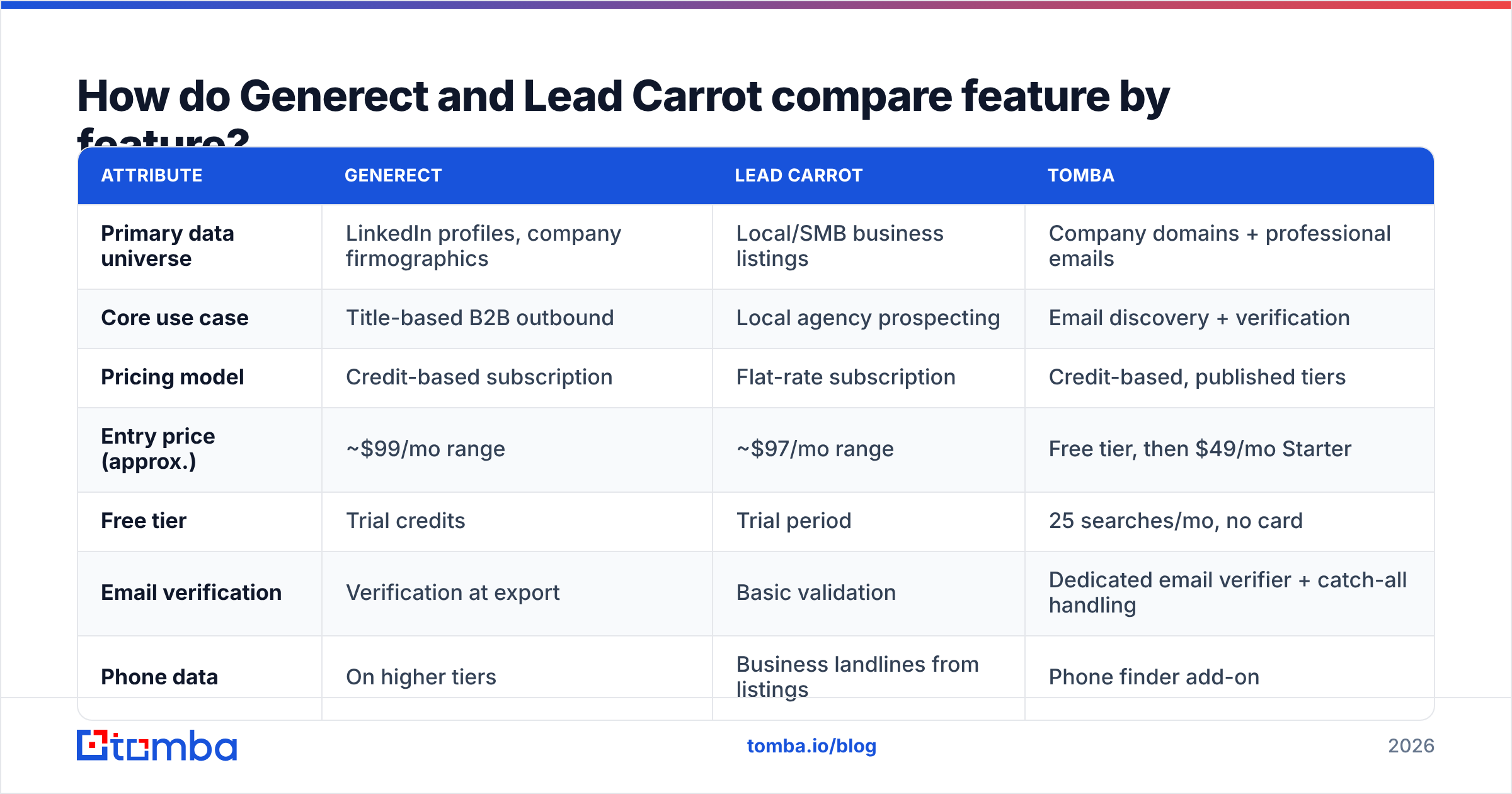
| Attribute | Generect | Lead Carrot | Tomba |
|---|---|---|---|
| Primary data universe | LinkedIn profiles, company firmographics | Local/SMB business listings | Company domains + professional emails |
| Core use case | Title-based B2B outbound | Local agency prospecting | Email discovery + verification |
| Pricing model | Credit-based subscription | Flat-rate subscription | Credit-based, published tiers |
| Entry price (approx.) | ~$99/mo range | ~$97/mo range | Free tier, then $49/mo Starter |
| Free tier | Trial credits | Trial period | 25 searches/mo, no card |
| Email verification | Verification at export | Basic validation | Dedicated email verifier + catch-all handling |
| Phone data | On higher tiers | Business landlines from listings | Phone finder add-on |
| API access | Yes | Limited | Full email finder API, CLI, MCP |
| Native spreadsheet workflow | CSV export | CSV export | Google Sheets, Excel, Airtable add-ons |
| Best-fit buyer | SDR teams, B2B agencies | Local marketing agencies | Any team that needs verified work emails |
Three things stand out.
- The price tags look alike; the units do not. Generect meters contacts. Lead Carrot meters your patience, since fair-use rules throttle heavy pulls. Pulling 20,000 local businesses a month is a very different deal from pulling 2,000 VP-level contacts.
- Verification depth is not equal. Generect makes checking a headline feature. Lead Carrot's checks are lighter. Listing emails like info@ or contact@ are easy to confirm and hard to get replies from.
- API maturity favors Generect. That matters if you pipe data into a CRM instead of exporting CSVs by hand.
Generect vs Lead Carrot: which has better data accuracy?#
Accuracy depends on the record type. This is where most comparison posts get lazy.
For person-level emails at named companies, Generect is stronger. A LinkedIn record carries a title, a company, and a start date. That makes a stale record easy to spot. If someone left the job, the profile usually shows it. Re-checking at export cuts the main source of bounces: people who moved jobs after the record was cached. Expect deliverable rates in the high 80s to low 90s on a tight ICP. Expect worse on tiny companies and in non-English markets, where LinkedIn coverage is thin.
For local business contact data, Lead Carrot holds up well, because the target is easier. A dentist's phone number and info@ address change far less often than a SaaS VP's job title. You gain stability. You lose reply rate. A generic inbox lands with a receptionist, not a buyer.
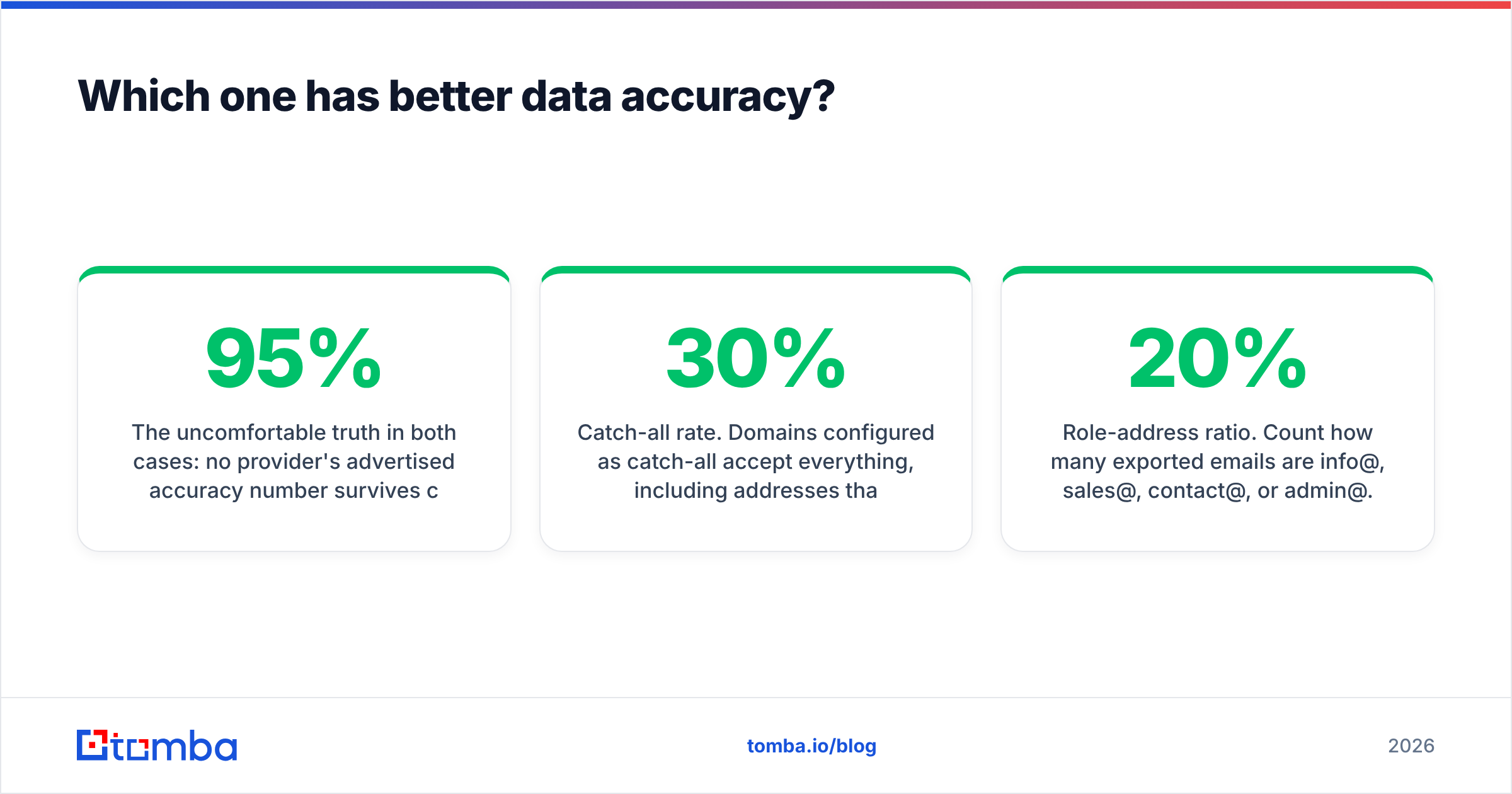
Here is the awkward part for both tools. No vendor's stated accuracy number survives contact with your ICP. Run a 200-contact sample through an outside email verifier first. If the vendor claims 95% and your sample bounces at 11%, you have your answer in an afternoon.
Two checks are worth building into any Generect vs Lead Carrot trial:
- Catch-all rate. A catch-all domain accepts every address, even fake ones. If 30% of your export is catch-all, your "verified" list is mostly unverified. Use a catch-all verifier to split those out.
- Role-address ratio. Count the
info@,sales@,contact@, andadmin@hits. Above 20%, you bought a directory, not a prospect list.

Generect vs Lead Carrot pricing: what does a usable contact cost?#
Both entry tiers sit near $97–$99 per month. That number tells you little about cost per usable contact. Model it in five steps.
- Start with cost per exported record. Divide the monthly price by the records you will really pull. For Generect, that is price ÷ credits. For Lead Carrot, it is price ÷ your monthly pull. Flat rate wins at high volume.
- Divide by your deliverable rate. A $0.05 record at 85% costs $0.059 per usable record. A $0.02 record at 55% costs $0.036. Still cheaper, but half the list is dead weight.
- Add the cost of bad sends. Every hard bounce dents your sender reputation. At scale, a 10% bounce rate also hurts inbox placement for the other 90%. No invoice shows that cost.
- Add the tools you will bolt on. Most buyers still pay for verification, a sequencer, and enrichment. Budget for the stack, not the seat.
- Check the annual lock-in. Flat-rate vendors push hard on annual prepay. If your ICP may shift in six months, pay monthly.
Run those steps and the ranking often flips. Need 2,000 very specific contacts a month? Credit pricing usually wins. Need 30,000 local businesses? Flat rate usually wins. Already have the company list and just need emails? Neither tool is the right buy.
Is there a better option than both?#
For one common job, yes.
Many people who search "Generect vs Lead Carrot" do not need a prospecting database at all. They already have a list: conference attendees, scraped domains, or CRM records with missing contacts. They just need verified work emails. Buying a full database for that is like buying a car dealership because you need a ride.
That is the gap a focused email finder fills. Feed it a name and a domain, or just a domain. It returns the work emails tied to it. No ICP builder. No seat minimums. No annual contract.
A dedicated finder is the better buy when:
- You already know the accounts. Domain search returns every email it can find at a company, plus the pattern it uses. You can then reach contacts the database missed.
- You enrich in bulk. A bulk email finder chews through a CSV. Re-running database filters by hand does not scale.
- You need it inside another system. Tomba ships an API, a CLI, an MCP server, add-ons for Google Sheets, Excel, and Airtable, and a HubSpot integration. Enrichment happens where your data lives.
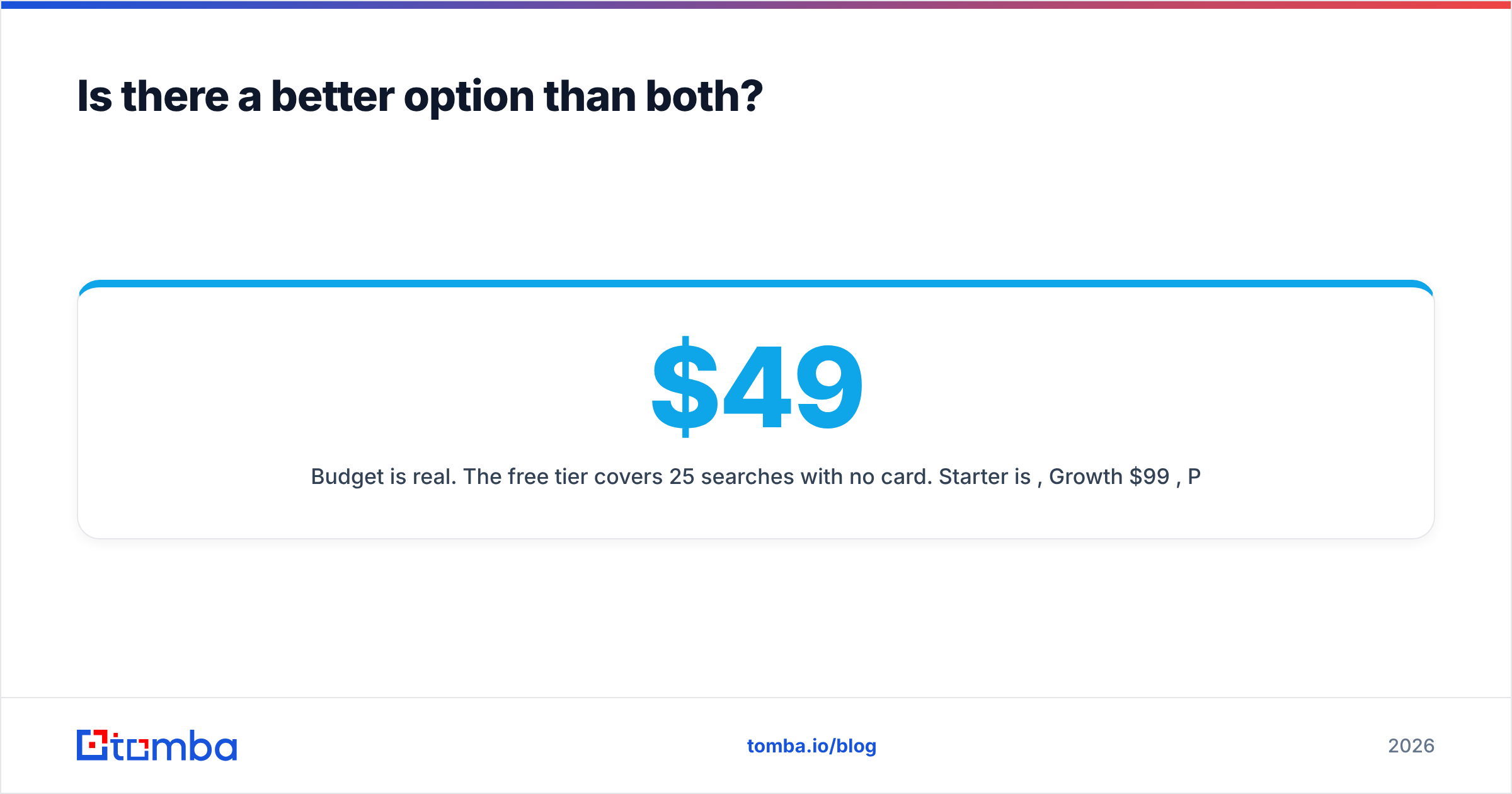
- Budget is real. The free tier covers 25 searches a month with no card. Starter is $49/mo, Growth $99/mo, Pro $249/mo. That start price is about half of either tool here.
One honest limit: an email finder does not build your list. If you do not know who to contact — say you need "all Series B fintech VPs of Engineering in Germany" — buy a database. Generect is a fair pick there. If you already know the accounts, a database is overhead.
One more name to weigh: BookYourData. It sells pre-built, verified B2B lists on a pay-as-you-go basis, with a bounce guarantee. If you want a finished list and no subscription, it is a real third path. It often beats an annual database seat on price.
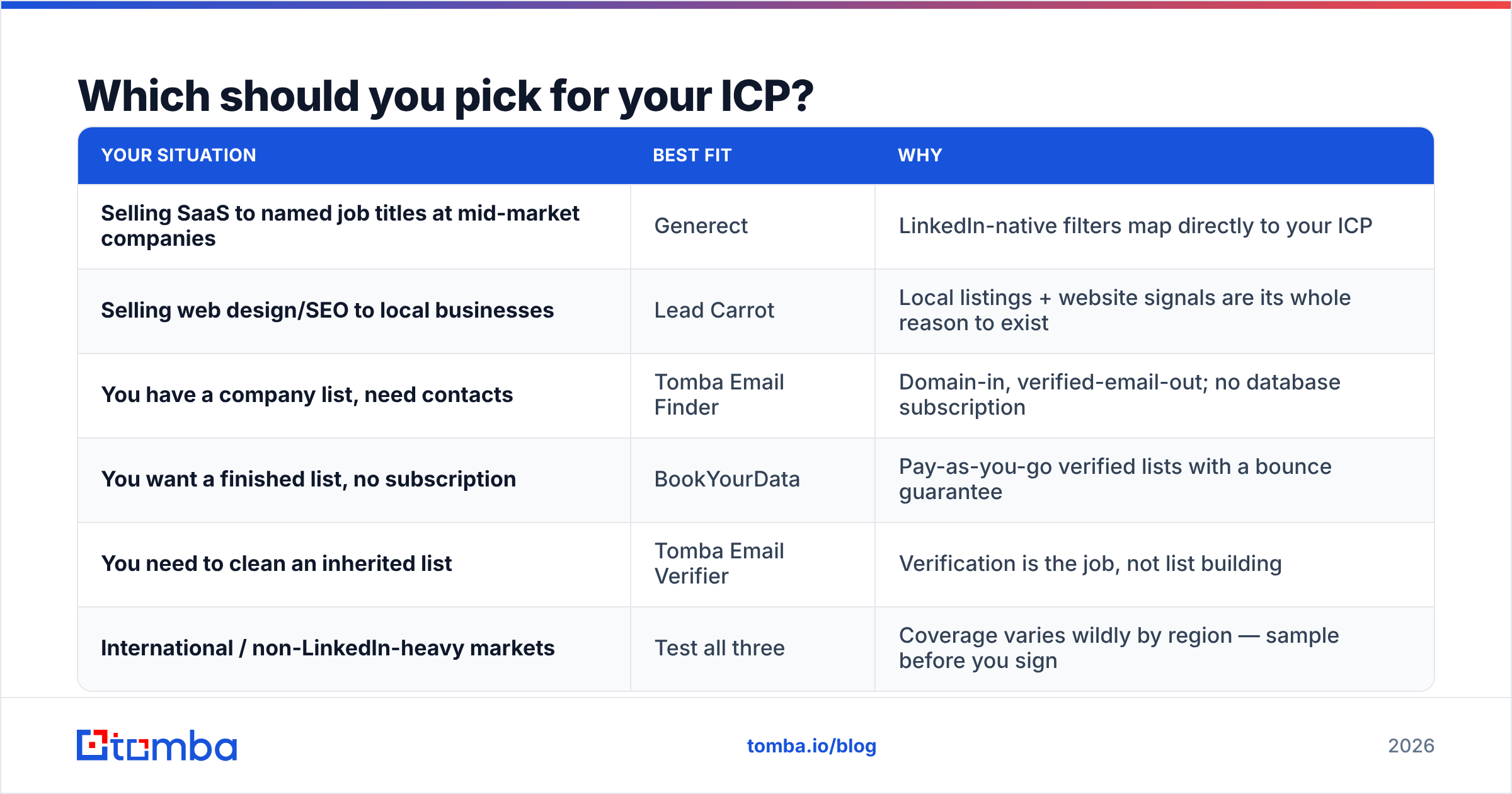
Generect vs Lead Carrot: which should you pick for your ICP?#
Here is a decision framework that takes ninety seconds.
| Your situation | Best fit | Why |
|---|---|---|
| Selling SaaS to named job titles at mid-market companies | Generect | LinkedIn-native filters map directly to your ICP |
| Selling web design/SEO to local businesses | Lead Carrot | Local listings + website signals are its whole reason to exist |
| You have a company list, need contacts | Tomba Email Finder | Domain-in, verified-email-out; no database subscription |
| You want a finished list, no subscription | BookYourData | Pay-as-you-go verified lists with a bounce guarantee |
| You need to clean an inherited list | Tomba Email Verifier | Verification is the job, not list building |
| International / non-LinkedIn-heavy markets | Test all three | Coverage varies wildly by region — sample before you sign |
Still torn? Let your outreach motion break the tie. Cold email to a named decision-maker needs person-level data, so pick Generect. Cold calls and service pitches to an owner work fine with listing data, so pick Lead Carrot. Running person-level outbound on listing data is the most common reason cold email quietly fails.
What should you check before you sign anything?#
Lean either way in the Generect vs Lead Carrot call, then run this checklist during the trial.
- Export 200 records from your exact ICP. Skip the vendor's demo segment. Vendors demo their best-covered vertical.
- Verify on your own. Push the sample through a third-party verifier. Compare the claimed valid rate with what you measure.
- Test the coverage floor. Filter to your smallest, oddest segment. Coverage of Fortune 500 accounts is table stakes. Coverage of 30-person firms in your niche is the real test.
- Read the credit rollover policy. Credits that expire each month can shift real cost by 20–40% for spiky teams.
- Check GDPR and CCPA posture if you sell into the EU. Ask where the data comes from. Ask whether opt-outs carry through. G2's category reviews help you spot complaints buyers actually filed.
- Test the export path. If your team lives in a CRM, a Monday CSV download dies by week three. Check the integrations or API first.
For a wider view of how buyers judge this category, HubSpot's sales prospecting resources are a decent neutral primer.
The bottom line#
Generect vs Lead Carrot comes down to who you sell to. Generect wins when your ICP is a job title at a known company, and credit metering suits you. Lead Carrot wins when you sell services to local businesses and want flat-rate access to listing data. Neither is a mistake in its lane. Both are costly outside it.
There is a third path, and for many teams it is the cheapest. Skip the database. If you know the companies and only lack contact data, start with the Tomba Email Finder. The free tier gives 25 searches a month with no card. Starter runs $49/mo. Everything is reachable through the API, CLI, Chrome extension, or a Google Sheets formula. Test it on 200 real target accounts this week. Then compare the cost per deliverable contact with any database quote. The numbers will decide for you.
Related guides#
Ready to find emails that actually work?
Join 150,000+ professionals who stopped guessing and started sending. Free credits on signup — no credit card required.
Get the Tomba newsletter
Practical outbound tactics and product updates — once every two weeks.
About the author