Generect vs ReachStream (2026): B2B Data Accuracy Compared
Generect sells live, API-first lead data. ReachStream sells searchable, downloadable B2B lists. Here is how the two actually differ on sourcing, accuracy, pricing and workflow fit in 2026.
TL;DR
- Generect is API-first. It pulls live lead and company data (heavily LinkedIn-shaped) on request, which suits engineering teams building enrichment into a product or an automated outbound stack.
- ReachStream is database-first. You filter a pre-built B2B contact database in a web UI, then download lists. That suits marketers who want a CSV today without writing code.
- The real split is freshness model, not feature count: on-demand retrieval versus a stored snapshot. Everything else — pricing, exports, filters — follows from that choice.
- Neither vendor publishes an independently audited bounce rate. Whichever you pick, budget for a separate verification pass before you send.
- If your primary job is finding and verifying work emails at a specific set of companies, a dedicated email finder plus verification is usually cheaper than either platform's full-database plan.
What are Generect and ReachStream?#
They solve the same business problem — "give me contactable B2B people" — from opposite architectural ends.
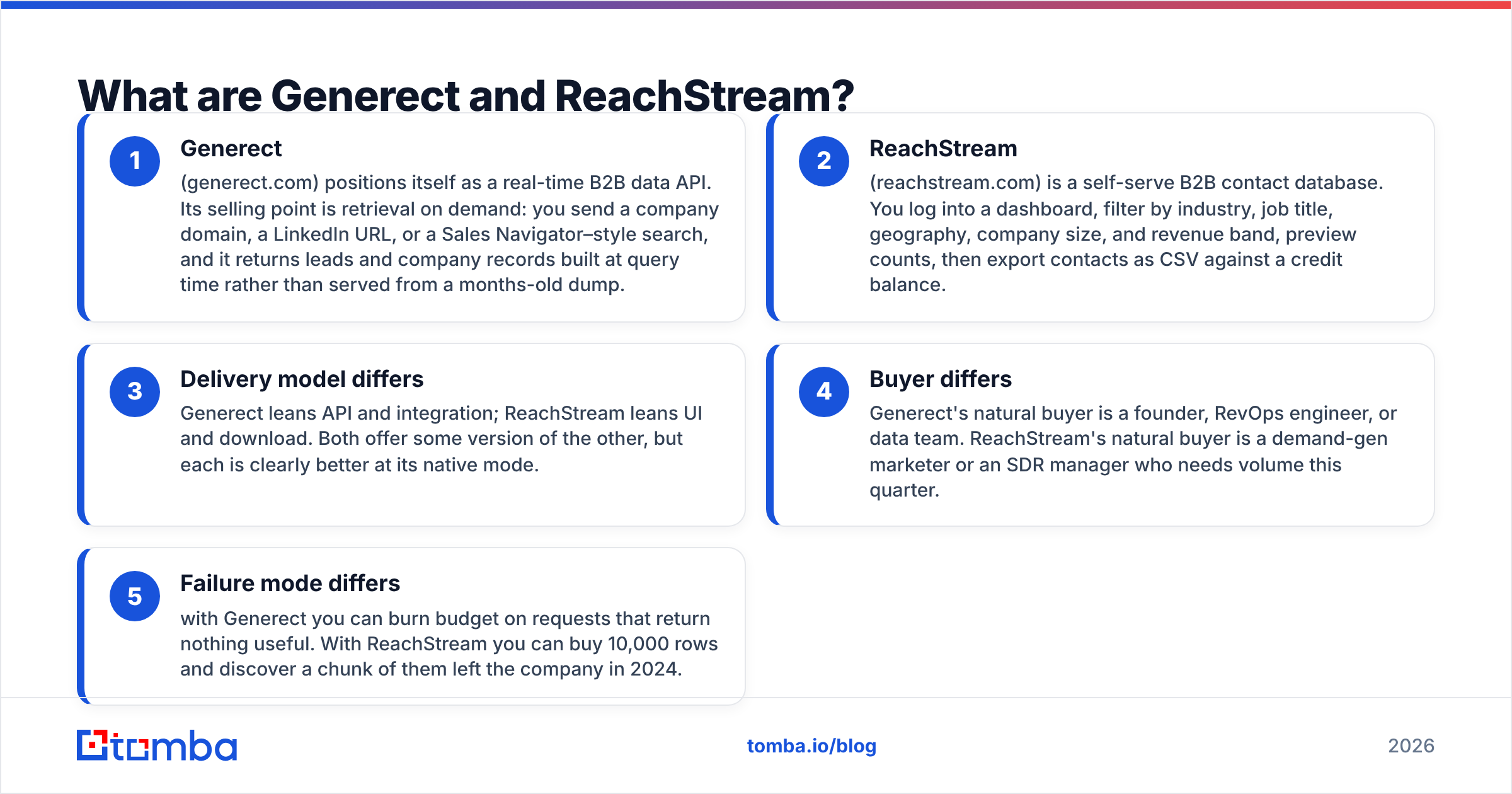
- Generect (generect.com) positions itself as a real-time B2B data API. Its selling point is retrieval on demand: you send a company domain, a LinkedIn URL, or a Sales Navigator–style search, and it returns leads and company records built at query time rather than served from a months-old dump.
- ReachStream (reachstream.com) is a self-serve B2B contact database. You log into a dashboard, filter by industry, job title, geography, company size, and revenue band, preview counts, then export contacts as CSV against a credit balance.
- Delivery model differs: Generect leans API and integration; ReachStream leans UI and download. Both offer some version of the other, but each is clearly better at its native mode.
- Buyer differs: Generect's natural buyer is a founder, RevOps engineer, or data team. ReachStream's natural buyer is a demand-gen marketer or an SDR manager who needs volume this quarter.
- Failure mode differs: with Generect you can burn budget on requests that return nothing useful. With ReachStream you can buy 10,000 rows and discover a chunk of them left the company in 2024.
That last point is the one nobody puts on a pricing page, and it is the one that decides whether either tool pays for itself.
How do Generect and ReachStream compare head-to-head?#
Treat every number below as "as published at the time of writing" — both vendors move pricing and quotas, and neither posts a full public rate card for every tier. Verify on their own sites before you commit a budget.
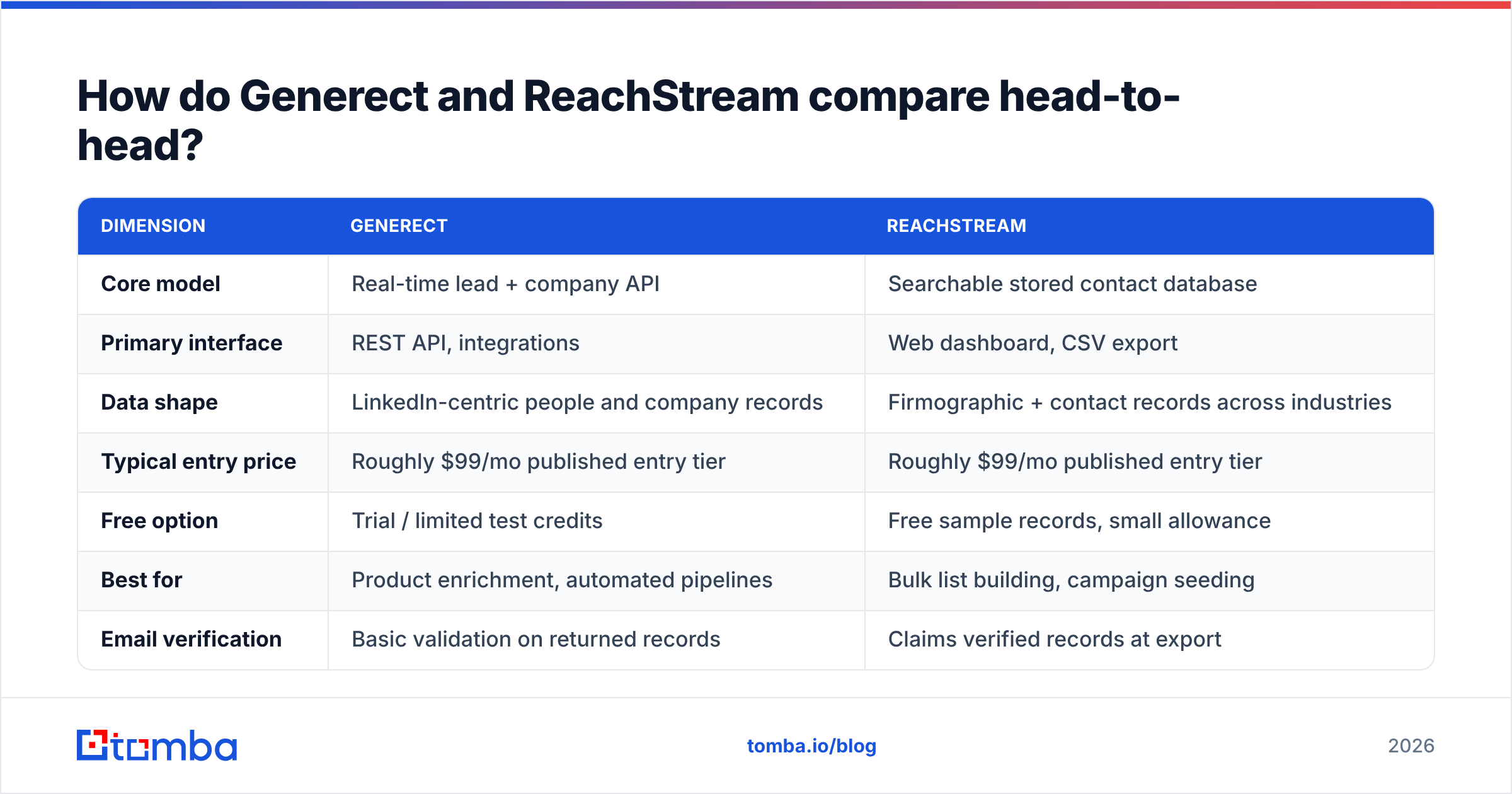
| Dimension | Generect | ReachStream |
|---|---|---|
| Core model | Real-time lead + company API | Searchable stored contact database |
| Primary interface | REST API, integrations | Web dashboard, CSV export |
| Data shape | LinkedIn-centric people and company records | Firmographic + contact records across industries |
| Typical entry price | Roughly $99/mo published entry tier | Roughly $99/mo published entry tier |
| Free option | Trial / limited test credits | Free sample records, small allowance |
| Best for | Product enrichment, automated pipelines | Bulk list building, campaign seeding |
| Email verification | Basic validation on returned records | Claims verified records at export |
| Phone numbers | Available on some record types | Available in the contact database |
| Export freedom | API-native, you control storage | CSV download within credit limits |
| Weakest point | Requires dev time to get value | Snapshot decay between refresh cycles |
Read that table as a fork, not a scoreboard. If you have a developer for two days, Generect's model is structurally better because you fetch data at the moment you need it. If you do not, ReachStream gets you to a usable list in an afternoon, and the decay tax is the price of that speed.
Where does each platform actually get its data?#
Generect builds around live public professional profiles and company pages — the LinkedIn graph is the obvious backbone, supplemented with company web data. The advantage is recency: a title change that shows up on a profile can propagate into your next API response. The constraint is coverage shape. If your ICP is under-represented on professional networks — trades, regional SMBs, some manufacturing and public-sector segments — a profile-driven source thins out fast.
ReachStream builds a compiled database: aggregated public sources, business registries, partner feeds, and periodic re-validation cycles. The advantage is breadth and predictability — you can see counts before you buy, which is genuinely useful for territory planning. The constraint is that a compiled database is a photograph. Between refresh cycles, people move. B2B contact data decay is commonly estimated in the 25–30% per year range across the industry, and no compiled provider is immune to it.
Neither approach is wrong. They fail differently:
- Live retrieval fails by returning nothing. You query, you get a null, you move on. Cheap failure.
- Stored snapshots fail by returning something wrong. You query, you get a confident-looking row for a person who left 14 months ago, and you send to it. Expensive failure, because it hits your sender reputation.
That asymmetry is why the verification step below is not optional with either vendor.
How accurate is the data in practice?#
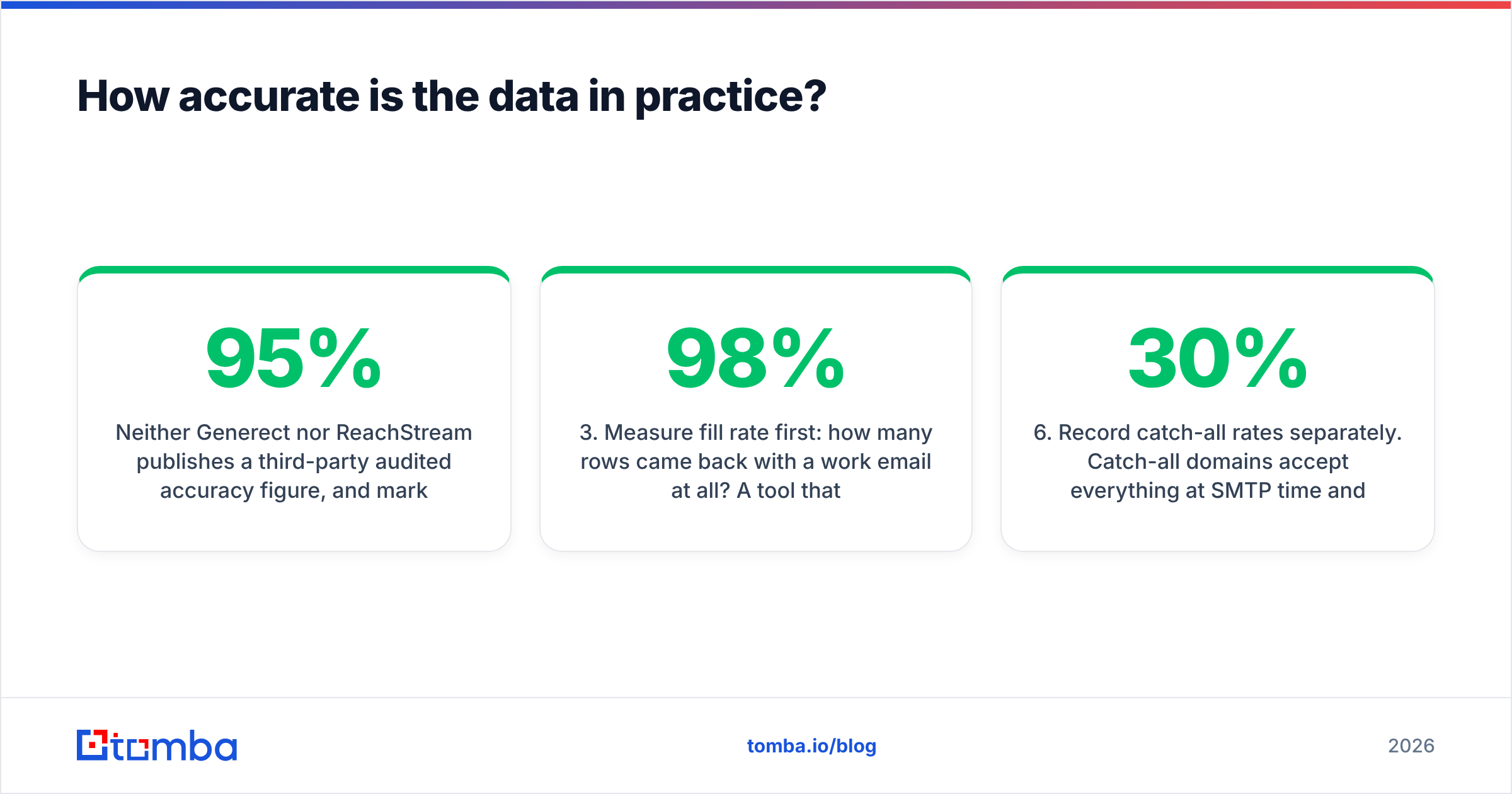
Neither Generect nor ReachStream publishes a third-party audited accuracy figure, and marketing claims of "95%+ verified" are effectively unfalsifiable without your own test. So run one. It takes an hour.
The 100-row test protocol:
- Pick 100 real accounts from your actual ICP — not a generic tech list. Include at least 20 companies you already have verified contacts for.
- Pull the same 100 from each tool at the same seniority band, so you are comparing like for like.
- Measure fill rate first: how many rows came back with a work email at all? A tool that returns 40 rows at 98% accuracy may be worse for you than one returning 85 rows at 90%.
- Run every returned address through an independent email verifier — never the vendor's own validator, which grades its own homework.
- Check the known-good set: of the 20 companies where you already have verified contacts, how many did each tool get right? This is your ground truth.
- Record catch-all rates separately. Catch-all domains accept everything at SMTP time and tell you nothing. If 30% of a list is catch-all, the headline accuracy number is fiction until you run catch-all verification.

The pattern most teams find: the two tools do not differ much on Fortune-1000 tech accounts, where everybody's data is good. The gap opens on mid-market and non-US companies, and it opens in different directions depending on whether your targets live on professional networks or in business registries. Your 100-row test will tell you which of those describes your market. No blog post can.
[Screenshot placeholder: side-by-side export from Generect API response and ReachStream CSV download, same 10 target accounts, with matched/missing/catch-all columns highlighted.]
How does pricing compare on real usage?#
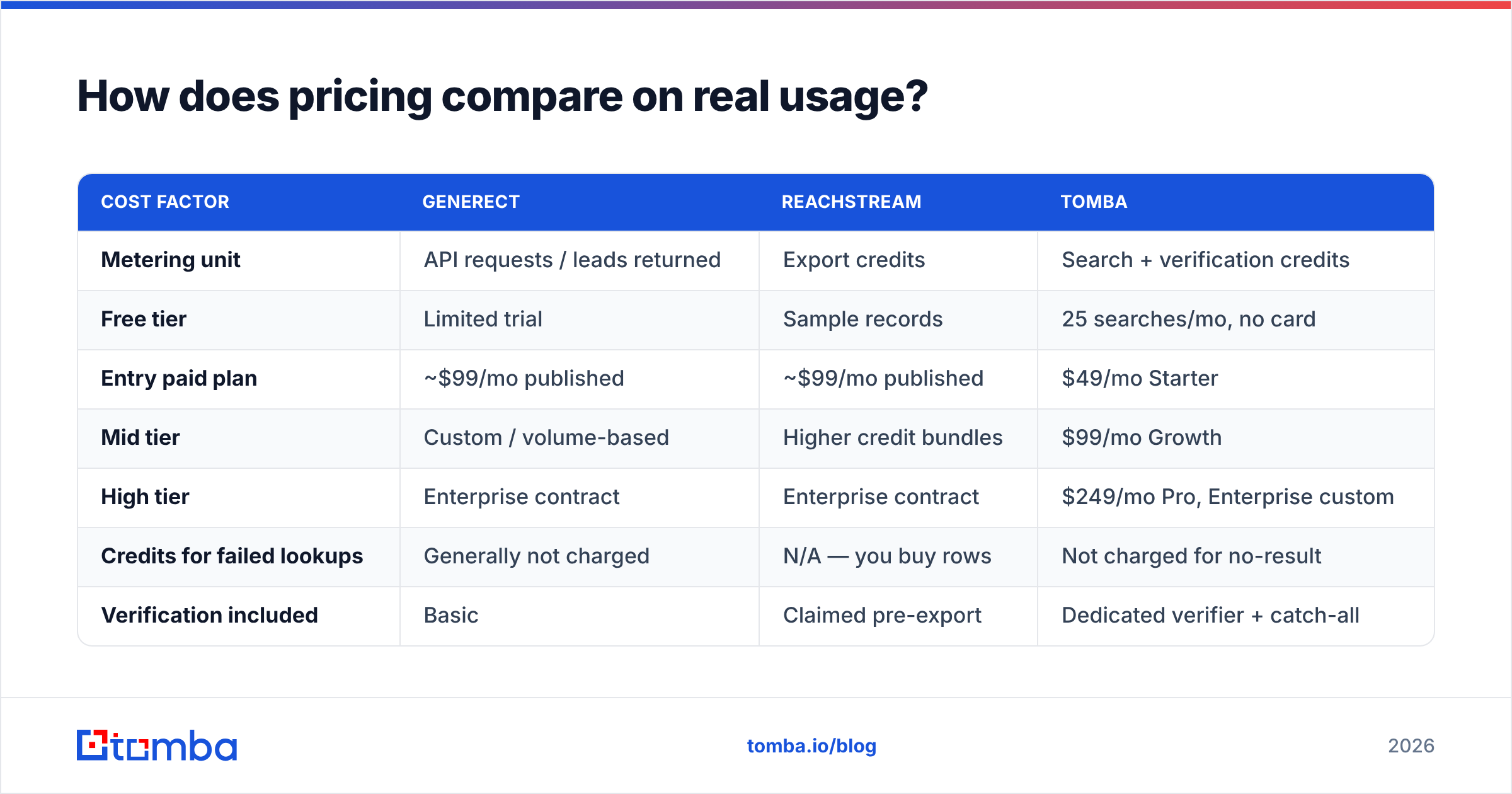
Both platforms cluster around a similar published entry point, but they meter different things, which makes the sticker price misleading.
| Cost factor | Generect | ReachStream | Tomba |
|---|---|---|---|
| Metering unit | API requests / leads returned | Export credits | Search + verification credits |
| Free tier | Limited trial | Sample records | 25 searches/mo, no card |
| Entry paid plan | ~$99/mo published | ~$99/mo published | $49/mo Starter |
| Mid tier | Custom / volume-based | Higher credit bundles | $99/mo Growth |
| High tier | Enterprise contract | Enterprise contract | $249/mo Pro, Enterprise custom |
| Credits for failed lookups | Generally not charged | N/A — you buy rows | Not charged for no-result |
| Verification included | Basic | Claimed pre-export | Dedicated verifier + catch-all |
| API access | Core product | Available on higher tiers | All paid plans |
Three cost traps worth pricing in before you sign:
- Rows you never contact. A 10,000-row export where 3,000 are wrong-title, wrong-region, or role-changed is a 30% overpay you will not see on any invoice.
- The second tool. If the platform's verification is not independent, you will buy a verifier anyway. Add that line to both quotes.
- Annual lock-in. Both vendors discount annual. Do not take the discount until after the 100-row test.
Compare that against the full pricing details for a specialised finder-plus-verifier stack. If your real need is "emails at these 4,000 companies" rather than "a database to browse", the specialist stack usually wins on cost per usable contact — a point that shows up repeatedly in buyer reviews on G2.


Which one should you pick for your workflow?#
Choose Generect if:
- You have engineering capacity and want enrichment to run inside your own product or CRM automation.
- Your ICP is white-collar and well represented on professional networks.
- You care more about a record being current than about being able to browse a big searchable pool.
- You want to enrich a known list of companies or profiles rather than discover new ones from filters.
Choose ReachStream if:
- You need a list this week and nobody on the team writes code.
- You want to see segment counts before buying, for territory or TAM planning.
- Your campaigns are volume-driven and you have a strong verification step downstream.
- You are targeting industries where compiled business registries beat profile data.
Choose neither — and use a dedicated finder — if:
- You already know your target accounts and just need work emails and patterns for them. That is a domain search problem, not a database problem.
- Your bounce rate is the metric under pressure, not your list size.
- You want the API and the spreadsheet workflow from the same vendor without moving tiers.
There is also a fourth honest option many teams land on: a curated list vendor like BookYourData for the initial seed, then a finder-and-verifier stack for ongoing enrichment. Buying the seed and maintaining the seed are different jobs, and no single tool is best at both.
What do both tools leave you to solve?#
Three gaps survive regardless of which you pick.
1. Verification ownership. Vendor-side validation is a marketing claim; independent validation is a control. Run every list through a bulk verification pass before it touches your sending domain. Google and Yahoo's bulk-sender requirements — documented in Google's own sender guidelines — put a hard ceiling on spam complaints, and a list full of dead addresses is the fastest route to breaching it.
2. Refresh cadence. Set a policy: contacts older than 90 days get re-verified before reuse, 180 days get re-enriched or dropped. Without a policy, decay is invisible until your reply rate halves.
3. Deduplication across sources. The moment you run two data vendors, you will get the same person twice with two different emails. Decide which source wins, write it down, and enforce it at import.
[Screenshot placeholder: CRM import screen showing duplicate-contact merge rules with source-priority ordering.]
Frequently asked questions#
Is Generect just a LinkedIn scraper? It is best understood as a live retrieval layer over public professional and company data, with LinkedIn as a heavy input. That is a meaningful difference from a raw scraper, but if your compliance team has a position on profile-derived data, involve them early.
Does ReachStream give unlimited exports? No. Exports are metered by credits on published plans. Model your true cost as credits divided by usable contacts, not credits divided by rows.
Which is better for GDPR-sensitive outbound in the EU? Neither vendor removes your obligations. You still need a lawful basis, a suppression process, and honest opt-out handling. Ask both for their data-processing terms and their source disclosure in writing before you send to EU contacts.
Can I use both? Yes, and some teams do — Generect for live enrichment of known accounts, ReachStream for discovery. Just enforce a single verification gate and a dedup rule, or you will pay twice for the same contact.
What is the cheapest way to test either one? Take the free or trial allowance, run the 100-row protocol above, and score fill rate, verified rate, and catch-all rate separately. Never buy annual before that test.
Start with the emails you can actually verify#
If your bottleneck is "I know which companies to hit, I just need real, deliverable work emails," start narrow instead of buying a database. The Tomba Email Finder resolves emails by name, domain, or company, hands off to a dedicated verifier including catch-all handling, and exposes the same results through the Tomba API and the dashboard on every paid plan. The free tier gives you 25 searches a month with no card, which is enough to run the 100-row test against whichever vendor you are evaluating — including Generect and ReachStream — before anyone signs a contract.
Test with your own accounts. Score fill rate and verified rate separately. Then buy the one that wins on your data, not on a feature grid.
Related guides#
Ready to find emails that actually work?
Join 150,000+ professionals who stopped guessing and started sending. Free credits on signup — no credit card required.
Get the Tomba newsletter
Practical outbound tactics and product updates — once every two weeks.
About the author