GetProspect Reviews 2026: Features, Pricing, Accuracy and Limits
GetProspect gets praised for its LinkedIn extension and criticized for credit math. Here's an independent breakdown of accuracy, pricing tiers, export limits, and who should pick something else.

TL;DR
- GetProspect is a LinkedIn-first email finder with a built-in lead database, list manager, and Chrome extension. It is strongest when your prospecting starts inside LinkedIn Sales Navigator.
- Public reviews cluster around 4.0–4.5 stars. Praise goes to the extension and the simple UI; complaints go to credit consumption, catch-all handling, and inconsistent hit rates on smaller domains.
- Entry pricing lands near $49/mo, and costs scale fast once you need volume, phone numbers, or multiple seats.
- The biggest practical gotcha is not accuracy — it is that a "found" email is not always a verified email, so you still need a separate verification step.
- If you need API-first email finding, deeper verification, or predictable per-credit pricing, compare it against Tomba, Findymail, and BookYourData before you sign an annual contract.
What is GetProspect and who is it actually for?#
GetProspect is a B2B contact-finding platform built around one core motion: you browse LinkedIn or Sales Navigator, the Chrome extension pulls profiles into a list, and the platform attempts to resolve business email addresses for each name-plus-company pair. On top of that sits a searchable contact database, a lightweight CRM-style list manager, email verification, and an API.
The company has been operating since roughly 2016 and positions itself somewhere between a pure email finder and a lightweight sales-intelligence suite. That "somewhere between" is the single most important thing to understand before you read another GetProspect review, because it explains almost every complaint and every compliment you will find.
If you are a solo founder or a two-person SDR team running LinkedIn-sourced outbound, the product fits your workflow naturally. If you are a RevOps lead who needs enrichment to run headlessly against a CRM sync, the fit gets weaker — the platform is designed around a human clicking through profiles, not around a pipeline that runs at 3 a.m.
Three profiles where GetProspect tends to land well:
- LinkedIn-native prospectors who build lists visually and export a few hundred contacts a week.
- Agencies running lead-gen for clients, where the built-in list segmentation replaces a spreadsheet.
- Recruiters sourcing candidate contact details from profile URLs rather than company domains.
And two where it tends to disappoint: high-volume outbound teams burning tens of thousands of credits monthly, and engineering-led teams that want the finder to be an API primitive rather than a UI.
What do GetProspect reviews actually say?#
Aggregate scores on G2 and Capterra sit in the low-to-mid 4s, which is normal territory for this category. The score itself tells you very little. The pattern inside the reviews tells you a lot.
What reviewers consistently praise:
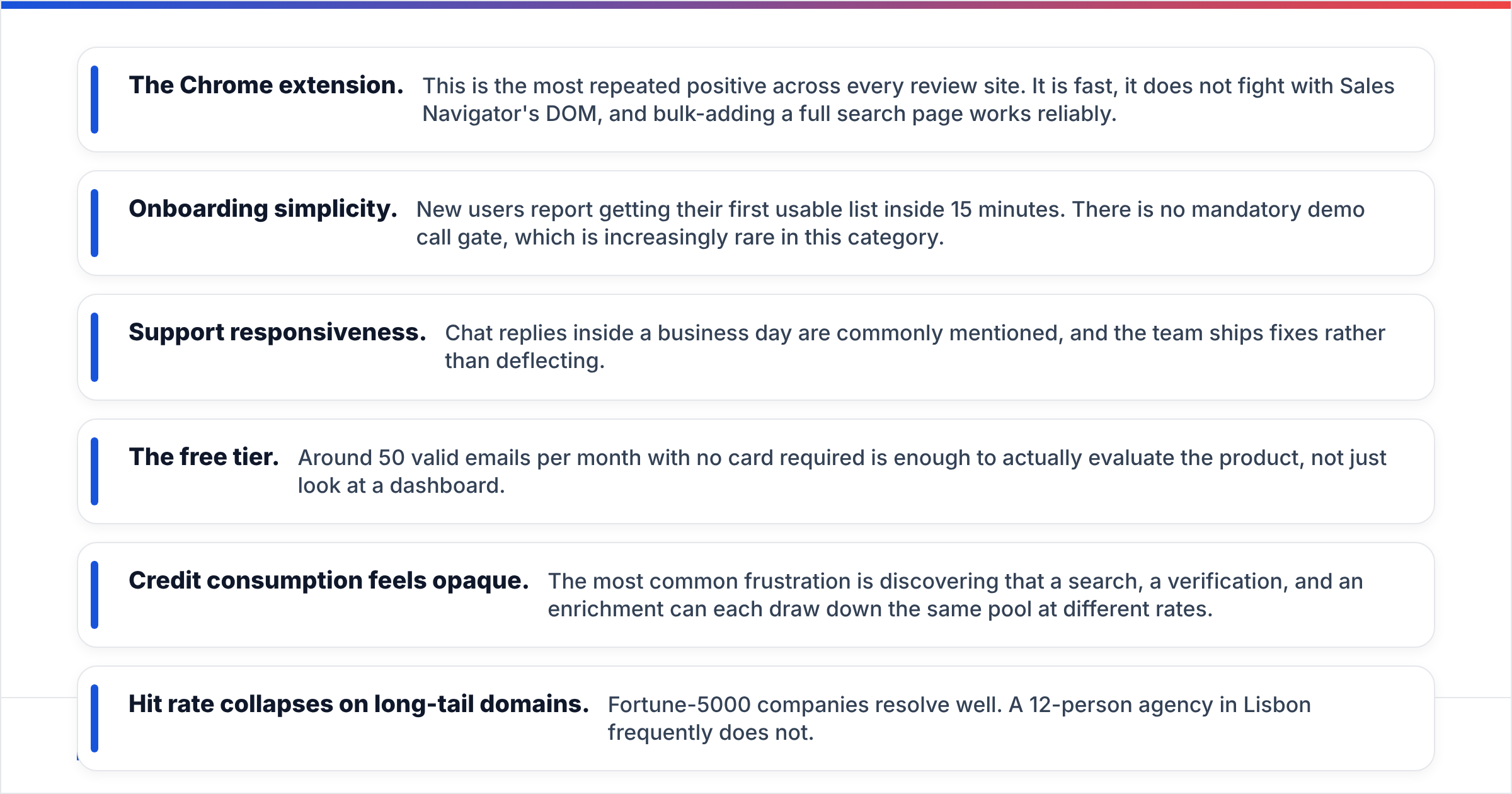
- The Chrome extension. This is the most repeated positive across every review site. It is fast, it does not fight with Sales Navigator's DOM, and bulk-adding a full search page works reliably.
- Onboarding simplicity. New users report getting their first usable list inside 15 minutes. There is no mandatory demo call gate, which is increasingly rare in this category.
- Support responsiveness. Chat replies inside a business day are commonly mentioned, and the team ships fixes rather than deflecting.
- The free tier. Around 50 valid emails per month with no card required is enough to actually evaluate the product, not just look at a dashboard.
What reviewers consistently criticize:
- Credit consumption feels opaque. The most common frustration is discovering that a search, a verification, and an enrichment can each draw down the same pool at different rates.
- Hit rate collapses on long-tail domains. Fortune-5000 companies resolve well. A 12-person agency in Lisbon frequently does not.
- Catch-all domains are reported as findable but unverifiable, which pushes risk downstream into your sending infrastructure.
- Export friction on lower tiers. Several reviewers mention hitting export or seat ceilings sooner than expected.
- Database freshness. Job-change decay is a category-wide problem, but reviewers specifically flag stale titles on contacts that had not been re-verified.

None of this makes GetProspect a bad product. It makes it a specific product. The reviews that call it "unreliable" almost always come from users pushing SMB or non-US data through it, and the reviews that call it "the best tool we bought" almost always come from users prospecting mid-market North American and European companies through LinkedIn.
How accurate is GetProspect's data in practice?#
Accuracy in this category needs two separate numbers, and vendors routinely blur them:
- Coverage / hit rate — of 1,000 contacts you asked about, how many returned any email at all?
- Deliverability / precision — of the emails returned, how many actually land without bouncing?
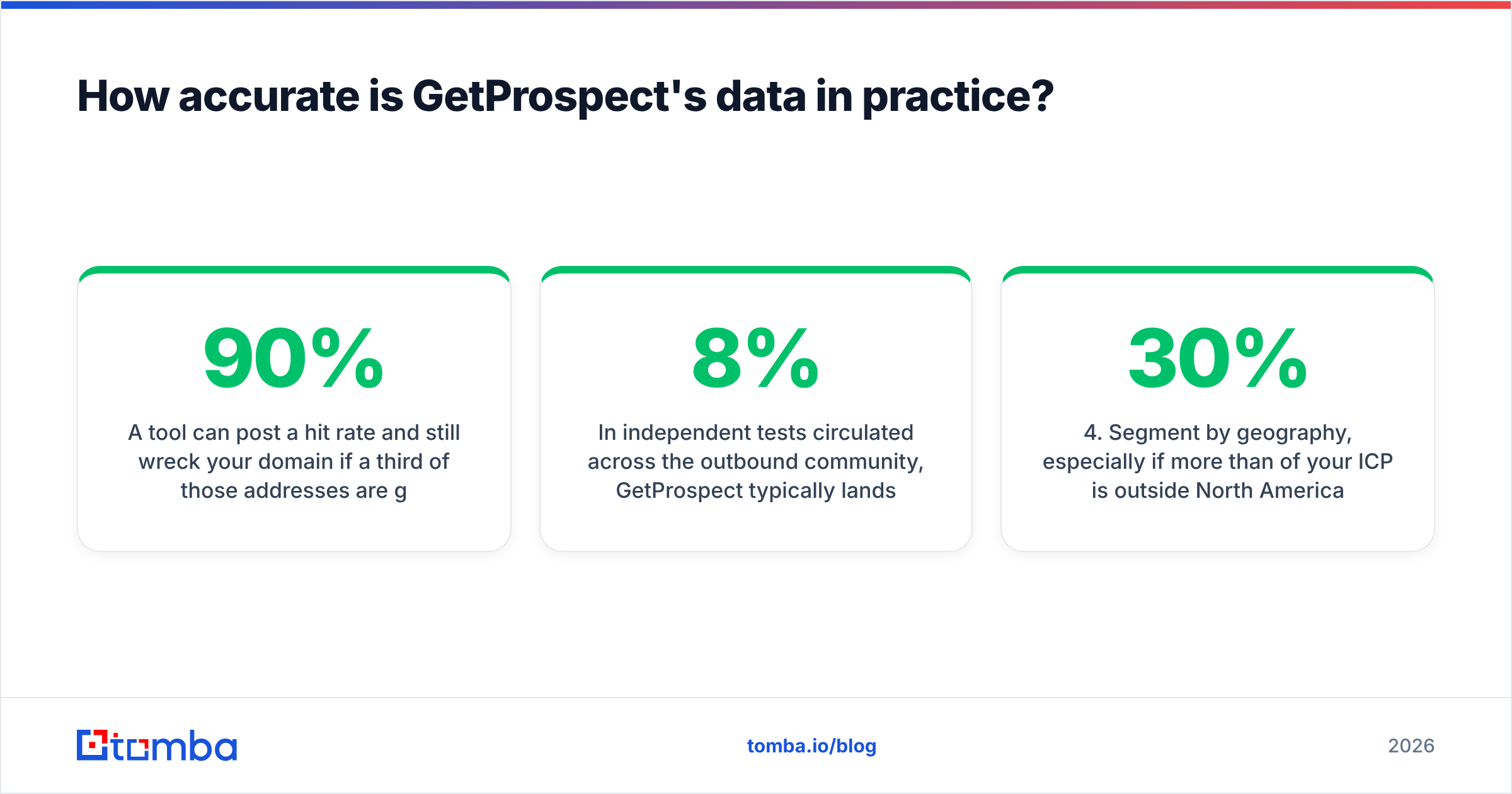
A tool can post a 90% hit rate and still wreck your domain if a third of those addresses are guesses. Conversely, a tool that returns nothing for 40% of your list but is near-perfect on the rest may be the safer buy.

In independent tests circulated across the outbound community, GetProspect typically lands in the middle of the pack: solid coverage on enterprise and mid-market domains, weaker on companies under ~50 employees, and noticeably weaker outside the US/EU. Bounce rates reported by users generally sit in the 3–8% range depending on list quality — acceptable if you verify before sending, risky if you do not.
That last clause is the whole ballgame. Whatever finder you choose, treat "found" and "safe to send" as different states. Running the export through a dedicated email verifier before it touches your sequencer costs pennies and protects the asset that actually matters — your sender reputation.
A practical accuracy protocol before you commit to any annual plan:
- Build a 200-contact control list you already know the answers for — current customers, past colleagues, inbound leads.
- Run it through the free tier and record hit rate and precision separately.
- Segment by company size (under 50, 50–500, 500+) — the averages hide everything.
- Segment by geography, especially if more than 30% of your ICP is outside North America.
- Verify the output with a second, independent tool so you are not grading the vendor's homework with the vendor's own answer key.
How much does GetProspect cost in 2026?#
Pricing changes often enough that you should confirm on the vendor's own pricing page before budgeting, but the structure has been stable: a free tier for evaluation, then volume-based paid tiers with seats and exports gated by plan.
At the time of writing, the entry paid tier sits around $49/mo for roughly 1,000 valid emails, with the next tiers stepping to around $99, $199, and $399 as volume rises. Phone numbers and higher seat counts push you upward regardless of email volume.
The thing to model is not the sticker price — it is effective cost per usable contact. If a $99 plan gives you 5,000 credits but your real-world hit rate is 55% and your post-verification pass rate is 85%, you are paying for 5,000 and keeping about 2,300. That is a very different number.
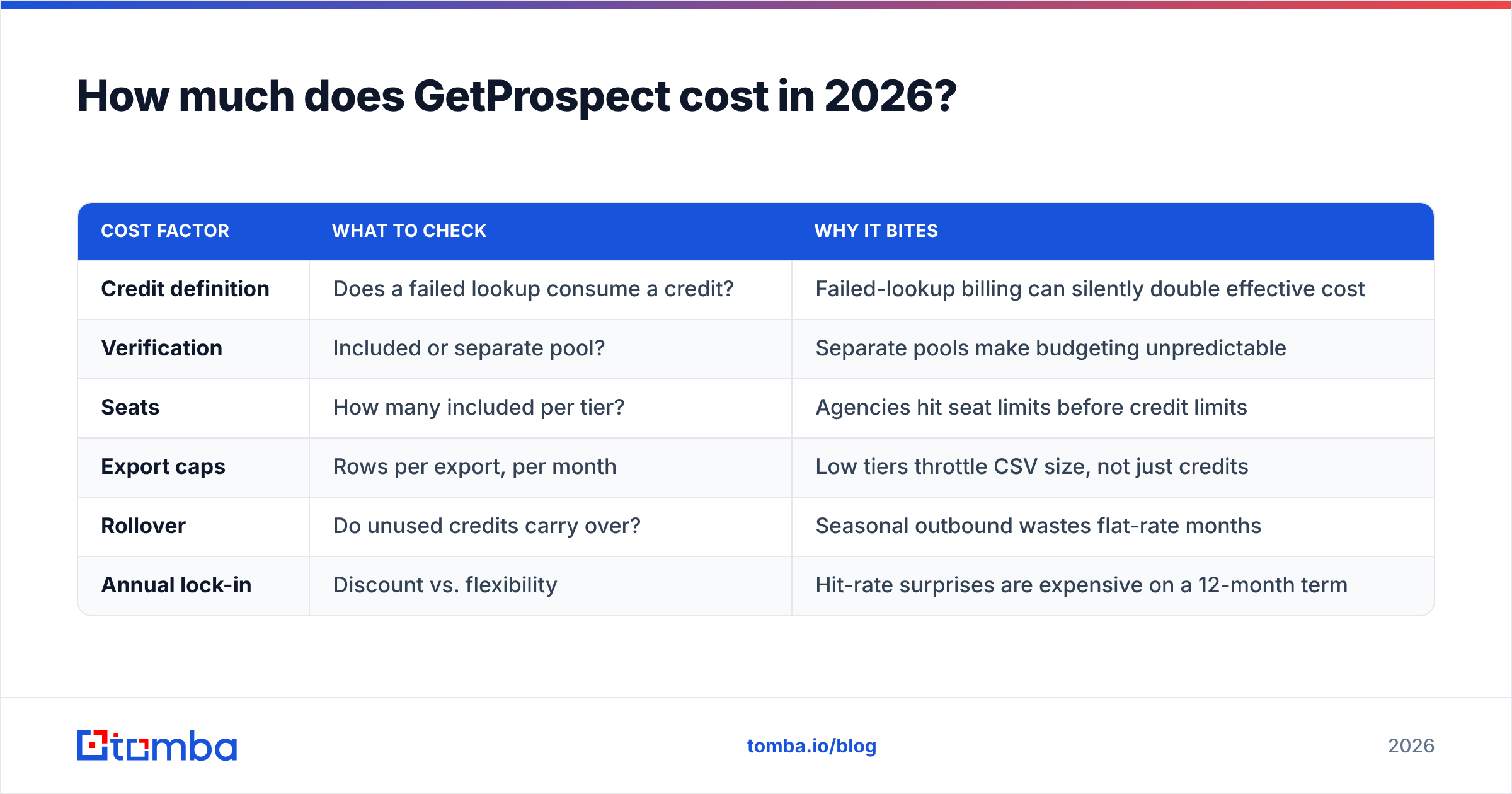
| Cost factor | What to check | Why it bites |
|---|---|---|
| Credit definition | Does a failed lookup consume a credit? | Failed-lookup billing can silently double effective cost |
| Verification | Included or separate pool? | Separate pools make budgeting unpredictable |
| Seats | How many included per tier? | Agencies hit seat limits before credit limits |
| Export caps | Rows per export, per month | Low tiers throttle CSV size, not just credits |
| Rollover | Do unused credits carry over? | Seasonal outbound wastes flat-rate months |
| Annual lock-in | Discount vs. flexibility | Hit-rate surprises are expensive on a 12-month term |
How does GetProspect compare to other email finders?#
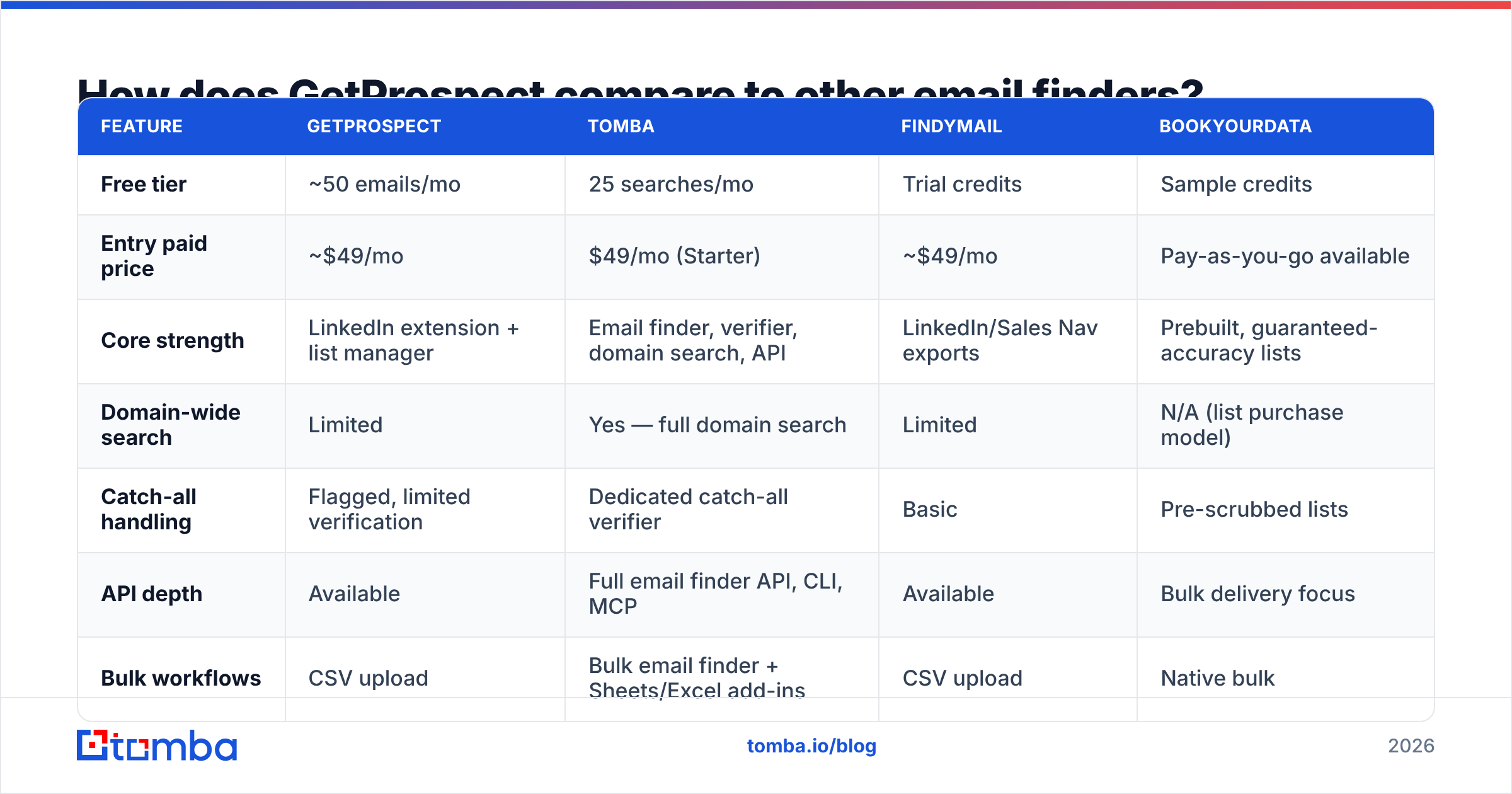
Here is the honest head-to-head on the dimensions buyers actually weigh. Figures reflect publicly listed entry plans and typical usage patterns; verify current numbers directly with each vendor.

| Feature | GetProspect | Tomba | Findymail | BookYourData |
|---|---|---|---|---|
| Free tier | ~50 emails/mo | 25 searches/mo | Trial credits | Sample credits |
| Entry paid price | ~$49/mo | $49/mo (Starter) | ~$49/mo | Pay-as-you-go available |
| Core strength | LinkedIn extension + list manager | Email finder, verifier, domain search, API | LinkedIn/Sales Nav exports | Prebuilt, guaranteed-accuracy lists |
| Domain-wide search | Limited | Yes — full domain search | Limited | N/A (list purchase model) |
| Catch-all handling | Flagged, limited verification | Dedicated catch-all verifier | Basic | Pre-scrubbed lists |
| API depth | Available | Full email finder API, CLI, MCP | Available | Bulk delivery focus |
| Bulk workflows | CSV upload | Bulk email finder + Sheets/Excel add-ins | CSV upload | Native bulk |
| Best for | LinkedIn-first SDRs | Devs + teams needing find and verify in one stack | Sales Nav power users | Buyers who want a finished list today |
The honest read: these tools are not really substitutes. GetProspect wins on LinkedIn workflow ergonomics. Findymail wins on Sales Navigator export volume. BookYourData is a genuinely different model — it sells verified lists with accuracy guarantees rather than making you assemble one, which suits teams that would rather buy the outcome than run the process. Tomba wins when you want finding, verification, catch-all checks, and enrichment behind one API instead of stitching three vendors together.
What are GetProspect's biggest limitations?#
Four limits show up repeatedly, and all four are structural rather than bugs.
1. It is LinkedIn-shaped. If your ICP is not well represented on LinkedIn — trades, local services, many APAC and LATAM segments, most sub-20-employee firms — the core motion does not fire. You will spend credits on lookups that were never going to resolve.
2. Verification is a step, not a guarantee. GetProspect flags catch-all domains but cannot conclusively validate them, which is true of every vendor that claims otherwise. The difference is whether the tool gives you a dedicated path for it. If catch-alls are more than 15% of your list, you need a catch-all verifier in the workflow regardless of which finder you buy.
3. Credits are a shared pool with uneven draw rates. Budget for 1.5–2x your naive estimate in month one, then recalibrate with real data.
4. It is a prospecting tool, not a data platform. There is an API, but the product's center of gravity is the UI. Teams that want enrichment to run as infrastructure — triggered by CRM writes, scheduled jobs, or agent workflows — will feel the ceiling within a quarter.
Who should buy GetProspect, and who should look elsewhere?#
Buy it if: your prospecting genuinely starts in LinkedIn, your volume is under ~5,000 contacts a month, your ICP skews mid-market North America or Western Europe, and you value a clean UI over API depth. Run the free tier against a control list first — 50 emails is enough to see the shape of your hit rate.
Look elsewhere if: you need programmatic enrichment, your ICP is heavily SMB or outside the US/EU, you send enough volume that a 5% bounce rate is an existential threat to your domain, or your finance team needs predictable per-contact costs rather than a credit pool.
For the third case in particular, the fix is not a different finder — it is adding a verification layer. Most teams that "switch tools because of bounces" discover the replacement bounces too, because the missing piece was never the finder.
Frequently asked questions#
Is GetProspect GDPR compliant? The company publishes compliance documentation and supports data-subject requests. As always, compliance is shared: how you use B2B contact data in outreach matters as much as how the vendor sourced it. Review your own legal basis for processing before you send.
Does GetProspect offer a free plan? Yes — roughly 50 valid emails per month without a credit card, which is enough for a real evaluation.
Can GetProspect find phone numbers? Phone data is available on higher tiers, though coverage is thinner than email. If phones are core to your motion, benchmark it against a dedicated phone finder rather than assuming parity.
How does GetProspect handle job changes? Like most databases, it re-verifies on a cycle rather than in real time. Treat any contact older than 90 days as needing a fresh check.
Is GetProspect worth it in 2026? For LinkedIn-first teams under moderate volume, yes. For API-driven or high-volume outbound, it is a partial solution you will end up supplementing.
The bottom line#
GetProspect reviews are broadly positive for a reason: it does one workflow well, it does not gate you behind a sales call, and support is responsive. The criticisms are equally real — credit math is opaque, long-tail coverage is thin, and verification is a step you still own.
If your bottleneck is finding emails inside LinkedIn, it is a reasonable buy. If your bottleneck is trusting the emails you already have — or you want find, verify, catch-all check, and enrichment behind one key instead of four invoices — start with the Tomba Email Finder. The free tier gives you 25 searches to run against your own control list, Starter is $49/mo, and every result flows through the same verification layer rather than a separate credit pool. Check the current Tomba pricing and benchmark it head-to-head on 200 of your own contacts. That test takes an afternoon and will tell you more than any review — including this one.
Related guides#
Ready to find emails that actually work?
Join 150,000+ professionals who stopped guessing and started sending. Free credits on signup — no credit card required.
Get the Tomba newsletter
Practical outbound tactics and product updates — once every two weeks.
About the author