GetProspect vs Go4Database: Which B2B Email Source Wins
One sells you a live email finder, the other sells you a pre-built list. We compare GetProspect and Go4Database on accuracy, pricing, freshness, and compliance risk — and name the pick for each use case.
TL;DR
- GetProspect and Go4Database are not the same category of product. GetProspect is a self-serve email finder and prospect database you query live. Go4Database is a list vendor: you buy a pre-compiled contact file, usually by industry or job function.
- For repeatable outbound, the live-lookup model wins. Emails decay roughly 2-3% per month as people change jobs, so a file compiled six months ago is already carrying meaningful rot before you send the first campaign.
- Pre-built lists win on one axis only: raw volume per dollar. If you need 50,000 rows for a market-sizing exercise or a direct-mail test, a list vendor is cheaper per record than any credit-based finder.
- Neither is safe to send to unverified. Whatever source you choose, run the file through a verifier before it touches your sending domain — a 12% bounce rate will damage your reputation faster than any subject line can fix.
- Our pick: GetProspect (or a cheaper API-first finder like Tomba) for ongoing prospecting; a list vendor only for one-off volume plays where you accept the decay.
What are GetProspect and Go4Database?#
They solve the same surface problem — "get me B2B email addresses" — with opposite architectures.
GetProspect is a SaaS email finder. You search by company domain, person name, or filter a contact database by title, industry, headcount, and location. It has a LinkedIn Chrome extension, a credit-based pricing model, and a built-in verification step. The record you pull is generated or checked at the moment you request it.
Go4Database is a B2B list provider. The model is older and simpler: it maintains large compiled datasets segmented by industry, technology, geography, and job role, and sells you the segment as a file. You pay per list or per record count, download a CSV, and import it wherever you want. There is no query loop — you buy the slice, you own the slice.
That structural difference drives every practical trade-off below. A finder charges you for freshness. A list vendor charges you for volume. Those are different products wearing the same keyword.
How do GetProspect and Go4Database compare head-to-head?#
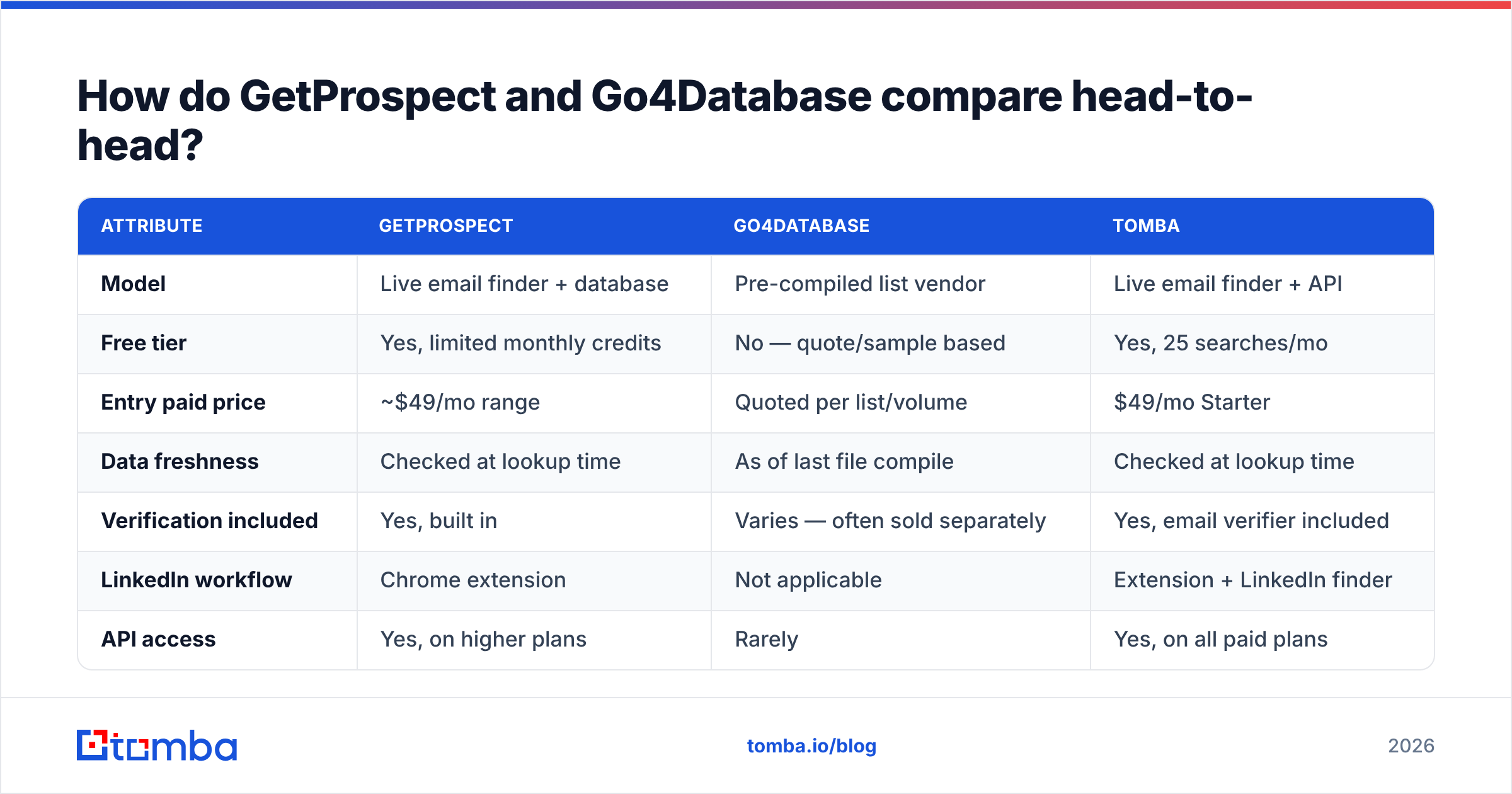
Here is the honest side-by-side. Pricing figures move — always confirm on each vendor's current page before you buy.
| Attribute | GetProspect | Go4Database | Tomba |
|---|---|---|---|
| Model | Live email finder + database | Pre-compiled list vendor | Live email finder + API |
| Free tier | Yes, limited monthly credits | No — quote/sample based | Yes, 25 searches/mo |
| Entry paid price | ~$49/mo range | Quoted per list/volume | $49/mo Starter |
| Data freshness | Checked at lookup time | As of last file compile | Checked at lookup time |
| Verification included | Yes, built in | Varies — often sold separately | Yes, email verifier included |
| LinkedIn workflow | Chrome extension | Not applicable | Extension + LinkedIn finder |
| API access | Yes, on higher plans | Rarely | Yes, on all paid plans |
| Bulk enrichment | Yes, CSV upload | The whole product is bulk | Yes, bulk email finder |
| Best for | Ongoing outbound teams | One-off volume, market sizing | Devs + teams wanting API-first |
| Weak spot | Credits burn on misses | Decay between compile and send | Smaller UI-side CRM features |

Read that table as a fork, not a scoreboard. If your motion is "10 new accounts researched every morning," the top half matters. If your motion is "one 40,000-record campaign this quarter," the bottom half does.
Which one has better data accuracy?#
Accuracy has two components people constantly conflate: syntactic validity (does the mailbox accept mail today?) and attribution correctness (does this address actually belong to the person and role claimed?).
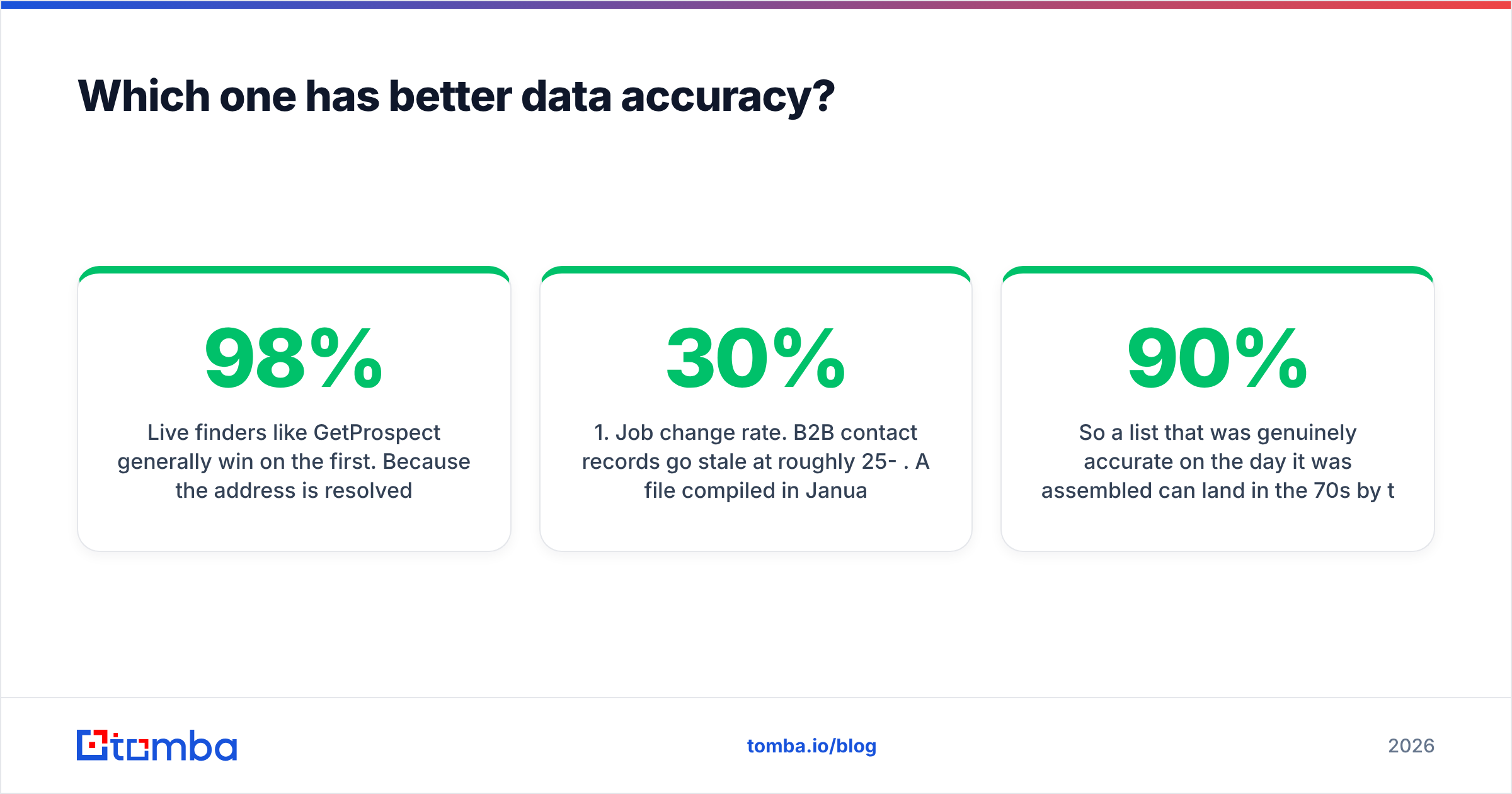
Live finders like GetProspect generally win on the first. Because the address is resolved and SMTP-checked at request time, you are looking at a mailbox state measured in minutes, not months. Vendors in this class typically publish 95-98% deliverability claims on verified results, and independent testing usually lands them a few points lower — call it low-90s in practice on standard corporate domains, worse on catch-all domains where SMTP gives no signal.

Bulk list files are harder to score, because the number that matters is not the accuracy at compile time — it is the accuracy at send time. Two numbers to keep in your head:
- Job change rate. B2B contact records go stale at roughly 25-30% per year. A file compiled in January is meaningfully degraded by July.
- Domain churn. Companies get acquired, rebrand, and consolidate mail domains. Those rows do not bounce softly; they hard bounce.
So a list that was genuinely 90% accurate on the day it was assembled can land in the 70s by the time it reaches your sequencer. That is not a knock on any specific vendor's methodology — it is arithmetic that applies to every static file ever sold.
The practical fix is the same regardless of source: verify immediately before sending, not at purchase. Catch-all domains deserve special handling too, since a standard SMTP check returns "accept" for every address on them — a dedicated catch-all verifier is the only way to separate real mailboxes from wildcard noise.
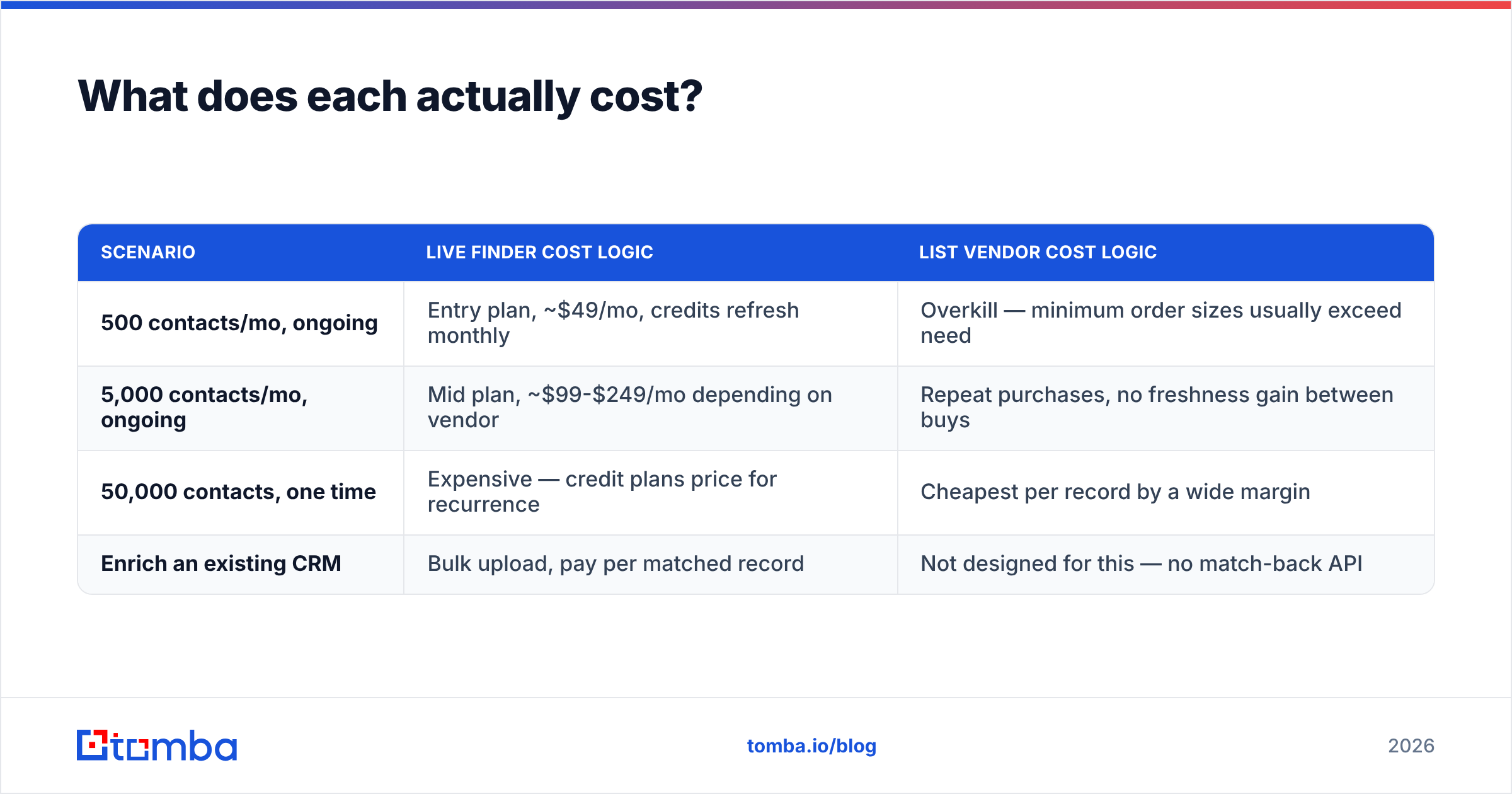
What does each actually cost?#
Pricing models differ enough that "cheaper" depends entirely on volume shape.
| Scenario | Live finder cost logic | List vendor cost logic |
|---|---|---|
| 500 contacts/mo, ongoing | Entry plan, ~$49/mo, credits refresh monthly | Overkill — minimum order sizes usually exceed need |
| 5,000 contacts/mo, ongoing | Mid plan, ~$99-$249/mo depending on vendor | Repeat purchases, no freshness gain between buys |
| 50,000 contacts, one time | Expensive — credit plans price for recurrence | Cheapest per record by a wide margin |
| Enrich an existing CRM | Bulk upload, pay per matched record | Not designed for this — no match-back API |
For reference on the live-lookup side, Tomba pricing runs Free (25 searches/mo), Starter $49/mo, Growth $99/mo, Pro $249/mo, and custom Enterprise. GetProspect sits in a comparable band at the entry tier. The real cost difference between finders is usually not headline price — it is whether you get charged for failed lookups and whether API access is gated behind an upper tier.
Go4Database and similar list vendors quote per project. That opacity is normal for the category, but it means you should always request a sample file of 100 records and verify it yourself before committing. If the sample verifies below 85%, negotiate on price or walk.
Is a pre-built list ever the right call?#
Yes — and anyone telling you otherwise is selling credits.
Buy a list when:
- You need volume for analysis, not outreach. Market sizing, TAM modelling, territory design. Decay barely matters when you are counting companies, not emailing people.
- The channel is not email. Direct mail, ad-audience uploads, and phone lists tolerate staleness better because the failure mode is a wasted postcard, not a damaged sending domain.
- The segment is genuinely hard to query. Some niche verticals and geographies are thin in self-serve databases. A specialist compiler may simply have coverage that a finder does not.
- You have a verification budget baked in. If you plan to spend 10-15% of the list cost re-verifying before send, the economics still often beat per-credit pricing at scale.
Use a live finder when your workflow is continuous, your list is built from a target-account list rather than a filter, or when you need enrichment on records you already own.

How do compliance and deliverability differ?#
This is where the two models diverge most sharply, and it is the part buyers under-weight.
Provenance. Under GDPR, you need a lawful basis for processing personal data, and legitimate interest requires you to document where the data came from and honour objections. A live finder that resolves an address from a public domain pattern and a published source gives you a traceable story. A purchased file gives you whatever the vendor's documentation says — which is why you should always ask for it in writing, including opt-out handling and EU-record segmentation.
Deliverability blast radius. Sending 20,000 unverified records from a fresh domain is the fastest known way to get a mailbox provider to throttle you. Bounce rates above 3-5% start triggering filtering; above 10% you are actively burning sender reputation. Because pre-built lists arrive as one large block, they tempt teams into exactly that behaviour. Finder workflows drip naturally.
Suppression hygiene. Whichever route you take, maintain a global suppression list and dedupe before import. Buying overlapping segments from two vendors and emailing the same person twice in a week is a real and common own-goal.
Which should you pick for your use case?#
- Founder doing 20-50 targeted emails a week. Live finder, free or entry tier. You will never hit list-vendor minimums, and every record you touch should be researched anyway. GetProspect's extension or an API-first tool both work; pick on price and whether you want the CRM-lite layer.
- SDR team of 3-10 running structured outbound. Live finder on a mid tier, plus a standing verification step. You need seat management, credit pooling, and CRM sync more than you need raw volume.
- RevOps enriching an existing 30k-row CRM. Bulk enrichment via API. This is a match-back problem, not a discovery problem — data enrichment endpoints handle it; a CSV purchase does not.
- Growth team testing a brand-new vertical at scale. A purchased list is defensible here, provided you sample-verify first, drip the send, and warm the domain properly.
- Developer building lookups into a product. API-first, every time. Check rate limits, response schema stability, and whether failed lookups consume credits before you commit — those three details matter more than the marketing accuracy number.
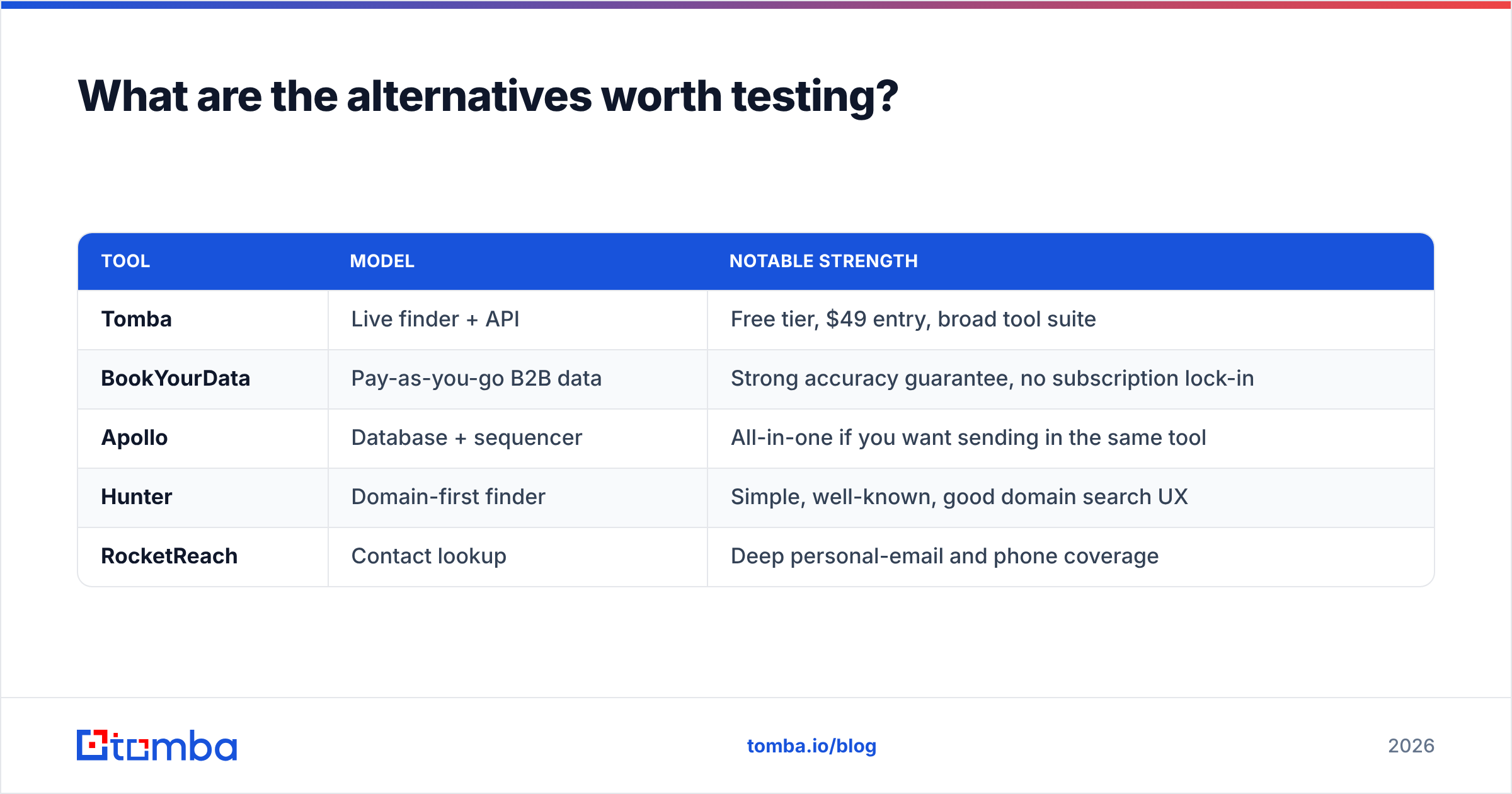
What are the alternatives worth testing?#
Do not run a two-horse race when the category has a dozen credible options. Worth putting in the same bake-off:
| Tool | Model | Notable strength |
|---|---|---|
| Tomba | Live finder + API | Free tier, $49 entry, broad tool suite |
| BookYourData | Pay-as-you-go B2B data | Strong accuracy guarantee, no subscription lock-in |
| Apollo | Database + sequencer | All-in-one if you want sending in the same tool |
| Hunter | Domain-first finder | Simple, well-known, good domain search UX |
| RocketReach | Contact lookup | Deep personal-email and phone coverage |
BookYourData deserves a specific mention because it sits between the two models under discussion: pay-as-you-go credits with a list-style catalogue and a published accuracy guarantee, which sidesteps the subscription-versus-bulk-file trade-off entirely. If your volume is lumpy, that shape is worth a look.
For a broader view of how buyers rate these categories, G2's lead intelligence category is a reasonable neutral starting point — filter reviews by company size, because enterprise and SMB experiences of the same tool diverge wildly.
How should you run the actual test?#
Do not buy on the comparison table. Run a controlled bake-off — it takes an afternoon.
- Build a 100-row control set. Real target accounts, mixed company sizes, at least 20% non-US domains. Include a few catch-all domains deliberately.
- Run the same set through each source. Record match rate (how many rows returned an address) separately from accuracy (how many of those verify).
- Verify with a neutral third tool. Never grade a vendor with its own verifier. Use an independent email verification pass so the scoring is not marking its own homework.
- Price the result, not the plan. Cost per verified, correct contact is the only number that matters. A cheap tool with a 40% match rate is not cheap.
- Check the tail. Look specifically at how each source handled the hard rows — small companies, non-Latin domains, catch-alls. That gap is where real budget leaks.
Most teams find the ranking flips between step 2 and step 4. Match rate flatters one vendor; verified cost-per-contact usually rewards another.
The bottom line#
GetProspect vs Go4Database is really "live lookups vs a static file," and the right answer follows your motion, not your preference. Ongoing outbound needs freshness, and freshness only comes from resolving addresses at the moment you need them. One-off volume plays can tolerate a compiled file — as long as you budget for verification and drip the send.
If your workflow is continuous and you want the lookup to live inside your own stack rather than someone else's UI, start with the Tomba Email Finder. The free tier gives you 25 searches a month to run the 100-row bake-off above, Starter is $49/mo when you are ready to scale, and the same credits cover domain search, verification, and enrichment through one API — so you are not buying three tools to solve one problem.
Related guides#
Ready to find emails that actually work?
Join 150,000+ professionals who stopped guessing and started sending. Free credits on signup — no credit card required.
Get the Tomba newsletter
Practical outbound tactics and product updates — once every two weeks.
About the author