GetProspect vs LeadsRush (2026): Which Email Finder Wins?
GetProspect and LeadsRush both promise verified B2B emails, but they solve different problems. Here's how they compare on accuracy, pricing, exports and API access — plus when a third option is the smarter buy.
TL;DR
- GetProspect is a LinkedIn-first prospecting database: browser extension, saved lists, a built-in CRM-style workspace, and a free tier that hands you a small number of verified emails each month.
- LeadsRush sits closer to the scraping end of the market — pull business records from directories, maps and social sources, then enrich them. It's cheaper per record but the data is broader and noisier.
- The real split isn't "which is better" — it's database-first vs scrape-first. Pick GetProspect if you prospect from LinkedIn. Pick LeadsRush if you prospect from local business listings.
- Both are weak in the same place: verification depth and API-first workflows. If you're piping leads into a CRM or sequencer programmatically, neither is designed for you.
- If your core need is a clean, verifiable, API-accessible email finder with catch-all handling, budget around $49/mo and evaluate a third option alongside these two.
What are GetProspect and LeadsRush, actually?#
They get compared because both sell "verified B2B emails." That's where the similarity ends.
GetProspect is a contact database with a workspace on top. You search by job title, company, industry, headcount or location, or you run its Chrome extension over LinkedIn search results and pull contacts into lists. Those lists behave a bit like a lightweight CRM — custom columns, filters, tags, CSV export, and integrations into the usual suspects. The official GetProspect site positions it as an email finder plus a database, and that dual framing matters: you're paying for both stored records and lookup credits.
LeadsRush comes from the other direction. It's built around harvesting business records — maps listings, directories, social profiles, website contact data — and turning them into a contact file you can email or call. Think of it as a shovel rather than a warehouse. You point it at a category and a geography, it digs.
The analogy: GetProspect is a library with a card catalog. You look up what already exists on the shelves. LeadsRush is a metal detector on a beach. You cover ground and see what surfaces. Both find things. They find different things, with different confidence levels.
That's why "GetProspect vs LeadsRush" is a slightly unfair matchup unless you first answer: where do your prospects live?

How do GetProspect and LeadsRush compare head-to-head?#
Pricing on both tools moves — verify current numbers on their own pages before you commit. The figures below reflect publicly listed plans at the time of writing and are here to show the shape of each pricing model, not to be quoted as gospel.
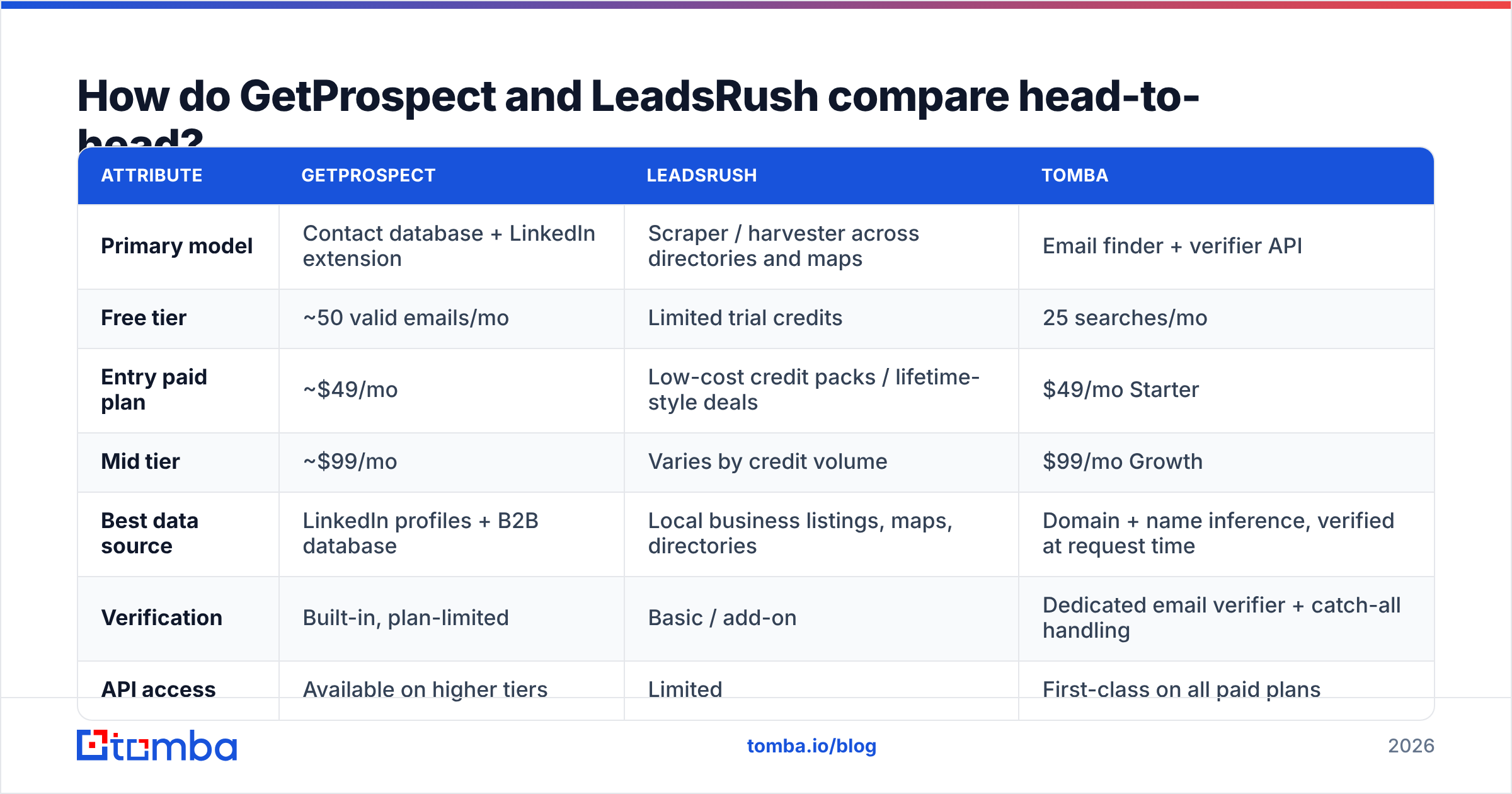
| Attribute | GetProspect | LeadsRush | Tomba |
|---|---|---|---|
| Primary model | Contact database + LinkedIn extension | Scraper / harvester across directories and maps | Email finder + verifier API |
| Free tier | ~50 valid emails/mo | Limited trial credits | 25 searches/mo |
| Entry paid plan | ~$49/mo | Low-cost credit packs / lifetime-style deals | $49/mo Starter |
| Mid tier | ~$99/mo | Varies by credit volume | $99/mo Growth |
| Best data source | LinkedIn profiles + B2B database | Local business listings, maps, directories | Domain + name inference, verified at request time |
| Verification | Built-in, plan-limited | Basic / add-on | Dedicated email verifier + catch-all handling |
| API access | Available on higher tiers | Limited | First-class on all paid plans |
| Bulk workflow | List-based, CSV in/out | Batch scrape jobs | Bulk email finder, CSV, Sheets, API |
| Best for | SDRs prospecting from LinkedIn | Agencies selling to local/SMB businesses | Dev-led and RevOps teams needing clean data at scale |
Two things jump out.
First, the entry price is roughly the same at GetProspect and Tomba ($49/mo), while LeadsRush undercuts both. That discount is real, but you're buying a different product — volume of records, not depth of verification.
Second, API access is where the tiers diverge hardest. If your workflow is "SDR clicks through LinkedIn, saves a list, exports CSV," an API is irrelevant. If your workflow is "enrichment job runs nightly against 4,000 CRM records," an API isn't a nice-to-have — it's the entire product.
Which one has better email accuracy?#
Accuracy is the only metric that actually costs you money when it's wrong. A 12% bounce rate doesn't just waste sends — it damages sender reputation, and reputation damage carries over to the campaigns that would have worked.

Here's how to reason about the two tools' accuracy honestly:
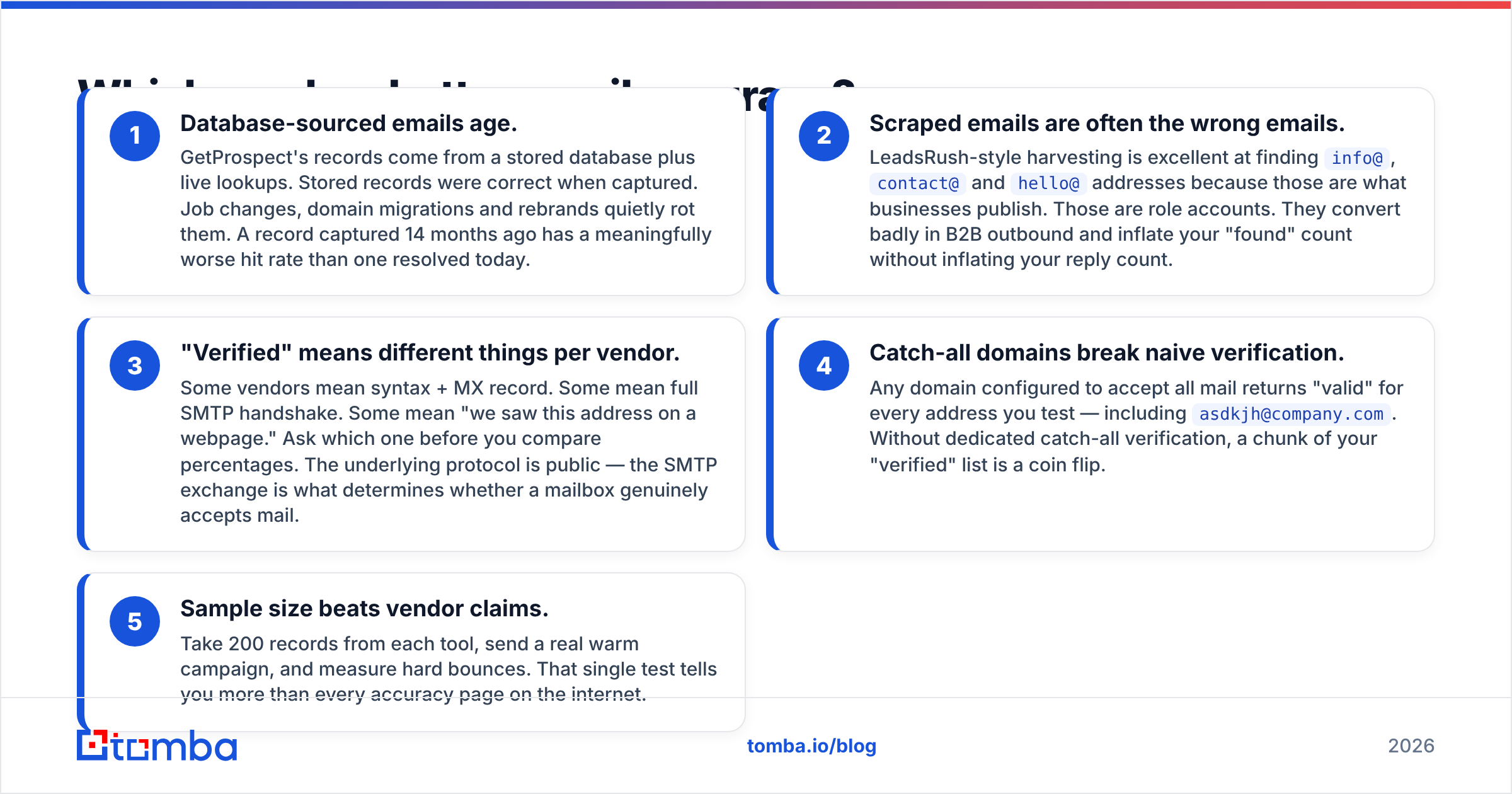
- Database-sourced emails age. GetProspect's records come from a stored database plus live lookups. Stored records were correct when captured. Job changes, domain migrations and rebrands quietly rot them. A record captured 14 months ago has a meaningfully worse hit rate than one resolved today.
- Scraped emails are often the wrong emails. LeadsRush-style harvesting is excellent at finding
info@,contact@andhello@addresses because those are what businesses publish. Those are role accounts. They convert badly in B2B outbound and inflate your "found" count without inflating your reply count. - "Verified" means different things per vendor. Some vendors mean syntax + MX record. Some mean full SMTP handshake. Some mean "we saw this address on a webpage." Ask which one before you compare percentages. The underlying protocol is public — the SMTP exchange is what determines whether a mailbox genuinely accepts mail.
- Catch-all domains break naive verification. Any domain configured to accept all mail returns "valid" for every address you test — including
asdkjh@company.com. Without dedicated catch-all verification, a chunk of your "verified" list is a coin flip. - Sample size beats vendor claims. Take 200 records from each tool, send a real warm campaign, and measure hard bounces. That single test tells you more than every accuracy page on the internet.
Neither GetProspect nor LeadsRush is dishonest here. They're solving different retrieval problems. But if your ICP is "VP of Engineering at a 200-person SaaS company," a maps-based scraper will underperform badly — and if your ICP is "dental practices in Ohio," a LinkedIn-first database will too.
Is GetProspect worth it for LinkedIn prospecting?#
Yes, with a caveat about how the credits work.
GetProspect's strongest feature is the workflow loop: run a LinkedIn Sales Navigator search, activate the extension, bulk-save the results, let it resolve emails, then export or push to your CRM. For an SDR working a defined ICP list, that loop is fast and genuinely pleasant.
The caveat is the two-currency system. Most database tools meter both the number of contacts you can store and the number of emails you can reveal. Hit either ceiling and the workflow stops. Teams routinely discover mid-month that they have plenty of reveal credits but no room to save the records they want to reveal — or the reverse.
Before buying, answer three questions:
- How many net-new contacts do you actually reveal per rep per month? Most SDRs need 400–800, not 5,000. Buying for the fantasy number is the most common overspend in this category.
- Do you need seats, or one seat and an export? Per-seat pricing is where these tools get expensive fast.
- Does the export land where you need it? A CSV that a RevOps person hand-merges into Salesforce every Friday is a process, not an integration.
If LinkedIn isn't your primary sourcing channel, most of what you're paying GetProspect for goes unused. Look at a dedicated LinkedIn email finder or a straight domain-based approach instead.
Is LeadsRush worth it for local and SMB outbound?#
If you sell to local businesses — agencies, home services, restaurants, clinics, retail — a scrape-first tool is often the correct choice, and paying database prices for that data is a waste.
Where LeadsRush-style tools genuinely win:
- Geographic sweeps. "Every physiotherapy clinic within 40 miles" is a query a LinkedIn-first database handles poorly and a maps scraper handles natively.
- Phone-heavy outbound. Local businesses answer phones. If cold calling is your channel, a record with a verified number beats a record with a personal email. Pair it with a phone validator so you're not burning dial time on disconnected lines.
- Volume economics. When your close rate is 1% and your ACV is $500, cheap records at scale beat expensive records with precision.
Where it breaks down:
- Enterprise and mid-market B2B. You will not find the Director of Procurement at a 3,000-person manufacturer in a directory listing.
- Named-person targeting. Scraped records skew toward the business entity, not the decision maker. That forces a second enrichment step anyway.
- Compliance hygiene. Harvested data needs a defensible provenance story. Review your source's terms, and check how each vendor documents where its data comes from before you scale sends into regulated regions. Independent reviews on G2 are a reasonable sanity check on how buyers describe the data quality in practice.

What does the full comparison look like on cost per usable lead?#
Sticker price is the wrong metric. The number that matters is cost per lead that actually converts to a reply.

Work the math like this:
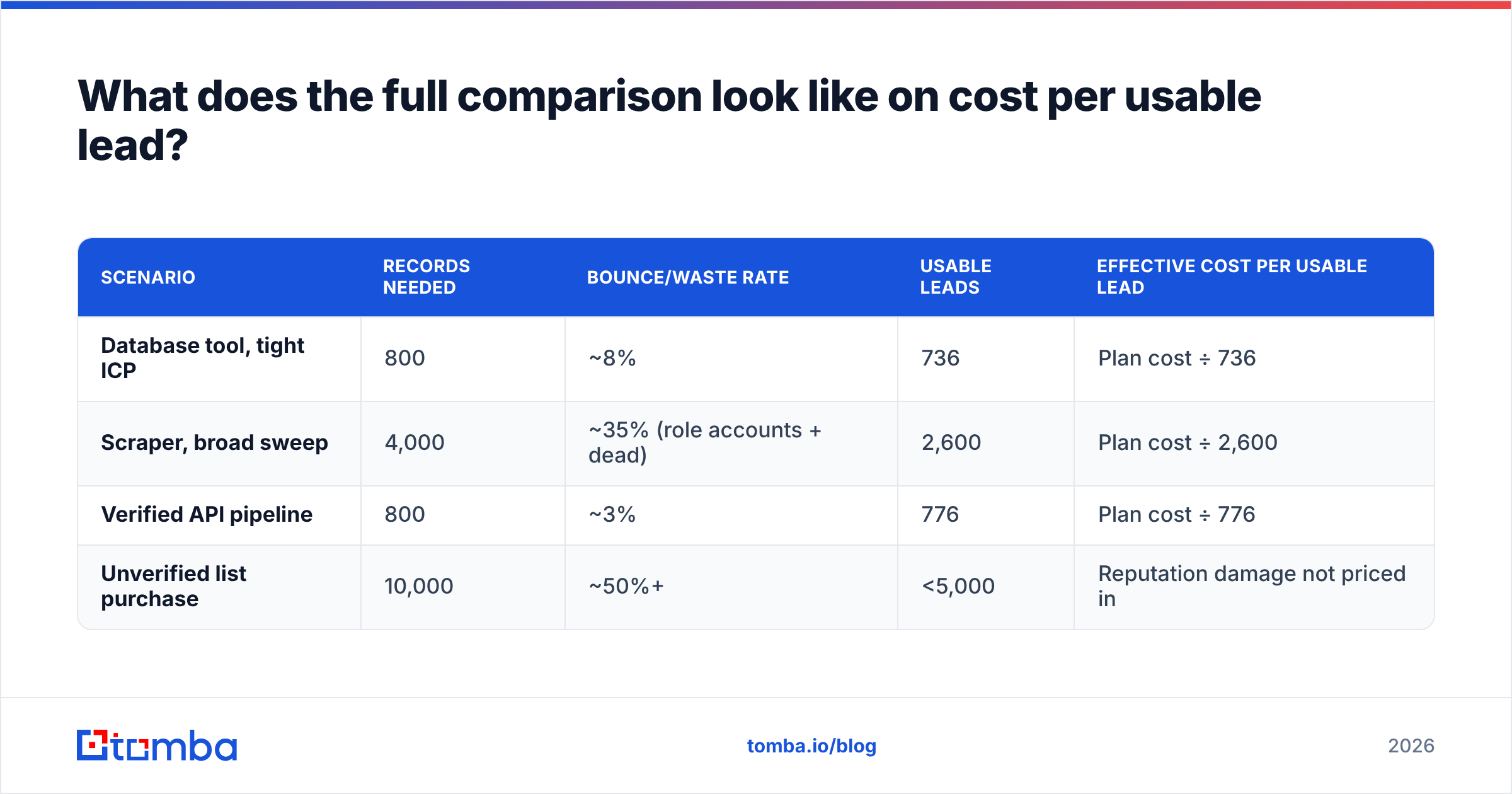
| Scenario | Records needed | Bounce/waste rate | Usable leads | Effective cost per usable lead |
|---|---|---|---|---|
| Database tool, tight ICP | 800 | ~8% | 736 | Plan cost ÷ 736 |
| Scraper, broad sweep | 4,000 | ~35% (role accounts + dead) | 2,600 | Plan cost ÷ 2,600 |
| Verified API pipeline | 800 | ~3% | 776 | Plan cost ÷ 776 |
| Unverified list purchase | 10,000 | ~50%+ | <5,000 | Reputation damage not priced in |
The scraper often still wins on raw cost per usable lead. What it doesn't win on is cost per meeting, because role-account emails and mismatched personas convert far worse than a correctly targeted named contact.
Run both numbers. If your motion is high-volume SMB, the scraper math holds. If your motion is considered B2B sales with a real ICP, the verified pipeline wins by a wide margin — and the difference compounds, because clean sending keeps your domain healthy enough to keep sending.
When should you skip both and use an API-first email finder?#
Three signals mean neither tool is your answer:
1. Your source list already exists. If you have 5,000 company domains from a CRM export, a trade show, or a website-visitor tool, you don't need a prospecting database — you need resolution. Run domain search against the list and get patterns plus named contacts without paying for a database you'll never browse.
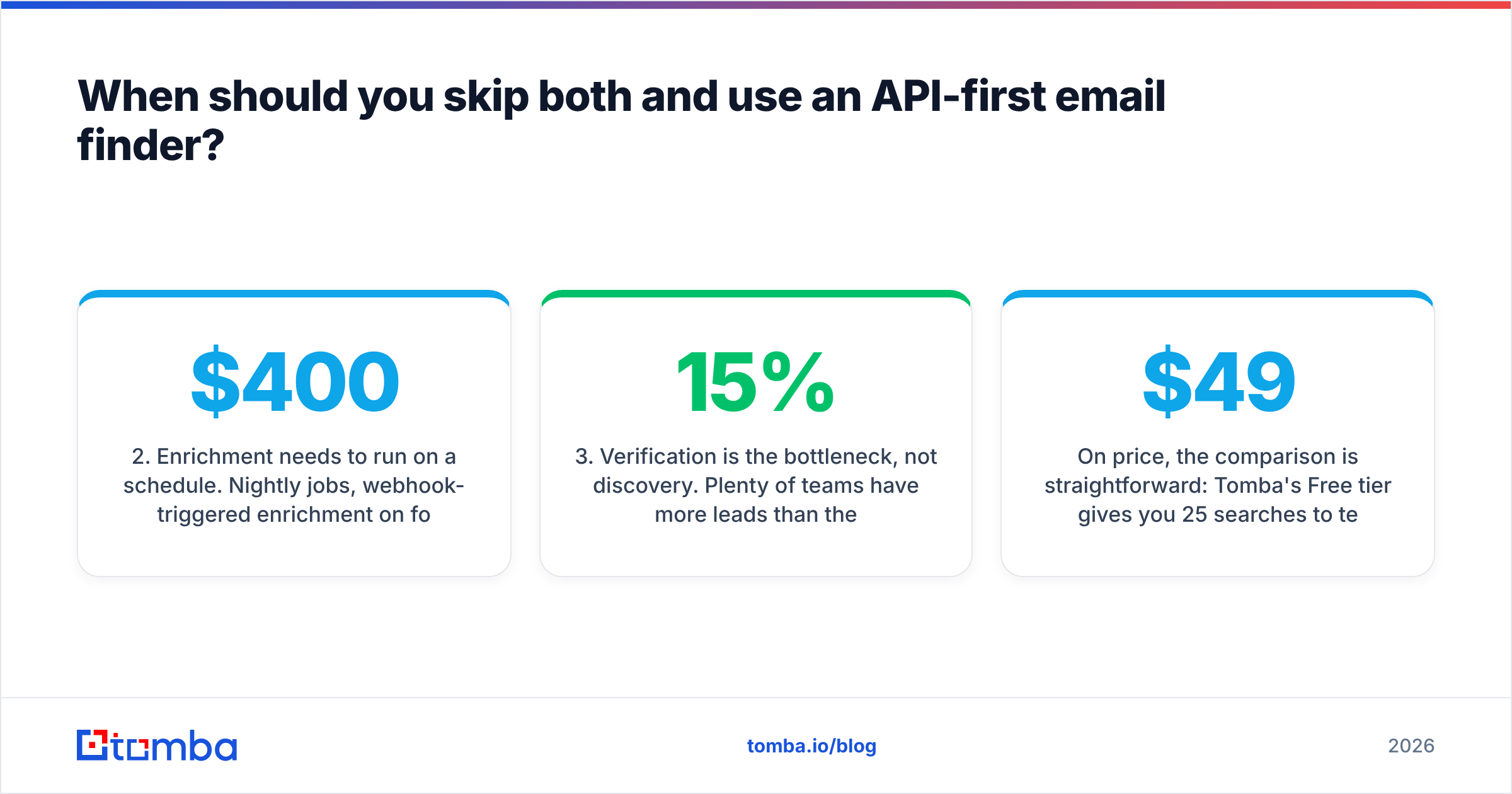
2. Enrichment needs to run on a schedule. Nightly jobs, webhook-triggered enrichment on form fill, or CRM hygiene sweeps are engineering problems. A UI-first tool with an API bolted on at the top tier will frustrate you. Check whether the API is documented, rate-limit-transparent and available on entry plans — not gated behind a $400/mo tier.
3. Verification is the bottleneck, not discovery. Plenty of teams have more leads than they can clean. If your problem is a 15% bounce rate on lists you already own, buying another discovery tool solves nothing. Bulk-verify what you have first, handle catch-alls explicitly, and only then go looking for new volume.
On price, the comparison is straightforward: Tomba's Free tier gives you 25 searches/mo to test with, Starter is $49/mo, Growth is $99/mo, and Pro is $249/mo, with Enterprise custom — full Tomba pricing is public, and API access isn't reserved for the top tier.
So — GetProspect or LeadsRush?#
Choose GetProspect if: your ICP is a named person on LinkedIn, your reps live in Sales Navigator, and you want lists, filters and a light CRM layer in the same tool. Watch the dual credit ceilings and the per-seat math.
Choose LeadsRush if: you sell to local or SMB businesses, geography is your primary filter, phone is a real channel, and you'd rather have 4,000 rough records than 400 polished ones. Budget for a verification pass on top.
Choose neither if: you already have the companies and just need the people, you need enrichment to run programmatically, or your bounce rate is the thing actually costing you pipeline.
Most teams that seriously compare these two end up realizing they were shopping for the wrong category. The question was never "which prospecting UI do I like more" — it was "how do I get accurate, verifiable contact data into my systems without babysitting a CSV."
If that's you, start with the Tomba Email Finder. Test 25 lookups free, run the same 200-record bounce test you'd run on any vendor, and compare the numbers yourself rather than trusting anyone's accuracy page — including this one. If the results hold up, $49/mo gets you the same finder with an API, bulk processing and catch-all verification attached, which is usually the part that was missing in the first place.
Related guides#
Ready to find emails that actually work?
Join 150,000+ professionals who stopped guessing and started sending. Free credits on signup — no credit card required.
Get the Tomba newsletter
Practical outbound tactics and product updates — once every two weeks.
About the author