GetProspect vs Ocean.io: Which B2B Data Tool Wins in 2026?
GetProspect finds contacts one person at a time. Ocean.io finds companies that look like your best customers. We compare pricing, data depth, export limits and accuracy to show which one actually belongs in your 2026 stack.
GetProspect vs Ocean.io is a strange matchup. One tool finds a person's work email. The other finds companies that look like your best customers. This guide compares them on price, data quality, export limits, and fit — then names the buyer each one is right for.
TL;DR
- GetProspect is contact-first. You start from a person or a LinkedIn list and walk away with a verified work email. It is cheap, self-serve, and built for reps who prospect daily.
- Ocean.io is company-first. You feed it your best accounts and it returns lookalike companies with firmographic and technographic filters. Contacts are the second step, not the product.
- They rarely compete head-to-head. If your bottleneck is "who should I target," Ocean.io wins. If it is "what is this person's email," GetProspect wins.
- Pricing models are not comparable. GetProspect sells credits from roughly $49/mo self-serve; Ocean.io sells annual platform seats usually quoted in the four figures.
- A third path exists: pair a cheap ICP list source with a dedicated finder + verifier API so you are not paying platform rates for a lookup you could run for a fraction of a cent.
What are GetProspect and Ocean.io, exactly?#
GetProspect is a B2B email finder and lightweight CRM. Its center of gravity is the Chrome extension: you open a LinkedIn search, run the extension, and it pushes matched contacts into a list with work emails attached. Around that sit a searchable contact database, bulk enrichment from CSV, list management with custom fields, and a basic email-sending module. The mental model is a rep's toolbelt — narrow, fast, cheap.
Ocean.io is a company-intelligence and lookalike-search platform. You give it a seed set — your closed-won accounts, a target list, a single domain — and it returns companies that resemble them based on website content, industry classification, size, geography, growth signals, and tech stack. It then layers contacts on top of those companies. The mental model is a demand-gen or RevOps analyst building a total addressable market, not a rep chasing one email.
That single difference explains almost everything else: pricing shape, export limits, who buys it, and where each one frustrates you.
How do their data models actually differ?#
This is the part most comparison pages skip. The two tools are indexed differently, and the index determines what questions you can ask.
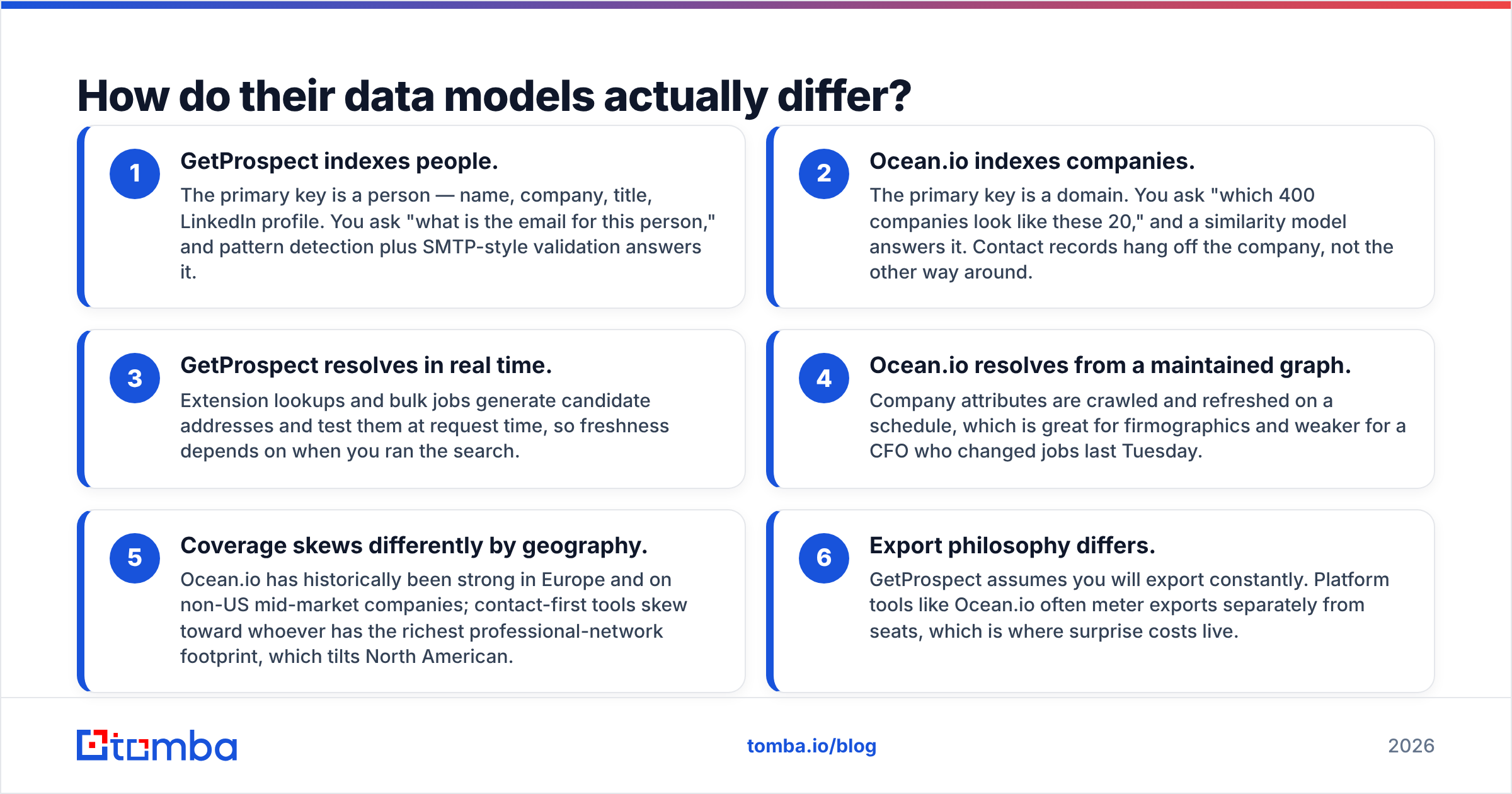
- GetProspect indexes people. The primary key is a person — name, company, title, LinkedIn profile. You ask "what is the email for this person," and pattern detection plus SMTP-style validation answers it.
- Ocean.io indexes companies. The primary key is a domain. You ask "which 400 companies look like these 20," and a similarity model answers it. Contact records hang off the company, not the other way around.
- GetProspect resolves in real time. Extension lookups and bulk jobs generate candidate addresses and test them at request time, so freshness depends on when you ran the search.
Freshness and coverage split along the same line.
- Ocean.io resolves from a maintained graph. Company attributes are crawled and refreshed on a schedule. That is great for firmographics. It is weaker for a CFO who changed jobs last Tuesday.
- Coverage skews differently by geography. Ocean.io has historically been strong in Europe and on non-US mid-market companies. Contact-first tools skew toward whoever has the richest professional-network footprint, which tilts North American.
- Export philosophy differs. GetProspect assumes you will export constantly. Platform tools like Ocean.io often meter exports separately from seats, which is where surprise costs live.

GetProspect vs Ocean.io: how do price and features compare?#
Published pricing moves, and Ocean.io quotes rather than lists most of its tiers, so treat the numbers below as directional and confirm on each vendor's page before you sign anything. What matters more than the exact figure is the shape of the bill.
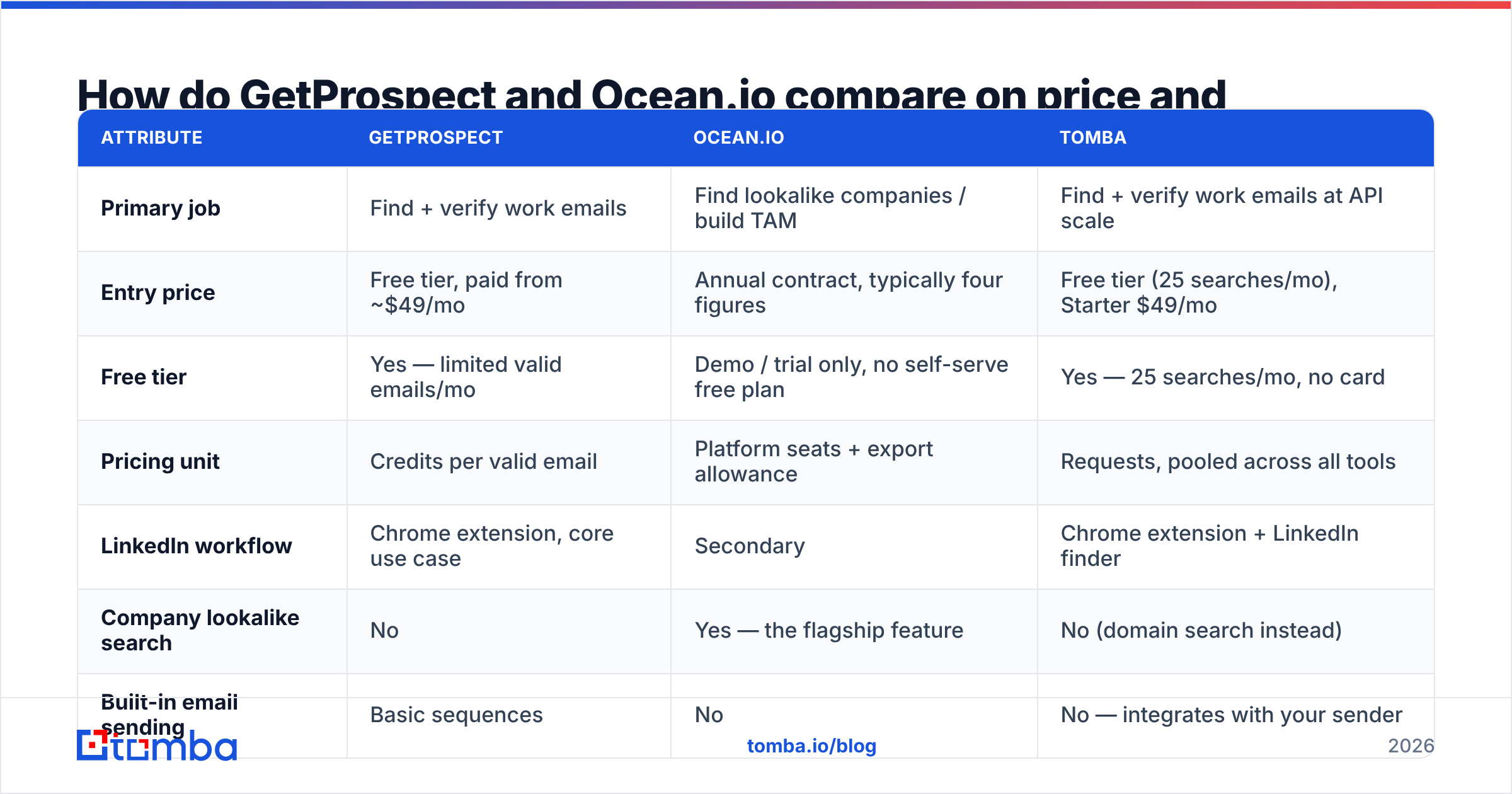
| Attribute | GetProspect | Ocean.io | Tomba |
|---|---|---|---|
| Primary job | Find + verify work emails | Find lookalike companies / build TAM | Find + verify work emails at API scale |
| Entry price | Free tier, paid from ~$49/mo | Annual contract, typically four figures | Free tier (25 searches/mo), Starter $49/mo |
| Free tier | Yes — limited valid emails/mo | Demo / trial only, no self-serve free plan | Yes — 25 searches/mo, no card |
| Pricing unit | Credits per valid email | Platform seats + export allowance | Requests, pooled across all tools |
| LinkedIn workflow | Chrome extension, core use case | Secondary | Chrome extension + LinkedIn finder |
| Company lookalike search | No | Yes — the flagship feature | No (domain search instead) |
| Built-in email sending | Basic sequences | No | No — integrates with your sender |
| Verification included | Yes | Partial, varies by plan | Yes, plus catch-all verification |
| API access | Yes, on paid plans | Yes, enterprise-tier | Yes, on every paid plan |
| Best for | SDRs and founders doing manual prospecting | RevOps building account lists | Teams embedding lookups into a system |
Two things jump out. First, GetProspect and Tomba are priced for individual contributors; Ocean.io is priced for a team that has already agreed on an ICP and wants to industrialize it. Second, the "free tier" row is not a trivia fact — it determines whether you can test data quality on your own accounts before you commit budget. Compare Tomba pricing against a quoted annual contract and the risk profiles are simply different categories.

Is the contact data accurate enough to send on?#
Accuracy claims in this category are close to meaningless without a definition. Vendors quote three different things and call all of them "accuracy":
- Match rate — of 1,000 people you submitted, how many came back with any email at all.
- Deliverability rate — of the emails returned, how many actually accept mail.
- Bounce guarantee — what the vendor refunds when it is wrong.
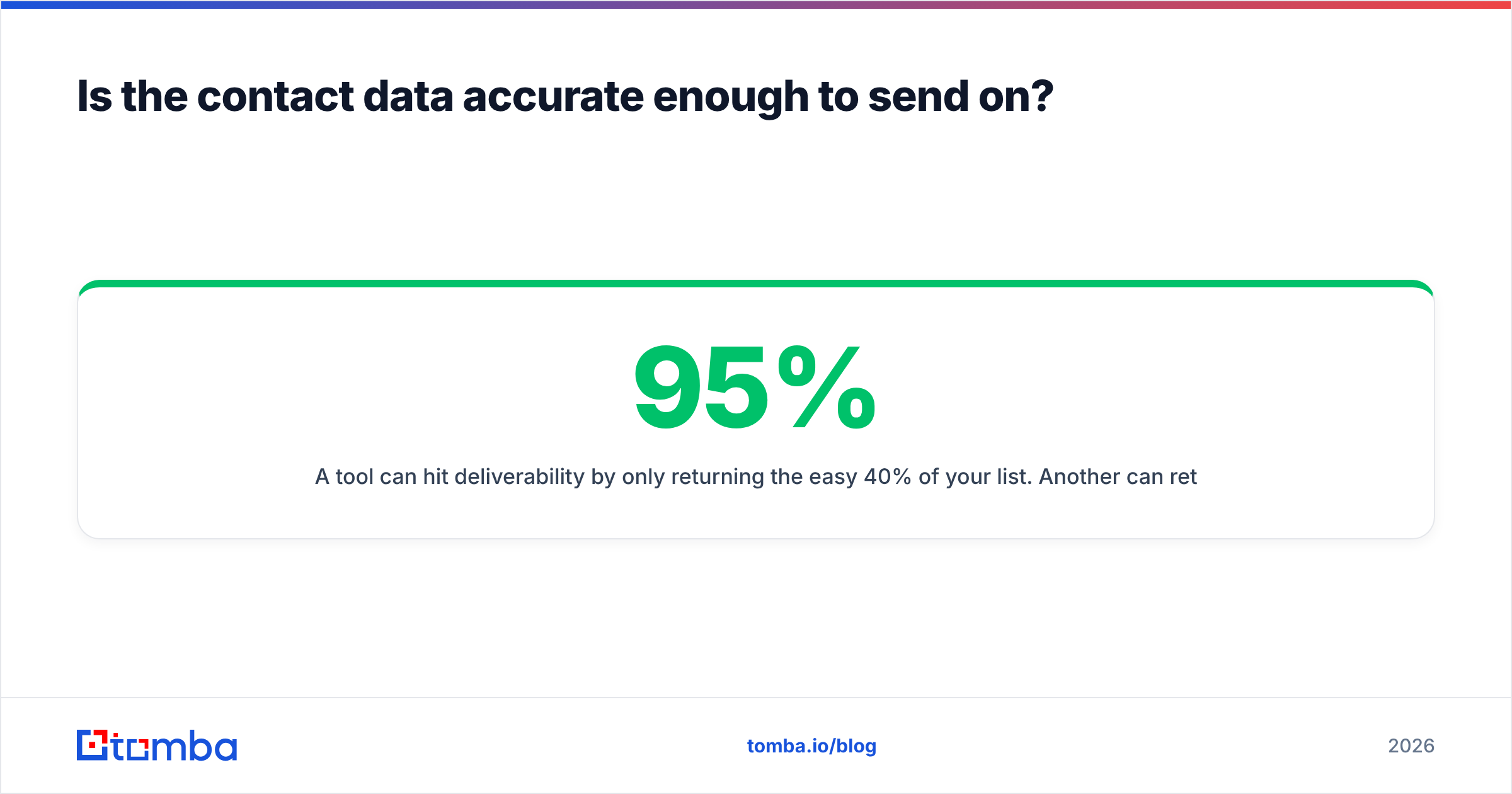
A tool can hit 95% deliverability by only returning the easy 40% of your list. Another can return 85% of your list at 92% deliverability and be far more useful. Always compute usable contacts per 1,000 submitted, not the headline percentage.
In practice, contact-first tools like GetProspect post higher raw match rates on individual lookups because that is the whole product. Company-first platforms like Ocean.io are stronger on the firmographic attributes — headcount band, industry, tech stack — and comparatively thinner on personal email coverage for long-tail roles.

Whatever you buy, run the same 100-row control list through it. Take a sample of accounts you already know, submit them blind, and score the output yourself. Then push the survivors through an independent email verifier before the first send — no single vendor should be both the source and the referee of its own data. Catch-all domains deserve extra care: a "valid" flag on a catch-all domain means the server accepts everything, not that the mailbox exists.

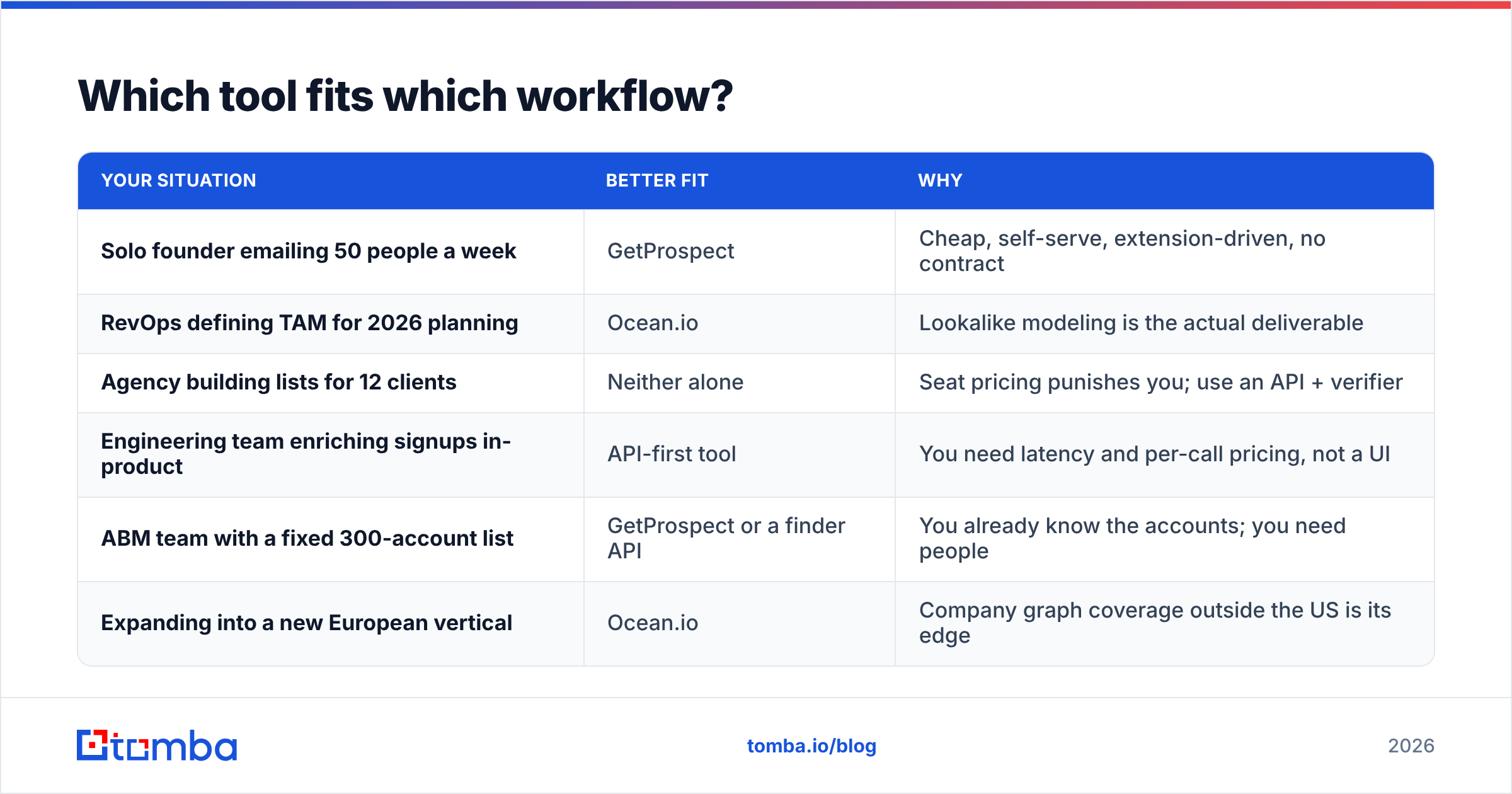
Which tool fits which workflow?#
| Your situation | Better fit | Why |
|---|---|---|
| Solo founder emailing 50 people a week | GetProspect | Cheap, self-serve, extension-driven, no contract |
| RevOps defining TAM for 2026 planning | Ocean.io | Lookalike modeling is the actual deliverable |
| Agency building lists for 12 clients | Neither alone | Seat pricing punishes you; use an API + verifier |
| Engineering team enriching signups in-product | API-first tool | You need latency and per-call pricing, not a UI |
| ABM team with a fixed 300-account list | GetProspect or a finder API | You already know the accounts; you need people |
| Expanding into a new European vertical | Ocean.io | Company graph coverage outside the US is its edge |
The honest read: these tools sit at different stages of the same funnel. Ocean.io answers which accounts. GetProspect answers which humans, and how do I reach them. Plenty of teams run both and never feel a conflict. What they do feel is the combined bill.
Where does each one fall short?#
GetProspect's weak points. The database is smaller than the enterprise players, so long-tail roles at small companies return blanks more often than you would like. The built-in sending module is serviceable but not a real sequencer — you will still pay for a dedicated sender. Credits burn on valid results, which is fair, but bulk jobs on messy inputs still waste time. And there is no meaningful account-discovery layer: if you do not already know who to target, it cannot help you.
Ocean.io's weak points. The similarity engine is genuinely useful and genuinely opaque — when it returns a company you would never sell to, you cannot always see why. Pricing requires a sales conversation, which rules it out for small teams testing an idea. Contact-level depth is not its strength, so you will likely bolt a finder onto it anyway. And annual commitments mean you are betting on an ICP definition that may not survive two quarters.
The shared weak point. Both charge platform rates for what is, at the atomic level, a lookup. If your volume is spiky — a burst of 20,000 rows in March, near-nothing in April — a seat-based contract is the wrong instrument.
What are the alternatives worth considering?#
A few names come up constantly when teams shop this category:
- Tomba — an email finder with verification, domain search, catch-all checking, phone lookup, and enrichment on the same credit pool, with a Free tier at 25 searches/mo and Starter at $49/mo. Strongest when you want the same lookups available in the UI, a spreadsheet, and via the Tomba API.
- BookYourData — a pay-as-you-go B2B list provider with a strong accuracy guarantee and no subscription requirement. A solid, well-regarded option when you want to buy a defined list outright rather than run lookups continuously, and it prices very differently from seat-based platforms.
- Clearbit-style enrichment — best when the job is enriching inbound records you already have, not discovering new ones.
- Apollo-class all-in-ones — database plus sequencer in one bill, with the usual tradeoff: broad coverage, uneven depth, and a UI you inherit whether you like it or not.
Read real reviews before committing. G2's category pages are noisy but useful for spotting patterns in complaints — especially around export limits, contract renewals, and support responsiveness, which is where buyer regret concentrates.
How should you actually run the evaluation?#
Do this before any demo call, and it takes an afternoon:
- Build a control list of 100 known contacts. People you have already emailed successfully. You know the ground truth.
- Run the same list through every candidate. Same columns, same order, no manual cleanup.
- Score three numbers per tool: match rate, verified-deliverable rate, and cost per usable contact.
- Test the failure path. Submit 10 rows with typos and a defunct domain. A good tool flags them; a bad one invents addresses.
- Check the export terms in writing. Ask specifically: how many records can I export per seat per month, and what happens on renewal to records I already exported?
- Price your realistic volume, not your dream volume. Most teams overbuy credits by 3x in year one.
If your monthly volume is under a few thousand lookups, a self-serve tool almost always beats a platform contract. If your bottleneck is genuinely "we do not know who to sell to," pay for the company graph and accept the contract — that problem is worth real money to solve.
So which one wins in 2026?#
There is no universal winner. But GetProspect vs Ocean.io comes down to one question: is your gap accounts, or is it contacts?
Pick Ocean.io if account selection is your unsolved problem, you have European or non-US mid-market targets, and you have budget approval for an annual platform. Pick GetProspect if you already know your accounts, you prospect from LinkedIn, and you want to start this afternoon for under $50.
Pick neither if your real requirement is high-volume, programmatic contact resolution — because then you are paying UI prices for an API problem. That is the gap Tomba is built for: find the email, verify it, check the catch-all, enrich the record, and do it from a browser extension, a spreadsheet, or a single API call on the same credit pool. Start on the free tier with 25 searches, run your own control list against it, and let your own numbers pick the winner. If it does not beat what you are paying for today, you have lost an afternoon and nothing else.
Related guides#
Ready to find emails that actually work?
Join 150,000+ professionals who stopped guessing and started sending. Free credits on signup — no credit card required.
Get the Tomba newsletter
Practical outbound tactics and product updates — once every two weeks.
About the author