GetProspect vs OneMoreLead: Which B2B Data Tool Wins?
One tool finds emails live from LinkedIn and domains. The other sells you a pre-built contact list. We compare GetProspect and OneMoreLead on accuracy, pricing, export limits, and who each one actually fits.
GetProspect vs OneMoreLead is a choice between two different products. One finds and verifies emails live. The other sells you a pre-built list. Here is how they compare on accuracy, price, and fit.
TL;DR
- GetProspect is a live email finder with a searchable B2B database, built around a LinkedIn Chrome extension. It verifies each address before it charges you a credit.
- OneMoreLead is a pre-built contact list. You filter the database, export rows, and load them into your sequencer.
- If your outbound starts on LinkedIn or with named accounts, GetProspect wins. For bulk exports, OneMoreLead costs less per record.
- Neither fits well if you need API enrichment inside a product or CRM. A developer-first tool like Tomba usually replaces both.
- The real cost is not the sticker price. It is the share of exported rows that bounce. Benchmark that before you sign an annual plan.
GetProspect vs OneMoreLead: what are they?#
They solve the same business problem — "I need work email addresses for people who match my ICP" — from opposite directions.
GetProspect is an email finder first. Its center of gravity is the Chrome extension: you browse a LinkedIn search or Sales Navigator list, click, and it resolves emails for the profiles you selected. Alongside that sits a filterable database (industry, headcount, title, location, tech) and a bulk upload flow where you drop in a CSV of names and domains and get emails back. There's a built-in verifier, list management, and a light CRM layer with columns and tags.
OneMoreLead positions itself as a B2B contact database. You define filters, preview matching records, and export. The pitch is volume and price-per-record, not real-time resolution. Records are collected and checked ahead of time, not resolved at query time. That one design choice sets how fresh your data is on the day you send.
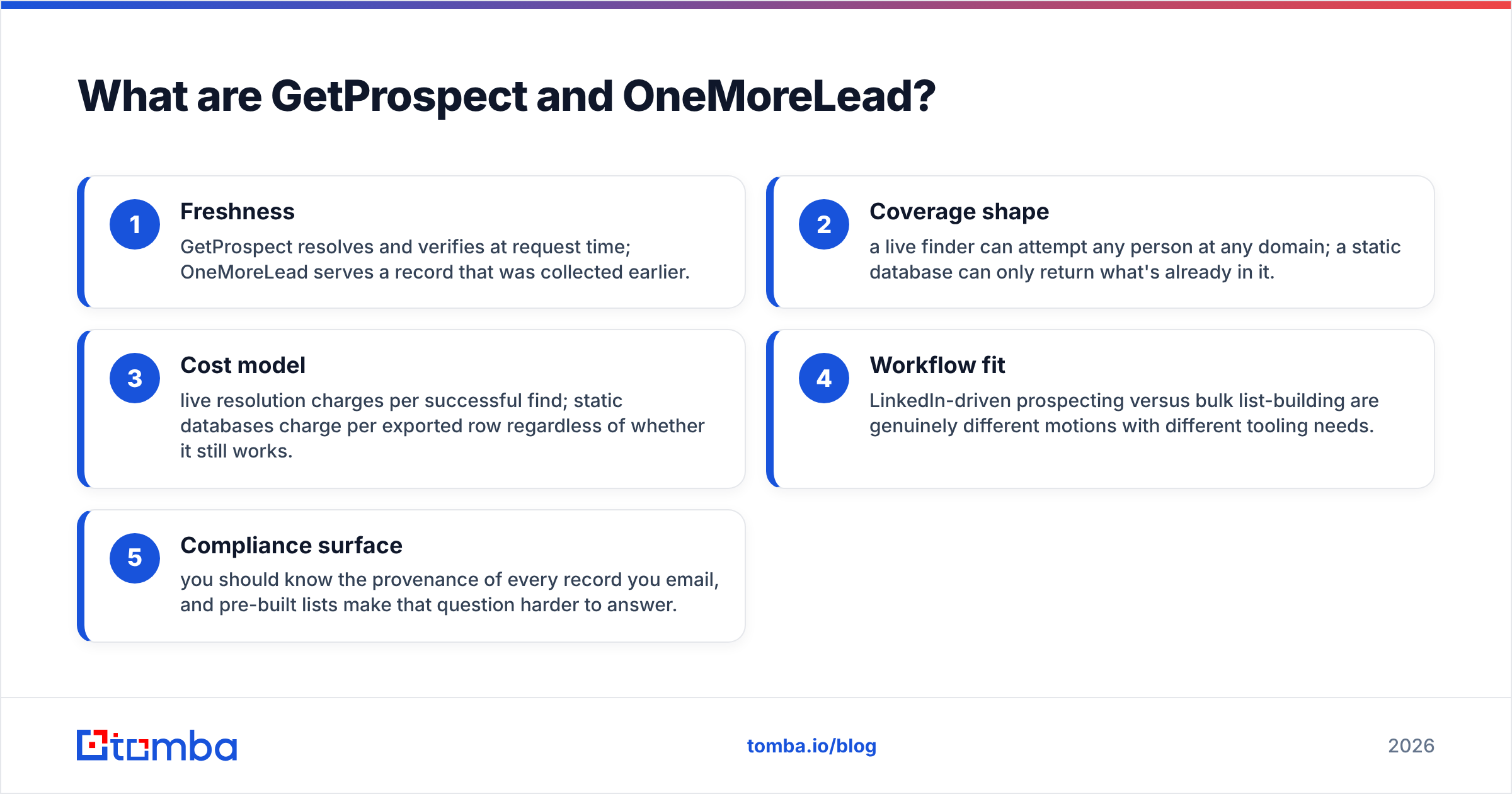
That difference drives everything else in this comparison:
- Freshness — GetProspect resolves and verifies at request time; OneMoreLead serves a record that was collected earlier.
- Coverage shape — a live finder can attempt any person at any domain; a static database can only return what's already in it.
- Cost model — live resolution charges per successful find; static databases charge per exported row, working or not.
- Workflow fit — LinkedIn-driven prospecting and bulk list-building are different motions with different tooling needs.
- Compliance surface — you should know where every record came from, and pre-built lists make that harder to answer.
How do GetProspect and OneMoreLead compare feature by feature?#
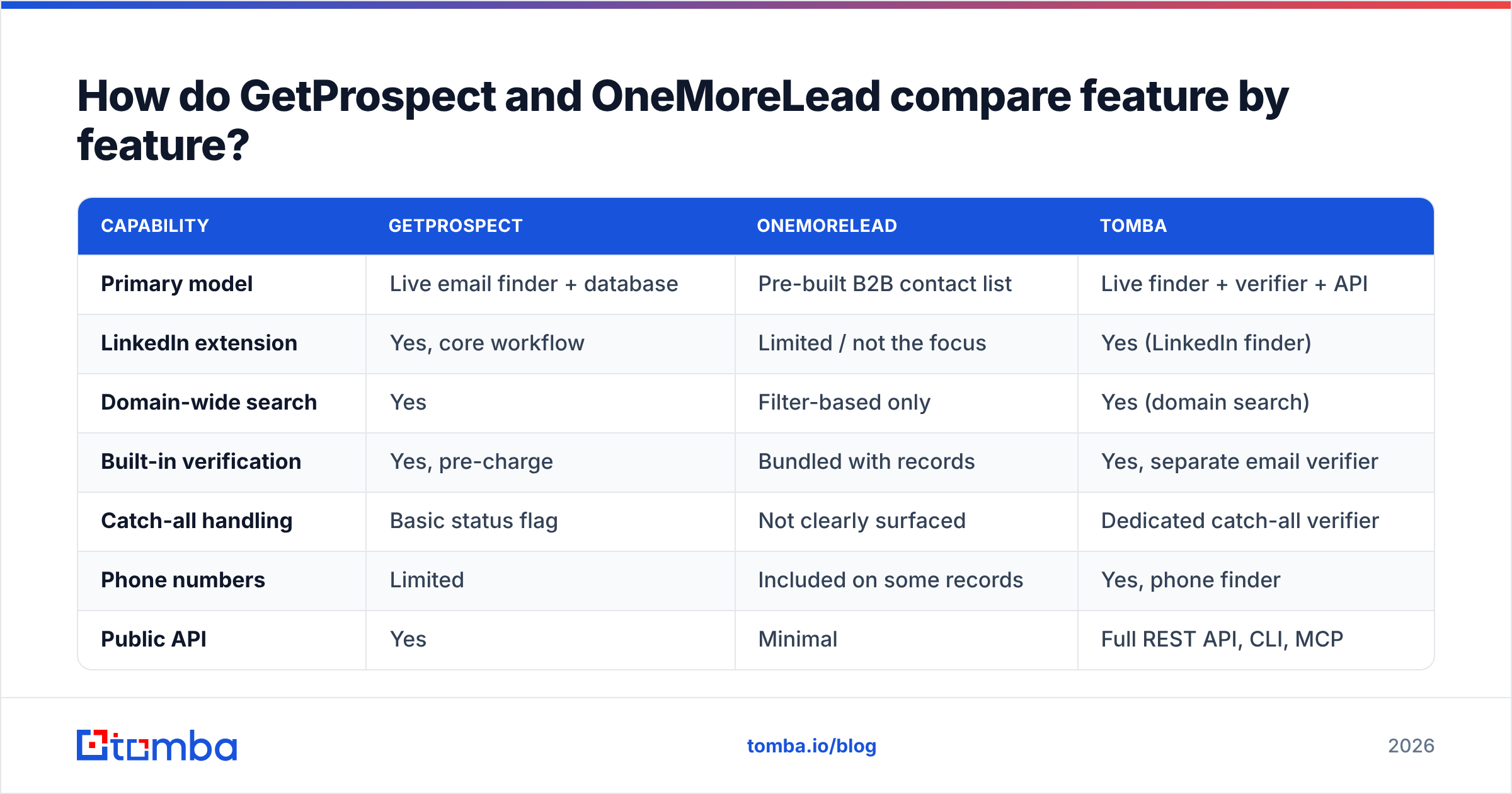
| Capability | GetProspect | OneMoreLead | Tomba |
|---|---|---|---|
| Primary model | Live email finder + database | Pre-built B2B contact list | Live finder + verifier + API |
| LinkedIn extension | Yes, core workflow | Limited / not the focus | Yes (LinkedIn finder) |
| Domain-wide search | Yes | Filter-based only | Yes (domain search) |
| Built-in verification | Yes, pre-charge | Bundled with records | Yes, separate email verifier |
| Catch-all handling | Basic status flag | Not clearly surfaced | Dedicated catch-all verifier |
| Phone numbers | Limited | Included on some records | Yes, phone finder |
| Public API | Yes | Minimal | Full REST API, CLI, MCP |
| Free tier | ~50 valid emails/mo | Trial / limited preview | 25 searches/mo |
| Best for | LinkedIn-led prospecting | Bulk list exports | API + accuracy-led workflows |
Two rows deserve extra attention.
Catch-all handling. A catch-all domain accepts mail to any address, so SMTP checks can't tell you whether jane.doe@ actually exists. Most tools mark these "accept-all" and move on. That means a chunk of your export is a coin flip. Catch-all domains are common in enterprise and in Microsoft 365 shops. If more than 20% of your ICP sits on them, this single row decides your bounce rate. A catch-all verifier that resolves these instead of shrugging at them is worth more than 10,000 extra credits.
API access. GetProspect has one. OneMoreLead is built around the UI export. If any part of your motion is programmatic — enriching signups, refreshing a CRM nightly, powering an internal tool — the UI-only option is out on day one, whatever it costs.

GetProspect vs OneMoreLead: which has better email accuracy?#
Accuracy is where the "list versus finder" split stops being philosophical and starts costing you money.
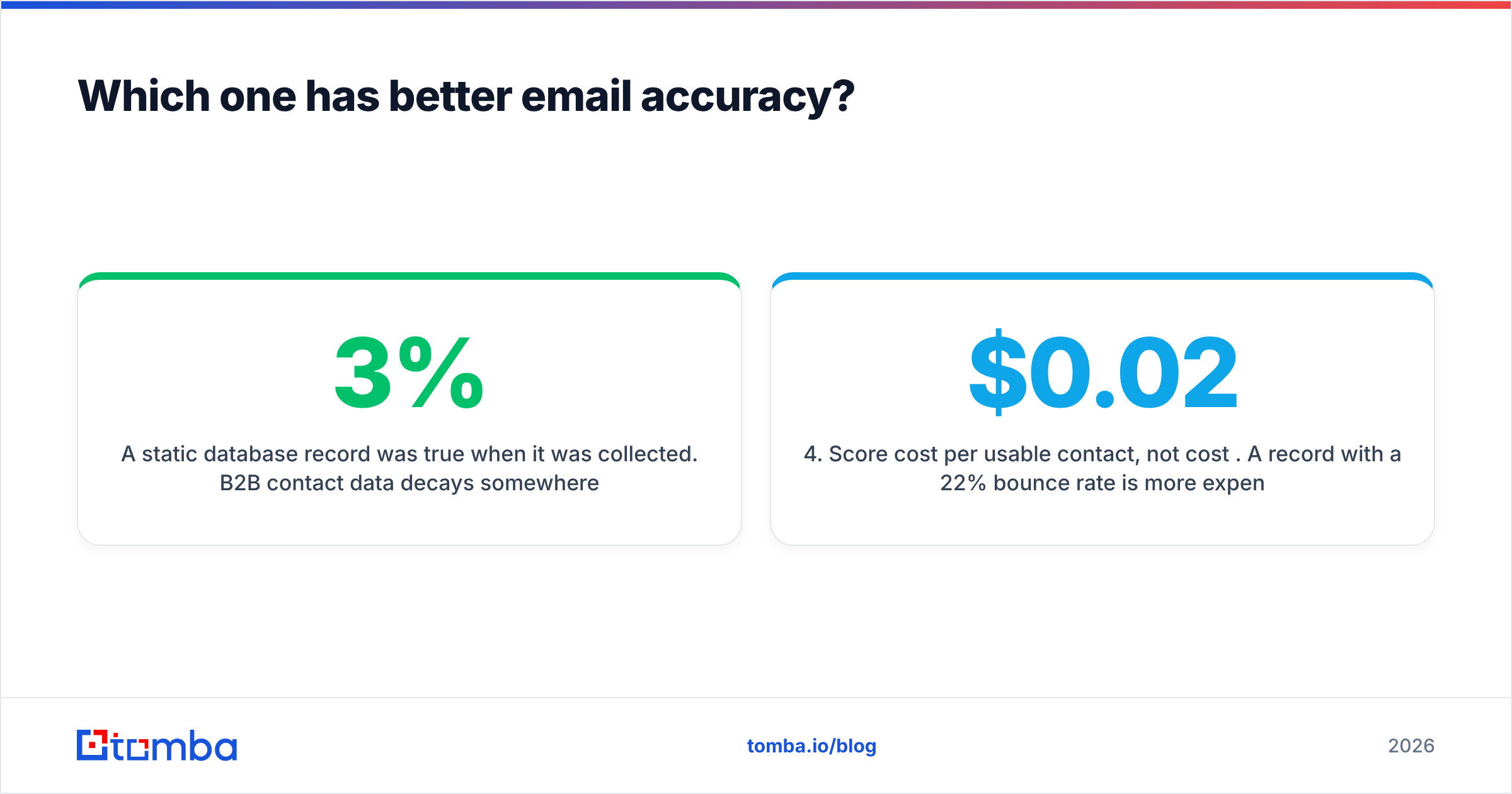
A static database record was true when it was collected. B2B contact data decays about 2.5–3% per month. People change roles, companies rebrand, and domains move. Over a year, that adds up to roughly a third of a list going bad. If a provider's records are eight months old on average, you eat that decay in silence. You notice it when Google and Microsoft do — as a bounce rate that wrecks your sender reputation.
A live finder has the opposite failure mode: it can come back empty. You'll get a lower hit rate on obscure domains. But the addresses it does return were checked minutes ago, not months ago.

Here's how to benchmark this honestly instead of trusting anyone's marketing page — including ours:
- Build a 100-row control list from your actual ICP, not a random sample. Mix company sizes and include a few catch-all domains.
- Run the same list through every tool in trial mode. Note the hit rate (rows returned) separately from the accuracy rate (rows that don't bounce).
- Send to a throwaway subdomain with a warmed inbox, or check the results with a third-party verifier you didn't buy the data from.
- Score cost per usable contact, not cost per credit. A $0.02 record that bounces 22% of the time costs more than a $0.06 record that bounces 2%. It also costs you deliverability you can't buy back.
- Re-run the test 60 days later on the same list. Decay rate is the metric nobody advertises and the one that predicts your renewal year.
That last step separates a vendor with a real refresh pipeline from one reselling an aging dump. Providers that publish their data sources and refresh cadence make this easy to check. Ones that don't, don't.
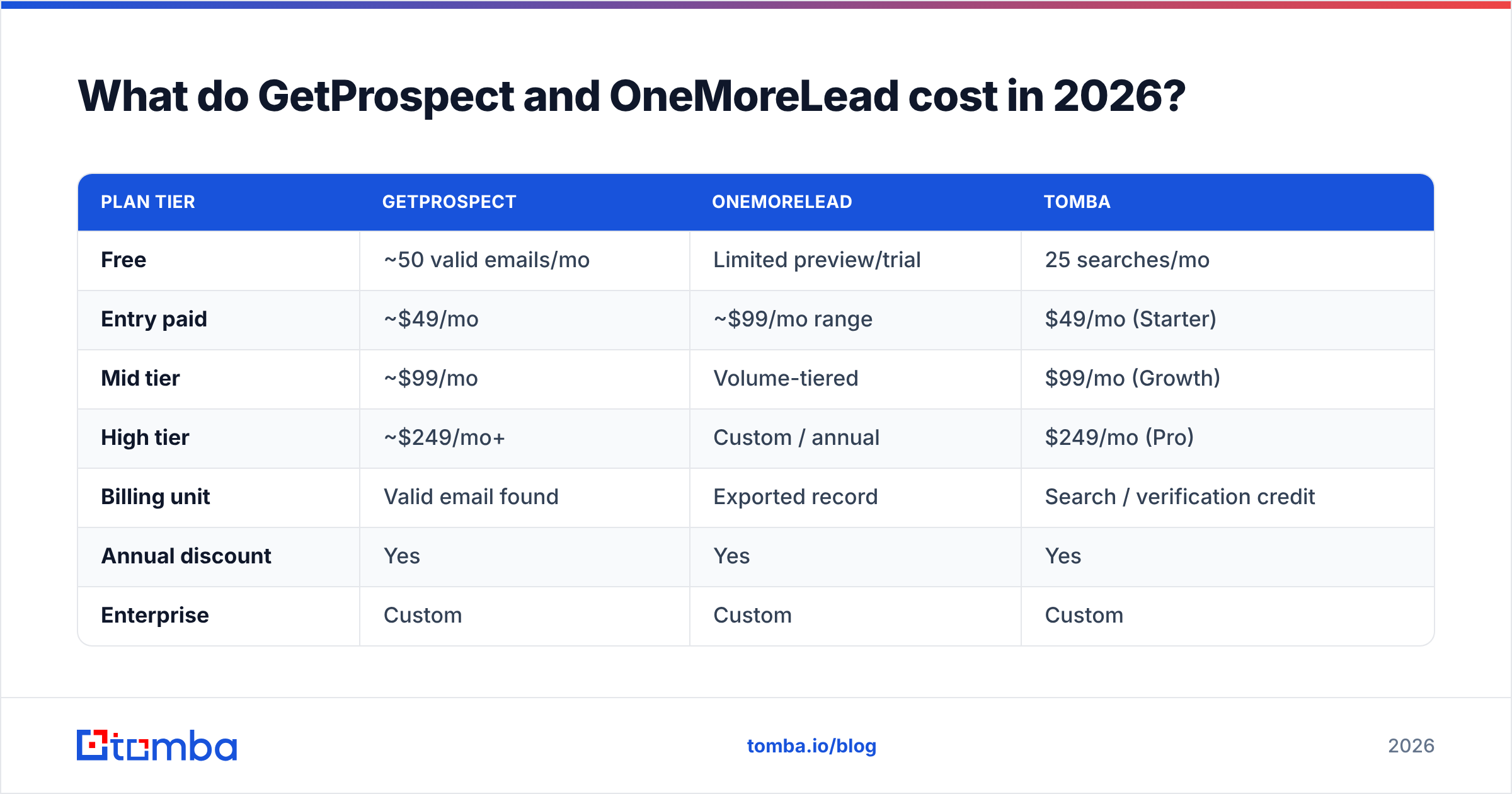
What do GetProspect and OneMoreLead cost in 2026?#
Published pricing moves, so treat these as the shape of each vendor's model rather than a quote. Always confirm on the vendor's own pricing page before you buy.
| Plan tier | GetProspect | OneMoreLead | Tomba |
|---|---|---|---|
| Free | ~50 valid emails/mo | Limited preview/trial | 25 searches/mo |
| Entry paid | ~$49/mo | ~$99/mo range | $49/mo (Starter) |
| Mid tier | ~$99/mo | Volume-tiered | $99/mo (Growth) |
| High tier | ~$249/mo+ | Custom / annual | $249/mo (Pro) |
| Billing unit | Valid email found | Exported record | Search / verification credit |
| Annual discount | Yes | Yes | Yes |
| Enterprise | Custom | Custom | Custom |
The billing-unit row is the one to read twice.
"Valid email found" means you're not charged for misses. That is a fairer model. On well-covered domains, GetProspect's real cost is often lower than the headline suggests. On obscure ones it is higher: a low hit rate burns plan capacity and time, and you still end up with no contacts.
"Exported record" means you pay whether the address works or not. On a large export, that's a bet on the provider's hygiene. If 15% bounce, you overpaid by 15%. You also paid a second, invisible tax in domain reputation.
Tomba's pricing follows the credit model — Free at 25 searches/mo, Starter at $49/mo, Growth at $99/mo, Pro at $249/mo. Verification and enrichment draw from the same pool, so you don't buy three subscriptions to run one workflow.

One more line item people forget: the sequencer. Neither of these tools sends email at scale. Budget for that separately, and budget for warmup. A perfectly accurate list still lands in spam from a cold domain.
Who should choose GetProspect?#
Pick GetProspect if most of these are true:
- Your prospecting starts on LinkedIn. Sales Navigator search → extension → verified emails is a tight loop, and GetProspect is genuinely good at it.
- You work named accounts. You know the 200 companies you want; you need the right five people at each. That's a finder job, not a list job.
- You want verification bundled. Not having to bolt on a separate verifier for basic hygiene saves a tool and a step.
- Your team is non-technical. The UI is easy to pick up. The list and tag layer works as a light CRM for a small team that hasn't moved to HubSpot or Pipedrive yet.
Where it frustrates people: hit rates drop on small and non-Western domains. The built-in CRM is thin enough that you'll outgrow it. And API limits on lower tiers make it awkward as an enrichment backend.
Who should choose OneMoreLead?#
Pick OneMoreLead if:
- You need volume at a low per-record cost and your campaign economics tolerate a higher bounce rate.
- Your ICP is broad — SMB, US-centric, common industries — where a pre-built database has dense coverage.
- You want a one-time list, not an ongoing subscription to a resolution engine.
- You'll run your own verification pass before sending, which you should do with any bulk list regardless of vendor.
That last point isn't optional. Route any bulk export through a bulk verify step before it touches your sending domain. Verification costs little. Rebuilding a burned domain costs a lot. It also turns a mediocre list into a usable one.
Worth noting: OneMoreLead isn't the only static-database option. If you're set on buying a list rather than resolving one, BookYourData is a well-regarded peer. It has a pay-as-you-go model and a published accuracy guarantee, so put it in the same trial bracket.
Is there a better option than either?#
For a lot of teams, yes. The real question isn't "which of these two." It's "what shape does my data workflow actually have?"
If your workflow is manual, LinkedIn-driven prospecting by 1–3 reps, GetProspect is a reasonable answer and you can stop reading.
If it's buy a list once, verify it, send, OneMoreLead or a similar database does the job at low cost.
But if any of the following are true, both tools are the wrong layer:
- You need to enrich records programmatically — on signup, on CRM write, on a nightly job.
- You need catch-all resolution, not a catch-all flag.
- You want finding, verification, and enrichment on one credit pool instead of three vendors and three invoices.
- Your team lives in Sheets, Excel, Airtable, or a CLI, not in yet another vendor dashboard.
That's the gap Tomba is built for. The email finder is the core. The verifier, domain search, catch-all verifier, phone finder, and enrichment sit alongside it, all reachable from the same API, the same extension, and the same credit balance. It's less a prospecting UI and more a data layer you point at whatever motion you already run.

How should you actually decide?#
Run a 100-row bakeoff. It takes an afternoon and it beats any comparison post, including this one.
- Export 100 real ICP contacts — name plus company domain, no emails.
- Run them through GetProspect's free tier, OneMoreLead's trial, and Tomba's free 25 searches (use a 25-row subset for the free tier, or start a trial for the full set).
- Record hit rate and bounce rate separately for each.
- Divide plan cost by usable contacts. That number is your answer.
- Repeat on a second list 60 days later if you're signing annual.
Whatever you pick, verify before you send. Every list — bought, scraped, or resolved — decays, and a bounce rate above 3% is the fastest way to lose the inbox you spent months earning.
Ready to test the accuracy side yourself? Start with the Tomba Email Finder — 25 free searches a month, no card, and every result verified before it's returned. Run your 100-row list through it alongside GetProspect and OneMoreLead, and let the bounce rate pick the winner.
Related guides#
Ready to find emails that actually work?
Join 150,000+ professionals who stopped guessing and started sending. Free credits on signup — no credit card required.
Get the Tomba newsletter
Practical outbound tactics and product updates — once every two weeks.
About the author