GetProspect vs Pipileads: Which Email Finder Wins in 2026?
Both promise verified B2B emails at a low monthly price. But credit math, catch-all handling, and export limits decide which one actually fills your pipeline. Here is the honest breakdown.
TL;DR
- GetProspect is the more established of the two: a LinkedIn-first email finder with a real CRM-lite layer, list management, and a free tier that gets you moving without a card.
- Pipileads is the leaner, cheaper play — bulk lookups and verification at a low entry price, with far less tooling around the data.
- The deciding factor is almost never the headline price. It's how each tool bills a failed lookup and what it does with catch-all domains, because that's where 20–40% of your list quietly disappears.
- If your workflow is "scroll LinkedIn, save prospects, sequence them," GetProspect wins on ergonomics. If it's "here are 8,000 domains, give me contacts," a bulk-first tool or API is the better shape.
- Neither is the only option. Run a 200-lead bake-off against a third tool before you commit annually — the coverage gap between vendors on your specific ICP is usually larger than the price gap.
What are GetProspect and Pipileads?#
Both tools solve the same narrow problem: you know who you want to reach, and you need a working email address for them.
GetProspect launched in 2016 and grew up around the LinkedIn workflow. You install the Chrome extension, browse Sales Navigator or a regular LinkedIn search, and pull profiles into lists inside GetProspect's own interface. It enriches those profiles with emails, job titles, company size, and industry, then lets you organize them into lists, add custom columns, and push them out to a CRM or a sequencer. In practice it behaves like a lightweight prospecting CRM with an email finder bolted to the front.
Pipileads sits in a different category of vendor entirely — the lean, price-led email finder. The pitch is straightforward: bulk email finding and verification, a credit pool, an API, and not much else. There's no attempt to become your prospecting workspace. You bring a list of names and domains, it returns addresses, you export the CSV and move on.
That difference in ambition explains most of what follows. You are not really choosing between two email databases. You are choosing between a workspace and a utility.
How do GetProspect and Pipileads actually differ?#
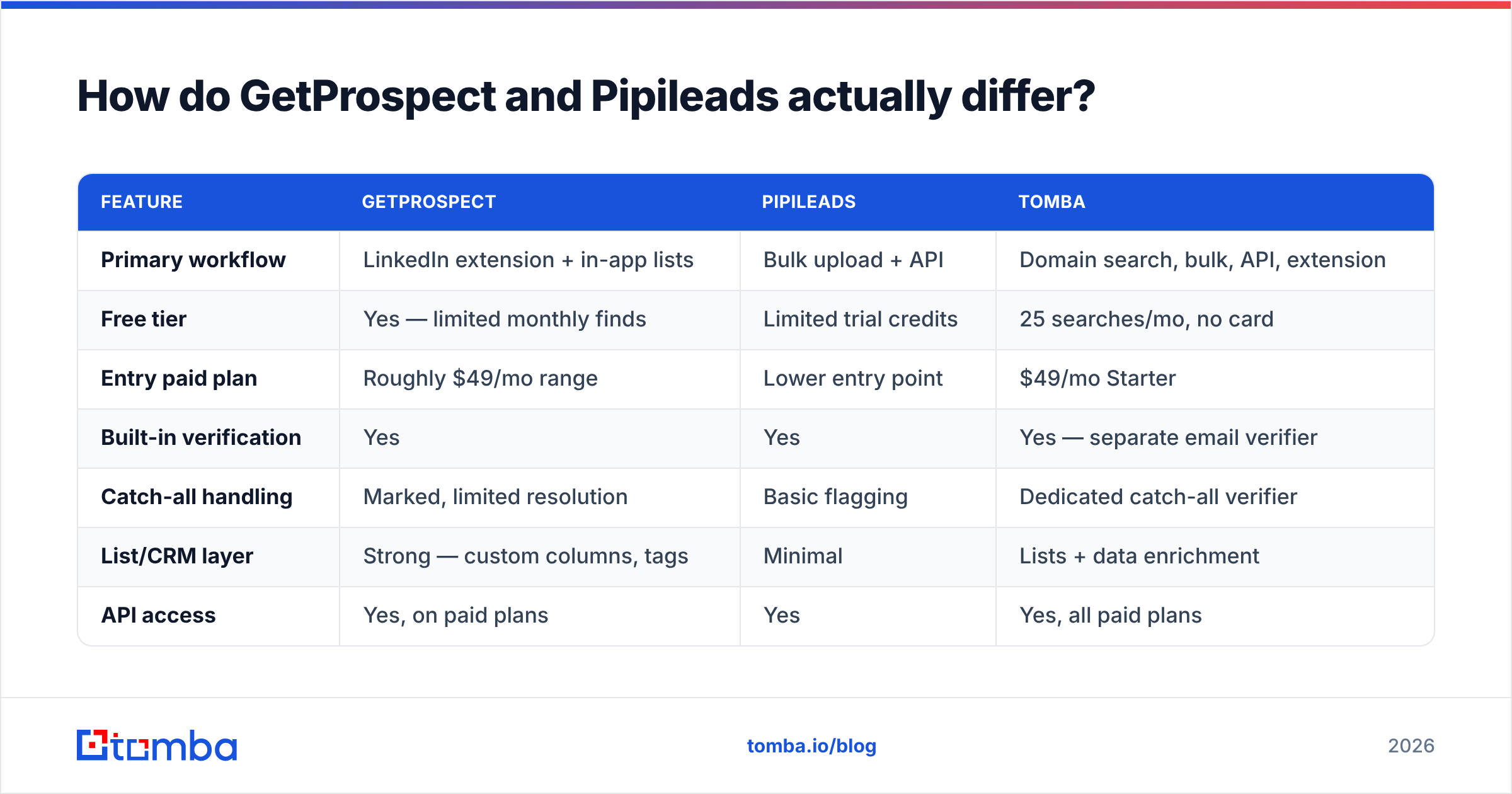
Here's the practical split, feature by feature. Pricing and limits move often on both sides, so treat published tiers as a starting point and confirm on the vendor site before you buy.
| Feature | GetProspect | Pipileads | Tomba |
|---|---|---|---|
| Primary workflow | LinkedIn extension + in-app lists | Bulk upload + API | Domain search, bulk, API, extension |
| Free tier | Yes — limited monthly finds | Limited trial credits | 25 searches/mo, no card |
| Entry paid plan | Roughly $49/mo range | Lower entry point | $49/mo Starter |
| Built-in verification | Yes | Yes | Yes — separate email verifier |
| Catch-all handling | Marked, limited resolution | Basic flagging | Dedicated catch-all verifier |
| List/CRM layer | Strong — custom columns, tags | Minimal | Lists + data enrichment |
| API access | Yes, on paid plans | Yes | Yes, all paid plans |
| Best fit | LinkedIn-led SDR workflow | Cheap bulk lookups | Domain-led + API-led prospecting |
The row that matters most for cost control is catch-all handling, and it's the row buyers skim past. More on that below.

Which tool finds more valid emails?#
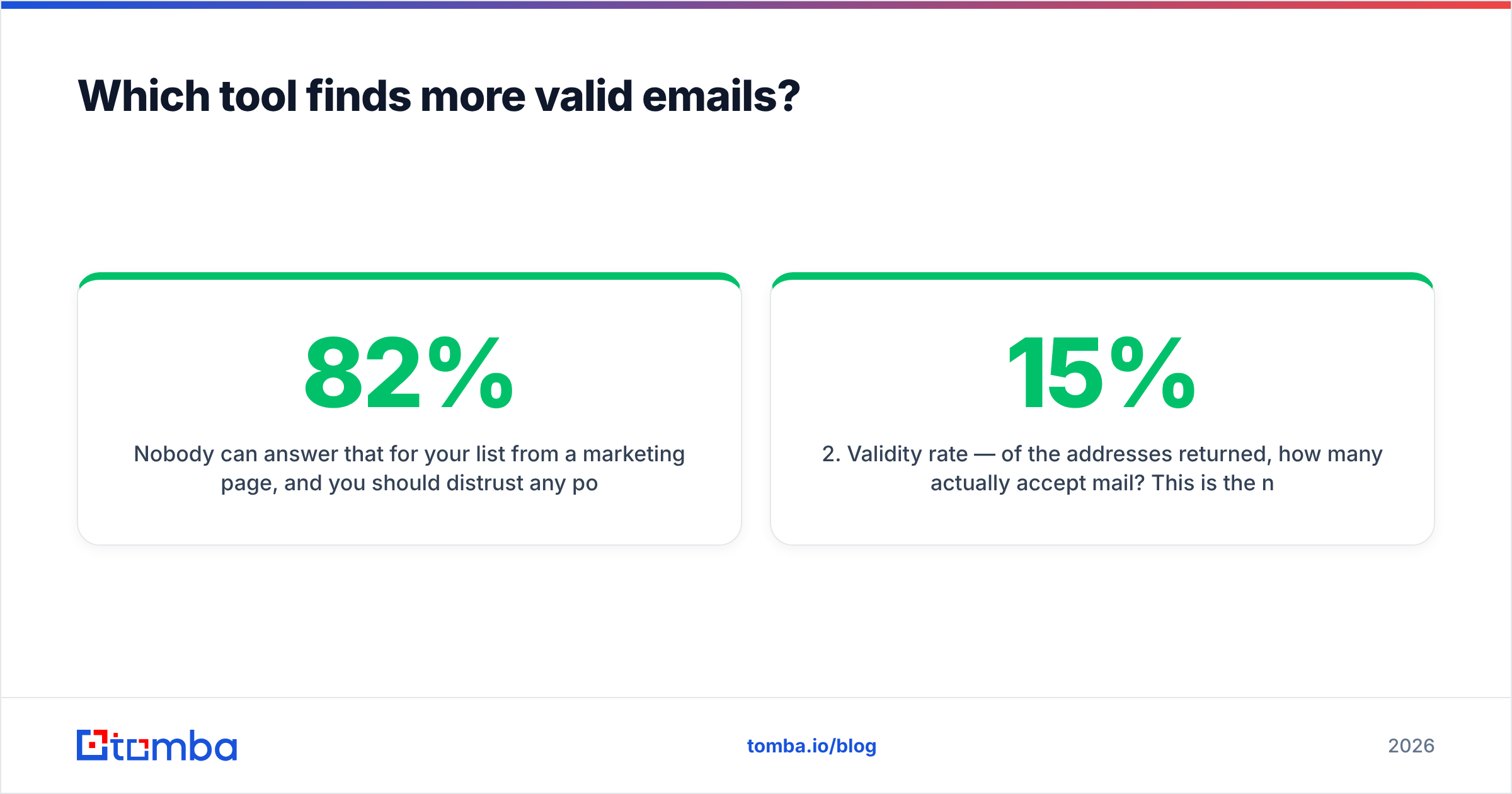
Nobody can answer that for your list from a marketing page, and you should distrust any post that claims a single winner. Coverage is ICP-dependent. A tool that hits 82% on US mid-market SaaS can drop to 40% on German manufacturing or UK healthcare.
What you can generalize is the shape of the failure modes.
- Coverage rate — of 100 prospects submitted, how many come back with any address at all? GetProspect tends to do well on tech and services companies with a strong LinkedIn presence, because that's the source of its graph. Domain-first tools do better on companies that publish contact data on their own sites.
- Validity rate — of the addresses returned, how many actually accept mail? This is the number that decides your bounce rate, and it is not the same as coverage. A tool can return 90 addresses out of 100 and still hand you a 15% bounce rate.
- Catch-all share — how many results land on domains that accept everything at the SMTP layer? Catch-all domains cannot be verified with a standard handshake. Cheap tools mark them "valid" and let you find out the hard way; better tools mark them separately or run a deeper resolution pass.
- Pattern-guess share — how many results are inferred from a company email pattern rather than observed in a real source? Guessed addresses are useful, but only if the vendor tells you they're guesses and scores the confidence.
Ask both vendors for their definition of "verified" before you compare percentages. If one counts catch-all as valid and the other doesn't, their published accuracy numbers aren't measuring the same thing.

Independent accuracy testing across email finders — coverage and validity rates vary widely by ICP.
What do GetProspect and Pipileads really cost?#
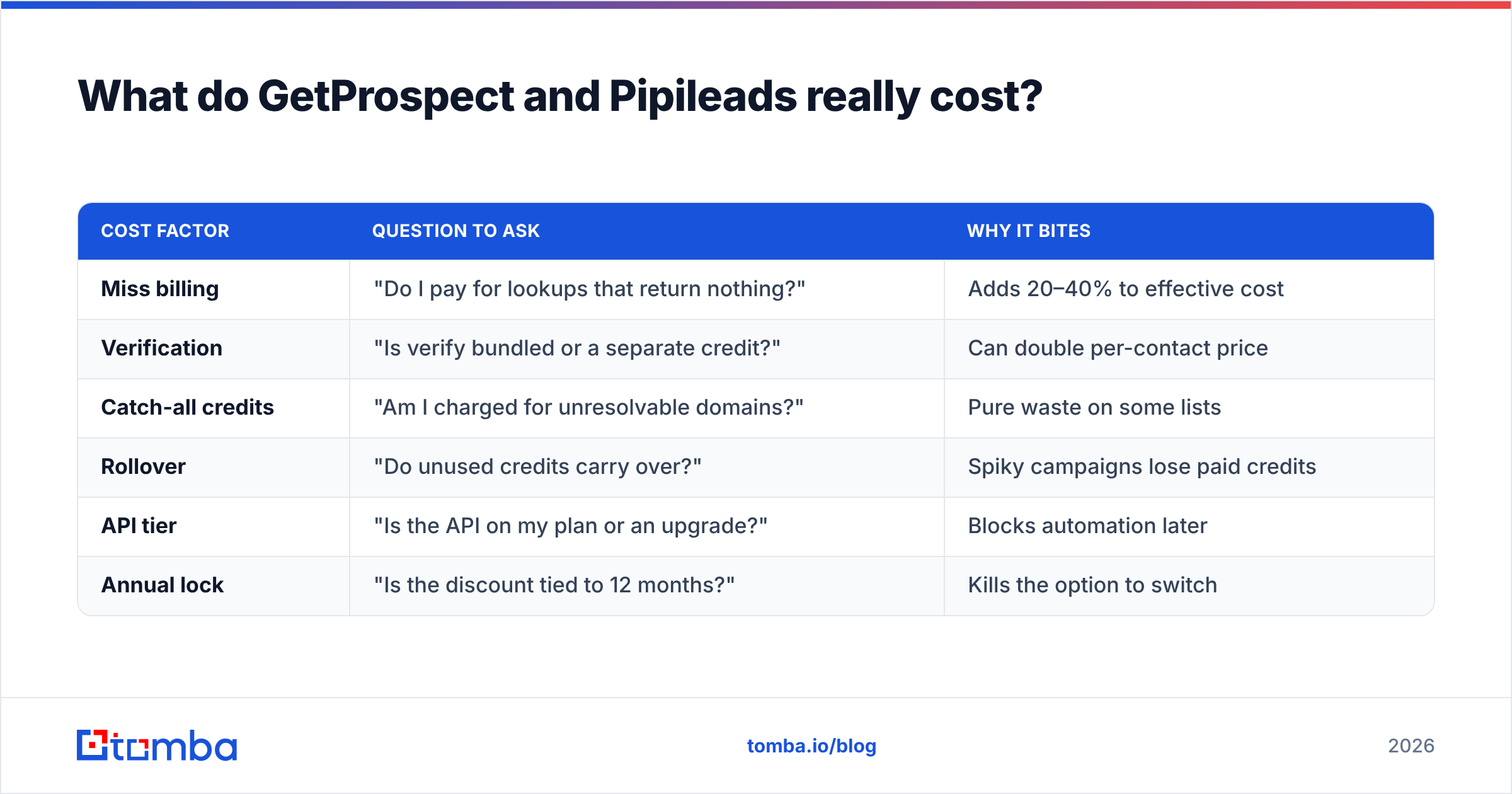
Sticker price is the least interesting number on the pricing page. Three billing mechanics decide what you actually pay.
Credit consumption on misses. Some vendors charge a credit for every lookup attempt, hit or miss. Others only charge when they return a result. On a list with 65% coverage, the difference is a 35% price increase, invisible until your first invoice.
Verification billed separately. Finding an address and confirming it's deliverable are two operations. If the tool bills them as two credits, your effective per-contact cost roughly doubles versus a vendor that bundles verification into the find.
Export and seat gates. Watch for plans that cap CSV exports, restrict API access to higher tiers, or charge per seat on top of credits. A $39 plan that only exports 500 rows a month is not a $39 plan.
| Cost factor | Question to ask | Why it bites |
|---|---|---|
| Miss billing | "Do I pay for lookups that return nothing?" | Adds 20–40% to effective cost |
| Verification | "Is verify bundled or a separate credit?" | Can double per-contact price |
| Catch-all credits | "Am I charged for unresolvable domains?" | Pure waste on some lists |
| Rollover | "Do unused credits carry over?" | Spiky campaigns lose paid credits |
| API tier | "Is the API on my plan or an upgrade?" | Blocks automation later |
| Annual lock | "Is the discount tied to 12 months?" | Kills the option to switch |
For reference, Tomba pricing runs Free (25 searches/mo), Starter at $49/mo, Growth at $99/mo, and Pro at $249/mo, with Enterprise custom — API access included on paid tiers rather than gated behind the top plan. Whichever vendor you pick, normalize everything to cost per verified, deliverable contact, not cost per credit. That's the only figure that survives contact with a real campaign.

Side-by-side feature and pricing comparison across the major email finders.
Who should choose GetProspect?#
Pick GetProspect if your prospecting starts on LinkedIn and stays there.
The extension-plus-lists workflow is genuinely good. An SDR can run a Sales Navigator search, save 200 profiles into a named list, add custom fields for territory or persona, and hand off a clean CSV without opening a spreadsheet. For teams that don't have a data ops function, that self-contained loop is worth real money — it removes the "export, clean, re-import" tax that eats hours every week.
It also suits teams that want one tool instead of three. If you'd otherwise buy an extension, a verifier, and a list manager separately, GetProspect's bundling is a legitimate cost argument, not just convenience.
Where it's a weaker fit: if you're working from a domain list rather than LinkedIn profiles, or if your volume is high enough that you want everything running through an API into your own warehouse. The workspace becomes a middleman you didn't ask for.
Reviews on G2 are a reasonable sanity check here — filter to reviewers in your company-size band, because the experience of a 3-person agency and a 60-rep sales org diverge sharply on this kind of tool.
Who should choose Pipileads?#
Pick Pipileads if you want raw lookups at a low unit price and you already have somewhere to put the results.
The lean-utility model is a real advantage when your process is mature. If you have a CRM you trust, a sequencer you like, and a repeatable enrichment routine, paying for someone else's list UI is dead weight. Upload, process, export, done.
Two cautions. First, thinner tooling means the burden of quality control moves to you — you'll want to run results through an independent verification pass rather than trusting the vendor's own flag. Second, smaller vendors change pricing and packaging more often than established ones. Don't build a mission-critical automation on a tier that might not exist in nine months without checking the vendor's changelog and support responsiveness first.
Where does Tomba fit in this comparison?#
Tomba occupies the middle ground, and it's worth naming honestly rather than pretending it dominates both.
Tomba's email finder is domain-first rather than LinkedIn-first. You give it a company domain and it returns the people, the patterns, and the confidence scores — which is the opposite entry point from GetProspect. If your list starts as "here are 400 companies we want to break into," that shape saves a step. If your list starts as "here are 400 LinkedIn profiles," GetProspect's extension is the more natural fit.
Where Tomba pulls ahead of both is the surrounding data stack: catch-all verification as a first-class operation instead of a warning label, bulk processing for large uploads, phone finding, reverse lookup, and a documented API that's available on the $49 Starter tier rather than reserved for enterprise. For teams that expect to automate within six months, that API-on-day-one detail matters more than any single accuracy percentage.
Where it doesn't win: Tomba is not a prospecting CRM. It won't replace your list management layer the way GetProspect tries to. That's a deliberate scope choice, and if you want one tool to do both, GetProspect is the more direct answer.
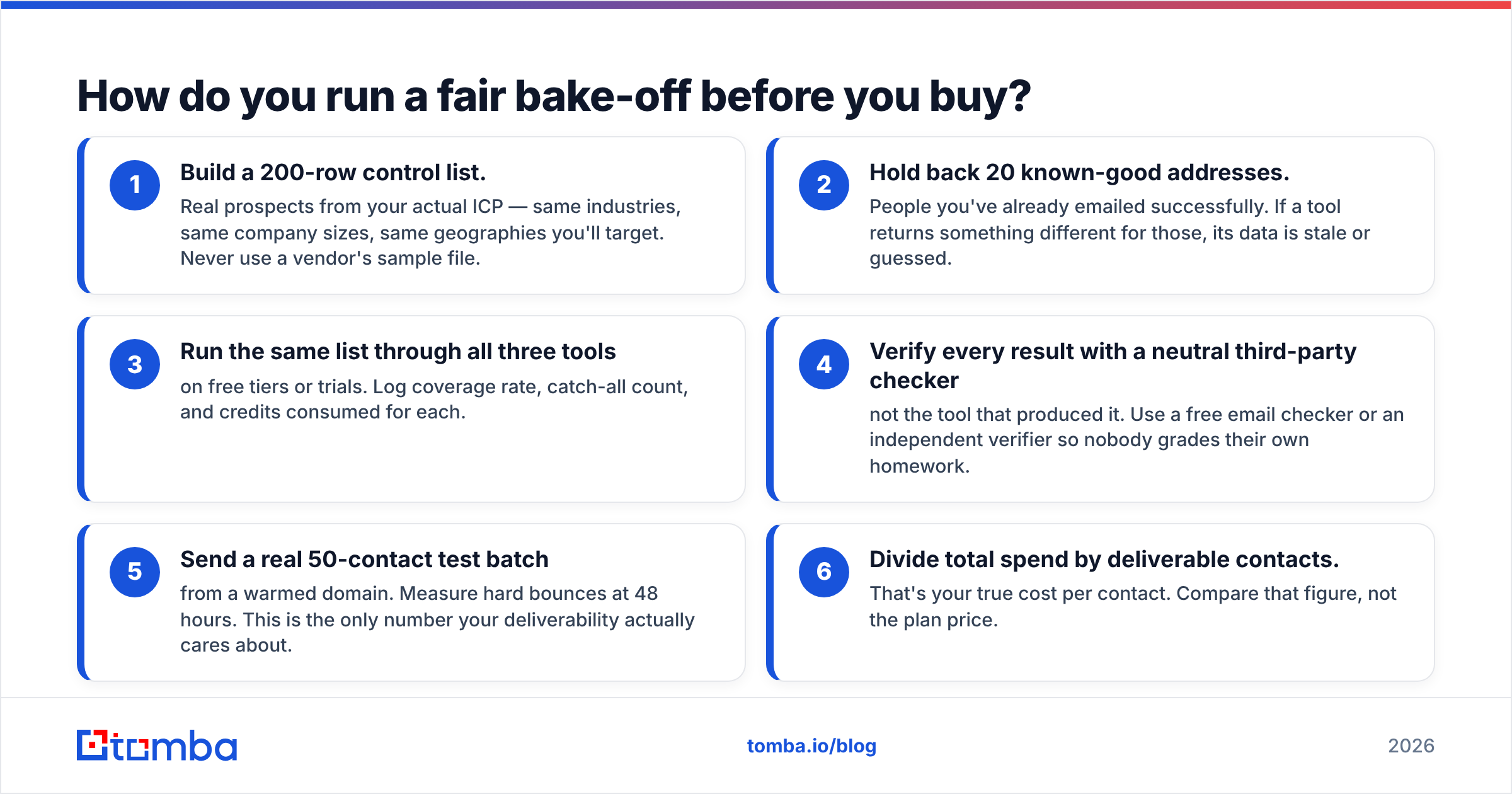
How do you run a fair bake-off before you buy?#
Do this before any annual commitment. It takes an afternoon and routinely saves four figures.
- Build a 200-row control list. Real prospects from your actual ICP — same industries, same company sizes, same geographies you'll target. Never use a vendor's sample file.
- Hold back 20 known-good addresses. People you've already emailed successfully. If a tool returns something different for those, its data is stale or guessed.
- Run the same list through all three tools on free tiers or trials. Log coverage rate, catch-all count, and credits consumed for each.
- Verify every result with a neutral third-party checker — not the tool that produced it. Use a free email checker or an independent verifier so nobody grades their own homework.
- Send a real 50-contact test batch from a warmed domain. Measure hard bounces at 48 hours. This is the only number your deliverability actually cares about.
- Divide total spend by deliverable contacts. That's your true cost per contact. Compare that figure, not the plan price.
Nine times out of ten, the ranking you get from this test does not match the ranking you'd guess from the pricing pages.
What's the verdict on GetProspect vs Pipileads?#
GetProspect is the better product for LinkedIn-led SDR teams who want lists, enrichment, and finding in one place, and who value not having to stitch tools together. Pipileads is the better value for operators who already have a stack and just want cheap, high-volume lookups feeding into it.
Neither is a bad choice. Both are the wrong choice if your prospecting starts from domains, if you need catch-all domains resolved rather than flagged, or if you plan to automate through an API on a starter budget.
That last profile is where Tomba is built to sit. Start with the Tomba Email Finder on the free tier — 25 searches a month, no card — and run it head-to-head against whichever of these two you're currently leaning toward. Use your own 200-row control list. Compare cost per deliverable contact. Then commit to whichever tool wins on your data, not on anyone's marketing page.
Related guides#
Ready to find emails that actually work?
Join 150,000+ professionals who stopped guessing and started sending. Free credits on signup — no credit card required.
Get the Tomba newsletter
Practical outbound tactics and product updates — once every two weeks.
About the author