GetProspect vs RampedUp: Which B2B Data Tool Wins in 2026?
GetProspect and RampedUp both promise clean B2B contact data, but they solve different problems. Here's the honest breakdown of pricing, accuracy, coverage, and which one actually fits your outbound motion.
TL;DR
- GetProspect is a LinkedIn-first email finder with a light CRM attached. Best if your prospecting starts in Sales Navigator and ends in a spreadsheet.
- RampedUp is a CRM-native data and intent layer, built around Salesforce and HubSpot enrichment. Best if your problem is stale records, not net-new lists.
- They are not really competitors. GetProspect sells discovery; RampedUp sells hygiene and routing. Most teams that shortlist both actually need one of each — or a cheaper API that does the finding and verifying part.
- On raw email accuracy, neither publishes independently audited numbers. Test both on 200 known contacts before you sign anything annual.
- If your bottleneck is finding and verifying work emails at volume, a dedicated finder like Tomba ($49/mo Starter, free tier included) costs a fraction of either and plugs into the same CRMs.
What is GetProspect and who is it actually for?#
GetProspect is a B2B email finder built around LinkedIn. You install the Chrome extension, run a Sales Navigator search, and it pulls names, titles, companies, and inferred work emails into a list you can export or push into a CRM. Over time it bolted on a contact database (they claim 200M+ profiles), a basic verifier, and a lightweight CRM view with pipeline stages.
The product's center of gravity is clear: someone building a list from scratch. An SDR who lives in LinkedIn, a founder doing their own outbound, an agency assembling a target account list for a client. You start with zero contacts and end with a CSV.
Where GetProspect gets criticized on review sites is the same place every LinkedIn-scraping finder gets criticized — the extension breaks when LinkedIn changes its DOM, exports occasionally include contacts whose emails were never actually verified, and the credit model punishes you for searches that return nothing useful. Check current user reviews on G2 before you commit; the extension reliability complaints cluster in specific quarters.

What is RampedUp and why does it feel different?#
RampedUp is not trying to be a list builder. It's a data quality and go-to-market intelligence layer that lives inside your CRM. Its pitch is that your Salesforce or HubSpot instance is already full of contacts — 30% of which decayed since last year — and that the fastest revenue you'll find is in fixing what you already own.
The core jobs RampedUp does:
- Record enrichment — fill missing fields (title, company size, industry, direct dial) on existing CRM records, on a schedule.
- Job-change alerts — flag when a past champion moves to a new company, which is the highest-converting trigger in B2B.
- Territory and routing support — normalize firmographics so lead assignment rules actually fire correctly.
- Intent and technographic signals — surface which accounts are researching your category or running a competitor's tool.
- De-duplication — merge the four Jennifer Smiths your team created across three campaigns.
That's a RevOps product, not an SDR product. If you evaluate it the way you'd evaluate GetProspect — "how many emails per credit?" — you'll come away confused, because that's not the scoreboard RampedUp is playing on. Their own positioning at rampedup.io leans hard on data health scoring, not on lead volume.
GetProspect vs RampedUp: how do they compare on the specs that matter?#
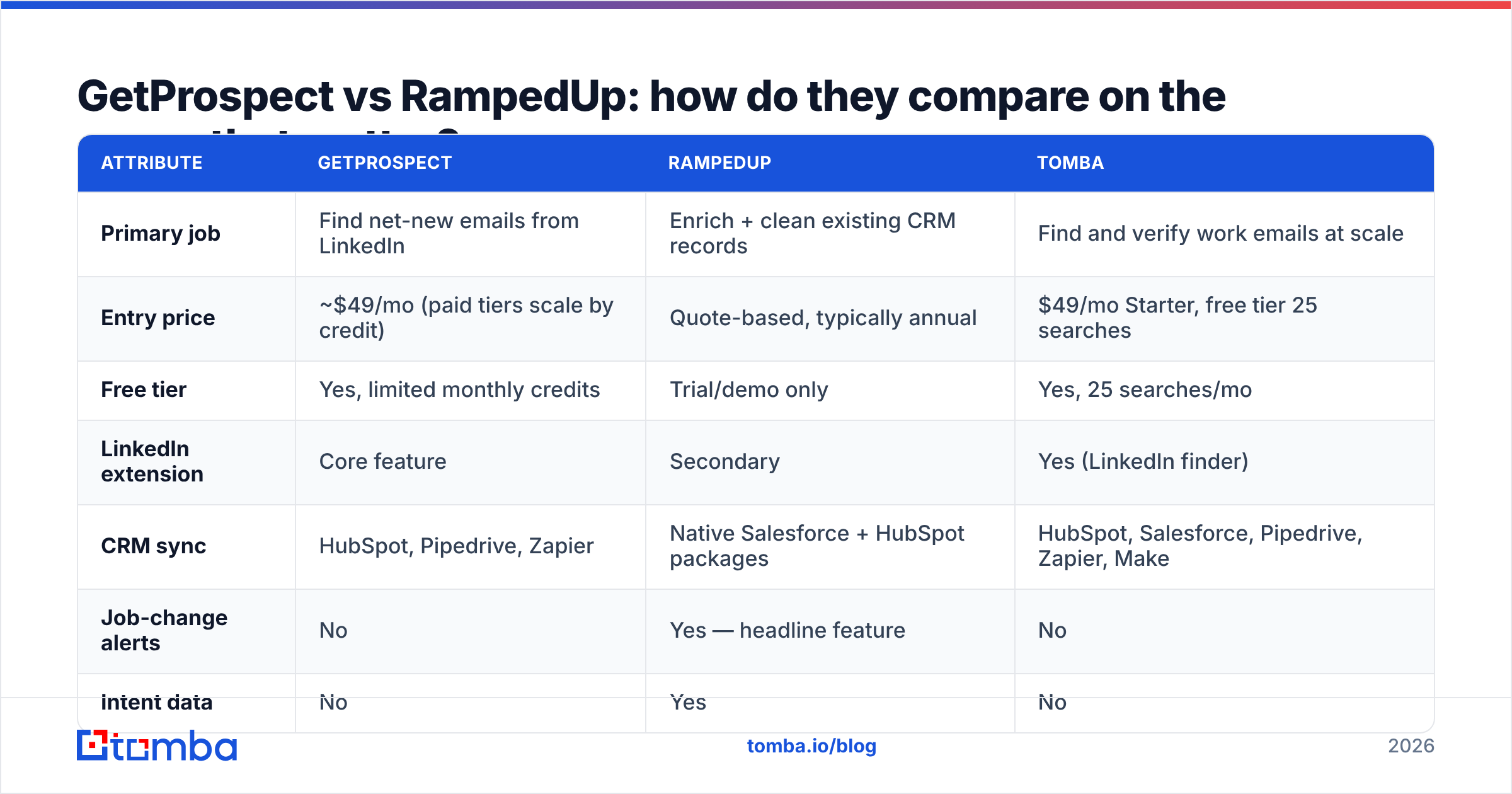
| Attribute | GetProspect | RampedUp | Tomba |
|---|---|---|---|
| Primary job | Find net-new emails from LinkedIn | Enrich + clean existing CRM records | Find and verify work emails at scale |
| Entry price | ~$49/mo (paid tiers scale by credit) | Quote-based, typically annual | $49/mo Starter, free tier 25 searches |
| Free tier | Yes, limited monthly credits | Trial/demo only | Yes, 25 searches/mo |
| LinkedIn extension | Core feature | Secondary | Yes (LinkedIn finder) |
| CRM sync | HubSpot, Pipedrive, Zapier | Native Salesforce + HubSpot packages | HubSpot, Salesforce, Pipedrive, Zapier, Make |
| Job-change alerts | No | Yes — headline feature | No |
| Intent data | No | Yes | No |
| Bulk verification | Basic | Via enrichment pass | Dedicated email verifier + catch-all handling |
| API access | Yes | Yes | Yes, documented REST API |
| Best fit | SDRs, agencies, founders | RevOps, mid-market+ CRM owners | Anyone needing volume email discovery |
Read that table sideways and the real answer appears: the overlap between GetProspect and RampedUp is maybe 20%. Both can put an email address into a field. Everything else diverges.
Which one is better for cold outbound?#
GetProspect, clearly — but with a caveat that matters more than the comparison itself.
Cold outbound has two failure modes. The first is not having enough contacts, which GetProspect solves. The second is sending to addresses that bounce, which torpedoes your sender reputation and eventually your whole domain. GetProspect's built-in verification is adequate, not excellent, and it's bundled into the same credit pool as discovery — so aggressive verification eats into your list-building budget.
The pattern that works better in practice:
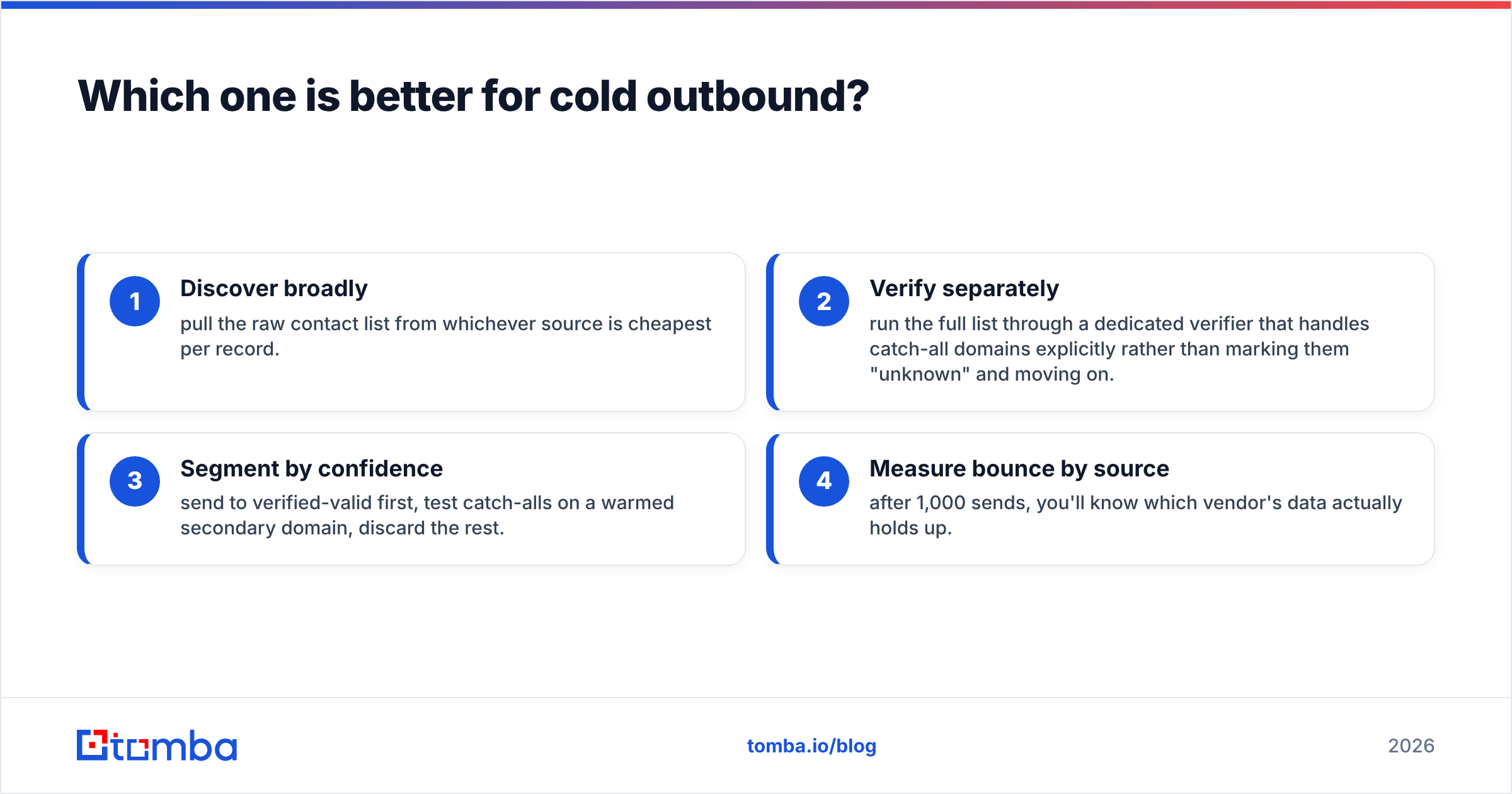
- Discover broadly — pull the raw contact list from whichever source is cheapest per record.
- Verify separately — run the full list through a dedicated verifier that handles catch-all domains explicitly rather than marking them "unknown" and moving on.
- Segment by confidence — send to verified-valid first, test catch-alls on a warmed secondary domain, discard the rest.
- Measure bounce by source — after 1,000 sends, you'll know which vendor's data actually holds up.
Step 2 is where most GetProspect users end up buying a second tool anyway. A catch-all verifier is not optional if you're prospecting into enterprise domains, where catch-all configuration is the norm and a naive verifier throws up its hands.
Which one is better for RevOps and CRM hygiene?#
RampedUp, without much argument. GetProspect has a CRM view, but it's a list manager with pipeline stages painted on. It doesn't do scheduled re-enrichment, it doesn't detect duplicates across objects, and it doesn't tell you when your buyer changed jobs.
If your Salesforce instance has 80,000 contacts and you have no idea how many are still employed where the record says they are, RampedUp's data-health scan is worth the demo. Gartner's research on data quality puts the average cost of poor data quality in the millions annually for mid-sized organizations, and most of that cost is invisible — routing failures, wasted SDR hours, and marketing spend against people who left.
The honest counterweight: RampedUp is quote-based and typically annual. That's a procurement cycle, a security review, and a commitment. If you're a five-person team, the ROI math almost never works. If you're 50+ reps with a decade of CRM sediment, it often does.

What about accuracy — whose data is actually right?#
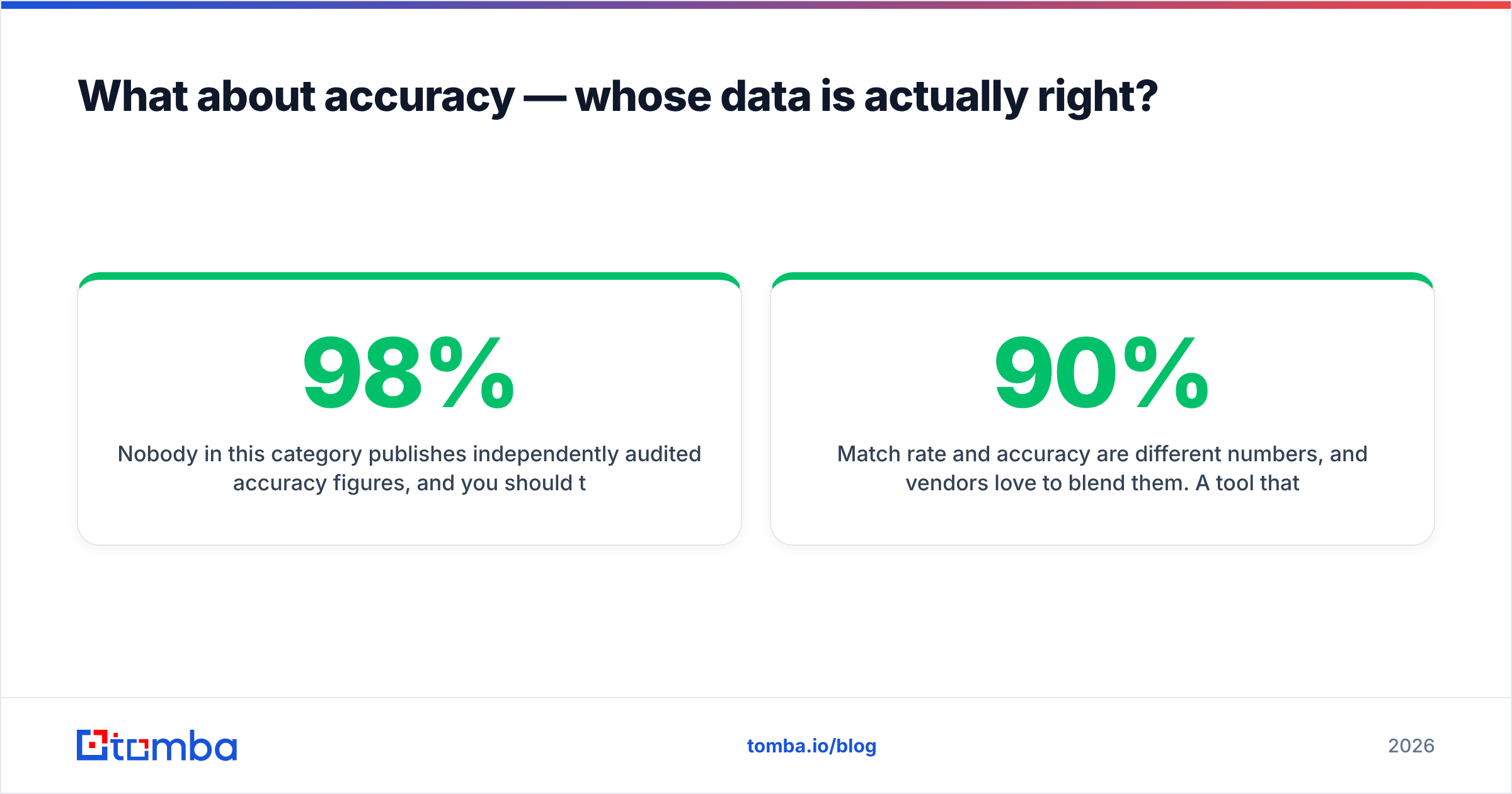
Nobody in this category publishes independently audited accuracy figures, and you should treat every "98% accurate" claim in the space as marketing until you test it yourself.
Here's a test protocol that takes an afternoon and settles the argument:
- Build a 200-contact control set. Use people you can verify independently — past customers, conference attendee lists, contacts whose emails you already have confirmed.
- Strip the emails. Feed names + domains into each tool.
- Score three ways: match rate (did it return anything?), accuracy (was the returned address correct?), and bounce rate (send a benign one-off and measure).
- Weight by segment. Test SMB, mid-market, and enterprise domains separately. Vendors that look identical in aggregate often diverge sharply on companies under 50 employees.
- Check the catch-alls. Note how each tool labels catch-all domains. "Unknown" is a non-answer that pushes risk onto you.
Match rate and accuracy are different numbers, and vendors love to blend them. A tool that returns an address for 90% of your inputs but is right 60% of the time is worse than one that returns 65% and is right 95% of the time — because the first one burns your domain reputation while feeling productive.
If you want to shortcut the setup, Tomba's data sources page documents where records come from and how confidence scores are assigned, which is a reasonable transparency baseline to hold every vendor in this comparison to.
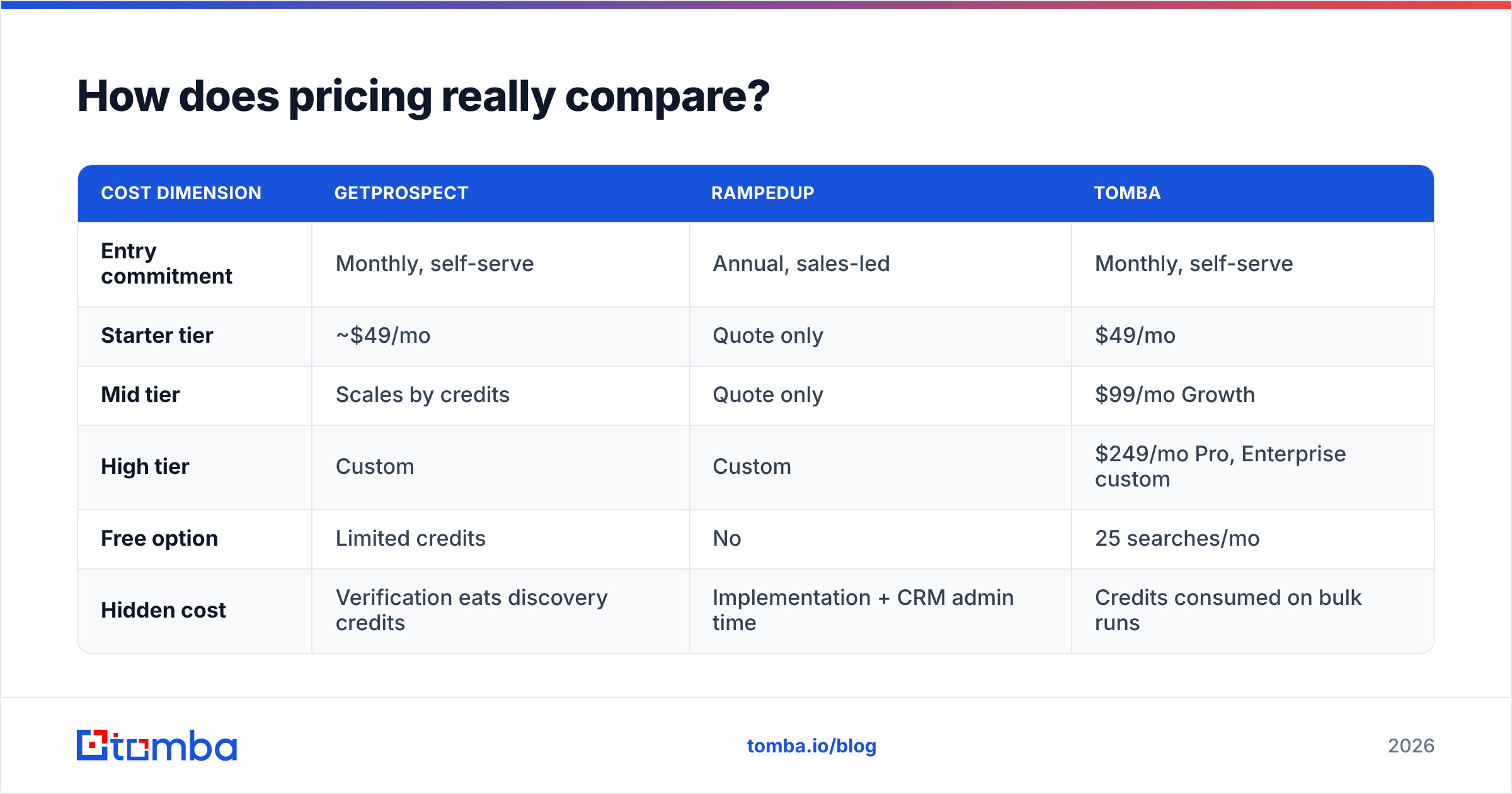
How does pricing really compare?#
GetProspect uses a credit model that scales with volume, starting around $49/month for meaningful usage and climbing steeply as you add seats and credits. Exports, verification, and enrichment all draw from the same pool, so heavy verification quietly doubles your effective cost per usable contact.
RampedUp doesn't publish list pricing. Expect a quote based on CRM record count and module selection, expect an annual term, and expect the number to land well above a self-serve tool. That's not a criticism — enterprise data infrastructure is priced like enterprise data infrastructure — but it changes who should be on the call.
| Cost dimension | GetProspect | RampedUp | Tomba |
|---|---|---|---|
| Entry commitment | Monthly, self-serve | Annual, sales-led | Monthly, self-serve |
| Starter tier | ~$49/mo | Quote only | $49/mo |
| Mid tier | Scales by credits | Quote only | $99/mo Growth |
| High tier | Custom | Custom | $249/mo Pro, Enterprise custom |
| Free option | Limited credits | No | 25 searches/mo |
| Hidden cost | Verification eats discovery credits | Implementation + CRM admin time | Credits consumed on bulk runs |
The hidden-cost row is the one people skip and regret. RampedUp's real cost includes the RevOps hours to configure field mappings and validate that enrichment isn't overwriting good data with worse data. Budget for it.
Worth noting for completeness: if you're comparing prebuilt list vendors alongside these two, BookYourData operates on a pay-as-you-go model with an accuracy guarantee, which is a genuinely different purchasing shape — no subscription, no credits expiring. Some teams pair a database purchase with a finder API rather than choosing between them.
When should you skip both?#
Three scenarios where neither tool is the right answer:
- You only need emails, at volume, via API. If your workflow is "here are 5,000 domains and names, return verified addresses," you're paying for CRM features and LinkedIn extensions you'll never open. A focused bulk email finder does this cheaper.
- You're enriching a product, not a pipeline. Building signup enrichment into your own app? You want a clean API contract and predictable per-call pricing, not a seat-based SaaS.
- Your list is already built and just needs cleaning. Then you need verification, not discovery. Run your existing CSV through a verifier and see how much of your "data problem" is actually a hygiene problem before you buy anything new.
That third one catches a surprising number of teams. Before you spend on net-new contacts, find out what percentage of your current list is even deliverable. Poor email deliverability is usually a data problem wearing a sending-infrastructure costume.
What's the verdict?#
Choose GetProspect if you're an SDR, founder, or agency building lists from LinkedIn, you want self-serve monthly billing, and your volume is moderate. It does the LinkedIn-to-CSV job well and the pricing is comprehensible.
Choose RampedUp if you own a CRM with meaningful history, you have RevOps capacity to implement it, and your biggest revenue leak is stale records and missed job changes. It's the more sophisticated product and the more expensive commitment.
Choose neither if your actual need is high-volume email discovery and verification without the surrounding platform. That's a narrower job, and narrow tools do narrow jobs better and cheaper.
The mistake to avoid is buying either one to solve a problem the other owns. Write down your bottleneck in one sentence before the demo call. If the sentence starts with "we don't have enough contacts," it's a discovery problem. If it starts with "our data is wrong," it's a hygiene problem. Almost nobody has both problems equally, and the tool that solves one badly will not solve the other at all.
If your bottleneck is finding and confirming work email addresses — not managing a CRM, not buying intent signals — start with the Tomba Email Finder. The free tier gives you 25 searches a month to run your own accuracy test against GetProspect or RampedUp on real contacts, and paid plans start at $49/mo with the verifier, domain search, and API included rather than metered separately. Run the 200-contact test described above before you sign an annual contract with anyone.
Related guides#
Ready to find emails that actually work?
Join 150,000+ professionals who stopped guessing and started sending. Free credits on signup — no credit card required.
Get the Tomba newsletter
Practical outbound tactics and product updates — once every two weeks.
About the author