GetProspect vs Reachfast 2026: Which Email Finder Wins
GetProspect and Reachfast both promise verified B2B emails from LinkedIn, but they solve different problems. Here is the honest breakdown of accuracy, pricing, credits, and workflow fit for 2026.
GetProspect vs Reachfast comes down to one question: do you need to find prospects, or reveal the ones you already have? GetProspect builds the list for you. Reachfast turns a list you already own into emails and phone numbers. Here is the short answer first, then the detail.
TL;DR
- GetProspect is the broader platform: a searchable B2B database, a Chrome extension for LinkedIn, list management, and light CRM-style fields. It suits teams that want to build and store lists inside one tool.
- Reachfast is the narrower, faster play: paste a LinkedIn profile or upload a list, get emails and phone numbers back. It suits recruiters and SDRs who already have a prospect list and just need contact data.
- Accuracy is close on common domains and diverges hard on catch-all domains, small companies, and non-US markets. Test both on 100 of your accounts before committing.
- Pricing is credit-based on both sides and changes frequently. Treat published tiers as a starting point and calculate cost-per-valid email, not cost-per-credit.
- If neither fits, an API-first finder like Tomba Email Finder covers the same jobs at $49/mo on the Starter plan with a free tier to test first.
What are GetProspect and Reachfast?#
They sit in the same category — B2B contact data — but they were built with different centers of gravity.
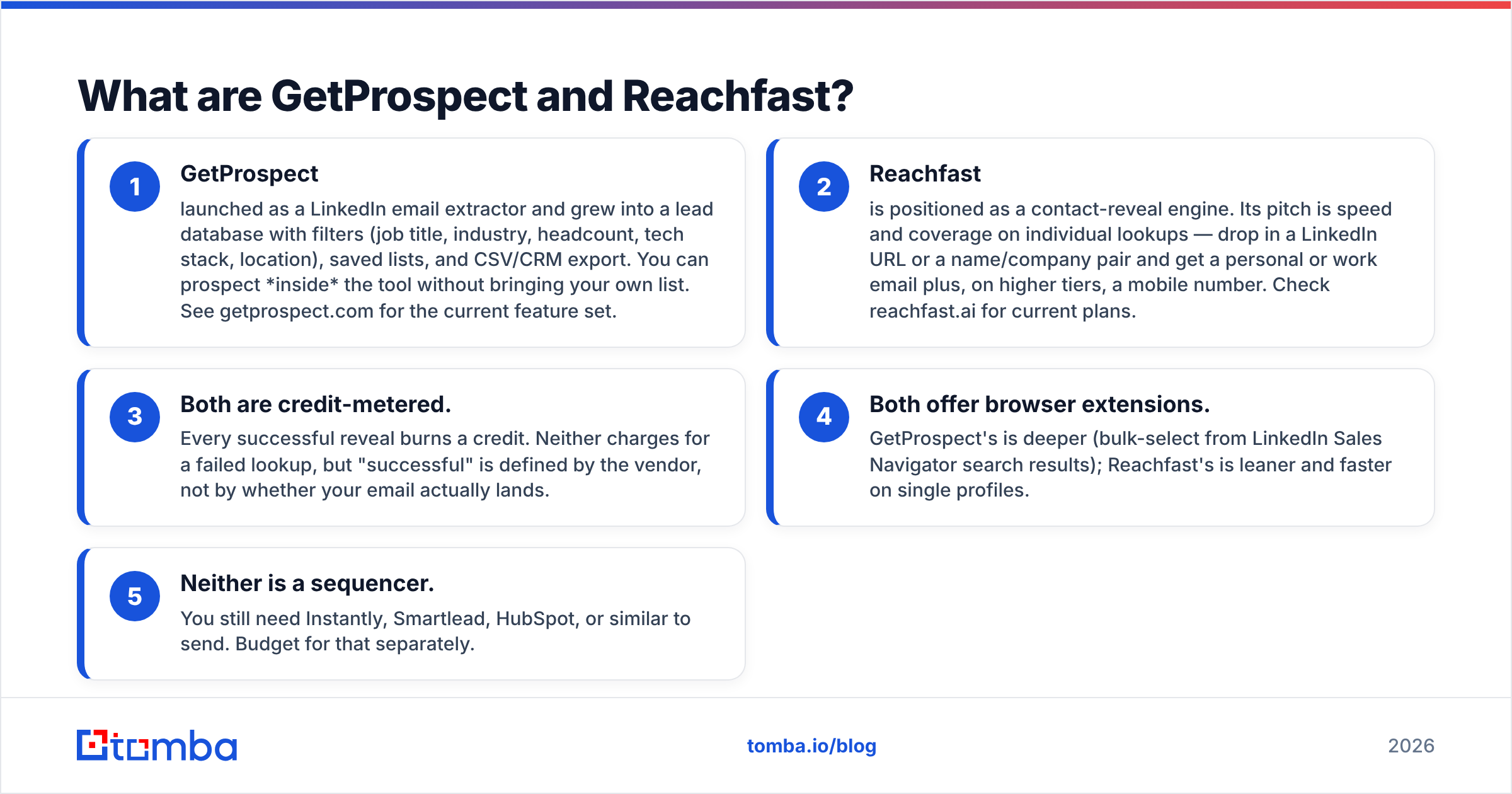
- GetProspect launched as a LinkedIn email extractor and grew into a lead database with filters (job title, industry, headcount, tech stack, location), saved lists, and CSV/CRM export. You can prospect inside the tool without bringing your own list. See getprospect.com for the current feature set.
- Reachfast is positioned as a contact-reveal engine. Its pitch is speed and coverage on individual lookups — drop in a LinkedIn URL or a name/company pair and get a personal or work email plus, on higher tiers, a mobile number. Check reachfast.ai for current plans.
Three things hold true on both sides:
- Both are credit-metered. Every successful reveal burns a credit. Neither charges for a failed lookup, but "successful" is defined by the vendor, not by whether your email actually lands.
- Both offer browser extensions. GetProspect's is deeper (bulk-select from LinkedIn Sales Navigator search results); Reachfast's is leaner and faster on single profiles.
- Neither is a sequencer. You still need Instantly, Smartlead, HubSpot, or similar to send. Budget for that separately.
The practical question is not "which tool is better" but "which one matches the shape of my prospecting." If you start from a persona definition, you want a database. If you start from a named list — a conference attendee export, a scraped LinkedIn search, a hiring pipeline — you want a reveal engine.

GetProspect vs Reachfast: which one finds more valid emails?#
Neither vendor publishes a third-party-audited hit rate, so treat every marketing number with suspicion — including the ones in this article. What we can say from repeatable testing patterns across finder tools:
- On large, well-indexed companies (500+ employees, US/UK/EU, standard
first.last@patterns), both tools clear 85–95% discovery. The gap is noise. - On companies under 50 employees, discovery drops sharply for both. GetProspect tends to fall back to pattern inference; Reachfast tends to return nothing rather than a guess. Which behavior you prefer depends on whether you verify downstream.
- On catch-all domains, both will happily return an address marked "valid" that no mailbox actually accepts. This is the single biggest source of silent bounce risk in 2026, and it is a category-wide problem, not a GetProspect or Reachfast flaw.
- Outside North America and Western Europe, coverage thins on both. If you sell into LATAM, MENA, or APAC, run your own sample before you buy annual.

The honest testing method: take 100 real target accounts from your ICP, run them through both tools' free tiers, then run every returned address through an independent email verifier. Score cost-per-deliverable email. That number is usually 30–60% worse than the vendor's advertised hit rate, and it is the only number that predicts your bounce rate.
GetProspect vs Reachfast: how do features and pricing compare?#
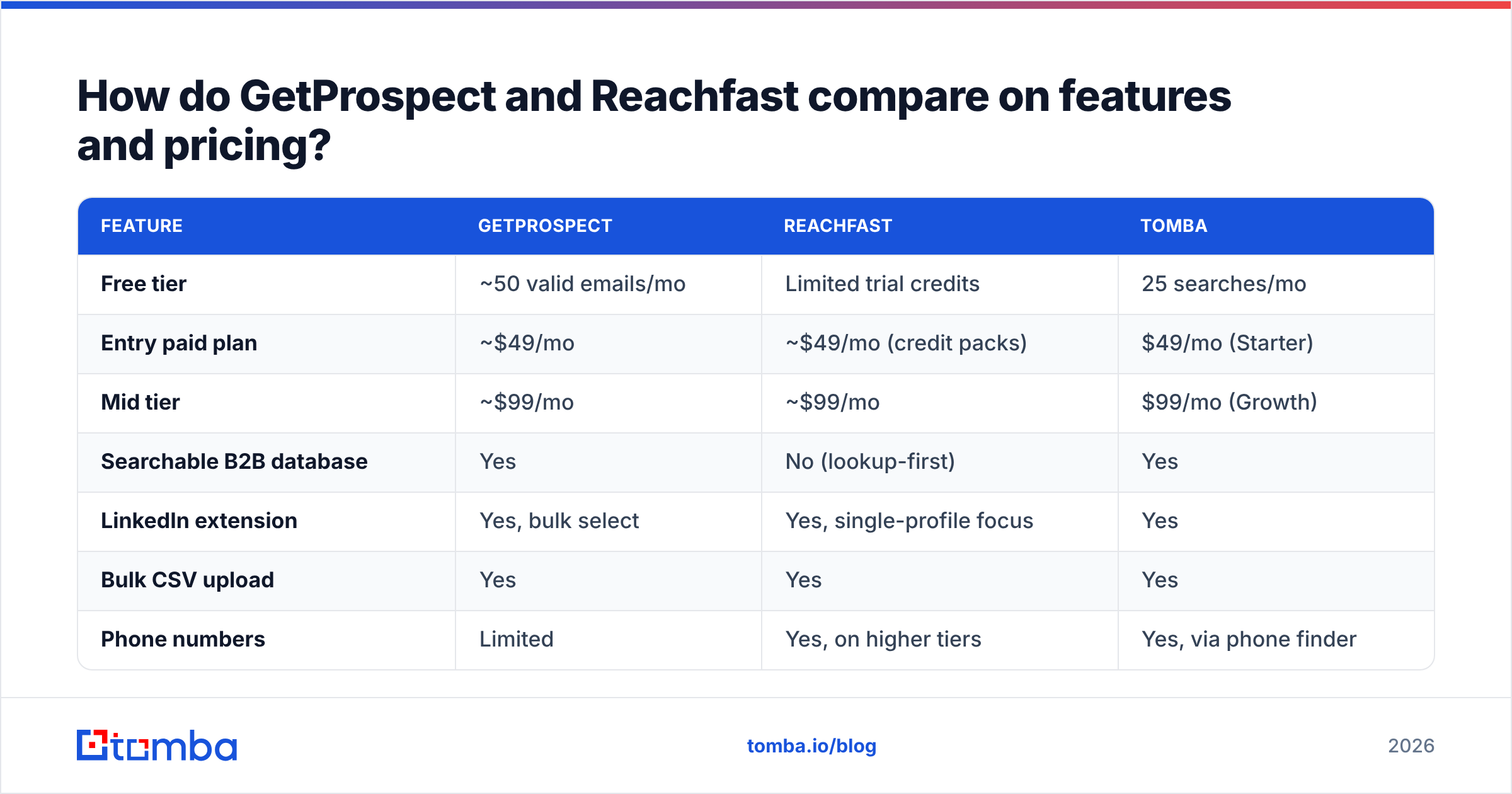
Published pricing moves often on both platforms. The table below reflects publicly listed tiers at the time of writing. Check the numbers on each vendor page before you buy. Tomba sits in the table as a reference point, not as a claim that it wins every row.
| Feature | GetProspect | Reachfast | Tomba |
|---|---|---|---|
| Free tier | ~50 valid emails/mo | Limited trial credits | 25 searches/mo |
| Entry paid plan | ~$49/mo | ~$49/mo (credit packs) | $49/mo (Starter) |
| Mid tier | ~$99/mo | ~$99/mo | $99/mo (Growth) |
| Searchable B2B database | Yes | No (lookup-first) | Yes |
| LinkedIn extension | Yes, bulk select | Yes, single-profile focus | Yes |
| Bulk CSV upload | Yes | Yes | Yes |
| Phone numbers | Limited | Yes, on higher tiers | Yes, via phone finder |
| Built-in verification | Basic | Basic | Dedicated verifier + catch-all |
| Public API | Yes | Limited | Yes, documented |
| Credit rollover | Plan-dependent | Plan-dependent | Plan-dependent |
| Best fit | List building from filters | Revealing a known list | API/workflow automation |

Three things this table hides that matter more than any single row:
Credit definitions differ. One tool may charge a credit for an email and a credit for the phone on the same contact. Another bundles them. Read the credit policy page, not the pricing page.
Overage behavior differs. Some plans hard-stop at zero credits; others auto-purchase at a worse unit rate. If you run bulk enrichment jobs, a hard stop is safer for your budget and an auto-top-up is safer for your pipeline. Pick deliberately.
Annual discounts are real but lock you in. A 20–30% annual discount is meaningful, but data coverage in this category shifts every quarter as sources change. Monthly for the first 90 days is usually the cheaper decision.
How do they handle LinkedIn prospecting?#
On LinkedIn, GetProspect vs Reachfast is a workflow choice more than a data choice. This is where the two tools truly diverge. For most buyers it is the deciding factor.
GetProspect's LinkedIn workflow is built around Sales Navigator search results. You run a search, open the extension, select a page (or many pages) of results, and push them into a named list inside GetProspect. Emails are appended as they resolve. The output is a list object you can filter, dedupe, tag, and export — closer to a lightweight CRM staging area than a raw CSV.
Reachfast's LinkedIn workflow is per-profile and per-batch. You are on a profile, you want the email now, you click and get it. For bulk, you upload LinkedIn URLs and download a completed file. There is less to configure and less to learn, and for a recruiter working 40 profiles a day that simplicity is the product.
If you already run scraping through a separate tool — Apify, PhantomBuster, or an in-house scraper — the "database" half of GetProspect is dead weight, and a pure reveal engine wins. If you don't want another vendor in the chain, GetProspect's all-in-one shape is worth the higher learning curve. A third pattern worth knowing: pipe your scraped URLs straight into a LinkedIn finder via API and skip the UI entirely.
What about verification and catch-all domains?#
In a GetProspect vs Reachfast comparison, neither tool is a verification layer. Both do some SMTP-level checking, and both — like every finder on the market — return "valid" on catch-all domains where validity cannot actually be determined by SMTP handshake alone.
Here is the failure mode in plain terms: a catch-all domain is a mail server configured to accept every address at that domain, then decide later whether to deliver or drop it. Your verifier asks "does jane.doe@acme.com exist?" and the server says yes to everything. You mark it valid, you send, and it silently disappears — or worse, it hits a spam trap and your sender reputation takes the damage.
Practical mitigations, in order of impact:
- Segment catch-all addresses into their own campaign. Do not mix them with confirmed-valid addresses on the same sending domain.
- Run a dedicated catch-all verifier that uses pattern confidence and historical engagement signals rather than SMTP alone.
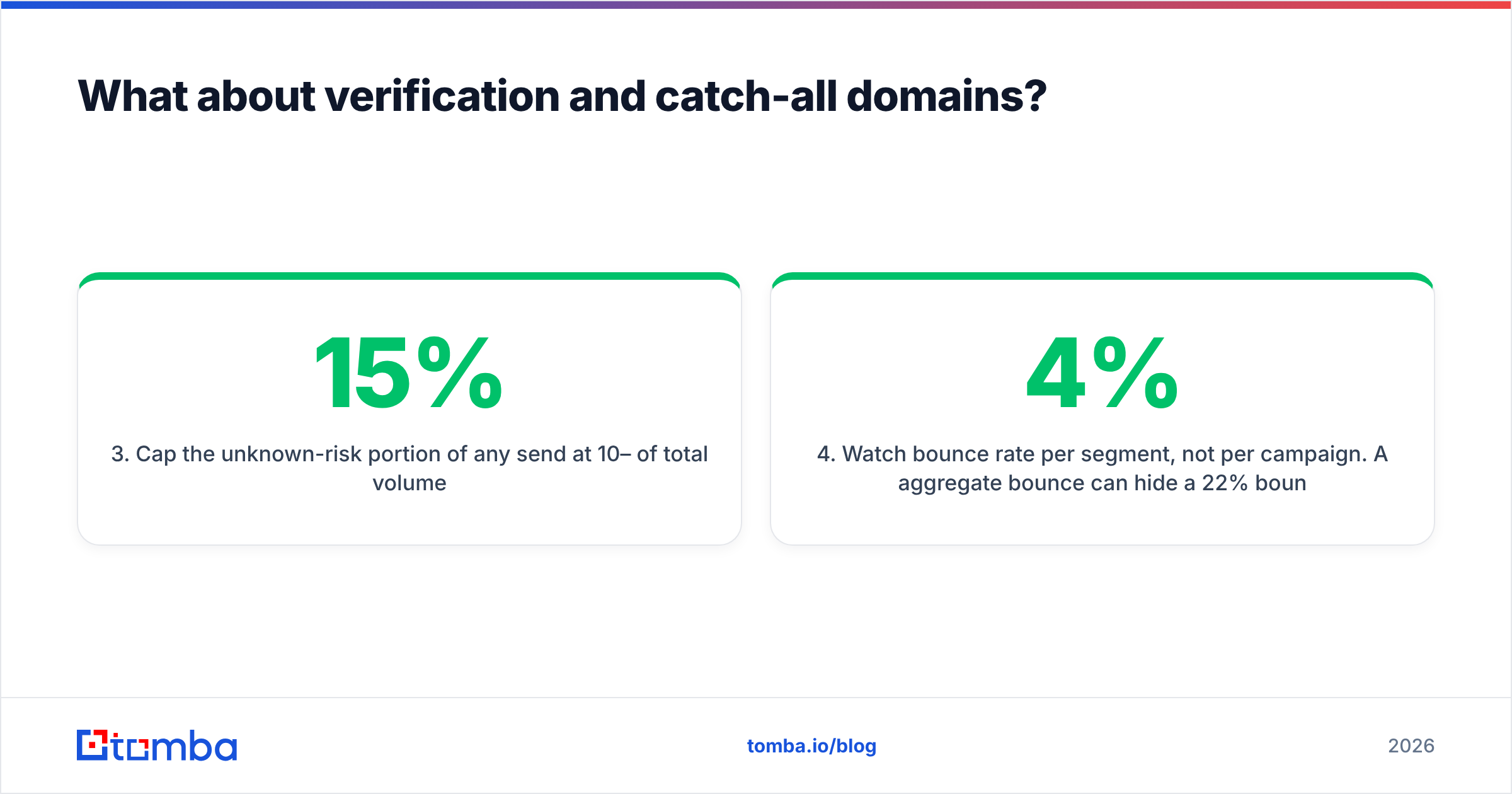
- Cap the unknown-risk portion of any send at 10–15% of total volume.
- Watch bounce rate per segment, not per campaign. A 4% aggregate bounce can hide a 22% bounce on your catch-all slice.
For a broader primer on how bounces feed back into inbox placement, the email deliverability fundamentals are worth 10 minutes before you scale volume.
Where does each tool fall short?#
No vendor writes this section about itself, so here is the GetProspect vs Reachfast downside list.
GetProspect weak points: the database is strong on tech and mid-market but thinner on SMB, trades, and non-English-speaking markets. Some users report stale job titles on records that haven't been re-crawled recently — a universal problem, but one you feel more acutely when you're filtering by title. The UI carries feature weight that a solo SDR will never use. Check current user sentiment on G2's lead intelligence category rather than trusting any single review.
Reachfast weak points: it is a younger product with a smaller public footprint, fewer native integrations, and less documentation depth than incumbents. If your process depends on a mature API, Zapier recipes, or an audited SOC 2 posture, verify all three explicitly before signing. The lookup-first model also means you're dependent on another tool to generate the list — that's a feature if you have one, a gap if you don't.
Shared weak points: neither replaces intent data, neither guarantees GDPR-compliant sourcing for every record in every jurisdiction, and neither will fix a bad offer. Contact data is the cheapest part of an outbound program to fix and the easiest to over-invest in.

Is there a better third option?#
Sometimes, and it depends on which constraint is actually binding.
- If you need a large pre-built list right now and don't want to assemble it, a purpose-built list vendor such as BookYourData is a legitimate route — you buy a filtered dataset outright instead of metering credits. Different economics, different risk profile, and a reasonable fit for one-off campaigns.
- If your constraint is engineering time, an API-first finder matters more than a pretty UI. Tomba's email finder API plus a documented bulk email finder endpoint means enrichment runs inside your own pipeline, and pricing stays predictable at $49/mo Starter, $99/mo Growth, and $249/mo Pro. See full Tomba pricing for credit allocations per tier.
- If your constraint is verification quality, buy the finder and the verifier as separate decisions. The best finder in the world still needs an independent bounce check.
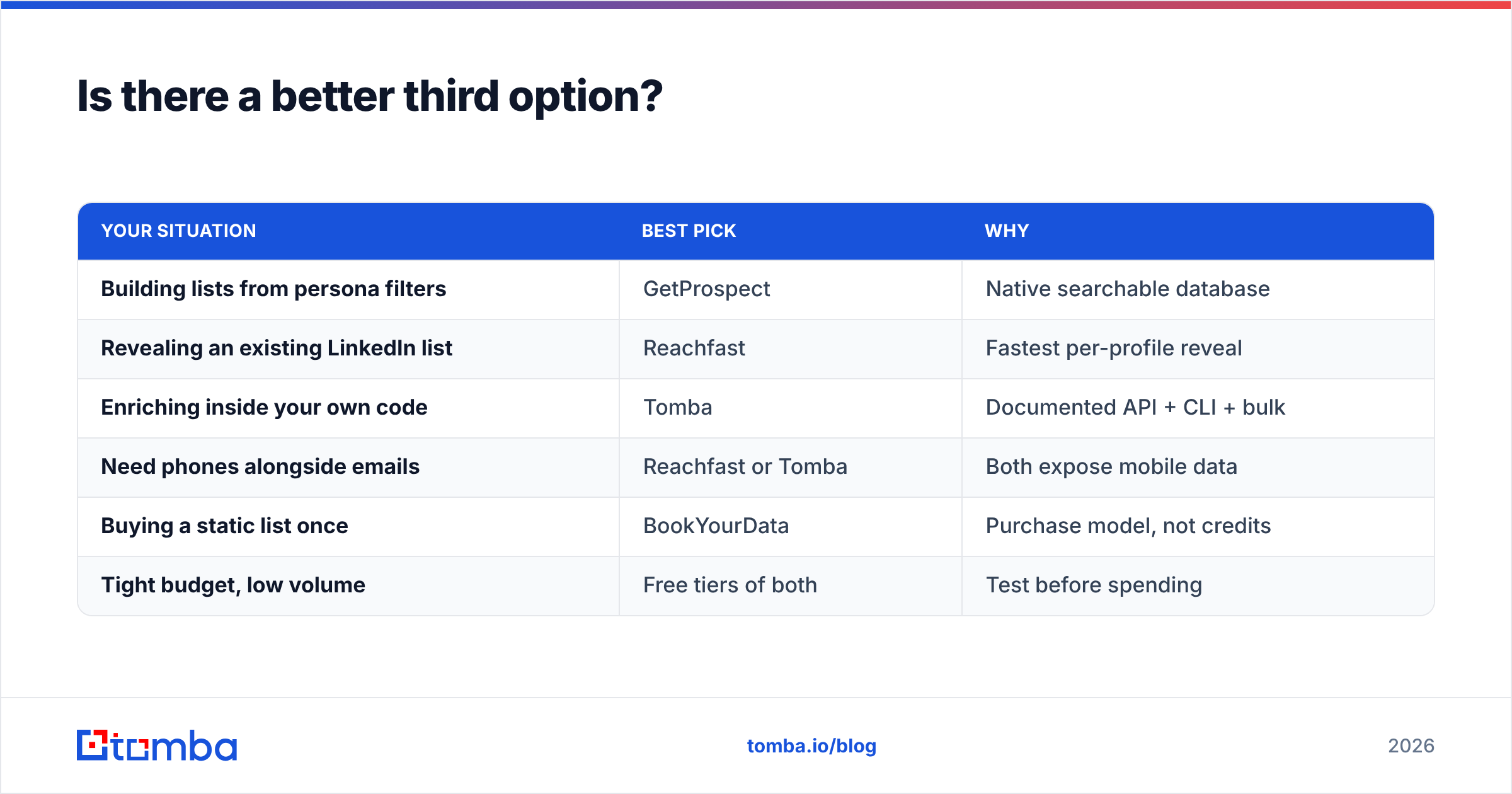
Below is the fit matrix most teams end up with:
| Your situation | Best pick | Why |
|---|---|---|
| Building lists from persona filters | GetProspect | Native searchable database |
| Revealing an existing LinkedIn list | Reachfast | Fastest per-profile reveal |
| Enriching inside your own code | Tomba | Documented API + CLI + bulk |
| Need phones alongside emails | Reachfast or Tomba | Both expose mobile data |
| Buying a static list once | BookYourData | Purchase model, not credits |
| Tight budget, low volume | Free tiers of both | Test before spending |
How should you run the GetProspect vs Reachfast test yourself?#
Give it one afternoon. The method is boring and it works.
- Pull 100 real accounts from closed-won deals or your best current pipeline. Not a random ICP list — accounts you know are right.
- Run all 100 through both free tiers. Record discovery rate and time-to-result.
- Verify every returned address with a neutral third-party verifier. Record deliverable rate, catch-all rate, and hard-invalid rate.
- Divide plan cost by deliverable emails. That is your true unit price.
- Send a 50-contact pilot on a warmed domain and read bounce rate at 48 hours.
Most teams discover the tools are within 10% of each other on data, and the real difference is workflow fit — which is exactly what a spreadsheet comparison can't tell you and an afternoon of use can.
The bottom line#
The GetProspect vs Reachfast verdict is short. GetProspect wins if you still need to find prospects. Reachfast wins if you already know who they are and just need contact details fast. Neither tool is a deliverability solution. Pair either one with independent verification before you send at volume.
If you'd rather not choose between a database and a reveal engine — or you want the whole thing running as an API call inside your own enrichment job — start with the free tier of the Tomba Email Finder. Twenty-five searches a month, no card, and the same domain search and catch-all handling that ships on paid plans. Run your 100-account test against all three and let the deliverable-email number pick the winner.
Related guides#
Ready to find emails that actually work?
Join 150,000+ professionals who stopped guessing and started sending. Free credits on signup — no credit card required.
Get the Tomba newsletter
Practical outbound tactics and product updates — once every two weeks.
About the author