GetProspect vs Salesbot: Which B2B Prospecting Tool Wins?
GetProspect sells verified contact data. Salesbot sells conversational automation. Here is an honest breakdown of what each actually does, what it costs, and which one your outbound team should buy first.
TL;DR
- GetProspect and Salesbot are not really competitors — GetProspect is a contact database and email finder, while "Salesbot" refers to AI conversation and sales-automation bots (HubSpot's built-in Salesbot, plus a family of standalone AI SDR bots using the same name).
- If your problem is "I don't have enough good contacts," GetProspect-style tooling is the right layer. If your problem is "leads arrive and nobody follows up fast enough," a salesbot is the right layer.
- Buying a salesbot before you fix your data is the most common and most expensive sequencing mistake in outbound. Bots amplify whatever list you feed them, including the bad parts.
- Pricing philosophies differ sharply: credit-based data tools charge per contact revealed; bot platforms charge per seat, per conversation, or bundle into a CRM subscription.
- Most teams end up running both — a data layer for accurate, verified contacts and an automation layer on top. The order matters more than the brand.
What are GetProspect and Salesbot, actually?#
Short answer: they solve different problems and only look similar because both live under the "sales tech" umbrella.
GetProspect is a B2B contact data platform. You search a database or a company domain, it returns work email addresses, job titles, company details, and (on higher tiers) phone numbers. It has a LinkedIn extension, a bulk CSV workflow, and a verification step that tries to weed out dead mailboxes before you export. Its buyers are SDRs, growth marketers, and agencies who need a list.
"Salesbot" is trickier, because the name is used by more than one product. The most widely deployed is HubSpot's Salesbot — the chatflow bot that greets website visitors, qualifies them with scripted or AI-driven questions, books meetings on a rep's calendar, and writes the result back to the CRM. Separately, several standalone vendors ship products branded "Salesbot" or "AI salesbot" that automate outbound sequences, reply handling, and lead qualification over email, WhatsApp, or chat.
Either way, the shape of a salesbot is the same: it is a conversation and workflow engine. It does not create contact data. It consumes it, or it captures it from inbound traffic.
That single distinction drives every recommendation below.
How do the two categories differ in practice?#
Here is the layer-by-layer split most revenue teams end up drawing on a whiteboard:
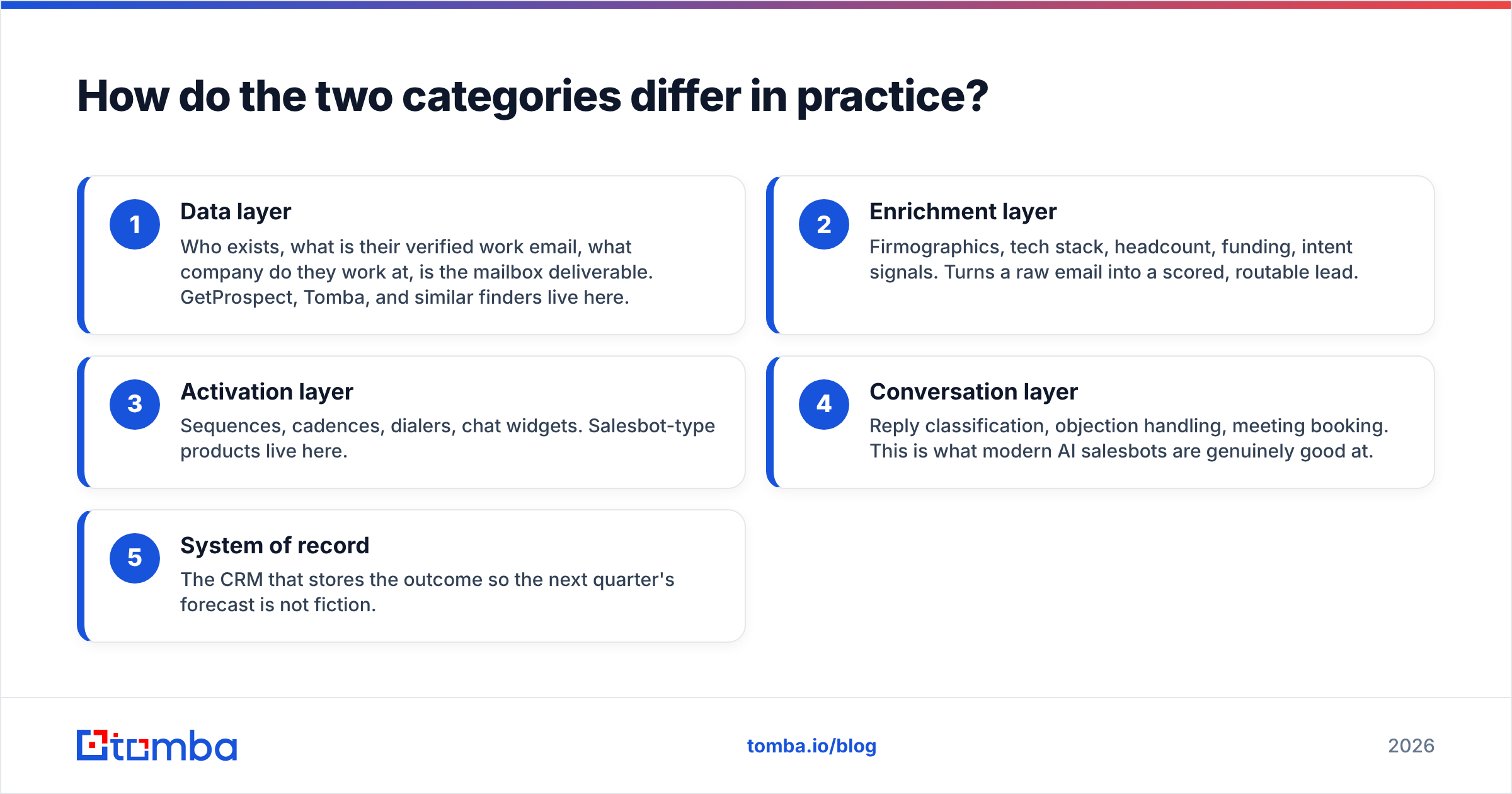
- Data layer — Who exists, what is their verified work email, what company do they work at, is the mailbox deliverable. GetProspect, Tomba, and similar finders live here.
- Enrichment layer — Firmographics, tech stack, headcount, funding, intent signals. Turns a raw email into a scored, routable lead.
- Activation layer — Sequences, cadences, dialers, chat widgets. Salesbot-type products live here.
- Conversation layer — Reply classification, objection handling, meeting booking. This is what modern AI salesbots are genuinely good at.
- System of record — The CRM that stores the outcome so the next quarter's forecast is not fiction.
A salesbot with an empty or dirty data layer is a very expensive way to email nobody. A data tool with no activation layer is a very expensive way to build spreadsheets nobody sends.

GetProspect vs Salesbot: how do they compare head to head?#
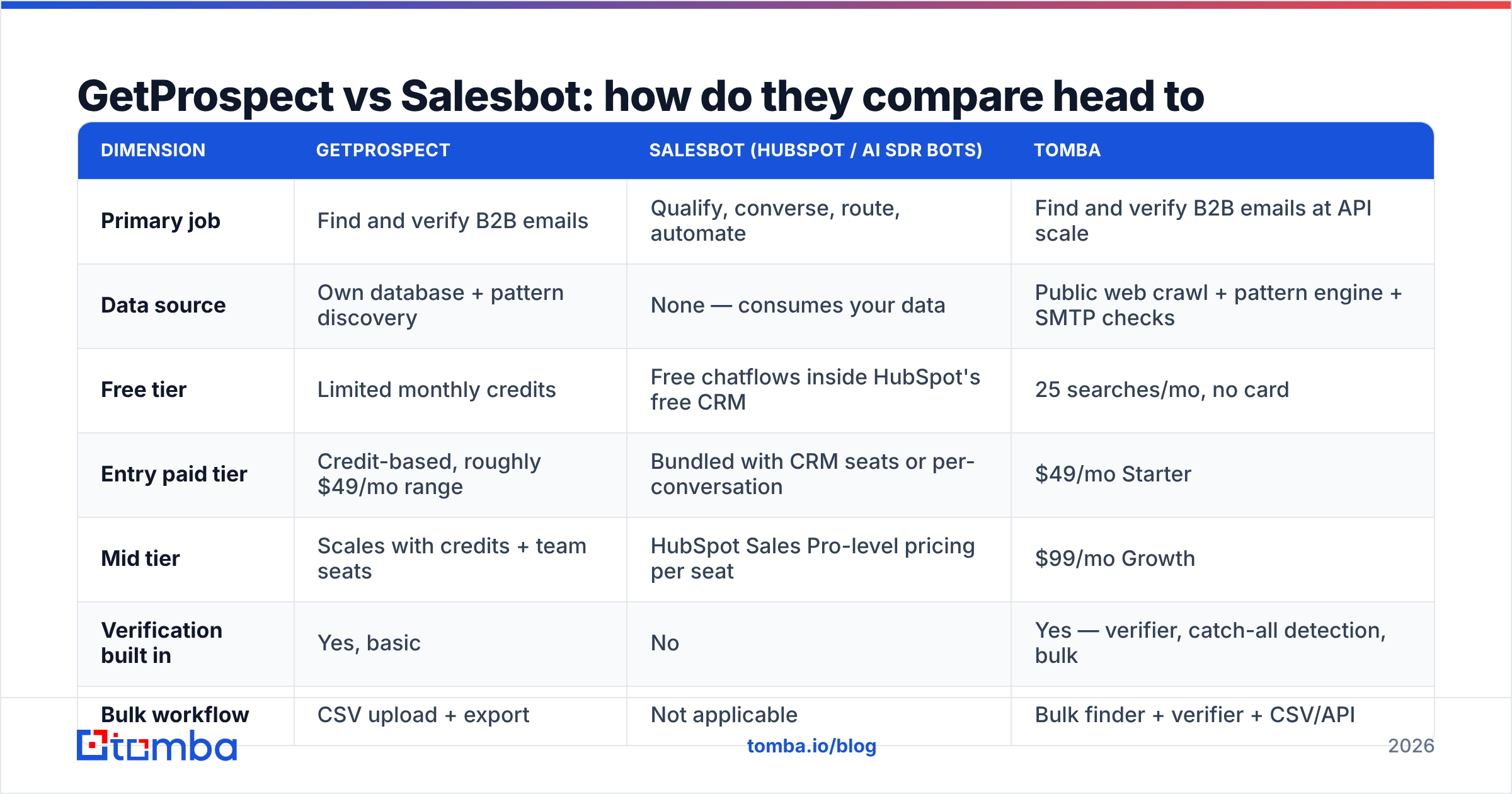
Pricing on both sides moves often — treat these as directional and confirm on each vendor's own page before you buy. What does not move is the structural difference in what you get for the money.
| Dimension | GetProspect | Salesbot (HubSpot / AI SDR bots) | Tomba |
|---|---|---|---|
| Primary job | Find and verify B2B emails | Qualify, converse, route, automate | Find and verify B2B emails at API scale |
| Data source | Own database + pattern discovery | None — consumes your data | Public web crawl + pattern engine + SMTP checks |
| Free tier | Limited monthly credits | Free chatflows inside HubSpot's free CRM | 25 searches/mo, no card |
| Entry paid tier | Credit-based, roughly $49/mo range | Bundled with CRM seats or per-conversation | $49/mo Starter |
| Mid tier | Scales with credits + team seats | HubSpot Sales Pro-level pricing per seat | $99/mo Growth |
| Verification built in | Yes, basic | No | Yes — verifier, catch-all detection, bulk |
| Bulk workflow | CSV upload + export | Not applicable | Bulk finder + verifier + CSV/API |
| Developer API | Yes | Yes (CRM APIs) | Yes — REST API, CLI, MCP server |
| Best for | List building for outbound | Inbound capture + reply automation | Data accuracy and pipeline integration |
| Weak spot | Coverage gaps in SMB/EMEA niches | Useless without a contact source | No native sequencer |
Read the table as two columns that plug into each other, not two columns fighting.
Which one should you buy first?#
Buy the data layer first. Every time.
The logic is simple arithmetic. Say you run a 1,000-contact campaign. At a 3% bounce rate you lose 30 sends and your domain reputation barely notices. At a 12% bounce rate — normal for unverified scraped lists — you lose 120 sends and mailbox providers start throttling you, which quietly suppresses the 880 that technically delivered. A salesbot cannot repair that. It will happily automate the destruction of your sending domain at scale.
So the sequencing rule:
- Under 500 contacts/month, mostly outbound? A solid email finder plus a cheap sequencer beats any bot.
- Heavy inbound traffic, slow lead response? A salesbot pays for itself fast. Speed-to-lead is the single highest-leverage inbound metric, and bots do not sleep.
- Both? Fix data first, automate second. The bot inherits your list quality either way.
- Agency running campaigns for clients? You need the data layer under your own control, with an API, so you are not re-buying credits per client seat.
- Enterprise with an existing CRM? The bot decision is usually made for you by whatever CRM you already pay for. The data decision is still open.
How accurate is the data, and how do you check?#
Do not trust anyone's marketing number, including ours. Run your own bake-off — it takes an afternoon.
Take 100 contacts you already know are real, from your own CRM's closed-won accounts. Strip the email addresses. Feed the names and domains into each tool. Then measure three things:
- Match rate — what percentage returned any address at all. Tools inflate this by returning guessed patterns.
- Accuracy rate — of the addresses returned, how many match the truth you already had. This is the number that matters.
- Verified-and-wrong rate — addresses the tool labelled "valid" that were actually wrong. This is the number vendors never publish, and it is the one that burns your domain.
Most credible finders land somewhere in the 70–95% accuracy band depending on the segment. Coverage is uneven by geography and company size: US enterprise is easy, EMEA mid-market is medium, sub-20-person startups on Google Workspace with catch-all domains are hard for everyone.
Catch-all domains deserve special attention. A catch-all server accepts every address at the domain, so a naive SMTP check returns "valid" for asdfgh@company.com. If your data tool does not flag catch-alls separately, its verification is partly theatre. Run suspicious domains through a dedicated catch-all verifier before you commit them to a sequence.

What does a salesbot actually do well?#
Credit where it is due — the bot layer has gotten genuinely good, and dismissing it as "chatbot fluff" is a 2019 opinion.
Speed to lead. A visitor fills a form at 11pm. A bot qualifies them, checks rep availability, and books the meeting before the prospect has closed the tab. Human teams cannot match that on any budget.
Reply triage at volume. Modern AI salesbots classify inbound replies — interested, not now, wrong person, unsubscribe — and route or auto-respond. If you send thousands of emails a month, this alone recovers hours per rep per week.
Consistent qualification. Bots ask every visitor the same questions in the same order. Your data gets cleaner as a side effect, which makes lead scoring believable.
CRM hygiene. Everything the bot learns lands in the record automatically. No rep forgets to log it, because no rep is logging it.
What bots still do badly: nuance, multi-stakeholder deals, anything requiring genuine domain expertise, and — critically — sourcing net-new contacts who have never touched your website. That last gap is exactly why the data layer stays mandatory.
Where does Tomba fit in this comparison?#
Tomba competes with GetProspect, not with Salesbot. It sits in the data layer and is built to be the input to whatever automation you run on top.
The practical differences that show up in evaluations:
- Verification is a first-class product, not an afterthought. The email verifier runs syntax, MX, SMTP, disposable-domain, role-account, and catch-all checks as separate signals, so you can set your own risk threshold rather than accepting a binary verdict.
- Developer surface. A documented REST Tomba API, a CLI, and an MCP server mean your bot, your RevOps scripts, and your AI agents can all pull contacts programmatically. If you plan to wire a salesbot to a live data source, this is the part that decides whether the project ships.
- Domain-first discovery. Domain search returns every discoverable address at a company plus the detected email pattern, which is how you find the four people you actually need rather than the one person you searched for.
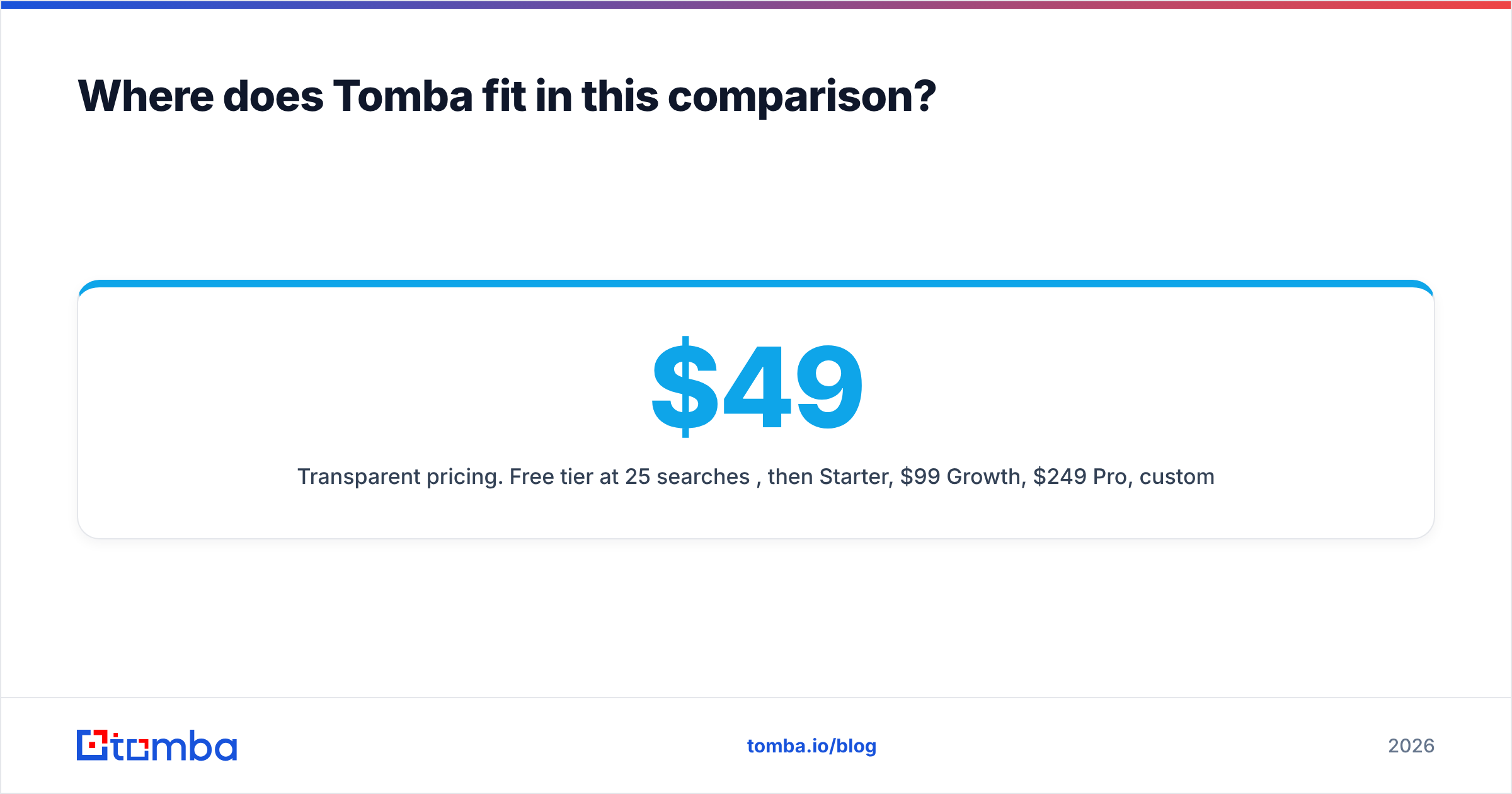
- Transparent pricing. Free tier at 25 searches/month, then $49/mo Starter, $99/mo Growth, $249/mo Pro, custom Enterprise. Full Tomba pricing is public, with no seat minimums hiding in the fine print.
Where Tomba does not compete: it has no native sequencer, no dialer, and no chat widget. If you want one vendor for data plus outreach plus conversation, you are looking at a platform play like HubSpot or Apollo, and you will pay platform prices while accepting whatever data quality that platform ships.
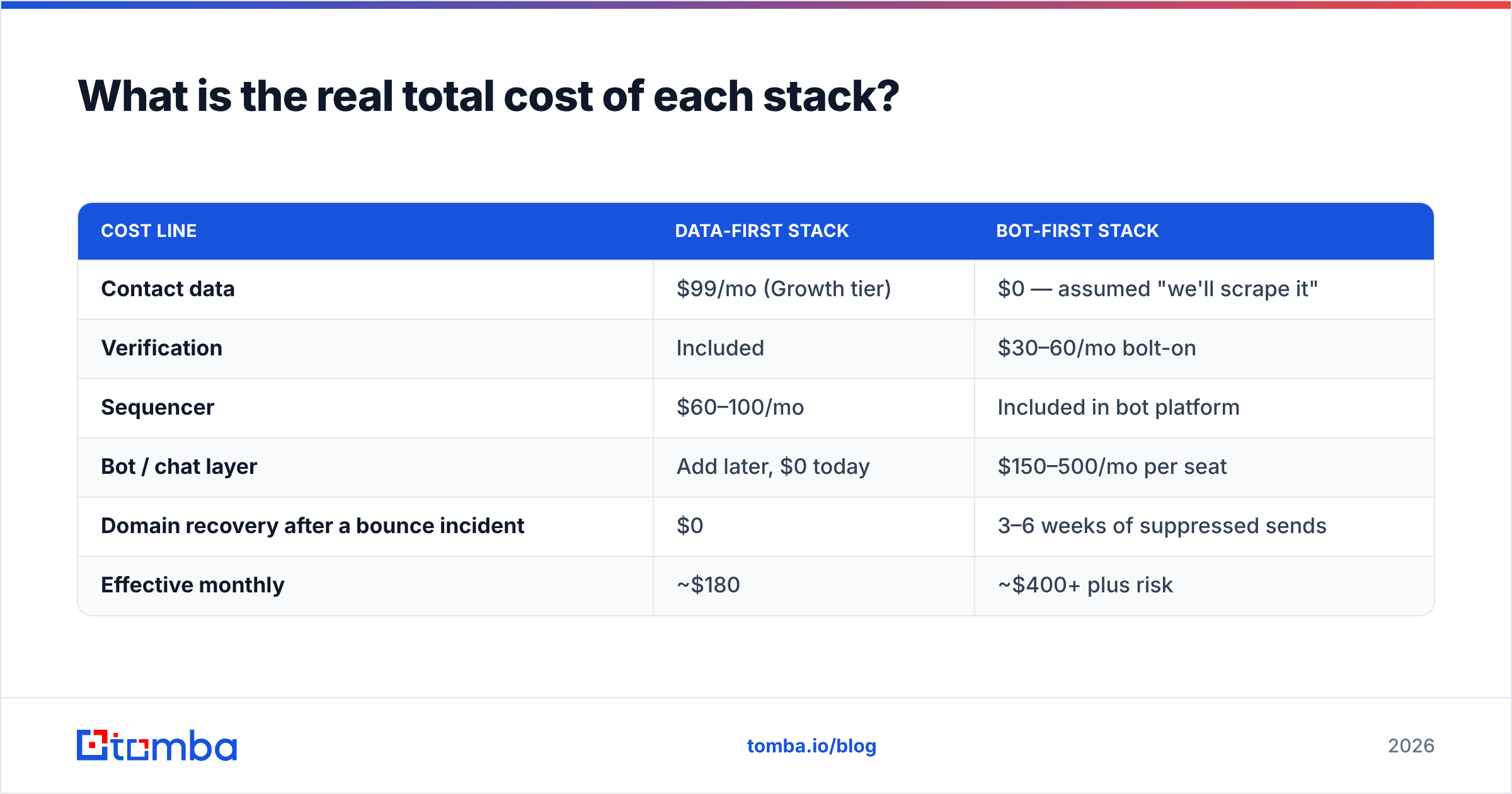
What is the real total cost of each stack?#
Run the math on a two-SDR team doing 2,000 contacts a month.
| Cost line | Data-first stack | Bot-first stack |
|---|---|---|
| Contact data | $99/mo (Growth tier) | $0 — assumed "we'll scrape it" |
| Verification | Included | $30–60/mo bolt-on |
| Sequencer | $60–100/mo | Included in bot platform |
| Bot / chat layer | Add later, $0 today | $150–500/mo per seat |
| Domain recovery after a bounce incident | $0 | 3–6 weeks of suppressed sends |
| Effective monthly | ~$180 | ~$400+ plus risk |
The "we'll scrape it" line is where bot-first stacks quietly fail. Scraped lists have no verification, no catch-all handling, and no legal provenance. You save $99 and pay for it in deliverability, which is the only outbound asset you cannot buy back quickly. Independent review data on G2 shows the same pattern in user complaints across both categories: automation ratings stay high while data-quality ratings drag averages down.
Is there a scenario where Salesbot alone is enough?#
Yes — one, and it is worth naming honestly.
If you are a product-led SaaS with meaningful organic traffic and your entire pipeline is inbound, you may genuinely not need an outbound data tool this quarter. Your contacts arrive at your door and identify themselves. In that world, a salesbot that qualifies and books instantly is the highest-ROI purchase you can make, and a contact database is a solution looking for a problem.
The moment that stops being true is the moment someone says "we need to go upmarket" or "we need to expand into a new segment." Those motions are outbound by definition, and outbound starts with knowing who to email. That is when the data layer stops being optional — and when bulk email finder workflows start earning their keep.
The verdict#
GetProspect wins if the question is "where do I get contacts." Salesbot wins if the question is "how do I respond faster and automate the conversation." Neither wins the other's category, and any comparison post that declares an outright winner is comparing a hammer to a ladder.
Practical recommendation for most teams under 50 people: buy a data tool with real verification and a real API, wire it into a cheap sequencer, prove the motion works, then add a bot layer once inbound volume or reply volume justifies it. Reversing that order is how teams end up with a beautifully automated pipeline full of addresses that bounce.
Ready to fix the data layer first? Start with the Tomba Email Finder — 25 free searches a month, no card required, verification included on every result. Run your own 100-contact accuracy test against whatever you use today, and let the numbers decide. If it wins, the $49/mo Starter plan scales with you; if it loses, you have spent nothing but an afternoon and you know exactly where your bounce rate comes from.
Related guides#
Ready to find emails that actually work?
Join 150,000+ professionals who stopped guessing and started sending. Free credits on signup — no credit card required.
Get the Tomba newsletter
Practical outbound tactics and product updates — once every two weeks.
About the author