GetProspect vs Sendster: Which One Does Your Team Need?
GetProspect finds the contacts. Sendster sends the emails. Comparing them head-to-head only makes sense once you know which half of the outbound problem you're actually stuck on — here's the honest breakdown.
GetProspect vs Sendster is not a fair fight, because the two tools do different jobs. One builds your contact list. The other sends your email. This guide shows which half of the problem you are actually stuck on.
TL;DR
- GetProspect is a B2B contact database and email finder. Sendster is a self-hosted email marketing app. They are not substitutes. They sit at opposite ends of the same pipeline.
- Short on qualified contacts? Buy a finder like GetProspect. Paying too much per subscriber to send? Sendster's one-time license and bring-your-own-SMTP model is the cheaper path.
- GetProspect's best asset is its LinkedIn workflow. Its weak spots are per-credit cost at volume and the catch-all blind spots every finder has.
- Sendster's best asset is cost control at scale. The catch: you own the server, the deliverability, and the 2 a.m. fixes.
- Most teams buy both categories anyway. The real question is which data source feeds the sender.
What are GetProspect and Sendster, exactly?#
They belong to different software categories. That single fact drives the whole comparison.
GetProspect is a lead generation platform built on a B2B contact database. You search by company, job title, industry, headcount, or location. You run a LinkedIn Chrome extension over search results and profiles. Then you export enriched rows with work emails, company data, and sometimes phone numbers. It also enriches a CSV of names and domains in bulk. Most users treat it as a "LinkedIn list to email list" converter. You can see their current positioning on getprospect.com.
Sendster is an email marketing and autoresponder app you install on your own server. You buy a license instead of a monthly SaaS plan. It plugs into sending infrastructure you supply: Amazon SES, Mailgun, SparkPost, Postmark, or a raw SMTP relay. You get list management, campaign builders, drip automations, segmentation, bounce handling, and reports. The pitch is simple. Pay once for the software, then pay only what your SMTP provider charges per email.
So one tool answers "who do I email?" The other answers "how do I email them at volume without paying a SaaS vendor for every send?"
Do GetProspect and Sendster even compete?#
Only in the sense that both come out of the same budget line.
Here is where the confusion starts. GetProspect has added light outreach features over time. You can push contacts into sequences and send from a connected mailbox. Sendster manages subscriber lists, which people mistake for contact data. Neither overlap runs deep. GetProspect will not run your 200,000-recipient newsletter. Sendster will not tell you that a VP of Engineering at a 400-person fintech in Berlin exists, let alone find her work email.
The honest framing is a five-stage pipeline:
- Source — build a targeted list of companies and people who match your ICP.
- Enrich — attach verified work emails, phone numbers, and firmographics.
- Verify — remove invalid, role-based, and risky addresses before they touch your domain.
- Send — deliver campaigns through infrastructure you control or rent.
- Measure — track opens, replies, bounces, and complaints, then feed that back into targeting.
GetProspect covers steps 1–2 and touches 3. Sendster covers steps 4–5. Buying one and expecting it to do the other's job is the most common mistake here. It is also the most expensive.
GetProspect vs Sendster: how do they compare feature by feature?#
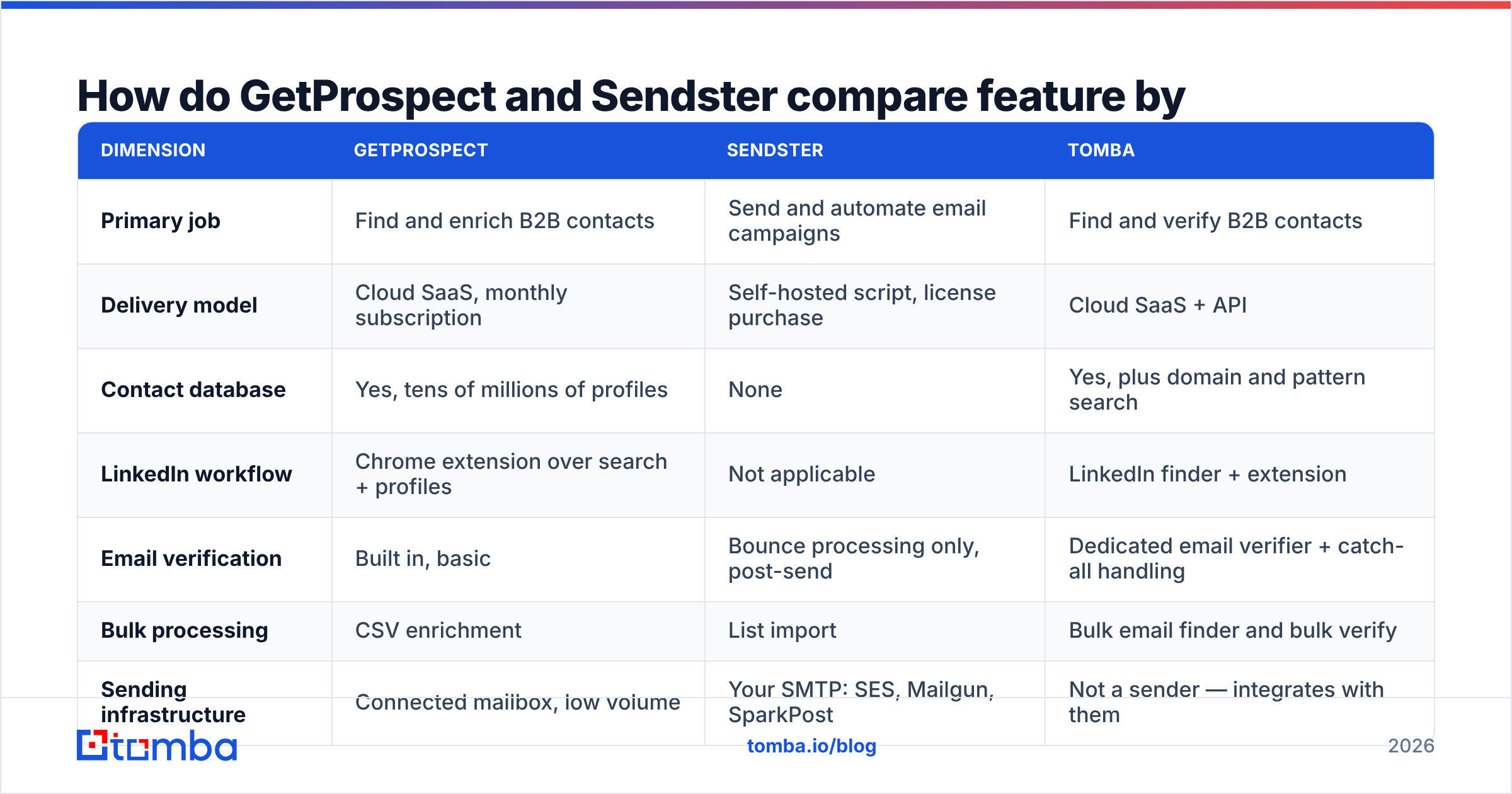
| Dimension | GetProspect | Sendster | Tomba |
|---|---|---|---|
| Primary job | Find and enrich B2B contacts | Send and automate email campaigns | Find and verify B2B contacts |
| Delivery model | Cloud SaaS, monthly subscription | Self-hosted script, license purchase | Cloud SaaS + API |
| Contact database | Yes, tens of millions of profiles | None | Yes, plus domain and pattern search |
| LinkedIn workflow | Chrome extension over search + profiles | Not applicable | LinkedIn finder + extension |
| Email verification | Built in, basic | Bounce processing only, post-send | Dedicated email verifier + catch-all handling |
| Bulk processing | CSV enrichment | List import | Bulk email finder and bulk verify |
| Sending infrastructure | Connected mailbox, low volume | Your SMTP: SES, Mailgun, SparkPost | Not a sender — integrates with them |
| API access | Yes, on paid plans | Yes, self-hosted | Tomba API, CLI, MCP, Sheets, Excel |
| Free tier | Limited monthly valid emails | Demo only | 25 searches/month |
| Entry paid price | Around $49/mo at publication | One-time license, plus SMTP costs | $49/mo Starter |
| Who maintains uptime | Vendor | You | Vendor |
| Best for | SDRs building target lists | High-volume senders cutting ESP bills | Teams that need verified data at API scale |
Check both vendors' pricing pages before you commit. License and credit terms in this category change often.
Which one gives you better data quality?#
This question only applies to GetProspect. Sendster makes no data. It sends whatever you import. That asymmetry matters: Sendster will happily mail a garbage list and let your domain take the damage.
For GetProspect, a few things decide whether your list actually lands:
- Coverage by region and seniority. Most B2B databases are strongest in US and Western European tech. They are thinnest in APAC, LATAM, and non-tech markets. Test your exact ICP before you buy a year.
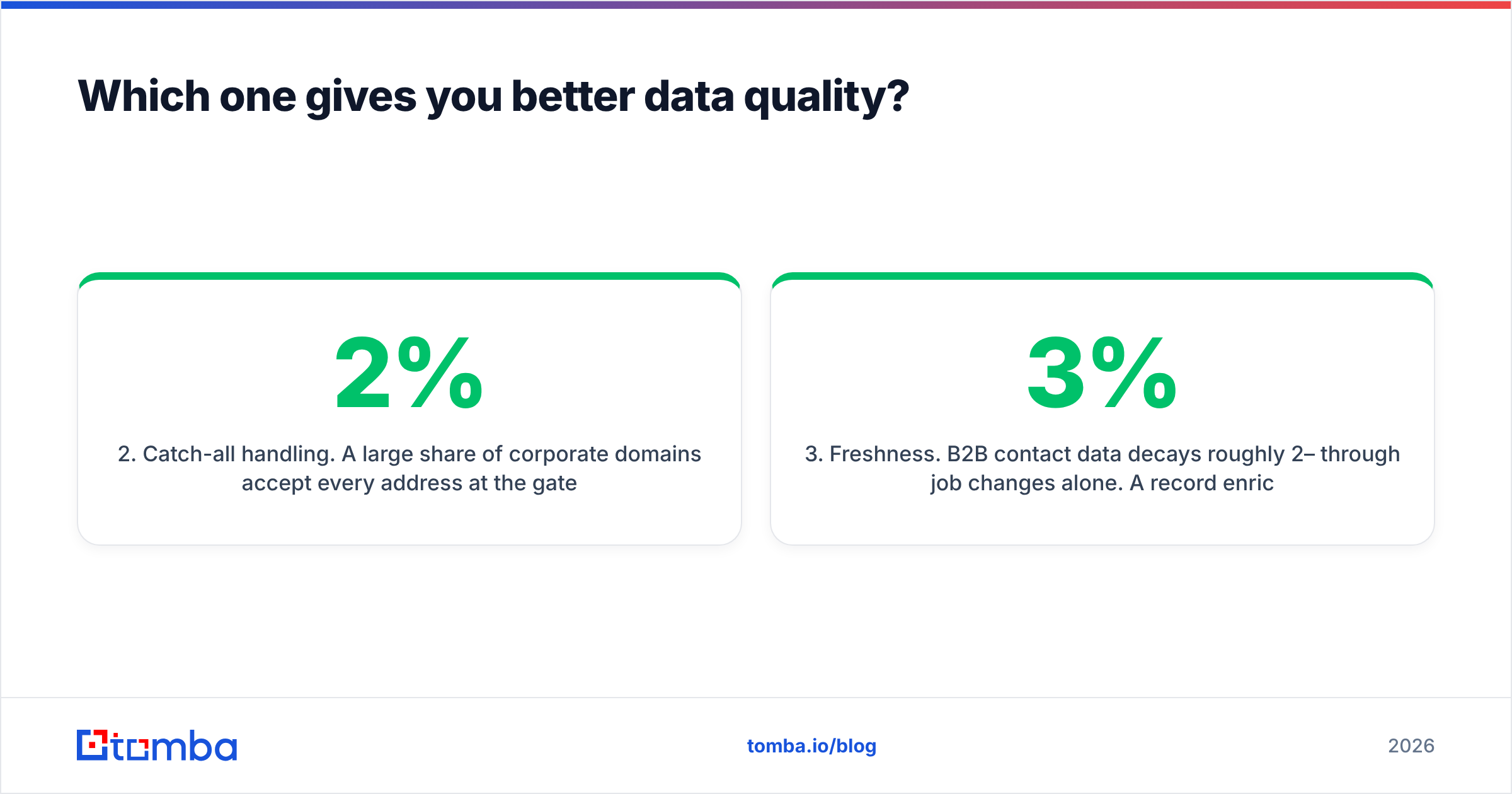
- Catch-all handling. Many corporate domains accept every address at the gateway. A naive verifier calls them valid, and your bounce report tells you the truth later. A dedicated catch-all verifier is the gap between a 2% and a 9% bounce rate.
- Freshness. B2B data decays about 2–3% per month from job changes alone. A record enriched eight months ago is a worse bet than one enriched last week.
- Role-based addresses. info@, sales@, and support@ inflate "found" counts and sink reply rates. Filter them out early.
- Confidence scores. A score helps only if you can set a threshold and route weak rows to a second source.
Want to know how a provider sources and refreshes records? Look for a published methodology. Tomba documents its data sources, and it is fair to ask any vendor for the same.
What does each actually cost in 2026?#
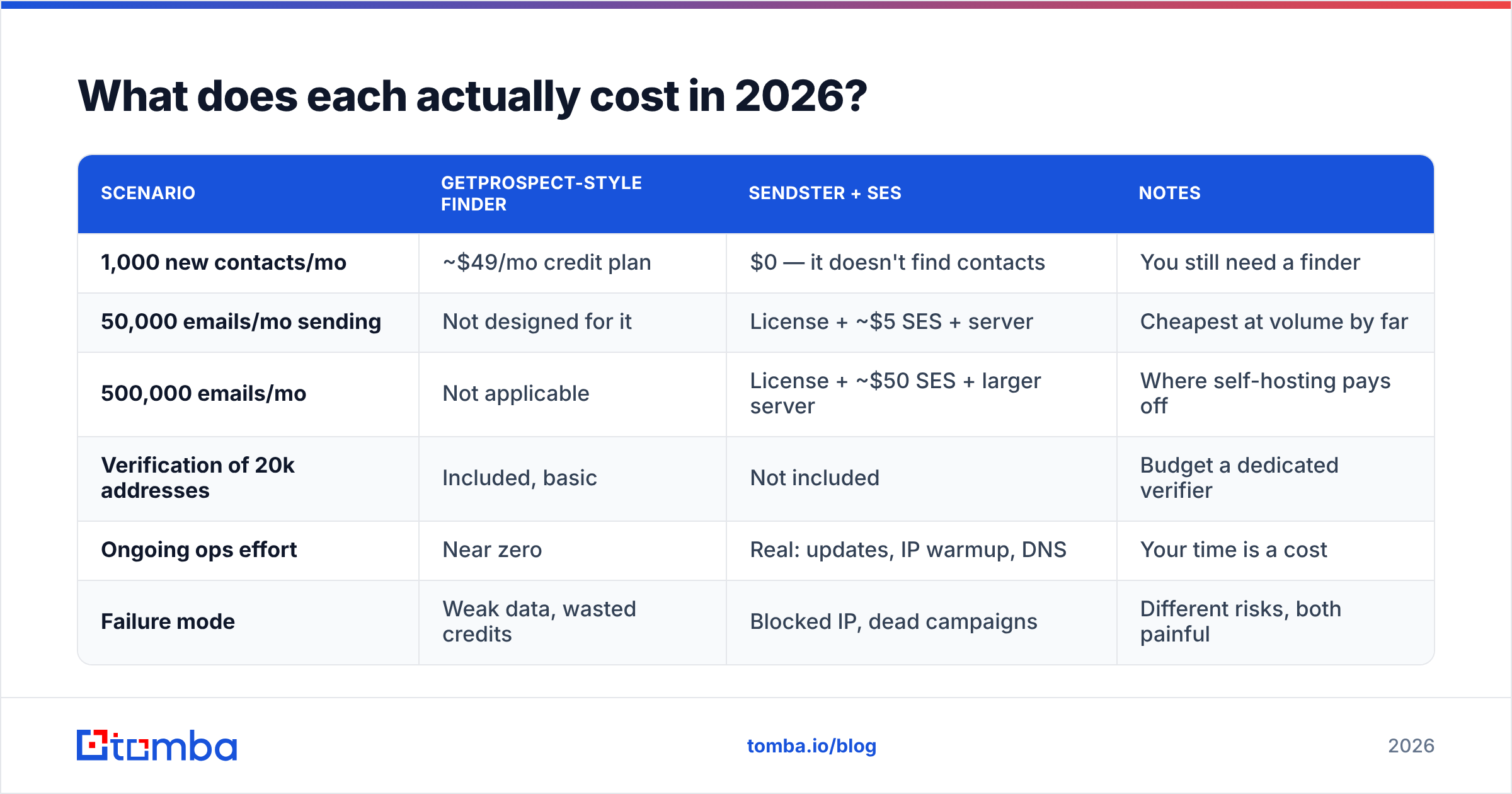
The two models bill on different units. GetProspect charges per contact found. Sendster charges once for the software, and then you pay per email sent. That is why the cost math splits so fast.
| Scenario | GetProspect-style finder | Sendster + SES | Notes |
|---|---|---|---|
| 1,000 new contacts/mo | ~$49/mo credit plan | $0 — it doesn't find contacts | You still need a finder |
| 50,000 emails/mo sending | Not designed for it | License + ~$5 SES + server | Cheapest at volume by far |
| 500,000 emails/mo | Not applicable | License + ~$50 SES + larger server | Where self-hosting pays off |
| Verification of 20k addresses | Included, basic | Not included | Budget a dedicated verifier |
| Ongoing ops effort | Near zero | Real: updates, IP warmup, DNS | Your time is a cost |
| Failure mode | Weak data, wasted credits | Blocked IP, dead campaigns | Different risks, both painful |
The trap in the self-hosted column is that the one-time license only covers the software. You still pay for a VPS and for the SMTP provider. You also pay in hours: SPF, DKIM, and DMARC setup, IP warmup, and untangling a blocklist entry after one bad import.
New to sender reputation? Read up on email deliverability and sender reputation before you treat the savings as free money.

Who should choose GetProspect?#
Pick GetProspect if all of these are true:
- Your bottleneck is list building, not sending volume. You send a few hundred to a few thousand targeted touches a month, not a newsletter blast.
- Your prospecting starts in LinkedIn Sales Navigator. You want an extension that turns a saved search into an exportable list.
- You want the whole thing hosted, supported, and updated by someone else.
- Your team is small enough that per-credit pricing stays under control.
Pick something else if you need heavy API throughput at a predictable cost. Same if your ICP sits outside the vendor's strongest regions, or if catch-all enterprise domains fill your target list. In that case, compare finders on match rate for your domains, not on published averages. Review sites like G2 help you spot repeat complaints. Treat single reviews as anecdotes, not benchmarks.
Who should choose Sendster?#
Pick Sendster if all of these are true:
- You already have a list, and the recurring ESP bill is the thing that hurts.
- You are comfortable running a server. Cron jobs, PHP or Node runtimes, backups, TLS certs, and DNS records are routine for your team.
- You want full ownership of subscriber data for compliance or contract reasons.
- Your volume is high enough that per-recipient SaaS pricing dominates the bill. Below roughly 10,000 recipients, a managed ESP is usually cheaper once you price your own time.
Skip it for one-to-one cold outreach from individual mailboxes. Self-hosted bulk senders are built for broadcast, not for the personal, low-volume, reply-driven motion that cold email rewards. For background on the broadcast model, Wikipedia's email marketing overview is a decent neutral primer.
What does a complete stack actually look like?#
Neither tool alone gets you from "we should do outbound" to "we booked meetings." A working stack has four layers. Know which vendor owns each one:
- Targeting layer. Define the ICP, then build the account list. Output: companies and named people.
- Data layer. Turn names and domains into verified, reachable contacts. This is where an email finder and a verifier live.
- Sending layer. Deliver the messages. Managed ESP for broadcast, self-hosted for cost control, individual mailboxes for cold outreach. Sendster competes here.
- Feedback layer. Bounces, complaints, replies, and unsubscribes flow back into layers 1 and 2.
The layer most teams underfund is layer 2. It also decides whether layers 3 and 4 work at all. A great sending setup pointed at a 15%-bounce list will burn your domain in a week. A plain setup pointed at a clean list will still get delivered.
How should you decide between them?#
The GetProspect vs Sendster call comes down to one question: what breaks first if you do nothing?
- You will run out of qualified people to contact next month. That is a data problem. Buy a finder. GetProspect is a fair candidate, and so is any provider that beats it on match rate for your ICP.
- Your ESP invoice is climbing faster than revenue. That is an infrastructure problem. Sendster is genuinely cheaper at volume, if you can absorb the ops load.
- You are bouncing above 5%. That is a verification problem. Neither product fixes it alone. Clean the list first, then argue about tooling.
Buying the wrong layer is how teams end up with an expensive sender mailing a list nobody checked. Or with a rich database sitting in a CSV because nothing sends it.
Where does Tomba fit into this comparison?#
Tomba competes with GetProspect's half of the pipeline, not Sendster's. It is built for teams whose data needs are programmatic rather than manual.
Domain search returns every discoverable address at a company plus the detected email pattern. That helps when you map a buying committee instead of pulling one contact at a time. Catch-all domains go through a dedicated verification path instead of being waved through as valid. The same data is reachable from the API, a CLI, an MCP server, a Chrome extension, Google Sheets, Excel, and native HubSpot, Salesforce, and Pipedrive integrations. So enrichment can live inside your current workflow instead of becoming another manual export.
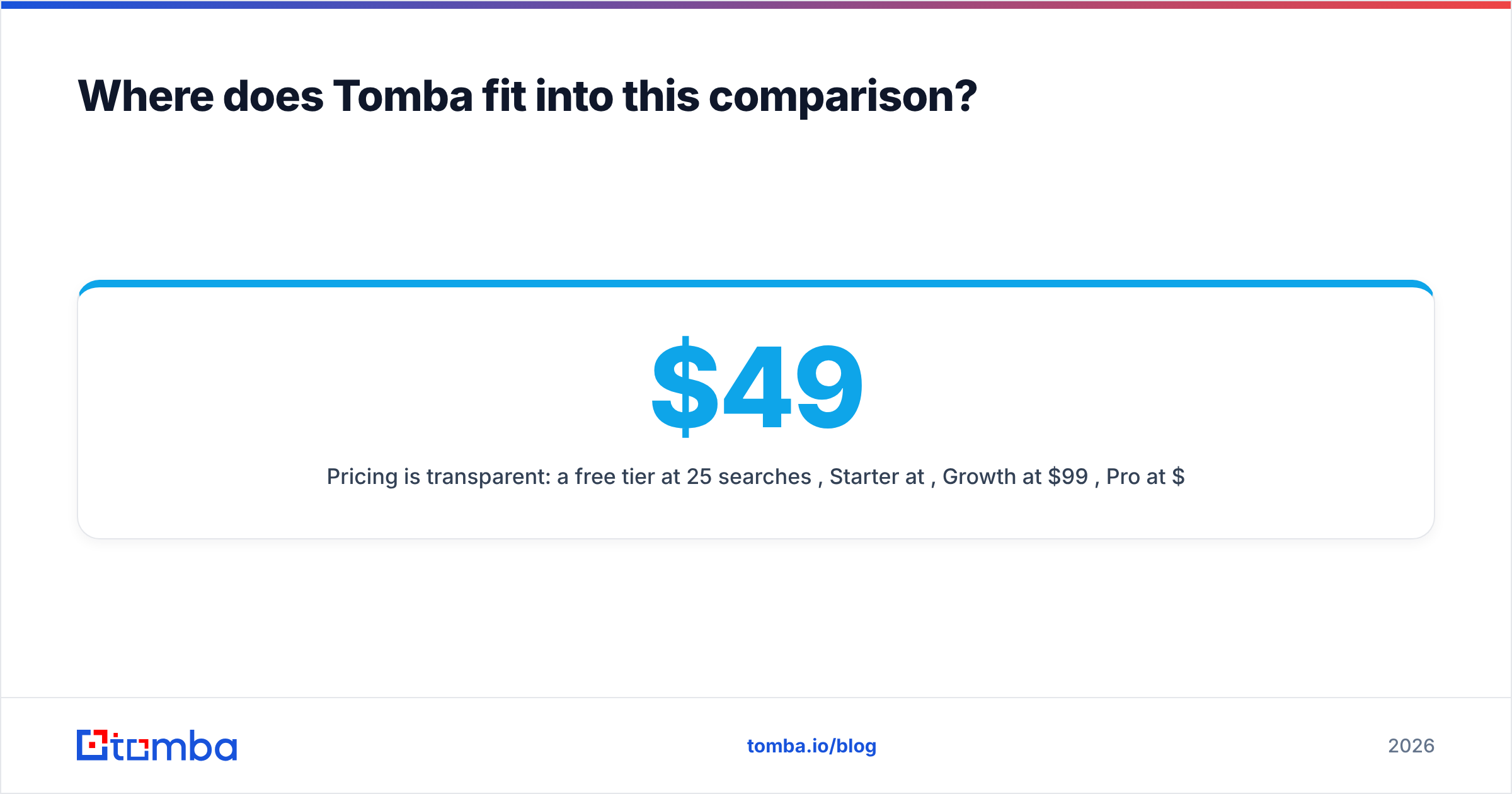
Pricing is public: a free tier at 25 searches per month, Starter at $49/mo, Growth at $99/mo, Pro at $249/mo, and custom Enterprise terms. Full Tomba pricing is listed, so you can model cost per verified contact before you commit.
The fastest GetProspect vs Sendster sanity check takes 20 minutes. Pull 50 target companies. Run them through the Tomba Email Finder free tier and through GetProspect's free tier. Verify both outputs, then compare deliverable addresses, not "found" counts. Whichever tool wins on verified addresses per dollar should feed your sender, whether that sender is Sendster, a managed ESP, or a rack of warmed mailboxes.
Related guides#
Ready to find emails that actually work?
Join 150,000+ professionals who stopped guessing and started sending. Free credits on signup — no credit card required.
Get the Tomba newsletter
Practical outbound tactics and product updates — once every two weeks.
About the author