GetProspect vs Snappy Leads: Which Email Finder Wins?
GetProspect and Snappy Leads both promise verified B2B emails, but they solve different problems. Here is how they compare on accuracy, credit models, real cost, and the workflows each one actually fits.
TL;DR
- GetProspect is a database-plus-Chrome-extension play: you filter a large contact index, export lists, and enrich in bulk. Best when you want volume and a self-serve list builder.
- Snappy Leads is a lighter, lookup-first tool aimed at people who want a fast email for a specific person or domain without buying into a full sales platform.
- Neither wins on every axis. GetProspect wins on filtering depth and CRM-style list management. Snappy Leads wins on simplicity and speed-to-first-email.
- The real differentiator is not "who has more contacts" — it is verification behavior on catch-all domains, which is where most of your bounce rate comes from.
- If you need an API-first finder with a verifier attached and predictable pricing, run a third bake-off candidate before you sign an annual deal.
Choosing between two email finders usually comes down to a question nobody asks upfront: are you building lists, or resolving contacts? GetProspect and Snappy Leads sit on opposite ends of that line, and picking the wrong one means paying for capability you never touch.
What is GetProspect and who is it built for?#
GetProspect is a B2B contact platform that combines a searchable database, a LinkedIn Chrome extension, and a lightweight CRM layer for organizing exported lists. You filter by job title, industry, headcount, location, and technology, then pull contacts into named lists inside the app.
The workflow is list-first. You are not usually typing one name at a time — you are constructing a segment ("Head of Growth, SaaS, 50-200 employees, US") and exporting a few hundred rows at once. The built-in list management means you can dedupe, tag, and hand off to a sequencer without a spreadsheet detour.
Where it gets uneven: database tools are only as fresh as their last crawl. Job-change churn in B2B runs roughly 20-30% annually depending on the segment, so any static index degrades between refreshes. GetProspect verifies on export, which helps, but verification tells you whether a mailbox accepts mail — not whether the person still works there.
What is Snappy Leads and how is it different?#
Snappy Leads positions itself as a fast, no-friction way to find and verify business emails. The center of gravity is the single lookup: give it a name and a company domain, get a verified address back. Bulk upload exists, but the product is optimized for the person who needs twelve emails today, not twelve thousand this quarter.
That focus is a feature, not a limitation. If your prospecting is account-based — you already know the twenty companies and the four roles you care about — a database's filtering power is dead weight. You want resolution accuracy on named targets, and you want it without a two-week onboarding.
The tradeoff is discovery. Snappy Leads will not hand you a list of "everyone matching this ICP" the way a database index will. You supply the targets.

How do GetProspect and Snappy Leads compare head to head?#
Here is the practical breakdown. Treat pricing as directional — both vendors change plans, and you should confirm current numbers on their own pages before committing.
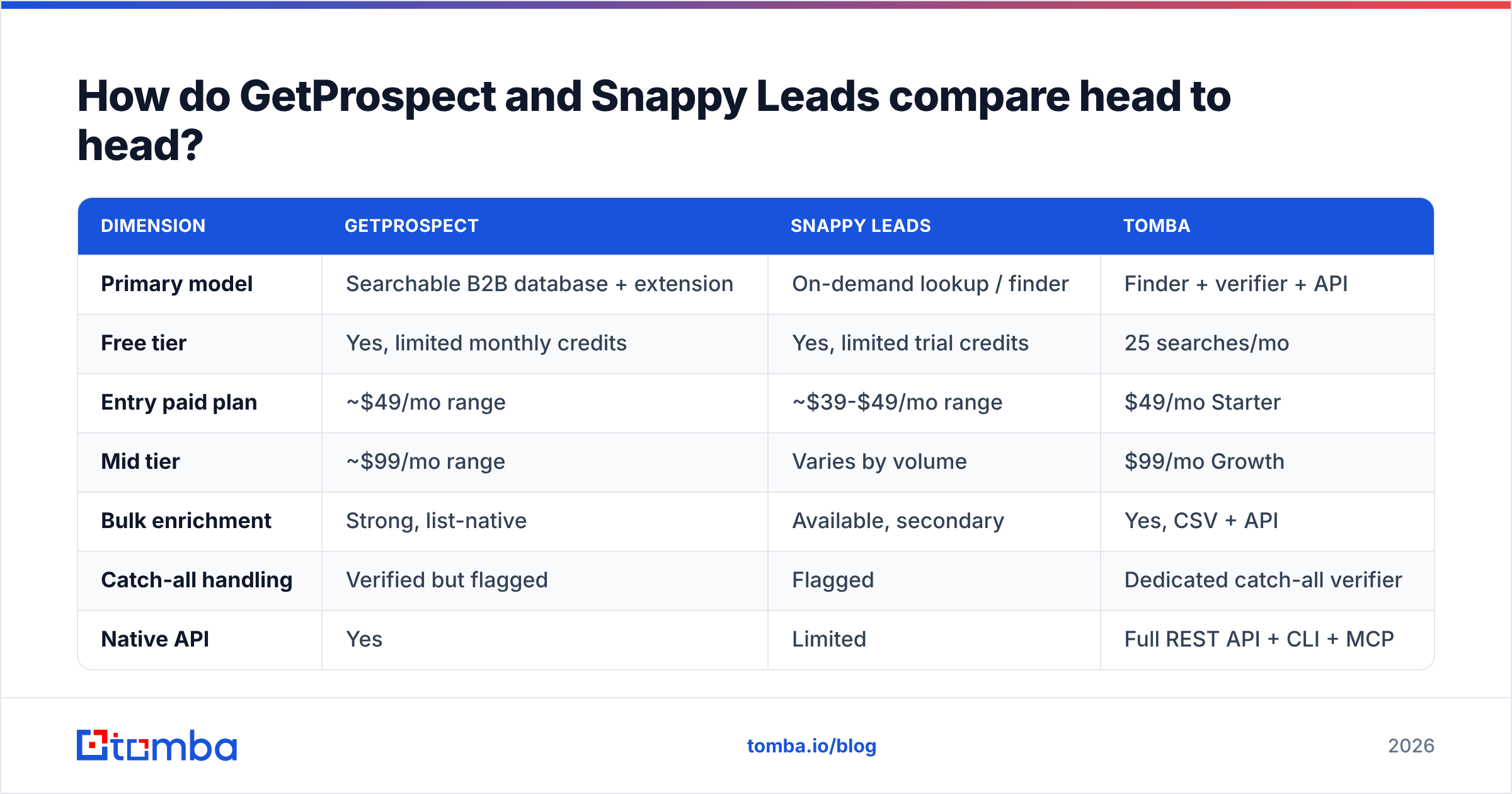
| Dimension | GetProspect | Snappy Leads | Tomba |
|---|---|---|---|
| Primary model | Searchable B2B database + extension | On-demand lookup / finder | Finder + verifier + API |
| Free tier | Yes, limited monthly credits | Yes, limited trial credits | 25 searches/mo |
| Entry paid plan | ~$49/mo range | ~$39-$49/mo range | $49/mo Starter |
| Mid tier | ~$99/mo range | Varies by volume | $99/mo Growth |
| Bulk enrichment | Strong, list-native | Available, secondary | Yes, CSV + API |
| Catch-all handling | Verified but flagged | Flagged | Dedicated catch-all verifier |
| Native API | Yes | Limited | Full REST API + CLI + MCP |
| LinkedIn extension | Yes | Yes | Yes |
| Built-in list CRM | Yes | Minimal | Lists + integrations |
| Best fit | ICP list building at volume | Fast one-off resolution | Programmatic + hybrid workflows |

The table exposes the actual decision. If three or more rows in the GetProspect column describe things you will use weekly, the database model earns its price. If you only care about rows four and five, you are overpaying for an index you never query.
Which one is more accurate in practice?#
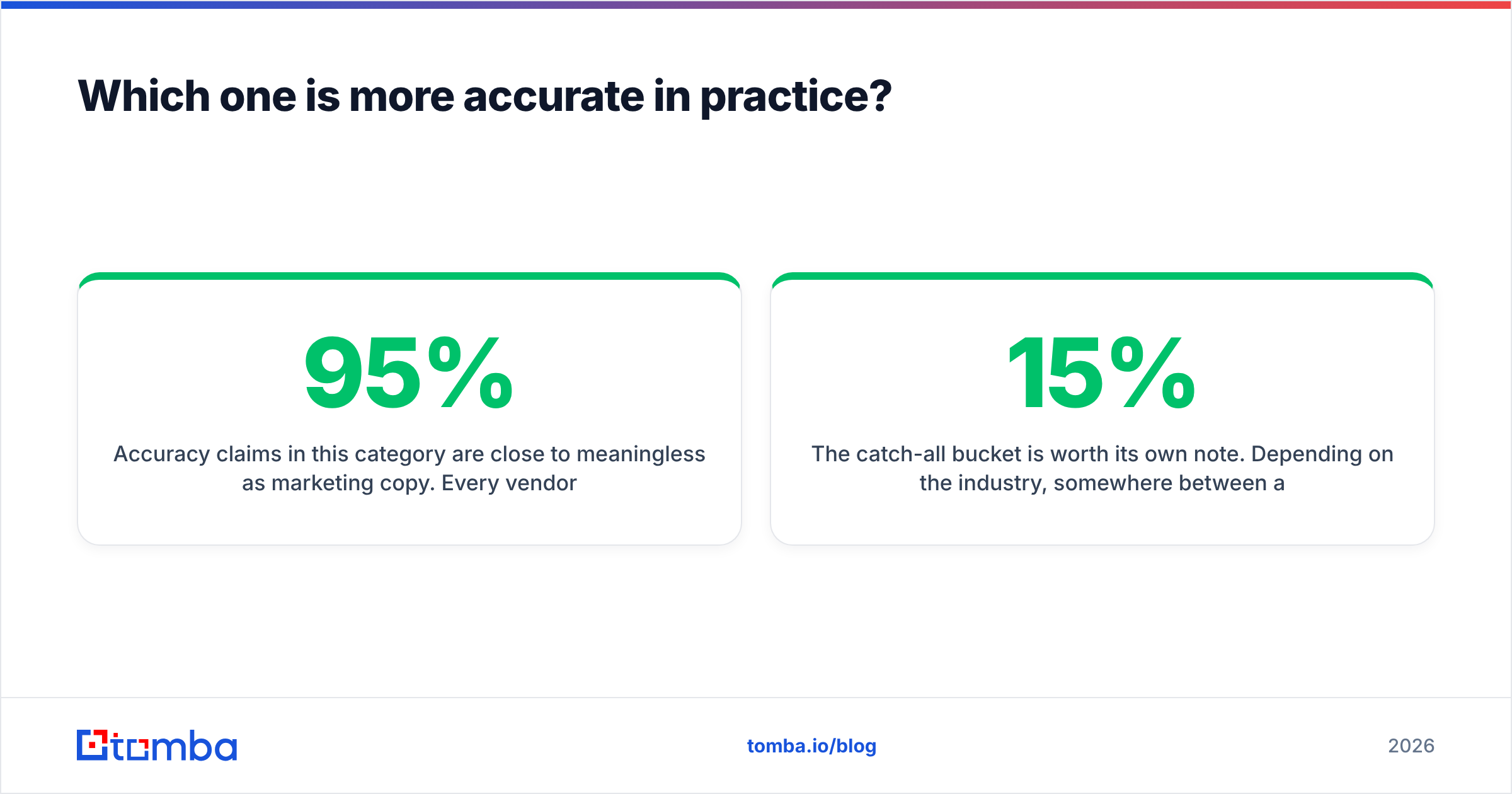
Accuracy claims in this category are close to meaningless as marketing copy. Every vendor publishes a number between 95% and 99%, and every number is measured on a sample the vendor chose. What matters is how each tool behaves on the four contact types that actually appear in your list.
Break your test list into these buckets before you run a trial:
- Standard corporate domains — a real mail server that accepts or rejects per-mailbox. Both tools handle these well. Expect near-parity; this bucket will not separate them.
- Catch-all domains — servers configured to accept mail at any address. This is where finders diverge hardest. A tool that returns "valid" on a catch-all without saying so is inflating its own accuracy stat and handing you the bounce.
- Role and generic addresses — info@, sales@, support@. Cheap to find, terrible to email. Check whether the tool flags them separately or quietly counts them as a win.
- Recently changed roles — people who moved in the last six months. Database-backed tools lag here; lookup-first tools that resolve live tend to lag less, but neither is immune.
- Non-English and hyphenated names — pattern generators break on diacritics and compound surnames more often than vendors admit.
Run 100 contacts across all five buckets through both tools plus a control. Then actually send to a subset and measure the real bounce rate, because a verifier's own confidence score is a prediction, not a result.
The catch-all bucket is worth its own note. Depending on the industry, somewhere between 15% and 25% of B2B domains run catch-all configurations, and standard SMTP verification cannot resolve them — the server says yes to everything. Tools that solve this use inference layers (pattern history, cross-source corroboration, engagement signals) rather than a single SMTP handshake. Tomba runs a dedicated catch-all verifier precisely because a binary valid/invalid answer on those domains is misleading.
What does each tool actually cost per usable email?#
Sticker price is the wrong metric. The number that matters is cost per deliverable, correctly-targeted email — which means dividing your monthly fee by the credits that survived verification and role-filtering.
Work it out like this:
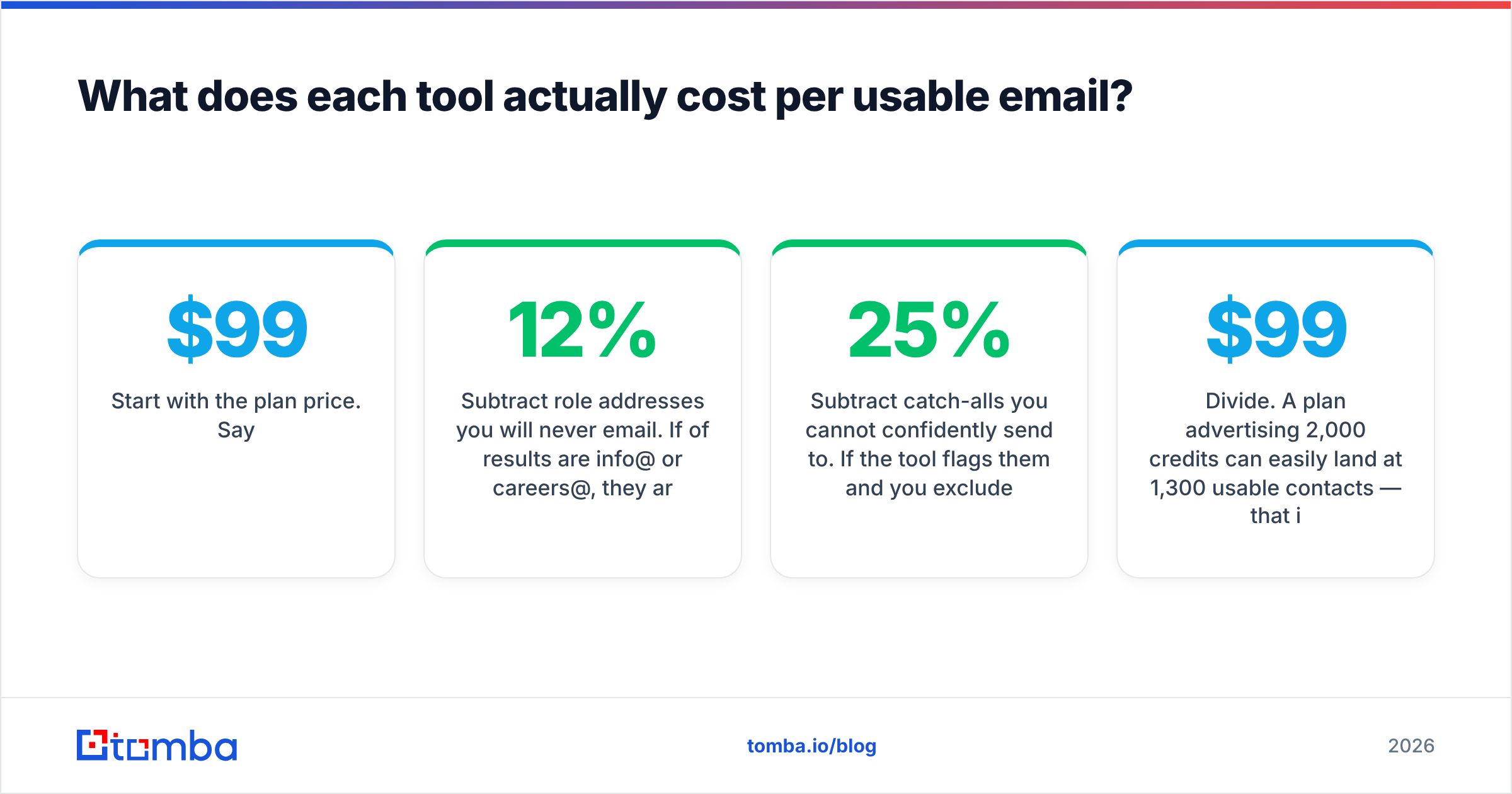
- Start with the plan price. Say $99/mo.
- Subtract credits burned on failed lookups. Some tools charge for a search that returns nothing; some do not. Ask directly, in writing.
- Subtract role addresses you will never email. If 12% of results are info@ or careers@, they are not leads.
- Subtract catch-alls you cannot confidently send to. If the tool flags them and you exclude them, that is 15-25% of the remaining pool.
- Divide. A $99 plan advertising 2,000 credits can easily land at 1,300 usable contacts — that is $0.076 each, not $0.05.
Both GetProspect and Snappy Leads have free tiers, which is the honest way to run this math without committing. Do not extrapolate from a 25-contact trial on domains you already know; the failure modes only appear at the edges of your ICP.
One more line item people forget: overage behavior. Some plans hard-stop at the credit ceiling, which kills a campaign mid-send. Others auto-charge. Neither is wrong, but you need to know which one you bought before the fifteenth of the month.
Is GetProspect better than Snappy Leads for cold outreach?#
For cold outreach specifically, the answer depends on how you source targets.
Choose GetProspect if: you run broad, ICP-defined outbound where the list itself is the deliverable. You want to filter 300 companies down to 900 named contacts without leaving one interface, tag them, and push to a sequencer. The list CRM layer removes real friction here, and the filtering depth is the product.
Choose Snappy Leads if: your targets come from somewhere else — an event attendee list, a partner referral spreadsheet, inbound demo requests, a scraped conference agenda — and you just need contacts resolved. Paying for database filtering you never open is a common and avoidable waste.
Choose neither, and look at a third option, if: you need this inside code. Automated enrichment on form submit, CRM backfill jobs, or a nightly cron that tops up missing contact fields is a different requirement than either tool leads with. That is an API problem, and it needs an email finder API with documented rate limits, a verifier on the same endpoint, and SDKs you do not have to hand-roll.
There is also a hybrid pattern that works well: use a database tool for discovery, then run every exported address through an independent email verifier before it touches your sending domain. Verification by the same vendor that supplied the contact has an obvious conflict of interest — a second opinion on a 2,000-row export costs a few dollars and routinely catches 5-10% that the source marked clean.
How do these compare to the broader email finder market?#
GetProspect and Snappy Leads are both mid-market picks, and the category around them is crowded. A few reference points worth knowing:
- Apollo and similar all-in-ones bundle finding, sequencing, and dialing. Great if you want one vendor; expensive and rigid if you already own a sequencer. If that is your situation, an Apollo alternative focused purely on data is usually cheaper per contact.
- BookYourData takes a different route — curated, pre-verified B2B lists with a pay-as-you-go model and no monthly commitment. If your buying pattern is bursty rather than continuous, that structure fits better than any subscription, and it is a genuinely strong option for one-off campaign lists.
- Pure verification vendors (ZeroBounce, Bouncer, and peers) do not find anything — they only grade what you already have. Useful as the second opinion described above, not as a replacement for a finder.
- Developer-first tools like Tomba lead with the API, CLI, and MCP server, then add a UI. If your team writes code, that ordering matters more than the dashboard's polish.
Independent review aggregation on G2 is worth ten minutes here — filter reviews to companies your size, because a 5,000-seat enterprise's complaints have nothing to do with your five-person team.
What should you actually test before you buy?#
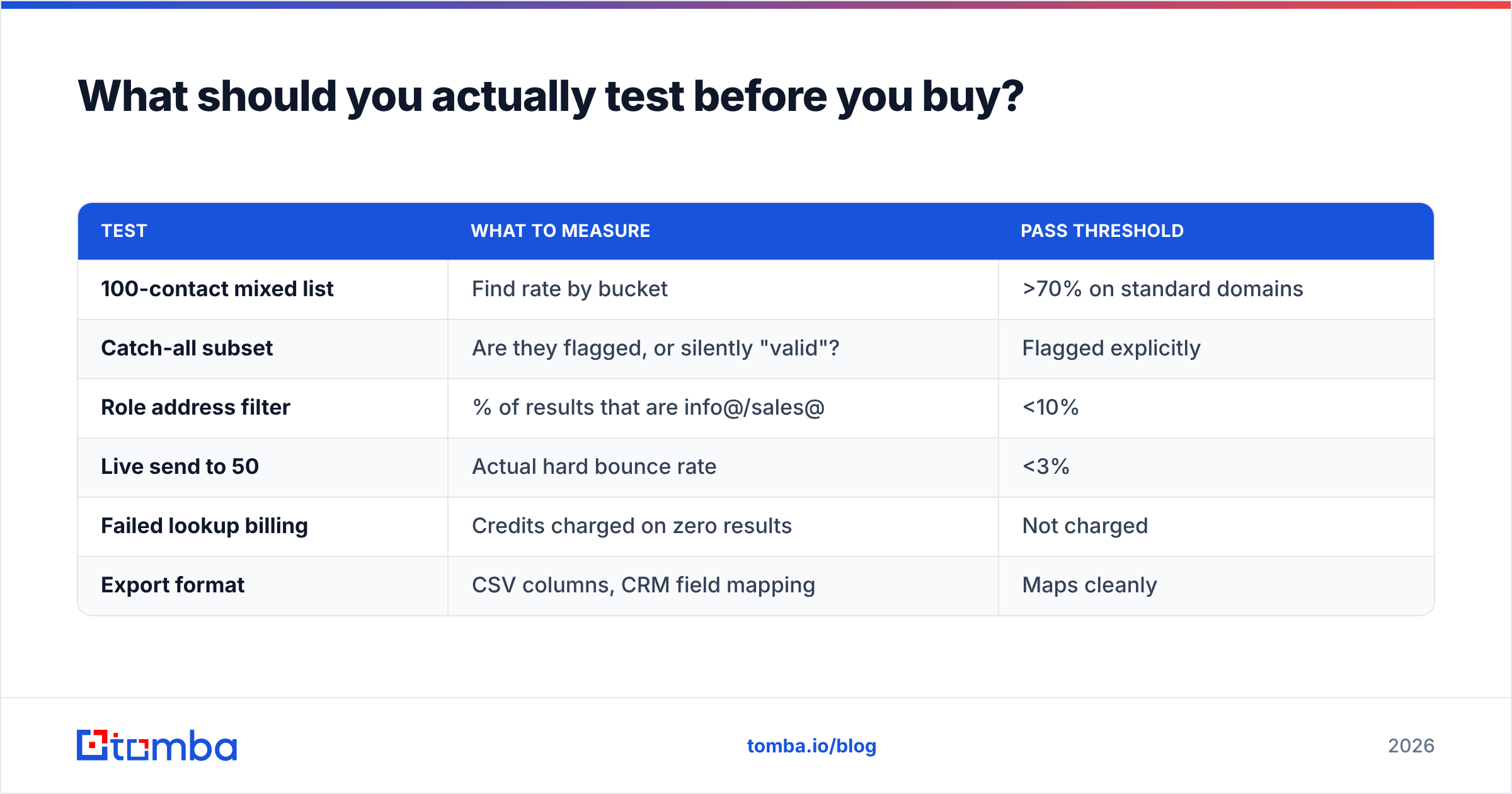
Run this in an afternoon, on free tiers only:
| Test | What to measure | Pass threshold |
|---|---|---|
| 100-contact mixed list | Find rate by bucket | >70% on standard domains |
| Catch-all subset | Are they flagged, or silently "valid"? | Flagged explicitly |
| Role address filter | % of results that are info@/sales@ | <10% |
| Live send to 50 | Actual hard bounce rate | <3% |
| Failed lookup billing | Credits charged on zero results | Not charged |
| Export format | CSV columns, CRM field mapping | Maps cleanly |
If a vendor cannot pass the catch-all and failed-lookup tests, the accuracy percentage on their homepage is not describing your use case. Also confirm where the data comes from — vendors that publish their data sources are easier to evaluate for GDPR and CCPA posture than ones that describe it as proprietary.
Which should you pick?#
Short version: GetProspect for list building at volume, Snappy Leads for fast targeted resolution, and a third tool if your requirement is programmatic.
The mistake to avoid is buying the bigger platform because it feels safer. A database subscription you use four times a month is worse value than a lookup tool you use daily — and both are worse than an API that quietly enriches contacts inside a workflow you already run.
Whatever you choose, decouple finding from verifying. Send from a domain you have warmed, verify with a vendor that did not also sell you the contact, and re-verify anything older than 90 days. That single discipline does more for reply rate than switching between any two finders on this page.
If your workflow leans toward the API-and-verifier end of the spectrum, start with the Tomba Email Finder — the free tier gives you 25 searches a month to run the bake-off above, the verifier and catch-all checks share the same credit pool, and Tomba pricing starts at $49/mo for Starter with no separate charge for the API. Run it as your control against GetProspect and Snappy Leads on the same 100 contacts, and let the bounce numbers decide.
Related guides#
Ready to find emails that actually work?
Join 150,000+ professionals who stopped guessing and started sending. Free credits on signup — no credit card required.
Get the Tomba newsletter
Practical outbound tactics and product updates — once every two weeks.
About the author