GetProspect vs Tailormails: Which B2B Email Tool Wins in 2026
GetProspect finds the addresses. Tailormails writes the message. Here's an honest, side-by-side look at data quality, AI personalization, pricing and the hidden overlap between the two.
TL;DR
- GetProspect and Tailormails solve different halves of the same problem. GetProspect is a B2B contact database and LinkedIn-based email finder. Tailormails is an AI personalization layer that writes the opening lines and sequences you send to those contacts.
- If you only buy one, buy the one that fixes your actual bottleneck: bad data (finder) or bad copy (personalization). Sending brilliant AI copy to a 40% bounce list is the more expensive mistake.
- GetProspect's LinkedIn extension is genuinely useful for one-at-a-time sourcing; its weakness is verification depth and per-credit cost at volume.
- Tailormails is strongest for small teams sending fewer than a few thousand emails a month who want research-driven first lines without hiring an SDR to write them.
- Most teams end up running a finder + verifier + personalization stack. If you want the data half to be cheap, accurate, and API-first, Tomba's email finder covers it starting at $49/mo with a free tier to test against your own list.
What are GetProspect and Tailormails?#
They get compared because both show up in the same Google searches, not because they do the same job.
GetProspect is a B2B lead database with a Chrome extension. You search LinkedIn or filter a contact database by title, industry, headcount and geography, then export names with work emails attached. Its core promise is coverage: give it a person or a company, get back a professional address. You can see the current feature set on the official GetProspect site.
Tailormails sits one step later in the workflow. You feed it a contact — usually a LinkedIn profile or a company URL — and it generates personalized opening lines, icebreakers, or full cold email drafts based on what it can read about that person. The pitch is that generic mail-merge personalization ("I saw you work at {{company}}") no longer clears the bar in 2026, and AI research can produce something closer to what a good SDR would write.
So the honest framing of GetProspect vs Tailormails is not "which is better." It's: which gap in your outbound machine is currently costing you the most money?

How do GetProspect and Tailormails compare head-to-head?#
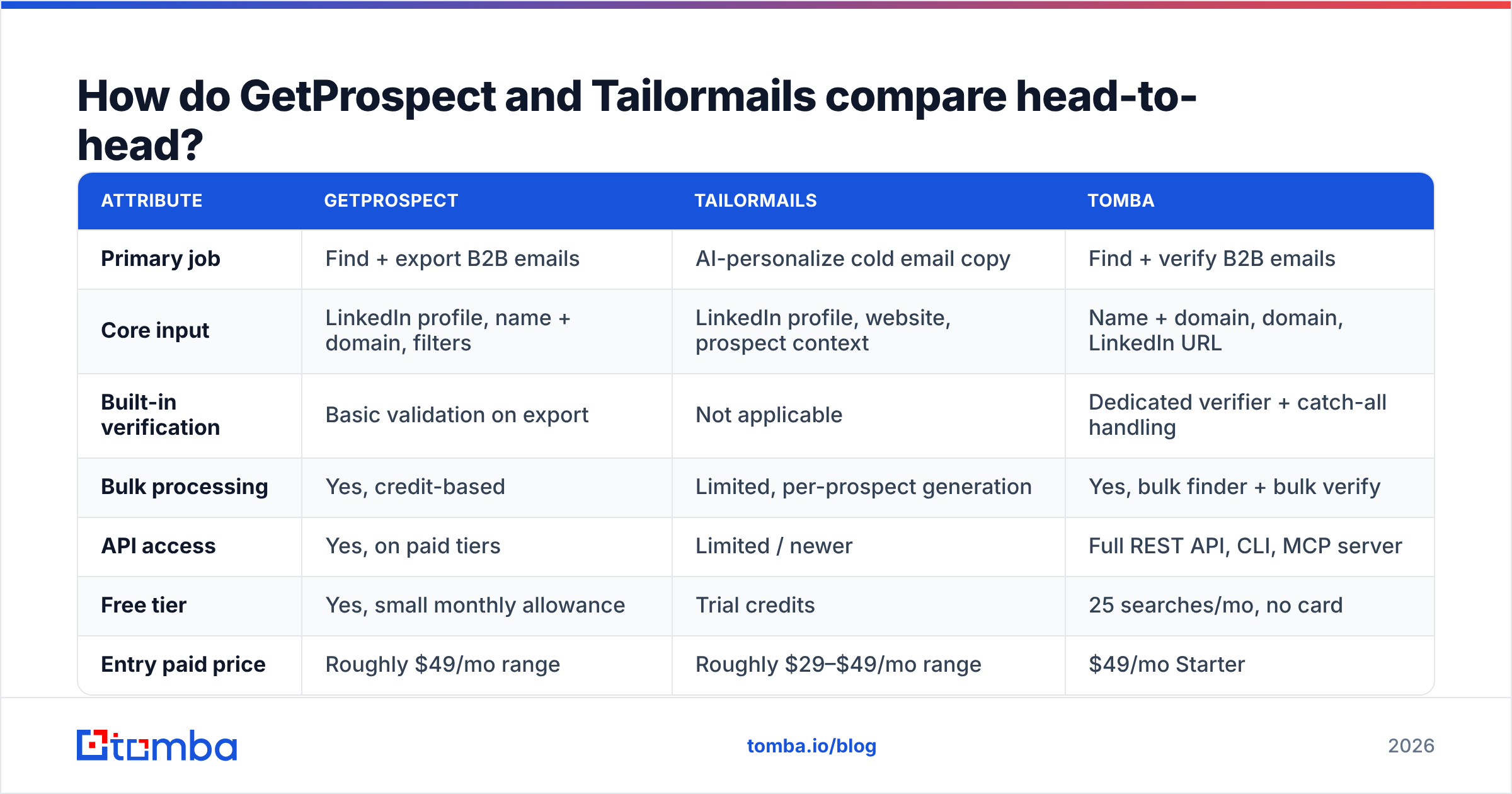
Here's the practical breakdown. Treat pricing as directional — every vendor on this list has repriced at least once in the last 18 months, so confirm on their own pricing pages before you commit.
| Attribute | GetProspect | Tailormails | Tomba |
|---|---|---|---|
| Primary job | Find + export B2B emails | AI-personalize cold email copy | Find + verify B2B emails |
| Core input | LinkedIn profile, name + domain, filters | LinkedIn profile, website, prospect context | Name + domain, domain, LinkedIn URL |
| Built-in verification | Basic validation on export | Not applicable | Dedicated verifier + catch-all handling |
| Bulk processing | Yes, credit-based | Limited, per-prospect generation | Yes, bulk finder + bulk verify |
| API access | Yes, on paid tiers | Limited / newer | Full REST API, CLI, MCP server |
| Free tier | Yes, small monthly allowance | Trial credits | 25 searches/mo, no card |
| Entry paid price | Roughly $49/mo range | Roughly $29–$49/mo range | $49/mo Starter |
| Best for | List building from LinkedIn | Reply-rate lift on small, high-value lists | Accuracy-first sourcing + verification at scale |
| Weak spot | Verification depth, credit burn | Doesn't source contacts at all | Not a sequencer — pairs with one |
The table makes the overlap obvious: there isn't much. GetProspect and Tomba compete. Tailormails competes with the personalization features baked into sending tools like Instantly, Smartlead, or Apollo sequences.
Which one actually finds more valid emails?#
Only one of the two finds emails at all, so the real question is: how good is GetProspect's data, and what does "good" mean in 2026?
Three numbers matter, and vendors love to blur them:
- Hit rate — of the contacts you searched, how many came back with any address. GetProspect scores well here because it leans on a large aggregated database plus pattern inference.
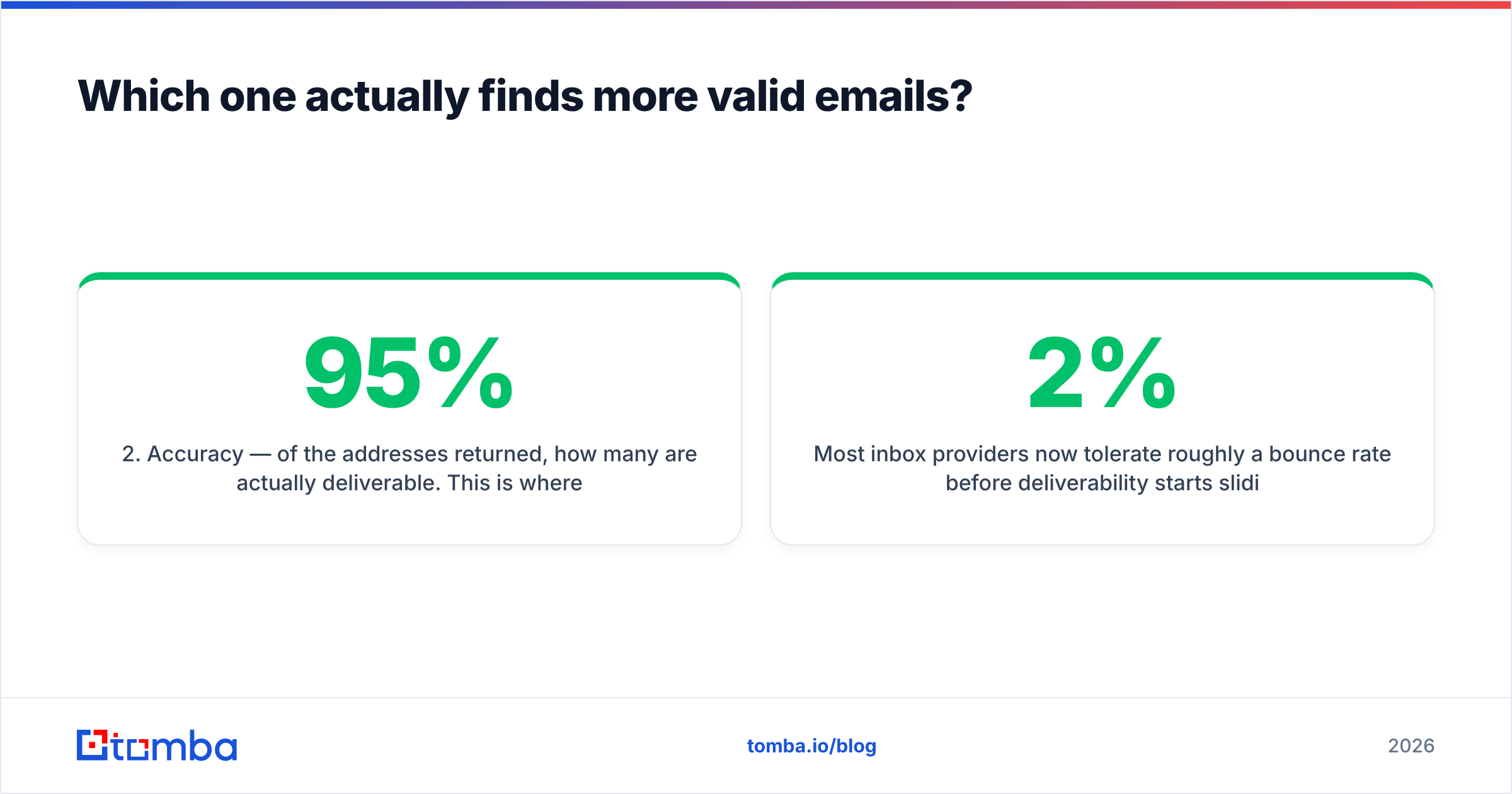
- Accuracy — of the addresses returned, how many are actually deliverable. This is where inferred-pattern results get punished. A tool can return
first.last@company.comfor every prospect and post a 95% hit rate while half those inboxes don't exist. - Bounce rate in production — the only number your sending domain cares about.
Most inbox providers now tolerate roughly a 2% bounce rate before deliverability starts sliding. Google and Microsoft both tightened bulk-sender enforcement in 2024–2025 and have not loosened since. That means a finder that hands you 1,000 addresses with 88% real deliverability is not "88% good" — it's a domain-reputation incident waiting to happen unless you run a second pass.
This is the practical reason to separate finding from verifying. Whatever finder you use, put a real email verifier between the export and the sequencer. Verification catches the pattern-guessed addresses, the role accounts, and the departed-employee records that every database carries. Catch-all domains need their own treatment — a plain SMTP ping returns "accept" for everything, which is why a dedicated catch-all verifier exists as a separate step.
If you're auditing your current provider, the test is cheap: pull 200 contacts you already have confirmed replies from, run them through the tool, and measure how many it returns correctly. Vendor-published accuracy percentages are marketing. Your own list is evidence.
Does AI personalization actually lift reply rates?#
Sometimes. The honest answer has conditions attached.
Tailormails-style personalization earns its keep when:
- Your list is small and expensive. Fewer than 500 prospects a month, average deal size in five figures. The per-email cost of AI research is trivial against the contract value.
- Your prospects have a public footprint. Founders, marketers, engineers who post. If your ICP is a plant manager with a dormant LinkedIn and no company blog, the AI has nothing to work with and produces the same hollow "I noticed your company does manufacturing" line a template would.
- You already have a working offer. Personalization amplifies a message that converts. It doesn't rescue one that doesn't.
It underperforms when:
- You're sending at volume. At 10,000 sends a month, per-prospect AI research is slow and expensive, and quality degrades to formula anyway.
- The first line is doing all the work. Buyers have seen thousands of AI icebreakers by now. A researched opener followed by a vague ask still gets deleted. HubSpot's ongoing sales research consistently points to relevance of the offer, not the compliment, as the main reply driver — their sales blog has years of data on this.
There's also a build-vs-buy angle. Personalization is increasingly a commodity feature. Most sequencers ship an AI-writing panel now, and free tools cover a lot of ground — a cold email AI writer or a subject line generator handles the same job for a lot of teams without another subscription line item.
Before paying for a dedicated personalization tool, ask whether your sending platform already does 80% of it.
How much do GetProspect and Tailormails cost in 2026?#
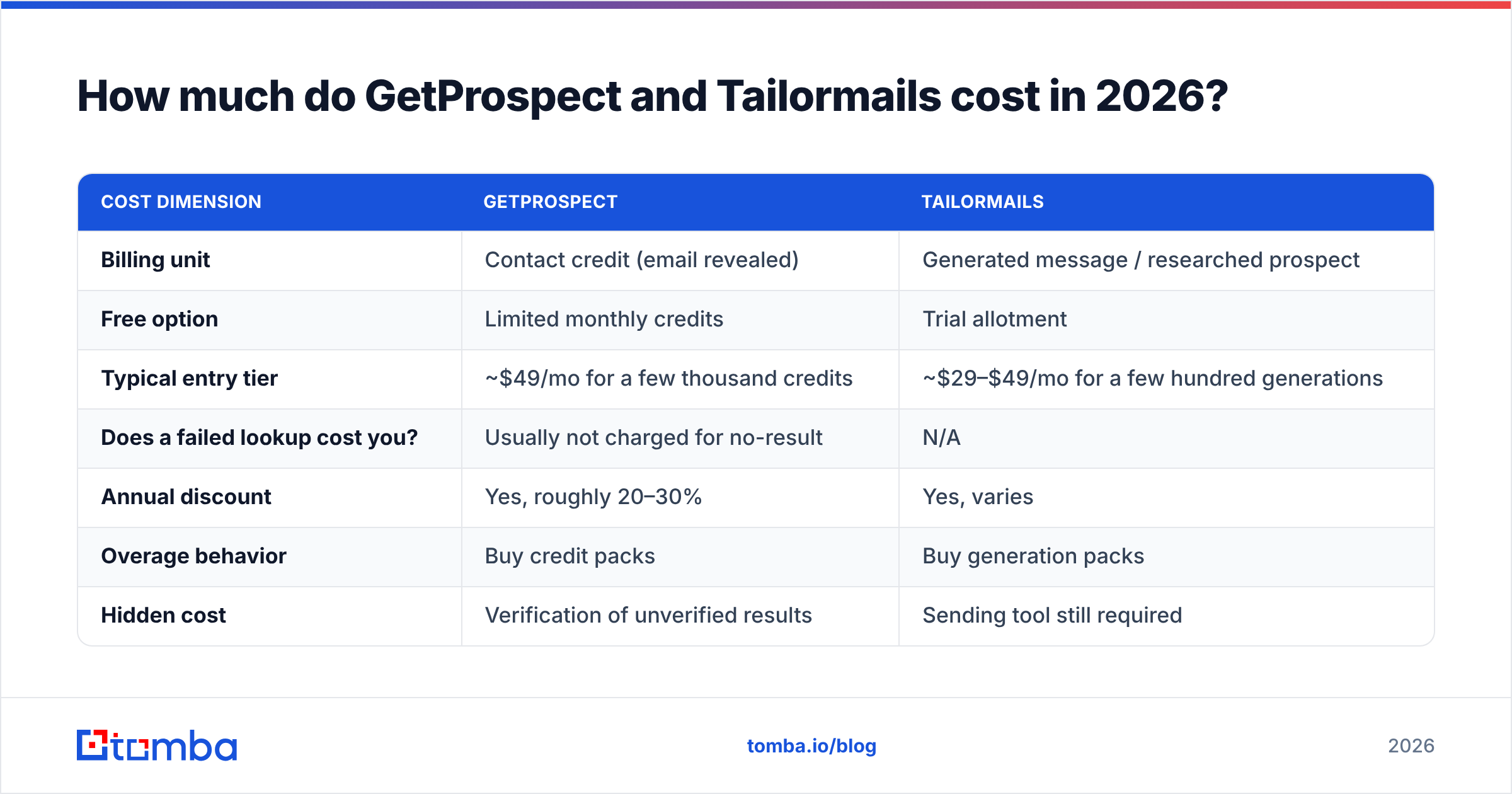
Pricing models differ enough that a straight monthly-fee comparison is misleading. GetProspect charges per contact credit. Tailormails charges per generated email or per prospect researched. Those units are not equivalent.
| Cost dimension | GetProspect | Tailormails |
|---|---|---|
| Billing unit | Contact credit (email revealed) | Generated message / researched prospect |
| Free option | Limited monthly credits | Trial allotment |
| Typical entry tier | ~$49/mo for a few thousand credits | ~$29–$49/mo for a few hundred generations |
| Does a failed lookup cost you? | Usually not charged for no-result | N/A |
| Annual discount | Yes, roughly 20–30% | Yes, varies |
| Overage behavior | Buy credit packs | Buy generation packs |
| Hidden cost | Verification of unverified results | Sending tool still required |
Two traps to watch:
Credit definitions drift. "10,000 credits" can mean 10,000 successful email reveals, 10,000 API calls including misses, or 10,000 rows of enrichment where each field costs a credit. Read the definition before comparing prices across vendors — it's the single biggest source of surprise bills in this category. For reference, Tomba's pricing runs Free (25 searches/mo), Starter $49/mo, Growth $99/mo, Pro $249/mo, and Enterprise custom, with searches and verifications counted separately.
Neither tool is a complete stack. GetProspect gives you data but no sending. Tailormails gives you copy but no data and no sending. Budget for all three layers or you'll discover the gap in week two. Independent review sites like G2 are useful here mainly for spotting the "we had to buy a second tool" complaints in recent reviews.
Which tool fits your team?#
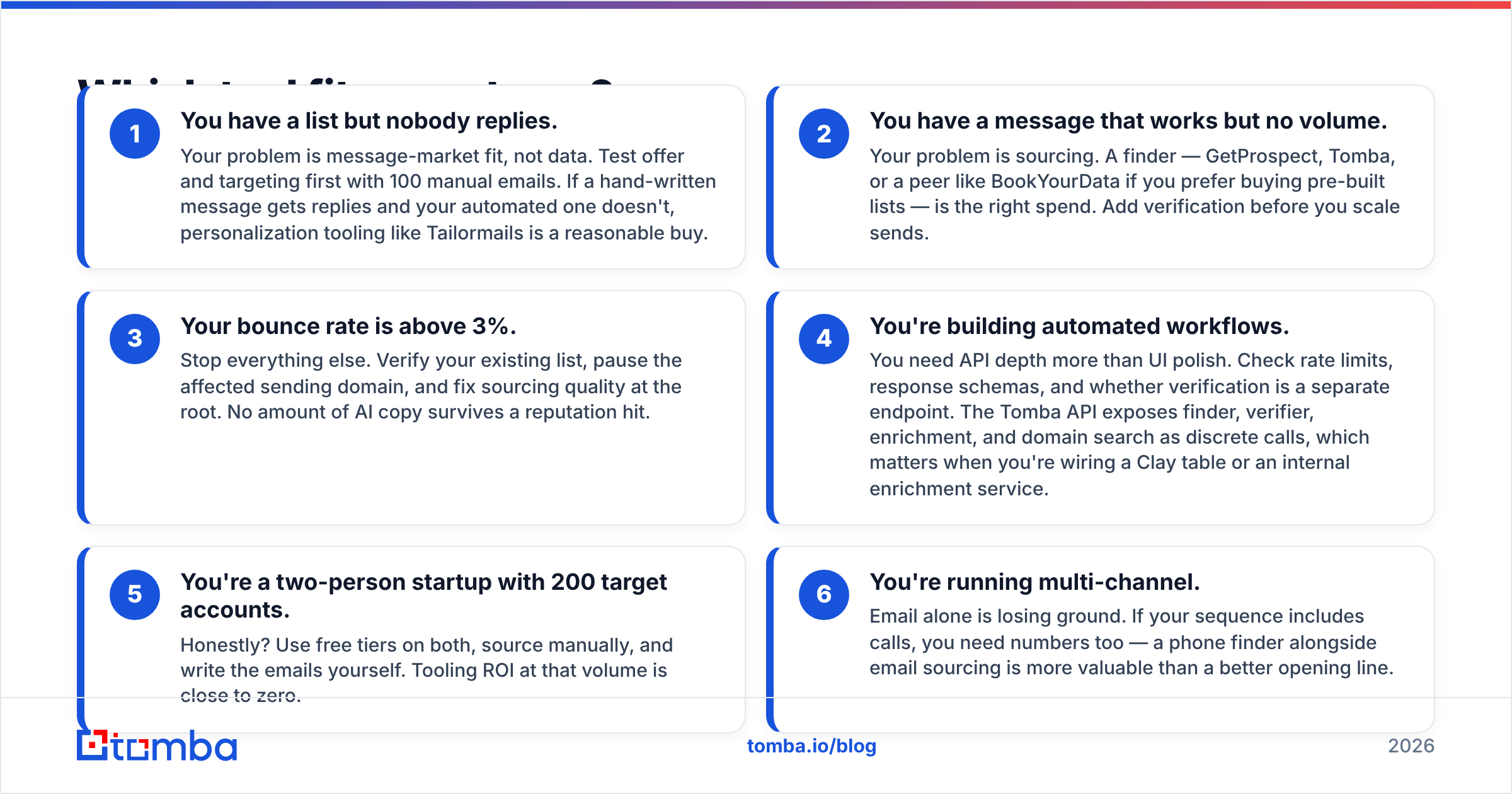
Pick by bottleneck, not by feature count.
- You have a list but nobody replies. Your problem is message-market fit, not data. Test offer and targeting first with 100 manual emails. If a hand-written message gets replies and your automated one doesn't, personalization tooling like Tailormails is a reasonable buy.
- You have a message that works but no volume. Your problem is sourcing. A finder — GetProspect, Tomba, or a peer like BookYourData if you prefer buying pre-built lists — is the right spend. Add verification before you scale sends.
- Your bounce rate is above 3%. Stop everything else. Verify your existing list, pause the affected sending domain, and fix sourcing quality at the root. No amount of AI copy survives a reputation hit.
- You're building automated workflows. You need API depth more than UI polish. Check rate limits, response schemas, and whether verification is a separate endpoint. The Tomba API exposes finder, verifier, enrichment, and domain search as discrete calls, which matters when you're wiring a Clay table or an internal enrichment service.
- You're a two-person startup with 200 target accounts. Honestly? Use free tiers on both, source manually, and write the emails yourself. Tooling ROI at that volume is close to zero.
- You're running multi-channel. Email alone is losing ground. If your sequence includes calls, you need numbers too — a phone finder alongside email sourcing is more valuable than a better opening line.
Where does Tomba fit in this comparison?#
Tomba competes directly with GetProspect on the data side and doesn't compete with Tailormails at all.
The differences that actually show up in daily use:
- Verification is native, not bolted on. Finder and verifier share the same pipeline, so an address that fails validation doesn't get exported as a "found" result and silently burn your reputation later.
- Catch-all handling is explicit. Roughly a third of B2B domains are catch-all. Tools that mark every catch-all as "valid" are inflating their accuracy stats. A separate catch-all path is a more honest answer.
- Distribution surface. Chrome extension, Google Sheets add-on, Excel add-in, CLI, REST API, and an MCP server for AI agents. If your workflow lives in a spreadsheet, you don't have to leave it.
- Pricing that doesn't punish failure. Searches that return nothing shouldn't cost the same as searches that return a verified inbox.
Where Tomba is not the answer: it isn't a sequencer, it doesn't warm up mailboxes, and it doesn't write your copy. Pair it with a sending platform you already trust.
What's the verdict on GetProspect vs Tailormails?#
They're complements, not competitors — and if forced to pick one, pick the finder. Data quality is upstream of everything. A perfect email to a dead address is worth zero; a decent email to a verified decision-maker is worth a meeting.
If your current pain is coverage or cost-per-verified-contact, evaluate GetProspect against Tomba on your own 200-contact control list and let the bounce numbers decide. If your data is already clean and your reply rate is stuck under 2%, that's a copy and targeting problem, and a personalization layer like Tailormails is a fair experiment for one quarter.
What you should not do is buy both, skip verification, and hope the AI compensates. That's the failure pattern behind most of the "cold email doesn't work anymore" posts you'll read this year.
Start with the data layer. Run 25 free searches through the Tomba Email Finder against contacts you already have confirmed — no card required — and see what accuracy actually looks like on your ICP before you spend another dollar on tooling. If the numbers hold up, Starter is $49/mo and includes verification in the same workflow, so your list is clean before it ever reaches your sequencer.
Related guides#
Ready to find emails that actually work?
Join 150,000+ professionals who stopped guessing and started sending. Free credits on signup — no credit card required.
Get the Tomba newsletter
Practical outbound tactics and product updates — once every two weeks.
About the author