GetProspect vs Verifyemail.io: Which Tool Should You Use?
One tool builds your list, the other only cleans it. Here is where GetProspect and Verifyemail.io actually overlap, where they don't, and which one belongs in your outbound stack in 2026.
TL;DR
- GetProspect vs Verifyemail.io is not a fair fight, because the two tools do different jobs. GetProspect is a lead database and email finder. Verifyemail.io is a verification API that cleans addresses you already have.
- If you have no list yet, Verifyemail.io cannot help you. If you have a 200k-row CSV from a trade show, GetProspect is overkill.
- Buying both means two subscriptions, two credit pools, and a CSV shuttle between them. That is the most common reason teams pay twice for one workflow.
- Verification only helps if the source data is good. A verifier that says "valid" on a stale address confirms the mailbox exists — not that the person still works there.
- If you want find + verify + enrich in one credit pool, a combined platform (Tomba's email finder and email verifier share the same plan) removes the handoff entirely.
GetProspect vs Verifyemail.io: what does each tool do?#
They solve two different halves of the same problem.
GetProspect is a B2B contact database with an email finder on top. You search by job title, company size, industry, or location. It returns people plus their work emails. It also ships a LinkedIn Chrome extension, a bulk CSV finder, and a light CRM view for the lists you build.
Verifyemail.io is a validation service. You feed it an address — one at a time by API, or in bulk by upload. It returns a status: valid, invalid, catch-all, disposable, or role-based. It does not source contacts. It has no database of people. It answers one question: will this address bounce?
Here is the analogy. GetProspect is the supermarket. Verifyemail.io is the food thermometer. One gets you the ingredients. The other tells you whether what you bought is safe to serve. So "which is better" only makes sense once you know which half of your kitchen is empty.

What does GetProspect actually do well?#
Four things carry most of the value:
- Filtered database search. You start from an ideal customer profile — "Heads of Demand Gen at 50-200 person SaaS companies in Germany" — and get a contact list without knowing a single name. A pure verifier can never do this.
- LinkedIn extraction. The extension pulls contacts off Sales Navigator results into your workspace. If your prospecting starts on LinkedIn, this saves real hours. (Tomba's LinkedIn finder does the same job.)
- Built-in list management. Lists, tags, and simple CRM fields live inside the tool. A solo founder can run outbound without buying a separate CRM on day one.
- A free tier to test with. Check whether their coverage matches your niche before you commit budget. That is the most important test for any data vendor.
The trade-off: GetProspect's own verification is bundled and opaque. You get emails marked "valid," but you have little control over how strict the check was. Catch-all domains are the usual grey zone.
What does Verifyemail.io actually do well?#
Verifiers are judged on four things, and Verifyemail.io competes on all of them:
- Syntax and MX checks. Cheap and fast. They catch typos and dead domains before you waste an SMTP ping.
- SMTP mailbox probing. The real test. Does the mailbox exist on the receiving server?
- Risk flags. Disposable domains (mailinator-style), role addresses (info@, sales@), and free-provider flags let you segment instead of delete.
- API-first delivery. Real-time checks on form submits are a different use case from list cleaning. This is where a dedicated verifier earns its keep.
The trade-off: it is a single-purpose tool. Buying it solves list hygiene and nothing else. And if your list came from a scraper, verification only proves the addresses exist. It cannot tell you the people are still in those roles, which is the more expensive kind of wrong.
GetProspect vs Verifyemail.io: head-to-head comparison#
Pricing and limits below reflect publicly listed plans at the time of writing. Both vendors change tiers, so check their pricing pages before you buy.
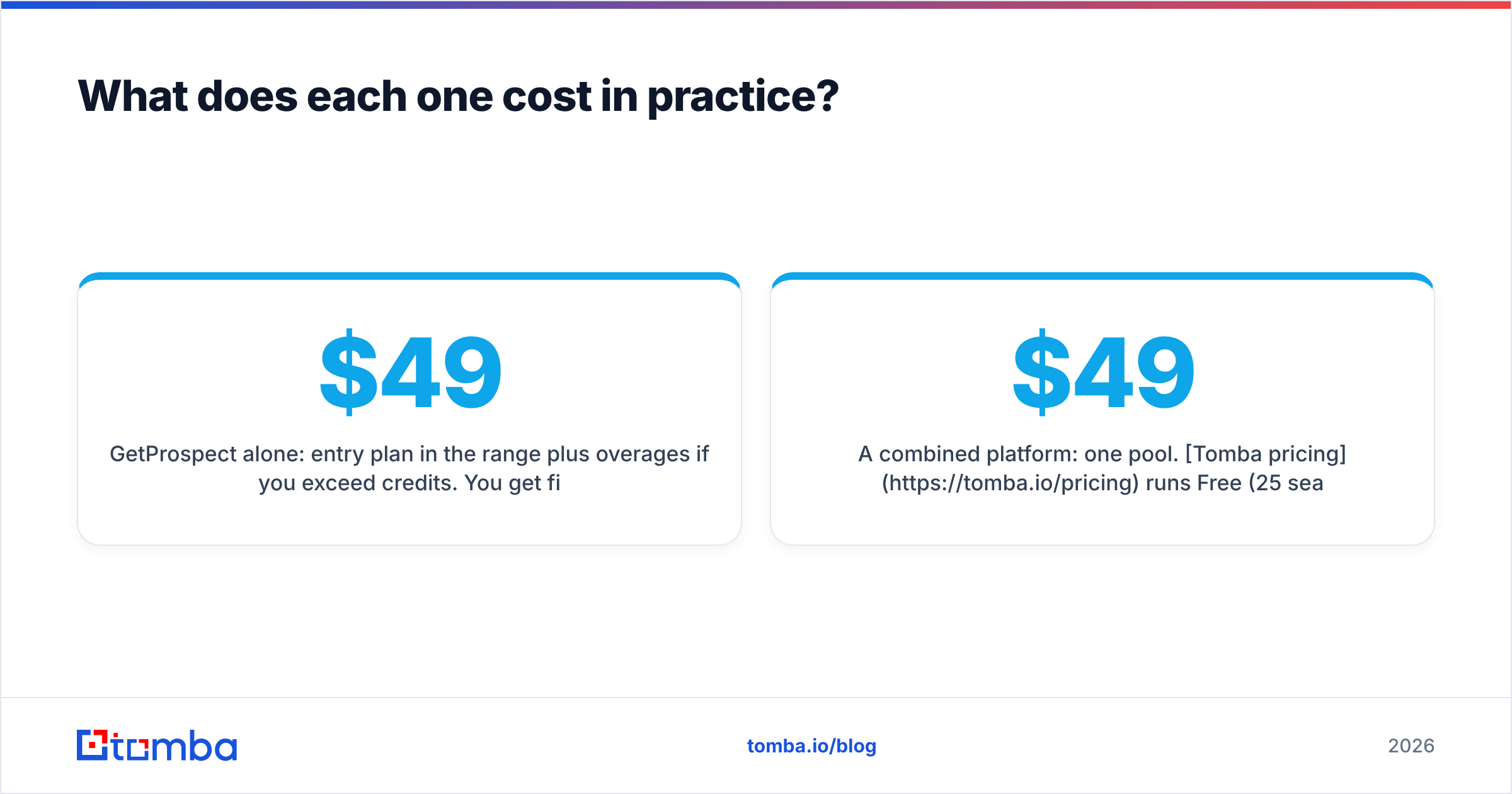
| Attribute | GetProspect | Verifyemail.io | Tomba |
|---|---|---|---|
| Primary job | Find + build lists | Verify existing lists | Find, verify, enrich |
| Contact database | Yes, filterable | No | Yes (B2B database) |
| Email verification | Bundled, limited control | Core product, granular statuses | Standalone verifier included |
| Catch-all handling | Flagged, often ambiguous | Flagged as accept-all | Dedicated catch-all verifier |
| LinkedIn extension | Yes | No | Yes |
| Domain search | Yes | No | Yes |
| Phone numbers | Limited | No | Yes (phone finder) |
| API | Yes | Yes, API-first | Yes (Tomba API) |
| Free tier | Yes, limited monthly credits | Free trial credits | 25 searches/mo |
| Entry paid plan | ~$49/mo range | Credit packs / PAYG | $49/mo Starter |
| Best for | Building lists from scratch | Cleaning lists you already own | Teams who need both |

That table is the whole article in one view: the two products barely overlap. The only shared row is verification. Even there they do different jobs. GetProspect verifies its own output. Verifyemail.io verifies anything you throw at it.
Which one is more accurate?#
Wrong question, but here is the useful version of it.
In the GetProspect vs Verifyemail.io debate, accuracy splits into two numbers that vendors love to blur together:
- Coverage (hit rate) — of 1,000 target contacts, how many emails did the tool return at all? This is a finder metric. Verifyemail.io has no score here, because it finds nothing.
- Precision (bounce rate) — of the emails returned, how many actually land? Both tools can be measured here. This is where verification earns its budget.
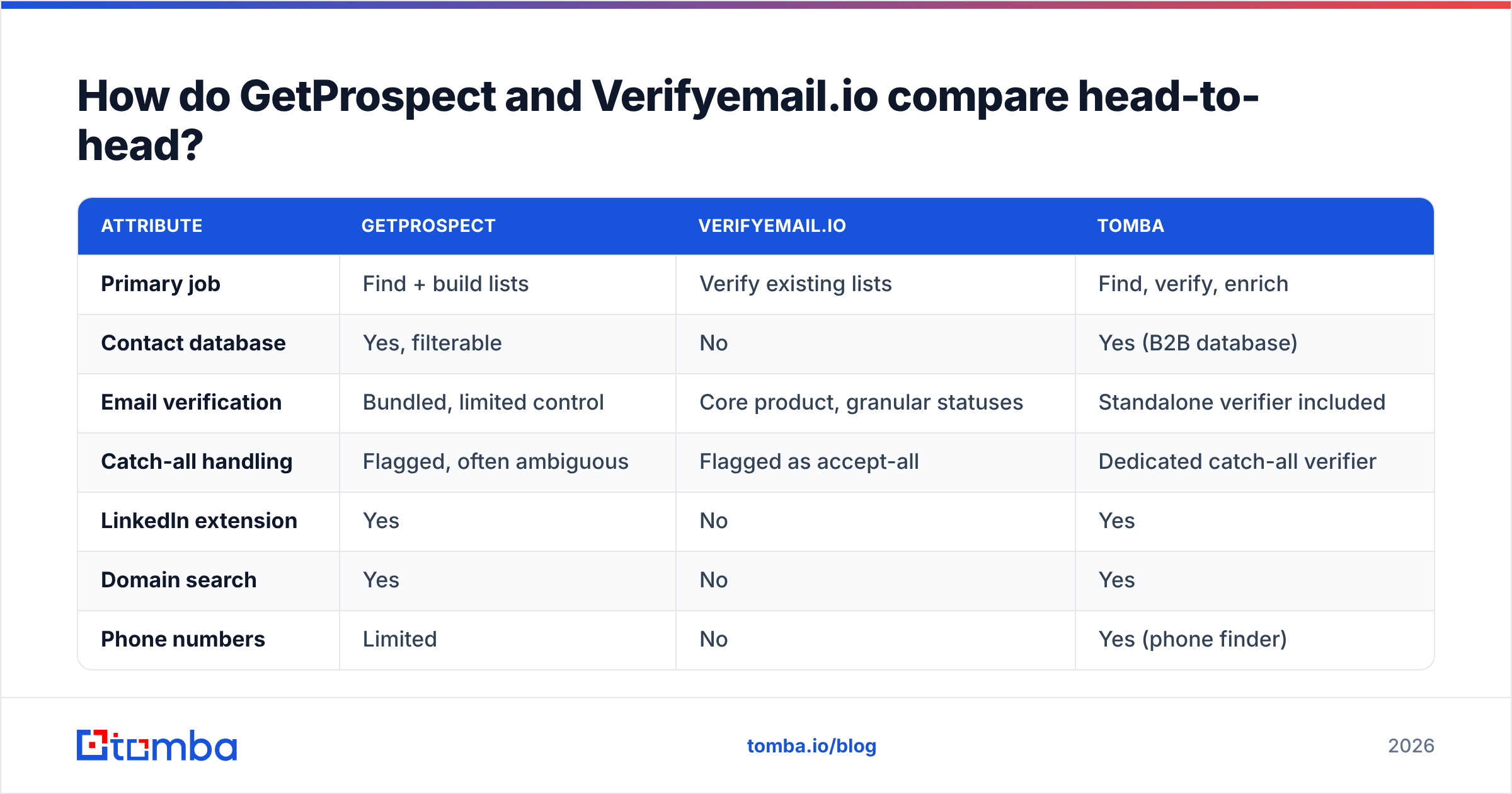
A finder with 70% coverage and a 2% bounce rate beats one with 90% coverage and a 12% bounce rate. Every time. The second tool is guessing patterns and handing you the guess. Above roughly 3-5% bounce, mailbox providers start to throttle you. At that point the price of the tool no longer matters — see how email deliverability drops once your bounce signal spikes.

Test it yourself instead of trusting any marketing page, including this one. Take 100 companies you know well and run them through each tool. Then check three things: how many contacts came back, how many bounced on a real send, and how many were role addresses padding the count. You can cross-check user reviews on G2, but treat star ratings as noise next to your own 100-row test.
One nuance most comparisons skip: catch-all domains. Roughly a fifth of business domains accept every address at the SMTP layer. So a verifier cannot prove the mailbox exists. Verifyemail.io marks these "accept-all" and hands the decision back to you. That is honest behaviour. It also means a big slice of your enterprise list stays unresolved unless your tool handles catch-alls on purpose.
What does each one cost in practice?#
Sticker price is the wrong unit. Cost per usable contact is the right one.
Run the numbers on a real month. Say you need 2,000 verified contacts:
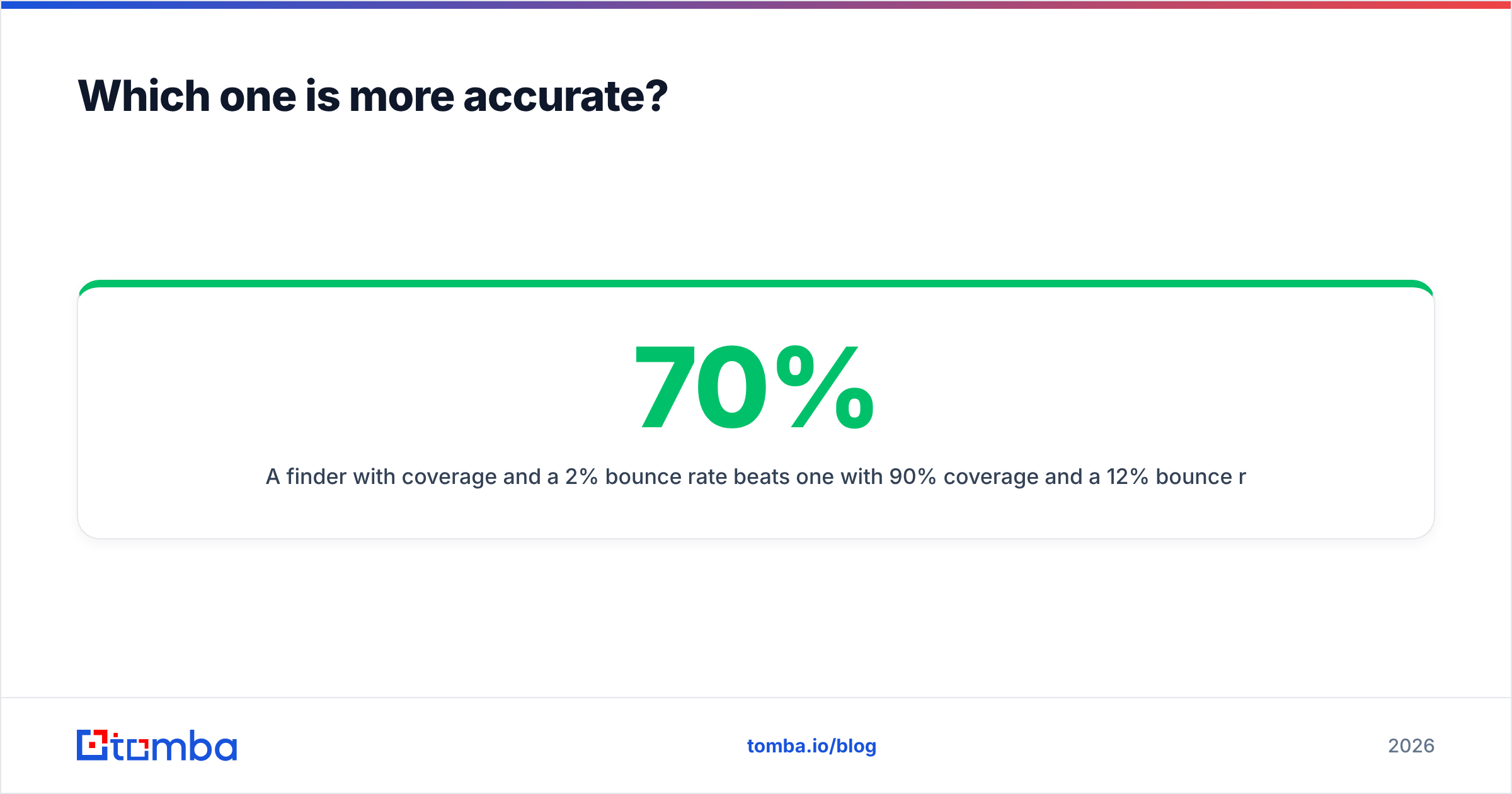
- GetProspect alone: entry plan in the $49/mo range, plus overages if you pass your credits. You get finding and basic verification. Bounce risk on catch-alls stays with you.
- Verifyemail.io alone: credit packs priced per check. Cheap per row. But you still need a source for the 2,000 contacts, and that costs something — a subscription, a scraper, or an SDR's afternoon.
- Both: two subscriptions, two credit pools that expire on their own clocks, and an export-import step in between. This is where teams quietly overspend. The credits never line up, so you over-buy on one side to avoid running dry on the other.
- A combined platform: one pool. Tomba pricing runs Free (25 searches/mo), Starter $49/mo, Growth $99/mo, and Pro $249/mo, with Enterprise custom. Finder, verifier, domain search, and enrichment all draw from the same plan.
So the real GetProspect vs Verifyemail.io cost gap is not the sticker price. It is the credit-pool mismatch. Two vendors means you are always over-provisioned on one and rationing the other.

GetProspect vs Verifyemail.io: when should you pick each one?#
Match the tool to what is missing from your stack.
Start with the gap in your data:
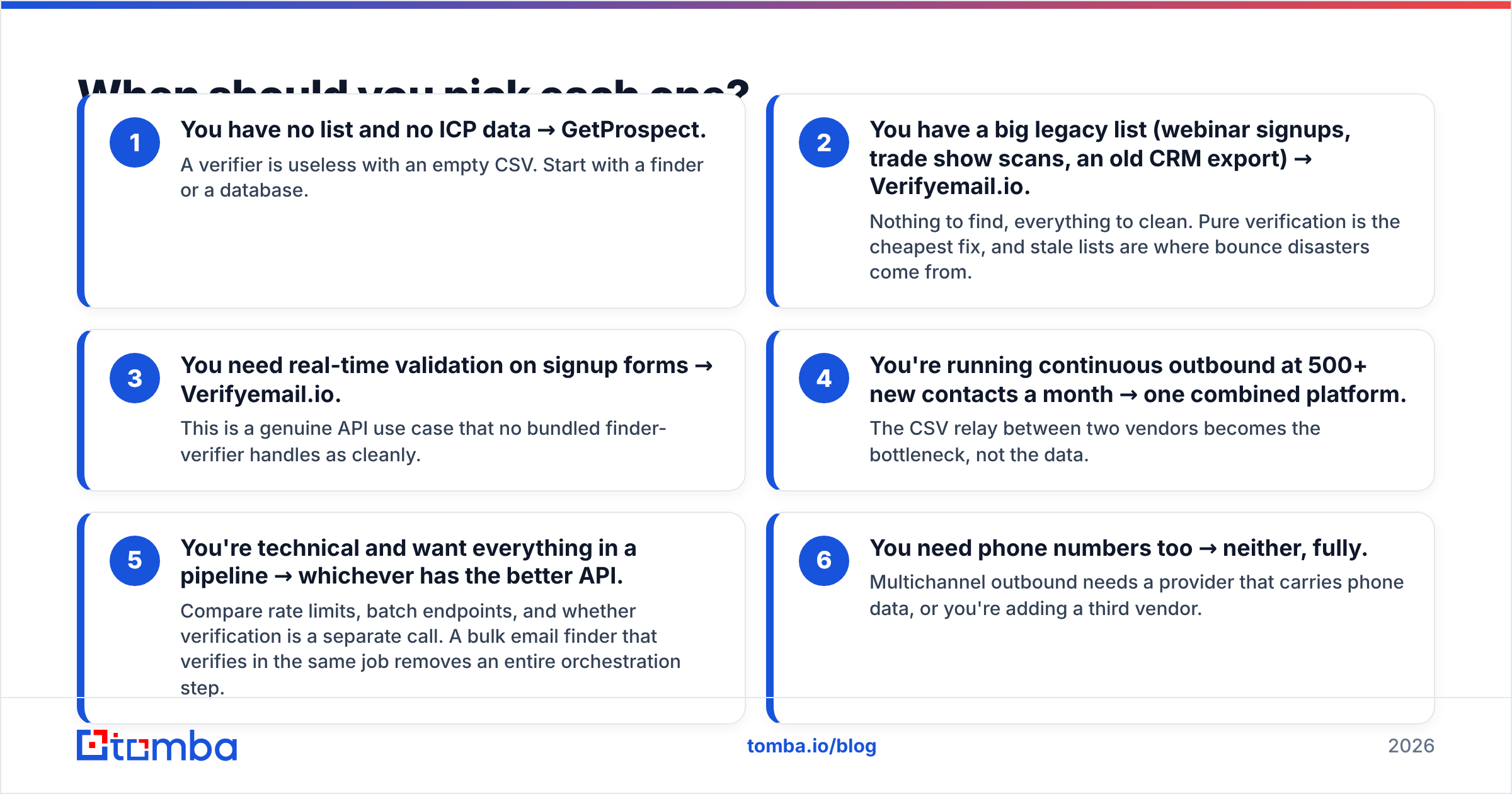
- No list and no ICP data → GetProspect. A verifier is useless with an empty CSV. Start with a finder or a database.
- A big legacy list (webinar signups, trade show scans, an old CRM export) → Verifyemail.io. Nothing to find, everything to clean. Stale lists are where bounce disasters come from.
- Real-time checks on signup forms → Verifyemail.io. This is a genuine API use case that no bundled finder handles as cleanly.
Then look at how you plan to scale:
- 500+ new contacts a month → one combined platform. The CSV relay between two vendors becomes the bottleneck, not the data.
- Everything in one pipeline → whichever has the better API. Compare rate limits, batch endpoints, and whether verification is a separate call. A bulk email finder that verifies in the same job saves you a step.
- You need phone numbers too → neither, fully. Multichannel outbound needs a provider that carries phone data, or you add a third vendor.
Is there a tool that does both jobs?#
Yes, and this is where the versus framing collapses.
People search "GetProspect vs Verifyemail.io" because they are trying to build a two-step workflow from two vendors. Find, then verify. It works, and plenty of teams run it. But the handoff costs you: two dashboards, two billing cycles, two support queues, and a manual export step that nobody remembers before a big send.
Combined platforms exist because that seam is annoying. Tomba, Hunter, Apollo, and others put finding and verification in one credit pool. The honest trade-off is depth. A dedicated verifier usually exposes more detailed statuses and more tuning than a bundled one. A dedicated database may have deeper filters than a finder-first tool. If verification detail is your bottleneck — you run a high-volume ESP and need every risk flag — a specialist makes sense.
For most B2B teams under 50 seats, it does not. You need addresses that land, in a workflow nobody has to babysit. That is a bundling problem, not a specialist one.
What should you actually do next?#
Run the 100-company test. Not the trial's marketing tour — the test.
Pick 100 accounts from your real pipeline. Run them through GetProspect, then run the output through Verifyemail.io. Separately, run the same 100 through a combined tool. Now compare three numbers: contacts returned, bounce rate on a real send, and minutes of manual work. The tool that wins on all three is your answer. It is often not the one with the best-looking pricing page.
Both tools here are good at their own job. GetProspect builds lists. Verifyemail.io cleans them. Neither is trying to be the other, so any GetProspect vs Verifyemail.io verdict that crowns an outright winner is comparing a hammer to a spirit level.
If your answer to the 100-company test is "I need both halves without two invoices," start with the Tomba Email Finder. The free tier gives you 25 searches a month with no card. Verification runs on the same credits. Domain search and data enrichment are already in the plan when your outbound grows past what a single-purpose tool can carry.
Related guides#
Ready to find emails that actually work?
Join 150,000+ professionals who stopped guessing and started sending. Free credits on signup — no credit card required.
Get the Tomba newsletter
Practical outbound tactics and product updates — once every two weeks.
About the author