GlassHive Pricing Reviews Pros and Cons: 2026 MSP Guide
GlassHive bundles CRM, marketing automation and white-labeled campaign content for MSPs. Here is what the seats really cost, what reviewers praise, where it falls short, and when a leaner data-first stack wins.
This guide puts GlassHive pricing reviews pros and cons in one place. Short version: the seat price is fair, the campaign library is real, and the missing piece is prospect data. Below is the full picture, plus the numbers to verify before you buy.
TL;DR
- GlassHive is a sales-and-marketing platform built specifically for MSPs, IT service providers and their vendor partners — not a general-purpose CRM.
- Pricing is per user and starts with a genuinely usable free tier. Paid seats and the content add-ons are where the budget actually goes. Confirm current numbers on glasshive.com before you sign anything.
- Reviewers consistently praise the MSP-specific campaign library, the white-label vendor funding angle and the support team. The recurring complaints are UI polish, reporting depth and integration breadth.
- The biggest hidden cost is not the seat price. GlassHive gives you a place to run campaigns. It does not hand you a verified contact list to run them against.
- Best fit: a 5–30 person MSP that wants marketing execution in a box. Worst fit: a team that already has a CRM it likes and mostly needs accurate prospect data.
What is GlassHive and who is it actually for?#
GlassHive is a sales and marketing platform purpose-built for managed service providers. Think of it less as "another CRM" and more as a marketing department in a box for a company that never had one. You get pipeline tracking, email campaigns, landing pages and activity dashboards. Critically, you also get a library of pre-written MSP campaign content you can launch without hiring a copywriter.
That last part is the differentiator. Generic tools give you an empty editor. GlassHive gives you MSP-flavored assets — cybersecurity awareness campaigns, Microsoft 365 migration offers, co-managed IT pitches — that a two-person MSP can push live the same afternoon. The platform also plugs into vendor marketing development funds, so distributors and vendors can white-label campaigns down to their partner MSPs.
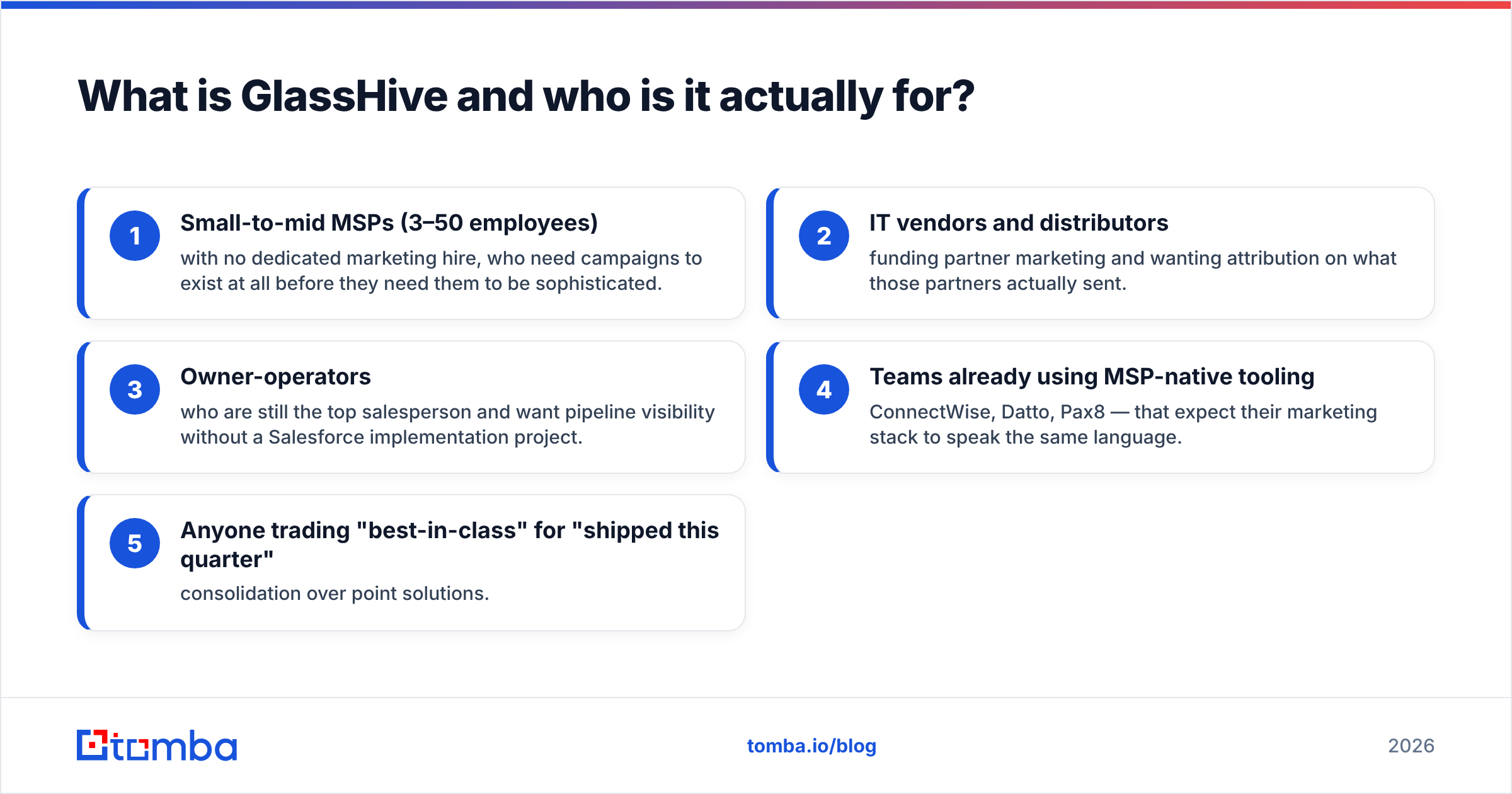
The audience is narrow on purpose:
- Small-to-mid MSPs (3–50 employees) with no dedicated marketing hire, who need campaigns to exist at all before they need them to be sophisticated.
- IT vendors and distributors funding partner marketing and wanting attribution on what those partners actually sent.
- Owner-operators who are still the top salesperson and want pipeline visibility without a Salesforce implementation project.
- Teams already using MSP-native tooling — ConnectWise, Datto, Pax8 — that expect their marketing stack to speak the same language.
- Anyone trading "best-in-class" for "shipped this quarter" — consolidation over point solutions.
If you are none of those, most of GlassHive's value proposition evaporates and you're paying for MSP specificity you'll never use.
How does GlassHive pricing work in 2026?#
GlassHive prices per user, with a free tier that is not a 14-day trap. You can create an account, load contacts, run basic campaigns and see whether the workflow fits before a card is involved. That's more generous than most of the MSP marketing category.
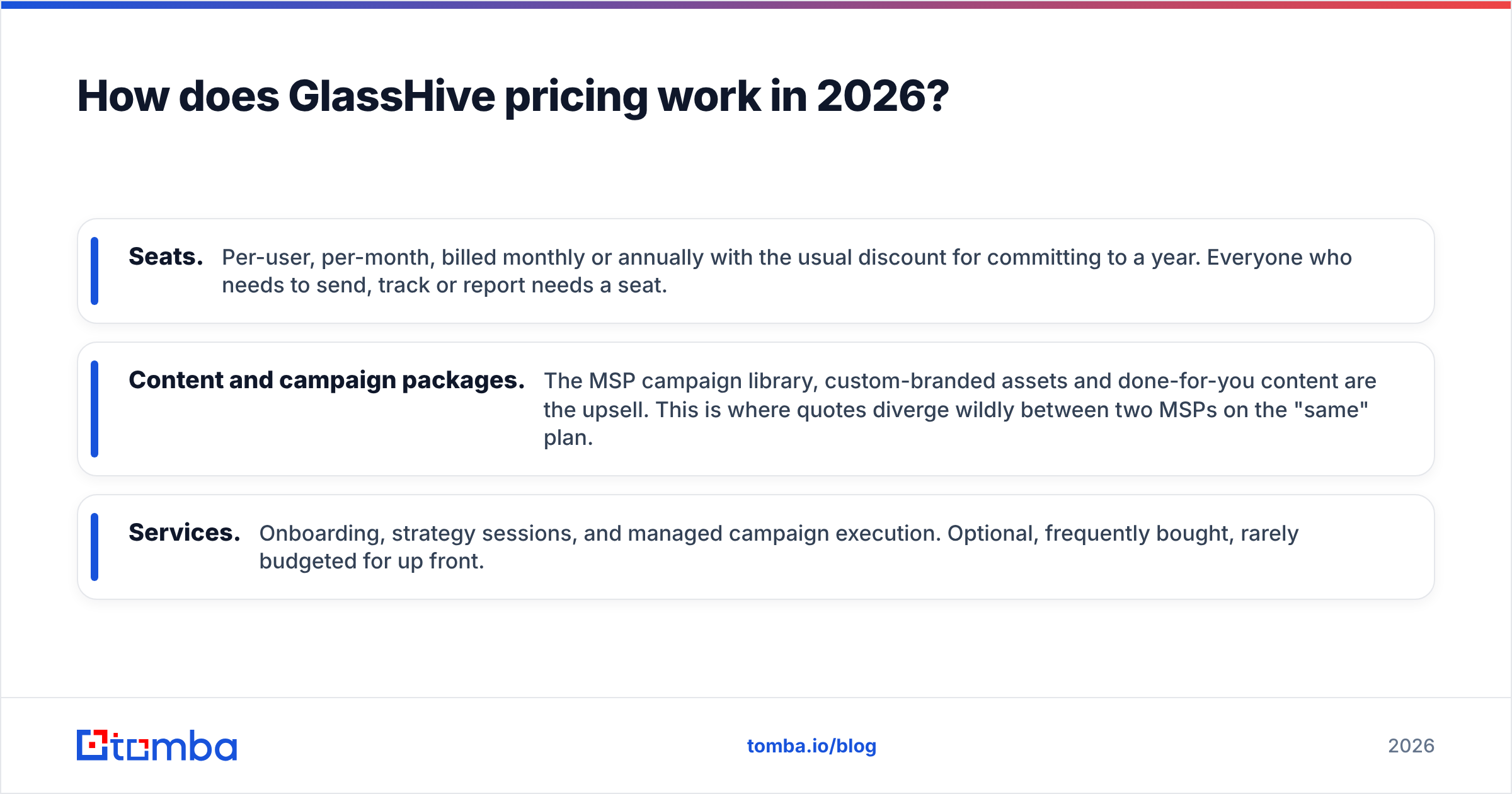
Past the free tier, the model has three cost layers, and only the first one is on the pricing page:
- Seats. Per-user, per-month, billed monthly or annually with the usual discount for committing to a year. Everyone who needs to send, track or report needs a seat.
- Content and campaign packages. The MSP campaign library, custom-branded assets and done-for-you content are the upsell. This is where quotes diverge wildly between two MSPs on the "same" plan.
- Services. Onboarding, strategy sessions, and managed campaign execution. Optional, frequently bought, rarely budgeted for up front.
A practical planning note: treat the seat number as maybe half of year-one spend, not the whole thing. The published per-seat figure is the floor. Ask for a written quote that itemizes content, onboarding and any minimum commitment. Then ask what happens to your data and landing pages if you leave.
One more thing trips people up. If you're a partner of a vendor that funds GlassHive licenses, your effective cost can drop to near zero. That's a real and underrated part of the pricing story. Ask your distributor about it before you pay list.
Pricing rule of thumb: if you'd need four or more paid seats plus a content package, run the math against a general-purpose CRM plus a dedicated data provider. Sometimes the bundle wins. Sometimes it's twice the price for tooling you use 30% of.
What do GlassHive reviews actually say?#
Public review volume on GlassHive is modest compared to enterprise platforms. That matters. A 4.8 average across a few dozen reviews carries less statistical weight than 4.3 across three thousand. Check the current profiles on G2 and Capterra yourself rather than trusting any single blog's snapshot, including this one.
The consistent themes across reviews:
What reviewers praise
- Support responsiveness. This comes up more than any feature. Small vendors often out-serve big ones, and GlassHive is repeatedly cited for hands-on help.
- The campaign content library. For an MSP owner who "should do marketing" and never does, a ready-made cybersecurity campaign removes the blank-page problem entirely.
- Ease of onboarding relative to enterprise marketing automation. Days, not quarters.
- MSP fluency. Nobody has to explain what a QBR or an RMM is.
What reviewers criticize
- Interface and workflow polish. Functional, occasionally clunky, sometimes more clicks than expected.
- Reporting depth. Fine for activity and campaign-level metrics, thin if you want cohort analysis or multi-touch attribution.
- Integration breadth. Strong within the MSP ecosystem, weaker if your stack is unusual.
- Deliverability responsibility sits with you. The platform sends. Whether you land in the inbox depends on your domain setup, list hygiene and sending behavior. Get your SPF record and authentication right before blaming any tool.
None of that is disqualifying. It's the expected profile of a focused vertical SaaS product — deep in its niche, shallow outside it.
GlassHive pricing reviews pros and cons: the honest split#
Here's the honest split, with the caveat that "con" often just means "not built for you."
Pros
- Vertical focus. Everything from the templates to the terminology assumes you sell managed IT. That saves configuration time you'd otherwise burn in a horizontal tool.
- Real free tier. You can evaluate with your own data, not a sandbox.
- Content included. The campaign library is a genuine substitute for a junior marketer's output.
- Vendor funding path. Co-op and MDF alignment can make the effective price dramatically lower than list.
- Consolidation. CRM, email, landing pages and reporting in one bill instead of four.
Cons
- No prospect data engine. GlassHive helps you market to contacts you already have. It is not a database of new ones.
- Depth ceiling. Once you hire a real marketer, they will want more granular segmentation and attribution than the platform provides.
- Small ecosystem. Fewer third-party integrations and community templates than HubSpot-class tools.
- Quote variance. Two MSPs can pay very different amounts for what looks like the same product, which makes budgeting harder.
- Lock-in on content. Assets built inside the platform don't always travel cleanly when you leave.

How does GlassHive compare to the alternatives?#
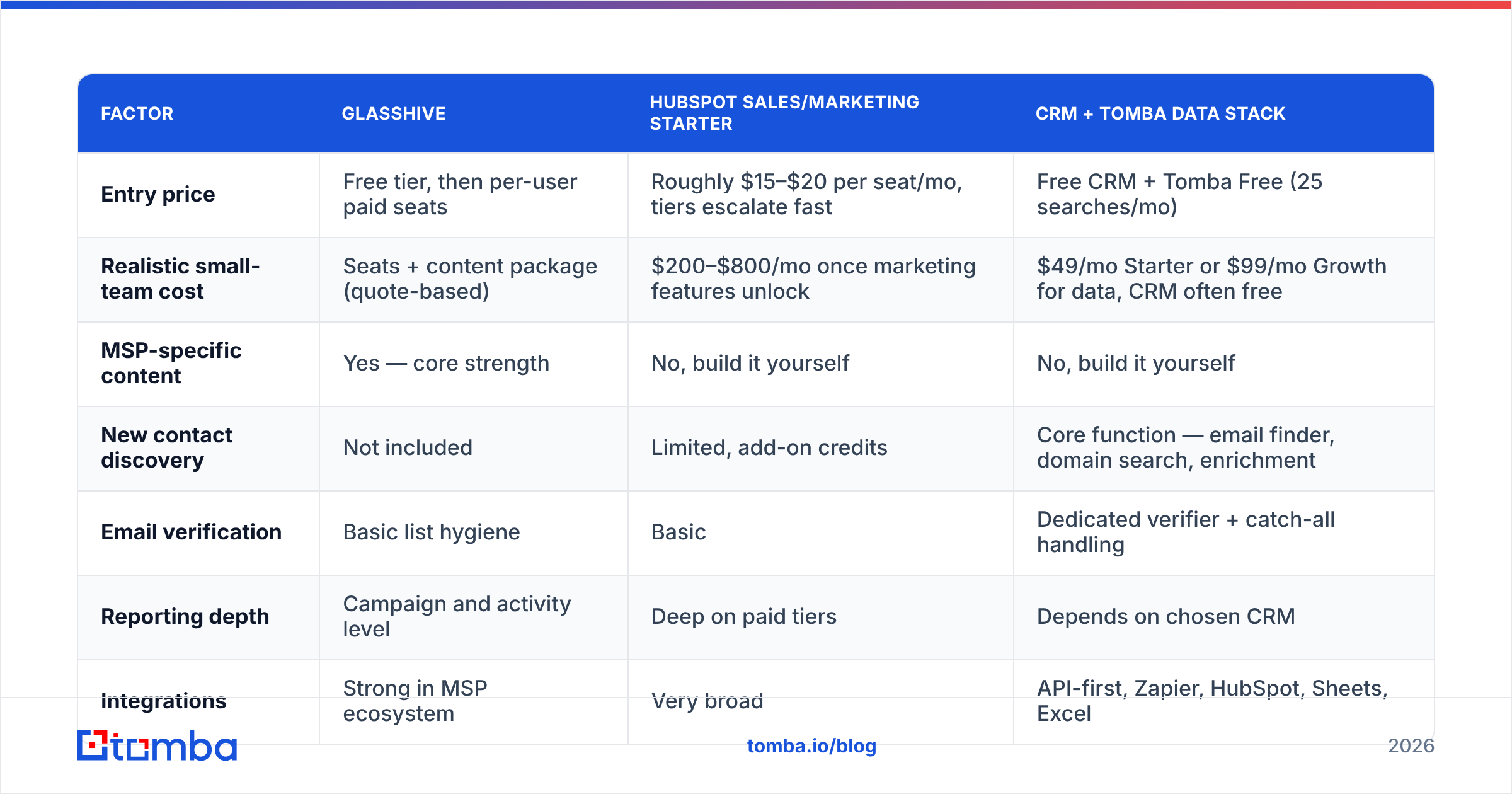
The realistic comparison set isn't "other MSP marketing tools." It's "GlassHive versus a general CRM plus a data provider." That's the actual budget decision. Prices below are list prices published at the time of writing — verify before you buy.
| Factor | GlassHive | HubSpot Sales/Marketing Starter | CRM + Tomba data stack |
|---|---|---|---|
| Entry price | Free tier, then per-user paid seats | Roughly $15–$20 per seat/mo, tiers escalate fast | Free CRM + Tomba Free (25 searches/mo) |
| Realistic small-team cost | Seats + content package (quote-based) | $200–$800/mo once marketing features unlock | $49/mo Starter or $99/mo Growth for data, CRM often free |
| MSP-specific content | Yes — core strength | No, build it yourself | No, build it yourself |
| New contact discovery | Not included | Limited, add-on credits | Core function — email finder, domain search, enrichment |
| Email verification | Basic list hygiene | Basic | Dedicated verifier + catch-all handling |
| Reporting depth | Campaign and activity level | Deep on paid tiers | Depends on chosen CRM |
| Integrations | Strong in MSP ecosystem | Very broad | API-first, Zapier, HubSpot, Sheets, Excel |
| Best for | MSPs with no marketer | Teams scaling a marketing function | Teams whose bottleneck is contact data, not campaign tooling |
| Contract flexibility | Monthly or annual, quote-dependent | Monthly or annual | Monthly, cancel anytime |
The pattern is clear once you lay it out. GlassHive solves the execution problem. HubSpot solves the scaling problem. Neither solves the data problem — and for most MSPs under 30 people, the data problem is the binding constraint.
Is GlassHive worth it for your MSP?#
Buy GlassHive if all three of these are true:
- You have no marketing hire and no realistic plan to make one this year.
- You already have a contact list — existing clients, prospects, event leads, referral network — sitting in a spreadsheet or a PSA export.
- Your problem is that campaigns never actually go out, not that you don't know who to send them to.
Skip it if any of these are true:
- You already run a CRM your team likes. Ripping it out for marketing features is a bad trade.
- Your pipeline is empty because you don't have enough qualified contacts. A campaign engine with 200 stale records in it produces nothing.
- You need multi-touch attribution, complex lifecycle stages or heavy custom objects. You'll outgrow it in a year.
The uncomfortable truth for a lot of MSPs is option two. You don't have a marketing tooling gap — you have a sales prospecting gap. Buying a campaign platform to fix a data problem is like buying a bigger oven when the fridge is empty.
What should you pair GlassHive with?#
If you do buy in, budget for the input side too. A campaign platform is only as good as the list you feed it. MSP-adjacent contact data goes stale fast: IT directors move roles, MSPs get acquired, domains change after rebrands. Industry benchmarks put B2B database decay around 2–3% per month. That compounds into a third of your list being wrong within a year.
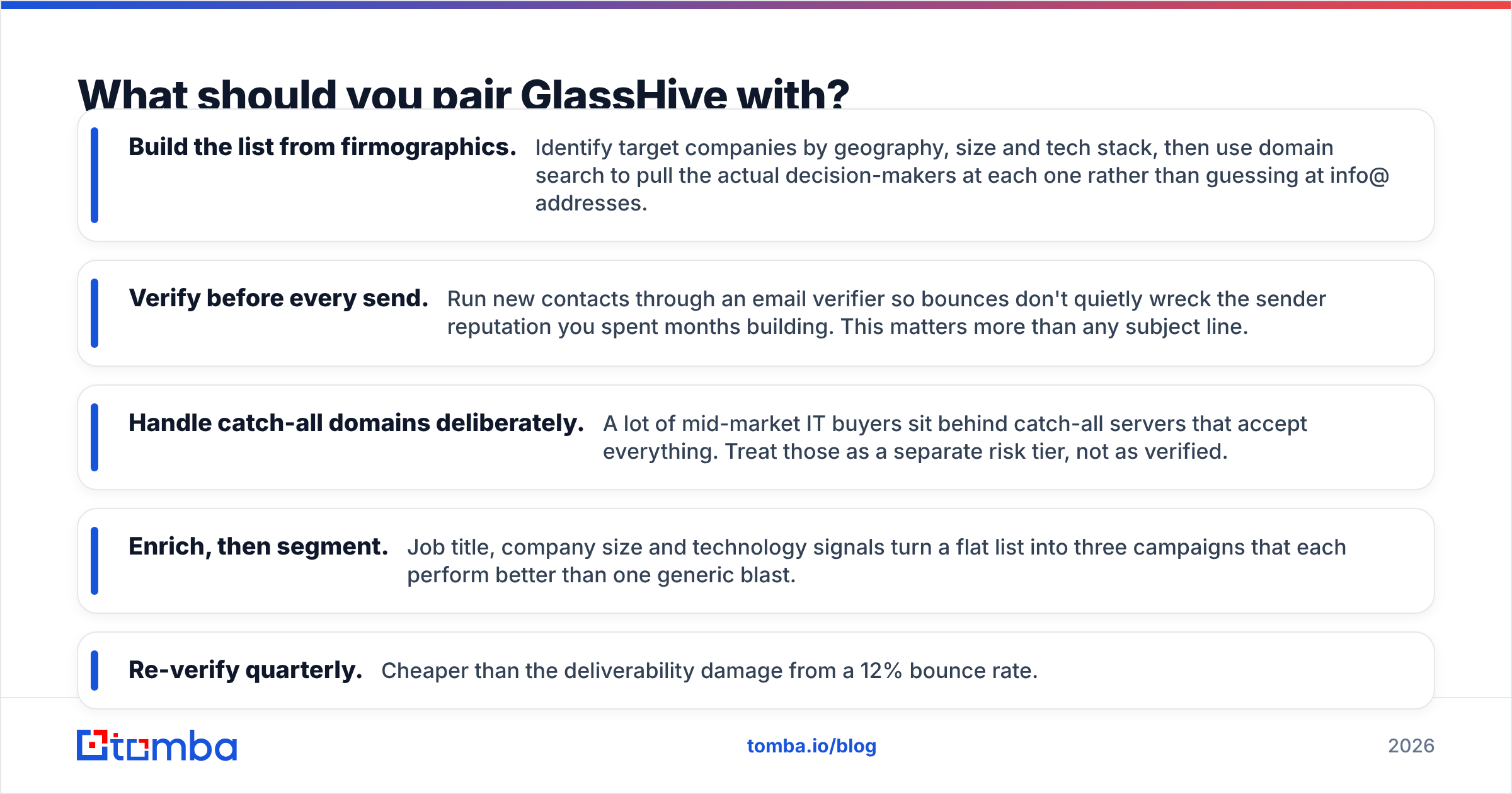
A workable pairing looks like this:
- Build the list from firmographics. Identify target companies by geography, size and tech stack. Then use domain search to pull the actual decision-makers at each one rather than guessing at info@ addresses.
- Verify before every send. Run new contacts through an email verifier so bounces don't quietly wreck the sender reputation you spent months building. This matters more than any subject line.
- Handle catch-all domains deliberately. A lot of mid-market IT buyers sit behind catch-all servers that accept everything. Treat those as a separate risk tier, not as verified.
- Enrich, then segment. Job title, company size and technology signals turn a flat list into three campaigns that each beat one generic blast.
- Re-verify quarterly. Cheaper than the deliverability damage from a 12% bounce rate.
That's the half of the stack GlassHive explicitly doesn't cover. Being honest about that is not a knock on GlassHive. It's a scoping question. Their product runs the campaign. Something else has to fill the list.
The verdict#
Weigh the GlassHive pricing reviews pros and cons together and the answer is narrow but clear. It is a reasonable, honestly-priced product for one specific buyer: the MSP owner who knows marketing should be happening and needs the friction removed. The free tier makes evaluation low-risk. The content library is a real asset. The support reputation is earned. Just go in with the full cost picture — seats plus content plus onboarding — and get the quote itemized in writing.
But run the diagnostic first. If your campaigns aren't going out, buy the campaign tool. If your campaigns go out and nobody replies because the list is thin or wrong, no amount of marketing automation fixes that.
For the second problem, start with the data. The Tomba Email Finder locates verified professional email addresses by name, domain or company. The free tier covers 25 searches a month, and paid plans start at $49/mo. That's enough to test whether better contact data moves your reply rate before you commit to a full marketing platform. Fill the list first. Then decide what you need to send to it.
Related guides#
Ready to find emails that actually work?
Join 150,000+ professionals who stopped guessing and started sending. Free credits on signup — no credit card required.
Get the Tomba newsletter
Practical outbound tactics and product updates — once every two weeks.
About the author