Go4Database vs OneMoreLead (2026): Which B2B Data Wins?
Go4Database and OneMoreLead both sell B2B contact lists, but they sell them very differently. Here is how the two compare on pricing, freshness, verification and real cost per usable contact in 2026.
TL;DR
- Go4Database vs OneMoreLead, in one line: same category, different buying motion. Go4Database sells packaged, industry-sliced contact lists you buy once and own. OneMoreLead is closer to a searchable database with filtered exports.
- Neither one publishes real public pricing. Both quote on list size, geography and vertical. Budget four figures for anything meaningful, and get the quote in writing.
- Cost per usable contact is the number that matters, not cost per row. A $0.02 record at 55% deliverability costs more than a $0.12 record at 92%.
- Both files are snapshots. B2B contact data goes stale by 22–30% a year. What you buy starts rotting the day it lands in your CRM.
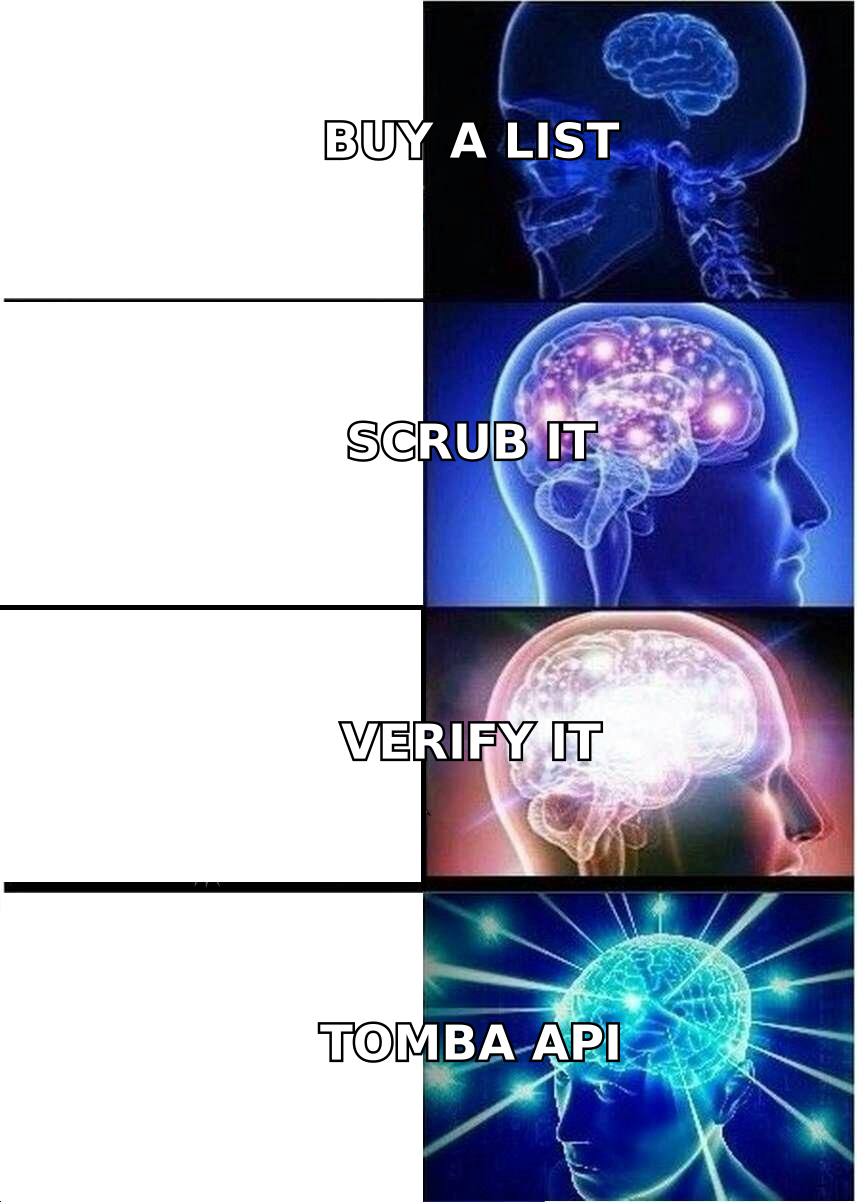
- The safer 2026 pattern: buy a smaller list, verify it before it touches a sending domain, and use an on-demand finder or enrichment API for the accounts you care about.
If you are searching go4database vs onemorelead, you have hit the same wall every outbound team hits. You need contacts at scale. Your ICP is not in your CRM. Buying a list looks like the fastest path. It might be. But these two vendors solve slightly different problems, and the wrong pick shows up three weeks later as a bounce rate that torches your sending domain.
This is a neutral breakdown. What each vendor is. Where the pricing traps sit. How to test a sample before you pay. And when neither one is the right purchase.
What is Go4Database?#
Go4Database (go4database.com) is a B2B list vendor. The model is old-school and simple. You name the segment you want — healthcare CIOs in the US, manufacturing decision-makers in DACH, a technology install-base slice. They build the file and send it over. Usually CSV or XLSX. Usually a one-time purchase with some claimed accuracy guarantee attached.
What you buy is a compiled database. The records come from public web sources, business directories, event and webinar sign-ups, trade publication subscriptions, and partner data swaps. The vendor adds value by gathering and slicing that data, not by looking anyone up live.
That model has real strengths. You get volume on day one. You get firmographic and sometimes technographic filters. The per-record cost at scale is low. It also has one obvious weakness: the file is a photo of a moving object.
What is OneMoreLead?#
OneMoreLead (onemorelead.com) sits closer to a searchable contact platform than a pure file-delivery shop. The pitch is a large aggregated database, usually marketed in the tens of millions of records. You filter by industry, company size, job title and location, then export to CSV or push into a CRM.
In practice it lands between a list broker and a prospecting tool. You still work from a pre-built index rather than resolving a contact at the moment you ask. But the self-serve filtering feels more like software and less like a procurement cycle.
Here is the practical difference for a buyer. With Go4Database you negotiate a segment. With OneMoreLead you build the segment yourself and export it.

Go4Database vs OneMoreLead: head-to-head comparison#
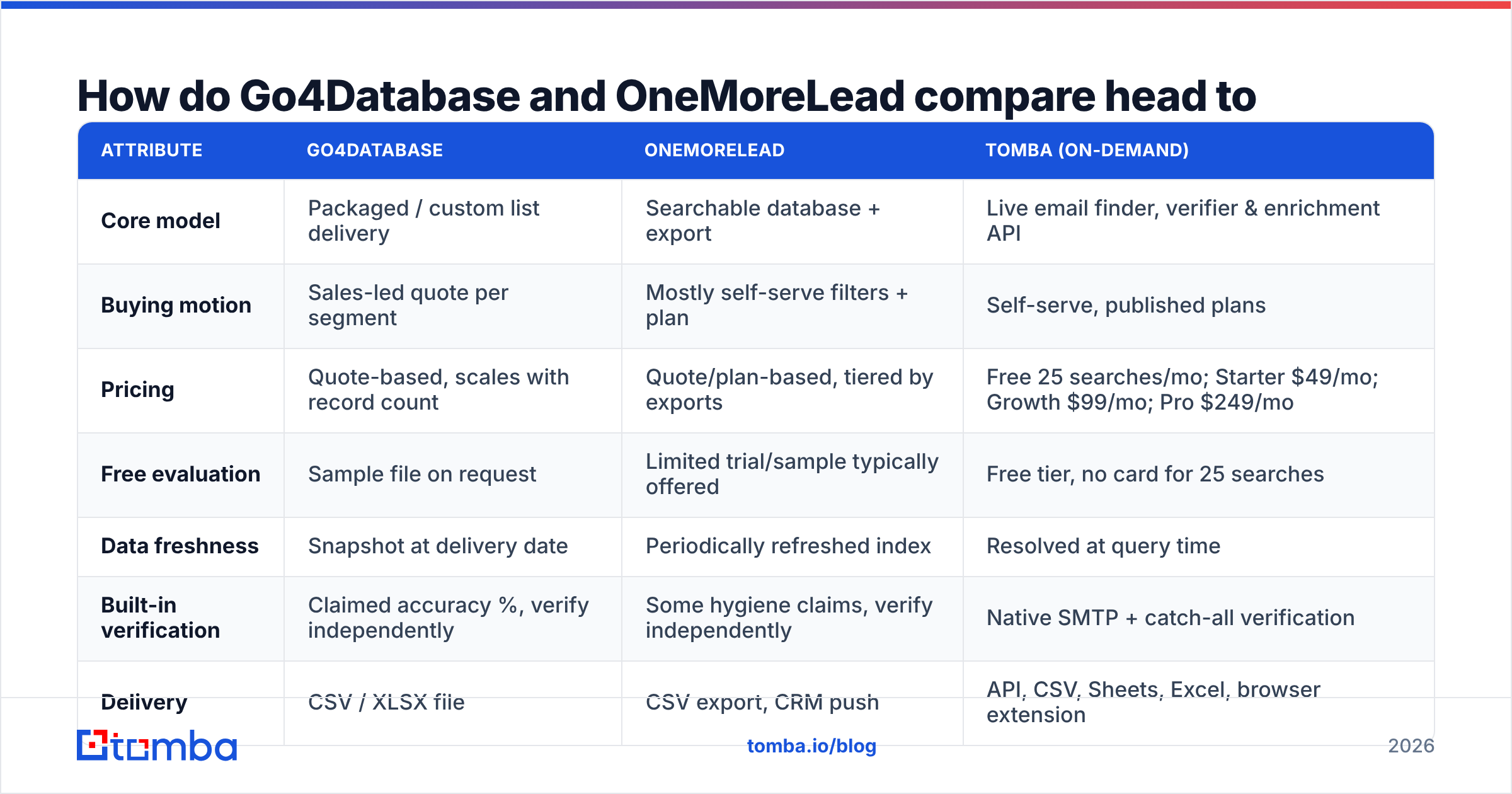
Both vendors quote instead of publishing prices. So read every pricing cell below as a shape, not a price tag. Confirm the current numbers before you buy. This category moves fast and terms change every quarter.
| Attribute | Go4Database | OneMoreLead | Tomba (on-demand) |
|---|---|---|---|
| Core model | Packaged / custom list delivery | Searchable database + export | Live email finder, verifier & enrichment API |
| Buying motion | Sales-led quote per segment | Mostly self-serve filters + plan | Self-serve, published plans |
| Pricing | Quote-based, scales with record count | Quote/plan-based, tiered by exports | Free 25 searches/mo; Starter $49/mo; Growth $99/mo; Pro $249/mo |
| Free evaluation | Sample file on request | Limited trial/sample typically offered | Free tier, no card for 25 searches |
| Data freshness | Snapshot at delivery date | Periodically refreshed index | Resolved at query time |
| Built-in verification | Claimed accuracy %, verify independently | Some hygiene claims, verify independently | Native SMTP + catch-all verification |
| Delivery | CSV / XLSX file | CSV export, CRM push | API, CSV, Sheets, Excel, browser extension |
| Developer API | Limited / not the focus | Limited | Full REST API, CLI and MCP server |
| Best for | Big one-shot TAM builds, ABM seed lists | Ongoing self-serve list pulls | Targeted, verified, always-current contacts |
Two things fall out of that table.
First, these two are closer to each other than either is to a live-resolution tool. Both hand you rows from an index someone else built at some earlier date. The difference is the buying experience, not the data itself.
Second, verification is your job in both cases. Every list vendor in this category quotes an accuracy figure. Some are honest. None can be checked from the outside. You verify, or you gamble your domain.
What does a purchased list actually cost you?#
Sticker price is the least interesting number in this comparison. Here is the cost stack that decides your ROI, in the order it hits you:
- Raw record cost. Whatever you negotiate per contact. It is the only line anyone talks about, and usually the smallest one.
- Verification cost. Running the file through an email verifier before you send. Non-negotiable. Budget it as part of the purchase.
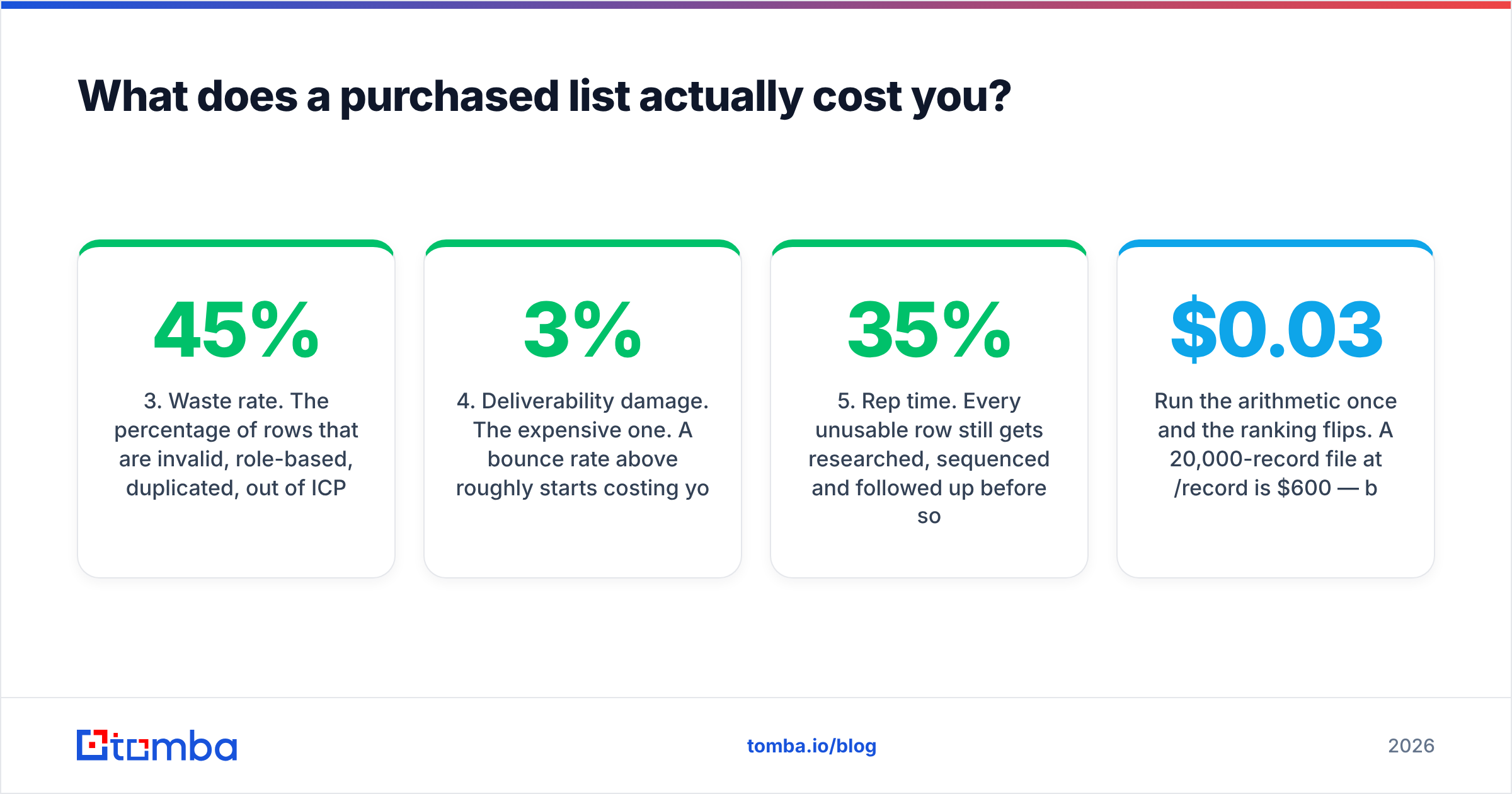
- Waste rate. The share of rows that are invalid, role-based, duplicated, out of ICP, or belong to someone who left in 2023. On aged compiled data that routinely runs 25–45%.
- Deliverability damage. The expensive one. A bounce rate above roughly 3% starts costing you inbox placement. Above 5%, mailbox providers begin treating your domain as a list-buyer. Recovery takes weeks.
- Rep time. Every dead row still gets researched, sequenced and followed up before someone marks it dead. At two minutes a record, a 10,000-row file with 35% waste burns over 100 rep hours on nothing.
Run the arithmetic once and the ranking flips. A 20,000-record file at $0.03 a record is $600. If 38% of it is unusable, your true cost per contactable person is about $0.048 — before verification and before rep time. A tighter 4,000-record set at $0.10 with 8% waste lands near $0.109 per contactable person. It also carries far less risk. Cheap lists are only cheap on the invoice, and sender reputation is the one account you cannot overdraw.
Go4Database vs OneMoreLead: which has better data accuracy?#
Honest answer: nobody outside those companies can tell you. Distrust any article that quotes a precise figure. What you can do is run the same test on both before you spend money. It takes about an hour.
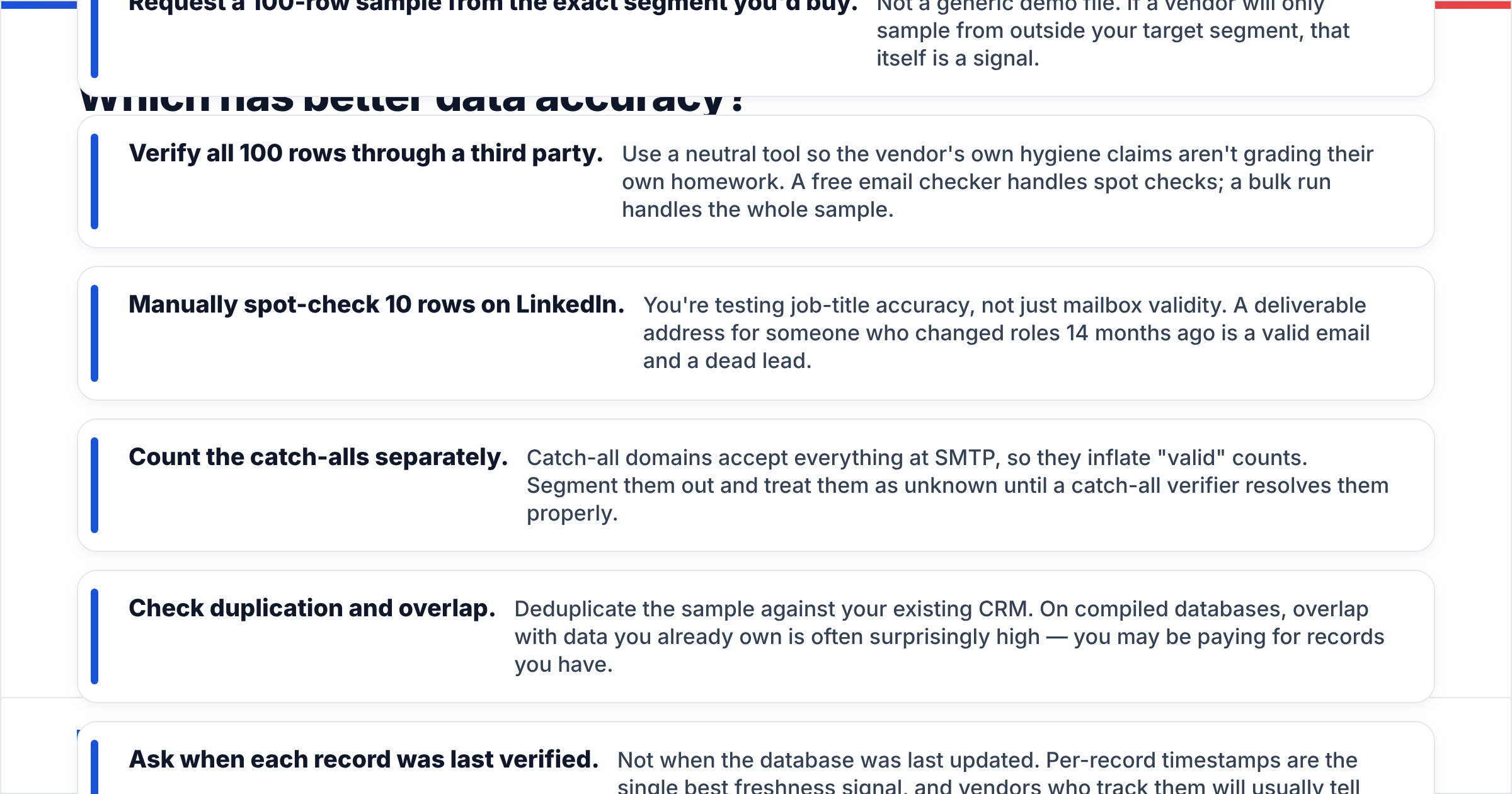
- Request a 100-row sample from the exact segment you would buy. Not a generic demo file. If a vendor will only sample from outside your target segment, that is a signal in itself.
- Verify all 100 rows through a third party. Use a neutral tool, so the vendor is not grading its own homework. A free email checker handles spot checks. A bulk run handles the whole sample.
- Spot-check 10 rows by hand on LinkedIn. You are testing job-title accuracy here, not just mailbox validity. A live address for someone who changed roles 14 months ago is a valid email and a dead lead.
Then check what the sample overlaps with, and how fresh it really is:
- Count the catch-alls separately. Catch-all domains accept every address at SMTP, so they inflate the valid count. Pull them out and treat them as unknown until a catch-all verifier resolves them.
- Check duplication and overlap. Deduplicate the sample against your CRM. On compiled databases the overlap is often high. You may be paying for records you already own.
- Ask when each record was last verified. Not when the database was last updated. Per-record timestamps are the best freshness signal there is, and vendors who track them will tell you.
Whichever vendor scores better on your segment wins for you. A vendor can be excellent on US mid-market SaaS and thin on EMEA manufacturing. Category reviews on G2 help you spot support and billing complaints. They will not tell you how a vendor performs on your ICP slice.
Is buying a static list ever the right move?#
Yes — in three situations.
TAM sizing and market mapping. You need to know how many companies match a profile and roughly who sits in the relevant seats. A bulk file is efficient here, and precision matters less. You are counting, not emailing.
ABM seeding. You are building a target account list where the company matters more than the person. You will re-resolve the humans later anyway.
Channels that are not cold email. Direct mail, paid-social matched audiences, event invites and phone. Bounce risk does not apply the same way, and partial accuracy is survivable. If phone is the play, pair the list with a phone validator so reps are not dialling dead numbers.
A static list is the wrong move in three other cases. High-volume cold email on a domain you care about. Regulated markets with strict consent rules, where the GDPR paperwork is your problem and not the vendor's. And any motion where the contact's current role decides the message.
What are the alternatives to both?#
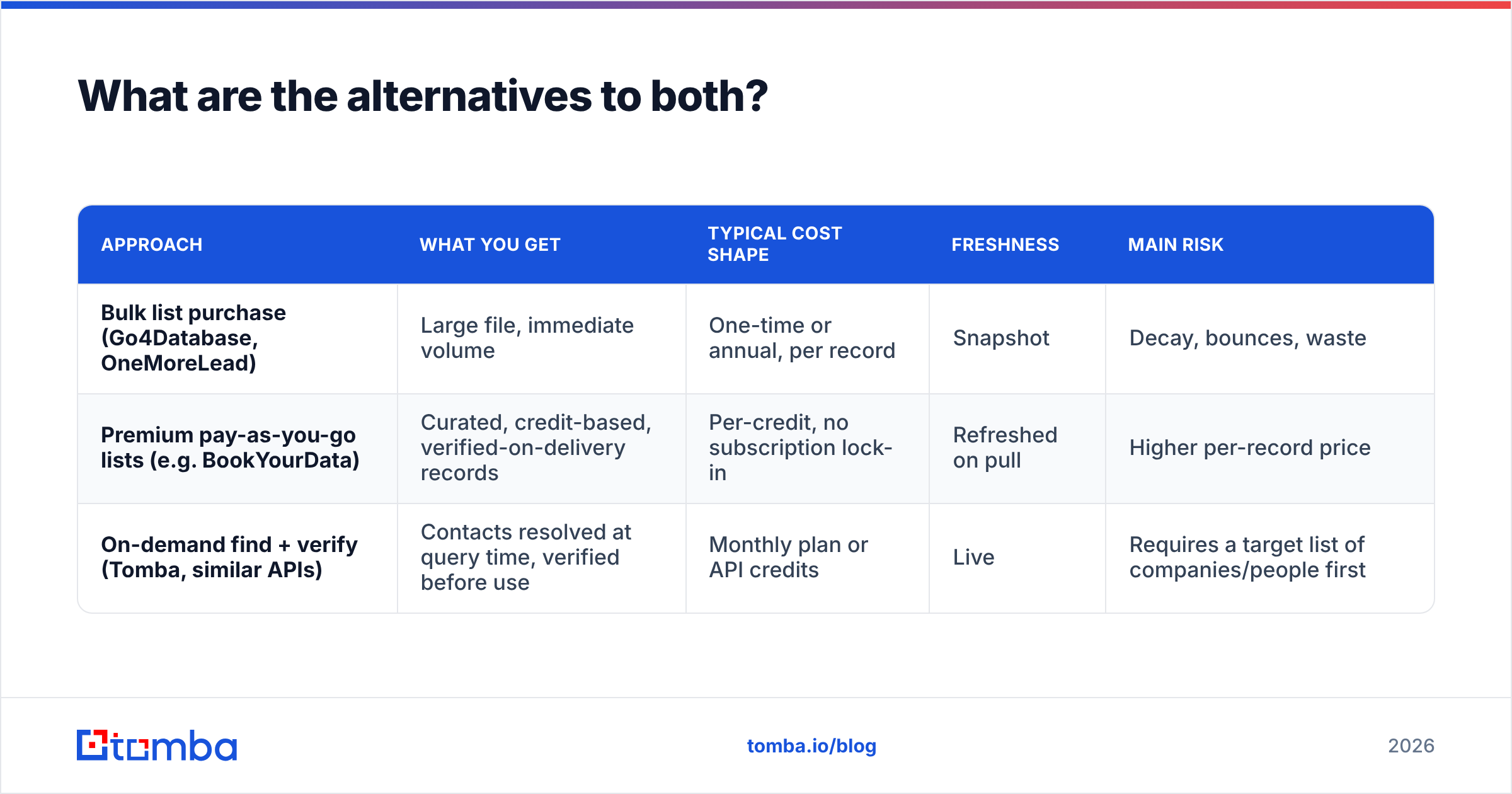
The market has split into three approaches. Most teams that outgrow list-buying end up blending two of them.
| Approach | What you get | Typical cost shape | Freshness | Main risk |
|---|---|---|---|---|
| Bulk list purchase (Go4Database, OneMoreLead) | Large file, immediate volume | One-time or annual, per record | Snapshot | Decay, bounces, waste |
| Premium pay-as-you-go lists (e.g. BookYourData) | Curated, credit-based, verified-on-delivery records | Per-credit, no subscription lock-in | Refreshed on pull | Higher per-record price |
| On-demand find + verify (Tomba, similar APIs) | Contacts resolved at query time, verified before use | Monthly plan or API credits | Live | Requires a target list of companies first |
The third row deserves a note, because it changes the workflow rather than the vendor. You stop buying 20,000 rows and hoping. Instead you start from the accounts you want, then resolve the people: domain search to pull the right contacts at a company, verification to confirm they are live, and data enrichment to fill in the firmographic fields you would otherwise buy from a list vendor. For thousands of rows at once, a bulk email finder closes the volume gap that used to make list-buying the only option.
The honest trade-off: on-demand resolution assumes you already know which companies you are targeting. If your motion is find me anyone in this vertical, a compiled database still does something a finder API cannot. Plenty of teams run both — a list for the account universe, a finder for the humans inside it.
Go4Database vs OneMoreLead: which should you pick?#
Pick Go4Database if you want a defined segment delivered as a file, you are fine with a sales-led quote, and your use case tolerates snapshot data. Think TAM builds, direct mail, event marketing, or feeding an ABM platform.
Pick OneMoreLead if you would rather self-serve, pull lists again as campaigns change, and control the filters yourself instead of briefing a broker each time. The ongoing-access model suits teams running continuous outbound over a stable ICP.
Pick neither if your main channel is cold email on a domain that matters, your ICP is narrow enough to name the accounts, or a bounce spike has already burned you. In that case, buy fewer records and verify harder.
Whichever way go4database vs onemorelead lands for you, verify before you send. Every time. A purchased file that skips verification is not a lead list. It is a deliverability incident with a delivery date. Both vendors will tell you their data is clean, and the ones worth buying from will not mind you checking.
For most outbound teams the durable setup is small: a defined account list, live contact resolution, and verification in the same pipeline. That is what Tomba's Email Finder is built for. Resolve professional emails by name or domain, verify them before they hit your sequencer, and enrich what you keep. Start on the free tier — 25 searches a month, no card — and check Tomba pricing when you are ready to scale. Starter is $49/mo, and the API, CLI and Sheets add-on are included on every paid plan.
Related guides#
Ready to find emails that actually work?
Join 150,000+ professionals who stopped guessing and started sending. Free credits on signup — no credit card required.
Get the Tomba newsletter
Practical outbound tactics and product updates — once every two weeks.
About the author