Grasshopper vs Quo (2026): Which Business Phone Wins?
Grasshopper is the veteran virtual phone system; Quo is the mobile-first challenger. Here is how they actually compare on price, call handling, and team scale — and which one your sales team should pick in 2026.
TL;DR
- Grasshopper is the mature, low-risk pick: a virtual phone system layered over your existing mobile, with unlimited-user plans, extensions, and a 20-year track record. Best for solo operators and small teams that want a business number and a phone tree without thinking about it again.
- Quo is the mobile-first challenger: lighter, app-centric, priced per user, and leaning on modern call-handling and AI-assist features. Best for founders and small sales pods who live in their phone and want something that feels like 2026, not 2012.
- The price comparison flips depending on headcount. Grasshopper charges per plan (unlimited users); most modern per-seat apps charge per person. At 1–3 users the per-seat tools usually win; at 6+ users Grasshopper's flat pricing usually wins.
- Neither tool finds you anyone to call. Both are dial-tone; your pipeline still depends on the quality of the numbers and emails going in.
- If you're doing outbound, budget for a data layer separately — a phone finder and phone validator will move your connect rate more than switching dialers ever will.
What exactly are Grasshopper and Quo?#
Both are virtual phone systems — they give your business a real phone number (local, toll-free, or vanity) that routes to devices you already own, instead of desk phones wired to a PBX in a closet.
Grasshopper launched in 2003 and is now part of GoTo. It is deliberately narrow: a business number, extensions, a custom greeting, call forwarding, voicemail transcription, and business texting. It does not try to be a contact center. You keep your personal carrier and your personal handset; Grasshopper sits on top and makes outbound calls display your business number. See their official product pages for current plan names — GoTo has renamed tiers more than once.
Quo is the newer entrant, built app-first for people who never wanted a desk phone in the first place. The positioning is "your business line lives in an app": shared numbers, threaded business texting, call recording, and AI-assisted call summaries or transcription depending on tier. Quo publishes less public documentation than Grasshopper, so treat any spec you read — including this post — as a starting point and confirm limits directly with sales before you commit annually.
The honest framing: Grasshopper optimizes for "never breaks," Quo optimizes for "feels modern." Those are different bets, and which one is correct depends almost entirely on how many people need a line and how much you care about texting workflows.
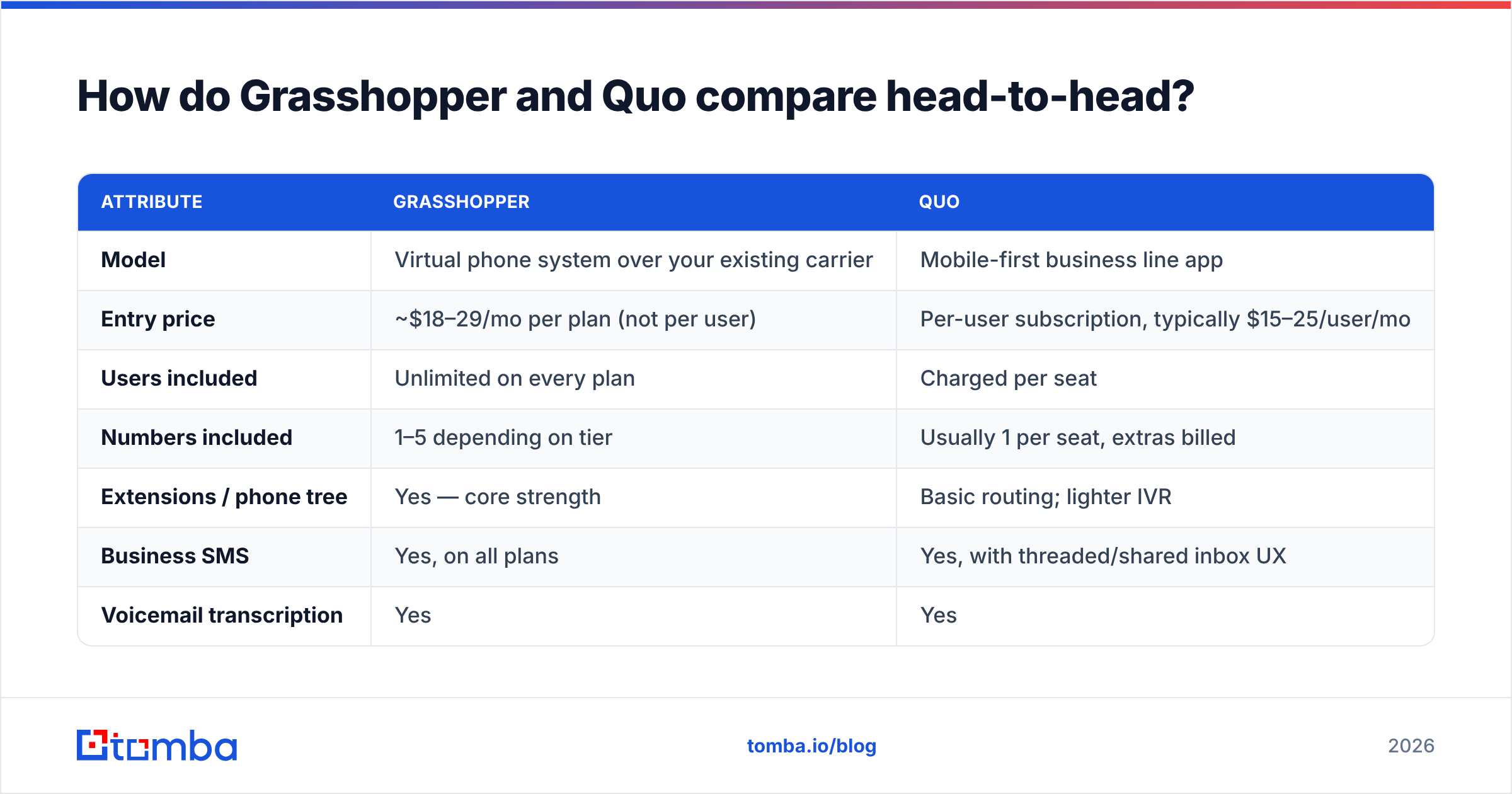
How do Grasshopper and Quo compare head-to-head?#
Pricing below reflects publicly listed rates at the time of writing. Both vendors restructure plans regularly, and annual billing typically knocks 10–20% off. Verify before you buy.
| Attribute | Grasshopper | Quo |
|---|---|---|
| Model | Virtual phone system over your existing carrier | Mobile-first business line app |
| Entry price | ~$18–29/mo per plan (not per user) | Per-user subscription, typically $15–25/user/mo |
| Users included | Unlimited on every plan | Charged per seat |
| Numbers included | 1–5 depending on tier | Usually 1 per seat, extras billed |
| Extensions / phone tree | Yes — core strength | Basic routing; lighter IVR |
| Business SMS | Yes, on all plans | Yes, with threaded/shared inbox UX |
| Voicemail transcription | Yes | Yes |
| Call recording | Limited / higher tiers | Commonly included |
| AI call summaries | Not a focus | Marketed feature |
| Desktop + mobile apps | Both | Mobile-first, desktop secondary |
| Native CRM sync | Thin — usually needs Zapier | Varies; check your CRM specifically |
| Best for | 4+ person teams, phone-tree needs | Solo founders, 1–3 person pods |
| Maturity | 20+ years, very stable | Newer, faster-moving, less proven |
The single most important row is "Users included." Grasshopper's unlimited-user pricing is genuinely unusual, and it's the reason the math inverts at scale. One person on Grasshopper's entry plan pays roughly the same as one person on a per-seat app. Eight people on Grasshopper pay the same as one person. Eight seats on a per-user app cost eight times as much.
Is Grasshopper still worth it in 2026?#
Yes — for a specific buyer, and no for everyone else.
Where Grasshopper earns its keep:
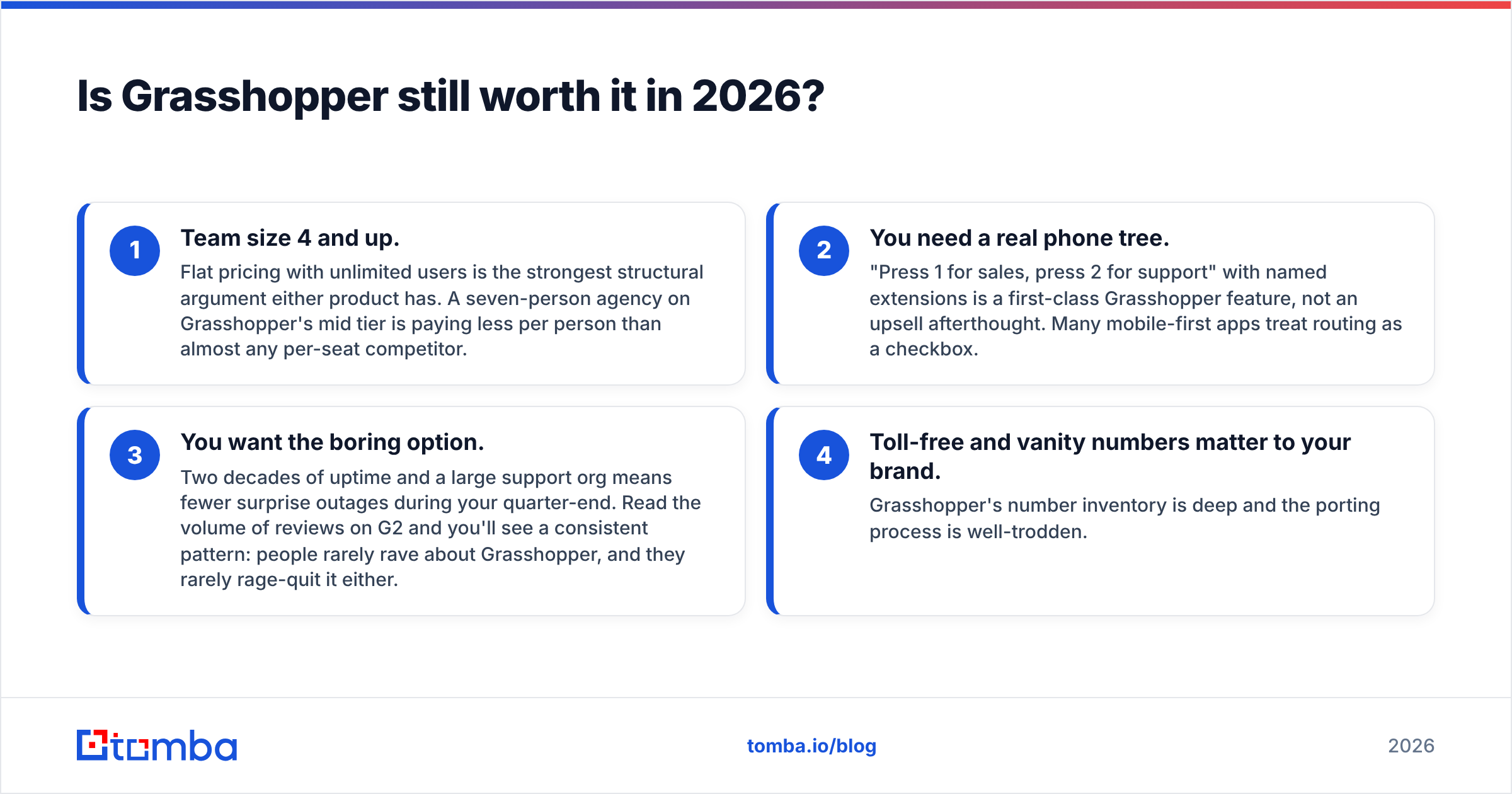
- Team size 4 and up. Flat pricing with unlimited users is the strongest structural argument either product has. A seven-person agency on Grasshopper's mid tier is paying less per person than almost any per-seat competitor.
- You need a real phone tree. "Press 1 for sales, press 2 for support" with named extensions is a first-class Grasshopper feature, not an upsell afterthought. Many mobile-first apps treat routing as a checkbox.
- You want the boring option. Two decades of uptime and a large support org means fewer surprise outages during your quarter-end. Read the volume of reviews on G2 and you'll see a consistent pattern: people rarely rave about Grasshopper, and they rarely rage-quit it either.
- Toll-free and vanity numbers matter to your brand. Grasshopper's number inventory is deep and the porting process is well-trodden.
Where Grasshopper falls short:
- The apps feel their age. Functional, not delightful.
- CRM integration is thin. If you want every call logged against a HubSpot or Pipedrive record automatically, you'll be gluing it together with Zapier or living with manual notes.
- No serious call analytics. You get logs, not coaching data. If you want talk-time ratios and objection tracking, this is the wrong category of tool entirely — you want a dialer or a revenue-intelligence product.
- Call recording is restricted compared to newer apps.
When is Quo the better choice?#
Quo makes sense when your phone is your office.
The tell is how you actually work. If you are a founder, a solo consultant, a real-estate agent, or a two-person sales pod, and 80% of your business communication happens on a screen you hold in your hand, a mobile-first app will beat a system designed around extensions and greetings. Quo's texting experience — threaded, shared, searchable — is closer to how buyers actually want to be reached in 2026, where a text gets answered and a voicemail does not.
The AI layer is also worth taking seriously if you make a lot of calls. Automatic transcription and summaries mean you stop taking notes mid-conversation, which measurably improves how well you listen. That's a real workflow gain, not a spec-sheet gimmick.
The risks you should price in:
- Vendor maturity. Newer platforms change pricing, sunset tiers, and occasionally get acquired. Avoid multi-year prepay.
- Per-seat cost curve. Great at two users, painful at twelve. Model your headcount 18 months out before you standardize.
- Deliverability of SMS. Business texting in the US now requires 10DLC registration with carriers. Ask both vendors, in writing, who handles registration and what the throughput limits are. This is where cheap providers quietly fail.
- Documentation depth. Grasshopper has years of help-center articles for every edge case. Newer tools often don't, and you'll spend that difference in support tickets.
Which should you pick for your situation?#
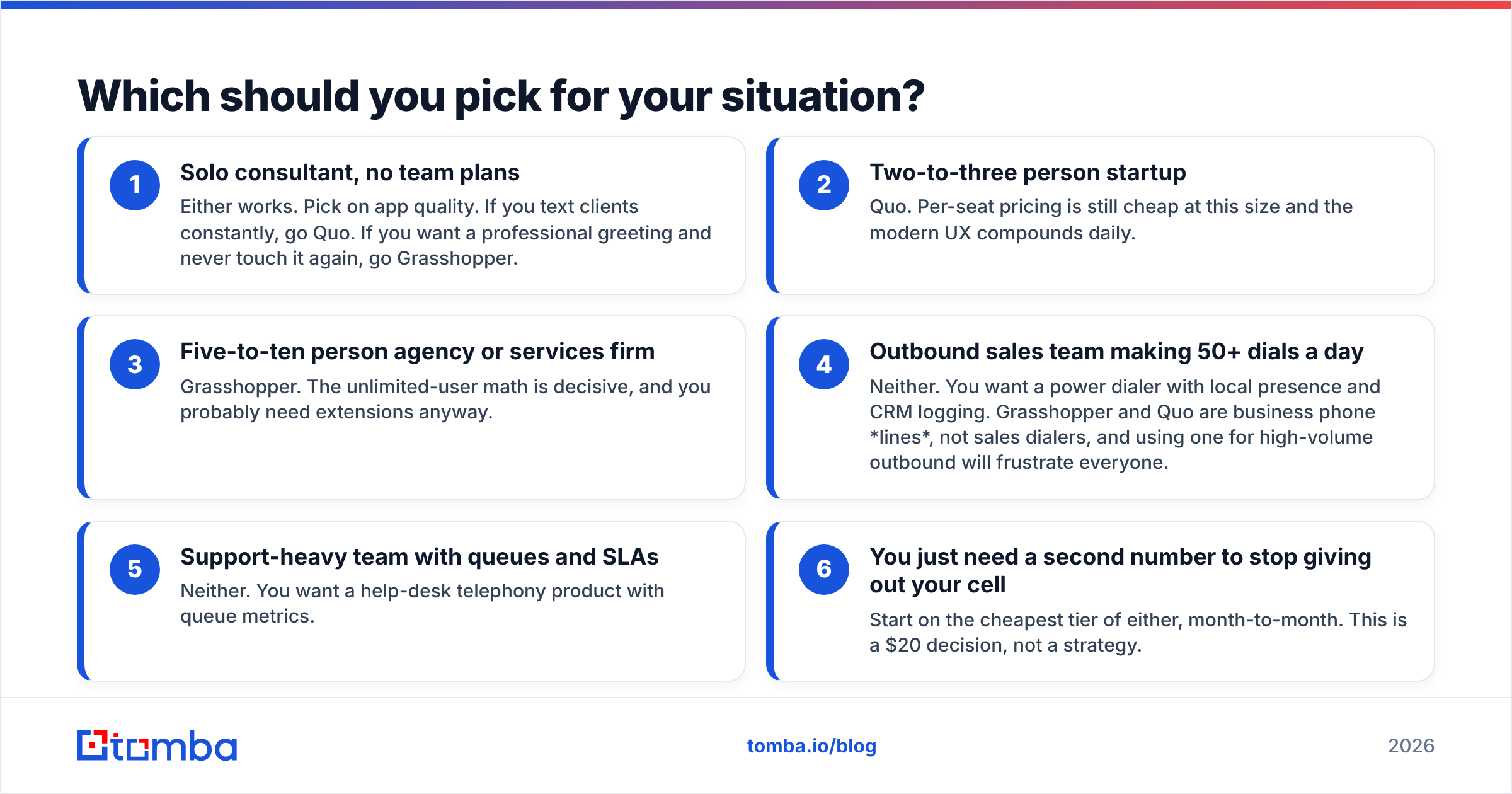
Match the tool to the shape of your team, not to the feature list:
- Solo consultant, no team plans — Either works. Pick on app quality. If you text clients constantly, go Quo. If you want a professional greeting and never touch it again, go Grasshopper.
- Two-to-three person startup — Quo. Per-seat pricing is still cheap at this size and the modern UX compounds daily.
- Five-to-ten person agency or services firm — Grasshopper. The unlimited-user math is decisive, and you probably need extensions anyway.
- Outbound sales team making 50+ dials a day — Neither. You want a power dialer with local presence and CRM logging. Grasshopper and Quo are business phone lines, not sales dialers, and using one for high-volume outbound will frustrate everyone.
- Support-heavy team with queues and SLAs — Neither. You want a help-desk telephony product with queue metrics.
- You just need a second number to stop giving out your cell — Start on the cheapest tier of either, month-to-month. This is a $20 decision, not a strategy.

What do both tools fail to solve?#
Dial tone is not pipeline.
This is the part most "best business phone system" comparisons skip, and it's the part that actually determines whether your outbound works. Grasshopper and Quo both assume you already know who to call and have a working number for them. In practice, that assumption breaks constantly:
- Direct dials go stale fast. People change roles, companies restructure, and the number in your CRM from 2024 rings a desk nobody sits at.
- Main switchboard numbers get you a receptionist, not a decision-maker. Connect rates on switchboard numbers are a fraction of direct-dial rates.
- Unverified numbers burn caller reputation. Dialing dead and reassigned numbers at volume degrades your answer rate over time and increases the odds your number gets flagged. The FCC's call authentication framework is why "spam likely" labels now propagate quickly across carriers — sloppy list hygiene has a direct, visible cost.
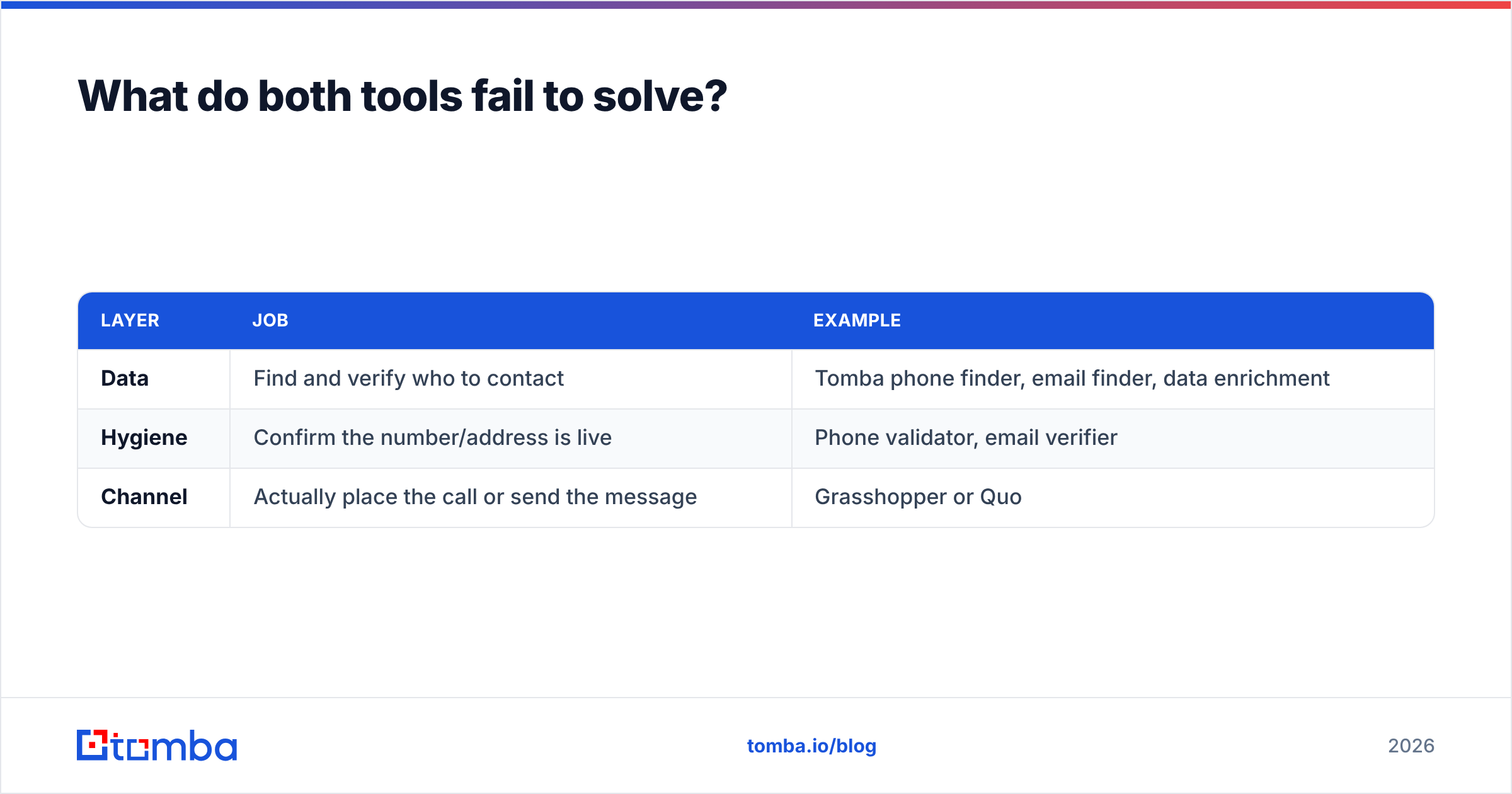
So the honest stack for a team doing outbound looks like three layers, not one:
| Layer | Job | Example |
|---|---|---|
| Data | Find and verify who to contact | Tomba phone finder, email finder, data enrichment |
| Hygiene | Confirm the number/address is live | Phone validator, email verifier |
| Channel | Actually place the call or send the message | Grasshopper or Quo |
Swapping the third layer — which is what the Grasshopper vs Quo debate is really about — changes your monthly bill by $30. Fixing the first two layers changes your connect rate, and that changes your revenue. Teams routinely spend six weeks evaluating phone systems and zero weeks auditing whether half their numbers are dead.
A practical test: pull 100 random contact records from your CRM, run the numbers through validation, and check what percentage come back as active, correctly-typed lines. If that number is under 70%, your phone system is not your bottleneck.
How should you test both before committing?#
Run a two-week, structured trial instead of reading more comparison posts:
- Week 1, Grasshopper. Port nothing. Get a new number, set up one greeting and two extensions, and route real calls through it. Note every moment of friction.
- Week 2, Quo. Same drill. Pay attention specifically to texting, because that's where the products diverge most.
- Score four things only: call quality on a bad connection, how fast a new team member can be onboarded, whether texts thread properly, and total monthly cost at your headcount 12 months from now.
- Ask both vendors the same three questions in writing: 10DLC registration process, number porting timeline, and what happens to your numbers if you cancel.
- Check third-party reviews filtered to your company size. A tool that's beloved by 50-person teams and hated by solos will tell you nothing about your situation. Capterra and G2 both let you filter this way.
Do not port your main business number during a trial. Porting is reversible in theory and miserable in practice.
The verdict#
Grasshopper wins on team economics and stability. Quo wins on mobile experience and modern call handling. If you have four or more people who need a line, Grasshopper's unlimited-user pricing is very hard to argue against. If you're one to three people who mostly text and want an app that doesn't feel like legacy software, Quo is the better daily experience — with the caveat that you're betting on a younger vendor.
Either way, the phone system is the cheapest part of your outbound stack and the least likely to be what's holding you back.
If your dials aren't connecting or your emails aren't landing, the fix is upstream of the dialer. Start with the contact data: use Tomba's Email Finder to build accurate, verified contact records by domain, name, or company, then layer phone discovery and validation on top so every number your team dials is one a real person answers. The free tier gives you 25 searches a month to test the data quality yourself, and paid plans start at $49/mo — see full Tomba pricing for team volumes. Fix the list first; the phone system will take care of itself.
Related guides#
Ready to find emails that actually work?
Join 150,000+ professionals who stopped guessing and started sending. Free credits on signup — no credit card required.
Get the Tomba newsletter
Practical outbound tactics and product updates — once every two weeks.
About the author