GrowMeOrganic vs ListClean: Which B2B Data Tool Wins in 2026?
GrowMeOrganic bundles scraping, finding, and sending. ListClean only cleans lists. Here is where each one actually earns its price — and where a dedicated finder beats both.
TL;DR
- GrowMeOrganic and ListClean are not competitors. GrowMeOrganic is an all-in-one prospecting suite (LinkedIn scraping, email finding, drip campaigns). ListClean is a bulk email verification service. Comparing them head-to-head only makes sense if you are deciding where to spend your next $50.
- If you have no leads yet, GrowMeOrganic is the more useful purchase — it produces contacts. ListClean cannot create a single address.
- If you already have 50k contacts of unknown quality, ListClean (or any dedicated verifier) is the cheaper fix. Running that list through a suite's built-in verifier usually burns credits you would rather spend finding new people.
- The accuracy trap: bundled email finders inside all-in-one suites tend to lag dedicated finders on catch-all domains and non-US TLDs. That is where your bounce rate comes from, not your sending tool.
- Most teams end up with two line items: a finder/verifier with a real API, plus a sender. Buying one tool that does five things adequately is a cost decision, not a quality one.
What is GrowMeOrganic and who actually uses it?#
GrowMeOrganic is an all-in-one B2B prospecting platform aimed at solo founders, agencies, and small sales teams. The pitch is unlimited-ish usage on a flat fee: scrape LinkedIn and Sales Navigator through a Chrome extension, pull emails and phone numbers, build lists from an internal B2B database, then run drip campaigns from your own mailbox — all under one login.
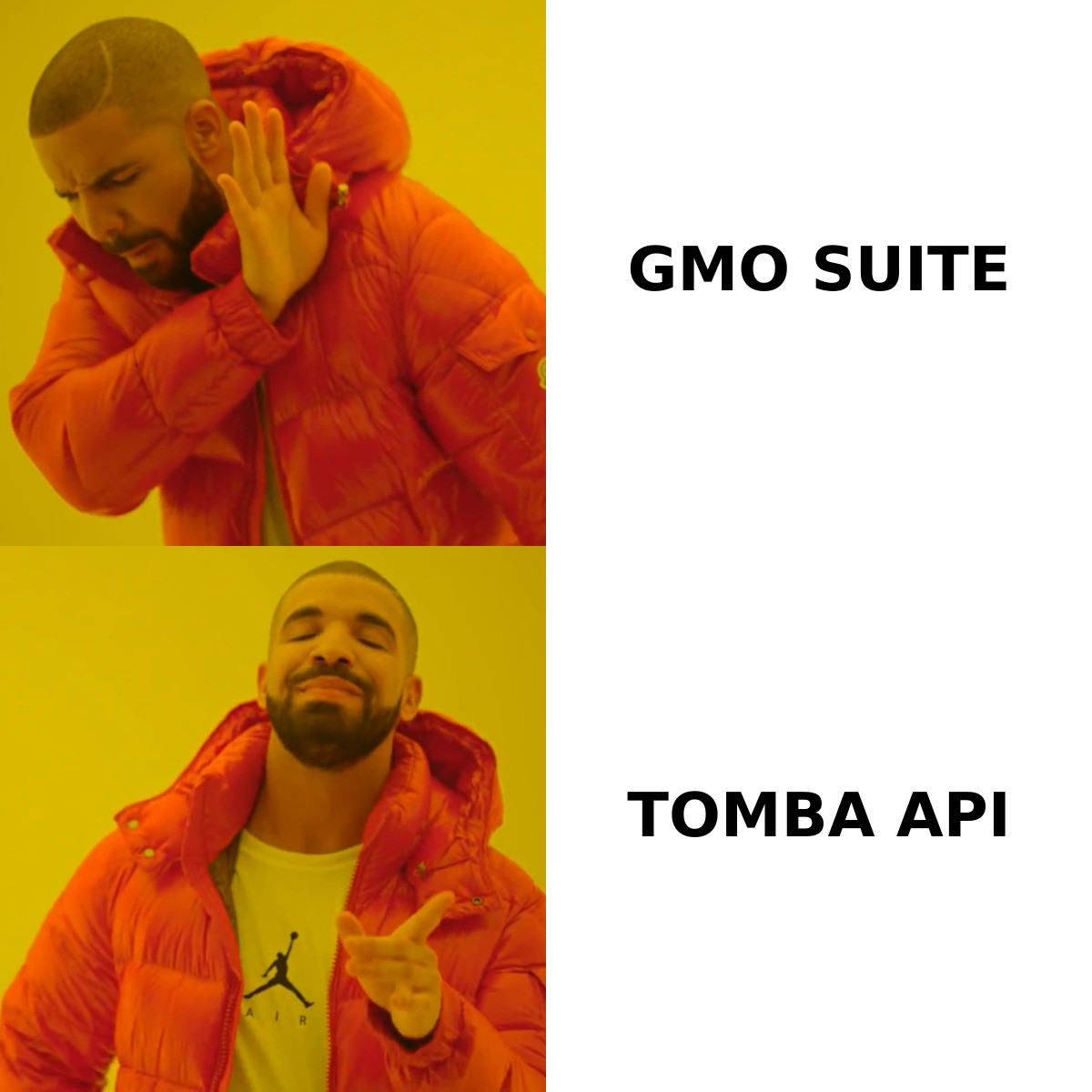
Its core users are people who do not want a stack. If you are one person doing 200 touches a week, paying for a scraper, a finder, a verifier, and a sender is four subscriptions and four dashboards. GrowMeOrganic collapses that into one. The tradeoff is that no single module is best-in-class.
Where it gets uncomfortable is data quality. Chrome-extension scraping tied to your personal LinkedIn account carries account-risk that server-side tools do not, and the enrichment layer that turns a LinkedIn profile into a work email is where suites typically lose 10-20 points of accuracy versus a dedicated email finder. You do not see that loss on the dashboard. You see it as bounces three weeks later.
What is ListClean and what problem does it solve?#
ListClean is an email verification service. You upload a CSV or hit an API, and it returns a status per address: valid, invalid, catch-all/accept-all, role-based, disposable, or unknown. That is the entire product surface.
Verification tools all do roughly the same four things under the hood:
- Syntax and formatting checks — catch typos, malformed addresses, and obvious junk before spending a network call. Free, instant, and the reason your list shrinks 2% on upload.
- Domain and MX record lookup — confirm the domain resolves and actually accepts mail. Dead domains are the single largest source of hard bounces in lists older than 12 months.
- SMTP handshake — open a conversation with the receiving mail server and ask whether the mailbox exists, without sending anything. This is the step that separates real verifiers from regex validators.
- Catch-all and risk classification — flag domains that accept everything (so SMTP tells you nothing) and score them by pattern confidence. How a vendor handles this bucket is the entire ballgame.
- Disposable and role detection — strip
info@,sales@, and burner domains that inflate your list and tank your sender reputation.
ListClean sits in the value tier of that market — cheap per-address pricing, credits that do not expire, a straightforward bulk uploader. It is a commodity purchase, and that is fine. The thing it cannot do is give you an address you did not already have.
Is GrowMeOrganic better than ListClean?#
Wrong question, but here is the honest answer: for most people starting outbound, yes — because GrowMeOrganic produces leads and ListClean does not. A perfect verifier applied to an empty list returns an empty list.
The right question is what stage you are at:
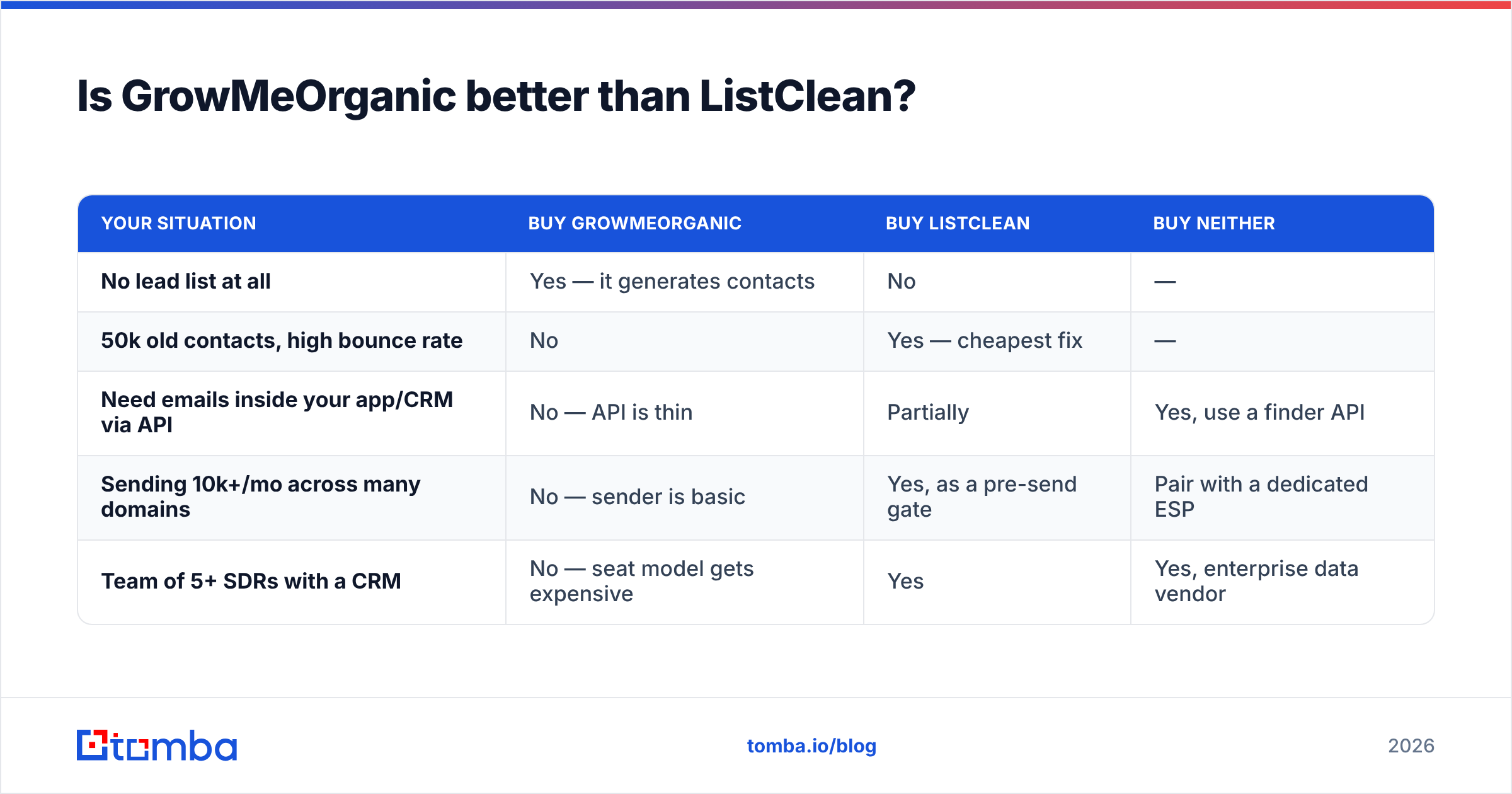
| Your situation | Buy GrowMeOrganic | Buy ListClean | Buy neither |
|---|---|---|---|
| No lead list at all | Yes — it generates contacts | No | — |
| 50k old contacts, high bounce rate | No | Yes — cheapest fix | — |
| Need emails inside your app/CRM via API | No — API is thin | Partially | Yes, use a finder API |
| Sending 10k+/mo across many domains | No — sender is basic | Yes, as a pre-send gate | Pair with a dedicated ESP |
| Team of 5+ SDRs with a CRM | No — seat model gets expensive | Yes | Yes, enterprise data vendor |
The pattern: GrowMeOrganic wins on breadth for one person. ListClean wins on one job, cheaply, at volume. Neither wins on accuracy of newly discovered emails, which is the metric that actually drives reply rates.
How do GrowMeOrganic, ListClean, and Tomba compare on features and price?#
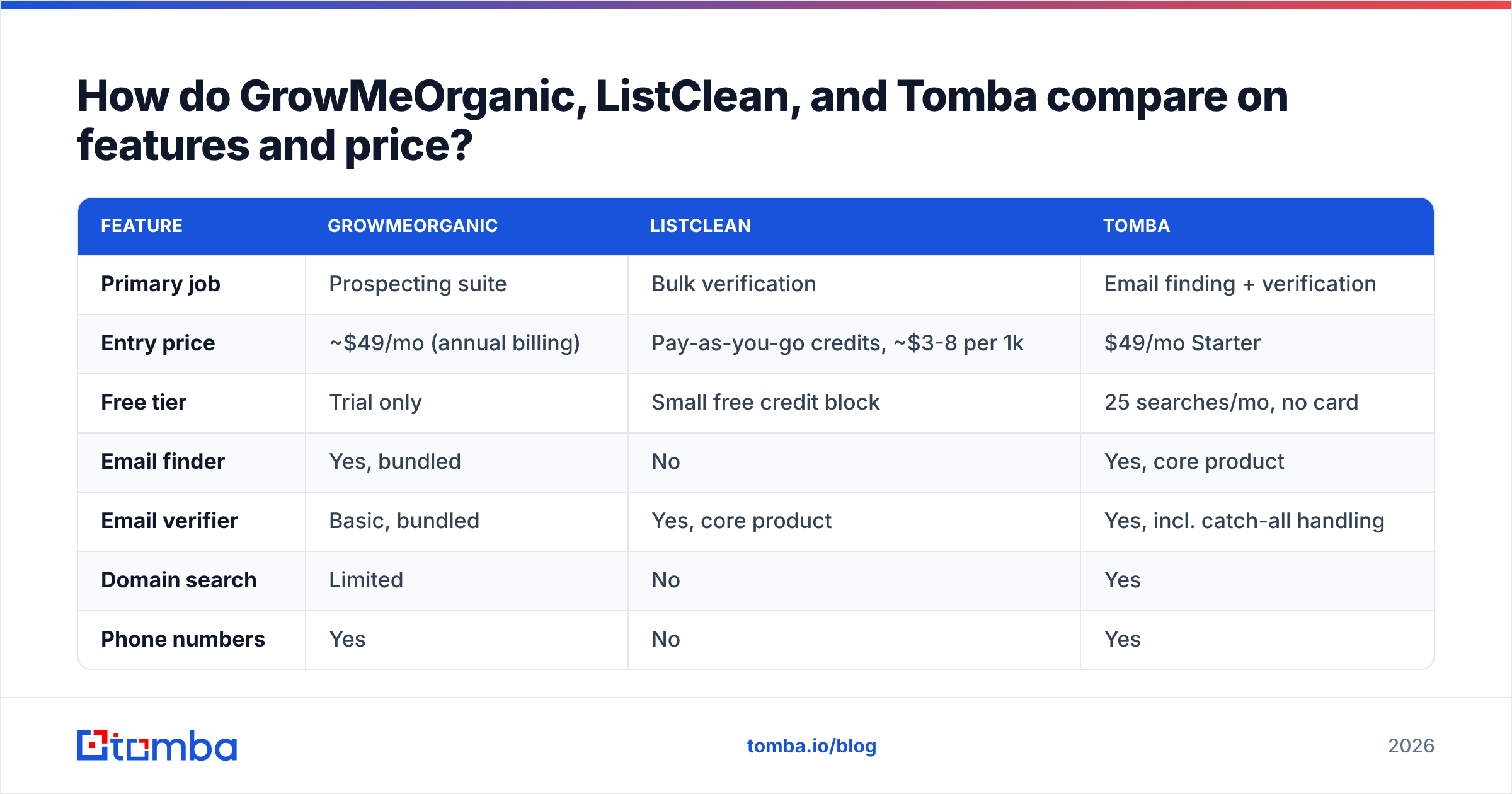
Pricing below reflects publicly listed plans as of early 2026. Verify on each vendor's page before buying — this segment reprices constantly.
| Feature | GrowMeOrganic | ListClean | Tomba |
|---|---|---|---|
| Primary job | Prospecting suite | Bulk verification | Email finding + verification |
| Entry price | ~$49/mo (annual billing) | Pay-as-you-go credits, ~$3-8 per 1k | $49/mo Starter |
| Free tier | Trial only | Small free credit block | 25 searches/mo, no card |
| Email finder | Yes, bundled | No | Yes, core product |
| Email verifier | Basic, bundled | Yes, core product | Yes, incl. catch-all handling |
| Domain search | Limited | No | Yes |
| Phone numbers | Yes | No | Yes |
| Catch-all resolution | Weak | Flags only | Dedicated catch-all verifier |
| Public REST API | Limited | Yes | Full REST API + CLI + MCP |
| Native integrations | HubSpot, Pipedrive, Zapier | Zapier, webhook | HubSpot, Salesforce, Pipedrive, Sheets, Airtable, Zapier, Make |
| Email sending | Yes, built-in drips | No | No — pairs with your ESP |
| LinkedIn extension | Yes | No | Yes |
| Best for | Solo founders, agencies | List hygiene at volume | Data layer for teams + devs |
Two things jump out. First, GrowMeOrganic's price advantage narrows fast once you add seats — flat-fee suites are priced for one user, and a five-person team pays five times. Second, ListClean's per-credit model is genuinely cheap, but you still need something upstream to create the addresses.
That is the structural gap. A suite that finds and sends but verifies weakly will happily mail addresses it should have suppressed. A verifier that cleans beautifully has nothing to clean until someone finds the contacts.
Where does accuracy actually break in 2026?#
Three places, and none of them are the ones vendors put on their homepage.
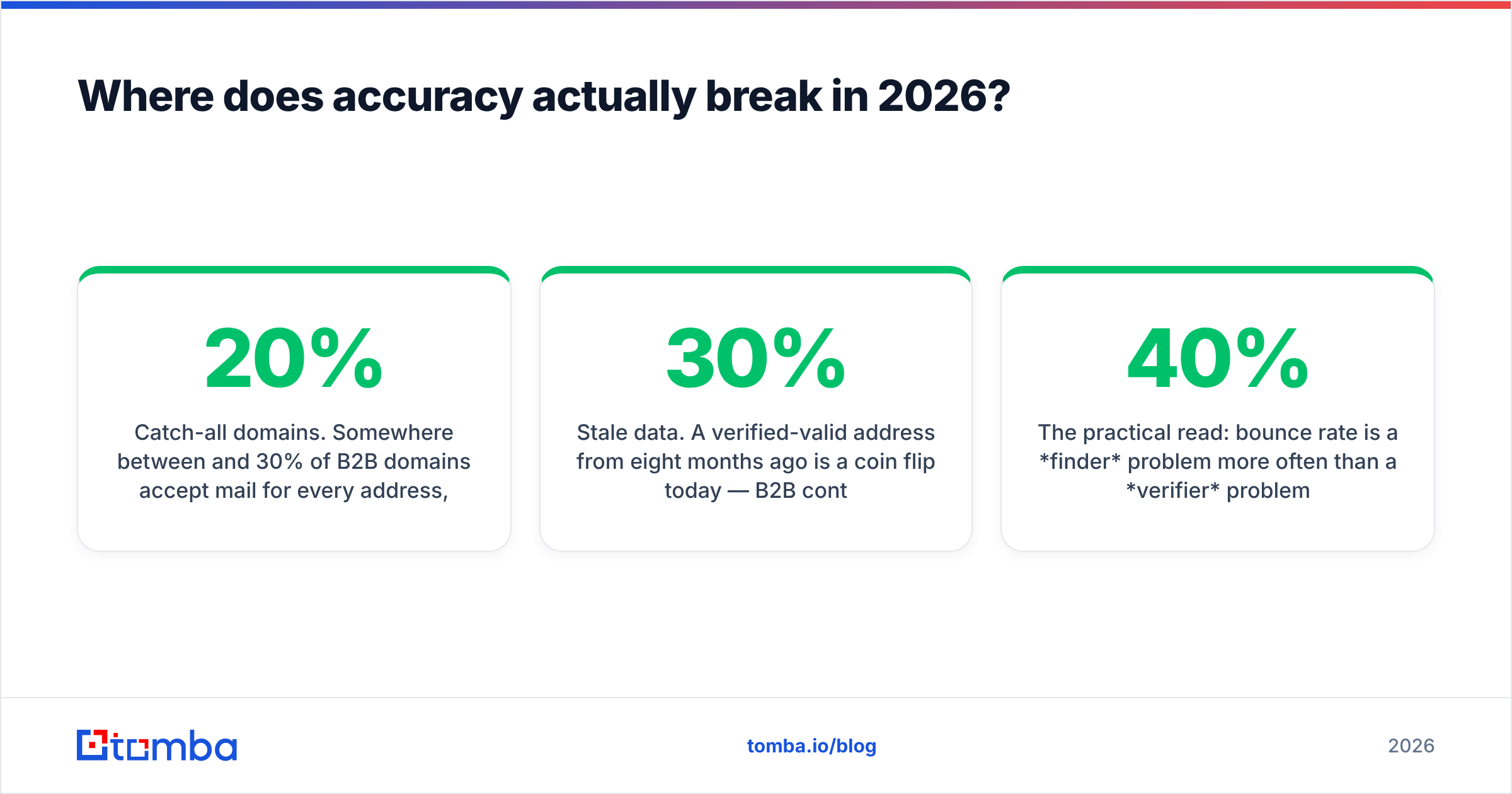
Catch-all domains. Somewhere between 20% and 30% of B2B domains accept mail for every address, so an SMTP probe returns "yes" for asdfgh@company.com too. A verifier that marks these "valid" is lying to you; one that marks them all "unknown" is useless. The useful behavior is pattern-based confidence scoring plus a separate catch-all verifier path. GrowMeOrganic's bundled check does not meaningfully resolve this. ListClean flags them honestly but leaves you to decide.
Non-US and non-.com domains. Coverage on .de, .fr, .co.jp, and regional TLDs is where dataset depth shows. Suites that rebuild coverage from scraped LinkedIn profiles do worse here than providers with independent crawling and pattern libraries. Check any vendor's data sources before you trust a European list.
Stale data. A verified-valid address from eight months ago is a coin flip today — B2B contact churn runs roughly 25-30% annually, which is why Gartner and most RevOps teams treat database decay as a standing budget line, not a one-time cleanup. Verification is a recurring cost, not a project.

The practical read: bounce rate is a finder problem more often than a verifier problem. If you source addresses from a weak dataset and then verify them hard, you do not get a clean list — you get a small one, because half your rows got stripped. You paid for both steps and kept 40% of the volume.
What does a sane 2026 stack look like?#
Split the job into three layers and buy the best affordable option at each.
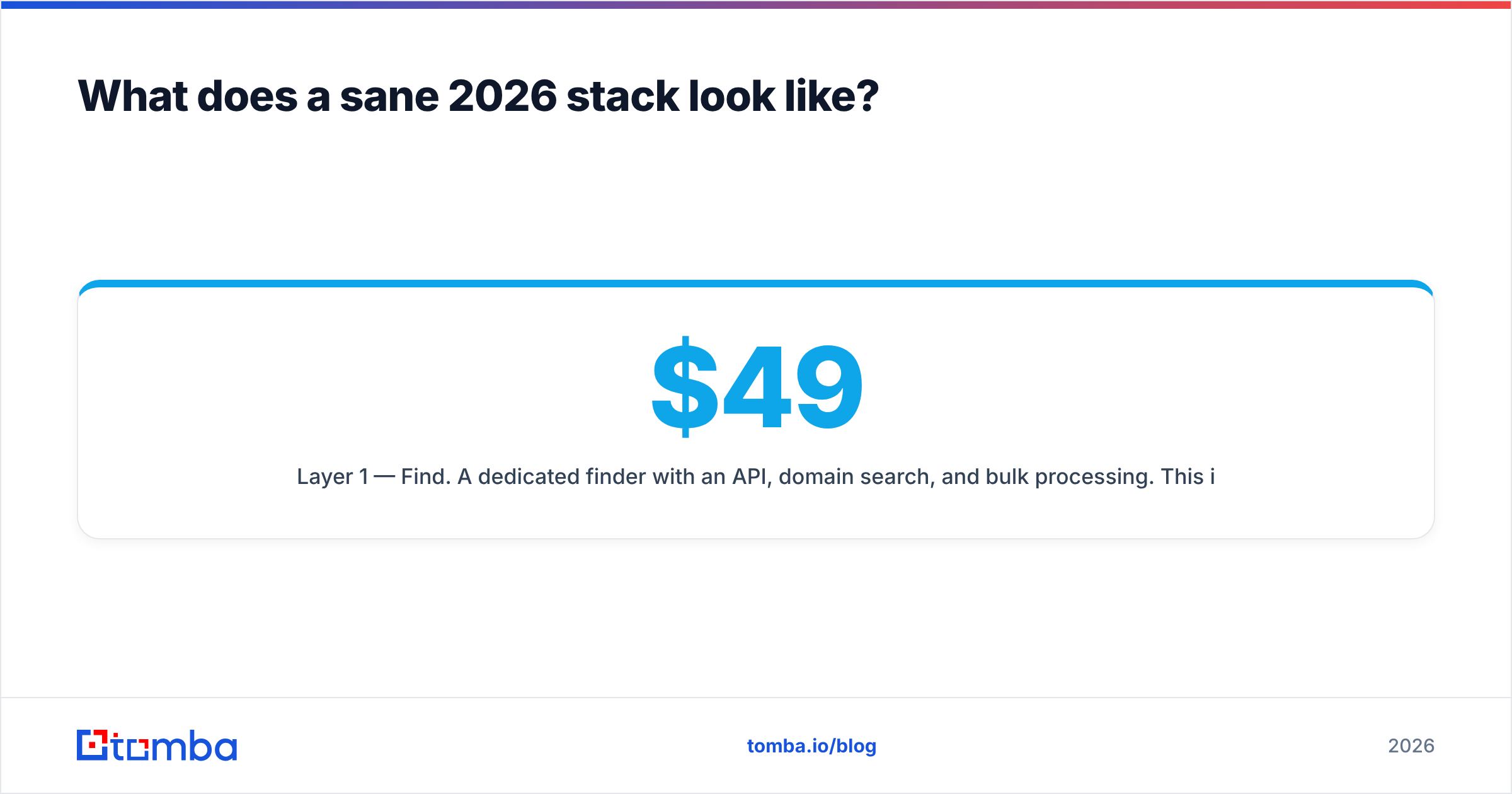
Layer 1 — Find. A dedicated finder with an API, domain search, and bulk processing. This is where accuracy compounds; every downstream metric inherits it. Tomba sits here at $49/mo Starter, $99/mo Growth, $249/mo Pro, with a free tier of 25 searches for testing before you commit. Full Tomba pricing is public, no sales call.
Layer 2 — Verify. Either your finder's built-in verification (fine if it handles catch-alls properly) or a standalone service like ListClean for large legacy lists. Running a 200k-row historical database through a cheap pay-as-you-go verifier is genuinely the right call — do not burn finder credits on it.
Layer 3 — Send. Instantly, Smartlead, Lemlist, or your CRM's sequencer. GrowMeOrganic lives here too, and its sender is adequate for low volume. But sending is the layer with the most competition and the least switching cost, so do not let it dictate your data vendor.
If you want a fourth option worth knowing: BookYourData sells pay-as-you-go verified B2B contact lists with no subscription, which suits teams that need a one-off list for a campaign rather than an ongoing data feed. Different shape of purchase, and a legitimate one — it skips layers 1 and 2 entirely for a defined project.
For teams that live in a CRM, wire the data layer directly: Tomba's HubSpot integration and Salesforce integration push enriched contacts in without CSV round-trips, and the Tomba API covers everything the UI does if you are building your own flow.

Which should you pick — GrowMeOrganic or ListClean?#
Pick GrowMeOrganic if: you are one person or a two-person agency, you have no existing lead list, you want scraping + finding + sending under one bill, and you accept mid-tier data accuracy as the price of simplicity. Expect to outgrow it around 3-5 seats.
Pick ListClean if: you already have volume — an old CRM export, a newsletter list, a purchased database — and your problem is bounces, not sourcing. It is the cheapest way to make a big dirty list mailable. Do not expect it to help you find anyone.
Pick neither if: you are building outbound as a repeatable system rather than a one-off push. In that case you want a data layer that finds and verifies with a real API, and a separate sender you can swap without re-plumbing your data. That is the setup that survives a team growing from two people to ten.
A quick sanity check before you buy anything: run 50 known-good contacts through each vendor's free tier and count how many it returns correctly. Vendor-published accuracy numbers are marketing; your own 50-row test is evidence. G2 and Capterra reviews are useful for support quality and billing complaints, less useful for accuracy claims — reviewers rarely measure it.
What about the hidden costs nobody lists?#
Four line items that do not appear on any pricing page:
- Credit burn on failed lookups. Some tools charge for a search that returns nothing. Read the credit policy, not the price.
- Seat multiplication. Flat-fee suites look cheap until year two with five reps. Per-credit models scale on usage, not headcount.
- Annual lock-in. GrowMeOrganic's headline price is annual-billing. Monthly is meaningfully higher. Budget for the real number.
- Rework. Every bounce is a wasted send and a reputation hit and a lead you now have to re-source. Cheap bad data is the most expensive thing in the stack.
Run the math per usable contact delivered, not per credit. A tool at twice the price with 85% accuracy beats one at half the price with 55% accuracy, every time, and it is not close.
Start with the data layer#
If your bottleneck is finding accurate B2B addresses — not sending them, not cleaning a list you already have — start there. Tomba Email Finder gives you 25 free searches a month with no card, covers domain search and catch-all resolution, and exposes everything through a documented REST API so you can wire it into HubSpot, Sheets, or your own product. Test it against 50 contacts you already know, compare the hit rate to whatever you are using now, and let the numbers decide.
Sources: G2, Capterra, Gartner
Related guides#
Ready to find emails that actually work?
Join 150,000+ professionals who stopped guessing and started sending. Free credits on signup — no credit card required.
Get the Tomba newsletter
Practical outbound tactics and product updates — once every two weeks.
About the author