GrowMeOrganic vs OneMoreLead: Which B2B Data Tool Wins in 2026?
GrowMeOrganic sells scraping plus sequences; OneMoreLead sells a flat-fee contact database. One of them fits your motion, the other wastes your quarter. Here's the honest breakdown.
GrowMeOrganic vs OneMoreLead is a choice between two very different bets. One rents you a scraper plus a sender. The other sells you a flat-fee contact file. Here is the honest breakdown, plus the data-quality catch that both of them leave to you.
TL;DR
- GrowMeOrganic bundles three jobs into one cheap subscription. It scrapes LinkedIn and Sales Navigator, finds emails, and sends cold email. Best for solo founders and small agencies who want one tool instead of three.
- OneMoreLead is a static B2B contact database. You pay a flat rate for broad access. Best for teams who want to pull one big list and own the file.
- Neither vendor publishes an audited accuracy rate. Run your own email verification pass before you send, or you will eat bounces.
- The shape of the price matters more than the level. GrowMeOrganic charges per seat and credit tier. OneMoreLead charges for database access. Your cost per usable contact is the number that counts.
- If deliverability and fresh data come first, use a dedicated finder and verifier layer. Tomba starts free and runs $49/mo on Starter. That beats bolting a verifier on after the fact.
What are GrowMeOrganic and OneMoreLead, actually?#
They are not even the same kind of product. That is why this comparison keeps confusing people.
GrowMeOrganic is an all-in-one outbound suite built around a Chrome extension. You scrape prospects from LinkedIn, Sales Navigator, Google Maps, or business directories. The tool then tries to resolve work emails. You drop those contacts into the built-in cold email sequencer. The pitch is simple: one subscription replaces a scraper, a finder, and a sending tool.
OneMoreLead is a different animal. It is a pre-built B2B contact database with tens of millions of records. You search it with filters — industry, title, company size, geography — and export the results. There is no sequencer, no LinkedIn extension, no modern enrichment API. You are buying access to a file. The value is volume at a price you can predict.
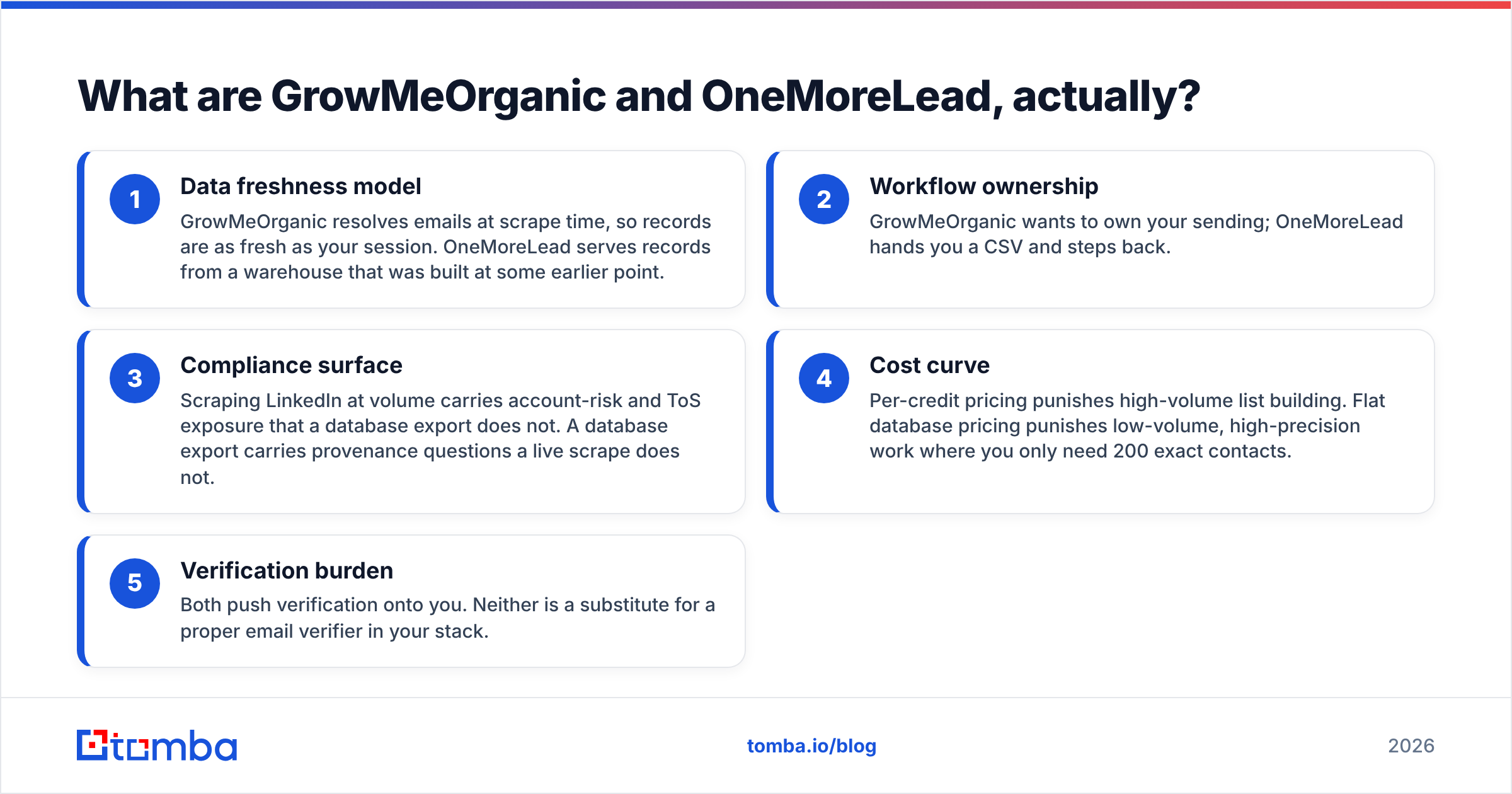
That structural difference drives everything else:
- Data freshness — GrowMeOrganic resolves emails at scrape time, so records are as fresh as your session. OneMoreLead serves records from a warehouse built at some earlier date.
- Workflow ownership — GrowMeOrganic wants to own your sending. OneMoreLead hands you a CSV and steps back.
- Compliance — Scraping LinkedIn at volume risks your account and breaks LinkedIn's terms. A database export does not. But an export raises its own questions about where the records came from.
- Cost curve — Per-credit pricing punishes big list builds. Flat pricing punishes small, precise jobs where you need only 200 exact contacts.
- Verification burden — Both push verification onto you. Neither one replaces a proper email verifier in your stack.

GrowMeOrganic vs OneMoreLead: how do they compare head to head?#
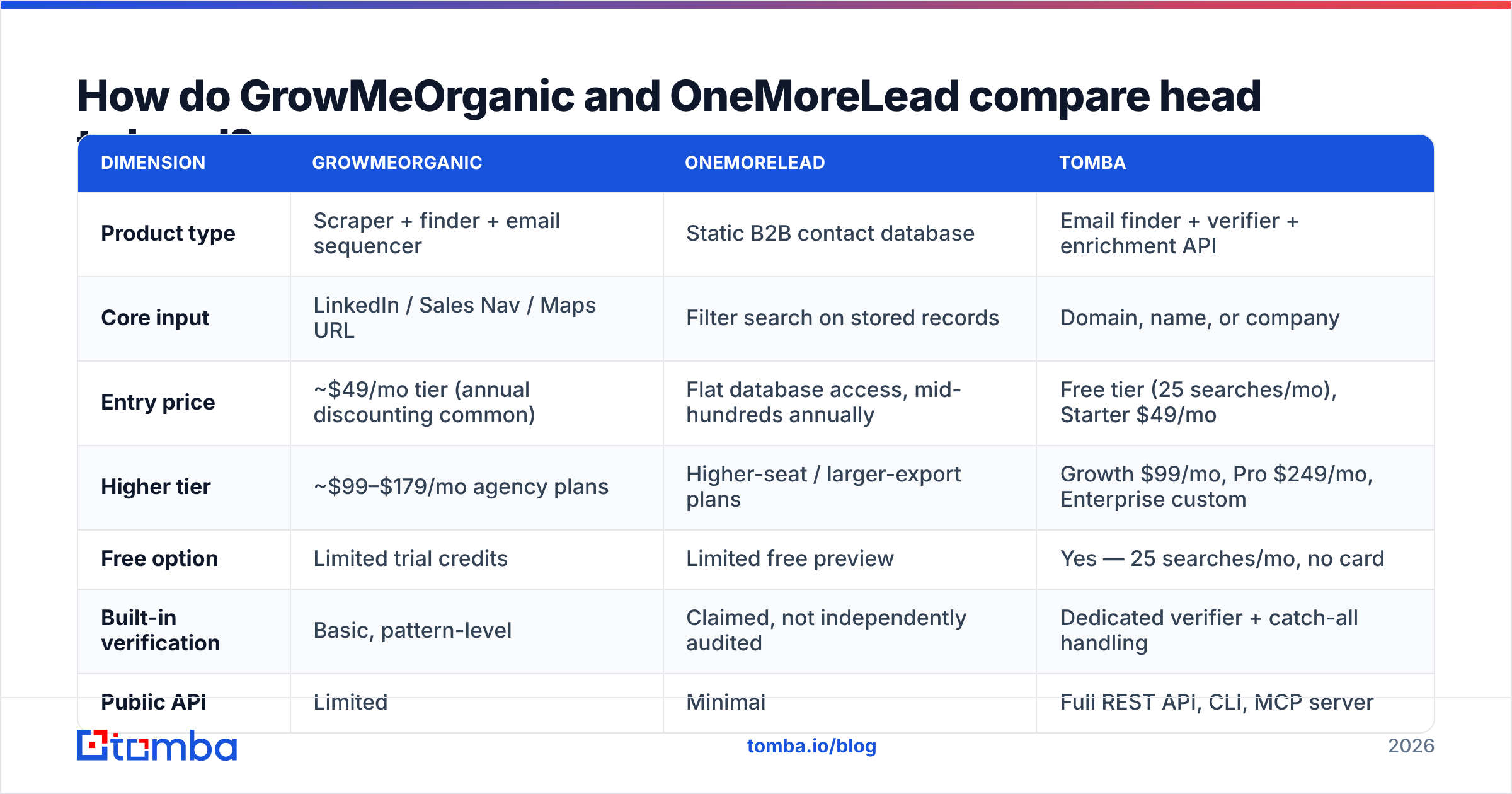
Here is the practical matrix. Pricing reflects public plans as of 2026 and changes often. Always check the vendor page before you buy.
| Dimension | GrowMeOrganic | OneMoreLead | Tomba |
|---|---|---|---|
| Product type | Scraper + finder + email sequencer | Static B2B contact database | Email finder + verifier + enrichment API |
| Core input | LinkedIn / Sales Nav / Maps URL | Filter search on stored records | Domain, name, or company |
| Entry price | ~$49/mo tier (annual discounting common) | Flat database access, mid-hundreds annually | Free tier (25 searches/mo), Starter $49/mo |
| Higher tier | ~$99–$179/mo agency plans | Higher-seat / larger-export plans | Growth $99/mo, Pro $249/mo, Enterprise custom |
| Free option | Limited trial credits | Limited free preview | Yes — 25 searches/mo, no card |
| Built-in verification | Basic, pattern-level | Claimed, not independently audited | Dedicated verifier + catch-all handling |
| Public API | Limited | Minimal | Full REST API, CLI, MCP server |
| Native sending | Yes | No | No (integrates with your sender) |
| Bulk workflow | Extension-driven, session-bound | CSV export | Bulk finder + verifier, Sheets/Excel add-ins |
| Best for | Solo founders wanting one bill | Teams buying volume once | Teams who need accuracy + programmatic access |
The row that decides most purchases is "public API." Running a scrappy one-person outbound push? Then the GrowMeOrganic bundle saves you real money and setup time. But say you have a CRM, a nightly enrichment job, or a product feature that resolves contacts. Neither tool is built for that. You want an email finder API with documented endpoints and rate limits.
Which one has better data accuracy?#
Neither vendor publishes a third-party audit. Treat their claims as marketing until you test them yourself. What you can reason about is how each system builds a record. That tells you where it breaks.
GrowMeOrganic's accuracy is bounded by pattern inference. When you scrape a LinkedIn profile, the tool knows the name and the company. It then guesses the email format — first.last@, flast@, first@ — and checks it. This works fine on companies with a clean, well-known format and a responsive mail server. On catch-all domains it falls apart, because every guess "validates." User reports on G2 and Capterra keep citing bounce spikes in catch-all-heavy markets. Do you sell into enterprise IT or finance? Much of that world runs Microsoft 365 with catch-all turned on. You need a real catch-all verifier before those addresses touch your sender.
OneMoreLead's accuracy is bounded by warehouse decay. B2B contact data rots at roughly 25–30% a year. People change jobs. Companies get bought. Domains get merged. A static database is only as good as its last refresh, and refresh cadence is the one thing these vendors never spell out. Export 10,000 records and a large slice of them are dead, whatever the landing page says.
The practical consequence is the same for both: you must verify before you send. Not "should." Must. A 3% bounce rate is the rough ceiling before Google and Microsoft throttle you. Both tightened their bulk-sender rules in 2024, and those rules are now fully in force. Sending an unverified 5,000-record export is how a warmed domain dies in a week.

Want to sanity-check a list you already own? Run a sample of 200 through a free email checker first. That sample bounce rate predicts the full file better than any vendor claim.
Is GrowMeOrganic's all-in-one bundle worth it?#
Sometimes. The honest answer depends on whether you value one bill more than quality at each layer.
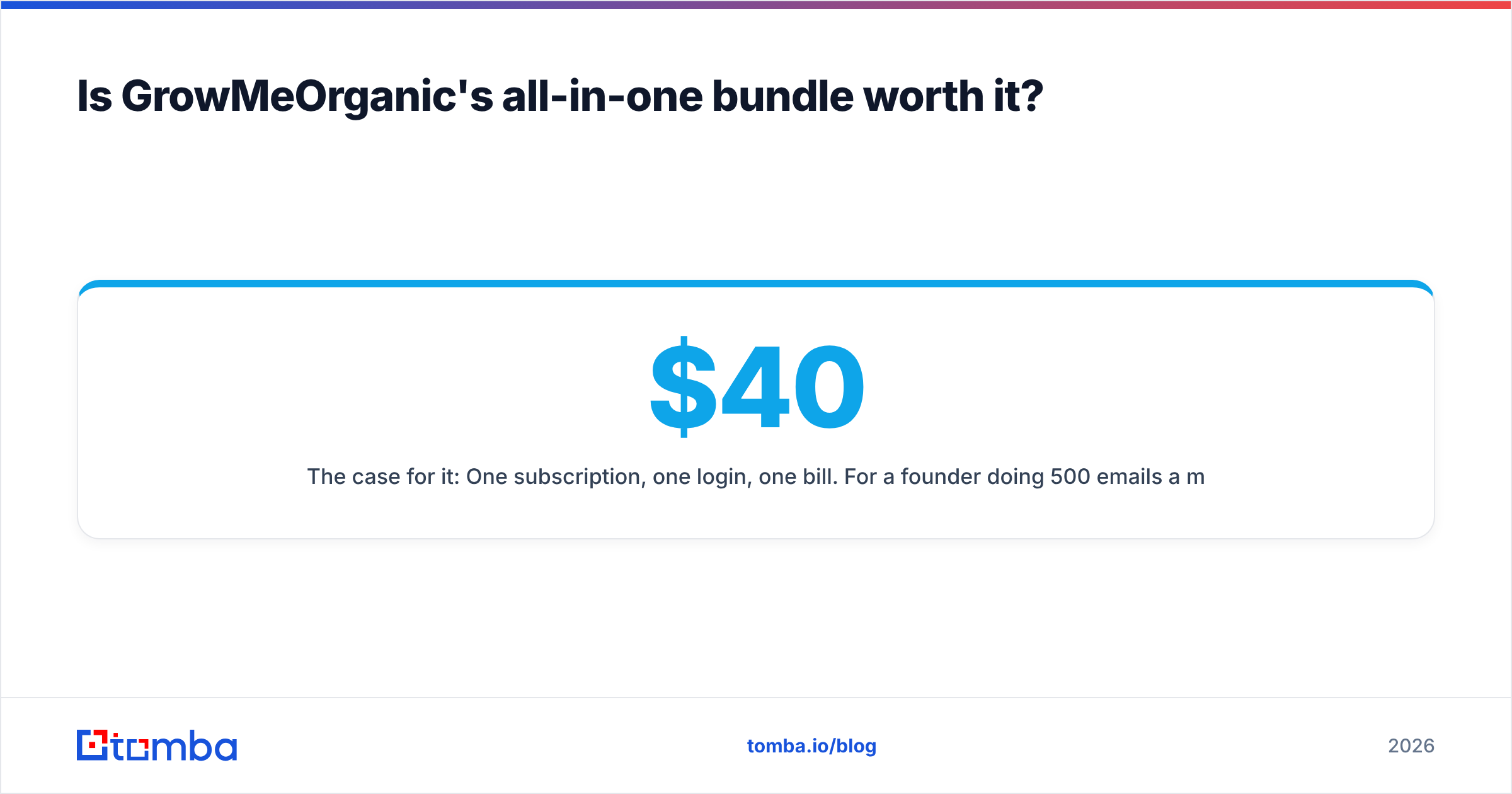
The case for it: One subscription, one login, one bill. Say you are a founder sending 500 emails a month. A scraper ($40), a finder ($49), and a sender ($37) add up to three tools to learn and about $126/mo. GrowMeOrganic collapses that into one. The Chrome extension is genuinely fast if you live in Sales Navigator.
The case against it: All-in-one tools tend to be average at every layer. The sequencer lacks the deliverability tooling of a dedicated platform. There is no real inbox rotation, warmup is thin, and placement reporting is limited. The finder guesses patterns instead of verifying sources. Worse, your sending and your data live with the same vendor. A data quality problem then turns into a deliverability problem inside the same account, with no independent layer to catch it.
There is also a scraping risk that nobody puts on a pricing page. LinkedIn actively detects and blocks automated extraction. High-volume scrapes through a Chrome extension can get your personal LinkedIn account restricted. Your Sales Navigator seat costs more than the GrowMeOrganic subscription does. Factor that into total cost.
Is OneMoreLead's flat pricing actually cheaper?#
It depends on your volume. The math flips at a surprisingly specific point.
Flat-fee access is excellent when you need breadth. Think a 50,000-record TAM list for an ABM program, or seeding a CRM from scratch. Divide the annual fee by usable records and the cost per contact can drop below a cent.
It is terrible when you need precision. Say your ICP is "VP of Engineering at Series B fintechs in Berlin." A static database returns a handful of matches, many of them stale. You paid a flat fee for a search that a credit-based domain search would have answered for pennies. Precision buyers overpay badly on flat plans.
Run this calculation before you sign anything:
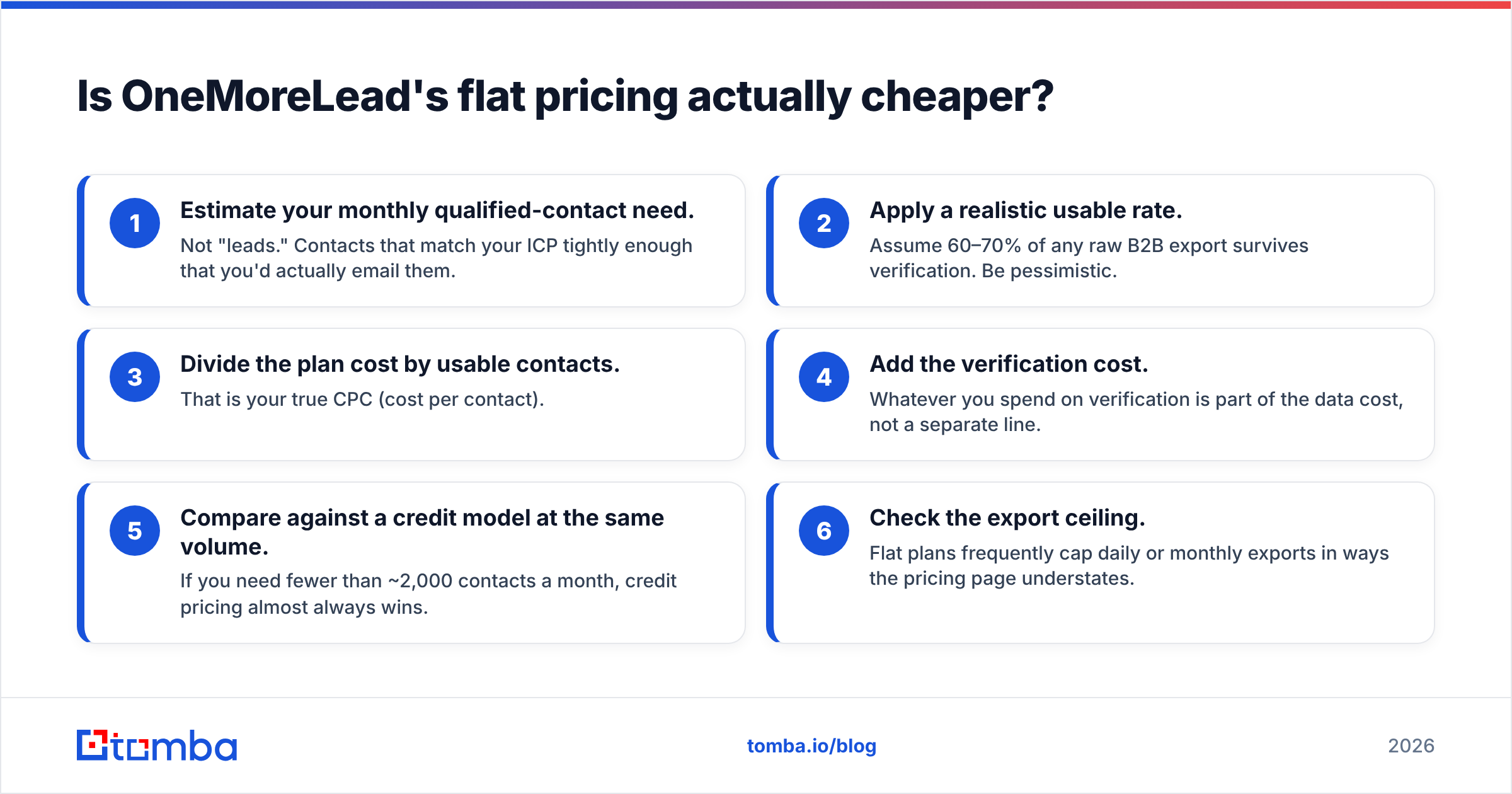
- Estimate your monthly qualified-contact need. Not "leads." Contacts that match your ICP closely enough that you would actually email them.
- Apply a realistic usable rate. Assume 60–70% of any raw B2B export survives verification. Be pessimistic.
- Divide the plan cost by usable contacts. That is your true cost per contact.
- Add the verification cost. What you spend on verification is part of the data cost, not a separate line.
- Compare against a credit model at the same volume. Need fewer than ~2,000 contacts a month? Credit pricing almost always wins.
- Check the export ceiling. Flat plans often cap daily or monthly exports in ways the pricing page glosses over.
Peer tools price differently again. BookYourData sells pay-as-you-go credits with a bounce guarantee. That is a genuinely different risk model. Price it alongside both of these if you want a no-subscription option.
What should you actually use for outbound in 2026?#
Split the stack. The all-in-one pitch sounds efficient, but it leaves you with average tools at every layer.
The architecture that holds up:
- Data layer — a finder and verifier with an API and transparent data sources. Quality compounds here. Every downstream metric depends on it.
- Sending layer — a dedicated cold email platform with inbox rotation, warmup, and placement reporting.
- CRM layer — wherever your pipeline lives, fed by an enrichment job rather than manual CSV imports.
In the GrowMeOrganic vs OneMoreLead choice, each one still has a lane. GrowMeOrganic fits if you are early enough that one tool beats three, and you take that tradeoff with your eyes open. OneMoreLead fits a one-time, large-scale list build with a verification budget lined up behind it. Neither fits if you need always-fresh contact resolution in code. That is what an API-first finder is for.
A few concrete decision rules:
- Under 300 emails/month, solo, no CRM → the GrowMeOrganic bundle is defensible.
- One-off 20k+ list build for an ABM push → a flat database like OneMoreLead, plus mandatory verification.
- Recurring outbound with a CRM and any automation → API-first finder plus a separate sender. Do not bundle.
- Product feature that resolves contacts → API only. Extensions and CSVs are not infrastructure.
- Agency running multiple client domains → always split data and sending vendors, so one client's list problem cannot poison another client's domain.
One more thing gets overlooked: check what each tool does with phone data. GrowMeOrganic and OneMoreLead both treat phone numbers as a secondary field with weak validation. Is cold calling part of your motion? Then use a proper phone validator instead of dialing whatever string came out of a scrape. Connect rates on unvalidated numbers are dismal, and they burn rep time.
What's the verdict?#
The GrowMeOrganic vs OneMoreLead verdict: GrowMeOrganic wins on workflow, OneMoreLead wins on volume economics, and neither wins on data quality. That is the honest read. If you force a single pick: GrowMeOrganic for the solo operator who wants one bill and one login, OneMoreLead for the team doing a large, infrequent list build with a verification budget behind it.
But "which of these two" is usually the wrong question. Both tools push the accuracy problem downstream to you. The teams that get outbound right in 2026 solve accuracy at the source. That means verified emails, catch-all handling built in, and an API their systems can call. Then they pick a sender on sending merits alone.
That is where Tomba Email Finder fits. Find and verify professional email addresses by domain, name, or company. Catch-all detection and a real REST API come standard. It starts free at 25 searches a month and scales from $49/mo Starter through Growth and Pro as your volume grows. Test it against whichever list you are about to buy: run 100 records through both and compare the bounce rates before you sign an annual contract. Full Tomba pricing is public, with no sales call required.
Related guides#
Ready to find emails that actually work?
Join 150,000+ professionals who stopped guessing and started sending. Free credits on signup — no credit card required.
Get the Tomba newsletter
Practical outbound tactics and product updates — once every two weeks.
About the author