GrowMeOrganic vs Sales Automation Systems: 2026 Guide
GrowMeOrganic bundles scraping, email finding, and sequences into one subscription. A real sales automation system splits those jobs across specialists. Here is which approach wins, when, and what each one actually costs you per booked meeting.
GrowMeOrganic vs sales automation systems comes down to one choice: buy one bundled tool, or build a small stack of specialists. This guide settles it with three numbers — your send volume, your cost per usable contact, and your bounce rate.
TL;DR
- GrowMeOrganic is an all-in-one prospecting bundle. It scrapes LinkedIn, finds emails, ships a B2B database, and sends basic sequences on one flat plan.
- A "sales automation system" is not a product. It is a chain of four jobs — source, enrich, verify, sequence. Most teams run it with two or three specialists plus a CRM.
- In GrowMeOrganic vs sales automation systems, the bundle wins on price per seat and setup time. The stack wins on data accuracy, deliverability control, API depth, and easy swaps.
- The real gap is not the sticker price. It is bounce rate. A 12% bounce on 5,000 sends costs your domain more than the $50 a month you saved.
- Most teams under 20 reps should go hybrid. Keep the sequencer you like. Put a dedicated email finder and verifier in front of it. Treat the "everything" tool as a research layer.
What is GrowMeOrganic, and what does it actually replace?#
GrowMeOrganic is sold as an all-in-one B2B prospecting platform. It bundles four things that used to be four purchases. You get a Chrome extension that pulls contacts out of LinkedIn and Sales Navigator. You get an email finder that guesses and checks work addresses. You get a searchable company and contact database. You get a light cold email sequencer with drip scheduling.
The pitch is simple, and it is a good pitch. One login. One invoice. Export limits that feel endless. No setup work on day one. For a solo founder or a two-person agency sending 500 emails a month, this is the fastest path from "I have an ICP" to "I have replies."
What it replaces is the assembly work. You skip wiring a scraper to an enrichment API to a verifier to a sending tool. The seams come pre-welded. But you also inherit the weakest seam. In bundled tools, that seam is almost always the data layer, because good data is the expensive part to run.
What counts as a sales automation system in 2026?#
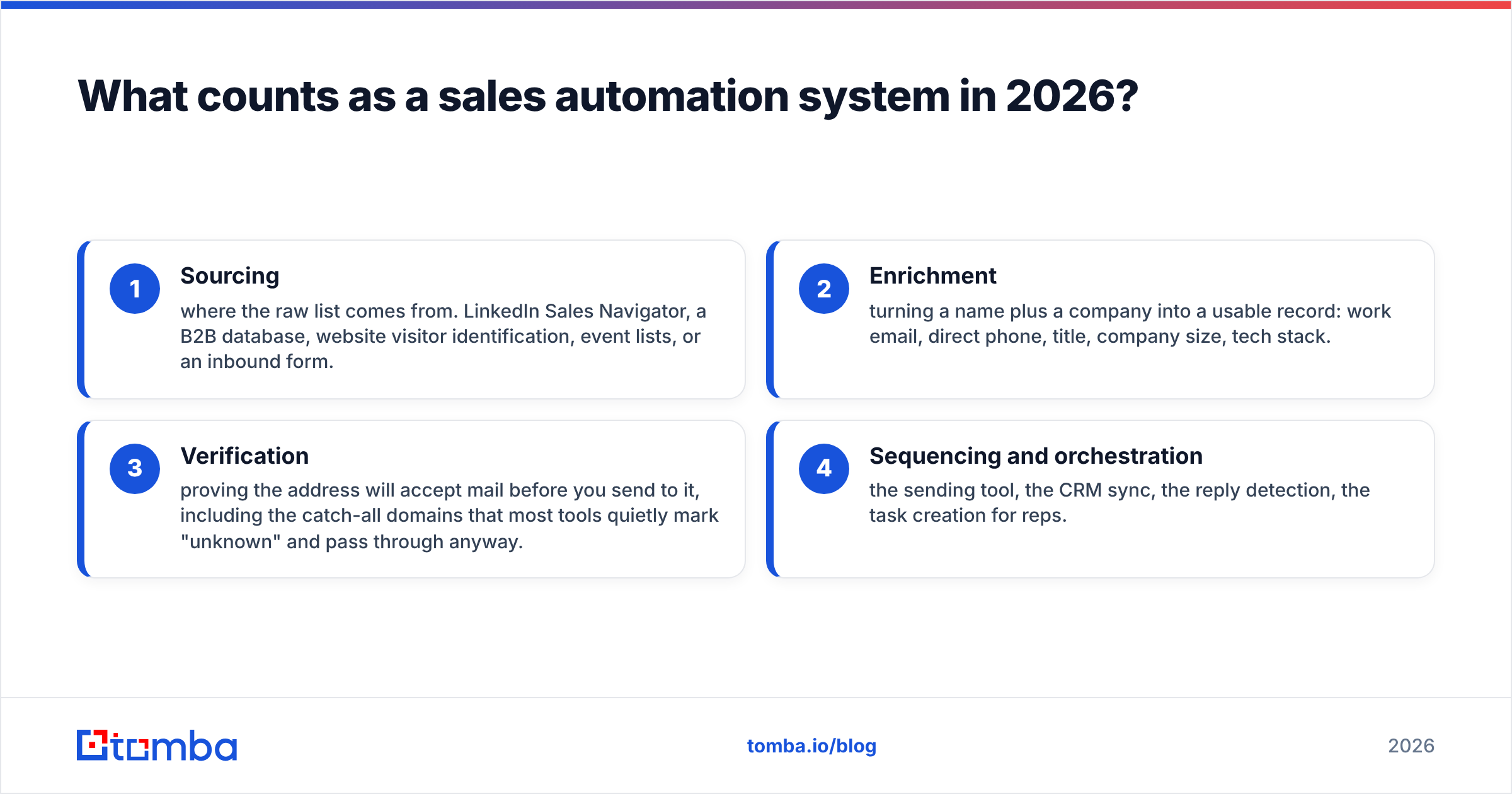
The phrase gets used loosely, so pin it down. A sales automation system moves a contact from "unknown" to "in a live sequence with clean data." That takes four jobs. Every team runs all four, whether or not they have named them:
- Sourcing — where the raw list comes from. LinkedIn Sales Navigator, a B2B database, website visitor identification, event lists, or an inbound form.
- Enrichment — turning a name plus a company into a usable record: work email, direct phone, title, company size, tech stack.
- Verification — proving the address will accept mail before you send. That includes catch-all domains, which most tools quietly mark "unknown" and pass through anyway.
- Sequencing and orchestration — the sending tool, the CRM sync, reply detection, and task creation for reps.
Here is the split that matters. GrowMeOrganic tries to own all four jobs on one plan. A system approach picks the best tool for each job and links them by API or native integration. Salesforce's own sales automation overview frames it the same way. Automation is a workflow across tools, not a single SKU.
So GrowMeOrganic vs sales automation systems is not a debate about taste. Ask one question instead: at your volume, which setup books more meetings per dollar?
GrowMeOrganic vs sales automation systems: how do they compare?#
| Dimension | GrowMeOrganic (all-in-one) | Assembled automation system |
|---|---|---|
| Setup time | Under an hour — install extension, start exporting | 1–3 days — connect finder, verifier, sequencer, CRM |
| Pricing model | Flat monthly tiers with bundled credits across all features | Per-component; e.g. Tomba Starter $49/mo, Growth $99/mo, Pro $249/mo, plus your sequencer |
| Data sourcing | LinkedIn scraping + internal database | Multiple sources: database, LinkedIn, domain search, visitor reveal |
| Email accuracy control | Single engine, take it or leave it | Swap or stack providers; verify with a second vendor |
| Catch-all handling | Typically returned as "accept-all," left to you | Dedicated catch-all verification as a distinct step |
| Sequencing depth | Basic drips, limited A/B and inbox rotation | Full-featured sequencer of your choice (Instantly, Smartlead, Salesloft, Reply) |
| CRM sync | Export or light integration | Native two-way sync with HubSpot, Salesforce, Pipedrive |
| API access | Limited on lower tiers | First-class; automation-ready on every plan |
| Failure blast radius | One vendor down = whole pipeline down | One vendor down = swap that component only |
| Best fit | Solo founders, agencies under ~1,000 sends/mo | Teams over ~5,000 sends/mo, or anyone with deliverability scars |
Read that table as a volume curve, not a scoreboard. Below a certain send volume, bundle math wins. A 6% bounce on 400 emails is 24 emails, and nobody cares. Above that volume, every accuracy point lands on your domain reputation. Then the math flips hard.

Where does GrowMeOrganic genuinely win?#
Be fair here. GrowMeOrganic vs sales automation systems is not a morality play, and "all-in-one tools are always worse" is a lazy take.
Cost per seat at low volume. Say you are a three-person agency running outbound for clients. One flat plan that covers scraping, finding, and sending beats three separate line items. That is real money, not a rounding error.
Zero integration debt. No Zapier steps. No field mapping. No "why did the enrichment webhook fail on Tuesday." For non-technical operators, this is the strongest argument on the board.
One place to train a junior. Onboarding an SDR onto one screen beats onboarding them onto four. Less tool-switching means more selling. G2's category data shows ease-of-use scores skewing toward consolidated platforms.
Good enough for validation. Testing whether a new ICP replies at all? You do not need 96% deliverable data. You need 200 addresses by Thursday.
Where do assembled systems pull ahead?#
Data accuracy, and it is not close at scale. Bundled tools spread one data engine across every customer and use case. A specialist email finder runs pattern detection, SMTP probing, and multi-source checks as its whole business. That focus shows up in the bounce column.
Verification as a separate, adversarial step. Verify with a different vendor than the one that found the address. A finder has an incentive to return something. An independent email verifier has an incentive to say no. A bundle cannot give you that check, because both answers come from one engine.
Catch-all domains. Roughly 15% to 25% of B2B domains accept everything at the SMTP layer. Standard checks return "unknown." All-in-one tools tend to pass these through, and your sending reputation absorbs the risk. A dedicated catch-all step turns many of them into a real yes or no first.
Sequencer freedom. Inbox rotation, spintax, warmup, reply sentiment, and per-domain caps are table stakes now. A sequencer built as feature number four rarely matches a tool whose whole roadmap is deliverability.
Swappability. Vendors change. Prices change. Coverage in your vertical changes. In a component system you replace one link. In a bundle you migrate everything, including sequences, stats, and team habits.
On GrowMeOrganic vs sales automation systems, this list is where the stack pulls away once volume climbs.
What actually breaks first in an all-in-one pipeline?#
Deliverability. And it breaks quietly.
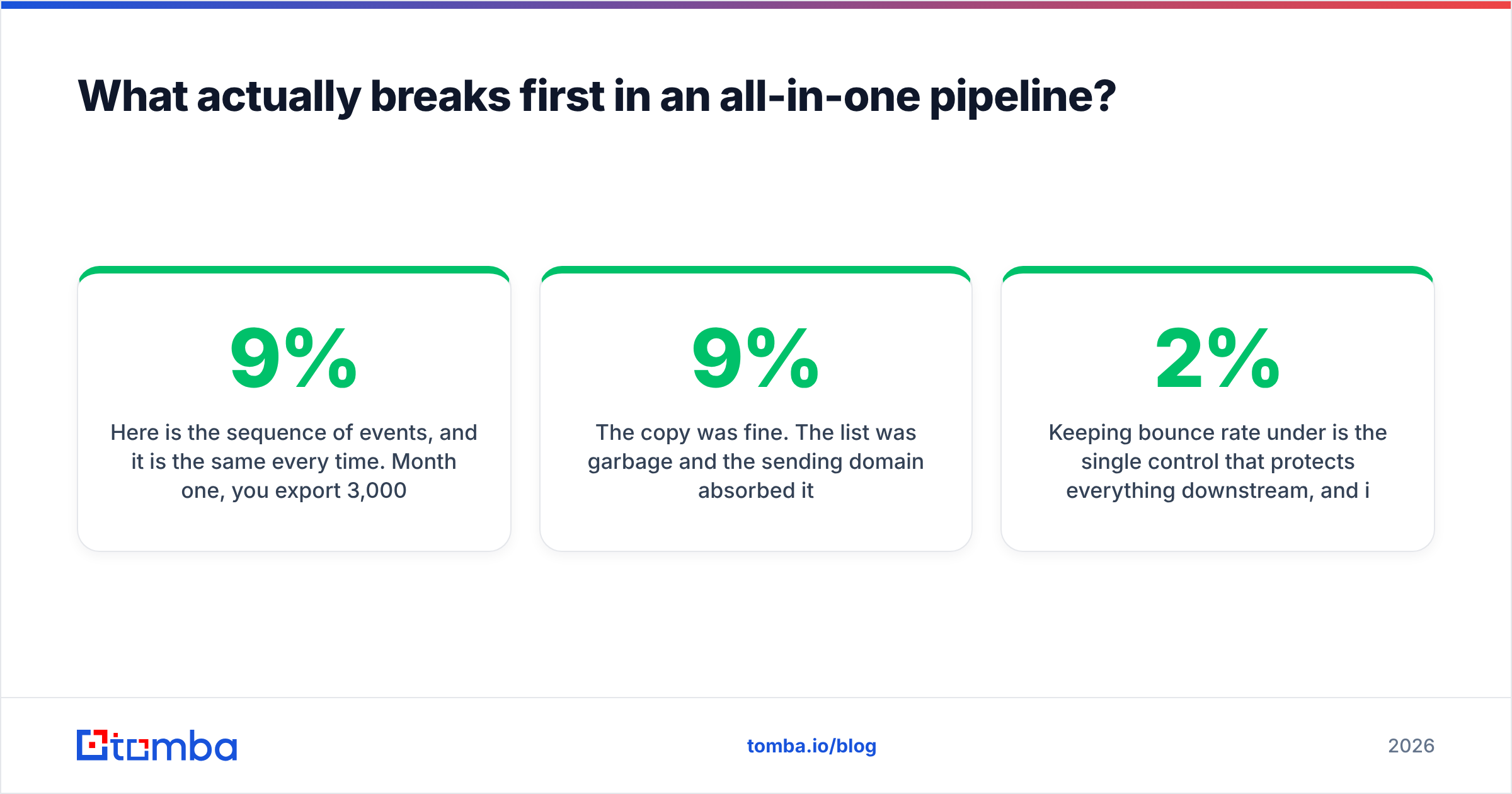
The story runs the same way every time. Month one, you export 3,000 contacts and send. Bounce rate is 9%. Nobody looks, because replies are coming in.
Month two, you scale to 8,000 sends. The bounce rate holds at 9%. That is now 720 hard bounces. Google and Microsoft start throttling you.
Month three, open rates halve. The team blames the copy. The copy was fine. The list was 9% junk, and the sending domain paid for it.
Keep bounce rate under 2% and everything downstream holds. That is a data problem, not a writing problem. HubSpot's deliverability guidance makes the same point. List hygiene beats send-time tuning by a wide margin.
This is why seasoned outbound teams unbundle the data layer first. Many keep the bundle for sourcing. Then they push every record through a specialist finder and verifier. That hybrid is a fair answer to GrowMeOrganic vs sales automation systems, and plenty of agencies quietly run it.
How do the real costs compare at volume?#
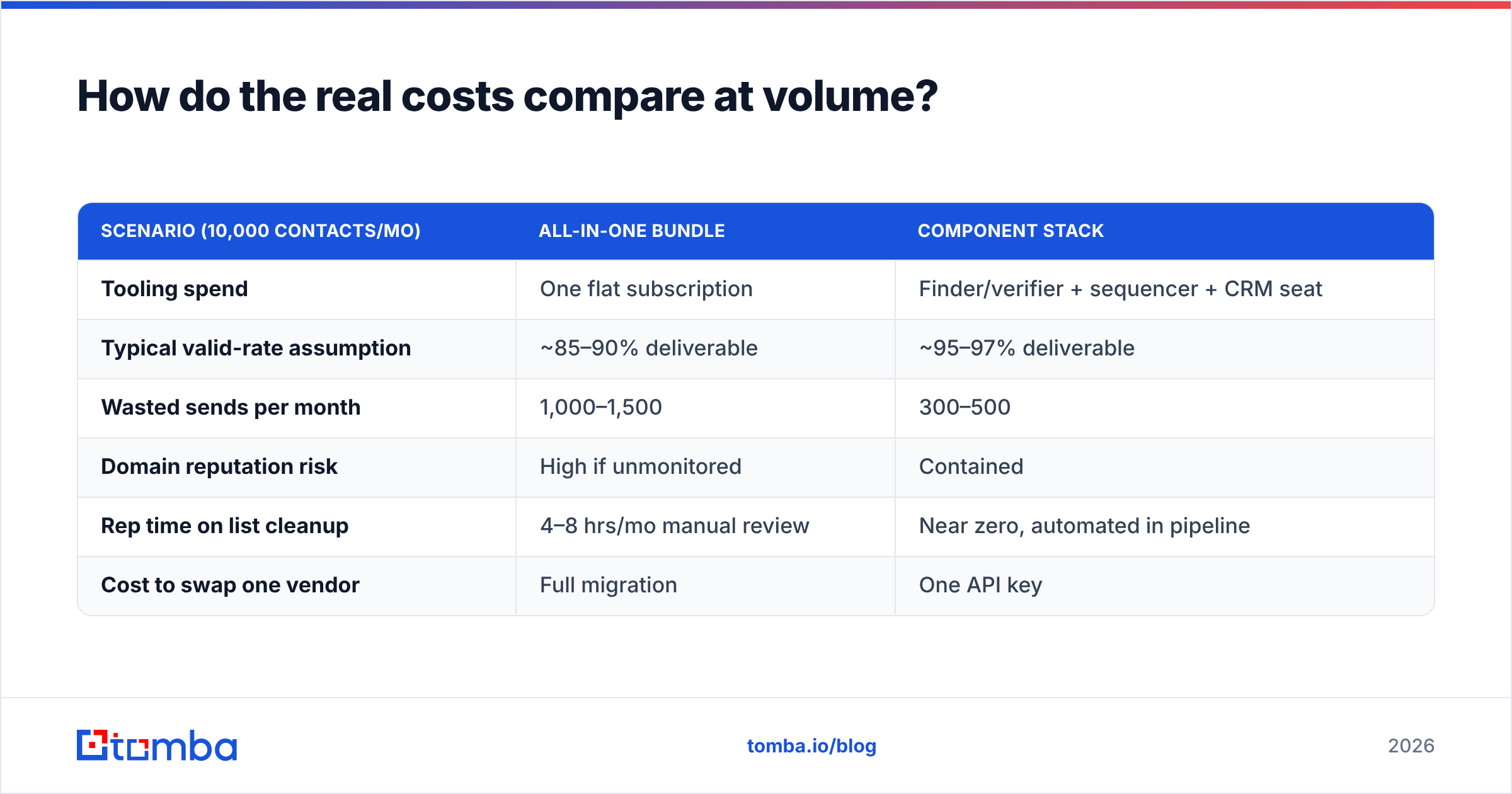
Cost is where GrowMeOrganic vs sales automation systems gets decided for most teams. Sticker price is the least useful number. Model cost per usable contact instead.
| Scenario (10,000 contacts/mo) | All-in-one bundle | Component stack |
|---|---|---|
| Tooling spend | One flat subscription | Finder/verifier + sequencer + CRM seat |
| Typical valid-rate assumption | ~85–90% deliverable | ~95–97% deliverable |
| Wasted sends per month | 1,000–1,500 | 300–500 |
| Domain reputation risk | High if unmonitored | Contained |
| Rep time on list cleanup | 4–8 hrs/mo manual review | Near zero, automated in pipeline |
| Cost to swap one vendor | Full migration | One API key |
Put numbers on the middle row. Say your average deal is $6,000. Say your sequence converts 1% of deliverable sends. Then 1,000 wasted sends a month is about ten lost conversations. Over a year, that is real pipeline. The bundle saved you $80 a month and cost you part of a deal.
None of this calls for an enterprise stack. It means the data layer deserves its own budget line, apart from the tool that sends the mail. Vendors like Tomba and database peers such as BookYourData exist because that line is worth paying for on its own.
Which one should you choose?#
Use volume and risk, not the feature list. Here is the short answer to GrowMeOrganic vs sales automation systems:
- Under 1,000 sends/month, solo or two people. Take the bundle. Optimize for speed of learning, not data purity. Revisit at 3,000.
- 1,000–5,000 sends/month, one shared domain. Go hybrid. Source wherever is cheapest. Then run every record through a finder and a verifier before your sequencer. Most teams can ship this in an afternoon.
- Over 5,000 sends/month, or several sending domains. Full component stack. You need inbox rotation, per-domain caps, and independent checks. A bundled sequencer caps your growth before your copy does.
- CRM as system of record. Component stack, no debate. Clean two-way sync with HubSpot, Salesforce, or Pipedrive beats a low tool count.
- Engineering-led or product-led growth. Component stack with API-first enrichment. If enrichment runs inside your product or warehouse, you need a documented email finder API with clear rate limits, not a Chrome extension.
- Agencies running many client domains. Hybrid, with a verification budget per client. Client domain reputation is your product. Do not pool that risk in one engine.
What does a sane hybrid stack actually look like?#
Four boxes, and you can build it in a day:
- Source: LinkedIn or Sales Navigator export, a B2B database, or visitor reveal. GrowMeOrganic is a fine pick here.
- Enrich and find: a specialist finder, hit by API or bulk CSV. Domain search for account lists, name-plus-domain lookup for known contacts.
- Verify: an independent pass, with explicit catch-all handling. Reject anything that is not a confirmed accept.
- Sequence: your sending tool, fed only by records that survived step three, synced back to the CRM on reply.
One rule makes it work: nothing enters the sequencer unverified, ever. Not "usually." Not "when we have time." That gate is the difference between scaling to 20,000 sends and burning a domain at 8,000.
Already own a bundle? You do not have to drop it. Insert step three between your export and your sequencer, then track the bounce delta for two weeks. That number will settle GrowMeOrganic vs sales automation systems for your team.
Ready to fix the data layer first?#
Bundle or stack, the cheapest win available today is better addresses going into whatever sends your mail. Start with the Tomba Email Finder. Search by domain, name, or company. Verification runs in the same call, and every result carries a confidence score.
The free tier gives you 25 searches a month, enough to benchmark your current source. Paid plans start at $49/mo; see full Tomba pricing for Growth and Pro tiers. Run 200 of your existing contacts through it. Compare the bounce rate to last month's send. Let the delta decide your architecture.
Related guides#
Ready to find emails that actually work?
Join 150,000+ professionals who stopped guessing and started sending. Free credits on signup — no credit card required.
Get the Tomba newsletter
Practical outbound tactics and product updates — once every two weeks.
About the author