GrowMeOrganic vs Sendflock: Which Outbound Tool Wins in 2026?
One tool builds your list, the other sends your sequences. We break down GrowMeOrganic vs Sendflock on pricing, data quality, sending limits, and which one actually belongs in your 2026 outbound stack.
GrowMeOrganic vs Sendflock is not really a head-to-head fight. One tool finds contacts. The other sends the email. This guide compares GrowMeOrganic vs Sendflock on data quality, price, and deliverability. Then it shows which half of the stack you are actually buying.
TL;DR
- GrowMeOrganic vs Sendflock is a split, not a duel. GrowMeOrganic is a contact database plus a LinkedIn scraper, with sending bolted on. Sendflock is a cold email sender with inbox rotation, and light data bolted on.
- Need to find verified contacts? GrowMeOrganic fits better. But test those "unlimited" email credits first. Unlimited is a price model, not a promise about accuracy.
- Need to send at volume across many mailboxes? Sendflock is built for that job.
- Neither tool is a great single answer. Most teams past 5,000 sends a month split the stack.
- Watch the real cost. Bundled pricing looks cheap until you price the bounce rate. A 12% bounce hurts your domain more than a $49/mo data tool costs.
GrowMeOrganic vs Sendflock: what each tool actually does#
Both marketing pages say "all-in-one outbound platform." The products underneath are not alike.
GrowMeOrganic began as a LinkedIn prospecting tool. It still is one at heart. A Chrome extension pulls contacts out of LinkedIn and Sales Navigator. A B2B database lets you filter by industry and region. An email module sends what you pull. Paid plans promise unlimited extraction, so you pay for seats, not credits.
Sendflock sits at the other end of the funnel. Its core job is sending. Connect many mailboxes, rotate sends across them, warm them up, and track replies. Finding data is a side feature. It is not why anyone buys it.
So GrowMeOrganic vs Sendflock is only a true match-up if you plan to buy one and live without the other half. Plenty of two-person teams do exactly that. Just be clear about which half you are giving up.
The four jobs an outbound stack has to cover:
- Source — find the accounts and people worth contacting
- Enrich — attach a working email address and phone number to each name
- Verify — confirm the address accepts mail before you send
- Send — deliver from healthy mailboxes without hitting spam filters
GrowMeOrganic is strongest at 1 and 2. It is fine at 4 and weak at 3. Sendflock is strongest at 4, fine at 3, and weak at 1 and 2. Neither tool is best in class at all four. Any vendor who claims otherwise is selling you four average products in one box.
GrowMeOrganic vs Sendflock: feature by feature#
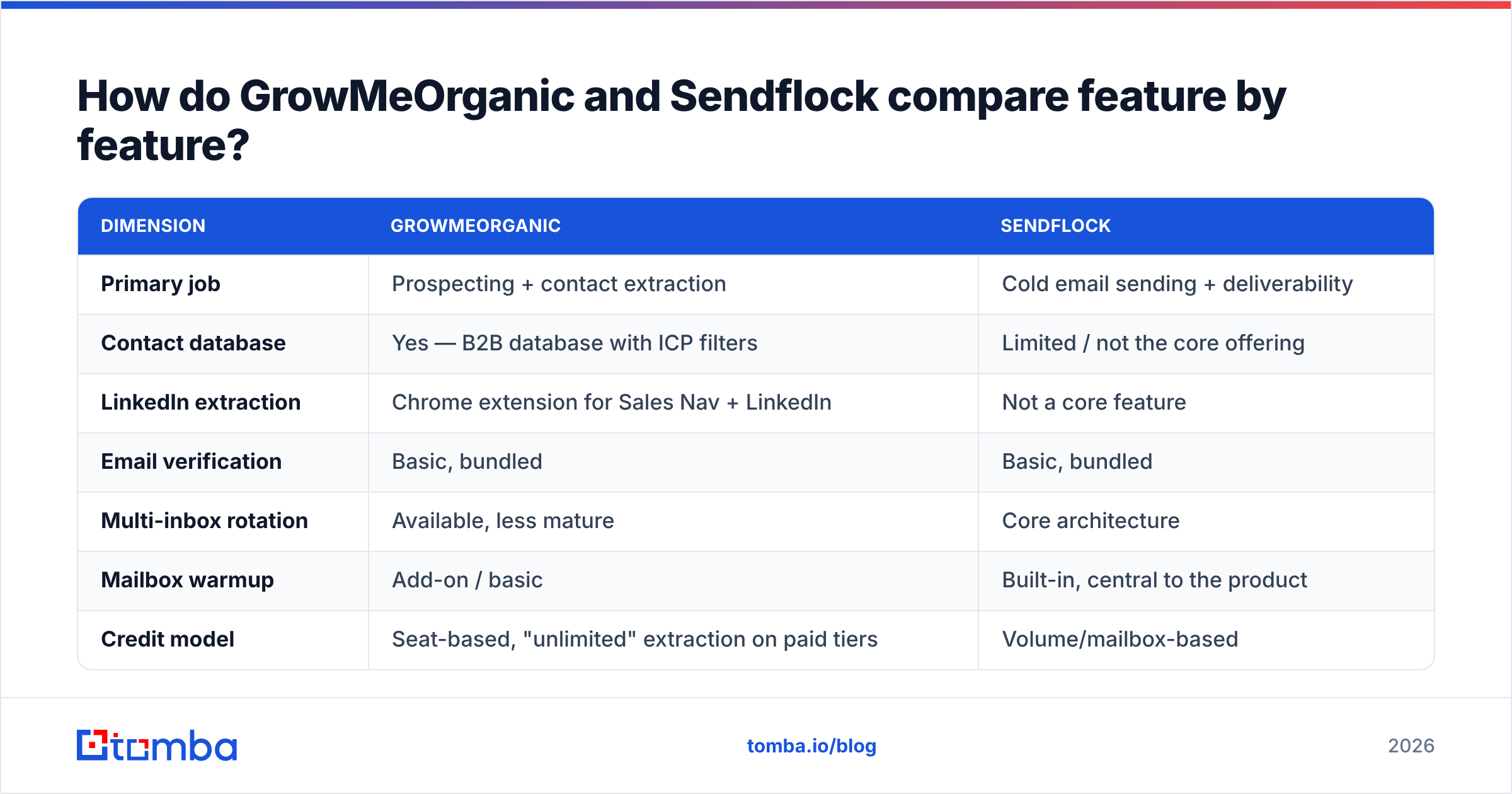
| Dimension | GrowMeOrganic | Sendflock |
|---|---|---|
| Primary job | Prospecting + contact extraction | Cold email sending + deliverability |
| Contact database | Yes — B2B database with ICP filters | Limited / not the core offering |
| LinkedIn extraction | Chrome extension for Sales Nav + LinkedIn | Not a core feature |
| Email verification | Basic, bundled | Basic, bundled |
| Multi-inbox rotation | Available, less mature | Core architecture |
| Mailbox warmup | Add-on / basic | Built-in, central to the product |
| Credit model | Seat-based, "unlimited" extraction on paid tiers | Volume/mailbox-based |
| Best for | Solo founders and small teams building lists | Agencies and teams running high-volume sends |
| Weakest at | Deliverability depth, verification accuracy | Data sourcing and enrichment quality |
Two rows deserve a second look.
First, "unlimited" is a price model, not a quality claim. It means the vendor does not meter your usage. It says nothing about how many of those addresses are live. Pull 10,000 contacts at a 70% valid rate and you get 7,000 usable leads. You also get 3,000 risks sitting in your CSV.
Second, built-in warmup is table stakes in 2026. It is not a reason to choose. Google and Microsoft both tightened their rules for bulk senders. Warmup cannot save a domain that mails dead addresses. Google's own bulk sender guidelines put spam complaints and authentication first. Clean lists come before anything a sending tool can do for you.

GrowMeOrganic vs Sendflock: which has better data quality?#
This question decides the purchase. It is also the one both vendors dodge.
Bundled databases carry a built-in problem. The data is a feature, not the product. Engineering time goes to the sequencing UI, the dashboard, and the Chrome extension. Contact records get refreshed with whatever is left over. Dedicated data vendors face the opposite pressure. If their addresses bounce, they have nothing to sell.
Here is how to test either tool before you pay for a year:
- Build a control list of 100 known-good contacts. Real people at real firms you have mailed in the last 90 days.
- Run the same 100 through each tool. Track coverage and accuracy apart. Coverage is how many it returns at all. Accuracy is how many match the address you know works.
- Check the results with a neutral third-party verifier. Never grade a tool's data with its own verifier. The two share assumptions, so they agree by design.
- Check catch-all handling. Catch-all domains accept every address at the SMTP layer. A lazy verifier marks them all "valid." A good one flags them on their own. Ask each vendor how much of your list came back catch-all.
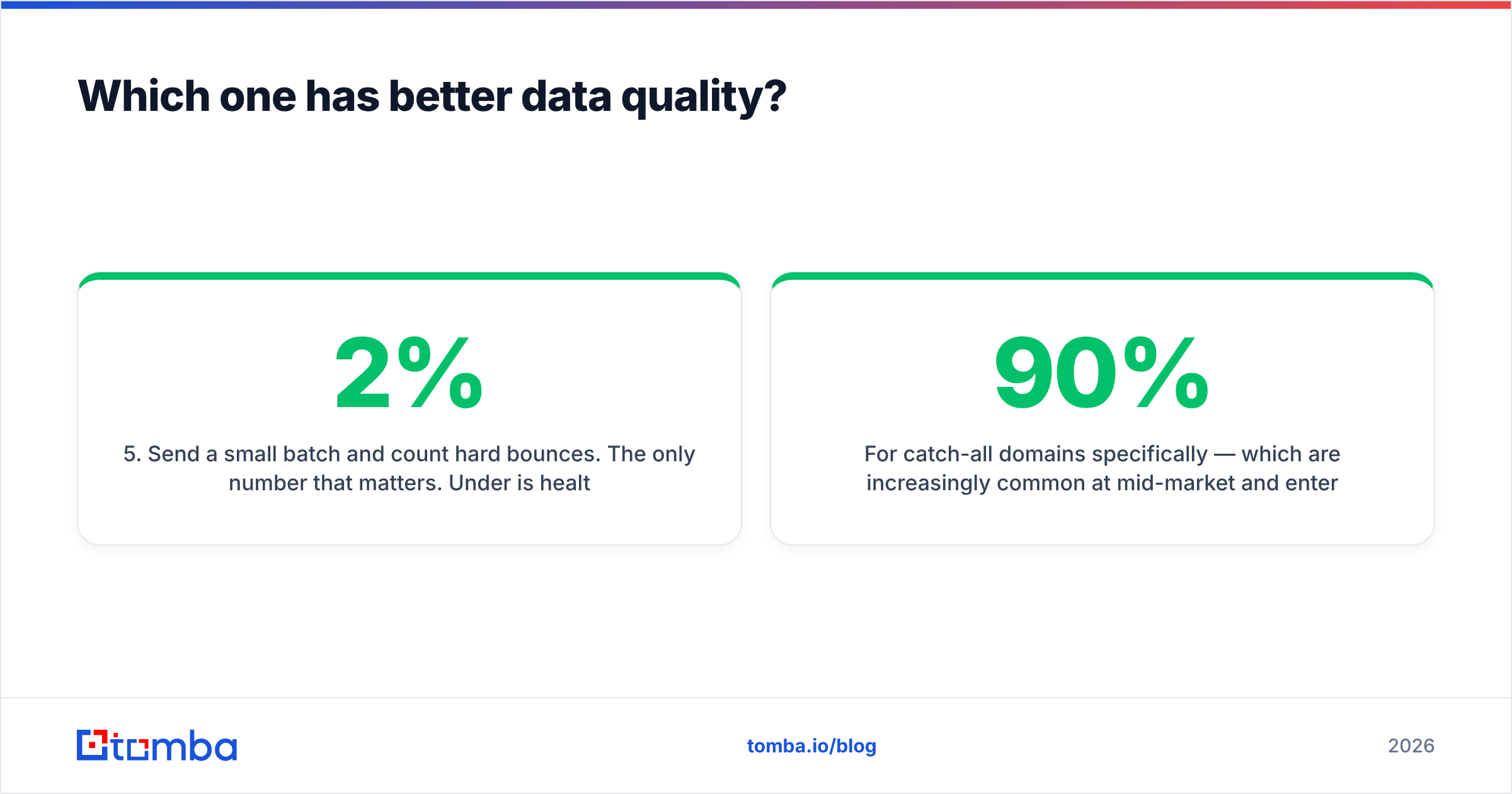
- Send a small batch and count hard bounces. This is the only number that counts. Under 2% is healthy. Over 5% and you are burning your domain.
For step 3, a dedicated email verifier run outside your sending tool gives you an honest read. The same goes for sourcing. Test a standalone email finder against a bundled database on the same 100 names. The gap is usually wider than either vendor admits.
Catch-all domains are now common at mid-market and enterprise firms. A dedicated catch-all verifier can tell "this domain takes everything" from "this mailbox exists." Bundled verifiers rarely draw that line. That is how a list scored 90% valid still bounces at 14%.
Is GrowMeOrganic better than Sendflock for cold email?#
For the sending half, no. Sendflock is built for it. GrowMeOrganic's sequencing is a side feature.
For the list-building half, yes. Its LinkedIn extension and database give you a start that Sendflock does not try to match.
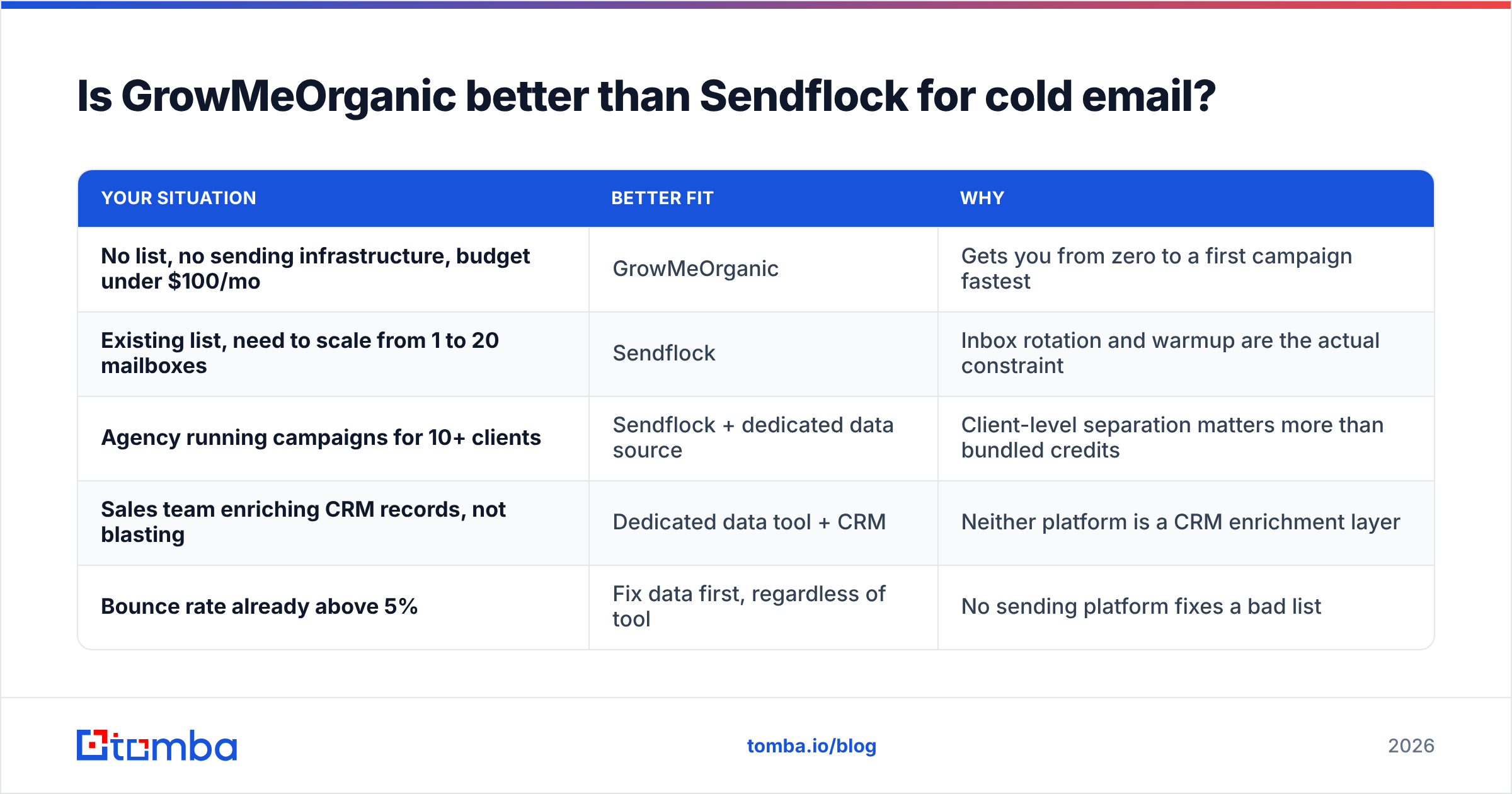
The honest answer is a decision tree, not a winner:
| Your situation | Better fit | Why |
|---|---|---|
| No list, no sending infrastructure, budget under $100/mo | GrowMeOrganic | Gets you from zero to a first campaign fastest |
| Existing list, need to scale from 1 to 20 mailboxes | Sendflock | Inbox rotation and warmup are the actual constraint |
| Agency running campaigns for 10+ clients | Sendflock + dedicated data source | Client-level separation matters more than bundled credits |
| Sales team enriching CRM records, not blasting | Dedicated data tool + CRM | Neither platform is a CRM enrichment layer |
| Bounce rate already above 5% | Fix data first, regardless of tool | No sending platform fixes a bad list |
That last row matters most. Teams often buy a sending tool to fix a problem in their data. If your bounce rate is high, a new mailbox provider just moves the damage to a new domain. It does not stop it.
GrowMeOrganic vs Sendflock pricing in 2026#
Prices on both tools move. Treat published tiers as a starting point and check the vendor site before you buy. The shape of the pricing matters more than the number:
- GrowMeOrganic charges per seat and gives you loose extraction limits. That suits a small team where one or two people prospect. It gets costly as headcount grows. And "unlimited" hides your cost per valid lead.
- Sendflock charges by send volume and mailbox count. That is easy to model if you know your targets. It also scales the way agencies think: more clients, more mailboxes, more cost.
- Lifetime deals show up often in this category. They are good value for a tool you would buy anyway. They are a trap for a tool you buy because it is on sale. A one-time fee for data that decays is not a bargain.
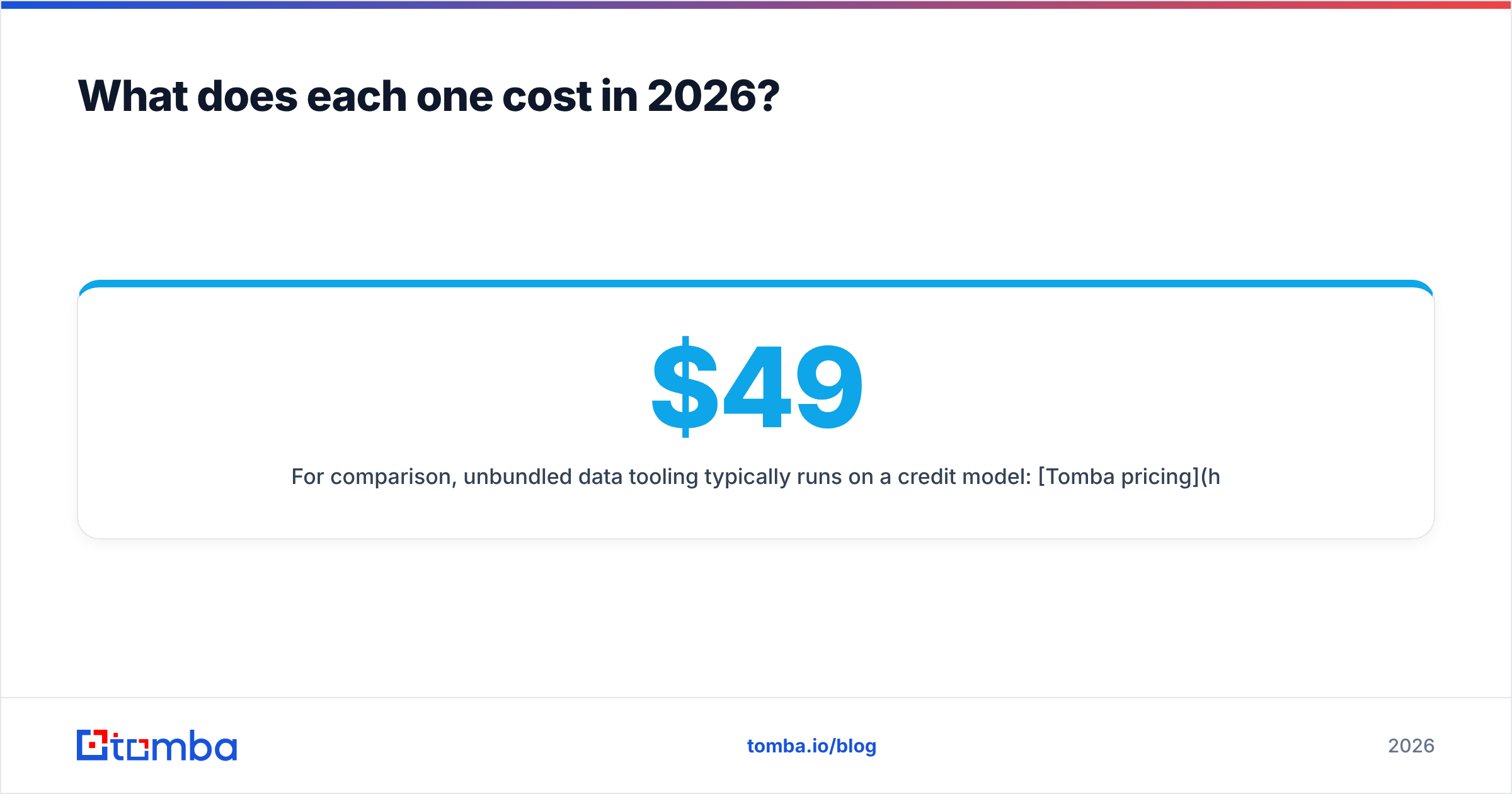
Unbundled data tools usually charge by credit. Tomba pricing starts free with 25 searches a month. Paid tiers run $49/mo for Starter, $99/mo for Growth, and $249/mo for Pro. Credits make cost per valid lead easy to compute. You know what you spent and how many working addresses you got. Seat-based "unlimited" plans hide that math.
What should you actually buy?#
The strongest setup is usually not either tool on its own.
Split-stack, the common pattern:
- Data layer — a dedicated finder and verifier you can swap out without touching campaigns. Run lists through a bulk email finder, verify, then hand off clean CSVs.
- Sending layer — whichever tool handles your mailbox count best. This is where Sendflock earns its place.
- CRM layer — your source of truth, kept clean by enrichment instead of manual entry.
You pay a little more each month. You waste far less domain reputation. A bad quarter from one vendor also stops taking out your whole motion. When a bundled tool's data slips, you lose more than data. You lose your sequences, your history, and your warmup progress too.
Single-vendor, when it holds up:
- You are pre-revenue and speed to first campaign beats all
- You send under 1,000 emails a month, so bounce damage builds slowly
- Your ICP is narrow and you hand-pick contacts anyway
In those cases, pick GrowMeOrganic if you have no list. Pick Sendflock if you do. Then revisit at 5,000 sends a month. That is where the split-stack math flips.
How do you migrate without torching your domain?#
Switching tools, or splitting the stack? Sequence the change with care:
- Export everything first. Contacts, sequence copy, reply history. Do not assume the old vendor makes this easy on your last day.
- Re-verify the export. Data decays 20-30% a year as people change jobs. Re-verify before you import.
- Warm the new mailboxes for two to three weeks. Sending 500 cold emails from a week-old mailbox gets a domain blocked fast.
- Run both stacks for one campaign cycle. Compare reply rate, bounce rate, and inbox placement on the same list. That is the only fair test there is.
- Cut over only after that test. Vendor benchmarks are marketing. Your own test is evidence.
Step 2 is where most moves quietly fail. Teams export a two-year-old list, import it into shiny new sending tools, hit send, and blame the new platform for bounces their old data caused.
Getting the data layer right#
The input matters more than the pipes. A campaign built on 92% valid addresses beats the same campaign on 78% valid addresses. The tool pushing send does not change that. The weaker list also burns your domain while it underperforms.
Start by testing your current list against a dedicated source. Run a domain's worth of contacts through the Tomba Email Finder. Verify the results. Compare hard bounces against your bundled database. The free tier gives you 25 searches, no credit card needed.
That test usually settles GrowMeOrganic vs Sendflock for you. Once you see the gap, the question changes. It stops being which all-in-one to buy. It becomes which half of the stack you are willing to give up.
Related guides#
Ready to find emails that actually work?
Join 150,000+ professionals who stopped guessing and started sending. Free credits on signup — no credit card required.
Get the Tomba newsletter
Practical outbound tactics and product updates — once every two weeks.
About the author