How to Increase Pipeline as an AE: A 2026 Playbook
Quota went up, SDR support went down. Here is a concrete, repeatable system AEs use to self-source pipeline in 2026 — with the math, the weekly cadence, and the tool stack that actually holds up.
TL;DR
- Pipeline coverage is a math problem before it is a hustle problem. Work backward from quota at your real win rate, then divide by your average deal size to get the number of qualified opportunities you need in flight.
- Self-sourced pipeline now carries most AE quotas. Inbound and SDR-fed leads are shrinking as a share of closed-won at most B2B orgs, so the AEs hitting number are the ones running their own top-of-funnel.
- Six hours a week, blocked and protected, beats sporadic 12-hour prospecting sprints. Consistency compounds; bursts do not.
- Data quality is the hidden multiplier. A 60-name list of verified, trigger-qualified contacts outperforms a 600-name scraped list on every metric that matters — reply rate, meetings held, and domain reputation.
- Track leading indicators (accounts touched, multithreaded contacts per account, meetings held) not lagging vanity metrics (emails sent, activities logged).
Why is pipeline generation now the AE's job?#
Because the org chart changed. The 2021-2023 era of large SDR teams feeding fully-baked meetings to AEs is largely over. Headcount got cut, SDR-to-AE ratios widened from roughly 1:1 to 1:3 or worse, and inbound volume flattened as buyers researched anonymously instead of filling out forms.
The practical result: if you are an AE carrying a $700K-$1.2M annual number, a meaningful chunk of the opportunities that close it will be ones you found yourself. That is not a temporary blip — it is the new job description. Most enterprise sales leaders now expect AEs to self-source somewhere between 30% and 60% of their pipeline.
The good news is that self-sourced pipeline converts better. You picked the account. You know why it fits. You wrote the first message. Deals that start with your own research consistently show higher win rates than round-robin inbound, because qualification happened before the meeting instead of during it.
What is the actual math behind pipeline coverage?#
Start here, before any tactic. Most AEs prospect blindly because they never calculated the target.
The formula:
- Start with your quota gap. Annual quota minus closed-won minus committed pipeline that will realistically land. Call this the gap.
- Divide by your real win rate. Not the team average — yours, over the trailing four quarters. If you win 22% of qualified opportunities, you need roughly 4.5x the gap in opportunity value.
- Divide by average contract value. That gives you the number of qualified opportunities to create.
- Apply your meeting-to-opportunity rate. If 40% of first meetings become qualified opps, multiply by 2.5.
- Apply your outreach-to-meeting rate. If 4% of well-targeted sequenced contacts book a meeting, multiply by 25.
- Divide by weeks remaining. That is your weekly contact target — the only number you actually control.
A worked example. Gap of $400K, 22% win rate, $50K ACV. That is $1.82M of pipeline needed, or roughly 36 qualified opportunities. At a 40% meeting-to-opp rate, 90 first meetings. At a 4% booking rate, about 2,250 contacts touched — call it 175 per week across two quarters.
That number is either achievable or it is not. If it is not, the honest conversation with your manager is about territory or ACV, not about "trying harder." Running the math first is what separates a plan from anxiety.
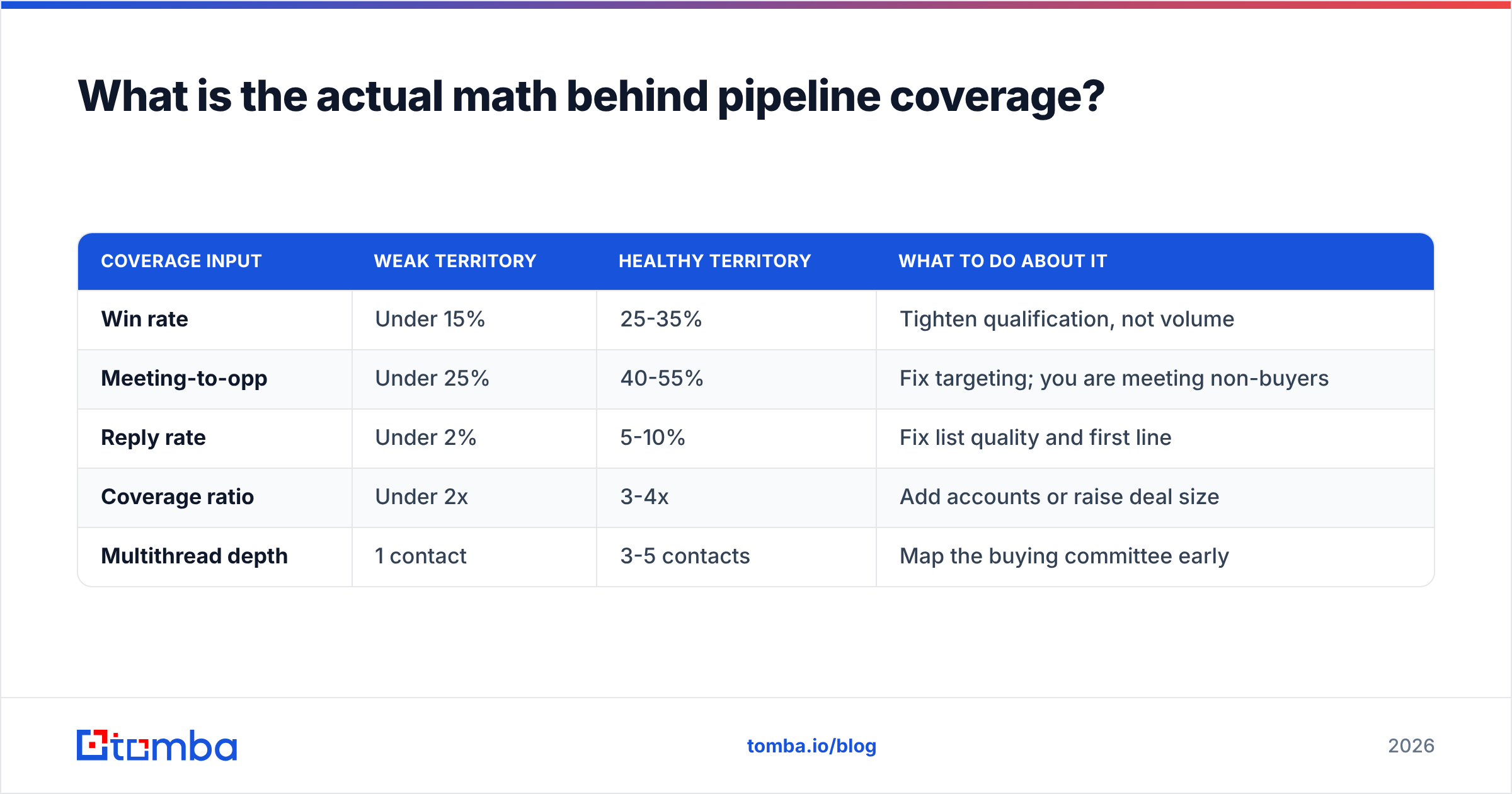
| Coverage input | Weak territory | Healthy territory | What to do about it |
|---|---|---|---|
| Win rate | Under 15% | 25-35% | Tighten qualification, not volume |
| Meeting-to-opp | Under 25% | 40-55% | Fix targeting; you are meeting non-buyers |
| Reply rate | Under 2% | 5-10% | Fix list quality and first line |
| Coverage ratio | Under 2x | 3-4x | Add accounts or raise deal size |
| Multithread depth | 1 contact | 3-5 contacts | Map the buying committee early |
How do you build a target account list that is worth working?#
Stop starting from a filter panel. Start from your closed-won list.
Pull every deal you have won in the last 18 months and look for the non-obvious commonalities: not just industry and headcount, but the trigger that made them buy. Was it a new VP in a specific function? A funding round? A tech-stack change? A compliance deadline? That trigger is your real ICP definition, and it is far more predictive than firmographics alone.
Then build in three tiers:
- Tier 1 (25-40 accounts): Perfect ICP match plus an active trigger. These get personalized, multithreaded, multi-channel sequences and manual research. Budget 20-30 minutes of prep each.
- Tier 2 (100-150 accounts): Strong ICP match, no live trigger yet. Lighter sequences, monitored for trigger events, promoted to Tier 1 when something fires.
- Tier 3 (300+ accounts): Fits the profile loosely. Automated nurture only. Low effort, occasional surprises.
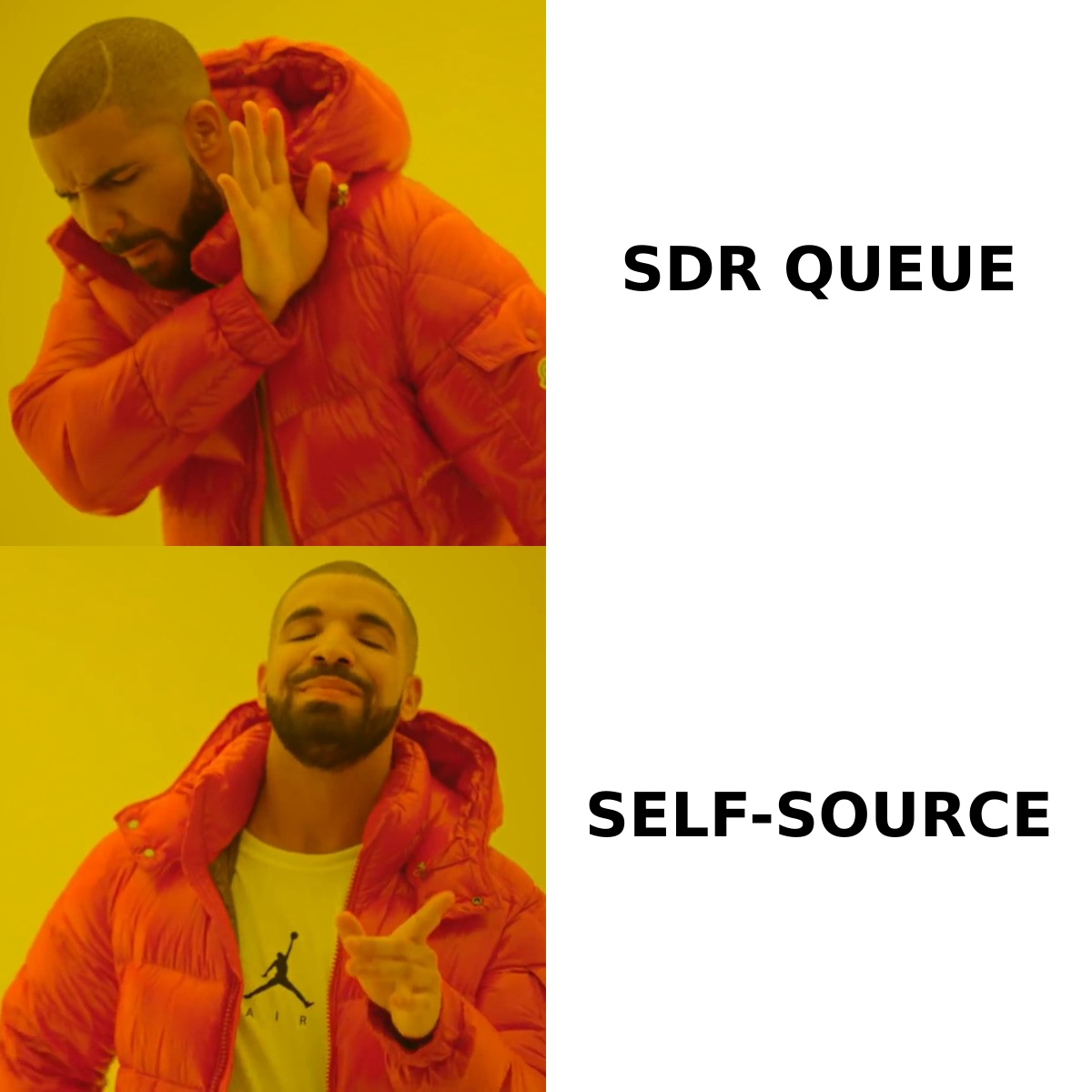
The mistake almost every struggling AE makes is treating all three tiers the same — either personalizing everything (too slow) or blasting everything (too generic). Tiering lets you spend effort where the return justifies it.
For contact data, domain search is the fastest way to go from an account name to the actual humans in the relevant function, and a bulk email finder handles Tier 2 and 3 at volume without hand-checking each name. Whatever tool you use, run the output through an email verifier before it touches your sending domain — bounces above 3% will start damaging deliverability for every message you send, including the ones to accounts you care about.
What does a weekly prospecting cadence look like?#
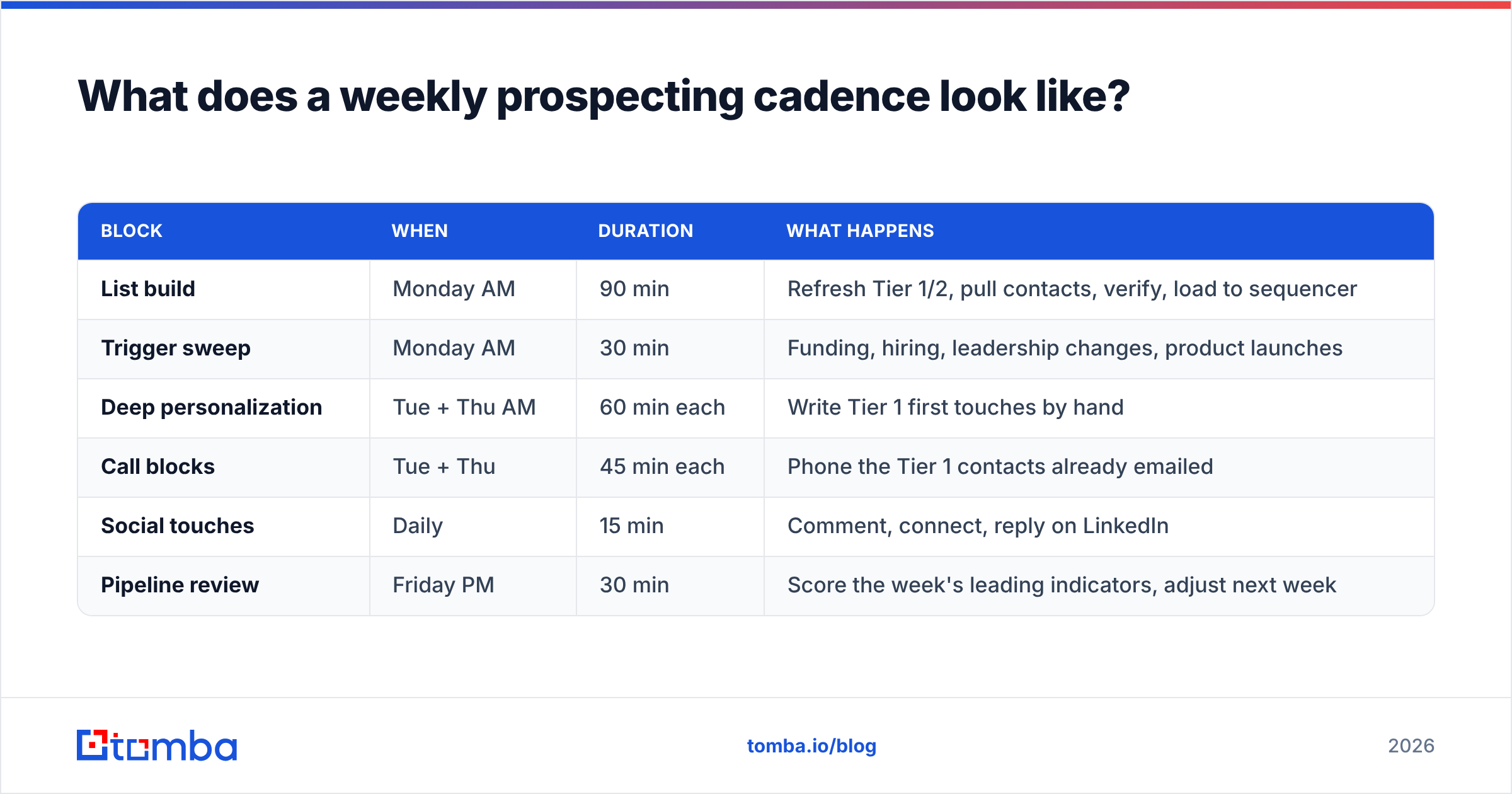
Six hours, blocked, non-negotiable. Here is a structure that survives contact with a real calendar:
| Block | When | Duration | What happens |
|---|---|---|---|
| List build | Monday AM | 90 min | Refresh Tier 1/2, pull contacts, verify, load to sequencer |
| Trigger sweep | Monday AM | 30 min | Funding, hiring, leadership changes, product launches |
| Deep personalization | Tue + Thu AM | 60 min each | Write Tier 1 first touches by hand |
| Call blocks | Tue + Thu | 45 min each | Phone the Tier 1 contacts already emailed |
| Social touches | Daily | 15 min | Comment, connect, reply on LinkedIn |
| Pipeline review | Friday PM | 30 min | Score the week's leading indicators, adjust next week |
Two things make this work. First, the blocks are in the morning, before deal work eats the day — inbound fires always win against prospecting if you let them compete. Second, every block has an output artifact: a list, a set of drafts, a call log. If a block ends with nothing to show, it did not happen.
The AEs who fail at this do not fail at week one. They fail at week five, when a big deal enters legal review and prospecting gets "just this once" bumped. Then the pipeline hole shows up two quarters later, precisely when the big deal slips.
Which channels actually produce meetings in 2026?#
Email still produces the most meetings per hour invested, but only when the list is clean and the message is short. Phone produces the highest connect-to-meeting conversion but takes the most time. LinkedIn produces the best warm-up effect but rarely books directly.
The multiplier is combining them on the same contact inside a tight window:
- Day 1 — LinkedIn view + follow. No connection request yet. You are just showing up in "who viewed your profile."
- Day 2 — Email one. Under 90 words. One specific observation about their business, one question. No calendar link.
- Day 4 — Phone call. Reference nothing about the email. Lead with the reason you called.
- Day 6 — LinkedIn connect with a one-line note referencing the same theme.
- Day 9 — Email two. New angle, not a "just bumping this."
- Day 14 — Break-up or move to nurture. Then re-enter in 90 days with a new trigger.
Six touches across three channels in two weeks beats eleven emails over six weeks. Research from HubSpot and vendor benchmark data across sequencing platforms consistently show multi-channel sequences outperforming email-only ones by a wide margin, and the effect is strongest at the top of the funnel where you have no existing relationship.
For phone, having a mobile number rather than a switchboard changes everything. A phone finder that returns direct dials is worth more per credit than another thousand email addresses, simply because connect rates on direct lines are multiples of main-line rates.
How should you compare pipeline-generation tool categories?#
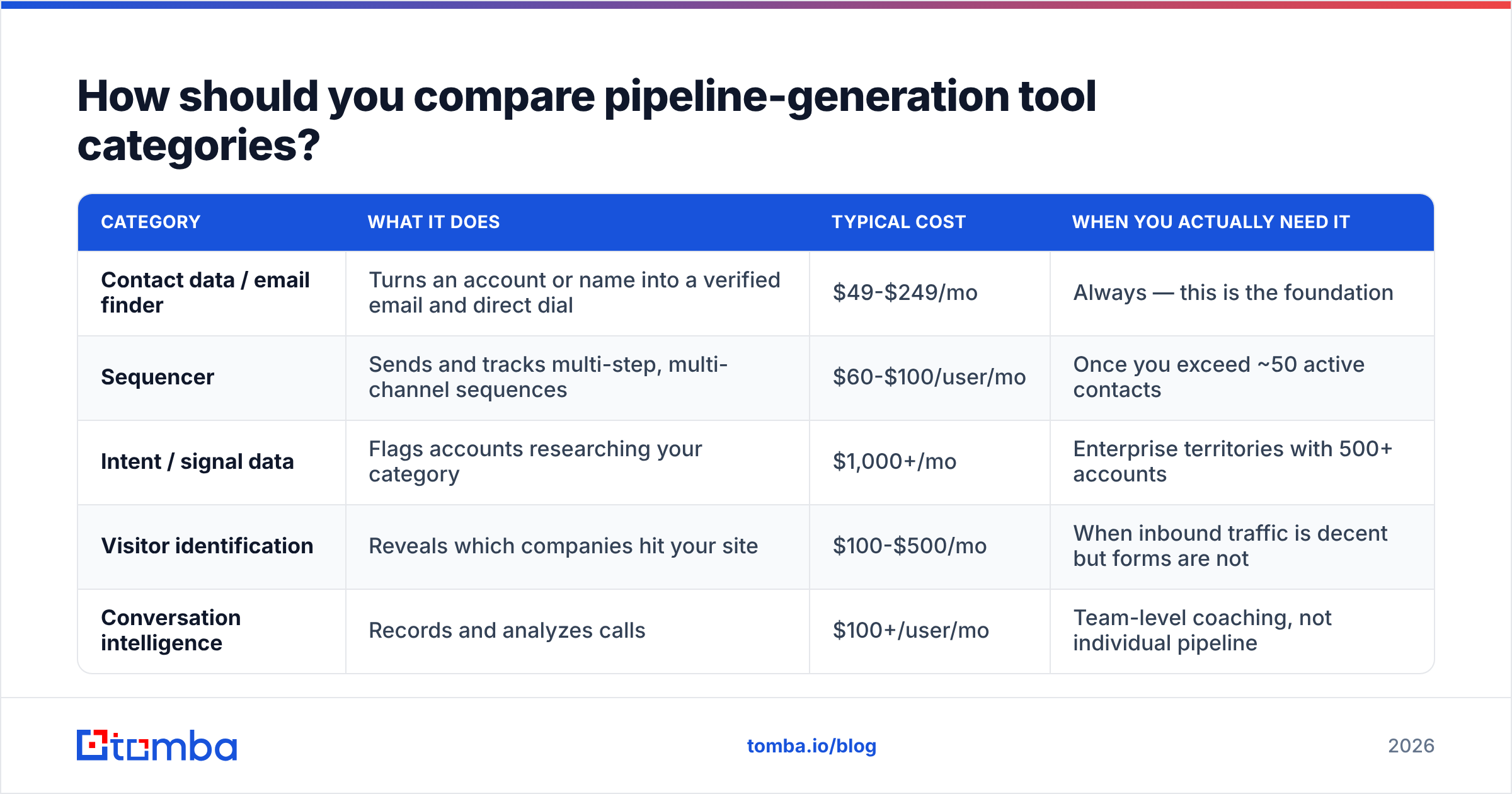
You do not need eleven tools. You need one reliable source of contact data, one sequencer, one signal source, and your CRM. Everything else is optional.
| Category | What it does | Typical cost | When you actually need it |
|---|---|---|---|
| Contact data / email finder | Turns an account or name into a verified email and direct dial | $49-$249/mo | Always — this is the foundation |
| Sequencer | Sends and tracks multi-step, multi-channel sequences | $60-$100/user/mo | Once you exceed ~50 active contacts |
| Intent / signal data | Flags accounts researching your category | $1,000+/mo | Enterprise territories with 500+ accounts |
| Visitor identification | Reveals which companies hit your site | $100-$500/mo | When inbound traffic is decent but forms are not |
| Conversation intelligence | Records and analyzes calls | $100+/user/mo | Team-level coaching, not individual pipeline |
On the data layer specifically, the honest comparison is about coverage versus verification versus price. Platforms like Apollo bundle a huge database with a built-in sequencer, which is convenient but means you pay for the whole suite. Specialist providers such as BookYourData sell curated, pre-verified B2B lists with a pay-as-you-go model that suits AEs who want a clean list without a subscription. Tomba sits in the middle: a verification-first email finder with a free tier of 25 searches a month, Starter at $49/mo, Growth at $99/mo, and Pro at $249/mo — with a Tomba API and Chrome extension so the same data flows into whatever sequencer or CRM you already run.
The right choice depends on whether you value breadth (one database for everything) or precision (fewer, cleaner records). If your bounce rate is your bottleneck, precision wins. If your problem is finding accounts at all, breadth wins. Check current reviews on G2 before committing, since coverage in your specific geography matters more than any global accuracy claim.
How do you multithread so deals do not die?#
Single-threaded deals die when your champion leaves, gets reorged, or goes quiet. In a market where average tenure in a revenue role sits under two years, that is not a tail risk — it is a coin flip.
Target three to five contacts per opportunity, mapped to roles rather than titles:
- Champion — feels the pain, will sell internally
- Economic buyer — signs, cares about business case not features
- Technical evaluator — can veto on integration or security grounds
- End user — will actually live in the product
- Blocker — has a competing priority or an incumbent relationship
Get names for all five before your second meeting, even if you only email three of them. Data enrichment on the account gets you the org map faster than asking your champion for an introduction they may be reluctant to make.
The multithreading email that works is not "can you introduce me." It is a direct, short note to the second contact referencing the conversation you already had: "Spoke with Priya last Thursday about how your team handles X. She mentioned your group owns Y — worth 15 minutes?" It is honest, it is specific, and it does not put your champion in an awkward position.
What leading indicators should you track weekly?#
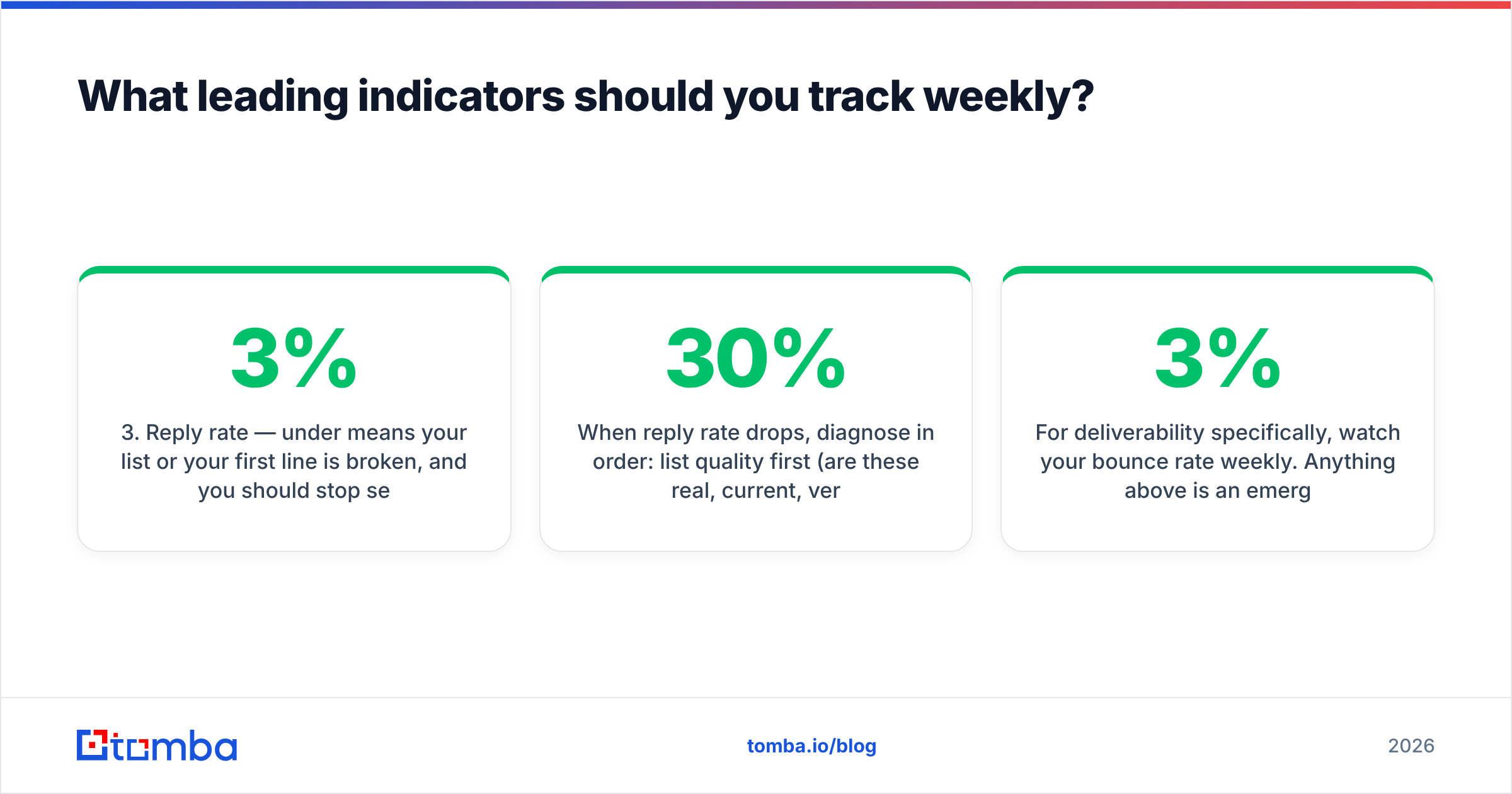
Lagging metrics tell you what already happened. Leading metrics tell you what is about to. Track these five, weekly, in a spreadsheet you own:
- New accounts touched — target 40-60/week in a mid-market territory
- Contacts per touched account — target 3+; one contact per account means you are not multithreading
- Reply rate — under 3% means your list or your first line is broken, and you should stop sending until you know which
- Meetings held (not booked — held; no-shows are a data point about qualification)
- New qualified opportunities created — the only one your manager sees, and the slowest to move
When reply rate drops, diagnose in order: list quality first (are these real, current, verified addresses?), then targeting (are these people who have this problem?), then messaging. Most AEs debug in reverse and rewrite copy when the actual problem was a stale list that was 30% bounced.
For deliverability specifically, watch your bounce rate weekly. Anything above 3% is an emergency. Run new lists through verification before sending and monitor sender reputation — a burned domain costs a quarter to recover, and no amount of clever copy fixes it.
What is the 30-day plan to fix a thin pipeline?#
Week 1 — Diagnose. Run the coverage math. Pull your closed-won triggers. Build Tier 1 (30 accounts) and Tier 2 (120 accounts). Verify every contact before it enters a sequence.
Week 2 — Launch. Block the six hours. Start Tier 1 personalized sequences and Tier 2 semi-automated ones. Make calls on the same days as the emails, not on separate days.
Week 3 — Measure and cut. Look at reply rate by segment. Kill the two segments performing worst. Double the volume in the best one. Do not touch messaging yet; you need two weeks of data first.
Week 4 — Systematize. Whatever produced meetings, turn it into a repeatable template and a recurring calendar block. Whatever did not, delete it entirely rather than "improving" it.
Expect the first meetings around day 10-14 and the first qualified opportunities around day 25-40. Pipeline built in month one closes in month four or five in most B2B cycles — which is exactly why starting late is unrecoverable and starting early looks like luck.
Where should you start this week?#
Pick one thing: run the coverage math, then build a 30-account Tier 1 list with verified contacts and put six hours on next week's calendar. That single sequence of actions moves more pipeline than any messaging framework.
If contact data is your bottleneck — bounces eating your reply rate, missing direct dials, hours lost hunting for the right person at a target account — start with the Tomba Email Finder. The free tier gives you 25 searches a month to test coverage in your specific territory before spending anything, and paid plans start at $49/mo with verification built into every lookup rather than sold as a separate step. Check Tomba pricing to see which tier fits your weekly contact target, then get the list built and the blocks on the calendar.
Related guides#
// get started
Find, verify and enrich your first contacts today
Start on the free plan with 25 searches a month, then scale when your team is ready.
Free plan · No credit card required · GDPR & CCPA
// about the author