How to Keep CRM Data Clean in 2026: A 7-Step Playbook
CRM records rot at roughly 2-3% a month. Here's the audit, the 7-step hygiene process, the tooling stack, and the cadence that stops your pipeline reporting from lying to you.
TL;DR
- CRM data decays at roughly 2-3% per month through job changes, domain migrations, and mergers — cleaning once and walking away guarantees you're dirty again inside a year.
- Fix the intake before you fix the database. Required fields, picklists instead of free text, and validation at the point of entry stop 70% of the mess from ever landing.
- Run the cycle in this order: audit → dedupe → normalize → verify → enrich → govern → measure. Doing it out of order (enriching before deduping, for example) multiplies bad records instead of fixing them.
- Give every hygiene task a cadence: daily for new-record validation, weekly for duplicates, quarterly for a full email re-verification sweep.
- Track four numbers — duplicate rate, field completeness, bounce rate, and stale-record percentage. If you can't quote them today, that's your first sprint.
What does "clean CRM data" actually mean?#
Clean CRM data means every record is unique, complete on the fields your team actually uses, formatted consistently, currently accurate, and traceable to a source. Five conditions. Most teams only check the first one.
Think of your CRM like a shared kitchen. Duplicates are three half-empty ketchup bottles. Missing fields are unlabeled containers. Inconsistent formatting is everyone stacking plates in a different cupboard. Stale data is the thing at the back of the fridge nobody wants to open. Each problem is individually survivable; together they mean nobody can find anything and everyone stops trusting the system.
The business cost is not abstract. Gartner's data and analytics research has consistently put the average annual cost of poor data quality in the millions per organization, and the operational symptoms show up long before finance notices: reps skip the CRM and work from personal spreadsheets, forecasts drift from reality, marketing pays to email people who left the company two years ago, and territory assignments spark internal disputes because two records for the same account sit in two different owners' pipelines.
Here's the practical test. Pick ten accounts at random. For each one, can you answer: is there exactly one record? Is the primary contact still employed there? Is the email deliverable today? Does the industry field match the picklist? Do you know where the phone number came from? If you can't hit ten for ten, you have a hygiene problem, not a tooling problem.
Why does CRM data go bad so fast?#
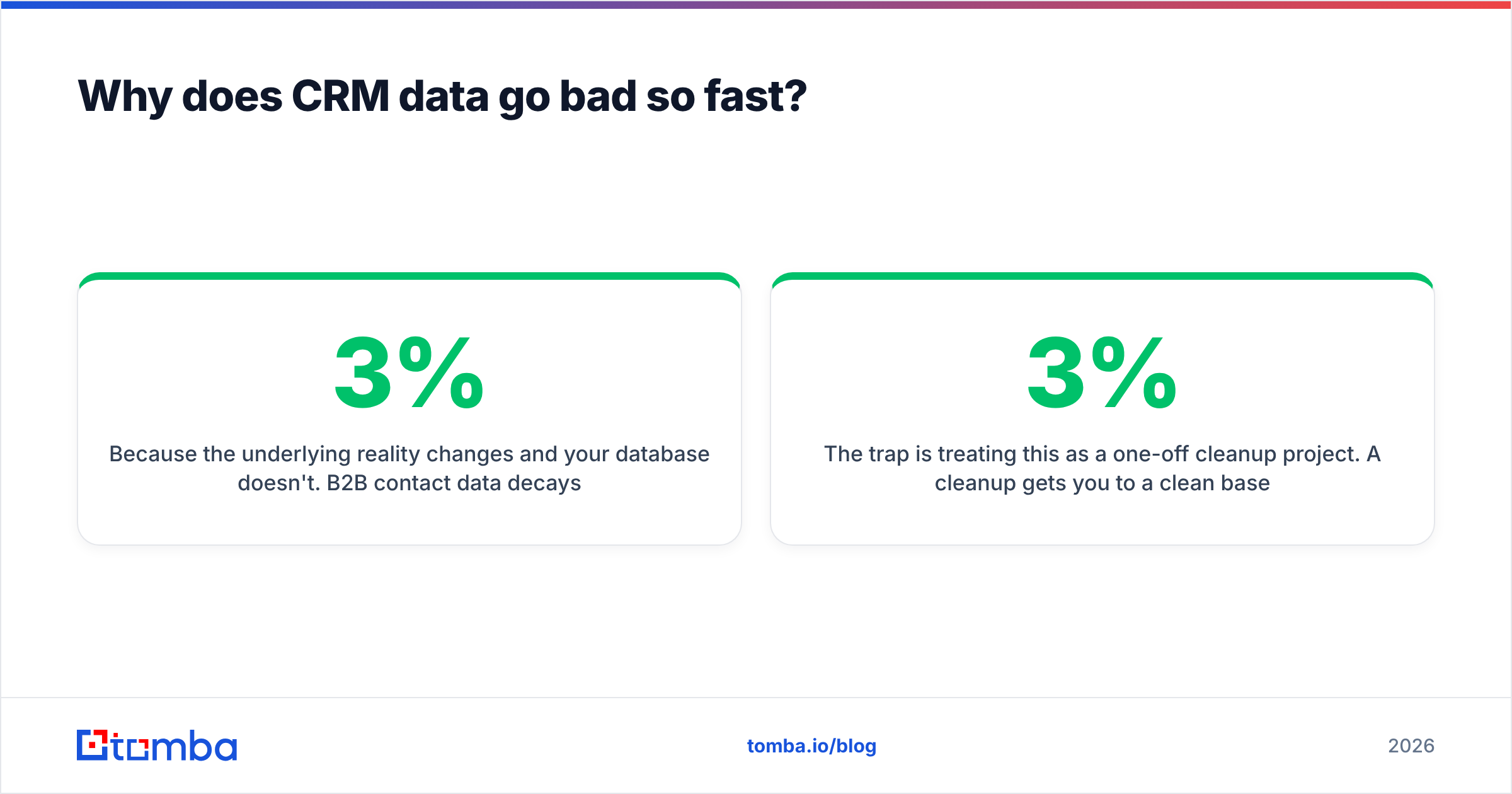
Because the underlying reality changes and your database doesn't. B2B contact data decays at roughly 2-3% per month — call it 25-30% annually — driven by four forces:
- People change jobs. The average B2B buyer tenure keeps shortening. Every departure invalidates an email, a direct dial, a title, and often the entire buying-committee map for that account.
- Companies change domains. Rebrands, acquisitions, and migrations from
.coto.comsilently break every stored email on the account. - Humans type things. Free-text fields collect "Acme Inc", "ACME, Inc.", "Acme Incorporated", and "acme" as four separate companies.
- Imports happen. A rep uploads a conference list, a marketer syncs a webinar export, an ops person restores a backup. Each import is a duplicate-generation event unless matching rules are enforced first.
The trap is treating this as a one-off cleanup project. A cleanup gets you to a clean baseline on a Friday and back to 3% dirty by the end of the month. What you need is a process with an owner and a calendar entry.

How do you audit your CRM before cleaning anything?#
Measure first. You cannot report progress on a number you never took at the start, and you'll waste weeks cleaning fields nobody uses.
Run these five queries — most CRMs can produce all of them from native reports:
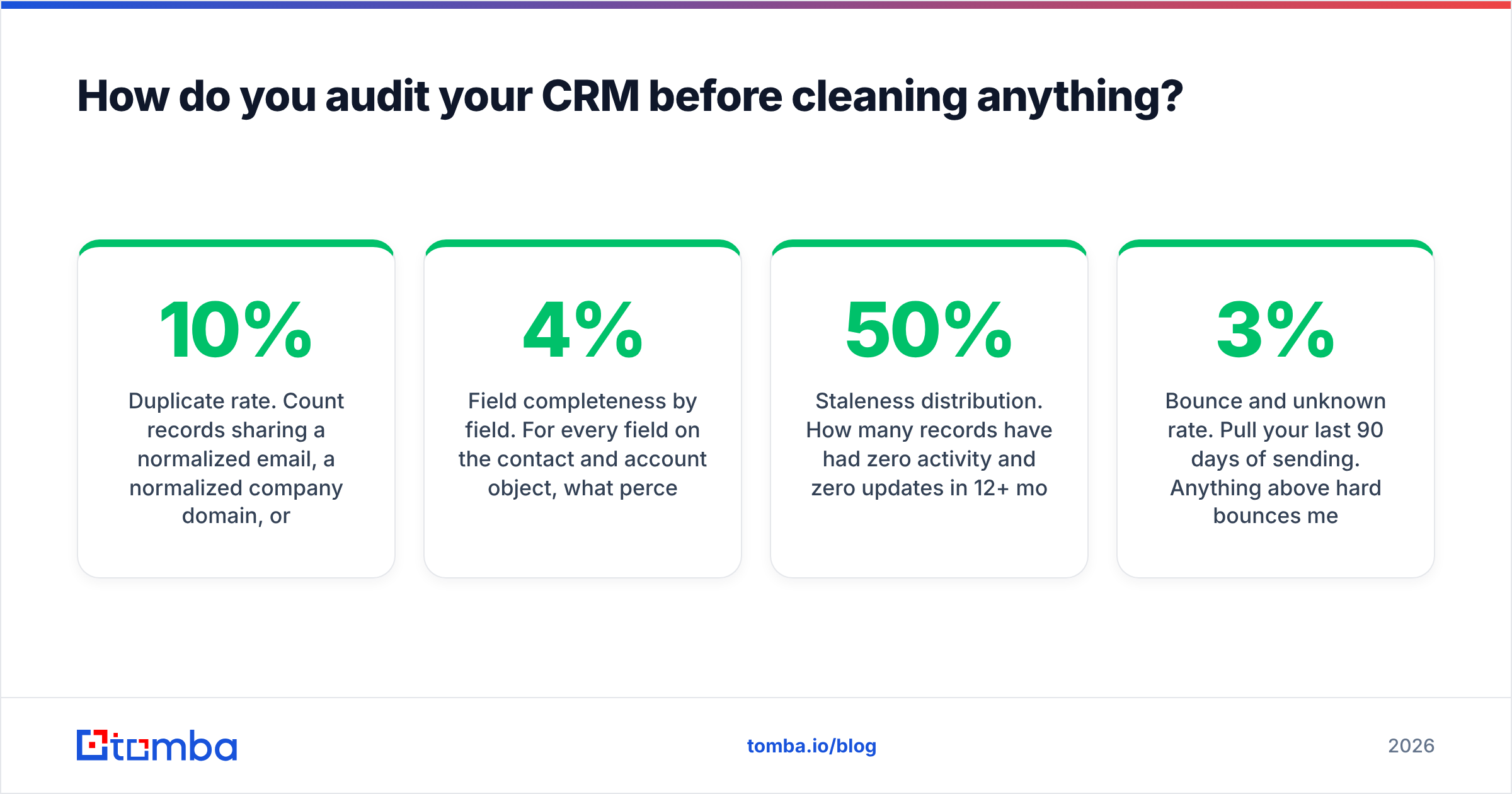
- Duplicate rate. Count records sharing a normalized email, a normalized company domain, or a fuzzy name + company match. Divide by total records. Above 10% is common; above 20% means matching rules were never configured.
- Field completeness by field. For every field on the contact and account object, what percentage of records is populated? You'll find fields at 4% completeness that somebody once insisted were mandatory.
- Staleness distribution. How many records have had zero activity and zero updates in 12+ months? In most mid-market CRMs this is 30-50% of the database.
- Bounce and unknown rate. Pull your last 90 days of sending. Anything above 3% hard bounces means your list needs verification before your next campaign, not after.
- Source coverage. What percentage of records has a populated lead source? No source means no way to know which vendor or channel is feeding you garbage.
Write those five numbers down. They're your baseline and your business case — "we have a 22% duplicate rate and 41% of records are untouched in a year" gets budget approval faster than "the CRM is messy."
What's the 7-step process to keep CRM data clean?#
Order matters. Enriching before deduping means you pay to enrich the same person three times. Verifying before normalizing means you re-verify after every format fix.
- Fix intake first. Convert free-text fields to picklists, make the five fields your reporting actually depends on required, add regex validation on email and phone, and block duplicate creation at the form and API level. Every hour spent here saves ten downstream.
- Dedupe. Merge on a deterministic key (email, then company domain), then run fuzzy matching on name + company for the remainder. Always preview merges — automatic merging on fuzzy matches will fuse two real people who share a common name at the same employer.
- Normalize. Standardize country codes to ISO, phone numbers to E.164, company names against a canonical list, job titles into a seniority + function taxonomy, and strip whitespace and casing inconsistencies. This is the step that makes segmentation possible.
- Verify. Run every email through real validation — syntax, MX records, SMTP handshake, catch-all detection, and role-account flags. A catch-all verifier matters here because catch-all domains return "accept" for everything and quietly inflate your perceived list quality.
- Enrich. Fill the gaps that survived verification — missing direct dials, missing titles, missing company firmographics. Enrich only the records that passed steps 2-4, so you're not paying to decorate duplicates.
- Govern. Write down who owns each field, what the valid values are, who is allowed to bulk import, and what the retention rule is for stale records. One page. Linked from the CRM homepage.
- Measure and repeat. Re-run the five audit queries monthly and chart them. Hygiene without a chart becomes hygiene without a budget.
Which tools should you use for CRM data hygiene?#
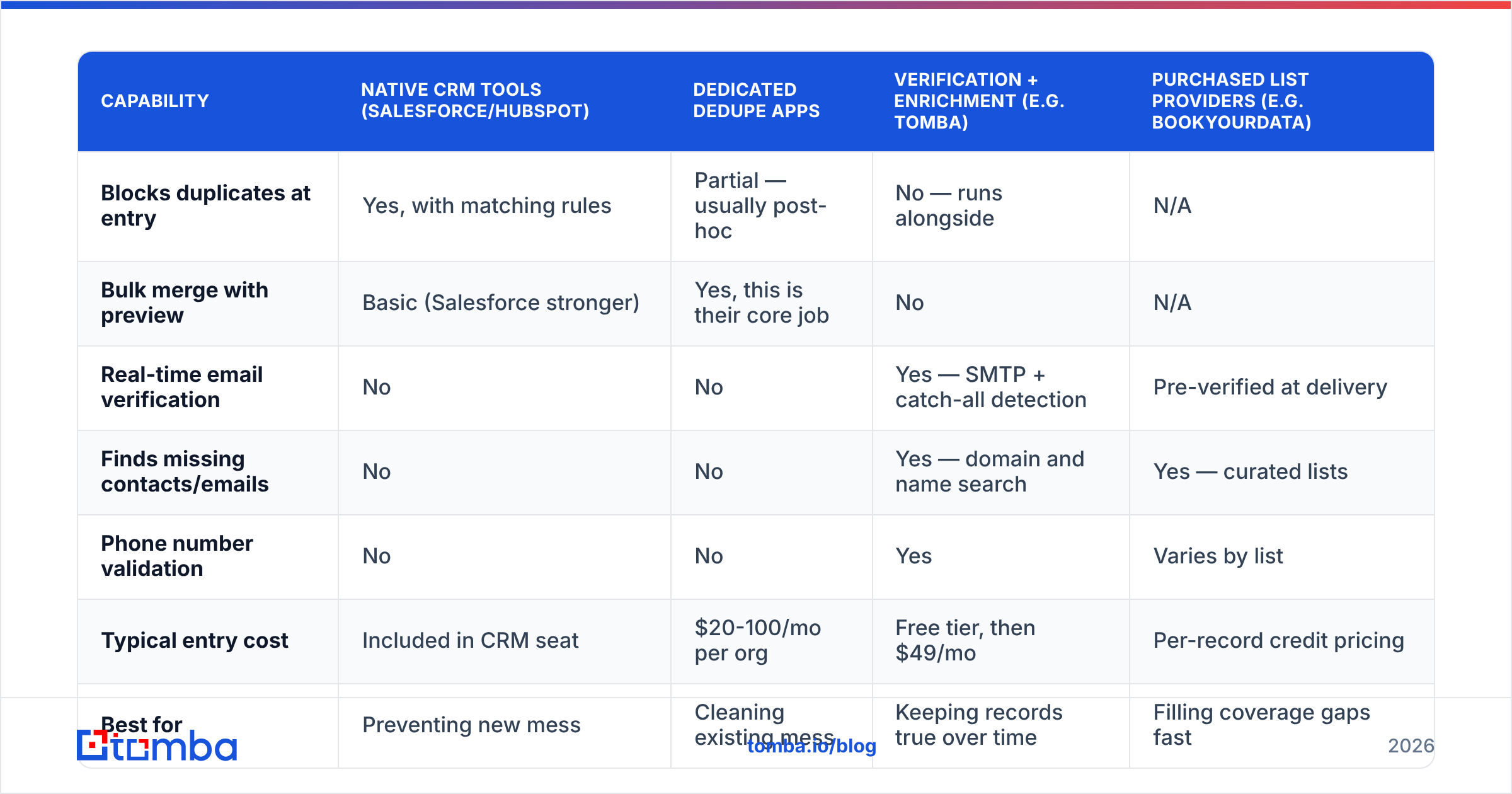
There's no single tool that does all seven steps well. Most teams end up with a native CRM layer for intake rules, a dedupe utility, and a verification/enrichment provider feeding both. Here's how the main categories compare:
| Capability | Native CRM tools (Salesforce/HubSpot) | Dedicated dedupe apps | Verification + enrichment (e.g. Tomba) | Purchased list providers (e.g. BookYourData) |
|---|---|---|---|---|
| Blocks duplicates at entry | Yes, with matching rules | Partial — usually post-hoc | No — runs alongside | N/A |
| Bulk merge with preview | Basic (Salesforce stronger) | Yes, this is their core job | No | N/A |
| Real-time email verification | No | No | Yes — SMTP + catch-all detection | Pre-verified at delivery |
| Finds missing contacts/emails | No | No | Yes — domain and name search | Yes — curated lists |
| Phone number validation | No | No | Yes | Varies by list |
| Typical entry cost | Included in CRM seat | $20-100/mo per org | Free tier, then $49/mo | Per-record credit pricing |
| Best for | Preventing new mess | Cleaning existing mess | Keeping records true over time | Filling coverage gaps fast |
A realistic stack: use your CRM's native duplicate rules and validation to stop new problems, a dedupe app for the historical backlog, and an API-driven verification layer that runs continuously. HubSpot's operations tooling and Salesforce's duplicate management both handle the first layer competently — neither validates whether an email still resolves.
For the verification and refill layer, Tomba pricing starts with a free tier at 25 searches per month, then Starter at $49/mo, Growth at $99/mo, and Pro at $249/mo. The relevant piece for CRM hygiene is that the email verifier and finder run through the same Tomba API, so you can wire verification into a scheduled job rather than exporting CSVs every quarter.
How often should each hygiene task run?#
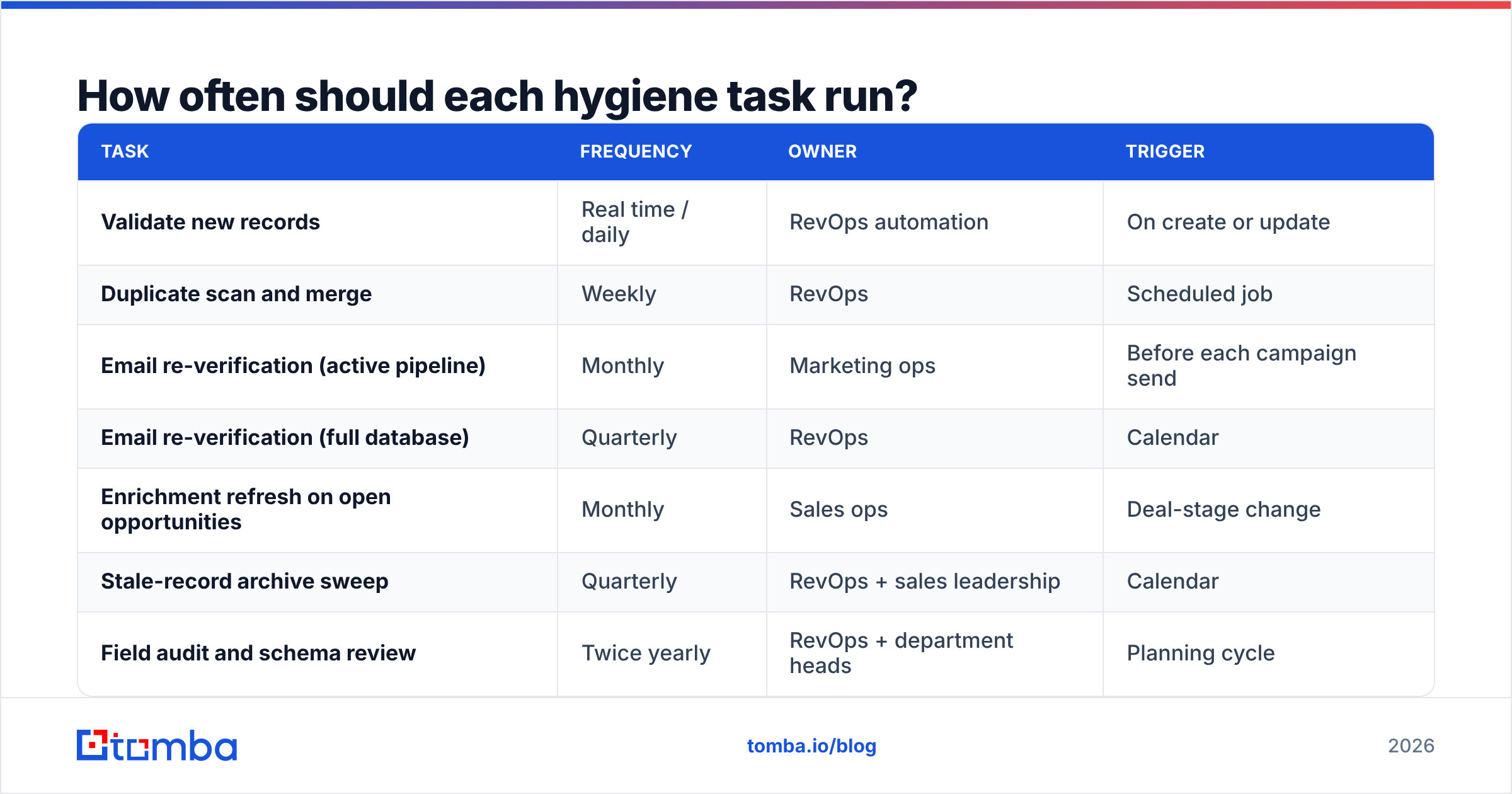
Cadence is what separates a cleanup from a system. Match frequency to how fast each problem regenerates:
| Task | Frequency | Owner | Trigger |
|---|---|---|---|
| Validate new records | Real time / daily | RevOps automation | On create or update |
| Duplicate scan and merge | Weekly | RevOps | Scheduled job |
| Email re-verification (active pipeline) | Monthly | Marketing ops | Before each campaign send |
| Email re-verification (full database) | Quarterly | RevOps | Calendar |
| Enrichment refresh on open opportunities | Monthly | Sales ops | Deal-stage change |
| Stale-record archive sweep | Quarterly | RevOps + sales leadership | Calendar |
| Field audit and schema review | Twice yearly | RevOps + department heads | Planning cycle |
Two rules make this survivable. First, automate everything above "weekly" — nobody sustains a manual weekly chore past month three. Second, always verify immediately before a send, not on a fixed schedule that might be six weeks stale. A list verified in January and mailed in April is not a verified list.

Should you dedupe manually or automate it?#
Automate the deterministic matches, review the fuzzy ones. This is the single most common place teams get burned.
Deterministic matching — identical normalized email, or identical company domain plus identical normalized name — is safe to merge automatically. The false-positive rate is close to zero, and it typically resolves 60-80% of your duplicate volume.
Fuzzy matching is where judgment is required. "J. Smith at Acme" and "John Smith at Acme Corp" are probably the same person. "Chris Lee at Deloitte" and "Christopher Lee at Deloitte" might be two different people in a 400,000-person firm. Auto-merging those destroys history in a way that's painful to unwind, because merges usually collapse activity timelines and reassign ownership.
The practical approach: set a confidence threshold, auto-merge above it, queue everything below for a human to clear in batches of 50. Most teams land the threshold around 90-95% match confidence after a few weeks of calibration.
One more thing that saves grief: before any bulk merge, export a snapshot. CRM merge operations are not always reversible, and "we merged 4,000 records and lost the activity history" is a resume-generating event.
What does a data governance policy actually contain?#
One page, not a 40-slide deck. It answers six questions:
- Who owns each object? Contacts, accounts, opportunities, leads — one named owner each, not a committee.
- Which fields are required, and by whom? Distinguish between fields required at creation and fields required at stage progression. Requiring 15 fields at creation guarantees rep workarounds.
- What are the valid values? Picklists with defined options for industry, seniority, lead source, and region. No free text on anything you report on.
- Who can bulk import? Restrict import permissions to two or three trained people. Uncontrolled imports are the number one duplicate source.
- What happens to stale records? Define the rule — for example, no activity in 18 months and no open opportunity means archive to a cold table, not delete.
- Where does external data come from? Log the source on every enriched record. If a vendor's data accuracy drops, you need to be able to identify and quarantine everything it touched.
Publish it, link it from the CRM homepage, and review it twice a year. Governance that lives in someone's Notion and is never referenced is decoration.
How do you know it's working?#
Chart four metrics monthly and put them in the same deck as pipeline:
- Duplicate rate — target under 2%.
- Field completeness on required fields — target 95%+ for the five fields your reporting depends on.
- Hard bounce rate on sends — target under 2%. Above 3% and you're actively damaging sender reputation.
- Stale-record percentage — records with no update in 12 months. Target under 20%.
Add one qualitative check: ask three reps whether they trust the CRM enough to work from it without a side spreadsheet. If the answer is no, your numbers are measuring the wrong thing.
The compounding return here is real. Clean data means routing works, scoring works, forecasts hold, and every dollar of outbound spend hits a real inbox. Dirty data means every downstream system inherits the error and amplifies it.
Where to start this week#
Pick the audit. Run the five queries, write the numbers on a whiteboard, and fix intake validation before you touch a single existing record. Then dedupe, then verify — in that order.
When you get to the verification and refill step, Tomba Email Finder is built for exactly this job: recover the correct address when a contact's email bounces after a job change, confirm deliverability before a campaign send, and do it through an API that slots into a scheduled hygiene job rather than a quarterly CSV ritual. Start on the free tier at 25 searches a month, run it against your worst-performing segment, and see how many "dead" records were only stale.
Related guides#
// get started
Find, verify and enrich your first contacts today
Start on the free plan with 25 searches a month, then scale when your team is ready.
Free plan · No credit card required · GDPR & CCPA
// about the author