How to Make a Sale in 2026: A 7-Step Repeatable Process
Making a sale is not charisma — it is a sequence. Here are the 7 steps that turn a cold name into a signed deal, plus the tools and math behind each one.
TL;DR
- A sale is not one event. It is seven steps: pick a target, find the contact, open the conversation, qualify, diagnose, prove value, and ask for the decision. Skip one and the deal stalls at that exact point.
- Most reps lose deals in step 2 and step 4 — bad contact data and no real qualification — not in the close.
- The math is unforgiving: at a 2% reply rate and a 25% close rate, 500 verified contacts produce roughly 2-3 deals. Your list quality moves that number more than your script does.
- Discovery is where the sale is actually made. The close is just the paperwork of a decision the buyer already reached.
- Use a verified contact source, a single CRM stage definition, and one measurable next step per conversation. That combination beats any "closing technique."
What does it actually mean to make a sale?#
Making a sale means a buyer moves from "this is not a priority" to "this is a priority, and you are the way we solve it." Everything else — the demo, the pricing page, the proposal — is machinery attached to that one shift.
That reframe matters because it changes what you work on. If a sale is a persuasion event, you spend your time polishing pitch decks. If a sale is a shift in priority, you spend your time finding people whose priorities are already shifting, and then making it easy for them to act.
Think of it like a hospital triage desk. The doctor does not convince patients to want treatment. The doctor sorts who is actually in pain, diagnoses precisely, and prescribes. Selling works the same way: the persuasion is mostly sorting.
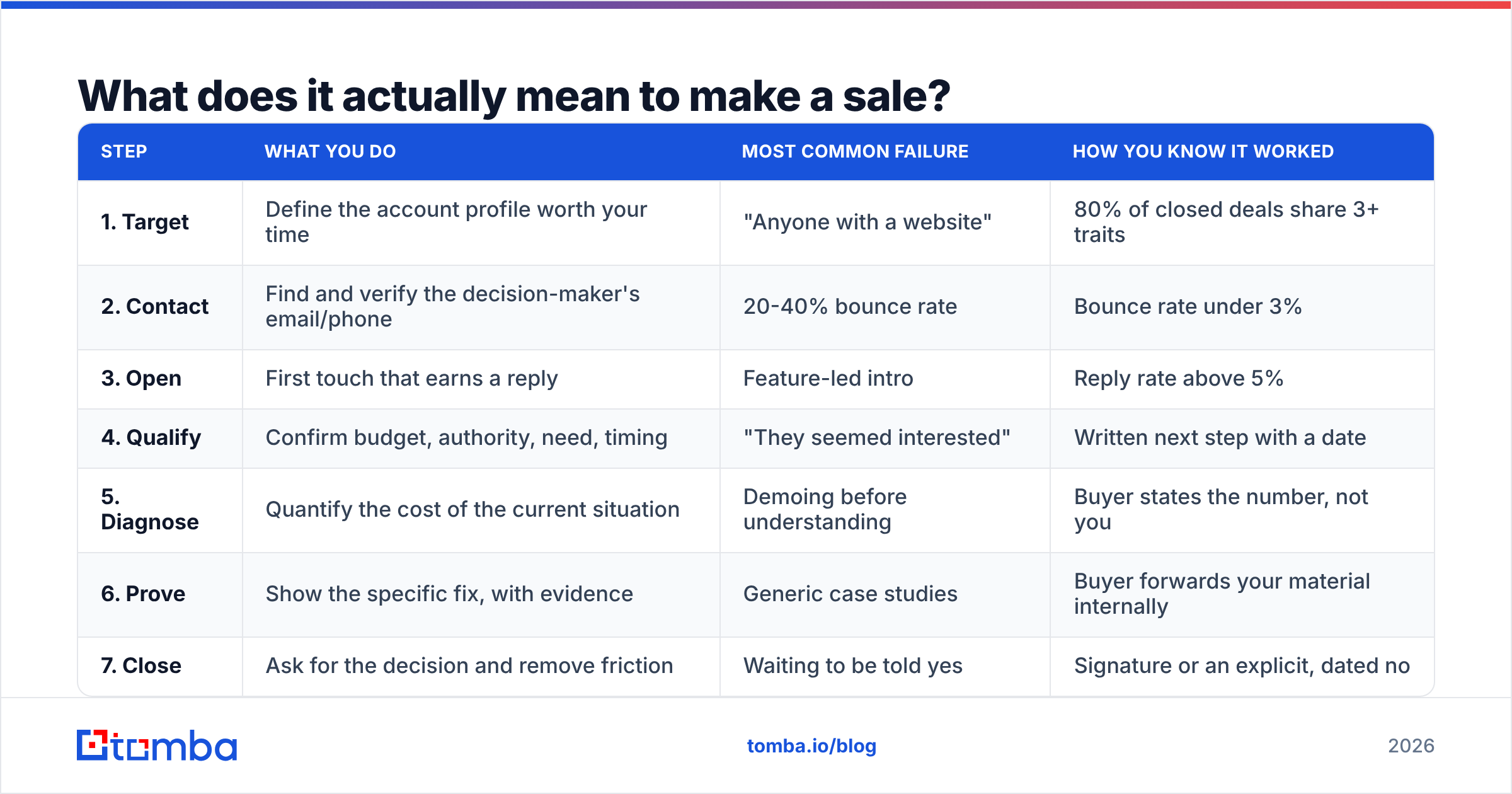
Here is the full sequence, and where each step usually breaks.
| Step | What you do | Most common failure | How you know it worked |
|---|---|---|---|
| 1. Target | Define the account profile worth your time | "Anyone with a website" | 80% of closed deals share 3+ traits |
| 2. Contact | Find and verify the decision-maker's email/phone | 20-40% bounce rate | Bounce rate under 3% |
| 3. Open | First touch that earns a reply | Feature-led intro | Reply rate above 5% |
| 4. Qualify | Confirm budget, authority, need, timing | "They seemed interested" | Written next step with a date |
| 5. Diagnose | Quantify the cost of the current situation | Demoing before understanding | Buyer states the number, not you |
| 6. Prove | Show the specific fix, with evidence | Generic case studies | Buyer forwards your material internally |
| 7. Close | Ask for the decision and remove friction | Waiting to be told yes | Signature or an explicit, dated no |
Who should you actually sell to?#
Start with the accounts that already closed. Pull your last 20 won deals and your last 20 losses, and list the traits that separate them: company size, industry, tech stack, headcount growth, whether a specific role exists on the team.
You are looking for three or four traits that appear in most wins and few losses. That is your working ideal customer profile. It is not a branding exercise — it is a filter that saves you from spending Q1 on accounts that were never going to buy.
Two practical tightening moves:
- Add a trigger, not just a fit. Fit tells you who could buy. A trigger tells you who might buy now — a new VP of Sales, a funding round, a job posting for the role that owns your problem, a competitor's tool showing up in their stack.
- Cap the list. A focused list of 150 accounts you can research properly outperforms 5,000 you cannot. Depth beats breadth when the reply is what you are buying.
- Write the disqualifier. Name the two traits that mean "do not pursue." Under 10 employees. No dedicated owner for the problem. Writing them down is what makes you actually skip them.
- Re-check quarterly. ICPs rot. The profile that worked last year drifts as your product and pricing change.
You can enrich account lists with firmographic and technographic signals using data enrichment, and you can pull the roles that matter at each domain with domain search.
How do you find the right person to contact?#
You need a name, a role, and a working email. The third one is where most outbound quietly dies.
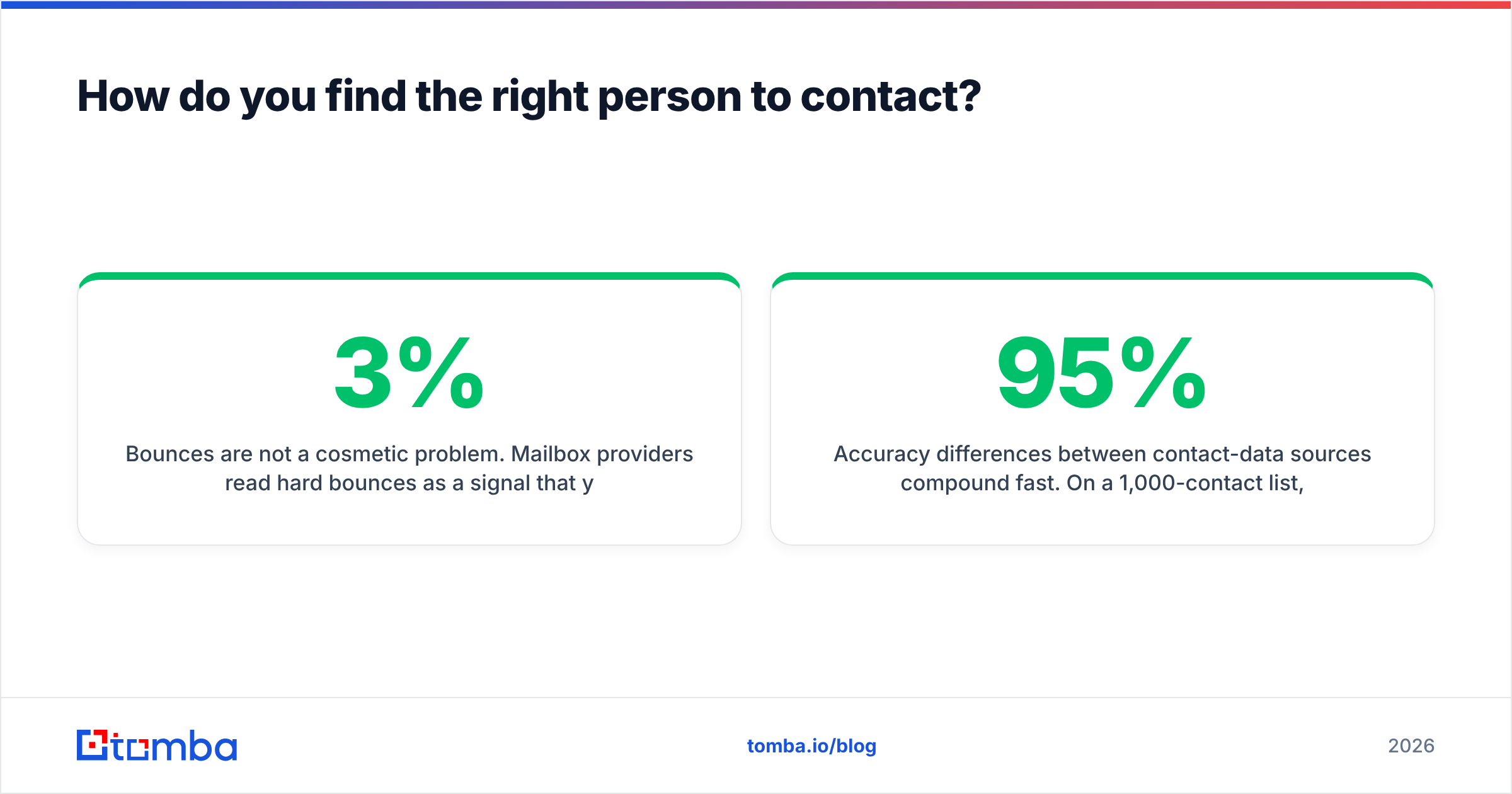
Bounces are not a cosmetic problem. Mailbox providers read hard bounces as a signal that you do not know who you are writing to, and your sender reputation drops accordingly. Once reputation drops, even your good emails land in spam — so a dirty list poisons the clean part of your outreach too. Keep hard bounces under 3%; above 5%, pause the campaign and clean the list before you send another batch.
The workable sequence:
- Identify the role, not the person. "Whoever owns pipeline reporting" is a better starting point than a name you found on a two-year-old blog post.
- Resolve the person. LinkedIn, the company team page, conference speaker lists, podcast guest pages. A LinkedIn finder turns a profile into a work address without manual guessing.
- Verify before sending. Run every address through an email verifier. Pattern-guessed addresses (first.last@) are right often enough to be dangerous and wrong often enough to hurt you.
- Handle catch-all domains separately. Catch-all servers accept everything, so standard verification returns "unknown." A catch-all verifier applies deeper checks instead of leaving you guessing.
- Get a phone as backup. Email-only sequences cap out. A phone finder gives you a second channel for accounts worth a real conversation.

Accuracy differences between contact-data sources compound fast. On a 1,000-contact list, the gap between 95% and 80% deliverable addresses is 150 emails that never arrive — roughly a week of a rep's output, gone before anyone reads a word you wrote.
Which tools do you need at each step?#
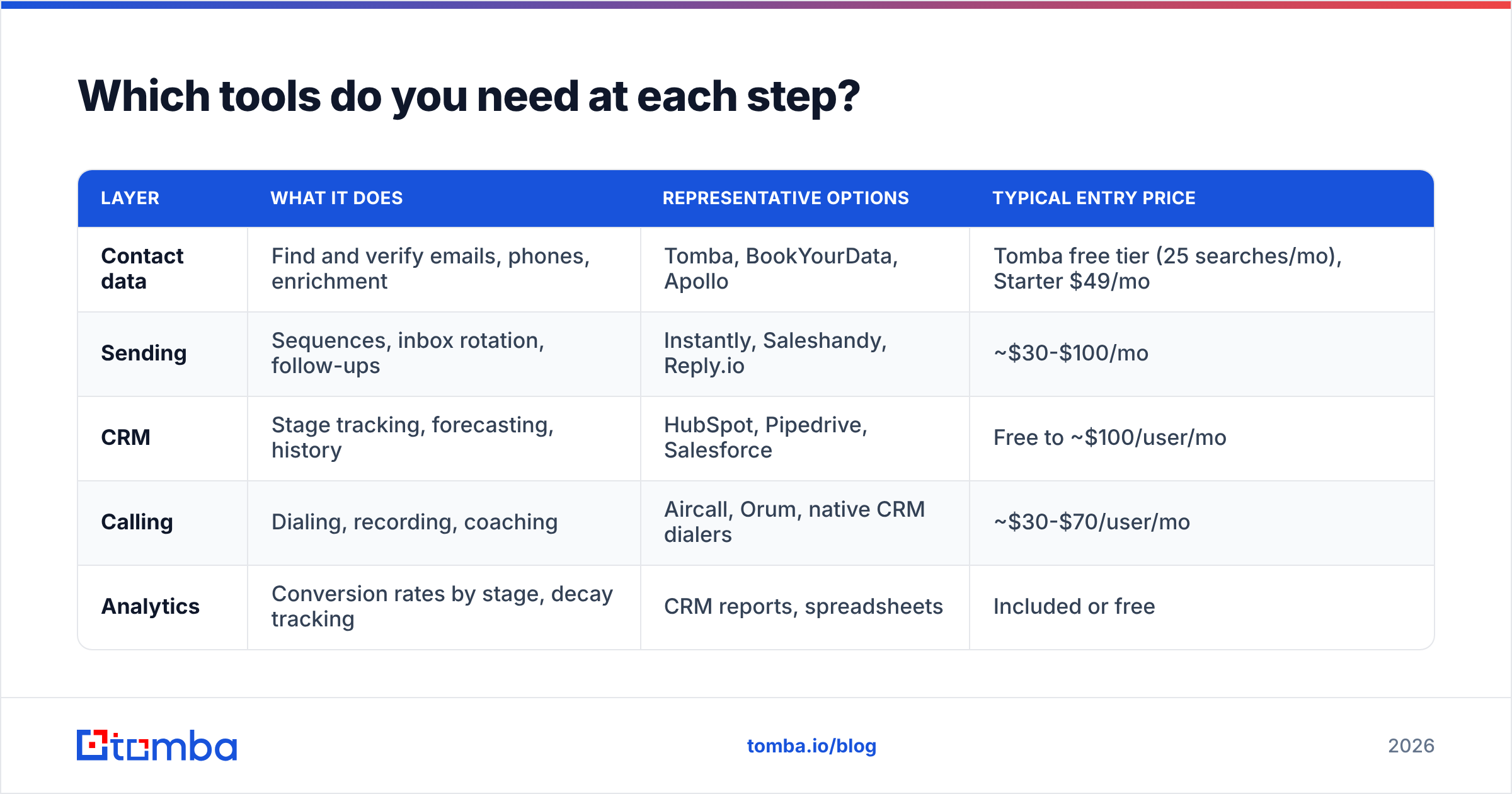
You do not need a 12-tool stack to make a sale. You need one reliable source of contact data, one place to send from, one place to record what happened, and — later — one way to automate the boring parts.
| Layer | What it does | Representative options | Typical entry price |
|---|---|---|---|
| Contact data | Find and verify emails, phones, enrichment | Tomba, BookYourData, Apollo | Tomba free tier (25 searches/mo), Starter $49/mo |
| Sending | Sequences, inbox rotation, follow-ups | Instantly, Saleshandy, Reply.io | ~$30-$100/mo |
| CRM | Stage tracking, forecasting, history | HubSpot, Pipedrive, Salesforce | Free to ~$100/user/mo |
| Calling | Dialing, recording, coaching | Aircall, Orum, native CRM dialers | ~$30-$70/user/mo |
| Analytics | Conversion rates by stage, decay tracking | CRM reports, spreadsheets | Included or free |
A note on data vendors, since this is where budgets get burned: prebuilt databases like BookYourData are strong when you want verified contacts by role and geography without running discovery yourself. Real-time finders like Tomba's email finder are stronger when you already know the account and need the current address for a specific person. Many teams run both — a static list for volume, a live finder for the named accounts that matter.
Tomba's own tiers: free (25 searches/mo), Starter $49/mo, Growth $99/mo, Pro $249/mo, Enterprise custom. Full Tomba pricing breaks down credits per tier.
What do you say in the first message?#
Earn a reply, not a meeting. Those are different asks, and the second one is too heavy for a first touch from a stranger.
A first touch that works has four parts and fits in under 90 words:
- A specific observation. Something true about their company that you could not have written about anyone else. "You posted for two SDRs in Chicago last month" beats "I saw you're growing."
- A one-line problem statement. Name the pain that observation implies, in their language, not your feature language.
- A single piece of evidence. One number or one comparable customer. Not a case-study PDF.
- A low-friction ask. "Worth a look?" or "Is this on your list this quarter?" — a question they can answer in four words.
What kills first touches: multiple links, a calendar embed, three paragraphs of context, and any sentence starting with "I wanted to reach out." Test subject lines against a subject line tester before you commit a batch, and check spam triggers with a spam checker.
Follow-ups matter more than the opener. Most replies arrive on touches two through four. Space them 3-4 days apart, and make each one add something — a new angle, a relevant piece of news, a different question — rather than "just bumping this."
How do you qualify without interrogating?#
Qualification is a two-way filter. You are deciding whether they are worth your quarter as much as they are deciding whether you are worth their budget. Framed that way, the questions stop feeling like an interview.
Four things you need before the deal deserves a slot in your forecast:
- Problem cost. What is the current situation costing in hours, dollars, or missed revenue? If they cannot quantify it, the problem is not painful enough to fund.
- Decision path. Who signs, who can veto, and what has to happen between now and signature. Ask directly: "Walk me through how a purchase like this gets approved here."
- Timing pressure. Is there a date that makes this urgent — a renewal, a launch, a board target? Deals without a date slip forever.
- Alternative. What they will do if they do nothing. "Do nothing" is your most common competitor, and it usually wins.
Write the answers in the CRM as text, not as a dropdown. A stage label of "Qualified" tells your manager nothing; "CFO signs, renewal is March 31, currently costing ~12 hours/week in manual research" tells them everything. Consistent stage definitions across the team are what make win rate numbers mean anything at all.
How do you close without pressure tactics?#
You close by removing reasons to wait, not by adding reasons to hurry.
By the time you ask, the buyer should have already said out loud what the problem costs, who decides, and when it needs to be solved. The close is then a summary plus a request: "You said this is costing about 12 hours a week and you want it fixed before the March renewal. Here is the plan and the price. Do you want to move forward?"
Three closing behaviors that reliably help:
- Ask for a decision, not agreement. "Yes" and "no" are both useful. "Let me think about it" is the only bad answer, and it usually means you missed something in discovery — so go back and ask what is unresolved.
- Pre-handle the internal sell. Your champion has to sell this without you in the room. Give them a one-page summary with the numbers they cited, so they are not reconstructing your argument from memory.
- Make the next step concrete and dated. Every conversation ends with a calendar entry. No exceptions. A deal with no scheduled next step is not a deal, it is a hope.
On objections: price objections at the end are almost always value problems from the middle. If someone says "too expensive," they are telling you the cost of their problem never got large enough in their own mind. That is a discovery repair job, not a discount negotiation. HubSpot's sales research library has solid benchmarking data if you want to see how this pattern plays out across industries, and G2 buyer behavior reports are useful for understanding how your buyers actually shortlist vendors before they ever talk to you.
What numbers tell you the process is working?#
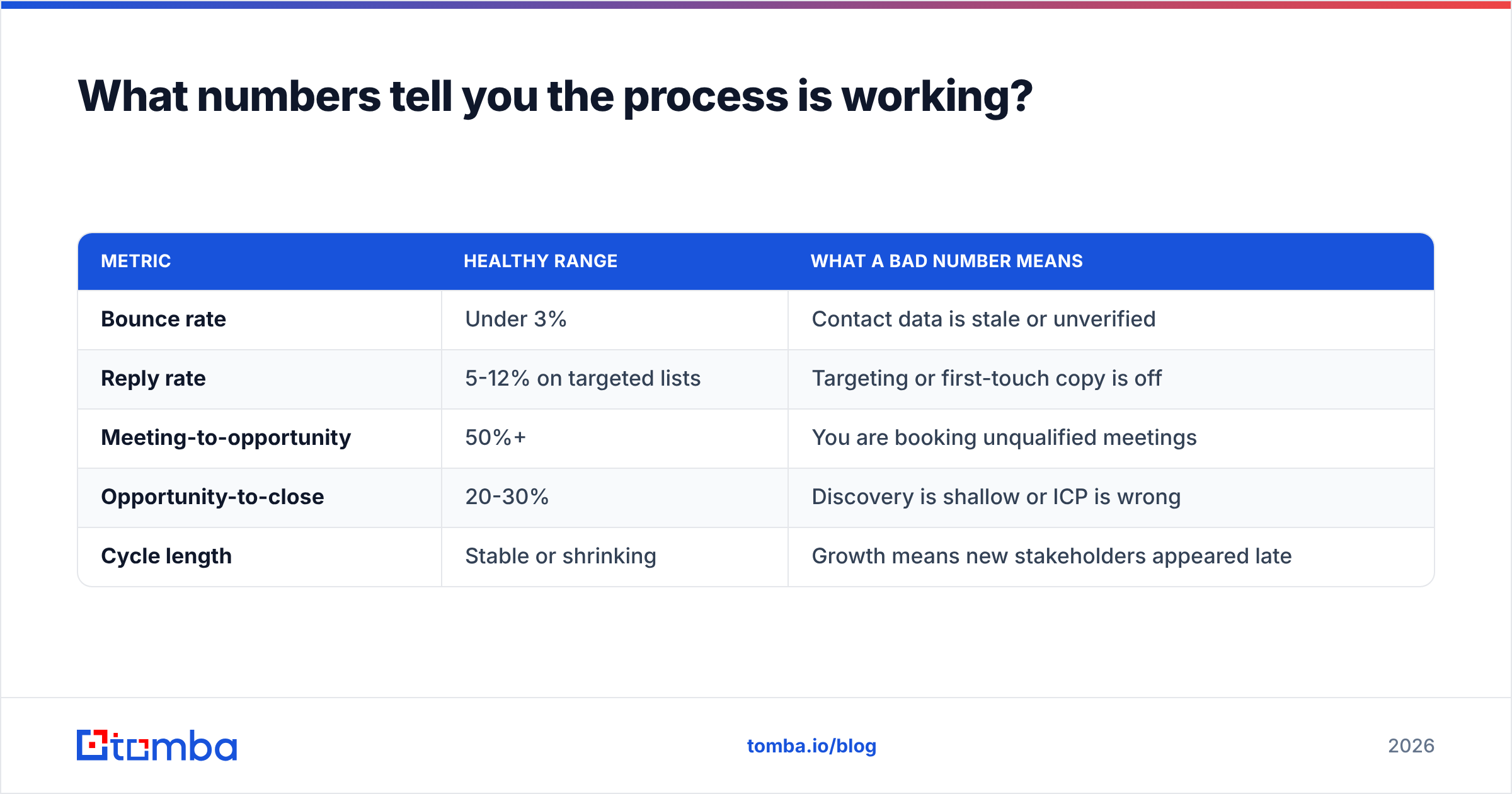
Track five, review weekly, and change one thing at a time.
| Metric | Healthy range | What a bad number means |
|---|---|---|
| Bounce rate | Under 3% | Contact data is stale or unverified |
| Reply rate | 5-12% on targeted lists | Targeting or first-touch copy is off |
| Meeting-to-opportunity | 50%+ | You are booking unqualified meetings |
| Opportunity-to-close | 20-30% | Discovery is shallow or ICP is wrong |
| Cycle length | Stable or shrinking | Growth means new stakeholders appeared late |
The diagnostic value is in the sequence. A high bounce rate is a data problem. Good deliverability with a low reply rate is a targeting or copy problem. Good replies with poor close rates is a qualification problem. Each metric points to exactly one step in the seven, which is why measuring all five beats obsessing over any one of them.
Run the same review cadence on your list hygiene. Contact data decays 20-30% a year as people change jobs, so a list you built in January is measurably worse by July. Re-verify before every major campaign rather than after the bounces arrive — you can process whole files at once with bulk verify.
What is the fastest way to start this week?#
Pick 50 accounts that match your top-three win traits. Find one decision-maker at each. Verify every address. Write one 80-word first touch with a specific observation per account, and three follow-ups spaced four days apart. Log every reply in the CRM with a dated next step.
That is 50 contacts, roughly four hours of work, and enough volume to give you a real read on whether the problem is your targeting, your copy, or your qualification. Then fix that one thing and run it again.
The unglamorous truth about how to make sale after sale is that the process is boring and the discipline is the hard part. Reps who close consistently are not better talkers. They have cleaner lists, sharper discovery, and a calendar entry after every conversation.
Start with the data layer, because everything downstream depends on it. Use the Tomba Email Finder to get verified, deliverable addresses for the decision-makers on your target list — the free tier gives you 25 searches a month to test accuracy against your own accounts before you commit to a plan. Clean contacts do not close deals by themselves, but no amount of closing skill survives a list that bounces.
Related guides#
// get started
Find, verify and enrich your first contacts today
Start on the free plan with 25 searches a month, then scale when your team is ready.
Free plan · No credit card required · GDPR & CCPA
// about the author