How to Research a Company Before You Send a Single Email
A repeatable 7-step company research workflow that turns a domain name into a qualified account brief in under 15 minutes — with the free sources, paid tools, and shortcuts that actually matter.
TL;DR
- Company research fails when it has no output format. Decide what the brief must contain — trigger, org chart, tech stack, contact — before you open a single tab.
- Seven sources cover 90% of what you need: the company website, LinkedIn, job boards, funding databases, review sites, filings, and news alerts.
- Public companies give you 10-K risk sections; private companies give you job postings. Both are free, both are underused.
- The slow part is never reading — it's finding the right person and a working email. Automate that step and a 45-minute brief becomes a 15-minute one.
- Research that doesn't change a sentence in your outreach email is research you wasted. Every fact you collect needs a job.
Why does most company research produce nothing useful?#
Because it has no stopping condition. You open the About page, skim the leadership team, scroll LinkedIn for eleven minutes, note that they "seem to be growing," and move on. Nothing you learned changes what you write.
Good research is scoped by its output. Before you start, define the artifact: a five-field account brief. Trigger event, decision-maker, tech stack, business model, and a specific hook you can quote back to them. If a fact doesn't fill one of those fields, close the tab.
That framing is what separates prospecting research from due-diligence research. A private equity analyst reading a company's filings is asking "is this worth buying?" You're asking "is this worth 20 minutes of my sequence capacity, and what do I say first?" Same sources, radically different depth.
The rest of this post is the workflow — sources, order, and the tools that compress each step.
What are the seven sources you should always check?#
Work them in this order. Each one narrows the next.
- The company website — pricing page, careers page, and customer logos. Pricing tells you deal size and buyer sophistication. Careers tells you which teams are expanding. Logos tell you who they consider a peer.
- LinkedIn company page — headcount trend, recent posts, and the "people" tab filtered by department. Headcount growth over 12 months is the single best free growth signal for private companies.
- Job boards — a posting for "Senior RevOps Manager, Salesforce experience required" tells you their CRM, their team gaps, and their budget in one listing.
- Funding and financial data — Crunchbase for private rounds; SEC EDGAR for anything public. A Series B closed six weeks ago is the loudest buying signal on the internet.
- Review sites — G2 and Capterra reviews written by their employees reveal the tools they already use and hate.
- News and press — Google Alerts on the exact company name, plus the company's own newsroom. Filter for leadership changes, expansions, and lawsuits.
- Technographics — what's actually running on their site. A company on HubSpot buys differently than a company on Salesforce plus six point solutions.
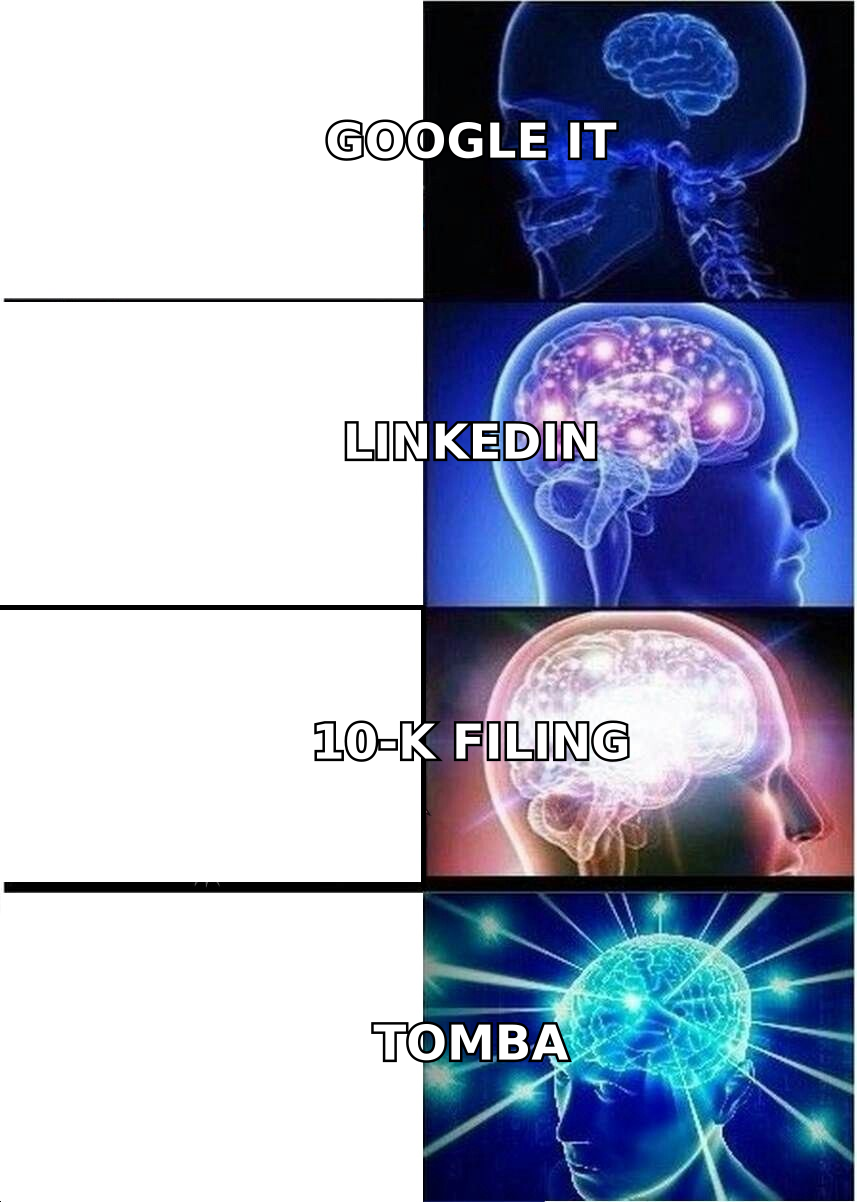
Six of those seven are free. The seventh — technographics at scale — is where paid tooling starts earning its keep, and where you should be deliberate about spend.
How do you research a public company vs. a private one?#
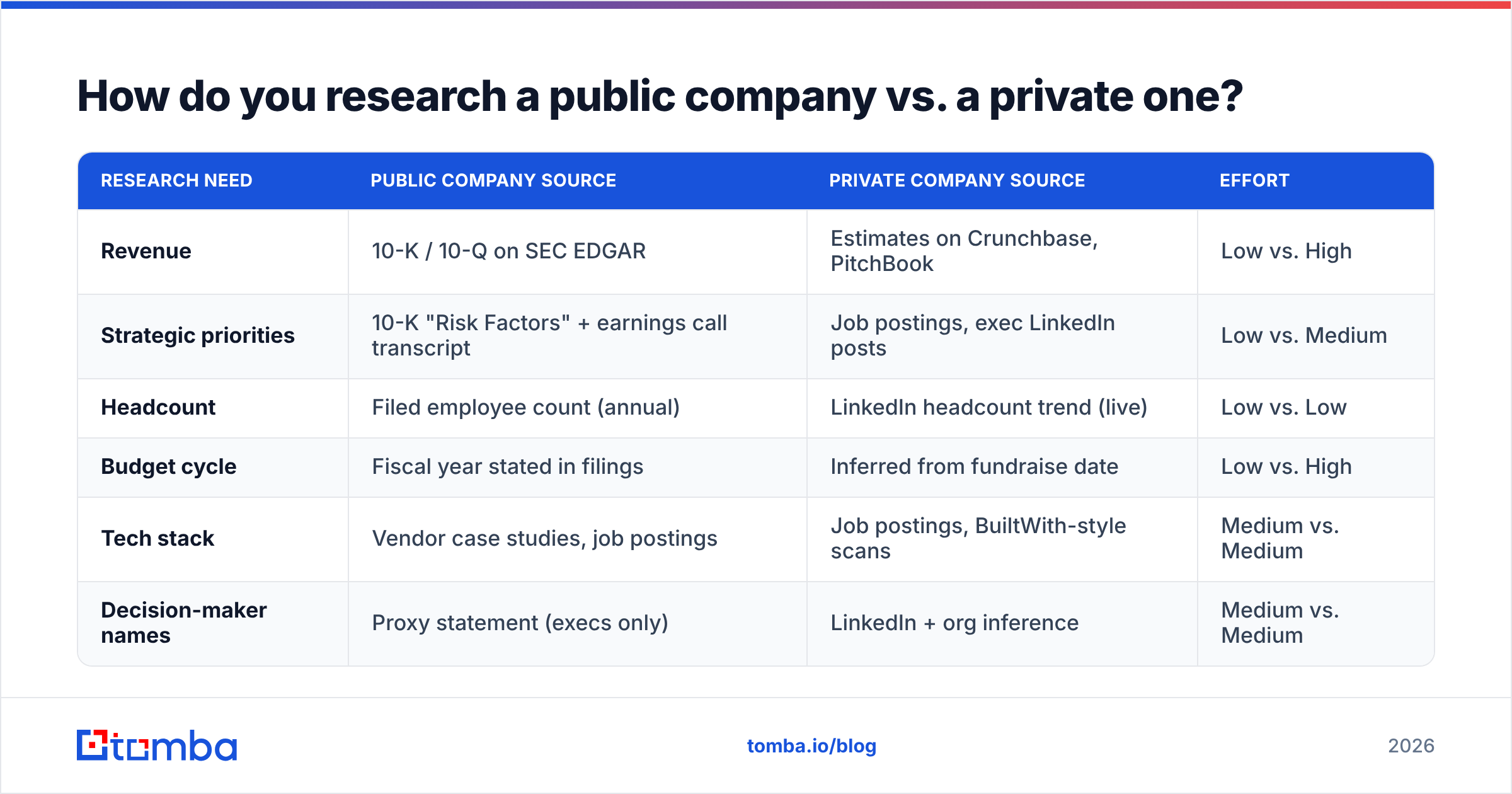
The gap is bigger than most reps assume. Public companies are legally obligated to tell you things private companies would never volunteer.
| Research need | Public company source | Private company source | Effort |
|---|---|---|---|
| Revenue | 10-K / 10-Q on SEC EDGAR | Estimates on Crunchbase, PitchBook | Low vs. High |
| Strategic priorities | 10-K "Risk Factors" + earnings call transcript | Job postings, exec LinkedIn posts | Low vs. Medium |
| Headcount | Filed employee count (annual) | LinkedIn headcount trend (live) | Low vs. Low |
| Budget cycle | Fiscal year stated in filings | Inferred from fundraise date | Low vs. High |
| Tech stack | Vendor case studies, job postings | Job postings, BuiltWith-style scans | Medium vs. Medium |
| Decision-maker names | Proxy statement (execs only) | LinkedIn + org inference | Medium vs. Medium |
The 10-K "Risk Factors" section is the most underused asset in B2B sales. It is a company telling regulators, under legal penalty, exactly what it is afraid of. If their filing names talent retention and data-quality risk, and you sell data quality, you have your opening line written for you by their own general counsel. Filings are free at SEC EDGAR.
For private companies, job postings replace filings. A company hiring three SDRs and a sales engineer is scaling outbound. A company hiring a Director of Data Governance has a data problem someone got budget to fix. Both are triggers.
What is a trigger event and how do you find one?#
A trigger event is a dated, verifiable change that makes your product relevant now rather than someday. It's the difference between "I saw you're in fintech" and "I saw you opened a Dublin office in March."
The triggers worth tracking, in rough order of how much they lift reply rates:
- Funding round — new budget, new pressure to spend it, 30-90 day window.
- Executive hire — new VPs replace vendors within their first two quarters. Watch for a new CRO, CMO, or Head of RevOps.
- Headcount inflection — 20%+ growth in a department over two quarters.
- Product launch or market entry — new segment means new go-to-market gaps.
- Office or geographic expansion — new region, new compliance and data needs.
- Public negative signal — a bad G2 review wave about their current vendor, or a reported outage.
Set these up as monitors, not as manual checks. Google Alerts covers news. LinkedIn Sales Navigator covers job changes. Your CRM should hold the date so you know when the window closes.
One warning: a trigger without a matching pain is just trivia. "Congrats on the Series B" as an opener has been burned to the ground. Use the trigger as evidence for your hypothesis, not as the compliment that opens the email.
How do you map the buying committee?#
Most reps research the company and then guess at the person. Reverse it. The account is only interesting because of who works there.
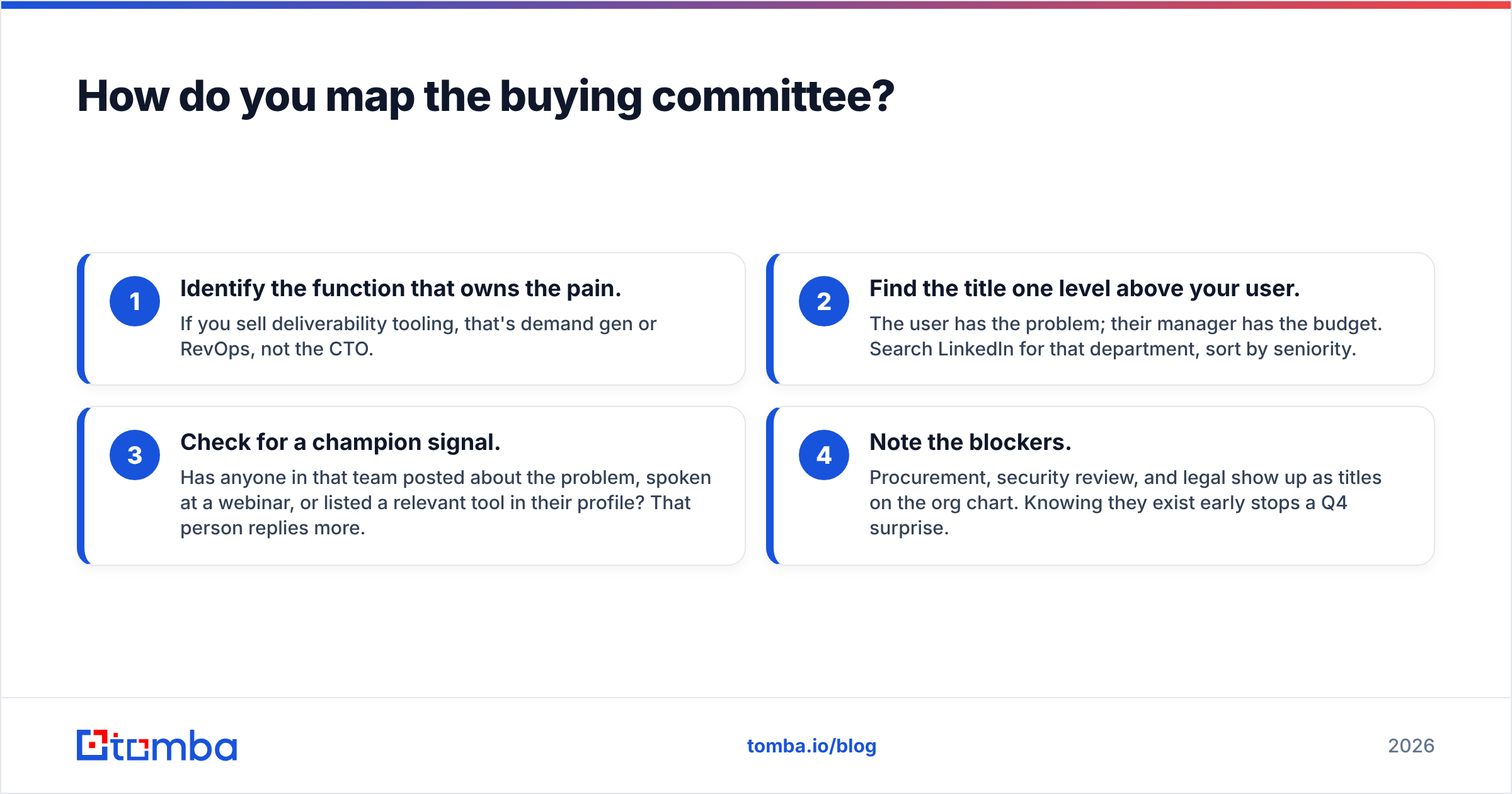
Build the map in four passes:
- Identify the function that owns the pain. If you sell deliverability tooling, that's demand gen or RevOps, not the CTO.
- Find the title one level above your user. The user has the problem; their manager has the budget. Search LinkedIn for that department, sort by seniority.
- Check for a champion signal. Has anyone in that team posted about the problem, spoken at a webinar, or listed a relevant tool in their profile? That person replies more.
- Note the blockers. Procurement, security review, and legal show up as titles on the org chart. Knowing they exist early stops a Q4 surprise.
According to HubSpot's sales research, B2B deals routinely involve six or more stakeholders. Mapping three of them beats knowing everything about one.
Then you need contact details, which is where research usually stalls. LinkedIn shows you a name and a title, not a working email. A domain search returns every public email pattern on a company's domain in one query, so you can go from "I need the VP of Marketing at acme.com" to a verified address without guessing at first.last@ permutations. If you're working from a profile URL rather than a domain, a LinkedIn finder resolves the same thing in reverse.
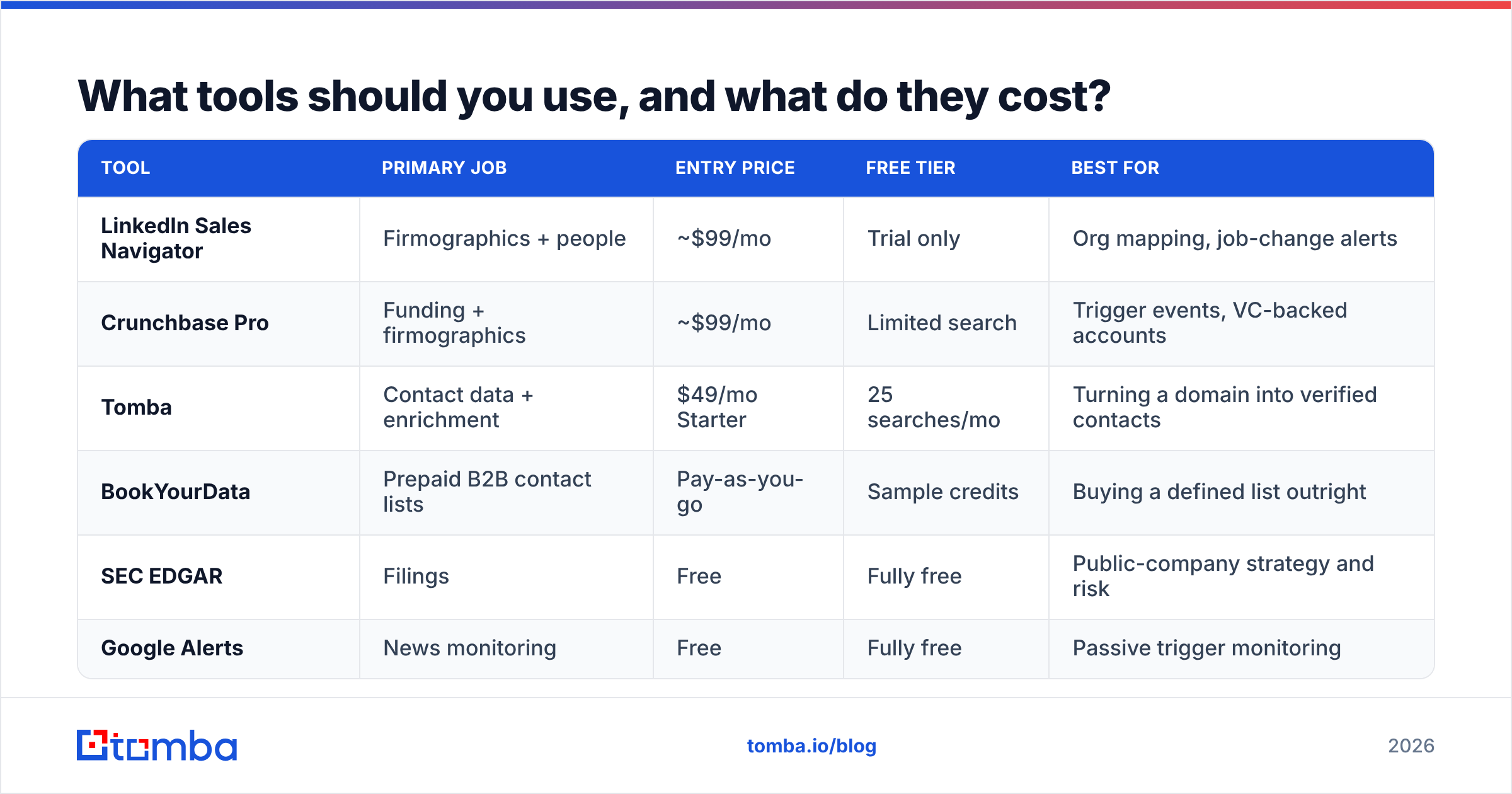
What tools should you use, and what do they cost?#
Company research tools cluster into three jobs: firmographics (who they are), technographics (what they run), and contact data (how you reach them). Very few tools do all three well, and the ones that claim to usually charge for the privilege.
| Tool | Primary job | Entry price | Free tier | Best for |
|---|---|---|---|---|
| LinkedIn Sales Navigator | Firmographics + people | ~$99/mo | Trial only | Org mapping, job-change alerts |
| Crunchbase Pro | Funding + firmographics | ~$99/mo | Limited search | Trigger events, VC-backed accounts |
| Tomba | Contact data + enrichment | $49/mo Starter | 25 searches/mo | Turning a domain into verified contacts |
| BookYourData | Prepaid B2B contact lists | Pay-as-you-go | Sample credits | Buying a defined list outright |
| SEC EDGAR | Filings | Free | Fully free | Public-company strategy and risk |
| Google Alerts | News monitoring | Free | Fully free | Passive trigger monitoring |
A practical stack for a two-person outbound team: LinkedIn for the org chart, free sources for triggers, and one contact-data tool. That's roughly $150/month and covers everything above. You can review Tomba pricing if you want to see where the Starter and Growth tiers sit — Growth is $99/mo, Pro is $249/mo, and the free tier at 25 searches a month is enough to test the workflow on a real account list before committing.
BookYourData plays a different role and is worth understanding on its own terms: it sells verified contact lists on a prepaid credit model, which suits teams that want a defined dataset delivered rather than an API they query continuously. If your motion is "build one 5,000-record list per quarter," that model can be cheaper than a subscription. If your motion is "enrich accounts continuously as they enter the CRM," a per-lookup API fits better.

Whatever you use, verify before you send. A researched account with a bounced email is a wasted account — and repeated bounces damage sender reputation in ways that take weeks to repair. Running finds through an email verifier before they hit your sequencer is the cheapest insurance in outbound.
How do you compress this into 15 minutes per account?#
The 45-minute version of this workflow is real, and it's why most reps quietly stop doing it. Here's where the time actually goes and how to cut it.
Minutes 1-3 — Firmographic snapshot. Company site homepage, pricing page, careers page. Note headcount, business model, and which teams are hiring. Don't read the About page's founding story.
Minutes 4-6 — Trigger scan. Check news, funding, and leadership changes. If there's no trigger, decide right now whether the account still qualifies on fit alone. Many won't. Killing an account here saves you the other nine minutes.
Minutes 7-10 — Person and contact. Identify two names: the likely user and their manager. Pull verified emails. This is the step most worth automating — a bulk workflow through a bulk email finder or a scripted Tomba API call handles 200 accounts while you're doing something else, which turns "10 minutes per account" into "10 minutes per batch."
Minutes 11-13 — Hypothesis. Write one sentence: "I think [company] has [problem] because [evidence from research]." If you can't write it, your research was decorative.
Minutes 14-15 — Draft the hook. One line that proves you did the work, one line that connects it to a problem. That's it. Nothing about your funding round or your award.
Two structural shortcuts matter more than raw speed. First, batch by segment — researching ten Series B fintechs in a row is far faster than ten random companies, because the patterns repeat and you stop re-learning the industry. Second, template the brief. A fixed five-field format stops you from wandering into a company's blog archive for twenty minutes.
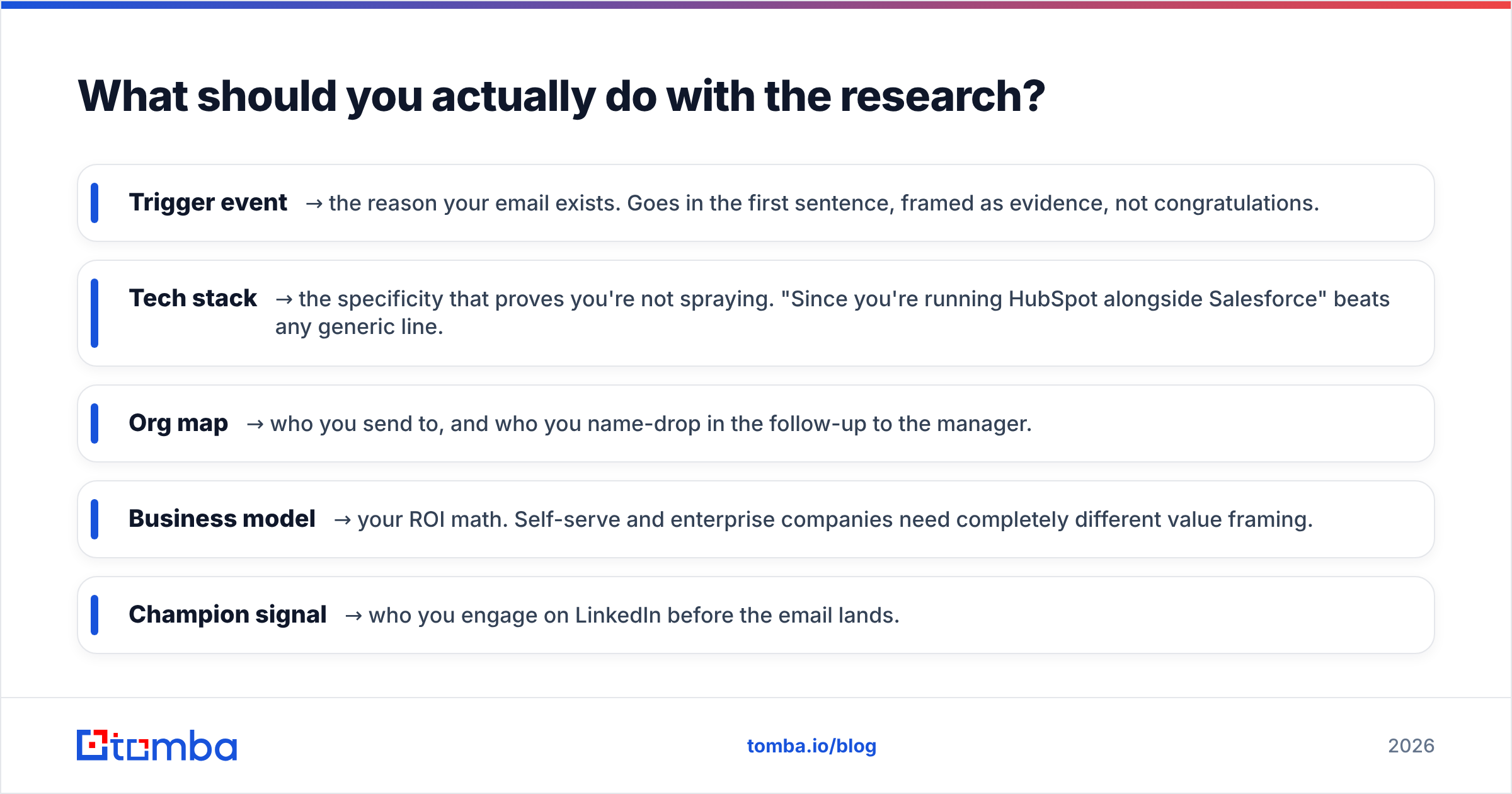
What should you actually do with the research?#
Every fact you collected should map to a use. If it doesn't, stop collecting it.
- Trigger event → the reason your email exists. Goes in the first sentence, framed as evidence, not congratulations.
- Tech stack → the specificity that proves you're not spraying. "Since you're running HubSpot alongside Salesforce" beats any generic line.
- Org map → who you send to, and who you name-drop in the follow-up to the manager.
- Business model → your ROI math. Self-serve and enterprise companies need completely different value framing.
- Champion signal → who you engage on LinkedIn before the email lands.
The failure mode here is hoarding. Reps build gorgeous account briefs and then send a template. Research only pays when it changes the words. If your first line would work unchanged on another company in your list, you did the research and threw it away.
Also: record it somewhere shared. Research locked in one rep's notebook gets redone by the next rep who touches the account. Push the brief into your CRM as structured fields — trigger date, stack, contacts — not as a free-text note nobody reads. That's the difference between account research and account intelligence, and it's what makes territory handoffs survivable.
How often should you re-research an account?#
Company data decays fast. Contact data decays faster — roughly 25-30% of B2B contact records go stale annually as people change jobs, which is a well-documented pattern across the data industry.
A workable cadence:
- Open opportunities — re-check monthly for leadership changes and funding.
- Nurture / not-now accounts — quarterly trigger scan only. Don't rebuild the whole brief.
- Closed-lost accounts — re-research when the champion or the buyer changes jobs. That's the single highest-value re-entry point in outbound, and a job-change alert is what surfaces it.
- Cold list — re-verify contact data before any campaign, every time. Non-negotiable.
For the last one, run the list through data enrichment rather than starting from scratch. Enrichment fills gaps on records you already own, which costs a fraction of net-new sourcing and usually recovers more contacts than you expect.
Where should you start?#
Pick five accounts you already believe in. Run the seven-source pass on each, write the five-field brief, and time yourself. You'll find the bottleneck immediately — for nearly everyone it's the same step: turning a company you now understand into a person you can actually reach.
That's the step to fix first. Tomba's Email Finder takes a name and a domain and returns a verified professional email with a confidence score and its sources, so the research you just did lands in an inbox instead of a bounce log. The free tier gives you 25 searches a month — enough to run this workflow end to end on a real account list before you decide whether it's worth $49/mo to run it on two hundred.
Research the company. Verify the person. Then write something only you could have written.
Related guides#
// get started
Find, verify and enrich your first contacts today
Start on the free plan with 25 searches a month, then scale when your team is ready.
Free plan · No credit card required · GDPR & CCPA
// about the author