How to Send Personalized Videos at Scale in B2B Sales
Personalized video works until you try to record 300 of them. Here is the exact workflow, tool stack, and cost math for sending personalized videos at scale without burning your week on recording.
TL;DR
- Fully manual personalized video tops out around 15-25 recordings per rep per day. Anything past that needs a hybrid or synthetic workflow.
- The highest-ROI pattern in 2026 is the hybrid: one recorded base video plus a dynamic personalized thumbnail and first line. It gets ~80% of the lift for ~10% of the effort.
- Video only works if the email lands. Verified addresses and a warm sending domain matter more than production quality.
- Budget roughly $0.30-$1.20 per personalized video once you count tooling, data, and rep time. Compare that to your cost per meeting before scaling.
- Segment ruthlessly: send video to your top 10-15% of accounts, plain text to the rest.
Why does personalized video still work in 2026?#
Because almost nobody sustains it. Video breaks the pattern of a text-only inbox, and a thumbnail showing the prospect's own website is unmistakably not a template. Vendor benchmarks from tools like Vidyard and Loom routinely report reply-rate lifts in the 2-3x range over plain text on matched lists.
Treat those numbers as directional, not gospel — they come from customers who already invested in the channel and usually target better accounts. The honest read: video is a strong differentiator on high-value, low-volume outbound, and a waste of money on a 5,000-contact blast.
The real constraint isn't whether video works. It's throughput. A rep who records one thoughtful 45-second video does research, records, re-records, uploads, writes the email, and moves on — realistically 4-6 minutes each. That's 15-25 per day before their voice goes flat. To go beyond that you have to change the production model, not push the rep harder.

What are the four ways to send personalized videos at scale?#
There are exactly four production models. Everything on the market is a variation of one of them.
- Fully manual (1:1) — Rep records a unique video per prospect. Highest quality, lowest volume, best for enterprise ABM and open opportunities.
- Hybrid dynamic (1:few) — Rep records one base video per segment. A tool overlays a personalized animated thumbnail (the prospect's website, LinkedIn profile, or company logo) and sometimes swaps a spoken first line. This is the sweet spot.
- Synthetic / AI avatar (1:many) — An AI clone of the rep's face and voice reads a merge-field script. Volume is effectively unlimited; trust is the risk.
- Screen-recorded asset (1:all) — One generic demo or teardown, personalized only in the email copy around it. Cheapest, weakest lift, but scales infinitely.
Most teams that fail at this pick model 1, exhaust the reps in three weeks, and conclude "video doesn't work." The correct move is to route accounts across all four models by tier.
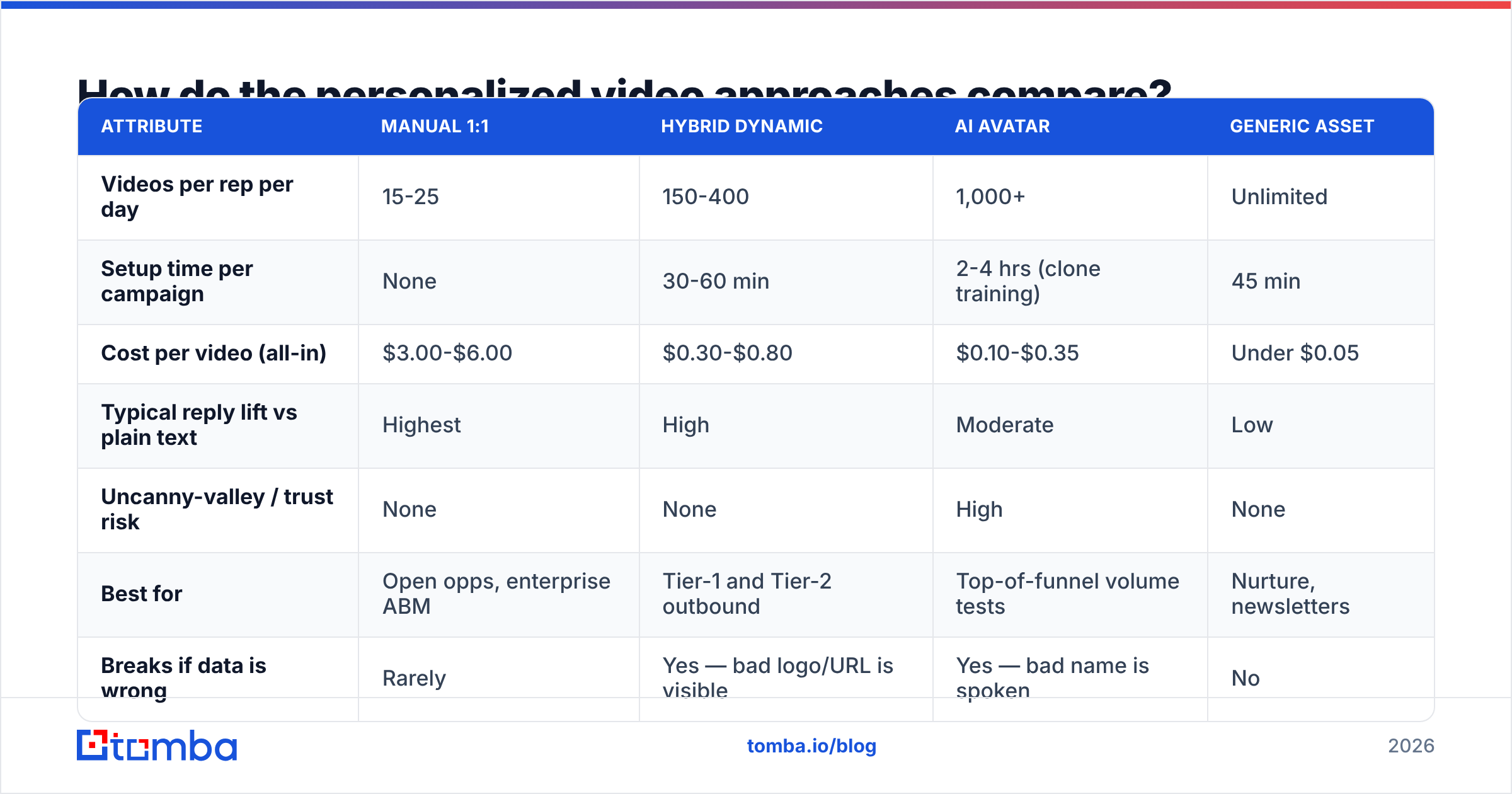
How do the personalized video approaches compare?#
| Attribute | Manual 1:1 | Hybrid dynamic | AI avatar | Generic asset |
|---|---|---|---|---|
| Videos per rep per day | 15-25 | 150-400 | 1,000+ | Unlimited |
| Setup time per campaign | None | 30-60 min | 2-4 hrs (clone training) | 45 min |
| Cost per video (all-in) | $3.00-$6.00 | $0.30-$0.80 | $0.10-$0.35 | Under $0.05 |
| Typical reply lift vs plain text | Highest | High | Moderate | Low |
| Uncanny-valley / trust risk | None | None | High | None |
| Best for | Open opps, enterprise ABM | Tier-1 and Tier-2 outbound | Top-of-funnel volume tests | Nurture, newsletters |
| Breaks if data is wrong | Rarely | Yes — bad logo/URL is visible | Yes — bad name is spoken | No |
Two things stand out in that table. First, the hybrid model is the only one with a genuinely favorable cost-to-lift ratio at volume. Second, both scalable models fail loudly when your data is wrong. A manual video with a mispronounced name is awkward. A dynamic thumbnail pointing at a competitor's homepage, or an AI avatar confidently addressing "Hi, {{first_name}}," is campaign-ending.
That's why the data layer, not the video layer, is where most of this workflow actually lives.
What does the workflow actually look like, step by step?#
Here is the sequence that holds up at 300+ videos per week.
Step 1 — Build and verify the list first. Video amplifies whatever list you feed it. Pull target accounts, then resolve contacts with a domain search to get every relevant role at the company, and run the results through an email verifier before a single frame is recorded. A bounced personalized video is the most expensive bounce in outbound — you paid for research, production, and hosting to hit a dead mailbox.
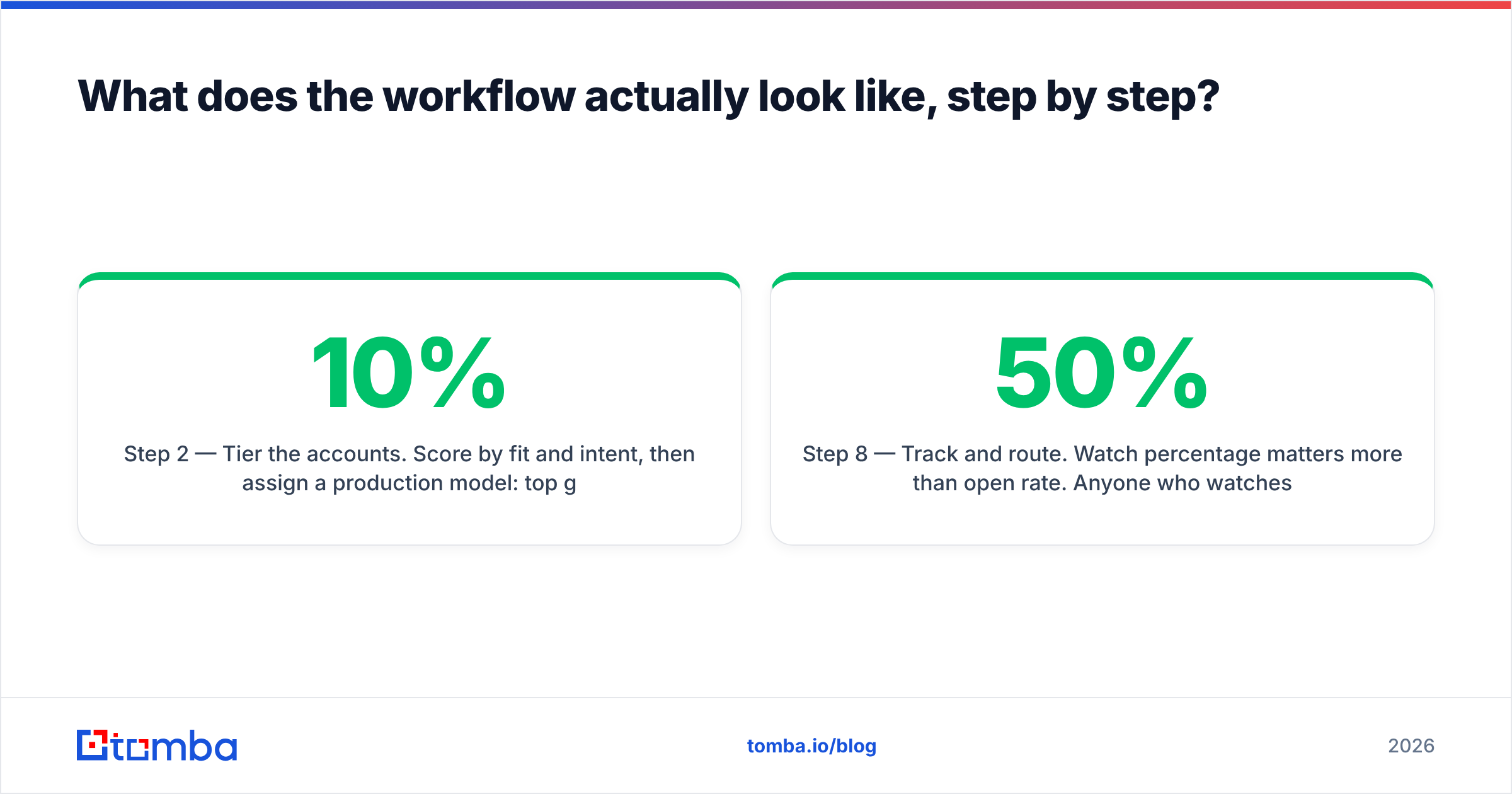
Step 2 — Tier the accounts. Score by fit and intent, then assign a production model: top 10% get manual, next 30% get hybrid, the rest get generic asset or no video at all. Do this before you touch a camera.
Step 3 — Write one script per segment, not per person. The script should have exactly two personalized anchors: a specific observation in the opening 8 seconds, and a named next step at the end. Everything in the middle is reusable. Keep total runtime under 60 seconds; under 45 is better.
Step 4 — Record the base assets. For hybrid, record one clean take per segment in the same lighting and outfit so thumbnails look consistent. Record 3-5 alternate openers so the same base video can serve multiple sub-segments.
Step 5 — Generate personalized thumbnails. This is the part that does the heavy lifting. An animated GIF thumbnail showing the rep waving next to the prospect's live website is what earns the click. Feed it a clean company URL — which you should already have from enrichment, not from guessing.
Step 6 — Enrich the merge fields. First name, company name, logo, website, job title, recent funding or hiring signal. Use data enrichment to fill gaps rather than letting your sequencer send with empty variables. Set a hard rule: any record missing a required merge field is excluded, never defaulted.
Step 7 — Send from a warm domain, plain-text style. Embed the thumbnail as an image linking to a hosted landing page. Never attach the video file. Keep the email under 90 words — the video is the payload, the copy is the wrapper.
Step 8 — Track and route. Watch percentage matters more than open rate. Anyone who watches over 50% goes into a same-day follow-up or a call task.
Which tools should you use for each layer?#
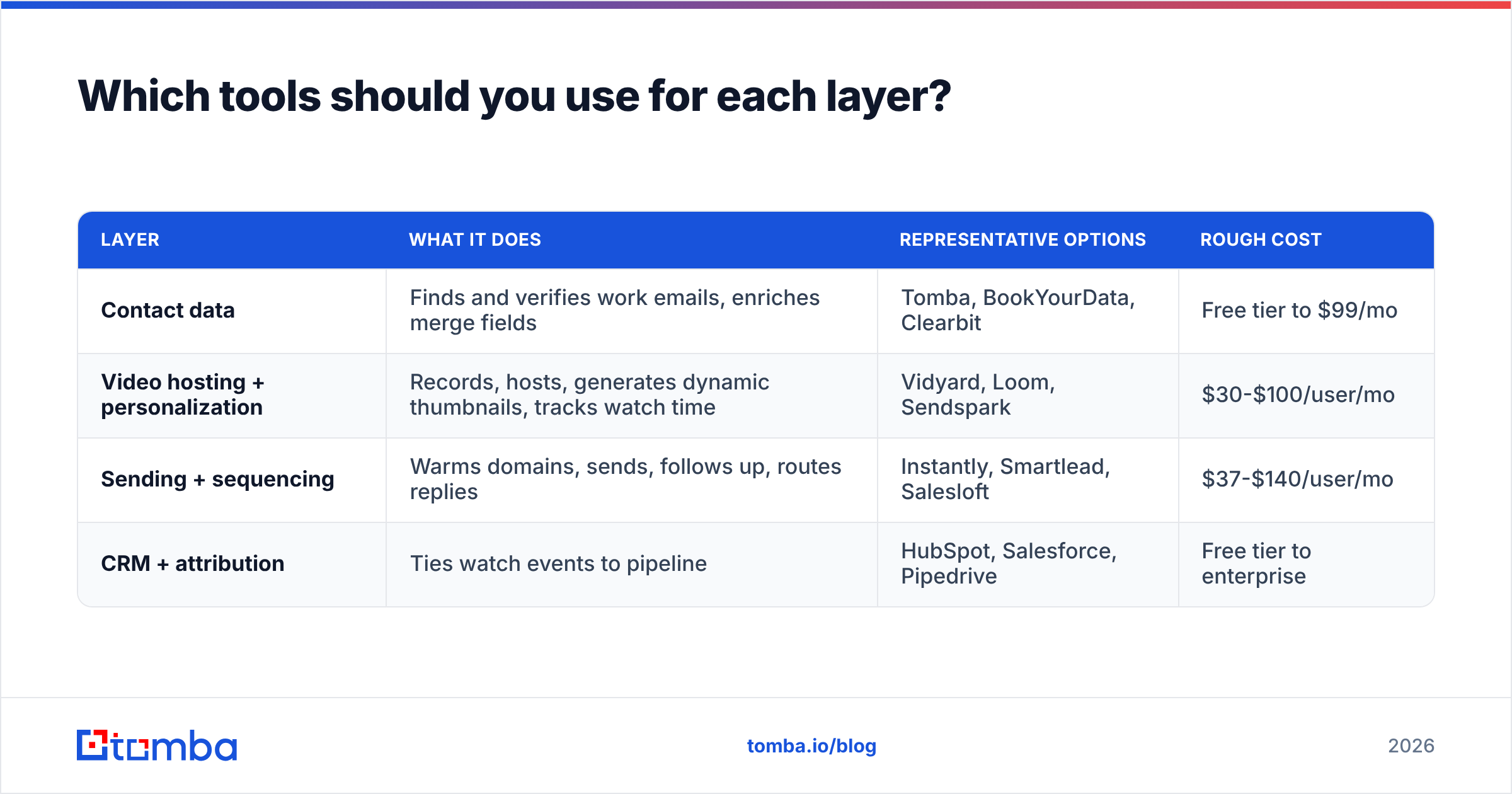
You need four layers, and no single vendor does all four well. Buy for the layer, not the bundle.
| Layer | What it does | Representative options | Rough cost |
|---|---|---|---|
| Contact data | Finds and verifies work emails, enriches merge fields | Tomba, BookYourData, Clearbit | Free tier to $99/mo |
| Video hosting + personalization | Records, hosts, generates dynamic thumbnails, tracks watch time | Vidyard, Loom, Sendspark | $30-$100/user/mo |
| Sending + sequencing | Warms domains, sends, follows up, routes replies | Instantly, Smartlead, Salesloft | $37-$140/user/mo |
| CRM + attribution | Ties watch events to pipeline | HubSpot, Salesforce, Pipedrive | Free tier to enterprise |
On the data layer specifically, Tomba pricing runs a free tier at 25 searches per month, Starter at $49/mo, Growth at $99/mo, and Pro at $249/mo, with an email finder API if you want to generate merge fields programmatically inside your video pipeline rather than exporting CSVs. BookYourData is a solid peer here too, particularly if you prefer buying pre-built lists by filter rather than resolving contacts account-by-account — different purchasing model, comparable data quality.
For hosting, the practical split is: Loom if your team already lives in it and you mostly need manual 1:1, Vidyard or Sendspark if you need the dynamic thumbnail feature that makes the hybrid model work. Check current feature parity on G2 before committing to an annual contract — this category ships fast and the comparison grids age badly.
How do you keep deliverability intact when sending video?#
Video emails carry three deliverability risks that plain text doesn't.
- Image-heavy HTML. A GIF thumbnail plus a signature image plus tracking pixels reads as marketing mail. Keep it to one image, and skip the signature graphic entirely on cold sends.
- New link domains. Video hosts use their own player domains. If your sending domain has never linked to
vidyard.combefore and suddenly every message does, that's a pattern change. Ramp volume gradually instead of switching your whole sequence overnight. - Bounce concentration. Personalized video campaigns tend to target scraped or inferred contacts, which bounce more. Run every list through verification and check your sender reputation weekly.
The fix for all three is boring and effective: verify addresses before send, keep image count low, ramp gradually, and monitor. If your bounce rate on video campaigns runs above 3%, stop and clean the list rather than adjusting the creative.
One more thing teams miss: catch-all domains. A large share of enterprise mailboxes sit behind catch-all servers that accept everything and silently drop the invalid. Standard verification returns "accept-all" and you send anyway. Using a catch-all verifier to score those addresses separately keeps you from pouring expensive personalized video into a black hole.
Should you use AI avatars for personalized video?#
Sometimes — but with a narrower use case than vendors suggest.
AI avatar video (a synthetic clone of your rep reading a merge-field script) genuinely solves the throughput problem. The issue is what happens when the prospect notices. In 2026, buyers recognize synthetic video quickly, and the reaction is rarely neutral. You've spent your one differentiation moment signaling that you didn't actually spend any time on them — the exact opposite of the message personalized video is supposed to send.
Where it does work:
- Non-rep content: a synthetic voiceover on a product walkthrough or a data-driven teardown, where nobody expects a human face anyway.
- Localization: cloning one recorded video into five languages for international segments.
- Disclosed use: explicitly labeling the video as AI-generated, which some technical audiences find interesting rather than insulting.
Where it doesn't: cold outbound to senior buyers who will assume the entire relationship is automated. If you test it, run it as a true A/B against your hybrid workflow on matched segments and judge by meetings booked, not open rate.
How do you measure whether it's actually working?#
Track these five, in this order:
- Cost per meeting booked, video segment vs. control segment. This is the only number that decides whether to keep going.
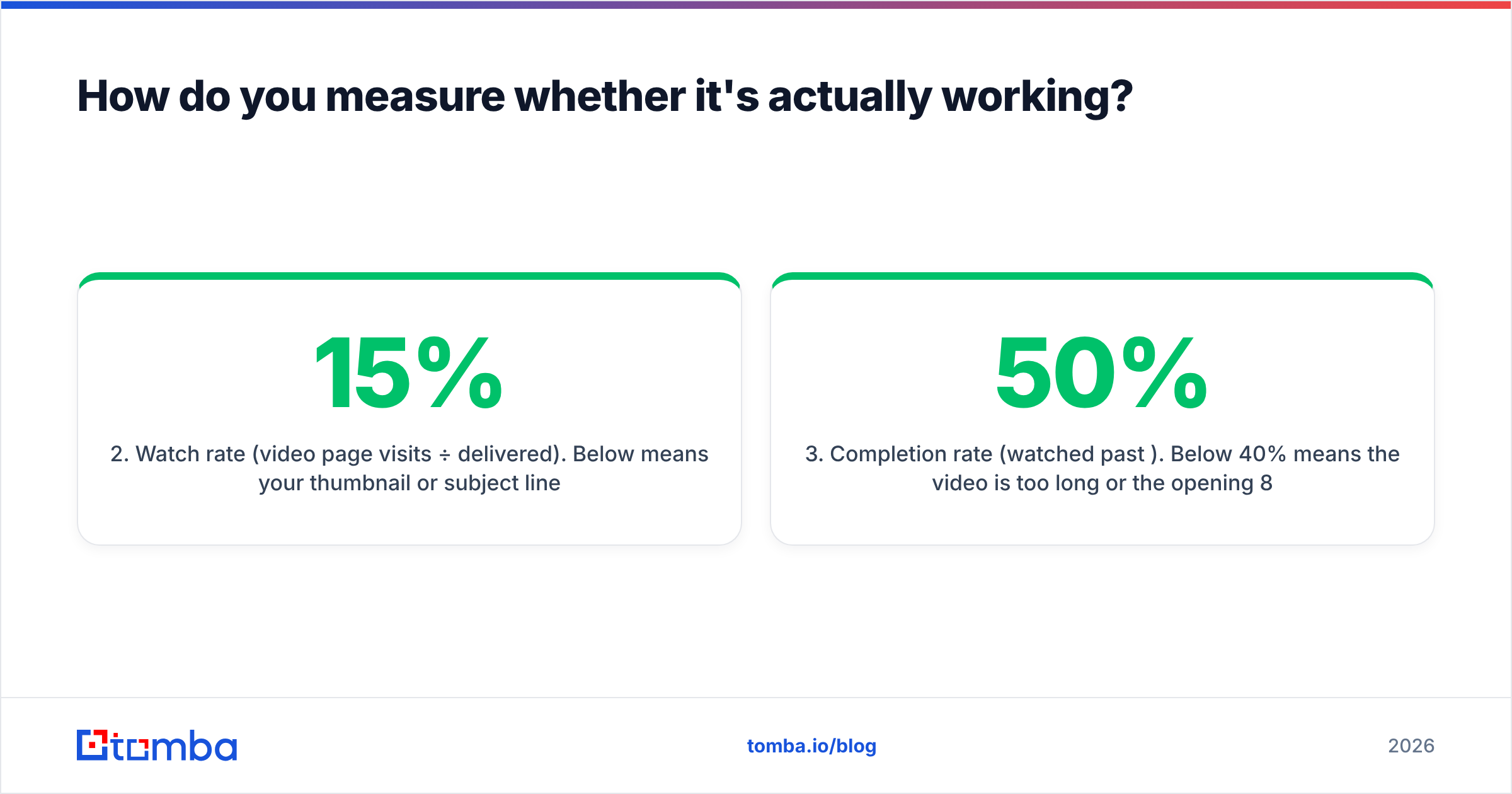
- Watch rate (video page visits ÷ delivered). Below 15% means your thumbnail or subject line is the problem, not the video.
- Completion rate (watched past 50%). Below 40% means the video is too long or the opening 8 seconds are generic.
- Reply rate, split by watched vs. not-watched. If replies are the same in both groups, the video isn't causing the lift — your list is.
- Rep hours per booked meeting. The metric that kills manual-only programs. Track it honestly or you'll scale something that's quietly losing money.
Run video against a plain-text control on the same segment for at least four weeks. Reply-rate lifts of 2x on a 40-prospect pilot are noise. You need a few hundred sends per arm before the difference means anything, which is another argument for starting with the hybrid model — it gets you to statistical significance faster.
What's the realistic rollout plan?#
Week 1: build and verify a 200-contact tier-1 list, write two scripts, record two base videos. Week 2: send 100 hybrid videos and 100 plain-text controls from the same segment. Week 3: read watch rate and completion rate, fix the thumbnail or the opener. Week 4: read cost per meeting and decide whether to expand, narrow, or kill.
Do not buy an annual video platform contract before week 4. Every tool in this category offers a monthly plan, and most offer a trial that covers a 200-send pilot comfortably.
If your pilot fails, the cause is almost always upstream of the video: wrong accounts, wrong personalization anchor, or a list with 12% bad addresses eating your sends. Fix the data, then re-test the creative.
Where should you start?#
Start with the list, because everything downstream multiplies it. A personalized video sent to a verified decision-maker at a well-scored account is the strongest cold touch in B2B. The same video sent to a stale address is money set on fire, twice — once for the data and once for the production.
Use the Tomba Email Finder to resolve verified work emails for your target accounts, pull the company URLs and job titles you need as merge fields, and hand a clean file to your video tool. The free tier gives you 25 searches a month to test the workflow end to end; Starter at $49/mo covers a typical tier-1 pilot. Get the data right first — the video will do its job from there.
Related guides#
// get started
Find, verify and enrich your first contacts today
Start on the free plan with 25 searches a month, then scale when your team is ready.
Free plan · No credit card required · GDPR & CCPA
// about the author