How To Write Business Emails That Actually Get Replies
Most business emails fail before the first sentence is read. Here is the structure, subject-line math, and send-time logic that separates a 4% reply rate from a 22% one — plus the templates to copy.
TL;DR
- The average professional gets 121 emails a day. Yours wins on scannability, not eloquence — target 50–125 words with one ask.
- Subject lines decide whether the body ever gets read. Keep them 3–7 words, lowercase-ish, specific, and free of "quick question" filler.
- Structure beats wordcraft: context (1 line) → value (2 lines) → single CTA (1 line). Everything else is decoration.
- A perfect email sent to a bad address is a bounce. Verify before you send — hard bounces above 2% start damaging your sending domain.
- Follow-ups produce roughly half of all replies in B2B threads. Write the follow-up before you send the first email.
Why Do Most Business Emails Get Ignored?#
Because they ask the reader to do work.
Think of an inbox like airport security at 7 a.m. Nobody is reading the sign carefully. They're scanning for the one thing that tells them which line to join. A business email that requires the reader to parse three paragraphs to find out what you want gets set aside — and "set aside" is functionally the same as deleted.
Four failure modes cause the overwhelming majority of ignored emails:
- No clear ask. The reader finishes the email unsure what happens next. Ambiguity costs replies more than bad grammar ever will.
- Too much throat-clearing. "I hope this email finds you well. My name is X and I work at Y, a leading provider of…" — you have spent 25 words saying nothing.
- Wrong person, wrong time. Perfect copy sent to someone who does not own the problem is still a no.
- It never arrived. Bounces, spam-folder placement, and dead addresses account for a silent chunk of "non-responses" that people misdiagnose as bad copy.
You can only fix the first three with writing. The fourth is a data problem, and it is worth solving first — otherwise you are A/B testing subject lines against an empty room.

What Is the Structure of a Business Email That Works?#
Every effective business email — cold, internal, follow-up, escalation — uses the same four-part skeleton. Change the content, keep the bones.
1. Subject line (3–7 words). Descriptive, not clever. It should read like a filing label, not a headline.
2. Opening line (1 sentence). Establish why you are in their inbox specifically. Reference a trigger: a hire, a launch, a post they wrote, a number from their earnings call. Never open with your own name or company.
3. Body (2–4 sentences). State the relevance, then the value. One idea per sentence. If you find yourself writing "additionally" or "furthermore," you have already lost the reader.
4. CTA (1 sentence). One ask. Make it low-friction and binary — "Worth a look?" beats "Let me know if you'd like to schedule a 30-minute discovery call to explore synergies."
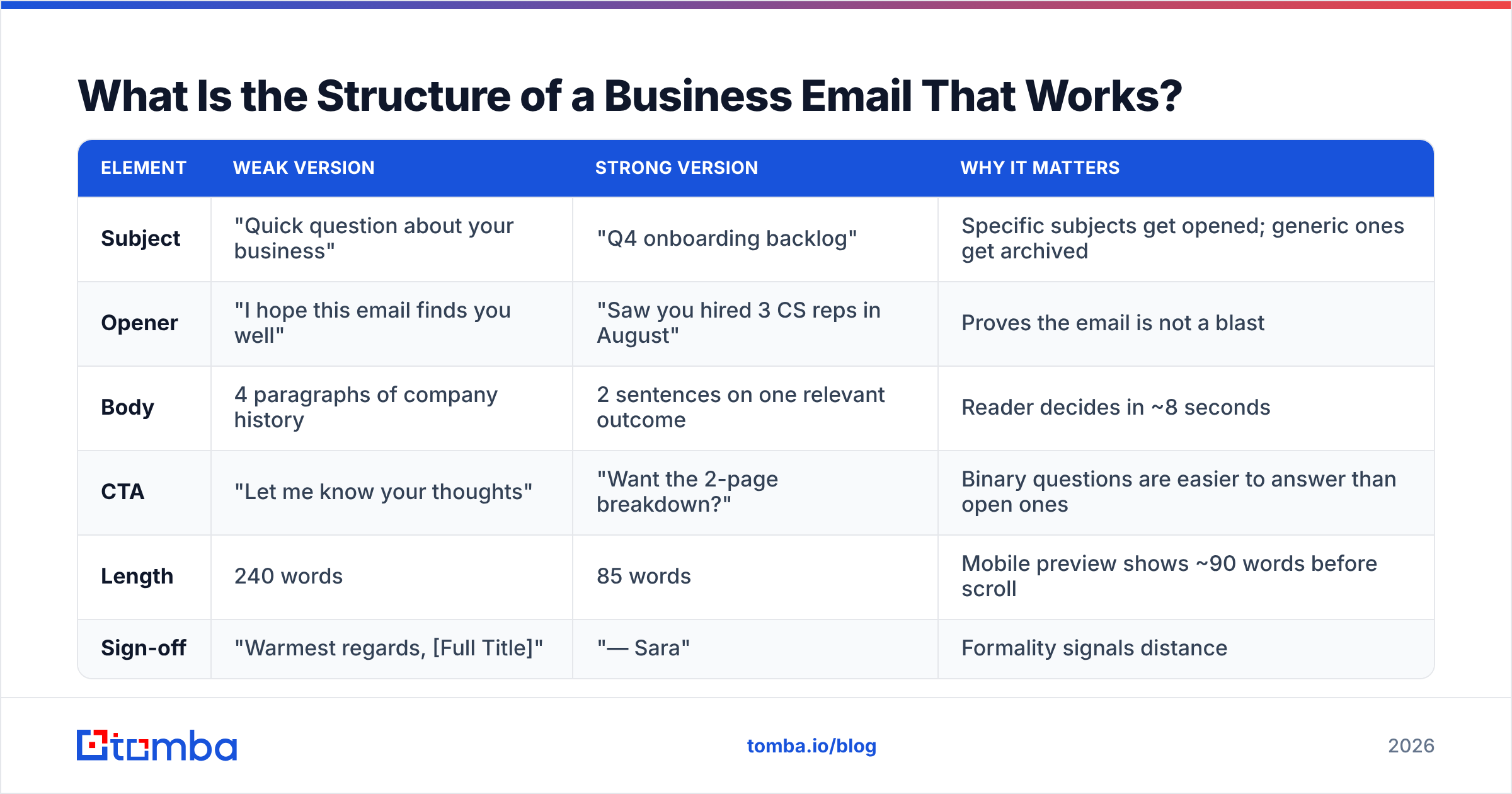
Here is what the skeleton looks like against a bloated version of the same message:
| Element | Weak version | Strong version | Why it matters |
|---|---|---|---|
| Subject | "Quick question about your business" | "Q4 onboarding backlog" | Specific subjects get opened; generic ones get archived |
| Opener | "I hope this email finds you well" | "Saw you hired 3 CS reps in August" | Proves the email is not a blast |
| Body | 4 paragraphs of company history | 2 sentences on one relevant outcome | Reader decides in ~8 seconds |
| CTA | "Let me know your thoughts" | "Want the 2-page breakdown?" | Binary questions are easier to answer than open ones |
| Length | 240 words | 85 words | Mobile preview shows ~90 words before scroll |
| Sign-off | "Warmest regards, [Full Title]" | "— Sara" | Formality signals distance |
The strong column is not "casual." It is compressed. Compression is the actual skill.
How Long Should a Business Email Be?#
Between 50 and 125 words for outbound and first-contact emails. Internal emails to people who already know you can run longer, but not much.
The reason is mechanical, not stylistic: over 40% of business email is opened on mobile, and a phone screen shows roughly 90 words before the reader has to scroll. Every word past that point is a word you are asking someone to work for. If your message genuinely requires 400 words, that message is a document, and the email should be a two-line summary with a link.
A practical test: read your draft and delete every sentence that does not either (a) prove relevance or (b) advance the ask. Most drafts lose 40% of their body and improve.
What Makes a Subject Line Get Opened?#
Specificity. That's it — everything else is a distant second.
Subject lines that describe a concrete thing outperform curiosity-bait, because B2B readers have been burned by "Re: our conversation" from strangers enough times to distrust it. Four rules that survive testing:
- Use 3–7 words. Mobile clients truncate around 35–40 characters.
- Name a noun the reader owns. "onboarding backlog," "SOC 2 timeline," "Q4 hiring plan" — not "growth" or "opportunity."
- Skip the fake thread. "Re:" and "Fwd:" on a first-touch email is a trust tax you pay forever.
- Avoid spam triggers. Free, guarantee, urgent, act now, ALL CAPS, and multiple exclamation marks all raise your filter score. Run drafts through a spam checker before a large send, and use a subject line tester if you are torn between two options.
One more thing people get wrong: personalizing the subject line with {{first_name}} no longer signals effort. It signals mail merge. Personalize the opening line instead, where it is harder to fake.
How Do You Write the Opening Line?#
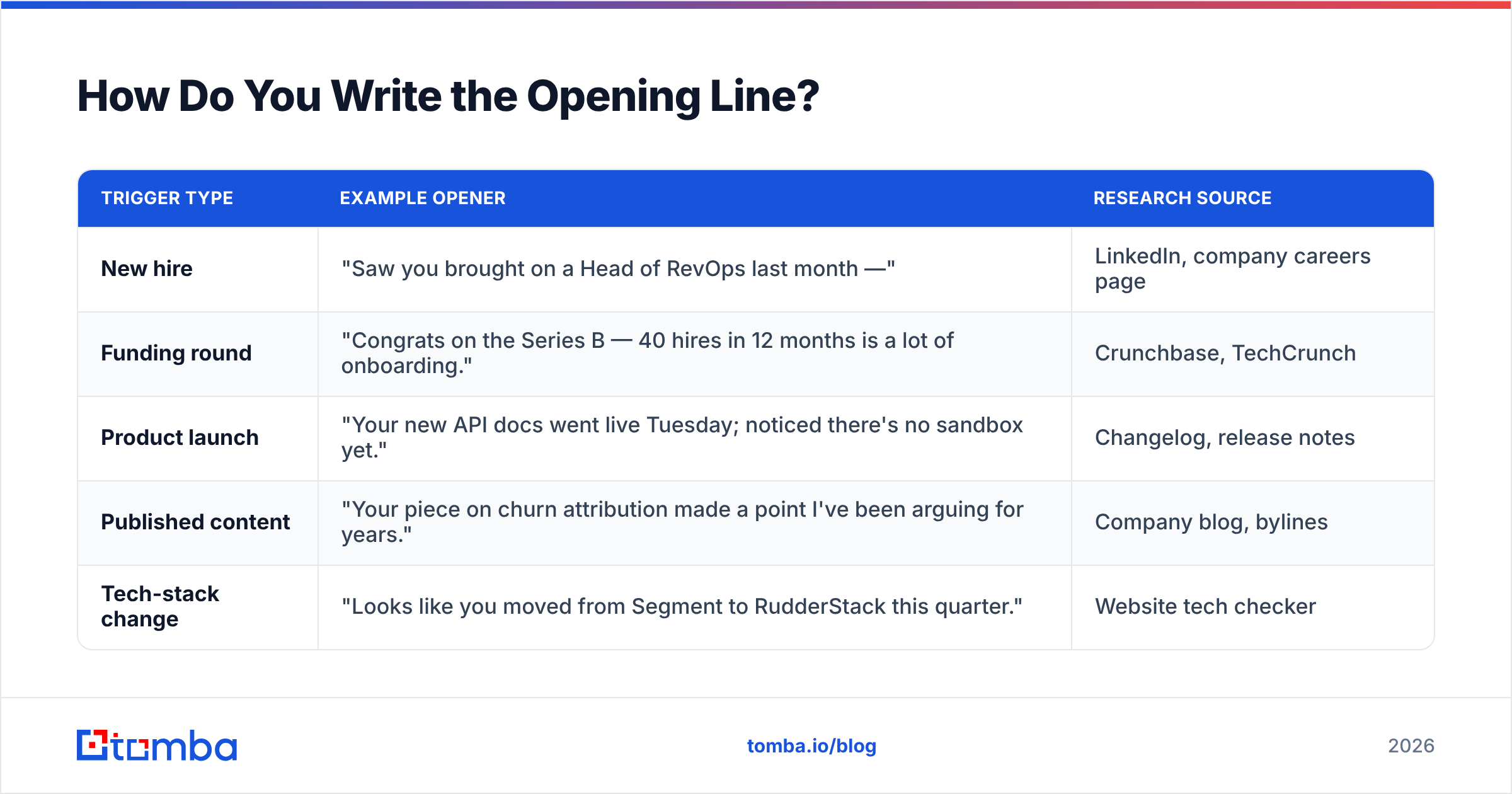
Answer the reader's silent question — "why me, why now?" — in one sentence, using something you could not have known without looking.
Weak openers reference the company. Strong openers reference a change at the company. A change implies a timeline, and a timeline implies urgency the reader already feels.
| Trigger type | Example opener | Research source |
|---|---|---|
| New hire | "Saw you brought on a Head of RevOps last month —" | LinkedIn, company careers page |
| Funding round | "Congrats on the Series B — 40 hires in 12 months is a lot of onboarding." | Crunchbase, TechCrunch |
| Product launch | "Your new API docs went live Tuesday; noticed there's no sandbox yet." | Changelog, release notes |
| Published content | "Your piece on churn attribution made a point I've been arguing for years." | Company blog, bylines |
| Tech-stack change | "Looks like you moved from Segment to RudderStack this quarter." | Website tech checker |
If you write to authors and journalists, the author finder pulls the byline email straight from an article URL, which removes the usual guess-the-format step before you write a single word.
Does Deliverability Affect How You Write?#
Yes — more than most writers realize. Your copy choices directly change whether the email lands in the inbox or the promotions tab.
Three writing habits that hurt placement:
- Links in the first email. One link is tolerable. Three links plus a tracking pixel plus an image signature reads like a newsletter to filters.
- Image-heavy signatures. A logo, a social row, and a banner in a 90-word email inverts the text-to-image ratio filters look at.
- Identical body copy across hundreds of sends. Templates are fine; byte-identical templates across a domain are a pattern. Vary the first and last sentence.
Everything else is infrastructure: SPF, DKIM, DMARC, warmed domains, and list hygiene. If you're unclear on how those interact with copy, the primer on email deliverability covers the mechanics, and Google's own Email Sender Guidelines are the authoritative source for what Gmail actually enforces since the 2024 bulk-sender rules.
The bigger lever is address quality. A hard bounce rate above 2% signals to mailbox providers that you are not maintaining a list, and reputation damage suppresses every future email — including the well-written ones. Run your list through an email verifier before any send over a few hundred contacts, and use the catch-all verifier for domains that accept everything and tell you nothing.
What Are the Best Business Email Templates?#
Below are four skeletons that cover roughly 80% of business email situations. Fill the brackets; do not add paragraphs.
1. Cold outreach (first touch)
Subject: onboarding backlog
Saw you hired three CS reps in August — usually means onboarding is the bottleneck, not headcount.
We cut ramp time from 6 weeks to 19 days for [similar company] by templating the first five customer calls.
Worth a 2-page breakdown?
— [Name]
2. Follow-up (day 3–4)
Subject: (reply in same thread)
Bumping this in case it landed at a bad moment.
If onboarding isn't the priority this quarter, tell me and I'll close the loop.
— [Name]
The permission-to-decline close is the highest-performing follow-up pattern in B2B, because it costs the reader two words to end the thread — and people reply to things that are easy to end.
3. Internal request
Subject: need sign-off: Q4 pricing page
The pricing page copy is ready and blocked on your approval. Doc is here: [link]
Can you approve or flag by Thursday? If I don't hear back I'll ship the current version.
Thanks — [Name]
The default-action clause ("if I don't hear back, I'll…") converts a request into a deadline. It roughly halves internal reply latency.
4. Breakup / last touch
Subject: (reply in same thread)
Closing this out — looks like the timing isn't right.
If onboarding load becomes a problem in Q1, reply to this thread and I'll pick it back up.
— [Name]
If you want more starting points, the cold email templates library is organized by scenario, and the subject line generator is useful when you are stuck at the top of a draft.
How Many Follow-Ups Should You Send?#
Three to four total touches, spaced 3, 5, and 7 days apart, then stop.
Roughly half of B2B replies arrive after the first email, which means writers who send once are discarding half their pipeline. But the curve flattens fast: touch five and beyond produces marginal replies and meaningful spam complaints. HubSpot's sales email research puts the practical ceiling in the same range.
Two rules that make follow-ups work:
- Never send "just checking in." It adds zero information and trains the reader to ignore your name. Add a new angle, a new data point, or an explicit exit.
- Stay in the thread. New threads reset context and look like a fresh blast. Same thread, new short message.
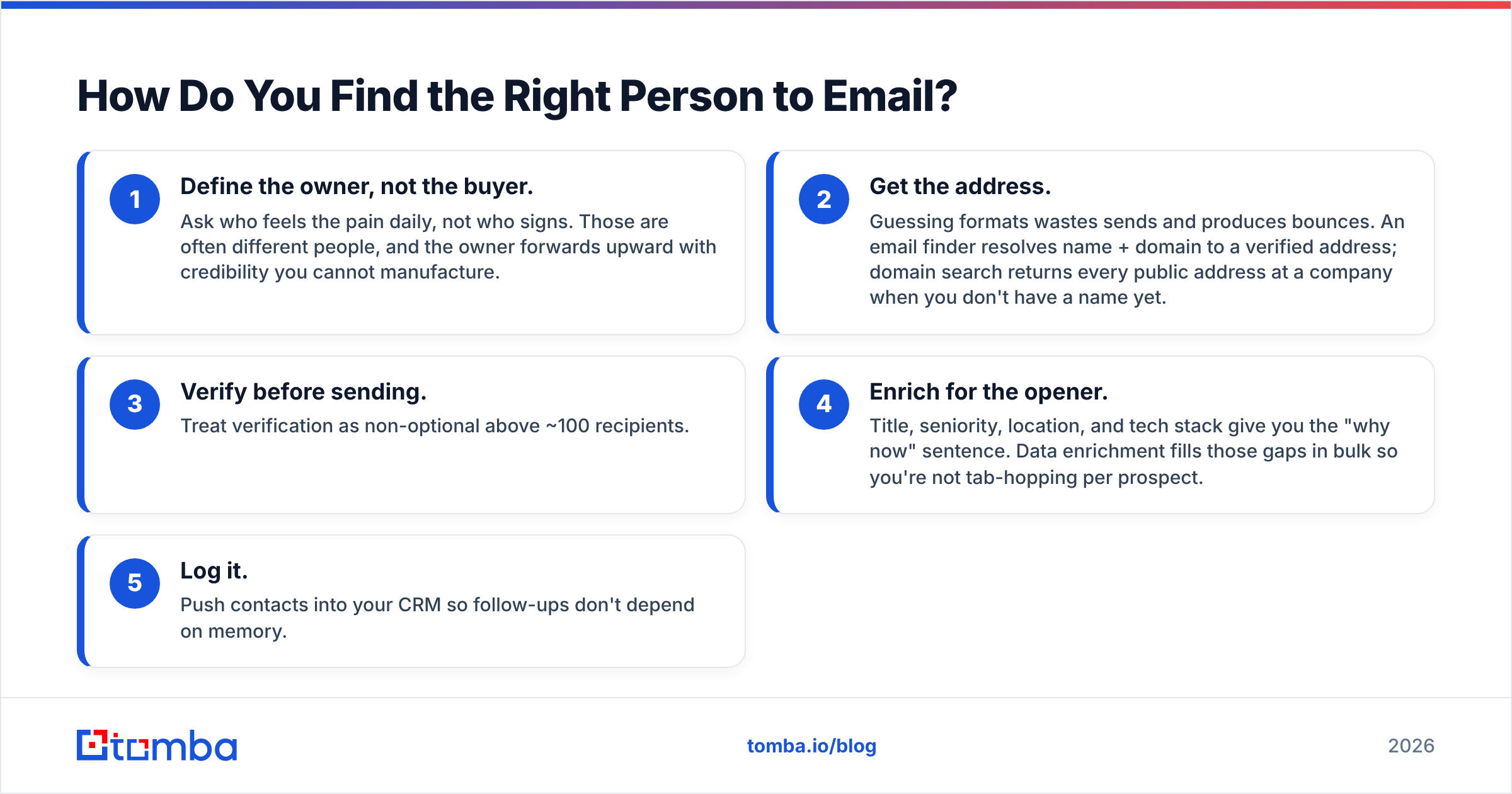
How Do You Find the Right Person to Email?#
Write last. Target first — a well-targeted mediocre email beats a beautiful email sent to the wrong title every time.
The practical sequence:
- Define the owner, not the buyer. Ask who feels the pain daily, not who signs. Those are often different people, and the owner forwards upward with credibility you cannot manufacture.
- Get the address. Guessing formats wastes sends and produces bounces. An email finder resolves name + domain to a verified address; domain search returns every public address at a company when you don't have a name yet.
- Verify before sending. Treat verification as non-optional above ~100 recipients.
- Enrich for the opener. Title, seniority, location, and tech stack give you the "why now" sentence. Data enrichment fills those gaps in bulk so you're not tab-hopping per prospect.
- Log it. Push contacts into your CRM so follow-ups don't depend on memory.
If you're comparing data vendors for this step, G2's lead intelligence category is a reasonable neutral starting point — coverage and accuracy vary sharply by region and company size, so test two providers on your own account list before committing. Vendors like BookYourData, Apollo, and Tomba all publish different accuracy methodologies; read them before trusting a headline percentage.
What Should You Never Put in a Business Email?#
A short blacklist, ordered by how much damage each does:
- "I hope this email finds you well." The single clearest signal that no thought went into the message.
- Multiple asks. Two questions in one email reliably produce zero answers. Pick one.
- Your entire company boilerplate. Nobody has ever booked a meeting because of a mission statement.
- Attachments on first contact. They trip filters and nobody opens PDFs from strangers.
- Fake urgency. "Circling back before EOD" from someone the reader has never met reads as manipulation.
- Jargon stacks. "Leverage synergies to operationalize best-in-class outcomes" says nothing and takes 8 words to do it.
Cut those six and most drafts improve without a single new sentence.
Putting It Together#
The order that works: pick the right person, confirm the address is real, find the one true reason you're writing today, compress it to under 125 words, ask one thing, then follow up three times without ever saying "just checking in."
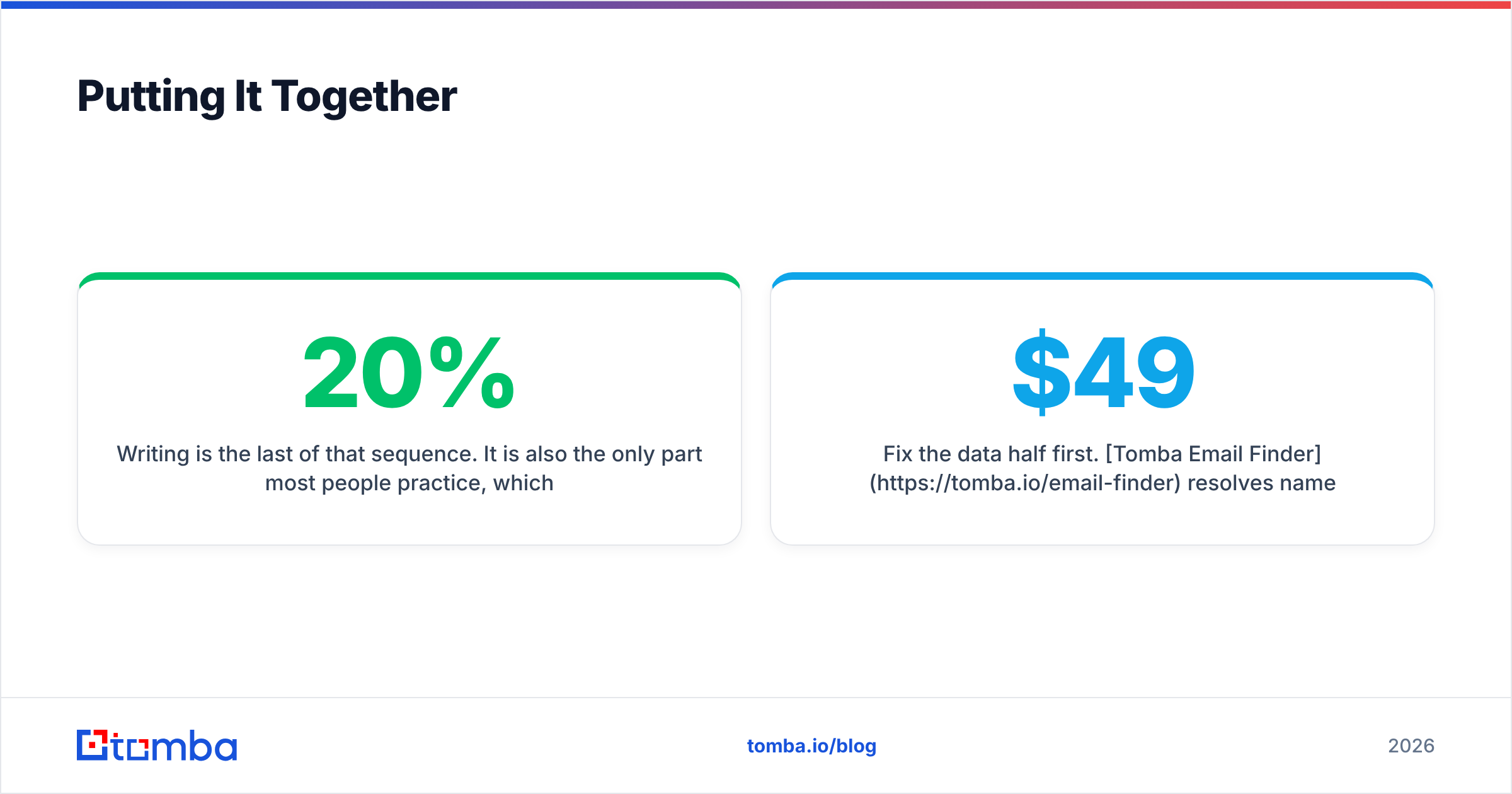
Writing is the last 20% of that sequence. It is also the only part most people practice, which is exactly why so many well-written emails go unanswered.
Fix the data half first. Tomba Email Finder resolves names and domains into verified professional addresses, with a free tier of 25 searches a month to test against your own list before you commit. Paid plans start at $49/mo (Starter), $99/mo (Growth), and $249/mo (Pro) — full Tomba pricing is public, and every plan includes verification so your best-written email actually reaches a human.
Related guides#
// get started
Find, verify and enrich your first contacts today
Start on the free plan with 25 searches a month, then scale when your team is ready.
Free plan · No credit card required · GDPR & CCPA
// about the author