HubSpot vs Odoo (2026): Which CRM Wins for B2B Sales?
HubSpot is a polished sales-and-marketing machine that gets expensive fast. Odoo is a cheap, modular ERP that needs work to feel like a CRM. Here is the honest breakdown of cost, data, and fit.
TL;DR
- HubSpot wins on CRM depth and time-to-value. Sales Hub Professional is a finished product — sequences, forecasting, reporting, and an ecosystem of 1,700+ integrations you don't have to build.
- Odoo wins on price and scope. Around $31.10/user/month (Standard, annual) buys every app — CRM, inventory, accounting, manufacturing, HR — instead of just a CRM.
- The real cost gap is 10-20x once you add HubSpot seats and marketing contacts. The real implementation gap runs the other way: Odoo partner projects routinely cost $10k-$50k.
- Neither one fills your pipeline. Both are systems of record. Contact data quality is a separate purchase, and it's the one most teams skip.
- Pick HubSpot if marketing and sales are your bottleneck. Pick Odoo if operations, inventory, or accounting are the reason you need software at all.
What are HubSpot and Odoo, actually?#
They are not the same category of product, and pretending they are is how teams end up with buyer's remorse.
HubSpot is a CRM platform built around go-to-market. It started as marketing automation, added a sales CRM, then service, CMS, and operations "hubs." Everything is designed for a revenue team: deal stages, email sequences, lead scoring, attribution reporting. It is opinionated and it is polished.
Odoo is an open-source ERP suite with a CRM module inside it. The CRM sits next to Inventory, Accounting, Manufacturing, Purchase, Field Service, eCommerce, HR, and roughly 80 other first-party apps. You can run an entire company on it. The CRM is competent but it was never the point.
Here's the analogy: HubSpot is a specialist restaurant that does one cuisine extremely well and charges accordingly. Odoo is a well-stocked commercial kitchen — you can cook anything, but somebody has to actually cook.
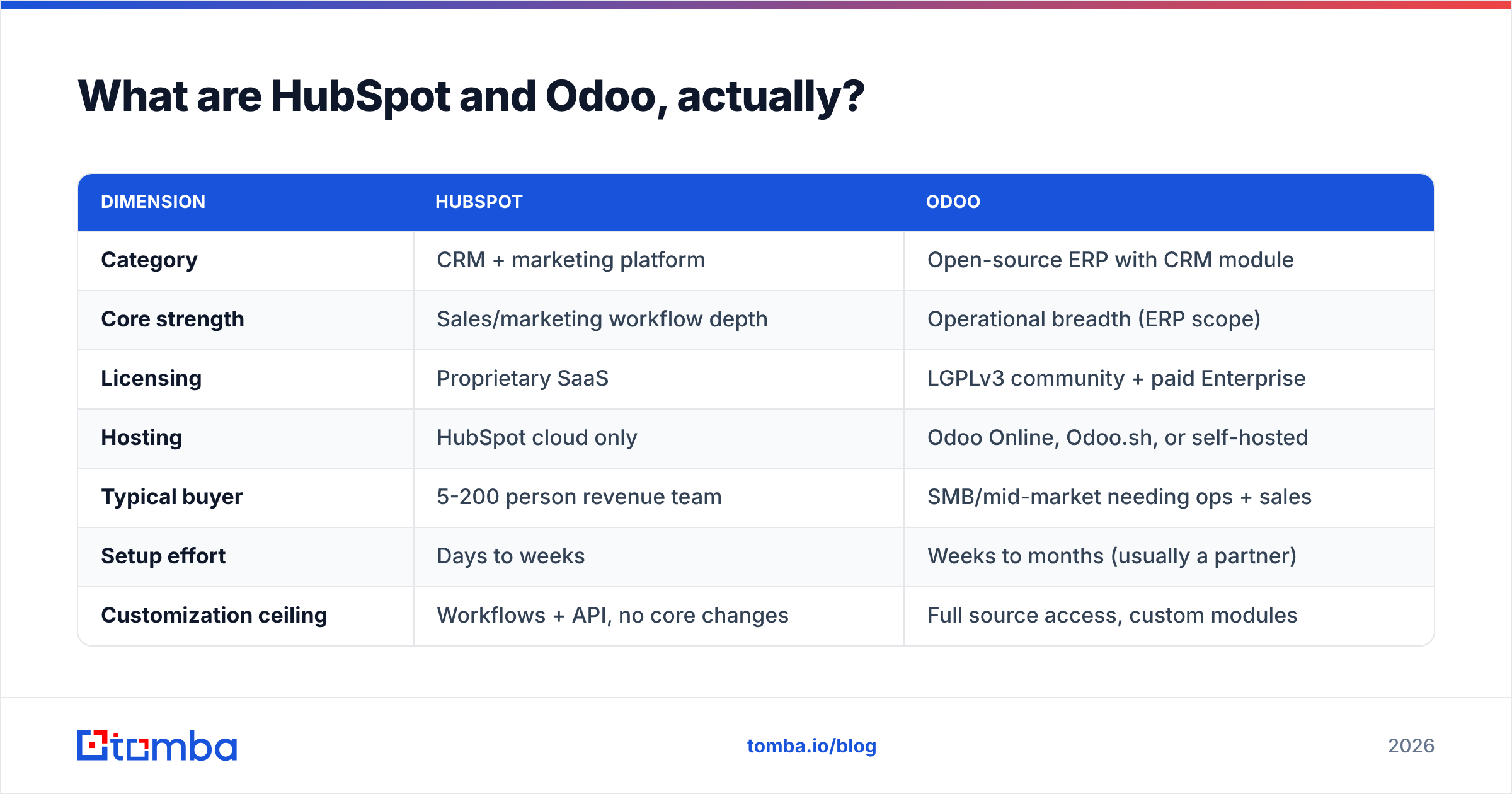
| Dimension | HubSpot | Odoo |
|---|---|---|
| Category | CRM + marketing platform | Open-source ERP with CRM module |
| Core strength | Sales/marketing workflow depth | Operational breadth (ERP scope) |
| Licensing | Proprietary SaaS | LGPLv3 community + paid Enterprise |
| Hosting | HubSpot cloud only | Odoo Online, Odoo.sh, or self-hosted |
| Typical buyer | 5-200 person revenue team | SMB/mid-market needing ops + sales |
| Setup effort | Days to weeks | Weeks to months (usually a partner) |
| Customization ceiling | Workflows + API, no core changes | Full source access, custom modules |
That table is the whole decision in miniature. Everything below is detail.
How does HubSpot vs Odoo pricing actually compare?#
HubSpot is more expensive. Not slightly — structurally.
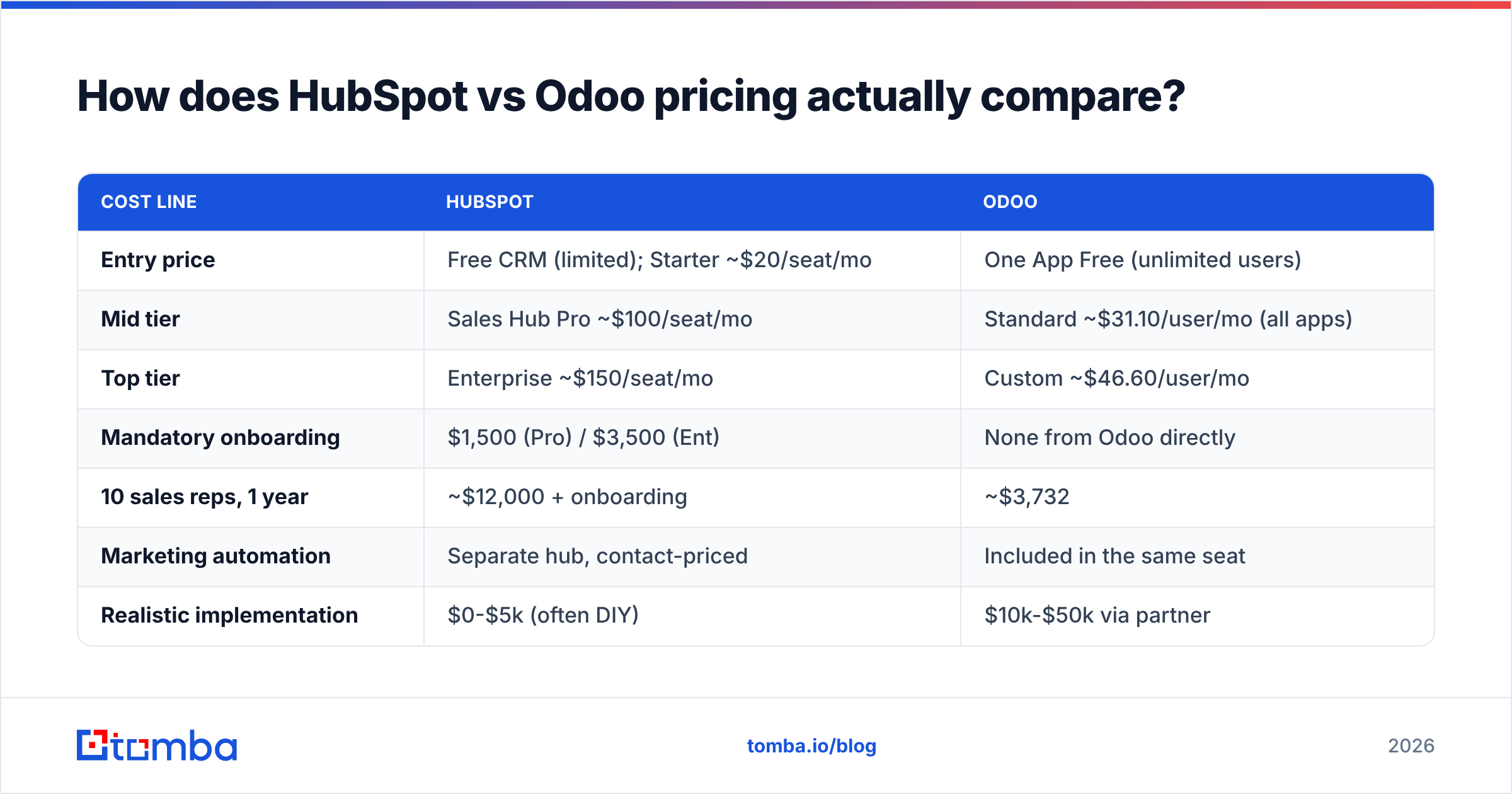
HubSpot's Sales Hub runs a free tier, Starter around $20/seat/month, Professional around $100/seat/month, and Enterprise around $150/seat/month (annual billing, 2026 list pricing). Marketing Hub prices on marketing contacts, not seats, and that's where budgets detonate: Marketing Hub Professional starts near $890/month for 2,000 contacts and climbs with your database. There are also one-time onboarding fees on Professional and Enterprise tiers — typically $1,500 and $3,500 respectively.
Odoo's Standard plan is roughly $31.10/user/month annually and the Custom plan roughly $46.60 — and both include every app. Odoo also runs a genuinely usable One App Free tier: unlimited users, one app, forever. The Community edition is free and self-hostable with no user cap at all.
| Cost line | HubSpot | Odoo |
|---|---|---|
| Entry price | Free CRM (limited); Starter ~$20/seat/mo | One App Free (unlimited users) |
| Mid tier | Sales Hub Pro ~$100/seat/mo | Standard ~$31.10/user/mo (all apps) |
| Top tier | Enterprise ~$150/seat/mo | Custom ~$46.60/user/mo |
| Mandatory onboarding | $1,500 (Pro) / $3,500 (Ent) | None from Odoo directly |
| 10 sales reps, 1 year | ~$12,000 + onboarding | ~$3,732 |
| Marketing automation | Separate hub, contact-priced | Included in the same seat |
| Realistic implementation | $0-$5k (often DIY) | $10k-$50k via partner |
| Data migration help | Included on higher tiers | Usually billable partner hours |
Read the last three rows carefully. Odoo's license is 3-4x cheaper; Odoo's project often isn't. A partner-led Odoo rollout with custom modules, data migration, and accounting localization can erase two years of license savings in one invoice. HubSpot's cost is high but it is predictable and front-loaded on the subscription line, not the services line.
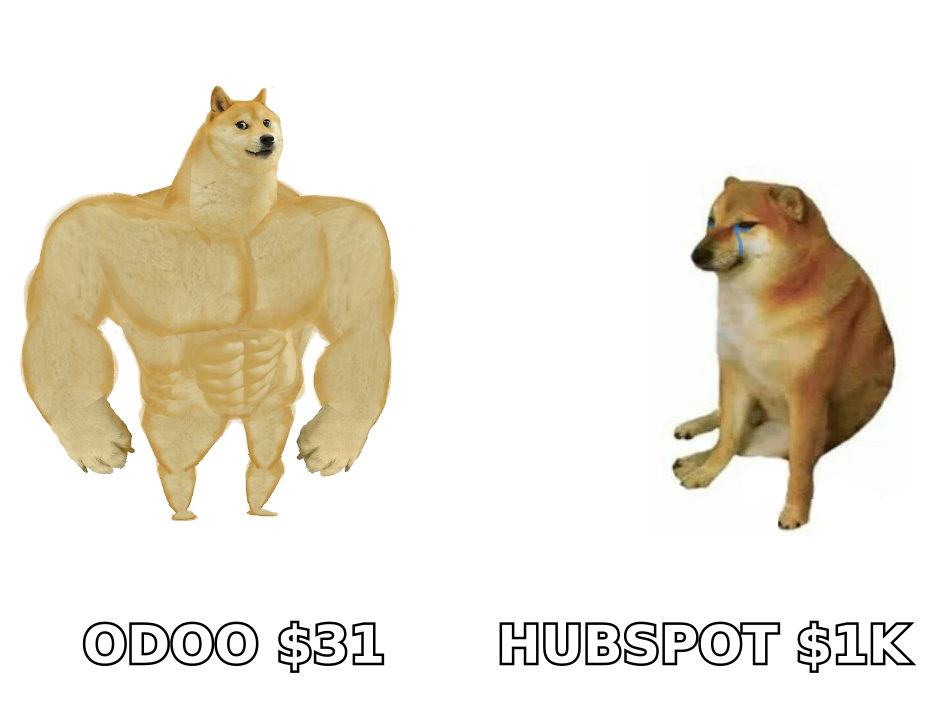
The honest rule of thumb: under 10 seats and CRM-only, HubSpot Starter is competitive. Above 20 seats, or the moment you need Marketing Hub Professional, Odoo's total cost of ownership wins by a wide margin — assuming you have or can hire the technical capacity.
Which one is the better CRM for a sales team?#
HubSpot, without much argument.
Where HubSpot is clearly ahead:
- Sequences and cadence tooling. Multi-step email sequences with automatic enrollment, task reminders, and reply detection are native and mature. Odoo's CRM does mass mailing well but true rep-level cadences require the Marketing Automation app plus configuration.
- Reporting out of the box. Deal velocity, stage conversion, forecast categories, and attribution dashboards ship pre-built. Odoo gives you a flexible pivot/list engine — powerful, but you build the views yourself.
- Email and calendar integration. Gmail and Outlook sidebars, meeting links, tracked opens, and logged replies work on day one. Odoo's mail integration is functional but noticeably more manual.
- Ecosystem. HubSpot's marketplace has well over 1,700 apps. Odoo's app store is huge too, but a large share are third-party modules of variable quality that break on version upgrades.
- Ramp time for non-technical reps. HubSpot's UI is the industry benchmark. Odoo's CRM is clean but its ERP DNA shows — reps encounter fields and menus that exist for accounting reasons.
Where Odoo is clearly ahead:
- Quote-to-cash in one system. A won opportunity becomes a sales order, which triggers inventory, invoicing, and revenue recognition without a single integration. HubSpot needs NetSuite, QuickBooks, or a middleware layer to do this.
- Custom objects for free. Odoo Studio lets you add models and fields without touching HubSpot Enterprise's price tag for custom objects.
- Data ownership. Self-host Community and your CRM database is literally yours, in Postgres, on your server.
- No contact-based pricing. Store 500,000 contacts. Nobody charges you more.
So the answer depends on where your pain is. If reps are your bottleneck, HubSpot. If the handoff between reps and operations is your bottleneck, Odoo.
Is Odoo's open-source model a real advantage or a trap?#
Both, and it depends entirely on your engineering capacity.
The real advantage: Odoo Community is LGPLv3. You can read every line, fork modules, host it on your own infrastructure, and never send a dollar to Odoo SA. For companies with data-residency requirements or an internal dev team, this is genuinely valuable. There's no vendor who can raise your per-seat price 20% at renewal.
The trap has three parts. First, version upgrades. Odoo ships a major version annually and third-party modules routinely break. If you've customized heavily, every upgrade is a project. Second, the Community/Enterprise gap is wider than the marketing suggests — accounting features, studio, and several integrations are Enterprise-only, so "free" often converts to paid within a year. Third, you own the uptime. Self-hosting means backups, security patches, and 2 a.m. pages are yours.
HubSpot's trade is the mirror image: you give up control and price leverage in exchange for someone else owning all of that. Neither is wrong. Be honest about which trade your team can actually service.
What do HubSpot vs Odoo miss that costs you pipeline?#
Both. Neither tool finds you a single new prospect.
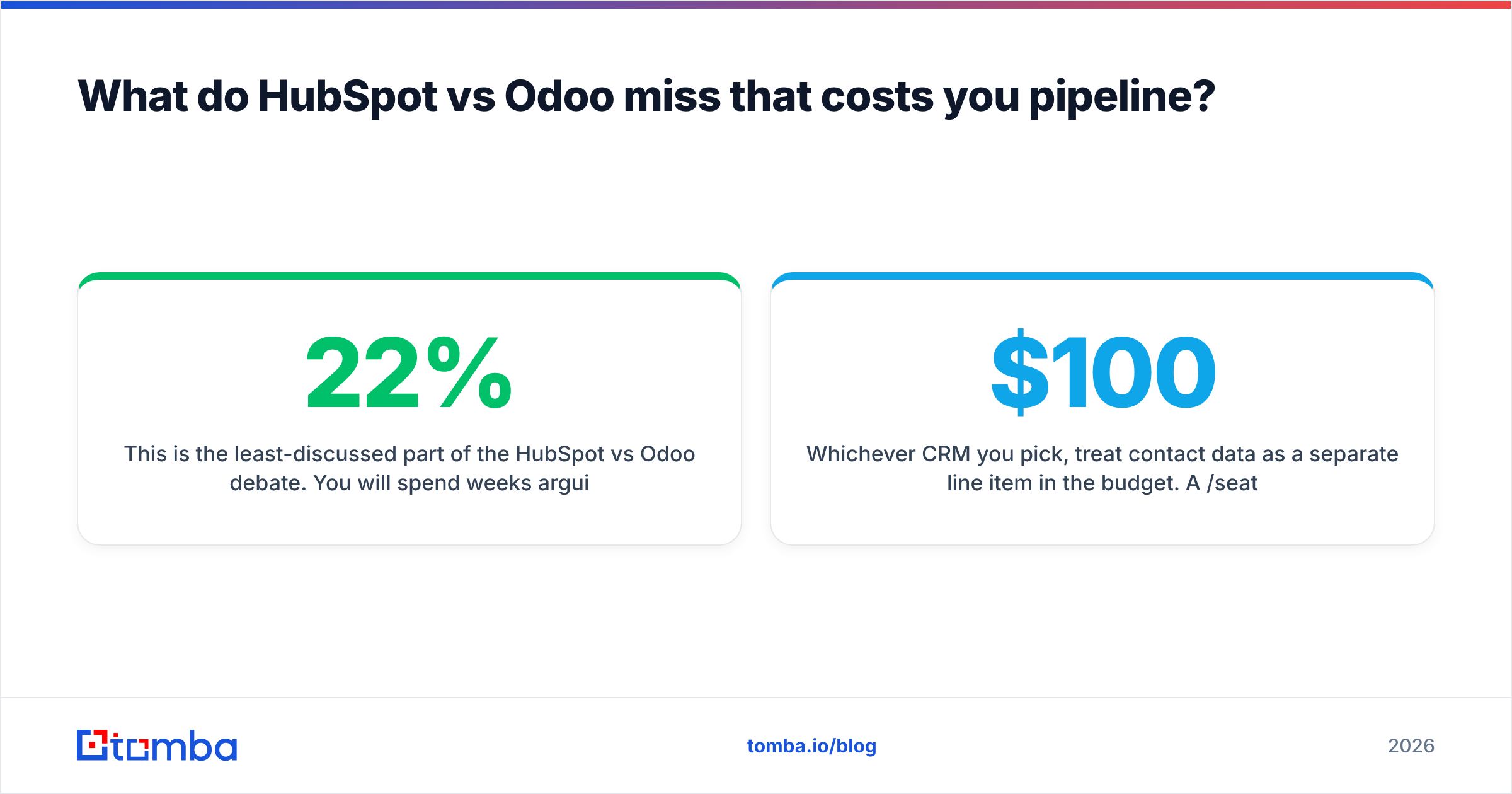
This is the least-discussed part of the HubSpot vs Odoo debate. You will spend weeks arguing about deal stages and license tiers, then load a CRM with contacts scraped from a list, and 22% of them will bounce. According to Gartner research on data quality, poor data costs organizations millions annually — and in outbound it shows up immediately as damaged sender reputation and suppressed deliverability.
HubSpot does sell Breeze Intelligence credits for enrichment, and Odoo has a lead-generation add-on that pulls company data from web visitors. Both are afterthoughts compared to a purpose-built provider. HubSpot's enrichment is contact-credit-metered and skews toward US firmographics. Odoo's version identifies companies, not people — useful for account-based targeting, useless when you need a decision-maker's inbox.
The practical pattern that works:
- Source contacts with a dedicated email finder rather than exporting a stale list.
- Verify before import using an email verifier so bounces never touch your sending domain.
- Enrich on write via API so CRM records arrive complete instead of getting cleaned up later.
- Deduplicate on ingest — both HubSpot and Odoo will happily store the same person three times.
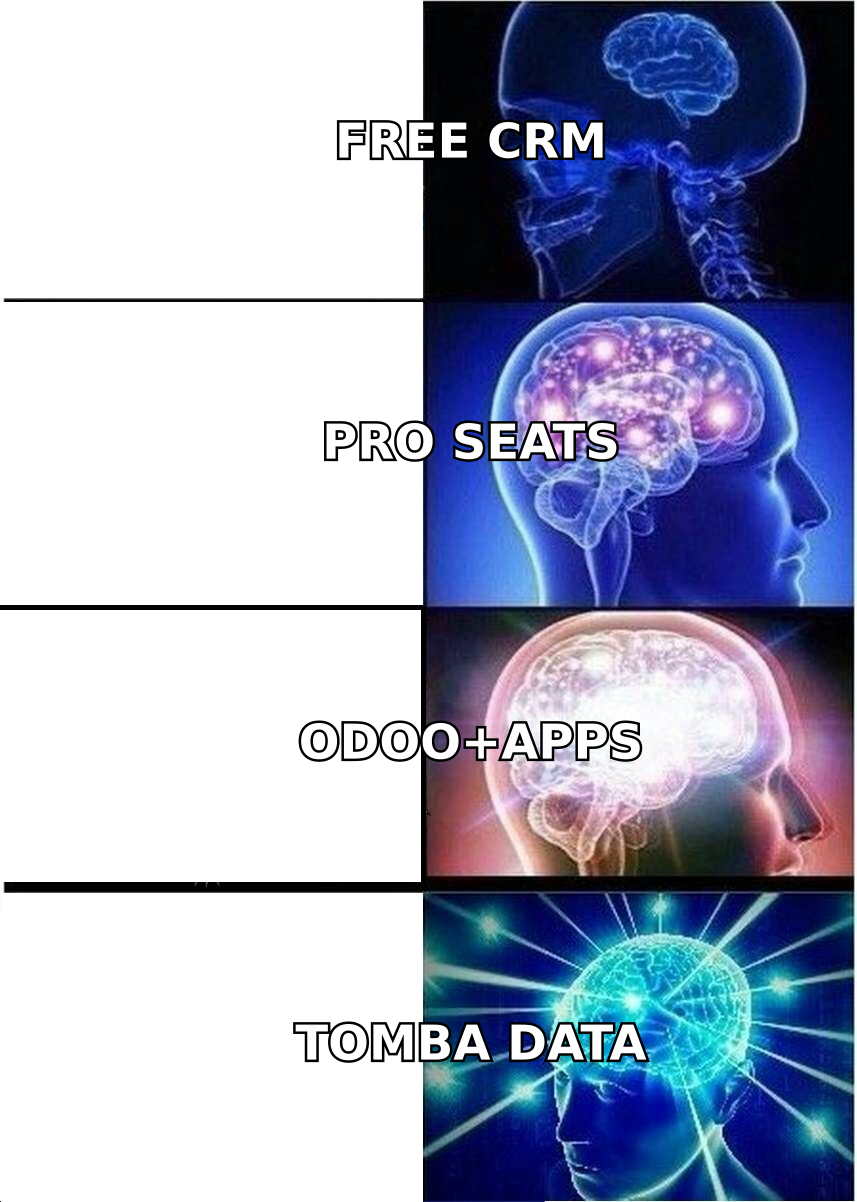
Whichever CRM you pick, treat contact data as a separate line item in the budget. A $100/seat CRM full of invalid records is worse than a $31 CRM full of verified ones.
Which integrations and migration paths should you check first?#
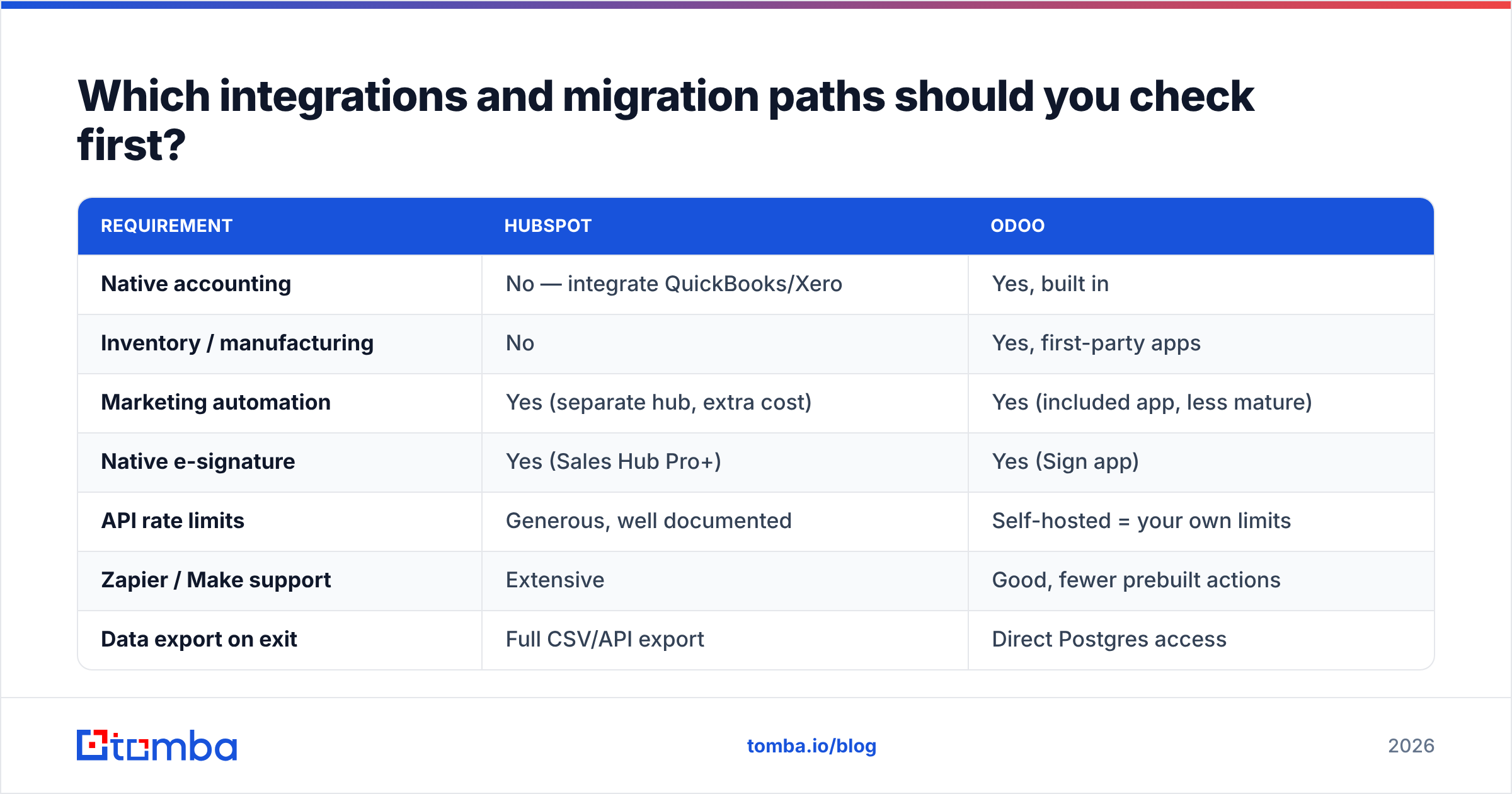
Check these before you sign anything, because they're the items that kill projects at week six.
| Requirement | HubSpot | Odoo |
|---|---|---|
| Native accounting | No — integrate QuickBooks/Xero | Yes, built in |
| Inventory / manufacturing | No | Yes, first-party apps |
| Marketing automation | Yes (separate hub, extra cost) | Yes (included app, less mature) |
| Native e-signature | Yes (Sales Hub Pro+) | Yes (Sign app) |
| API rate limits | Generous, well documented | Self-hosted = your own limits |
| Zapier / Make support | Extensive | Good, fewer prebuilt actions |
| Data export on exit | Full CSV/API export | Direct Postgres access |
| Localized tax/compliance | Via integrations | Country-specific localizations |
Two migration notes. Moving into HubSpot is easy — the import tooling handles CSVs and object associations well, and partner help is included above Starter. Moving into Odoo is where budgets slip: field mapping into ERP schemas is unforgiving, and accounting history migration usually needs a partner.
Moving out is the reverse. HubSpot exports cleanly but your workflows, sequences, and reports don't come with you. Odoo self-hosted means you already have the database.
If you're evaluating this pair alongside other stacks, it's worth also comparing what you'd need to bolt on. Teams running HubSpot typically add a prospecting layer and a verification layer; teams running Odoo add those plus a reporting layer. Compare the honest end-state, not the demo. Peer reviews on G2 are useful here specifically because they surface post-implementation complaints that vendor sites never will.
So which should you choose in 2026?#
Choose based on where your business actually hurts.
Choose HubSpot if: your growth depends on marketing-to-sales handoff, your team is non-technical, you want to be live in two weeks, or you need mature attribution reporting. Budget realistically for Sales Hub Professional plus Marketing Hub — the Starter tiers are demos of the real product, not the real product.
Choose Odoo if: you're a product, manufacturing, distribution, or services business where inventory and invoicing matter as much as deals; you have technical capacity in-house or a partner budget; or you're 30+ seats and HubSpot's math has stopped working. Start with One App Free to test the CRM before committing.
Choose neither yet if: your problem is that you don't have enough qualified conversations. A CRM organizes pipeline; it doesn't create it. Fix sourcing first, then pick the system of record.
One more consideration that decides more of these evaluations than people admit: who maintains it. HubSpot maintenance is a marketing ops person. Odoo maintenance is a developer or a partner retainer. If you can't name that person today, HubSpot is the safer bet regardless of the spreadsheet.
How do you keep either CRM full of accurate contacts?#
Feed it verified data from the start, through the API, not through manual CSV cleanup.
Both platforms have solid APIs, and the pattern is identical in each: find the contact, verify it, then write it to the CRM with enrichment fields already populated. Tomba's email finder API plugs into a HubSpot workflow or an Odoo automated action so records arrive clean instead of being audited quarterly. If you work in spreadsheets before importing, the Google Sheets add-on handles the same job without code, and bulk verify catches whole lists before they touch your sending domain.
Tomba pricing runs a free tier at 25 searches/month, Starter at $49/month, Growth at $99/month, and Pro at $249/month — see full Tomba pricing for credit allocations.
Start with the Tomba Email Finder. Whether you land on HubSpot's polish or Odoo's economics, the CRM only performs as well as the contacts inside it. Find verified, deliverable B2B emails by domain, name, or company at tomba.io/email-finder — 25 free searches, no card required — and import a list that actually converts instead of one that bounces.
Related guides#
// get started
Find, verify and enrich your first contacts today
Start on the free plan with 25 searches a month, then scale when your team is ready.
Free plan · No credit card required · GDPR & CCPA
// about the author