Hunter vs Market Location: Which B2B Data Source Wins in 2026?
Hunter is a self-serve email finder. Market Location is a UK B2B list and data-cleansing house. They solve different problems, cost wildly different amounts, and only one of them fits a modern outbound stack.
Hunter vs Market Location is not the head-to-head it looks like. One is a self-serve email finder. The other is a UK B2B list house. They solve different jobs, and they cost very different amounts. Here is how to pick.
TL;DR
- Hunter and Market Location are not real rivals. Hunter is a self-serve, API-first email finder for outbound teams. Market Location is a UK data house. It sells lists, phone-verified records, and data cleaning.
- Pick Hunter (or any email finder) if you already know who you want to reach. You get work emails on demand, at a set monthly price.
- Pick Market Location if you need a bought UK business list with postal data and phone numbers. Expect a quote, a contract, and a longer wait.
The cost split, in two lines:
- Email finders run about $34-$50 a month at entry level. UK list buys are priced per record, with a minimum order and no public price page.
- Want per-contact accuracy, self-serve pricing, and an API? Tomba does the same job as Hunter at $49/mo for Starter, with verification, catch-all handling, and enrichment in one account.
What exactly are Hunter and Market Location?#
They sit at opposite ends of the B2B data market. The confusion comes from one word: "data" does too much work here.
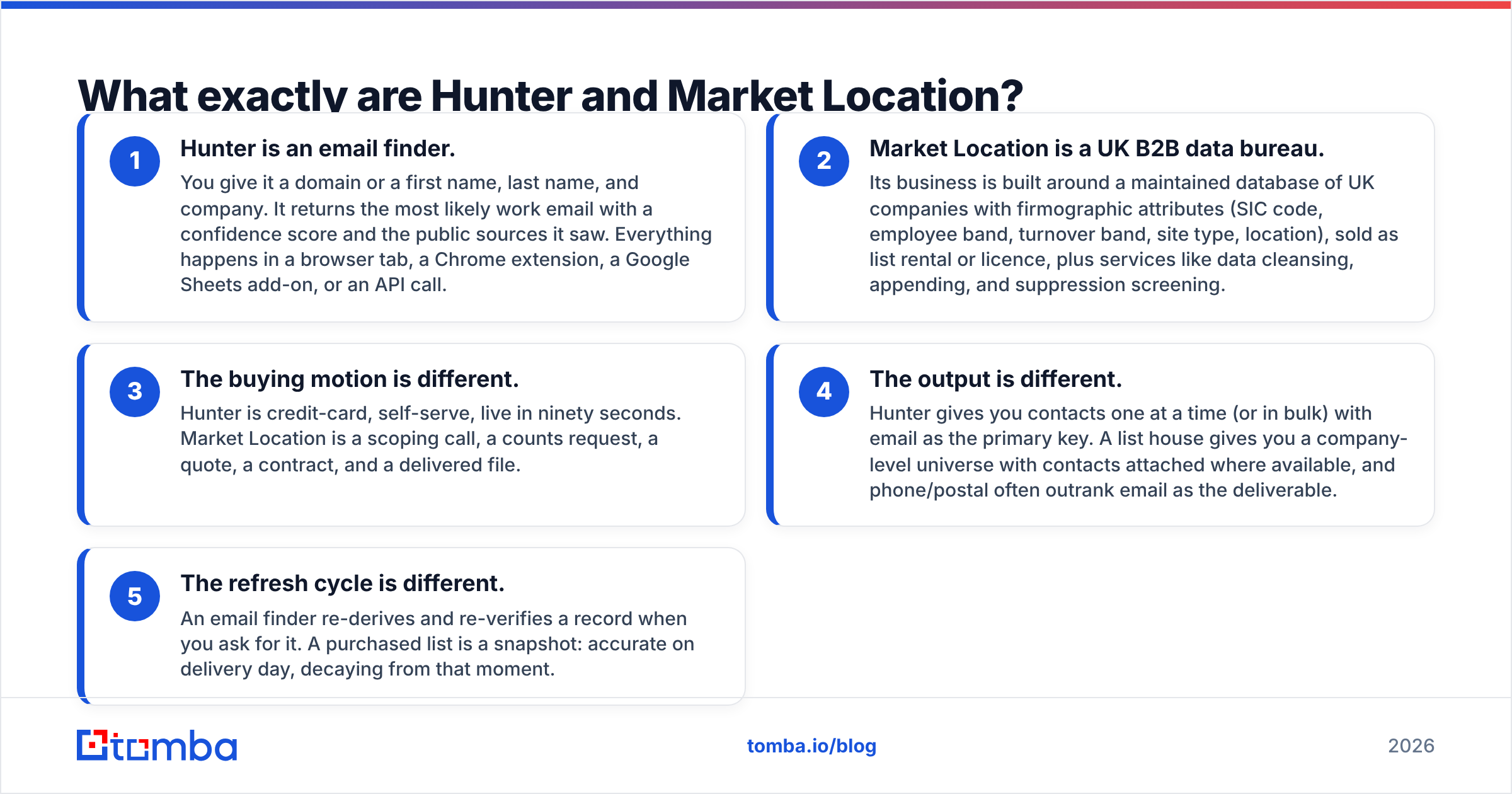
- Hunter is an email finder. Give it a domain, or a first name, last name, and company. It returns the most likely work email with a confidence score. It also shows the public sources it saw. You can use a browser tab, a Chrome extension, a Google Sheets add-on, or the API.
- Market Location is a UK B2B data bureau. It keeps a database of UK companies with firm details: SIC code, staff band, turnover band, site type, and location. You can rent or licence that list. It also cleans, appends, and screens your own files.
- The buying motion is different. Hunter is credit-card, self-serve, live in ninety seconds. Market Location means a call, a counts request, a quote, a contract, then a delivered file.
Two more gaps decide which one fits your team.
- The output is different. Hunter gives you contacts one at a time, or in bulk, with email as the key. A list house gives you a company-level universe. Contacts come attached where they exist, and phone and postal data often matter more than email.
- The refresh cycle is different. An email finder re-checks a record when you ask for it. A bought list is a snapshot. It is right on delivery day, and it decays from that moment.
That last point matters more than any feature table. B2B contact data decays 22% to 30% a year, depending on the study. It decays fastest in the roles you most want to reach. A snapshot ages. A lookup does not.

Hunter vs Market Location: how do they compare head to head?#
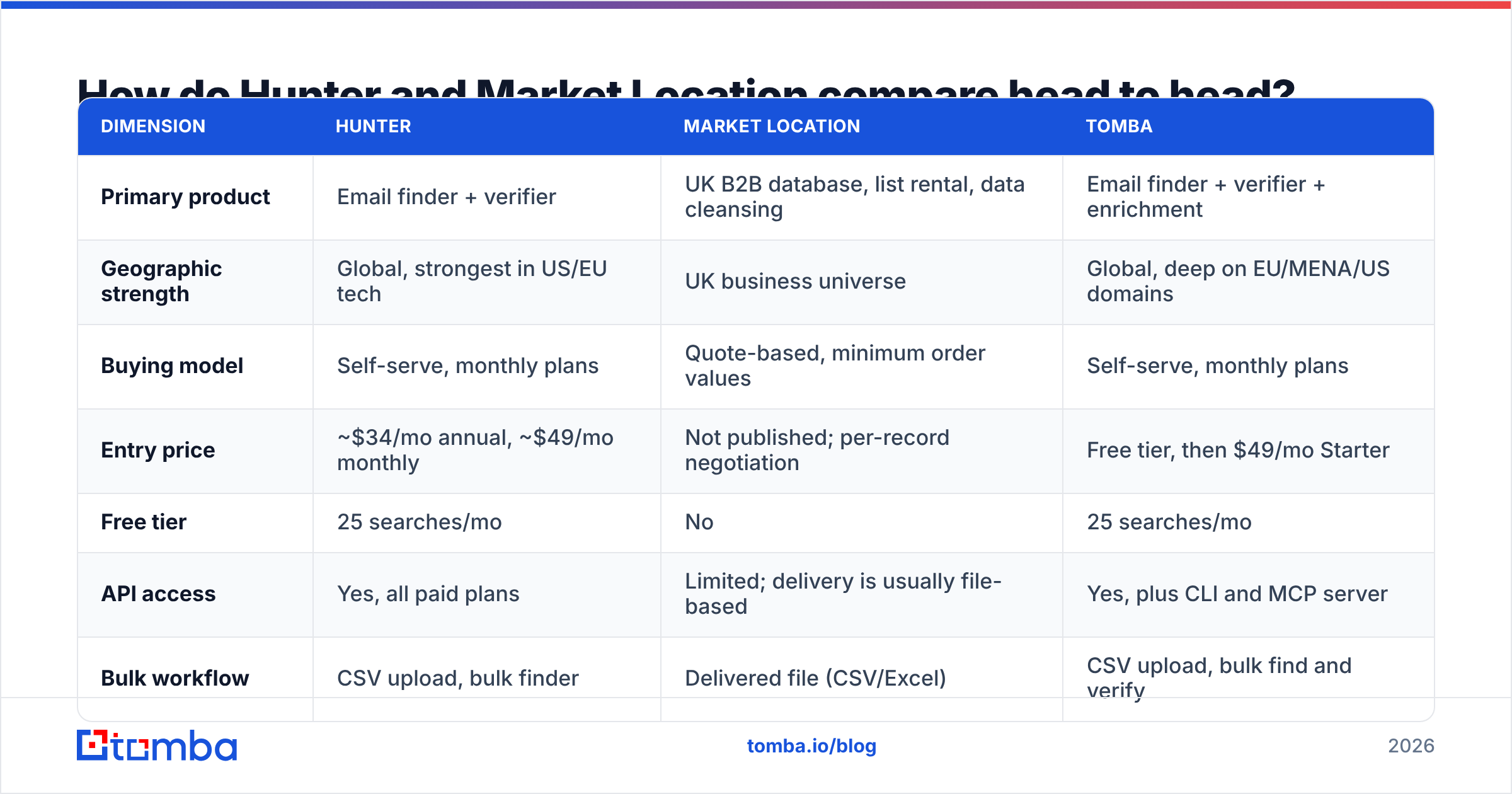
| Dimension | Hunter | Market Location | Tomba |
|---|---|---|---|
| Primary product | Email finder + verifier | UK B2B database, list rental, data cleansing | Email finder + verifier + enrichment |
| Geographic strength | Global, strongest in US/EU tech | UK business universe | Global, deep on EU/MENA/US domains |
| Buying model | Self-serve, monthly plans | Quote-based, minimum order values | Self-serve, monthly plans |
| Entry price | ~$34/mo annual, ~$49/mo monthly | Not published; per-record negotiation | Free tier, then $49/mo Starter |
| Free tier | 25 searches/mo | No | 25 searches/mo |
| API access | Yes, all paid plans | Limited; delivery is usually file-based | Yes, plus CLI and MCP server |
| Bulk workflow | CSV upload, bulk finder | Delivered file (CSV/Excel) | CSV upload, bulk find and verify |
| Phone numbers | No | Yes, telephone-verified records | Yes, via phone finder |
| Catch-all handling | Marked as "accept-all", limited resolution | Not applicable | Dedicated catch-all verifier |
| Best fit | Outbound teams doing continuous prospecting | UK direct marketing, telemarketing, postal campaigns | Teams that want lookup + verification + API in one place |
Read that table as a fork in the road, not a scoreboard. Say your campaign is 500 UK factories with 50-200 staff near Birmingham, called by an SDR team. Market Location fits that brief. Now say your campaign is the Head of Growth at 800 SaaS companies you already shortlisted. A list house is the wrong tool, and an email finder is the right one.
Which one has better data accuracy?#
Both claim accuracy. They mean different things by it.
Hunter gives a confidence score per email. It comes from public sources, pattern inference, and SMTP checks. In independent tests, mainstream email finders land in the 85-95% delivery band on clean, well-indexed domains. Scores drop on small companies, catch-all domains, and non-English markets. Anyone quoting one accuracy number without naming the test list is selling you something.
Market Location claims something else: phone checks on company records. A person or an automated call confirms the business still trades at that address, on that number. That is a strong promise for post and phone campaigns. It is a weak one for email. Named contact emails on bought UK lists are often generic (info@, sales@), or missing under GDPR consent rules.

The lesson: never treat either source as verified for email. Run every file, bought or found, through an email verifier before it touches your sending domain. Above a 3% bounce rate, inbox placement starts to slide. A two-year-old bought list will pass that mark on its own.
Catch-all domains are the quiet killer. About a fifth of B2B domains accept every address at the SMTP layer. A standard verifier then returns "unknown". Most teams either skip the contact and lose pipeline, or send blind and risk bounces. A dedicated catch-all verifier resolves a good share of them instead.
How does pricing actually compare?#
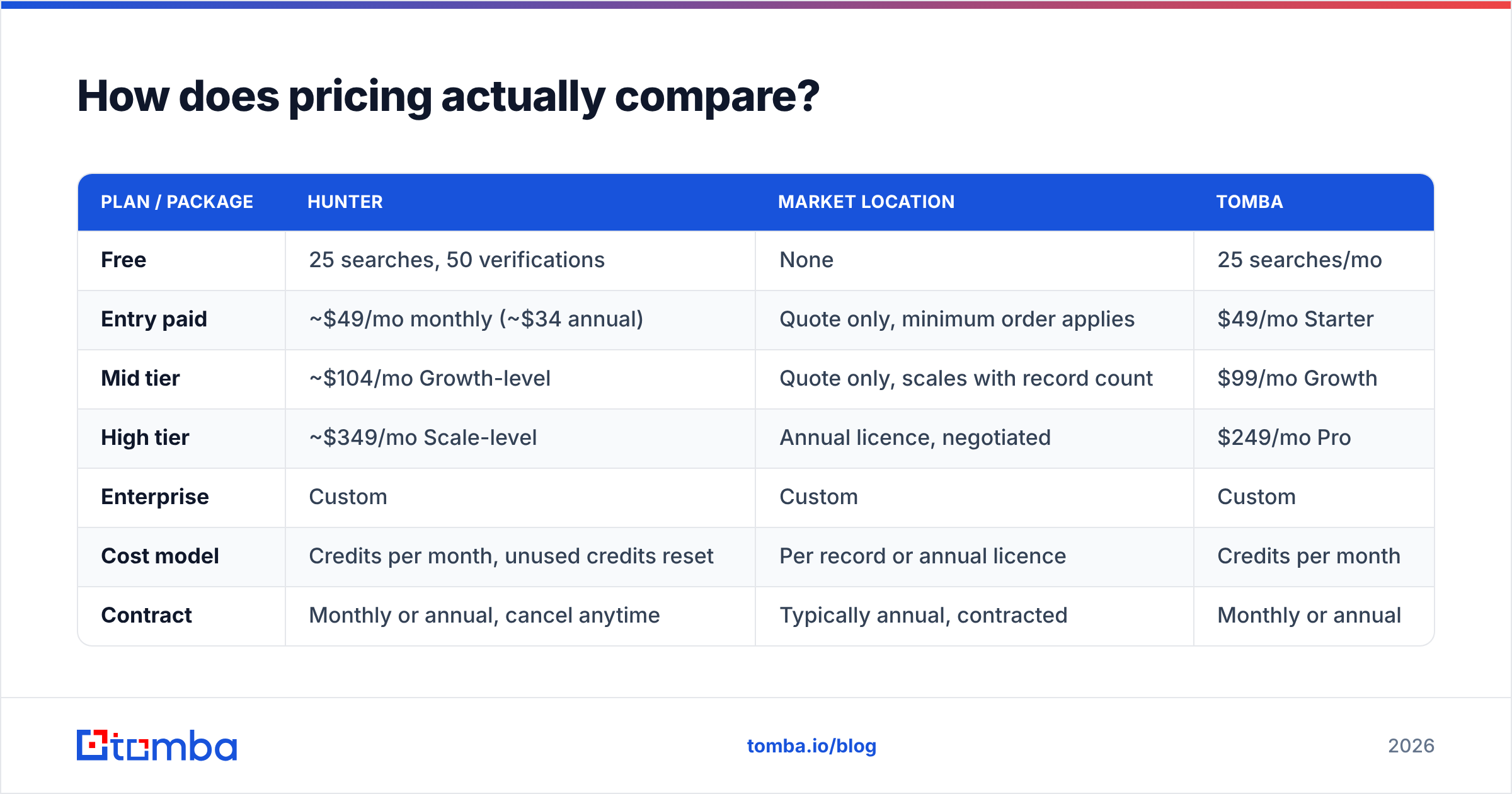
| Plan / package | Hunter | Market Location | Tomba |
|---|---|---|---|
| Free | 25 searches, 50 verifications | None | 25 searches/mo |
| Entry paid | Quote only, minimum order applies | $49/mo Starter | |
| Mid tier | ~$104/mo Growth-level | Quote only, scales with record count | $99/mo Growth |
| High tier | ~$349/mo Scale-level | Annual licence, negotiated | $249/mo Pro |
| Enterprise | Custom | Custom | Custom |
| Cost model | Credits per month, unused credits reset | Per record or annual licence | Credits per month |
| Contract | Monthly or annual, cancel anytime | Typically annual, contracted | Monthly or annual |
Hunter changes its published prices now and then, so check the current page before you budget. The main point holds either way. An email finder is a running cost you can predict to the dollar. A bought list is a purchase you have to negotiate.
Now count the full cost of a list buy. You pay for records you will never contact. Most outbound uses 30-60% of a file after suppression and ICP filtering. You pay again when the file ages out. You also carry the internal cost of loading, deduping, and cleaning. See Tomba pricing for a like-for-like look at Hunter's tiers.

Suggested visual: the Hunter Domain Search results panel next to a Market Location counts request form. It shows how differently the two ask you to describe an audience.
Is Market Location better for UK-only campaigns?#
For some UK campaigns, yes. Not every problem is an email problem.
Market Location is strongest when you need:
- Company-level coverage of the UK business universe. That includes the long tail of small firms that never show up in global tech databases.
- Postal addresses and switchboard numbers for direct mail or phone outreach, where email does not matter.
- Firm-level filters like SIC code, staff band, turnover band, and multi-site structure, applied before you buy.
- Cleaning and suppression run against your own CRM file, including TPS/CTPS screening for UK phone outreach.
Global email finders are weak on that long tail. Picture a twelve-person plumbing merchant in Leeds with a brochure site and no LinkedIn page. A source that leans on public web signals will barely see it. If your ICP looks like that, a UK list house earns its fee.
The case weakens for modern digital outbound. Say you send personal email sequences to named buyers at companies you already researched. You do not need a universe. You need forty addresses today and forty more tomorrow. Buying a 12,000-record file to pull 300 usable contacts is an expensive way to do that.
What about GDPR and compliance?#
Both routes work in the UK and EU. Both carry duties you cannot hand to the vendor.
Bought lists sit under GDPR legitimate interests for B2B in most UK and EU readings. The sender still has to run a legitimate interests assessment, honour opt-outs, and show where each record came from. Good UK bureaus supply that trail and handle suppression screening. That is part of what you pay for.
Found data carries the same duties with a different story. The address came from public business information, and you record the source. Check what your provider says about its data sources before you build a compliance case on it. A vendor that cannot tell you where a record came from is a risk at any price.
Neither route gives you consent for consumer-style marketing. Neither excuses blasting role accounts at volume. Compliance is a process you own, not a box the vendor ticks.

Where does Tomba fit between the two?#
Tomba competes with Hunter, not with Market Location. Same job, same buying motion. It weights a few things differently for European and MENA outbound.
- Lookup and verification in one account. Find emails by domain or by name, then verify in the same flow. No second vendor for the second half of the job.
- Catch-all resolution as a core feature, not an "unknown" status you have to work around.
- More than email. Phone finder, reverse email lookup, LinkedIn finder, and enrichment share one credit pool.
- Developer surface. REST API, CLI, and MCP server, so one lookup runs in a script, a Zap, or an AI agent.
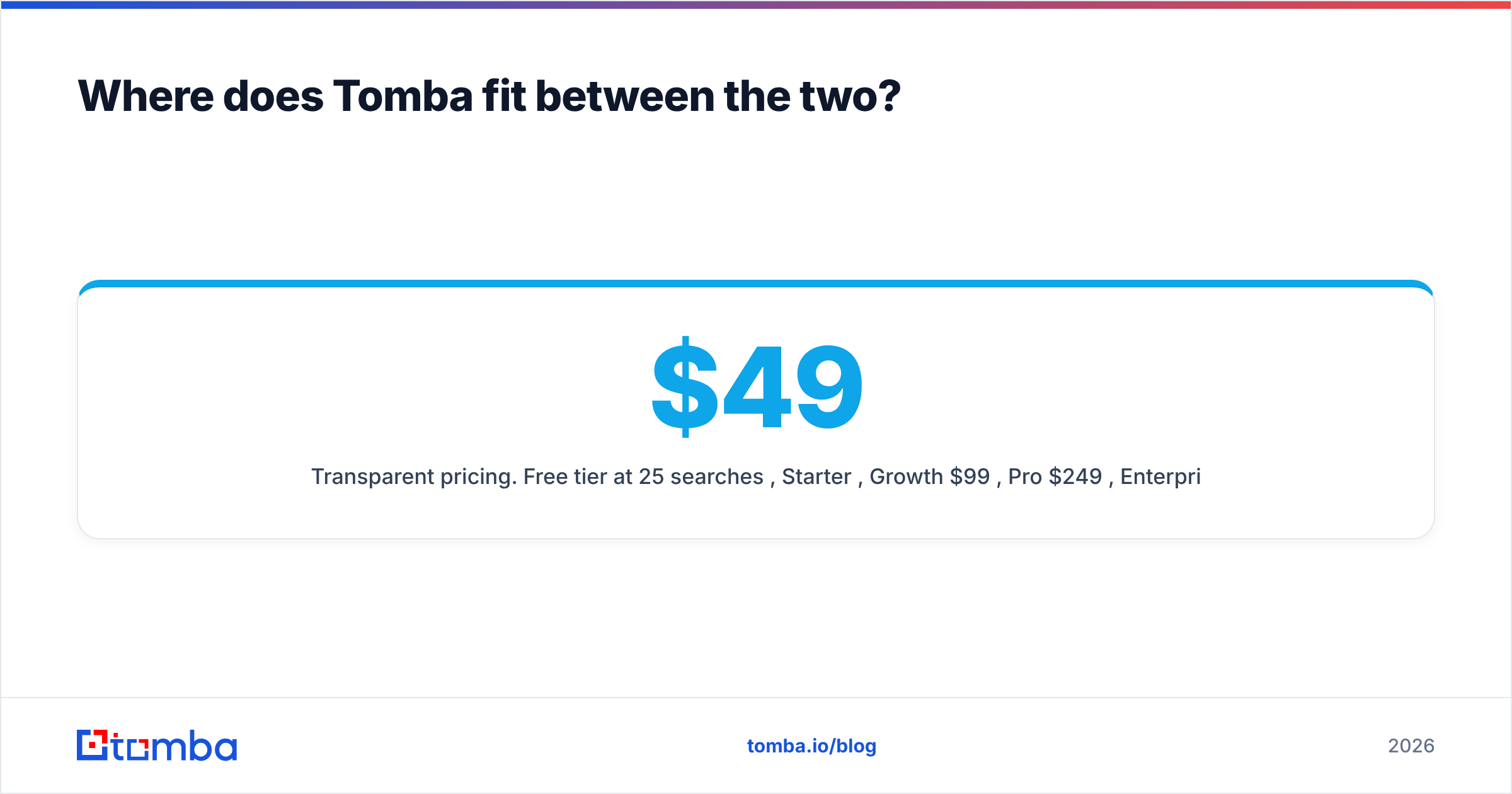
- Clear pricing. Free tier at 25 searches a month, then $49, $99, and $249 a month. No counts request, no minimum order.
Want an outside view? Review the category on G2, then read Hunter's own documentation on how its confidence scores work. Both vendors publish enough for you to test the claims on your own domain list. That is the only benchmark that counts.
Which should you choose?#
The Hunter vs Market Location choice comes down to shape, not score. Here is a short decision path.
- Is your list UK-only, company-level, and headed for post or phone? Buy from a UK list house. Market Location fits that brief better than any email finder.
- Do you know the companies and need named contacts by email? Use an email finder. Compare Hunter and Tomba on catch-all handling, non-US coverage, and price per verified contact.
- Do you need both? That is common. Buy the company universe from a list provider. Then run contact lookup and verification through an email finder API.
- Are you volume-heavy and price-sensitive? Model cost per verified, contactable record, not cost per row. A cheap file with 40% usable records is not cheap.
- Do you need it today? Self-serve wins every time. No quote, no counts request, no procurement queue.
Test it on your own data first. Take 100 target companies and run them through a free tier. Check what share return a named contact with a deliverable address. Then request counts for the same segment from a list bureau, and price the usable subset. The answer is usually clear within an hour. It will not match either vendor's marketing page.
Ready to try the self-serve side? Start with the Tomba Email Finder free tier: 25 searches a month, no card, with verification and catch-all checks built in. Run it against the same 100 companies you were about to buy a list for. Let the hit rate set the budget.
Related guides#
// get started
Find, verify and enrich your first contacts today
Start on the free plan with 25 searches a month, then scale when your team is ready.
Free plan · No credit card required · GDPR & CCPA
// about the author