Hunter vs Ninjapear (2026): Which B2B Email Data Tool Wins?
Hunter is a GTM-team email finder. Ninjapear is a developer-first B2B data API. They look similar on a feature grid and behave nothing alike in production. Here is the honest breakdown, including the pricing traps in both.
TL;DR
- Hunter is an email finder for GTM teams. Ninjapear is a B2B data API for engineers. They overlap on "get me a contact," and diverge on almost everything else.
- Hunter wins on ease and price predictability. Free tier, flat monthly plans, a searchable domain index, built-in verification, and a UI a non-technical SDR can run.
- Ninjapear wins on data depth. Company firmographics, funding history, investors, competitor discovery, employee profiles, and change monitoring — served as clean JSON with real SDKs.
- Watch the billing model on Ninjapear. Credit-based, some endpoints charge per request and per result, the trial is 3 days / 10 credits, and higher tiers have been reported to carry annual commitments. Read the contract before you scale.
- If your actual job is "find and verify work emails at volume," neither one is automatically the answer — a dedicated finder like Tomba usually costs less per valid contact.
What are Hunter and Ninjapear, exactly?#
Different categories wearing similar labels. Comparing them straight across is like comparing a coffee machine to a wholesale coffee supplier — both end in caffeine, but you buy them for different reasons.
- Hunter is an email-discovery product. You give it a domain or a first name + last name + company, and it returns the most likely work email plus a confidence score and the public sources it saw the pattern on. It bundles verification, bulk uploads, a Chrome extension, and a lightweight Campaigns sender.
- Ninjapear is a B2B data API. Its center of gravity is structured company and person data: descriptions, industries, executives, financials, funding rounds and investors, customers and partners, competitor discovery by keyword and product overlap, plus RSS-style monitoring of company changes.
- Hunter is bought by revenue teams. Sales ops, founders, agency prospectors. The buyer wants seats and a CSV, not a client library.
- Ninjapear is bought by builders. Teams shipping an enrichment feature, a scoring model, a lead router, or an internal data warehouse. Python and JavaScript SDKs, documented credit costs in response headers, cache-duration headers — that is engineer-facing packaging.
- Only one of them treats email as the product. Hunter's whole reputation rests on pattern accuracy and deliverability signals. For Ninjapear, contact details are one field among dozens.
That last point decides most evaluations. If you leave this post remembering one thing, remember that the tools are optimized for different outputs.

How do Hunter and Ninjapear compare head to head?#
Here is the practical grid. Treat vendor-specific numbers as accurate at time of writing and re-check both pricing pages before you commit — this category changes packaging often.
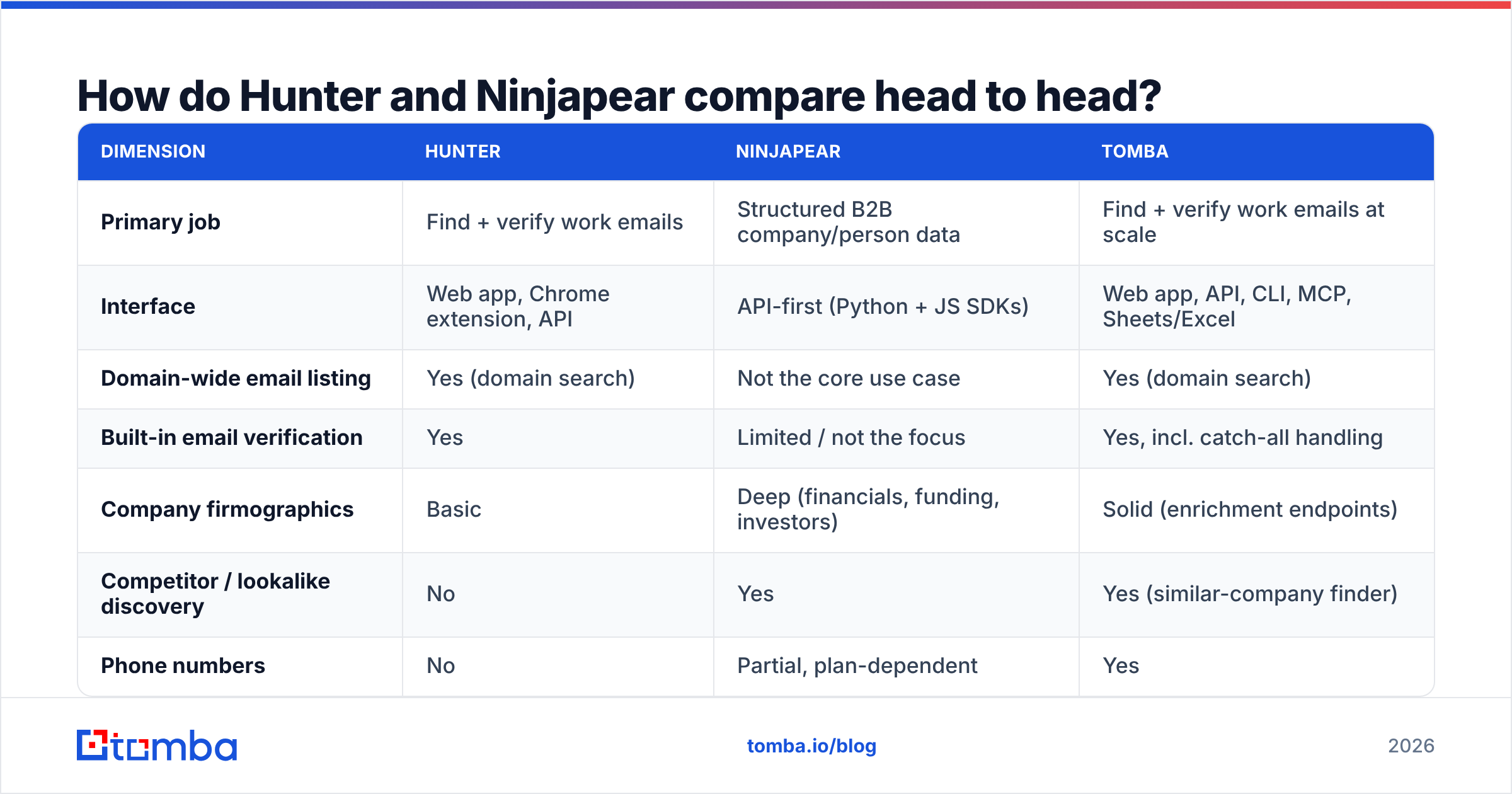
| Dimension | Hunter | Ninjapear | Tomba |
|---|---|---|---|
| Primary job | Find + verify work emails | Structured B2B company/person data | Find + verify work emails at scale |
| Interface | Web app, Chrome extension, API | API-first (Python + JS SDKs) | Web app, API, CLI, MCP, Sheets/Excel |
| Domain-wide email listing | Yes (domain search) | Not the core use case | Yes (domain search) |
| Built-in email verification | Yes | Limited / not the focus | Yes, incl. catch-all handling |
| Company firmographics | Basic | Deep (financials, funding, investors) | Solid (enrichment endpoints) |
| Competitor / lookalike discovery | No | Yes | Yes (similar-company finder) |
| Phone numbers | No | Partial, plan-dependent | Yes |
| Free tier | 25 searches + 50 verifications/mo | 3-day trial, 10 credits | 25 searches/mo, ongoing |
| Billing model | Flat monthly credits | Credit-based; some endpoints bill per request and per result | Flat monthly credits |
| Best for | SDRs, founders, agencies | Product and data engineering teams | Outbound teams that need volume + verification |
Two rows in that table do the heavy lifting: billing model and built-in verification. Everything else is preference.
What does each one actually cost in 2026?#
Hunter publishes clean tiers. Ninjapear meters usage, which is either a feature or a landmine depending on how disciplined your engineering team is about retries.
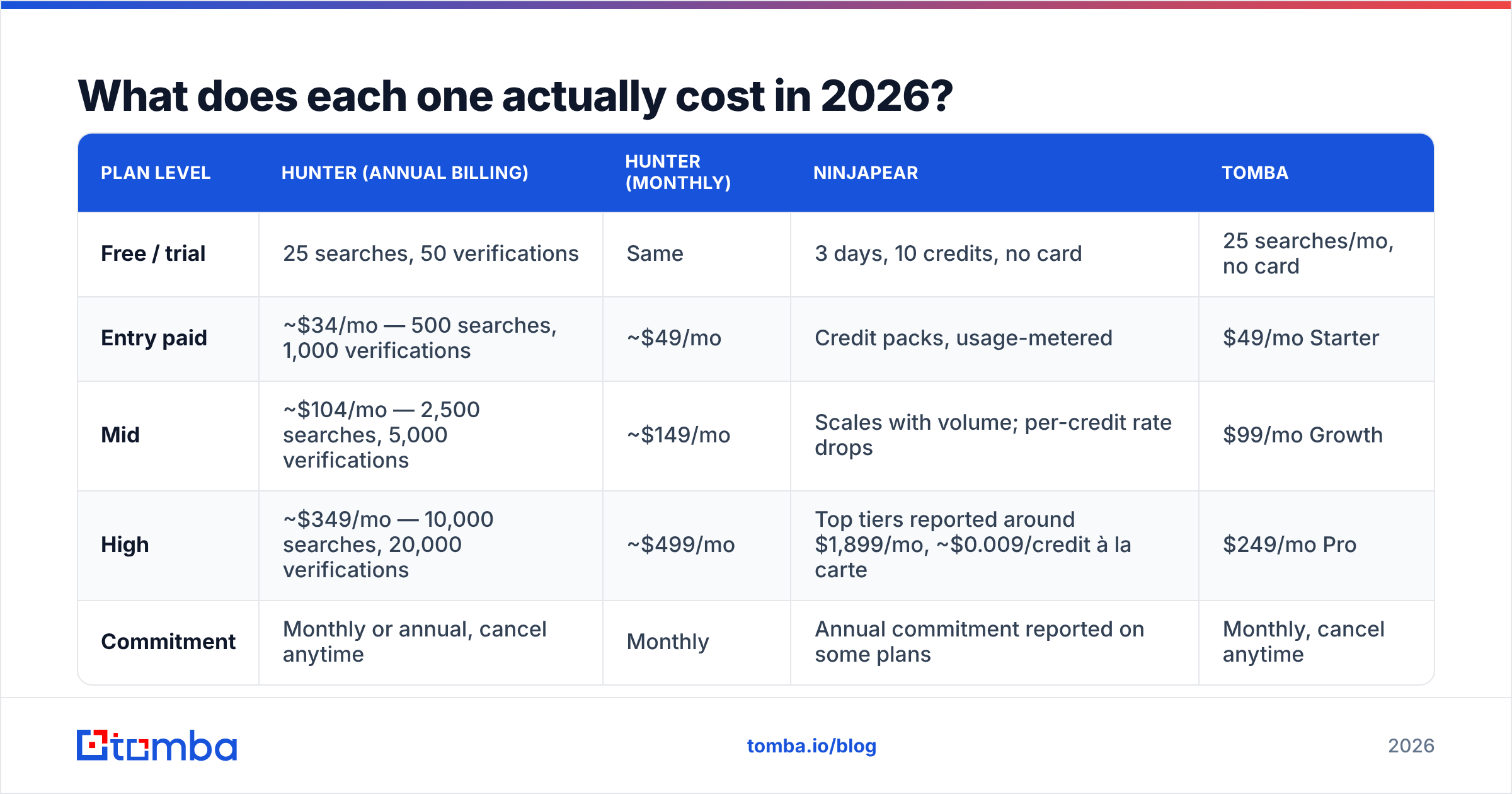
| Plan level | Hunter (annual billing) | Hunter (monthly) | Ninjapear | Tomba |
|---|---|---|---|---|
| Free / trial | 25 searches, 50 verifications | Same | 3 days, 10 credits, no card | 25 searches/mo, no card |
| Entry paid | ~$34/mo — 500 searches, 1,000 verifications | ~$49/mo | Credit packs, usage-metered | $49/mo Starter |
| Mid | ~$104/mo — 2,500 searches, 5,000 verifications | ~$149/mo | Scales with volume; per-credit rate drops | $99/mo Growth |
| High | ~$349/mo — 10,000 searches, 20,000 verifications | ~$499/mo | Top tiers reported around $1,899/mo, ~$0.009/credit à la carte | $249/mo Pro |
| Commitment | Monthly or annual, cancel anytime | Monthly | Annual commitment reported on some plans | Monthly, cancel anytime |
Three cost realities worth internalizing:
- Hunter's monthly price is roughly 30% above its annual price. If you are testing for a quarter, budget the monthly number, not the marketing number.
- Ninjapear's per-request-plus-per-result endpoints punish exploratory queries. A broad search that returns 40 rows you throw away still bills. Cache aggressively and cap result counts in code.
- A 3-day, 10-credit trial is not an evaluation. It is a smoke test. Plan to spend real money before you know whether the data fits your ICP — or run your ICP sample through a tool with a standing free tier first.
For reference on the flat-rate side, Tomba pricing runs Free (25 searches/mo), Starter $49/mo, Growth $99/mo, Pro $249/mo, and custom Enterprise — no annual lock required to get the monthly rate.
Which tool has better email data accuracy?#
Hunter, for emails specifically. Ninjapear, for everything surrounding the email.
Hunter's confidence score exists because it indexes public sources and infers the company's dominant pattern (first.last@, f.last@, first@). When it says 97%, that number is backed by observed occurrences, not a guess. It also ships verification in the same product, so you can find and validate in one pass rather than exporting to a second vendor.
Ninjapear's strength is context. Knowing that a company raised a Series B four months ago, uses a specific tech stack, and just hired three people in RevOps is worth more than a marginally better email guess — if your play depends on timing and relevance rather than raw volume.

Three things nobody's confidence score protects you from:
- Catch-all domains. A domain that accepts everything returns "valid" for addresses that will bounce or land nowhere. You need a dedicated catch-all verifier or a risk-tiering step, not a binary pass/fail.
- Stale records. B2B contact data decays roughly 2-3% per month as people change jobs. Any list older than a quarter needs re-verification before send.
- Role addresses. info@, sales@, support@ inflate hit-rate stats and destroy reply rates. Filter them at ingestion, not after the campaign flops.
Whatever you pick, run the output through an email verifier immediately before sending. That single step protects your sender reputation more than any vendor's accuracy claim.
Who should choose Hunter?#
Pick Hunter when the buyer and the user are the same non-technical person.
- You need domain-wide email discovery — "show me everyone at acme.com" — and you need it in a browser.
- Your team is 1-10 people doing outbound and nobody wants to maintain an integration.
- You want find + verify + send in one subscription and can live with a basic sequencer.
- Predictable monthly cost matters more than data depth.
- You are prospecting mid-market and enterprise domains where public email patterns are well-established.
Hunter's weak spots are equally clear: no phone numbers, thin firmographics, and credit counts that get expensive if you are enriching tens of thousands of rows a month. At Business-tier volume, dedicated bulk providers cost meaningfully less per contact.
Who should choose Ninjapear?#
Pick Ninjapear when a developer is the primary user and email is one field in a larger record.
- You are building enrichment into a product, a CRM sync, or an internal lead-scoring pipeline.
- You need funding, investor, customer, partner, or competitor data that email finders simply do not carry.
- You want to monitor accounts for trigger events and fire outreach on signal.
- Compliance posture and documented data sourcing are procurement requirements.
- Your team can implement caching, retry limits, and result caps so metered billing stays sane.
Its weak spots: the trial is too short for a serious pilot, some endpoints bill on a model that surprises finance, and reported annual commitments on larger plans remove the "just cancel" escape hatch. Ask for the cancellation terms in writing.

Where does Tomba fit between them?#
In the middle, and honestly, that is the whole pitch — not a claim of superiority on every axis.
If your evaluation is genuinely "Hunter vs Ninjapear," you are usually trying to solve two problems with one line item: get accurate work emails, and get enough surrounding context to personalize. Hunter does the first well and the second poorly. Ninjapear does the second well and the first incidentally.
Tomba was built around the first job — the email finder is the core product — with enrichment, domain search, phone finding, and catch-all verification sitting alongside it rather than bolted on. Practically:
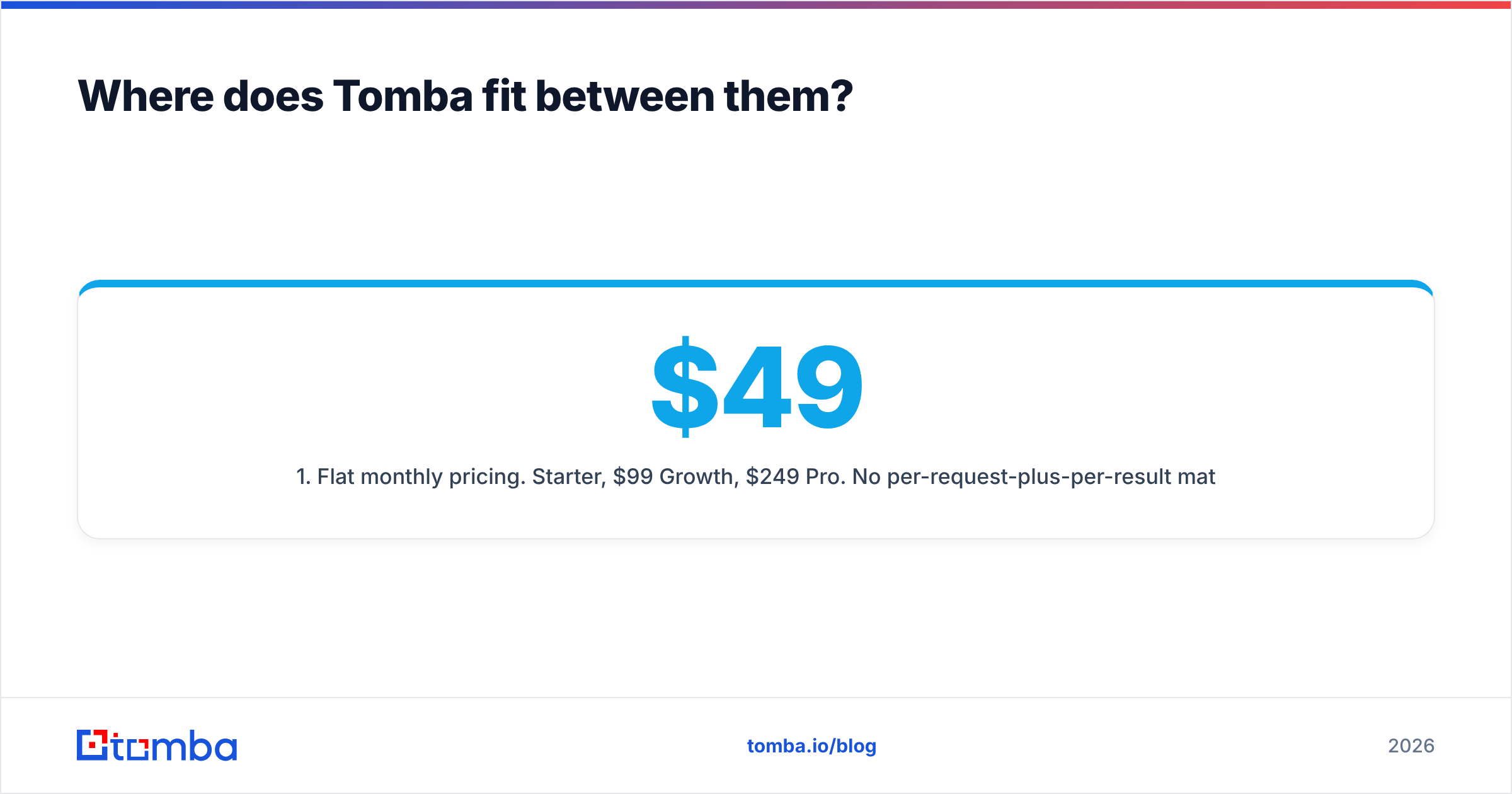
- Flat monthly pricing. $49 Starter, $99 Growth, $249 Pro. No per-request-plus-per-result math, no annual commitment to unlock the monthly rate.
- A free tier that persists. 25 searches every month, not 10 credits over three days. You can validate against your real ICP before paying anything.
- Verification in the same platform. Including catch-all handling, which is where most "verified" lists quietly fail.
- Developer surface without the API-only tax. A documented Tomba API, CLI, MCP server, plus Sheets, Excel, and Airtable add-ins — so the SDR and the engineer use the same data source.
- Bulk workflows. Upload a domain list, get contacts and verification status back, without writing a rate limiter.
Where Tomba is not the answer: if you need funding-round histories, investor graphs, and competitor-overlap analysis as first-class objects, Ninjapear is purpose-built for that and Tomba is not. Buy the tool that matches the job.
How do you decide in under ten minutes?#
Run this sequence instead of reading more comparison pages — including this one.
- Write down the output you need. "5,000 verified emails per month" and "enriched company records inside our app" are different purchases. If both are true, you are buying two tools, and that is fine.
- Sample 50 real accounts from your ICP. Not famous logos. Your actual target segment, including the small and awkward domains.
- Run the same 50 through every free tier available. Hunter's free plan and Tomba's free tier both allow this. Ninjapear's 3-day window means you should schedule that test deliberately, not casually.
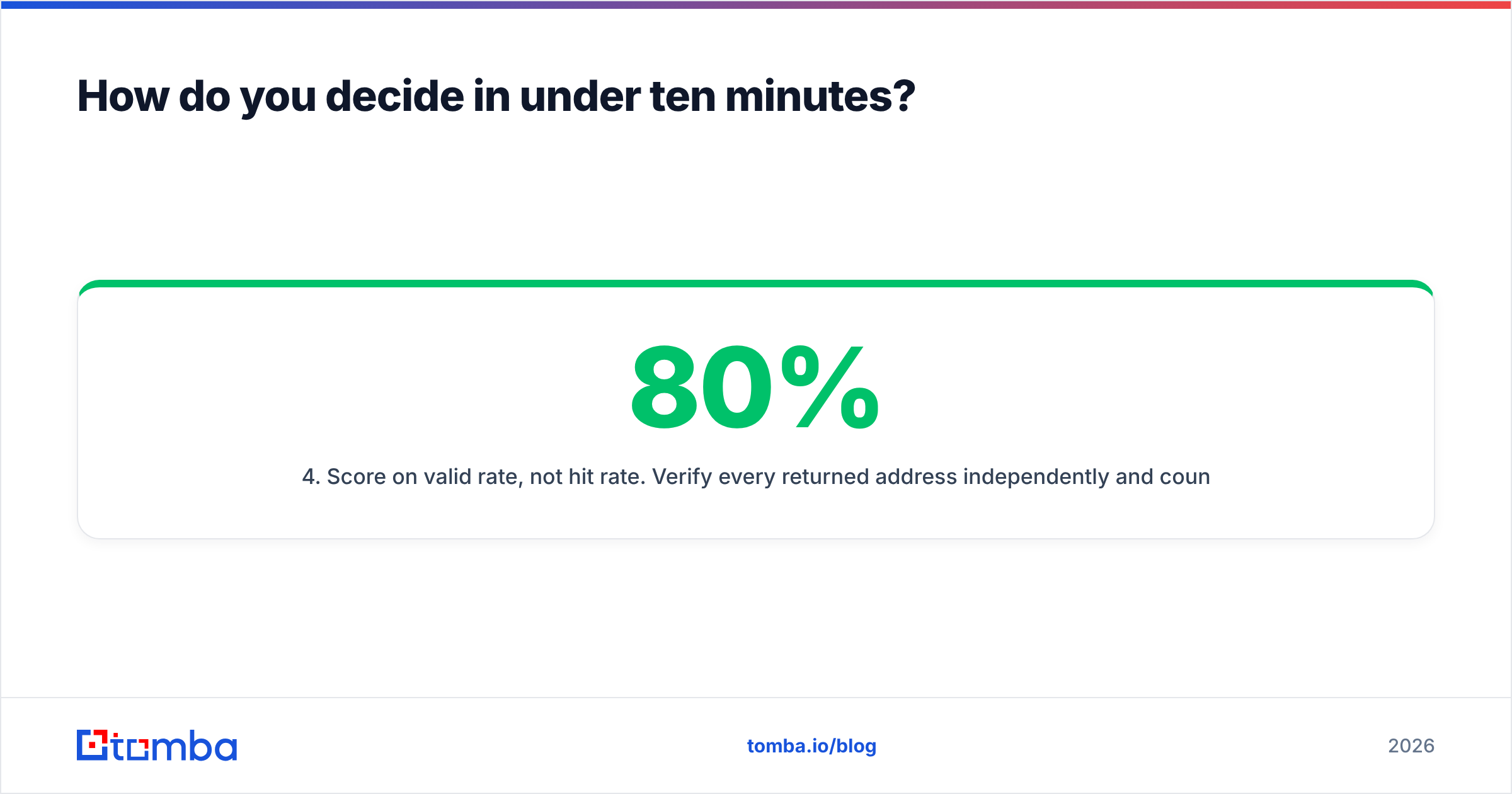
- Score on valid rate, not hit rate. Verify every returned address independently and count only the ones that survive. A tool returning 80% coverage at 70% validity loses to one returning 60% coverage at 95% validity.
- Divide monthly cost by valid contacts. That is your real unit price. It is frequently 3-5x the number on the pricing page.
- Check the exit. Month-to-month or annual commitment? Do unused credits roll over? What happens if you halve your volume in month four?
Cross-check your shortlist against real reviews on G2's lead intelligence category too — vendor-run comparison pages, including ours, always carry a thumb on the scale. Read the two-star reviews first.

What is the final verdict?#
Choose Hunter if a salesperson is the user and email is the deliverable. Choose Ninjapear if a developer is the user and the email is one attribute of a rich company record. Those are the two clean answers, and most teams know within thirty seconds which sentence describes them.
The messy middle — you need volume email discovery, real verification including catch-alls, some enrichment, and pricing that does not require a procurement cycle — is where a dedicated finder earns its place. That is the gap Tomba was built for.
Start with the Tomba Email Finder on the free tier: 25 searches a month, no card, no three-day countdown. Run your own 50-account ICP sample through it alongside whichever of Hunter or Ninjapear you are considering, verify every result, and compare cost per valid contact. Whichever tool wins that test is the one to buy — and if it is not us, at least you will have decided with your own data instead of a vendor's chart.
Related guides#
// get started
Find, verify and enrich your first contacts today
Start on the free plan with 25 searches a month, then scale when your team is ready.
Free plan · No credit card required · GDPR & CCPA
// about the author