Hunter vs VC-Backed Email Finders: Which Is Better in 2026?
Hunter is bootstrapped and profitable. Apollo, ZoomInfo and Clearbit burned venture money to get big. That funding difference shapes pricing, data quality and lock-in more than any feature list does.
TL;DR
- "Hunter vs VC-backed" is really a question about business models: Hunter.io is bootstrapped and profitable, while Apollo, ZoomInfo, Clearbit and Lusha raised venture capital and have to grow into it.
- Funding shapes the product. Bootstrapped vendors price per credit and stay narrow. VC-backed vendors price per seat, bundle sequencing and intent data, and push you toward annual contracts.
- On raw email discovery, the gap between a focused finder and a big platform is smaller than the price difference suggests — the platforms win on breadth, not on hit rate.
- Watch three things before signing anything: credit rollover, catch-all handling, and whether exported contacts stay yours when you cancel.
- Best fit is usually a mix: a cheap, accurate finder API for volume, plus one platform seat if you genuinely need intent signals.
What does "Hunter vs VC-backed" actually mean?#
It means choosing between two funding philosophies that produce two different products.
Hunter is the reference case for a bootstrapped B2B data tool. No venture round, a small team, one core job — find and verify professional email addresses from a domain or a name. Pricing is public, plans are self-serve, and the roadmap moves slowly because nobody is forcing 3x annual growth.
On the other side sits the VC-backed cohort: Apollo.io (raised well over $100M), ZoomInfo (went public in 2020), Clearbit (acquired by HubSpot in late 2023), Lusha, Seamless.AI. These companies raised money on the promise of becoming the system of record for go-to-market data. That promise dictates their product decisions — expand surface area, bundle sequencing and dialers and intent scores, sell to the VP not the SDR, and move revenue onto annual contracts with seat minimums.
Neither model is inherently better. But they fail in opposite directions. Bootstrapped tools frustrate you when you need something they don't build. Venture-backed platforms frustrate you when your usage doesn't match the pricing model they need to hit their number.

How do bootstrapped and VC-backed data tools actually differ?#
Six differences show up consistently once you've run both:
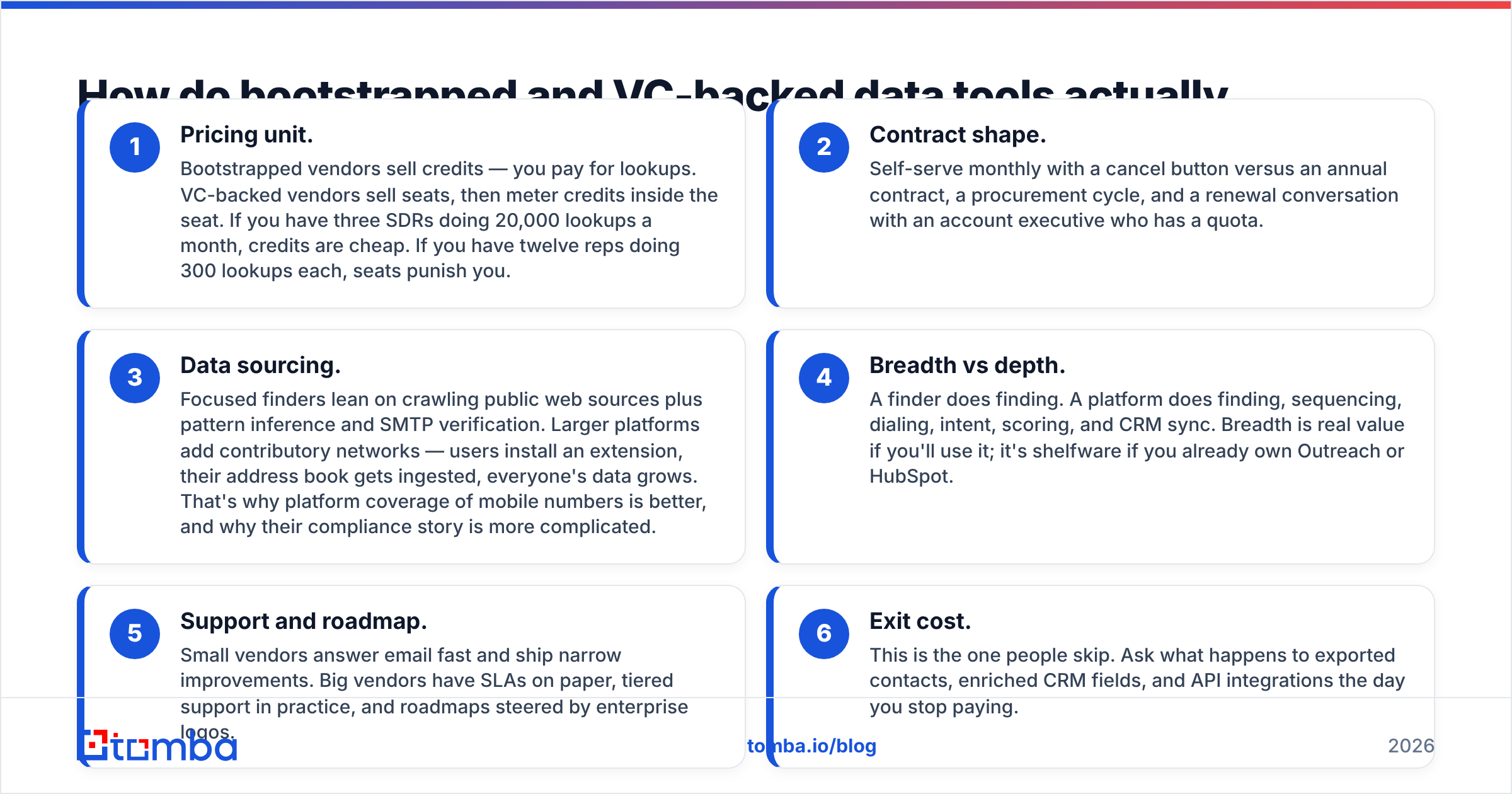
- Pricing unit. Bootstrapped vendors sell credits — you pay for lookups. VC-backed vendors sell seats, then meter credits inside the seat. If you have three SDRs doing 20,000 lookups a month, credits are cheap. If you have twelve reps doing 300 lookups each, seats punish you.
- Contract shape. Self-serve monthly with a cancel button versus an annual contract, a procurement cycle, and a renewal conversation with an account executive who has a quota.
- Data sourcing. Focused finders lean on crawling public web sources plus pattern inference and SMTP verification. Larger platforms add contributory networks — users install an extension, their address book gets ingested, everyone's data grows. That's why platform coverage of mobile numbers is better, and why their compliance story is more complicated.
- Breadth vs depth. A finder does finding. A platform does finding, sequencing, dialing, intent, scoring, and CRM sync. Breadth is real value if you'll use it; it's shelfware if you already own Outreach or HubSpot.
- Support and roadmap. Small vendors answer email fast and ship narrow improvements. Big vendors have SLAs on paper, tiered support in practice, and roadmaps steered by enterprise logos.
- Exit cost. This is the one people skip. Ask what happens to exported contacts, enriched CRM fields, and API integrations the day you stop paying.
Which finds more valid email addresses?#
Fewer than the marketing pages on either side imply — and the honest answer is that it depends on the segment you're searching.
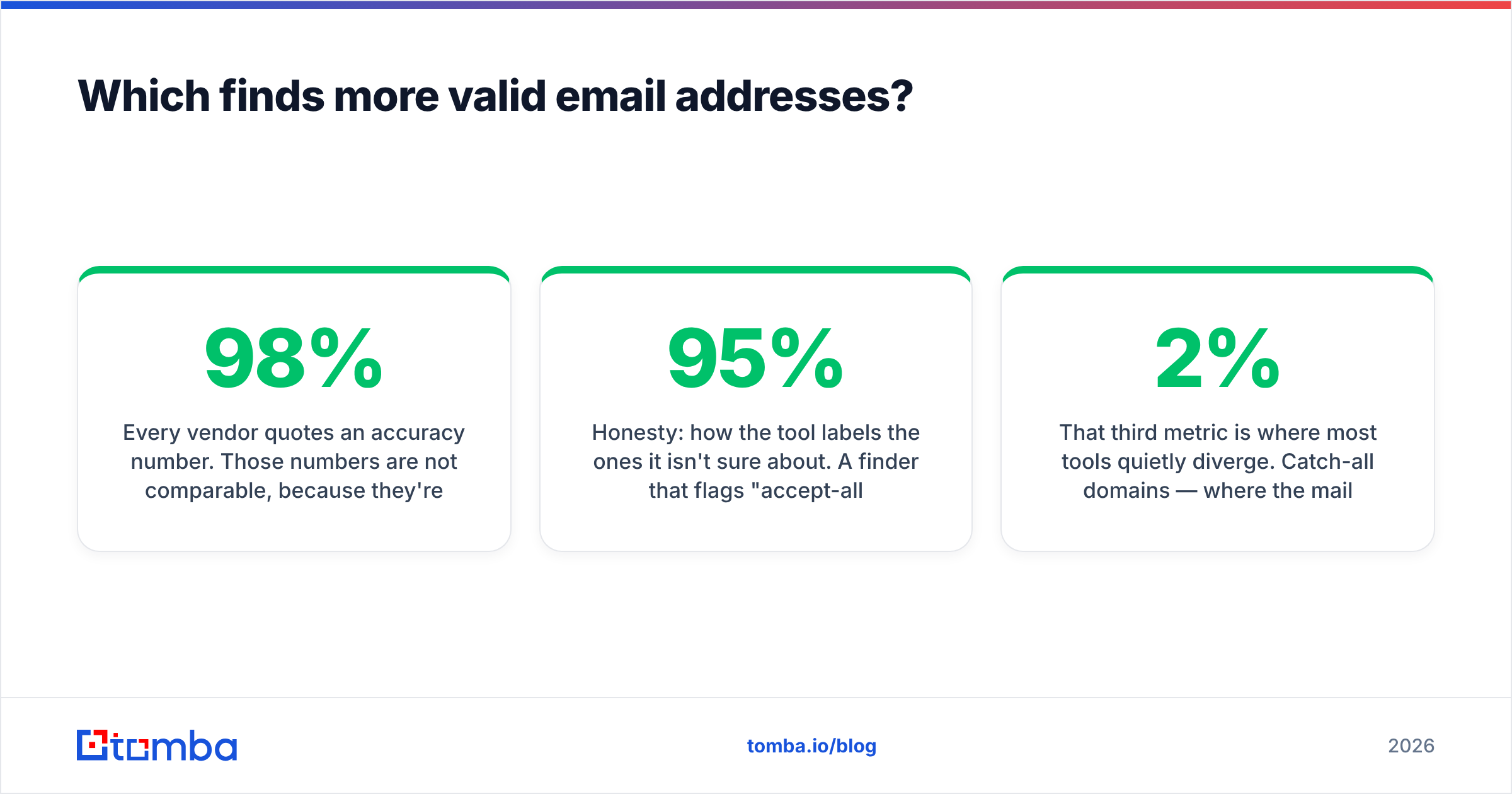
Every vendor quotes an accuracy number. Those numbers are not comparable, because they're measured differently. Some report "verified deliverable / total returned," which rewards a tool for returning nothing when unsure. Others report "found / attempted," which rewards guessing. A vendor claiming 98% while returning results for 40% of your list is worse for pipeline than one claiming 92% at 75% coverage.

The only test worth running is your own. Take 200 contacts you already have confirmed emails for — closed-won accounts are ideal — strip the emails, and run the names and domains through each tool's trial. Then score three things separately:
- Coverage: what percentage returned any address at all.
- Precision: of those returned, how many matched the address you already knew.
- Honesty: how the tool labels the ones it isn't sure about. A finder that flags "accept-all, unverifiable" is more useful than one that silently returns a guessed pattern with a 95% confidence badge.
That third metric is where most tools quietly diverge. Catch-all domains — where the mail server accepts everything and bounces nothing at SMTP time — cover a large slice of mid-market and enterprise companies. Some tools mark those as valid. They aren't. Running them through a dedicated catch-all verifier before they hit a sequence is the difference between a 2% bounce rate and a 9% one.
Where segment matters: platforms with contributory data tend to win on North American mid-market and on mobile numbers. Focused crawlers tend to hold up better on European SMBs, technical companies, and anything with a non-obvious domain. Run your own list before you believe either claim.
How do the pricing models compare?#
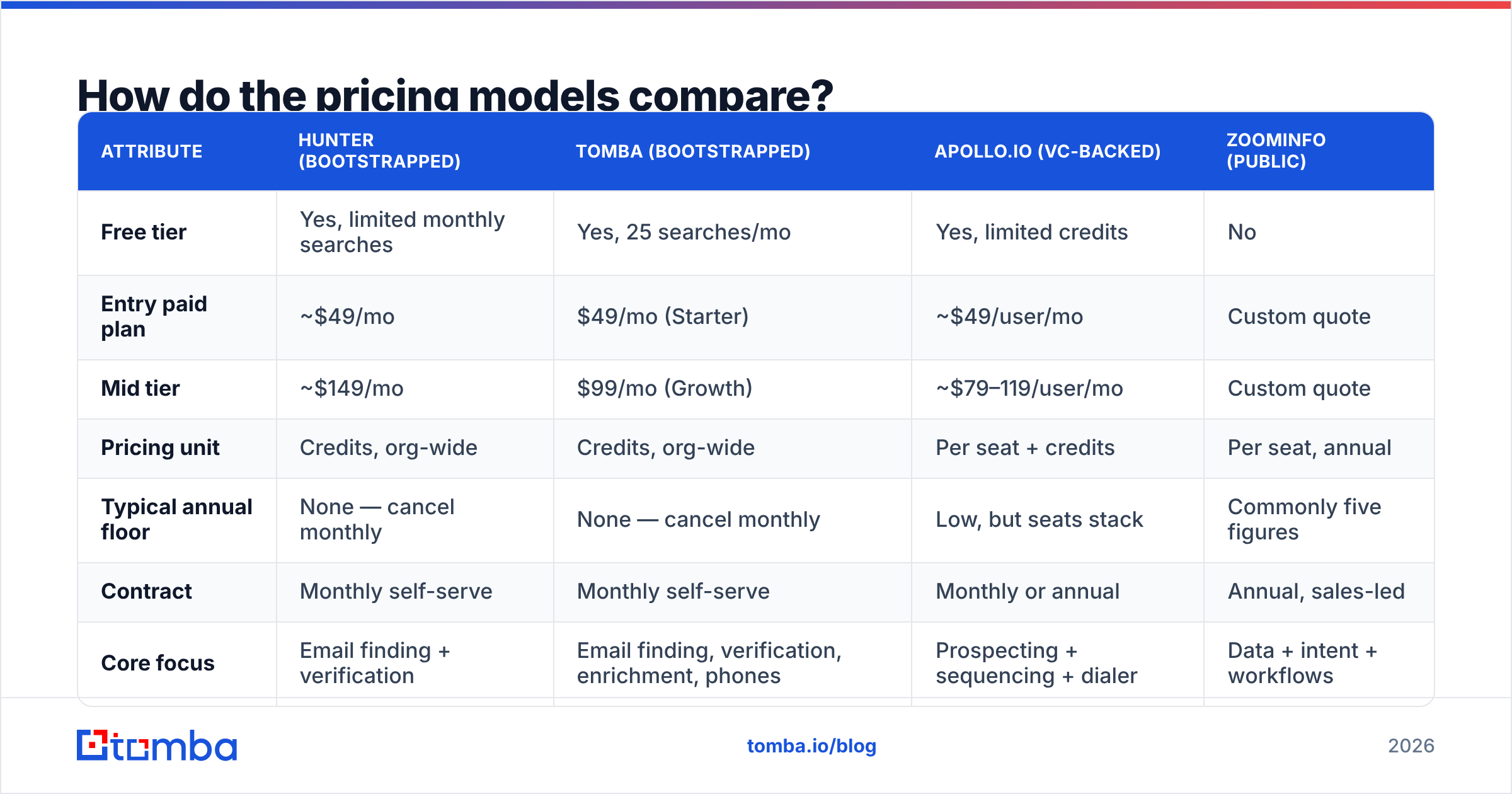
Here's the shape of the market as publicly listed at the time of writing. Verify current numbers on each vendor's own pricing page — they change often, and enterprise pricing is always negotiated.
| Attribute | Hunter (bootstrapped) | Tomba (bootstrapped) | Apollo.io (VC-backed) | ZoomInfo (public) |
|---|---|---|---|---|
| Free tier | Yes, limited monthly searches | Yes, 25 searches/mo | Yes, limited credits | No |
| Entry paid plan | ~$49/mo | $49/mo (Starter) | ~$49/user/mo | Custom quote |
| Mid tier | ~$149/mo | $99/mo (Growth) | ~$79–119/user/mo | Custom quote |
| Pricing unit | Credits, org-wide | Credits, org-wide | Per seat + credits | Per seat, annual |
| Typical annual floor | None — cancel monthly | None — cancel monthly | Low, but seats stack | Commonly five figures |
| Contract | Monthly self-serve | Monthly self-serve | Monthly or annual | Annual, sales-led |
| Core focus | Email finding + verification | Email finding, verification, enrichment, phones | Prospecting + sequencing + dialer | Data + intent + workflows |
| API included | Yes | Yes, on all paid plans | Yes, tier-gated | Yes, contract-gated |

The pattern is clear once you lay it out. Credit-based vendors get cheaper as your team grows and your usage stays flat. Seat-based platforms get more expensive with headcount regardless of usage. A ten-person sales team on a $79/seat platform is spending $9,480 a year before anyone runs a single search; the same team on a credit plan might spend $1,188 total.
That math flips if you actually replace three tools with one. If a platform kills your sequencer, your dialer, and your data vendor, per-seat pricing can be the cheaper line item. Most teams don't consolidate that hard — they buy the platform, keep the sequencer they already like, and pay twice.
Two more vendors worth knowing in this bracket: BookYourData sells prepaid, pay-as-you-go B2B contact lists with no subscription commitment, which suits teams that buy data in bursts rather than continuously — a genuinely different buying model from both camps. And Clearbit, now inside HubSpot, is effectively only a sensible choice if you're already deep in the HubSpot ecosystem.
Full details of the plans referenced above are on the Tomba pricing page and each competitor's own site. Don't quote a blog post — including this one — to your finance team without checking the source.
What about data ownership, compliance, and lock-in?#
This is where the funding model bites hardest, and where most buyers do the least diligence.
Contributory data cuts both ways. Platforms that grow their database from user-installed extensions and synced address books have deeper coverage — and a murkier provenance story. If your buyer is in the EU, "where did you get my personal data and what's your lawful basis" is a question your vendor needs a real answer to, not a link to a trust page. Ask directly for the vendor's GDPR notification process and how opt-out requests propagate.
Exports are not ownership. Several platforms distinguish between data you exported and data you can keep using. Read the clause. Some contracts restrict use of exported records after termination; some enrichment fields written into your CRM are technically licensed, not sold. A credit-based finder generally has the simpler story: you paid for a lookup, the result is yours.
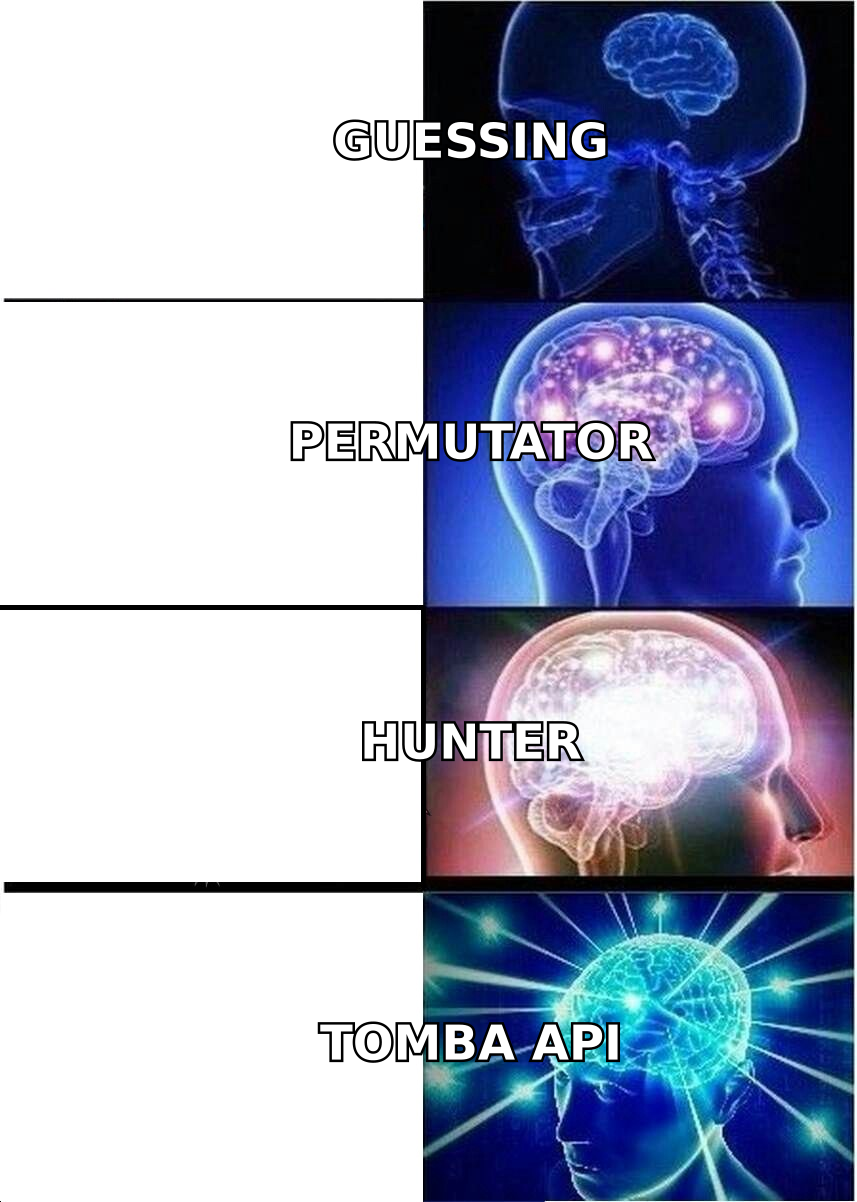
API access is the real lock-in test. If enrichment runs through an API you can swap with a config change, you're portable. If it runs through a native CRM app that rewrites fields on a schedule, unwinding it is a project. Teams building their own workflows tend to prefer a plain email finder API precisely because it's replaceable.
Renewal leverage. Monthly self-serve means you always have leverage. Annual contracts mean you have it for two weeks a year. G2 and Capterra reviews for the larger platforms — worth reading on G2 before any renewal — are consistently more critical of contract and billing experience than of data quality. That's a signal about the business model, not the engineering.
Is Hunter still the right pick in 2026?#
For a specific profile, yes — and for a larger group, it's the wrong shape.
Hunter remains excellent if your workflow is domain-first: you have a list of companies, you need the right people and a pattern you can trust, and you value a clean UI over a wide feature surface. The free tier is genuinely usable for evaluation, the API is straightforward, and there's no salesperson between you and the product.
Where it gets tight: volume pricing above a few thousand lookups a month, phone number coverage, and enrichment fields beyond the basics. Teams that hit those ceilings usually either add a second tool or over-buy a platform to solve one gap. The second option costs more than people expect.
Where Tomba fits this comparison honestly: same bootstrapped, credit-based model and self-serve pricing, with a wider tool surface around the core finder — domain search, a standalone email verifier, catch-all checks, phone lookup, and enrichment on the same credit pool. It is not an outbound platform and doesn't try to be. If you need sequencing, intent data, or a dialer, a VC-backed platform is the correct answer and no amount of comparison-table framing changes that.
Which should you choose for your team?#
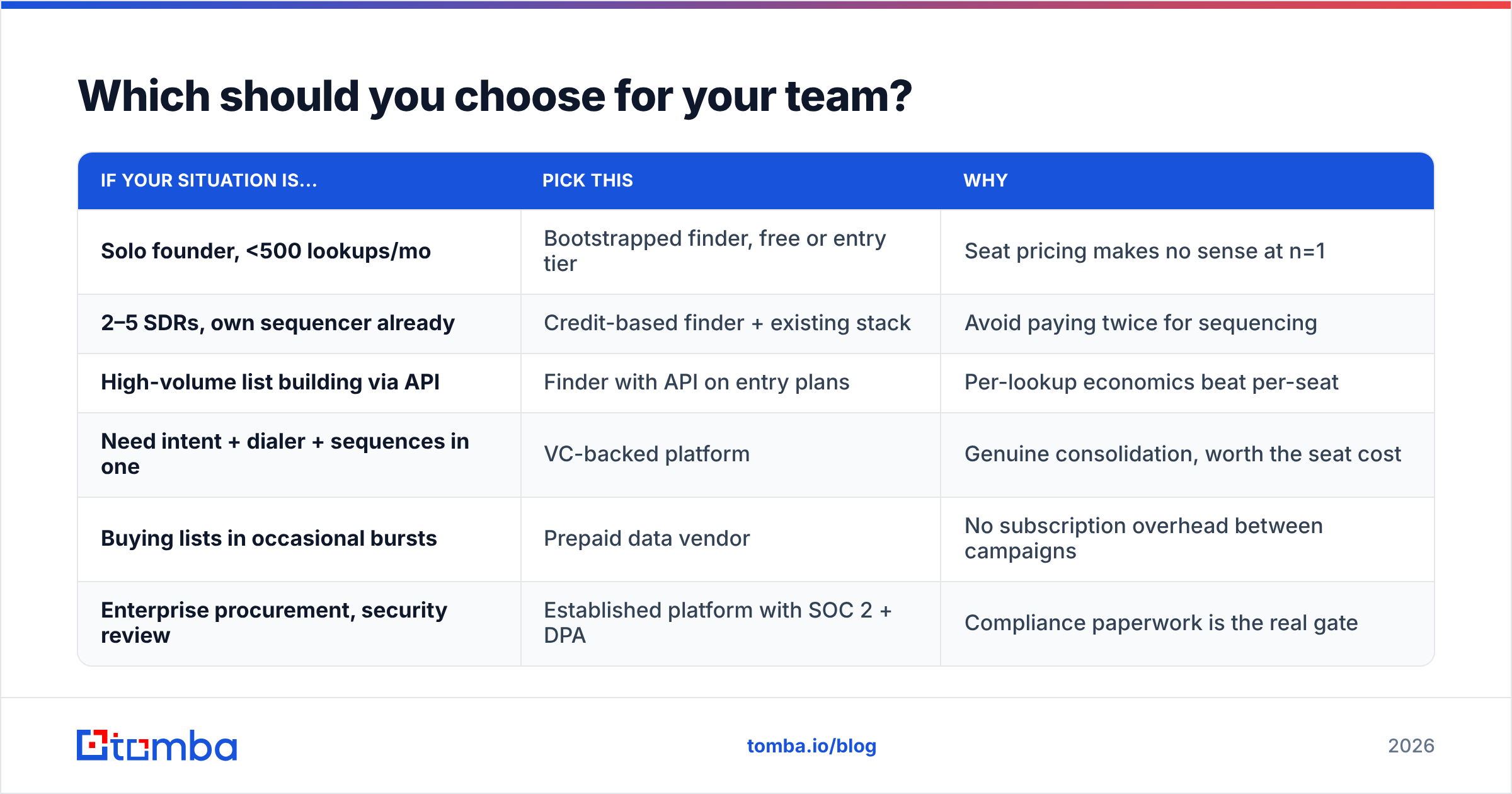
Match the tool to the actual constraint, not to the review score.
| If your situation is... | Pick this | Why |
|---|---|---|
| Solo founder, <500 lookups/mo | Bootstrapped finder, free or entry tier | Seat pricing makes no sense at n=1 |
| 2–5 SDRs, own sequencer already | Credit-based finder + existing stack | Avoid paying twice for sequencing |
| High-volume list building via API | Finder with API on entry plans | Per-lookup economics beat per-seat |
| Need intent + dialer + sequences in one | VC-backed platform | Genuine consolidation, worth the seat cost |
| Buying lists in occasional bursts | Prepaid data vendor | No subscription overhead between campaigns |
| Enterprise procurement, security review | Established platform with SOC 2 + DPA | Compliance paperwork is the real gate |
Two rules that hold across all of these. First, never buy annual on a first contract — the discount is rarely worth losing the ability to leave. Second, run the 200-contact accuracy test before you sign, not after; every vendor's trial is designed to be enough for that test, and skipping it is how teams end up defending a bad renewal.
Ready to test it on your own list?#
Run the same 200 contacts through whichever tools made your shortlist and compare coverage, precision, and how honestly each one flags uncertainty. If you want a bootstrapped, credit-based option in that test, start with the Tomba Email Finder — 25 free searches a month, no card, no sales call, and the same API on every paid plan. Bring your own list and let the numbers pick the winner.
Related guides#
// get started
Find, verify and enrich your first contacts today
Start on the free plan with 25 searches a month, then scale when your team is ready.
Free plan · No credit card required · GDPR & CCPA
// about the author