Insightly vs Nimble: Which CRM Wins for Small Teams in 2026
Insightly sells project-linked pipelines; Nimble sells relationship intelligence on top of your inbox. We compare pricing, data quality, and real fit — plus the honest answer on which one you should skip.
TL;DR
- Insightly is a project-delivery CRM. Its edge is linking a closed deal to the delivery work that follows — pipelines, milestones, tasks. Plans start at $29/user/mo and the useful tier is $49/user/mo.
- Nimble is a relationship CRM. It lives inside Gmail and Outlook, auto-builds contact records from your inbox and social profiles, and costs a flat ~$29.90/user/mo with no tier maze.
- Pick Insightly if what you sell has an implementation phase. Pick Nimble if your sales motion is relationship-led and you want zero data entry.
- Neither tool is a prospecting database. Both are storage layers for contacts you already have — you still need a dedicated email finder to fill the top of the funnel.
- The hidden cost in both is data decay: roughly 22-30% of B2B contact records go stale every year, and neither CRM re-verifies them for you.
What is Insightly, and who actually uses it?#
Insightly is a CRM that bolted a project management module onto the back of the sales pipeline. That's the whole thesis. When an opportunity is marked "Won," Insightly can convert it into a project with its own milestones, task owners, and delivery pipeline — so the handoff from AE to implementation team happens inside one system instead of across a Slack thread and a spreadsheet.
The typical Insightly customer is a services business: an agency, a systems integrator, a consultancy, a manufacturer with a quoting-and-delivery cycle. Teams in the 10-100 seat range. Companies where "closed" is the start of the work, not the end.
The product ships in four modules — CRM, Marketing, Service, and AppConnect (its integration layer) — each priced separately. That modular pricing is where most Insightly evaluations go sideways. The advertised $29/user/mo entry price buys a genuinely limited CRM; the features people assume are standard (lead assignment rules, custom validation, workflow automation) sit on higher tiers or in modules you buy on top.
Insightly's reporting is stronger than most tools at its price point, with dashboards that non-analysts can actually build. Its mobile app includes business-card scanning. Its weakness is interface age — the UI feels like software designed in 2015 and iterated on carefully since, which is either "stable and familiar" or "dated," depending on your team.
What is Nimble, and what makes it different?#
Nimble attacks the CRM problem from the opposite end: it assumes your relationships already exist in your email, calendar, and social feeds, and its job is to assemble them into records without you typing anything.
Install the Nimble Prospector browser extension, hover over a name on LinkedIn or a company website, and Nimble builds a contact card — title, company, social handles, sometimes an email. Connect Gmail or Microsoft 365 and it pulls in your message history, calendar events, and signature data automatically. The "unified inbox" view shows every touchpoint with a person in one column.
This is a real advantage for a specific kind of seller: consultants, founders, agency owners, business developers, recruiters — anyone whose pipeline is a web of warm relationships rather than a list of net-new accounts. Nimble's price is refreshingly honest: one plan, roughly $29.90/user/mo billed monthly or about $24.90 annually, with everything included and a pool of credits for enrichment and message sends.
The catch is scale. Nimble's pipeline features are thin compared to a real sales CRM. Custom objects are limited. Reporting is basic. Its workflow automation exists but is nowhere near Insightly's, let alone HubSpot's or Salesforce's. Nimble is deliberately a small-team tool, and it stops scaling somewhere around 20-30 seats.

Insightly vs Nimble: how do they compare on price and features?#
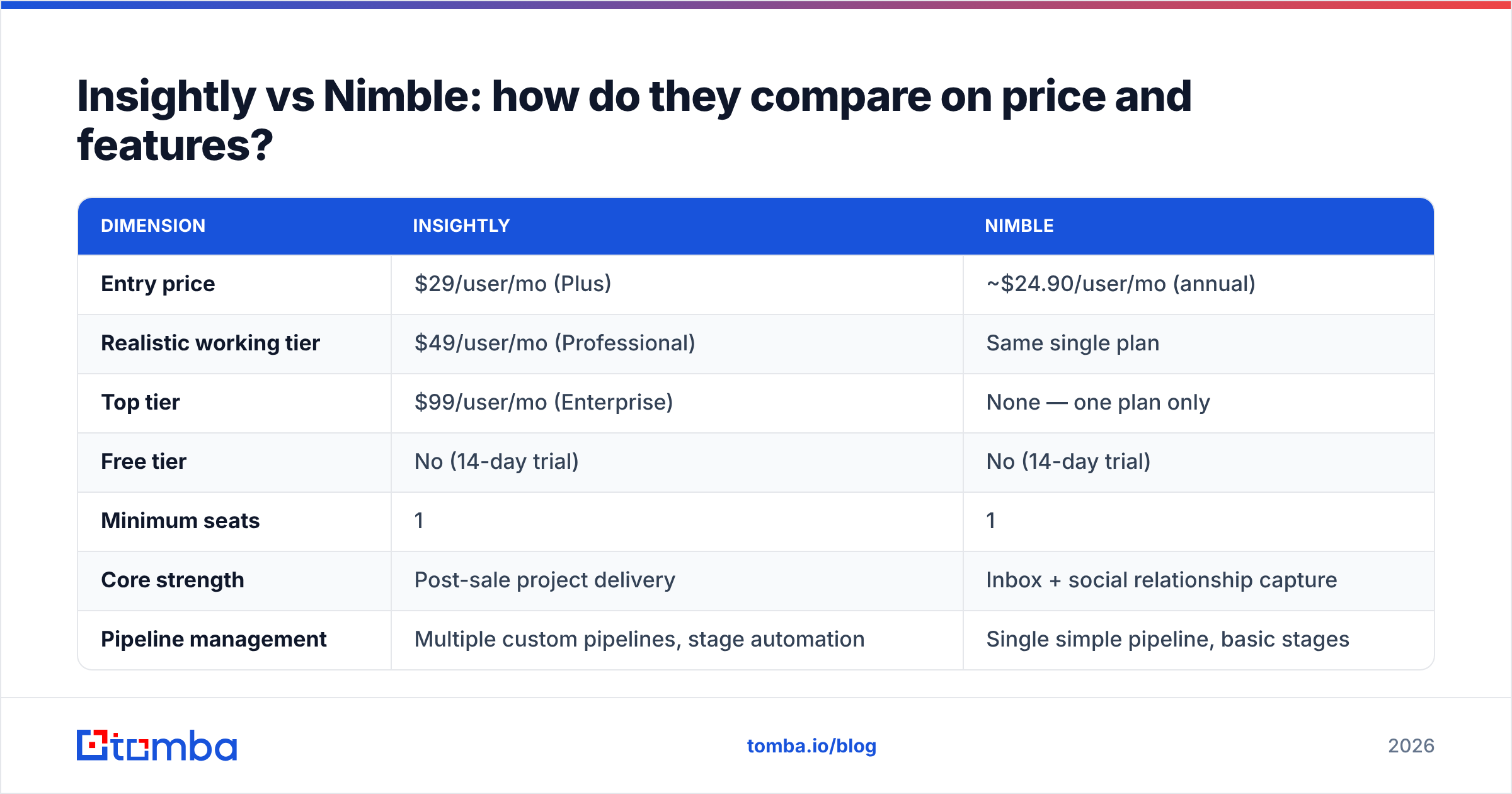
Here is the head-to-head. Prices are list, per user per month, as published by each vendor in 2026 — check the vendor sites before you sign, because both run promotional annual discounts.
| Dimension | Insightly | Nimble |
|---|---|---|
| Entry price | $29/user/mo (Plus) | ~$24.90/user/mo (annual) |
| Realistic working tier | $49/user/mo (Professional) | Same single plan |
| Top tier | $99/user/mo (Enterprise) | None — one plan only |
| Free tier | No (14-day trial) | No (14-day trial) |
| Minimum seats | 1 | 1 |
| Core strength | Post-sale project delivery | Inbox + social relationship capture |
| Pipeline management | Multiple custom pipelines, stage automation | Single simple pipeline, basic stages |
| Project management | Yes — native, with milestones | No |
| Email integration | Sidebar for Gmail/Outlook | Deep — Nimble is the inbox layer |
| Social enrichment | Limited | Core feature (Prospector extension) |
| Custom objects | Yes (higher tiers) | Limited |
| Reporting | Strong dashboards, custom reports | Basic activity + deal reports |
| Workflow automation | Yes (Professional+) | Light (workflows + sequences) |
| Marketing module | Separate purchase, from $99/mo | Group messaging included |
| API access | Yes, all paid plans | Yes |
| Data enrichment credits | Not included | Included (pooled credits) |
| Best fit team size | 10-100 seats | 1-25 seats |
| Learning curve | Moderate to steep | Low |
The pattern is clear once you stop comparing feature counts. Insightly charges you for depth you may not use; Nimble charges you a flat rate for breadth that runs out at scale.
One pricing trap worth naming: Insightly's marketing and service modules are billed separately, so a team that wants "CRM plus email campaigns plus a help desk" can land at $150-200/user/mo equivalent. If you're budgeting against Nimble's single line item, compare the whole basket, not the headline.
Which CRM handles contact data better?#
Neither one, honestly — and this is the section most comparison posts skip.
A CRM is a system of record, not a system of truth. It stores what someone typed or imported. It does not go out and check whether that email still routes to a live mailbox, whether the contact changed jobs in March, or whether the domain switched from a catch-all to strict validation. Both Insightly and Nimble will happily serve you a contact record that has been wrong for eight months.
Nimble does better on capture. Its Prospector pulls live data from public profiles, so a record created today is usually accurate today. But it does not re-verify on a schedule, and its coverage of email addresses is inconsistent — you'll get the LinkedIn profile and the company, and sometimes a guessed email that bounces.
Insightly does better on structure. Custom fields, validation rules, and duplicate detection on higher tiers mean your data stays organized. Organized and wrong is still wrong.
Here's how the responsibility actually splits in a working stack:
- Sourcing — finding net-new contacts who match your ICP. Neither CRM does this. You need a B2B database or a scraping-plus-enrichment layer.
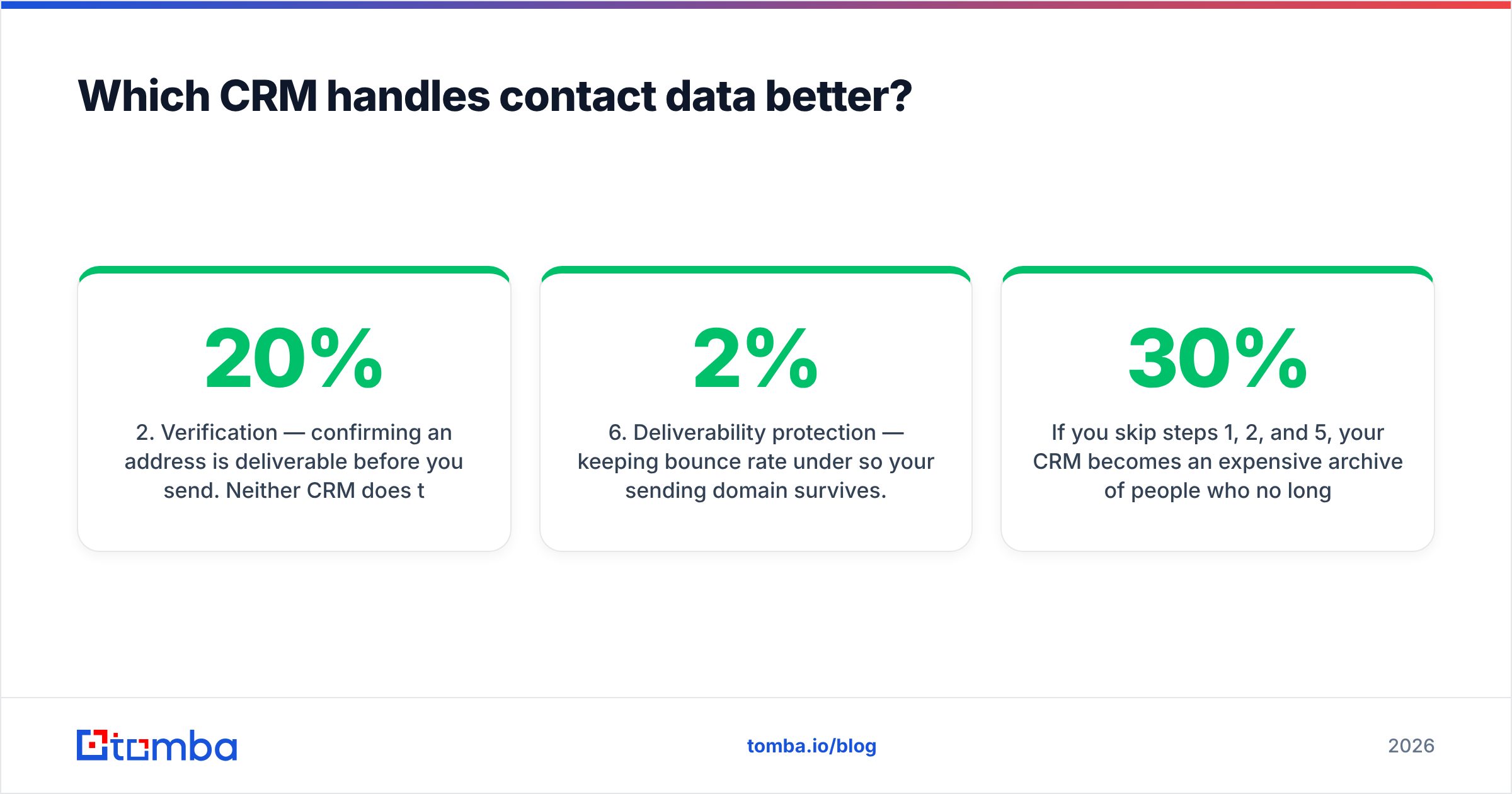
- Verification — confirming an address is deliverable before you send. Neither CRM does this. A dedicated email verifier catches the 20%+ of list entries that would bounce.
- Enrichment — filling in title, company size, phone, social handles. Nimble does this partially via social scraping; Insightly does not natively.
- Storage and workflow — where both CRMs earn their money. Stages, tasks, reminders, ownership, reporting.
- Re-verification — re-checking records on a cadence (quarterly is the usual standard). Neither CRM does this. It has to be a scheduled job through an API or bulk upload.
- Deliverability protection — keeping bounce rate under 2% so your sending domain survives. Entirely outside both tools.
If you skip steps 1, 2, and 5, your CRM becomes an expensive archive of people who no longer work there. The industry rule of thumb is that B2B contact data decays at 22-30% annually — HubSpot's research has pegged it around 22.5%, and roles at high-churn startups move faster than that.
Is Insightly better than Nimble for sales pipelines?#
Yes, if you have a real pipeline with distinct stages, multiple owners, and forecast accountability.
Insightly lets you build separate pipelines per product line or per segment, attach stage-gated activities, set required fields per stage, and report on velocity between stages. Its Professional tier adds workflow automation that can fire tasks, update fields, and send internal alerts without an external tool. That's genuine sales operations capability.
Nimble's pipeline is closer to a Trello board with revenue attached. You get deals, stages, and values. You do not get stage-gating, per-pipeline permissions, or serious forecasting. For a solo consultant tracking twelve opportunities, that's plenty and the simplicity is a feature. For a six-person sales team that a VP needs to forecast against, it will frustrate you inside a quarter.
The reverse question matters just as much: is Nimble better than Insightly for relationship-led selling? Also yes. If most of your revenue comes from people you already know — referrals, past clients, conference contacts, community relationships — Nimble's automatic capture means your CRM stays current without anyone doing data entry. Insightly in that scenario becomes a form people forget to fill in.
What are the honest downsides of each?#
Insightly's weak spots:
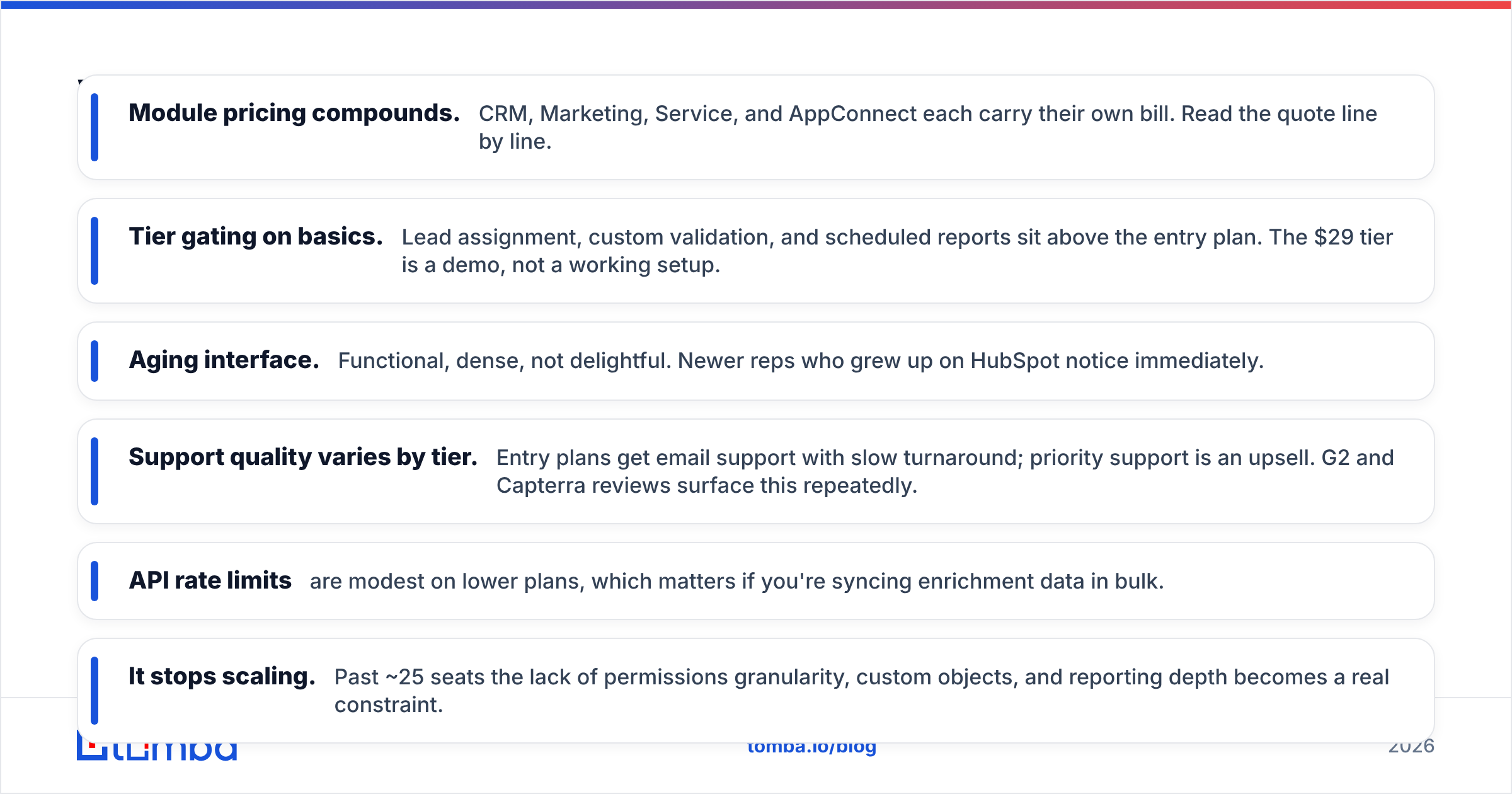
- Module pricing compounds. CRM, Marketing, Service, and AppConnect each carry their own bill. Read the quote line by line.
- Tier gating on basics. Lead assignment, custom validation, and scheduled reports sit above the entry plan. The $29 tier is a demo, not a working setup.
- Aging interface. Functional, dense, not delightful. Newer reps who grew up on HubSpot notice immediately.
- Support quality varies by tier. Entry plans get email support with slow turnaround; priority support is an upsell. G2 and Capterra reviews surface this repeatedly.
- API rate limits are modest on lower plans, which matters if you're syncing enrichment data in bulk.
Nimble's weak spots:
- It stops scaling. Past ~25 seats the lack of permissions granularity, custom objects, and reporting depth becomes a real constraint.
- Enrichment credits run out. The included pool is fine for light use and thin for a team prospecting daily.
- Email finding is a side feature, not a product. Prospector's addresses are best-effort. Expect gaps on smaller domains and non-US companies.
- Reporting is genuinely basic. No custom report builder worth the name. Teams end up exporting to Sheets.
- No project management at all. If you sell implementations, you're adding a second tool.
Both tools have loyal, satisfied customers. The failure mode in each case is buying the wrong one for your motion, not buying a bad product.
Which should you choose in 2026?#
Decide by answering three questions honestly.
1. Does your sale have a delivery phase? If closing the deal starts a 6-week implementation with tasks, owners, and a client-facing timeline, Insightly's project module is worth the price gap by itself. If your sale ends at signature, you're paying for a module you'll never open.
2. How does your pipeline get built? Net-new outbound to accounts you've never touched → you need a structured CRM plus a real prospecting stack, and Insightly fits better. Warm network, referrals, inbound relationships → Nimble's automatic capture will keep your records fresher than any process you could enforce on a team.
3. How many seats, realistically, in 18 months? Under 20 and staying there: Nimble. Growing past 30 with a sales manager who needs forecasts: Insightly, or skip both and look at a mid-market CRM.
If you're still torn, run both trials against the same 25 real contacts from your last quarter. Not demo data — your data. You'll know within three days which one your team will actually open on a Monday morning.
And if your evaluation is really about contact coverage rather than CRM features, note that the comparison you should be running isn't Insightly vs Nimble at all. It's your current data source against a dedicated one. Feeding either CRM from a verified source solves more pipeline problems than switching between them.
How do you keep either CRM's data from rotting?#
Build a three-step loop and run it quarterly. This works identically in both tools.
Step one — verify on entry. Before a contact lands in the CRM, run the address through verification. Both Insightly and Nimble accept CSV imports and have APIs, so this is a pre-import filter, not a manual chore. Route the check through an email verification API and only import addresses that come back deliverable.
Step two — enrich what's thin. A record with a name and an email is half a record. Push it through data enrichment to attach title, company size, industry, and phone before a rep ever touches it. Nimble does some of this from social profiles; Insightly does none of it natively.
Step three — re-verify on a cadence. Export contacts older than 90 days, bulk-verify, and flag or archive the failures. A bulk verify run against a few thousand records takes minutes and typically catches 15-25% invalid on a list that hasn't been cleaned in a year. That's the difference between a 1.5% bounce rate and a blocked sending domain.
For teams that live in spreadsheets between CRM syncs, a Google Sheets add-on handles the same loop without an engineer. The point is that the cleaning step has to be scheduled, not remembered.
One more note on adjacent options: if what you actually want is a purchased contact list rather than a CRM, tools like BookYourData serve that need directly and are a reasonable complement to either CRM here — just verify anything you buy before it enters your sending rotation, regardless of vendor promises. That rule applies to every list source, including good ones.
The bottom line#
Insightly and Nimble solve different problems that happen to share a category label. Insightly is for businesses where the sale creates work. Nimble is for people whose pipeline is a relationship graph. Choose on motion, not on feature-count spreadsheets, and you'll be right either way.
What neither one solves is the front of the funnel. Both are containers. The quality of what you pour in determines whether your CRM is an asset or a liability eighteen months from now, and no amount of pipeline customization fixes an address that bounced.
Start with accurate contacts. The Tomba Email Finder finds verified professional email addresses by name, domain, or company, and hands them off to whichever CRM you land on — via API, CSV, or a direct integration. The free tier gives you 25 searches a month to test coverage against your own target accounts; paid plans start at $49/mo with Growth at $99/mo. See full Tomba pricing before you commit, and run your real ICP through the free tier first. If the coverage is there, your CRM decision gets a lot less stressful.
Related guides#
// get started
Find, verify and enrich your first contacts today
Start on the free plan with 25 searches a month, then scale when your team is ready.
Free plan · No credit card required · GDPR & CCPA
// about the author