Insightly vs Zoho CRM (2026): Which CRM Actually Wins?
Insightly bundles project management into your CRM. Zoho CRM bundles an entire business suite. We compare pricing, data quality, automation limits, and hidden costs to show which one your team should actually buy in 2026.
Insightly vs Zoho CRM comes down to one question. Does your work stop at the sale, or keep going after it? Zoho CRM costs less and does more. Insightly runs the delivery work too. Here is the short version.
TL;DR
- Zoho CRM wins on price and breadth. Standard starts near $14/user/month on an annual plan. The Zoho One bundle folds in 45+ apps. Insightly's matching tier lands near $49/user/month.
- Insightly wins when delivery lives inside the CRM. Close a deal and it becomes a live project, with tasks, milestones, and pipelines. No second tool. No Zapier glue.
- Zoho's ceiling is higher, but setup costs more. Workflow rules, Blueprint, Zia AI, and Canvas can model almost anything. Expect a real rollout, not a weekend.
- Both charge for the good parts. Zoho gates Blueprint, CPQ, and sandbox behind Professional and Enterprise. Insightly sells Marketing, Service, and AppConnect as separate products.
- Neither fills your pipeline. A CRM stores contacts. It does not find them. Pair either one with a dedicated email finder and a verify step, or you will pay per seat to manage bad data.
What are Insightly and Zoho CRM, actually?#
Think of it like buying a kitchen. Insightly sells you a smart kitchen with the dining room attached. Sales and delivery share one room, so the handoff is a doorway, not a courier. Zoho sells you a whole department store, and the kitchen is one floor. It costs less per square foot. There is more to assemble, and you will wander a bit before you find the cutlery.
Insightly launched in 2009 as a CRM for small firms that also deliver work — agencies, consultancies, implementation shops, and makers with install phases. Its standout feature is the Projects object. When a deal closes, Insightly spawns a project record that carries the same contacts, notes, and files. The company later added Insightly Marketing and Insightly Service. It is now part of Unbounce's portfolio.
Zoho CRM is one node in a 50+ app family run by Zoho Corporation. It covers leads, deals, forecasts, chat and phone channels, territory rules, and a scripting layer (Deluge) for real logic. Zia, Zoho's AI helper, handles lead scoring, odd-pattern alerts, and enrichment tips.
The honest framing: these two are not really rivals in the same class. Insightly is a CRM plus light project delivery. Zoho CRM is a CRM plus a business suite you can opt into. Your choice usually rests on one thing. Does your revenue work end at "closed won," or keep going for another 90 days?
Insightly vs Zoho CRM: how do the features compare?#
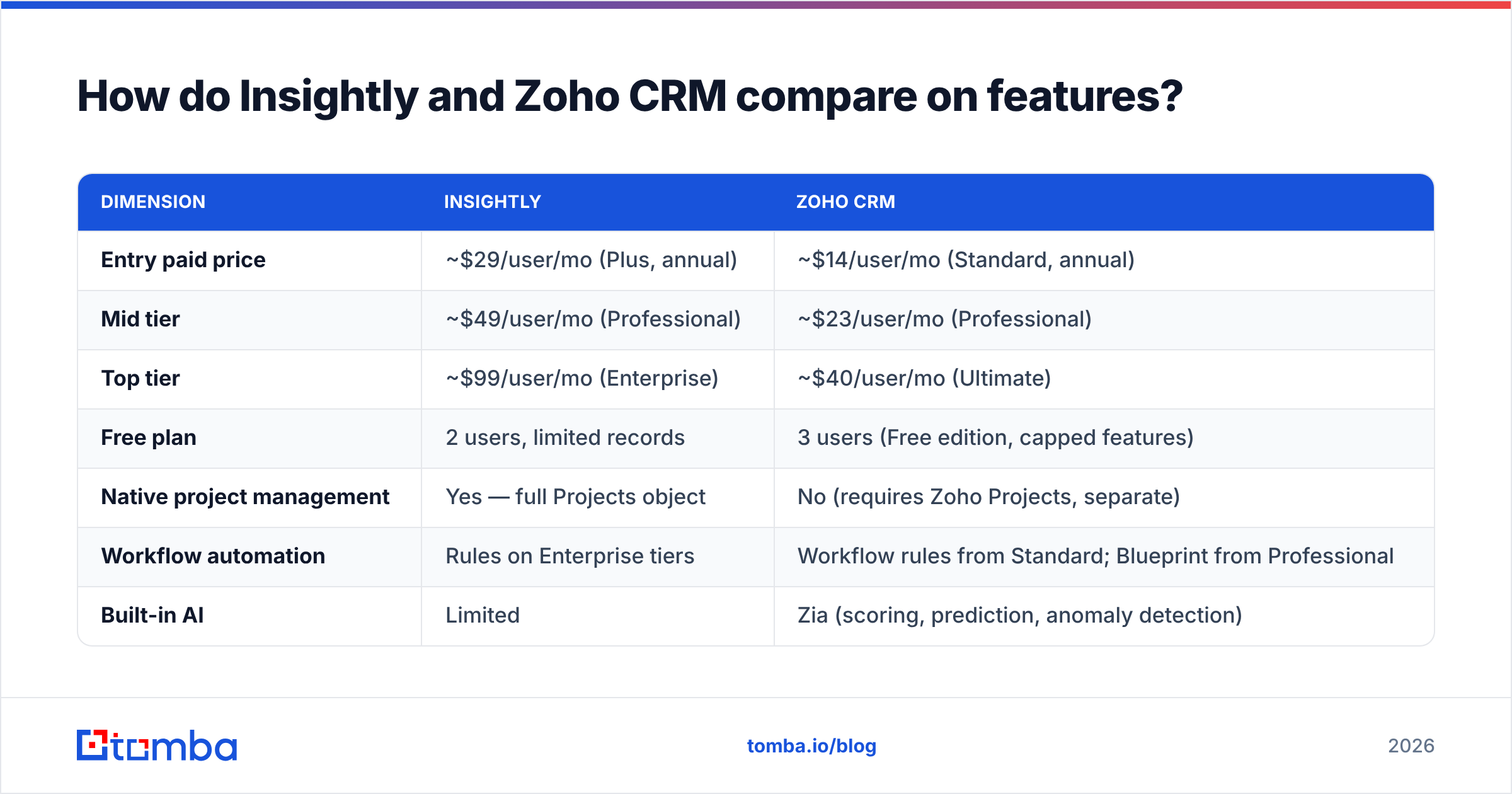
| Dimension | Insightly | Zoho CRM |
|---|---|---|
| Entry paid price | ~$29/user/mo (Plus, annual) | ~$14/user/mo (Standard, annual) |
| Mid tier | ~$49/user/mo (Professional) | ~$23/user/mo (Professional) |
| Top tier | ~$99/user/mo (Enterprise) | ~$40/user/mo (Ultimate) |
| Free plan | 2 users, limited records | 3 users (Free edition, capped features) |
| Native project management | Yes — full Projects object | No (requires Zoho Projects, separate) |
| Workflow automation | Rules on Enterprise tiers | Workflow rules from Standard; Blueprint from Professional |
| Built-in AI | Limited | Zia (scoring, prediction, anomaly detection) |
| Custom objects | Enterprise only | Professional+ |
| Native email finding | No | No |
| Ecosystem depth | ~500 integrations | 1,000+ marketplace extensions + 45 Zoho apps |
| Best for | Agencies, consultancies, project-delivery teams | SMB to mid-market sales orgs wanting one vendor |
Two things jump out. First, the price gap is not small. At 10 seats on the mid tier, you compare about $5,880 a year to about $2,760. Second, Insightly's project module has no match inside Zoho CRM itself. Zoho's answer is "buy Zoho Projects too." That works, but it brings back the tool switching you wanted to avoid.

Which one has better pricing and hidden costs?#
Sticker price is where most comparisons stop. Here is what really hits the invoice.
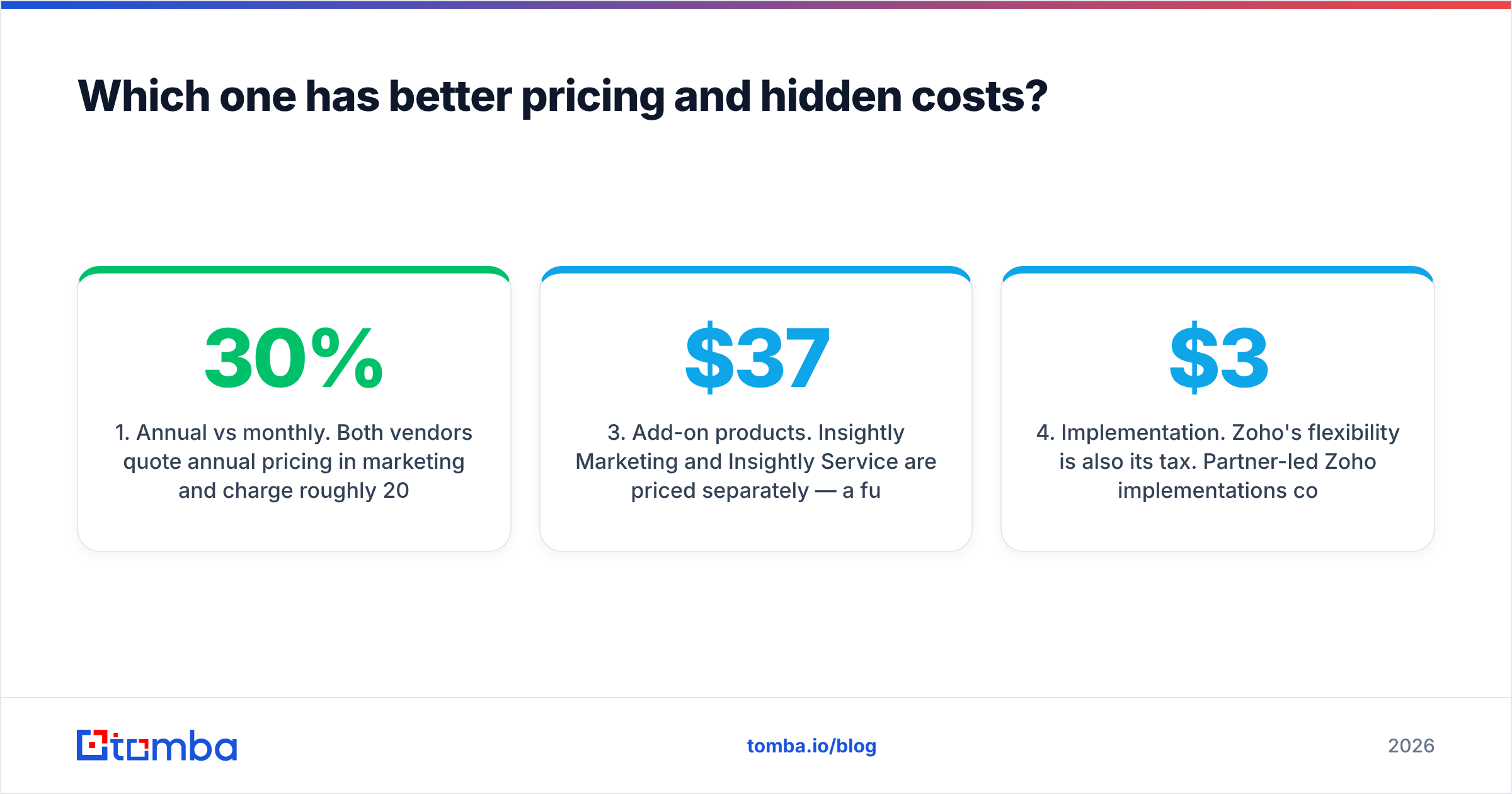
- Annual vs monthly. Both vendors quote annual prices in marketing. Month-to-month runs roughly 20-30% more. Zoho's Standard jumps from about $14 to about $20. Budget the annual number, or do not quote it.
- Tier-gated essentials. Zoho puts Blueprint (process enforcement), inventory modules, and sandbox on Professional and above. Insightly gates custom objects, lead assignment rules, and products and quotes on higher tiers. The tier you demo is rarely the tier you need.
- Add-on products. Insightly Marketing and Insightly Service cost extra. A full Insightly stack can double the CRM line item. With Zoho you buy Campaigns, Desk, and Projects one by one, or jump to Zoho One at roughly $37-45/user/month for everything.
Three more costs show up after you sign.
- Implementation. Zoho's flexibility is also its tax. Partner-led Zoho rollouts often run $3,000-$15,000 for a mid-market team. Insightly covers less ground, so it usually starts faster and cheaper.
- Data costs. Neither platform fixes bad contact data. You will buy or build that on your own. See the data section below.
- API limits. Zoho meters API calls per org per day by edition. Heavy syncing or automation? Check the credit math before you sign.
Verify current numbers on the Zoho CRM pricing page and Insightly's pricing page. Both vendors change tiers more often than review sites update.
Is Insightly better than Zoho CRM for small teams?#
For most small teams, no. Zoho wins on cost. But three situations flip it.
Choose Insightly when:
- Your deals turn into delivery work with milestones, and you want one record from first touch to final invoice.
- Your team is non-technical and needs something usable in week one, not month two.
- You bill projects and need to see staffing next to pipeline.
- You want a UI a five-person agency can adopt with no admin.
Choose Zoho CRM when:
- You watch costs and keep adding seats. The per-seat gap adds up fast.
- You want helpdesk, campaigns, books, and forms from one vendor, with shared login and reporting.
- You need real automation: multi-condition workflows, approvals, state machines, custom functions.
- You have (or can hire) someone who enjoys configuring systems.
- You want built-in AI scoring instead of bolting on a third-party tool.
There is a third answer people skip. If all your selling is outbound, and your "pipeline" is a list of people you have not contacted yet, the CRM is not your bottleneck. Your contact data is. More on that next.
What about data quality — the thing neither CRM solves?#
Here is the awkward part of every CRM comparison. Insightly and Zoho are both places to store records, not places to find them. They keep what you put in. Put in a scraped list with a 34% bounce rate, and you have bought a costly home for bad data. You will also pay per seat to look at it.
Gartner has long pegged the cost of poor data quality in the millions a year for mid-size firms. B2B contact records also decay by roughly 25-30% a year through job changes alone. A CRM cannot tell that Sarah left in March. It will keep her email in a nurture sequence until the bounces hurt your domain.
Three layers actually fix it:
- Acquisition — find the right person at the right company. Use a domain search to pull every public email pattern at a target account instead of guessing
first.last@. - Validation — run every address through an email verifier before it reaches a sequence. Catch-all domains need their own step. A catch-all verifier turns "unknown" into "safe to send."
- Refresh — re-enrich records on a schedule, so titles, companies, and phone numbers stay current instead of quietly rotting.
Both CRMs have API hooks for this. Zoho's marketplace and Deluge functions make auto-enrichment easy. Insightly's AppConnect can do it with fewer moving parts, but less depth. Either way, the data source is a separate purchase.
How do automation and reporting stack up?#
Zoho CRM's automation is a different weight class. You get:
- Workflow rules with multi-condition triggers, time-based actions, and webhook calls
- Blueprint — a visual state machine that sets what a rep must do before a deal moves on (required fields, approvals, SLA timers)
- Custom functions in Deluge for anything the UI cannot express
- Zia for scoring, close prediction, and alerts on odd pipeline trends
- Canvas to redesign the record page per team, with no code
Insightly's automation covers record triggers, lead assignment, email alerts, and multi-step processes on upper tiers. That is enough for a 10-person shop. It will not model a 14-stage approval chain.
On reporting, Zoho ships a big prebuilt library plus Zoho Analytics for cross-app dashboards. You can join pipeline to support tickets to invoices. Insightly's dashboards are cleaner out of the box. They also include project-health views that Zoho CRM simply does not have: staff use rates, milestone slippage, delivery against forecast. If your board asks how much closed-won work is behind schedule, Insightly answers on its own.
One practical note on email. Both platforms send mail, and both will happily send to addresses that hurt your sender reputation. Neither cleans your list. Check reviews in G2's CRM category and you will see the same complaint under both products: bounce rates that had nothing to do with the CRM.
What does a sensible stack look like around either CRM?#
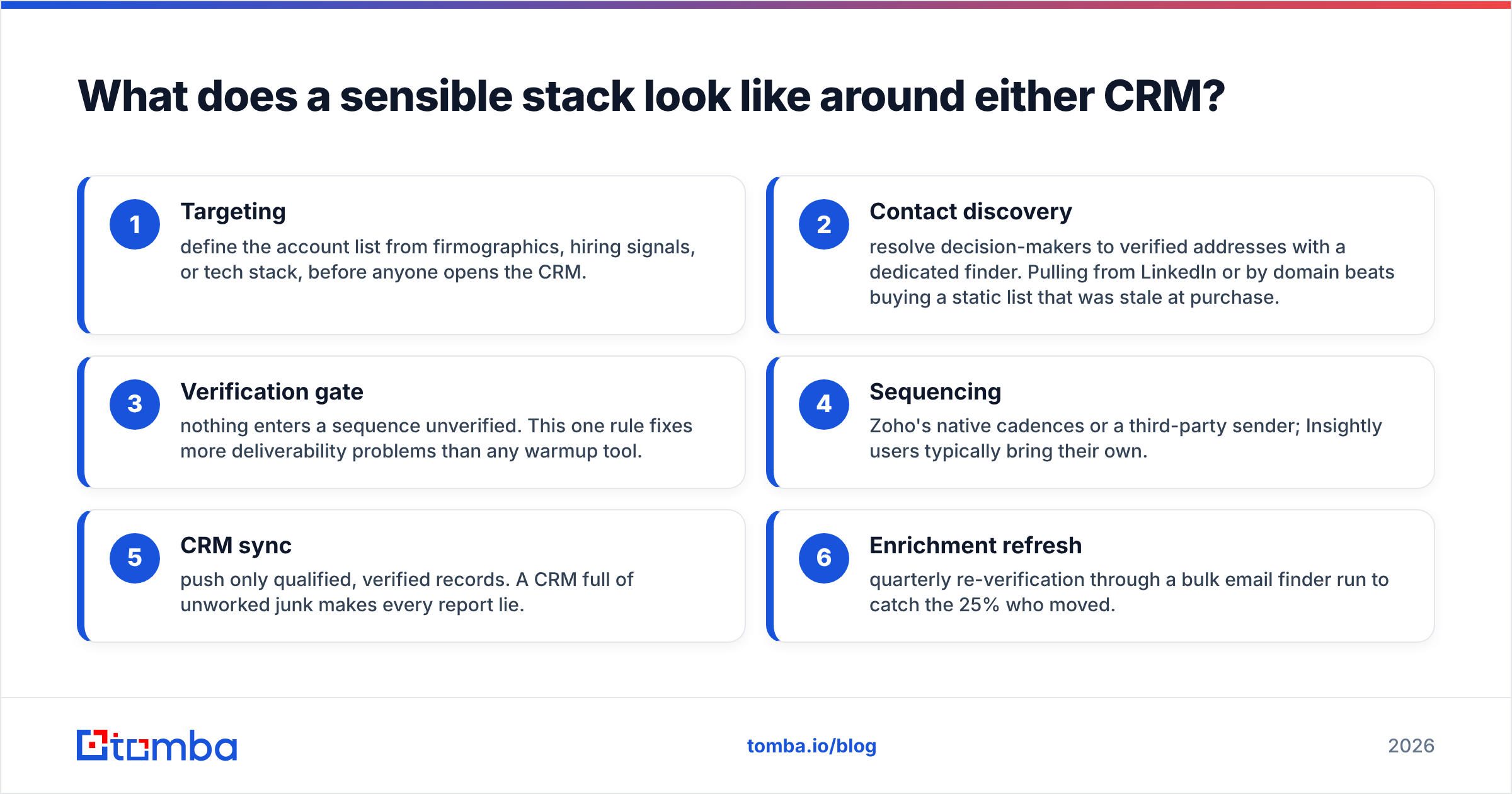
Whichever you pick, the CRM should be the destination, not the engine. A stack that works:
- Targeting — define the account list from company traits, hiring signals, or tech stack, before anyone opens the CRM.
- Contact discovery — resolve decision-makers to verified addresses with a dedicated finder. Pulling from LinkedIn or by domain beats a static list that was stale at purchase.
- Verification gate — nothing enters a sequence unverified. This one rule fixes more delivery problems than any warmup tool.
- Sequencing — Zoho's native cadences or a third-party sender. Insightly users usually bring their own.
- CRM sync — push only qualified, verified records. A CRM full of unworked junk makes every report lie.
- Enrichment refresh — re-verify each quarter with a bulk email finder run, to catch the 25% who moved.
Note where the CRM sits: step 5. Teams that buy a CRM expecting it to generate pipeline are buying a filing cabinet and expecting it to write letters.
Insightly vs Zoho CRM: which should you buy in 2026?#
Default pick: Zoho CRM. For most B2B teams under 200 seats, it gives you more per dollar than anything else in the bracket. The Zoho One bundle is hard to beat if you are cutting vendors. Accept that setup takes real time, or budget for a partner.
Buy Insightly if delivery and sales share a pipeline. Agencies, consultancies, and project-based makers get one clean record from lead to launch, and that is worth the premium. Do not buy it as a plain CRM. You would overpay for the sales features alone.
Run both trials against real data. Import 200 actual contacts. Build one real workflow. Then answer one question your leadership asks every week. Demos are built to succeed. Your data is not.
In the end, the Insightly vs Zoho CRM call is rarely about features. It is about what you feed them. Clean the list before you migrate. Importing a decayed database into a new CRM just moves the problem into a system you now pay for by the seat. The first bounce wave after migration always gets blamed on the new tool.
Start with the data layer. A CRM is only as good as the contacts inside it. Tomba's Email Finder resolves verified business emails by name, domain, or company. The free tier gives you 25 searches a month, and paid plans start at $49/month (Starter), $99/month (Growth), and $249/month (Pro). Connect it to Insightly or Zoho through the Tomba API and push verified contacts straight into your pipeline. Then let the CRM do what it is good at: tracking deals you can actually reach. Compare Tomba pricing against what bounced sends cost you today, and the math usually makes itself.
Related guides#
// get started
Find, verify and enrich your first contacts today
Start on the free plan with 25 searches a month, then scale when your team is ready.
Free plan · No credit card required · GDPR & CCPA
// about the author