Jet Leads Pro Pricing in 2026: Plans, Costs, and Value
A neutral breakdown of Jet Leads Pro pricing: how the credit model works, what a verified contact actually costs you, the add-ons buyers miss, and how it stacks up against cheaper email-finding alternatives.
TL;DR
- Jet Leads Pro prices on a credit model, not a flat "unlimited" model. Your real cost is not the sticker price, it is the cost per usable, verified contact after failed lookups and bounces.
- Most buyers underestimate three line items: annual-only discounts, per-seat charges, and verification credits billed separately from search credits.
- Before you sign, compute cost-per-verified-email. A $99/mo plan with 40% waste is more expensive than a $249/mo plan with 5% waste.
- Tomba's published tiers (Free 25 searches/mo, Starter $49/mo, Growth $99/mo, Pro $249/mo) give you a fixed public benchmark to price any vendor quote against.
- Always confirm current numbers on the vendor's own pricing page before you buy. Lead-data pricing changes quietly and often.
What Is Jet Leads Pro?#
Jet Leads Pro sits in the B2B lead-intelligence category: software that takes a company domain, a person's name, or a LinkedIn profile and returns a business email address, sometimes a phone number, and some firmographic context. It competes for the same budget line as email finders, contact databases, and enrichment APIs.
That category matters for one reason: it dictates how the product is priced. Nobody in lead intelligence sells you "software." They sell you records. And records are metered.
If you have shopped G2's lead intelligence category or Capterra's lead generation listings, you have seen the pattern. Two vendors advertise the same monthly price and deliver wildly different value because one counts a failed search as a used credit and the other does not. That single clause is worth more than any feature comparison chart.
A quick note on sourcing: pricing pages in this category change without announcement, and some tiers are quote-only. Treat every number in this article as a framework for evaluating a quote, not as a contract. Verify the live figures on the vendor's page before you commit budget.
How Does Jet Leads Pro Pricing Actually Work?#
Credit-based lead tools almost always price along the same five axes. Walk a Jet Leads Pro quote through each one and you will know exactly what you are buying.
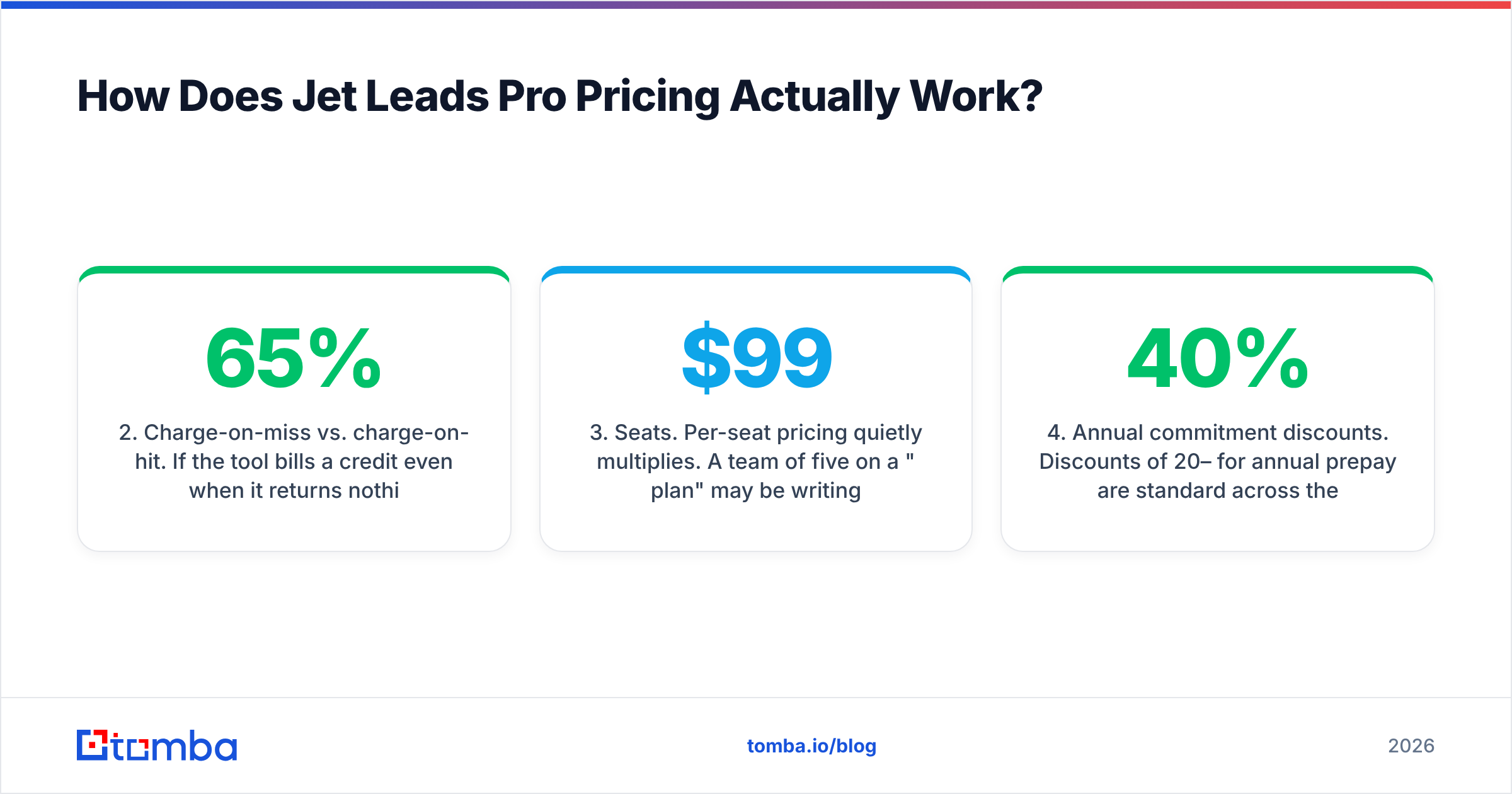
- Search credits vs. verification credits. A "search" finds a candidate email. A "verification" confirms it is deliverable. Some vendors bundle them; some bill them separately, which effectively doubles your per-contact cost. Ask explicitly which model applies.
- Charge-on-miss vs. charge-on-hit. If the tool bills a credit even when it returns nothing, a 65% hit rate turns a 1,000-credit plan into roughly 650 usable contacts. Charge-on-hit vendors are structurally cheaper at the same headline price.
- Seats. Per-seat pricing quietly multiplies. A team of five on a "$99 plan" may be writing a four-figure check. Confirm whether credits pool across seats or are allocated per user.
- Annual commitment discounts. Discounts of 20–40% for annual prepay are standard across the category. They are real savings, but they are also a lock-in that removes your leverage if data quality disappoints in month three.
- API and bulk access gating. Bulk CSV enrichment and API keys are frequently reserved for mid or top tiers. If you plan to enrich inside a CRM or a script, check the tier that unlocks it before you price the tier that has the credit count you want.

Run those five questions against any Jet Leads Pro plan and the effective price stops being a mystery. Most disappointment with lead-data spend traces back to a buyer who compared line one of two pricing pages and skipped lines two through five.
What Do You Actually Pay Per Verified Contact?#
This is the only metric that matters. The formula:
Effective cost per contact = (monthly price ÷ credits) ÷ (hit rate × deliverability rate)
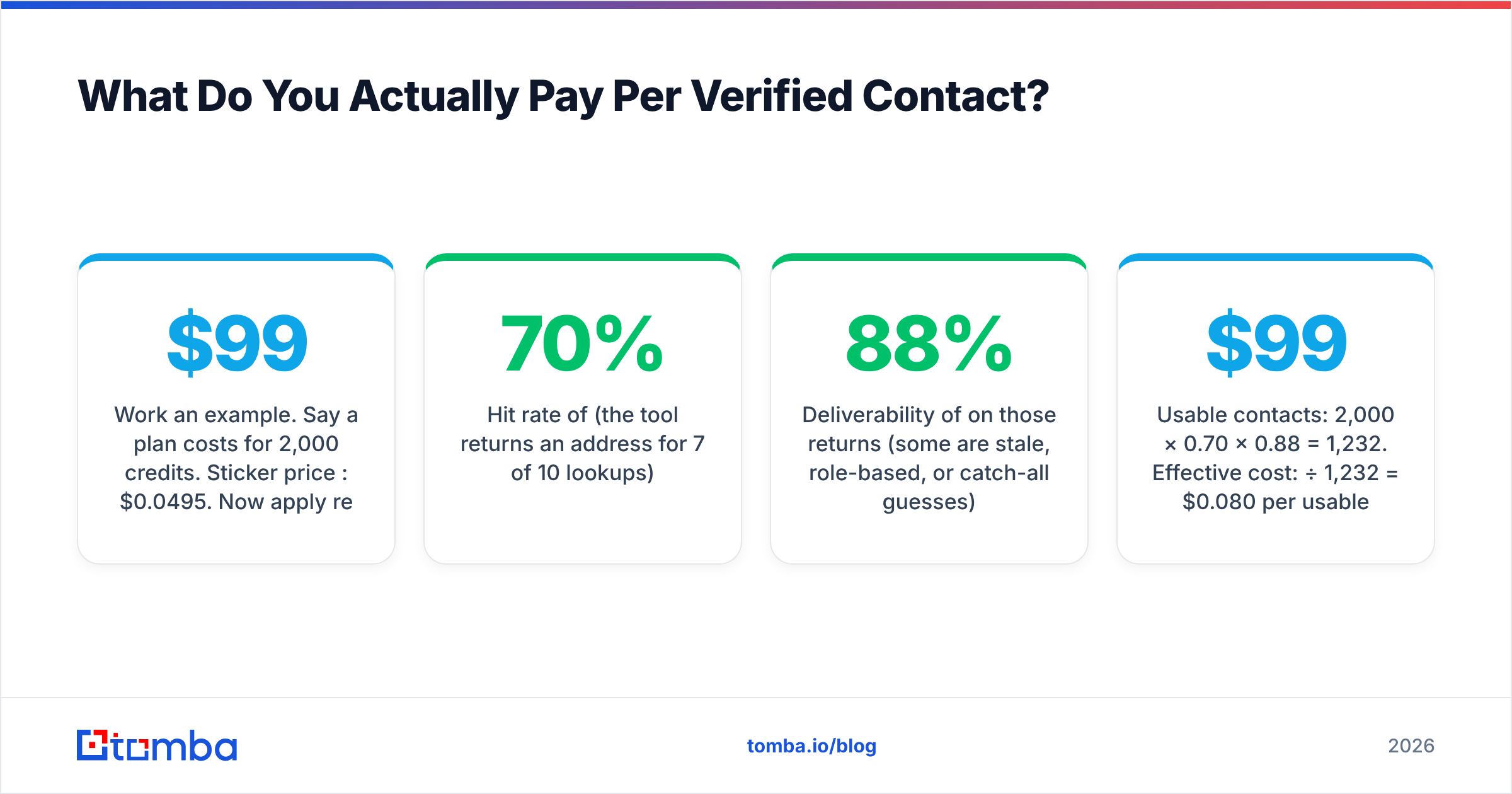
Work an example. Say a plan costs $99/mo for 2,000 credits. Sticker price per credit: $0.0495. Now apply reality:
- Hit rate of 70% (the tool returns an address for 7 of 10 lookups)
- Deliverability of 88% on those returns (some are stale, role-based, or catch-all guesses)
Usable contacts: 2,000 × 0.70 × 0.88 = 1,232. Effective cost: $99 ÷ 1,232 = $0.080 per usable contact, or 62% above the sticker number.
Now run a tool that charges only on successful finds and returns a 95% deliverability rate on 2,000 delivered contacts: 2,000 × 0.95 = 1,900 usable, or $0.052 each. Same monthly invoice, 35% lower true cost, and fewer bounces hitting your sending domain.
That second cost — domain damage — never shows up on a pricing page. A 6% bounce rate on a cold campaign pushes you past the tolerance thresholds mailbox providers apply, and recovering a burned sending domain costs more in pipeline than any subscription saves. Running found addresses through a dedicated email verifier before import is the cheapest insurance in outbound.
How Accurate Is the Data You're Paying For?#
Accuracy is the multiplier on every dollar in the formula above, so it deserves scrutiny before price does.

Three things separate vendors that quote high accuracy from vendors that deliver it:
Where the data comes from. Providers that scrape a static dump and resell it decay fast — B2B contact data degrades roughly 25–30% per year as people change jobs. Providers that re-verify at query time against live mail servers stay current. Ask any vendor, including Jet Leads Pro, whether a returned address was verified at the moment of your request or at the moment it entered their database. The answer changes everything. Tomba publishes its approach on its data sources page; use that as the transparency bar you hold other vendors to.
How catch-all domains are handled. A large share of enterprise domains accept all mail at the SMTP layer, so a naive verifier marks every guess "valid." Honest tools flag these separately as risky or use pattern confidence scoring instead of pretending certainty. A vendor reporting 98%+ accuracy with no catch-all category in its API response is almost certainly counting catch-all guesses as wins.
Whether confidence scores are exposed. You want a numeric score per result so you can set your own threshold — send to anything above 90, park the rest. Tools that return a binary valid/invalid flag hide the distribution from you and make the accuracy claim unfalsifiable.
Test this with your own list, not the vendor's demo. Pull 100 contacts you already know are good, run them through a trial, and measure. Fifteen minutes of work beats any G2 star rating.
How Does Jet Leads Pro Pricing Compare to Alternatives?#
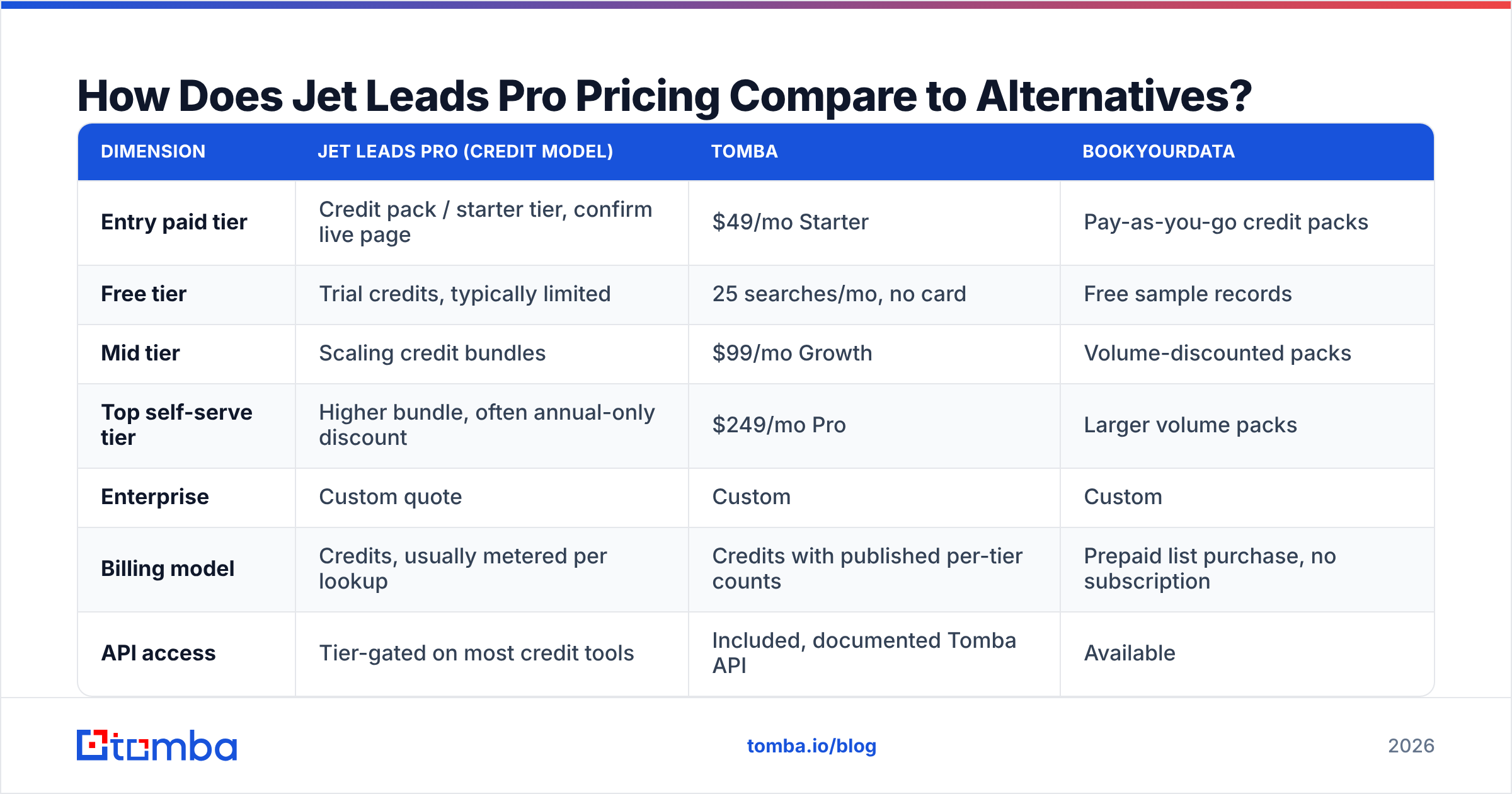
Here is the structural comparison. Tomba's figures are its published public tiers. Jet Leads Pro and other credit-based vendors should be slotted in from their current live pricing pages, since quote-based and promotional tiers move frequently.

| Dimension | Jet Leads Pro (credit model) | Tomba | BookYourData |
|---|---|---|---|
| Entry paid tier | Credit pack / starter tier, confirm live page | $49/mo Starter | Pay-as-you-go credit packs |
| Free tier | Trial credits, typically limited | 25 searches/mo, no card | Free sample records |
| Mid tier | Scaling credit bundles | $99/mo Growth | Volume-discounted packs |
| Top self-serve tier | Higher bundle, often annual-only discount | $249/mo Pro | Larger volume packs |
| Enterprise | Custom quote | Custom | Custom |
| Billing model | Credits, usually metered per lookup | Credits with published per-tier counts | Prepaid list purchase, no subscription |
| API access | Tier-gated on most credit tools | Included, documented Tomba API | Available |
| Best fit | Teams wanting an all-in-one lead workflow | Teams that want find + verify accuracy at a fixed monthly cost | Buyers who prefer owning a list outright over subscribing |
BookYourData deserves a specific mention because it solves a different problem than either subscription tool: it sells you the records outright rather than renting you lookups. If your motion is "buy 5,000 targeted contacts once per quarter and load them into a sequencer," a prepaid list model can be cleaner than any monthly plan, and you never eat a credit-expiry penalty. If your motion is continuous enrichment of inbound signups or CRM records, the subscription model wins because you need fresh lookups every day.
The honest framing is this: credit tools like Jet Leads Pro are priced for volume flexibility, Tomba is priced for predictable unit economics, and list purchases are priced for ownership. Pick the one that matches how your pipeline actually consumes data.

What Are the Hidden Costs Buyers Miss?#
Five line items regularly turn a clean quote into a surprise invoice:
- Credit expiry. Monthly credits that do not roll over mean a slow month is money burned. Ask for rollover in writing; many vendors will grant 30–60 days if you ask during the sale.
- Separate verification billing. If find and verify are metered independently, your effective cost doubles. This is the single most common miss in the category.
- Overage rates. The per-credit rate above your plan cap is frequently 2–4x your in-plan rate. Size the plan for your busiest month, not your average.
- Integration tiers. Pushing enriched records into HubSpot, Salesforce, or your sequencer may require a higher tier. If you run HubSpot CRM, confirm the connector is on your plan before signing, or budget for a Zapier integration workaround.
- Bounce cleanup. Every bad address that reaches your sequencer costs you sender reputation. If a cheaper vendor's data forces you to buy a third-party verification tool anyway, add that cost to the vendor's price when you compare.
Add all five to the sticker price. Then re-run the cost-per-verified-contact math. Rankings shift more often than you would expect.
Is Jet Leads Pro Worth It for Your Team?#
It depends on three things, and none of them are the price.
Volume shape. Spiky usage — 10,000 lookups in launch month, 500 the next — favors a credit model with rollover. Steady usage favors a flat subscription where you know the monthly number and never think about it again.
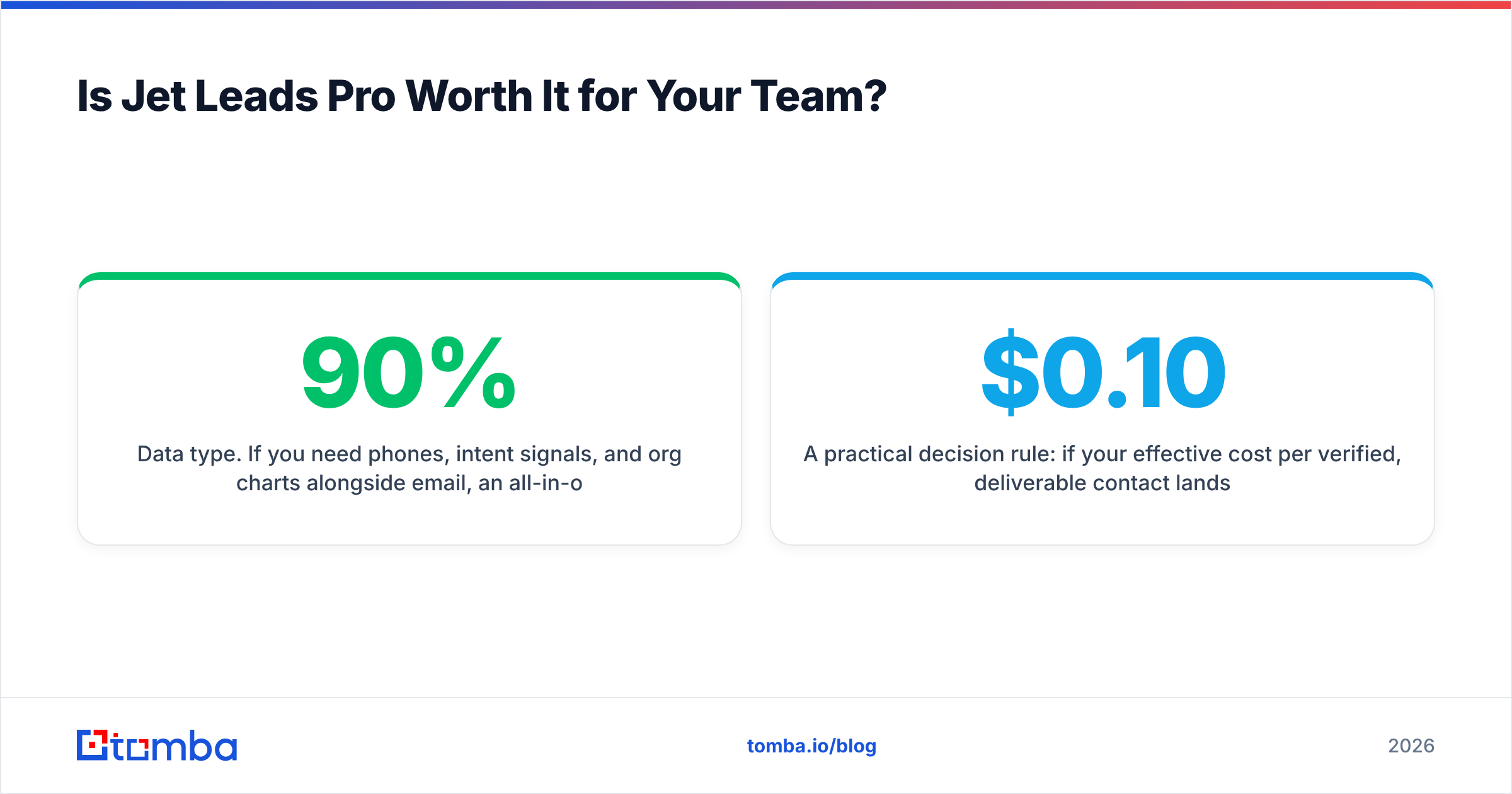
Data type. If you need phones, intent signals, and org charts alongside email, an all-in-one suite justifies a higher price. If email is 90% of what you use, you are paying a suite premium for features you never open, and a focused email finder will beat it on cost per contact every time.
Team size. Per-seat pricing punishes larger teams. Check whether credits pool. A 10-person SDR team on per-seat credits with no pooling will strand thousands of unused credits across quiet reps every month.
A practical decision rule: if your effective cost per verified, deliverable contact lands above $0.10, you are overpaying for this category in 2026. Under $0.06 with 95%+ deliverability is a good deal. Between the two, negotiate — annual prepay, rollover, and overage caps are all movable during a sales conversation.
How Should You Run a Fair Pricing Test?#
Give yourself two weeks and a controlled bake-off:
- Build a 200-row golden list from contacts you can independently confirm — existing customers, LinkedIn connections, people who already replied to you.
- Run the same list through each vendor's free or trial tier. Tomba's free tier gives you 25 searches with no card, which is enough for a directional read before you spend anything. Check current Tomba pricing alongside each competitor's live page on the same day.
- Score three numbers per vendor: hit rate, deliverability on a seed send, and credits consumed (including misses).
- Compute effective cost per usable contact with the formula above and rank by that, not by monthly price.
- Re-test the top two at volume using bulk email finder runs of 1,000+ rows. Small-sample accuracy rarely survives scale, and this is where vendors separate.
Two weeks of testing routinely saves four figures a year and, more importantly, protects the sending domain that your entire outbound program depends on.
Where Should You Start?#
If email is the core of your outbound motion and you want a price you can predict, start with the free tier and measure. Tomba's Email Finder gives you 25 searches per month at no cost, $49/mo at Starter, $99/mo at Growth, and $249/mo at Pro, with verification, domain search, and API access in the same platform rather than as separately metered add-ons. Run your golden list through it, compute your real cost per verified contact, and compare that number against whatever quote Jet Leads Pro puts in front of you. The tool that wins on that one metric is the tool to buy.
Related guides#
// get started
Find, verify and enrich your first contacts today
Start on the free plan with 25 searches a month, then scale when your team is ready.
Free plan · No credit card required · GDPR & CCPA
// about the author