Jet Leads Pro vs Findemails.com (Toofr): Which Wins in 2026?
Two lesser-known email finders, two very different bets. We compare Jet Leads Pro and Findemails.com (formerly Toofr) on accuracy, pricing, verification depth, and API quality — plus where both fall short.
TL;DR
- Jet Leads Pro vs Findemails.com comes down to one choice: a bulk lead database or an on-demand email finder. Both fail, just in different ways.
- Findemails.com (formerly Toofr) is the more transparent of the two: pattern guessing, SMTP scoring, a documented API, and small credit packs.
- Jet Leads Pro sells breadth — finder, lists, outreach hooks — but says little about where its data comes from. Many of its "leads" are resold database rows, not freshly resolved emails.
- Neither tool publishes an audited accuracy figure. If a vendor hides its bounce-rate method, treat the number in the ad as a best case.
- The real deciding factor is verification. Paying twice — once to find, once to verify — is the hidden cost in both tools.
- Our pick for volume plus verification on one bill: Tomba Email Finder, from $49/mo with a free 25-search tier.
Jet Leads Pro vs Findemails.com is a tab-versus-tab decision, and you're probably making it with a credit card in hand. One tab promises thousands of "verified B2B leads." The other shows Findemails.com, a tool many of us knew as Toofr — back when it was a single-founder side project that worked surprisingly well. The two look alike on the surface. They are not the same product, and they fail in different ways.
This is a neutral breakdown. We'll cover what each tool does, where the data comes from, what you pay per usable contact (not per credit), and which one survives a real outbound campaign.
What is Jet Leads Pro?#
Jet Leads Pro sells itself as a lead-generation suite, not a single-purpose email finder. The pitch is breadth. Search a company or a job title, get back a list with names, emails, sometimes phone numbers, and export it to CSV or your CRM.
Under the hood, tools in this category usually combine three sources:
- Licensed or scraped database rows — pre-collected contact records refreshed on an unclear cadence. Cheap to serve, degrades fast.
- Pattern inference — take
firstname.lastname@from a known company format and apply it to a new name. - Light validation — an MX lookup and sometimes an SMTP handshake to filter obvious garbage.
Jet Leads Pro leans heavily on the first bucket. That's why bulk list-building feels fast: you're querying a warehouse, not resolving a person. The tradeoff is staleness. Widely cited industry figures put B2B contact decay at 22–30% a year. Job-change churn also clusters in the sales and marketing titles most outbound teams target. A row collected 14 months ago is a coin flip.
What you should look for before buying: a published freshness policy, a per-record "last verified" timestamp, and a refund or credit-back policy on bounces. If a tool can't show you when a record was last checked, the record is a guess wearing a suit.
What is Findemails.com (formerly Toofr)?#
Findemails.com is the rebranded continuation of Toofr, one of the earlier indie email-finder products. Its architecture is the opposite bet. Rather than serving warehouse rows, it resolves an email on demand from a name and a domain.
The mechanics are simple, and the product has been honest about them:
- Generate candidates from common corporate patterns (
first,first.last,flast,first_last, and a dozen more). - Score each candidate using known formats for that domain, previously confirmed addresses, and web signals.
- Validate via MX and SMTP where the receiving server cooperates.
- Return a confidence score rather than a binary yes/no.
That confidence score is the honest part. It also trips people up. A 90-point score is not a 90% guarantee for your specific send; it's a relative ranking. Some teams treat the score as a probability and mail everything above 70. On catch-all domains that backfires, because the receiving server accepts everything and checks nothing.
Findemails also keeps a usable API and CSV bulk upload. That matters if you wire lookups into a workflow instead of clicking around a dashboard. For the mechanics behind on-demand resolution, our breakdown of domain search covers the same pipeline in more depth.
Jet Leads Pro vs Findemails.com: how do they compare head to head?#
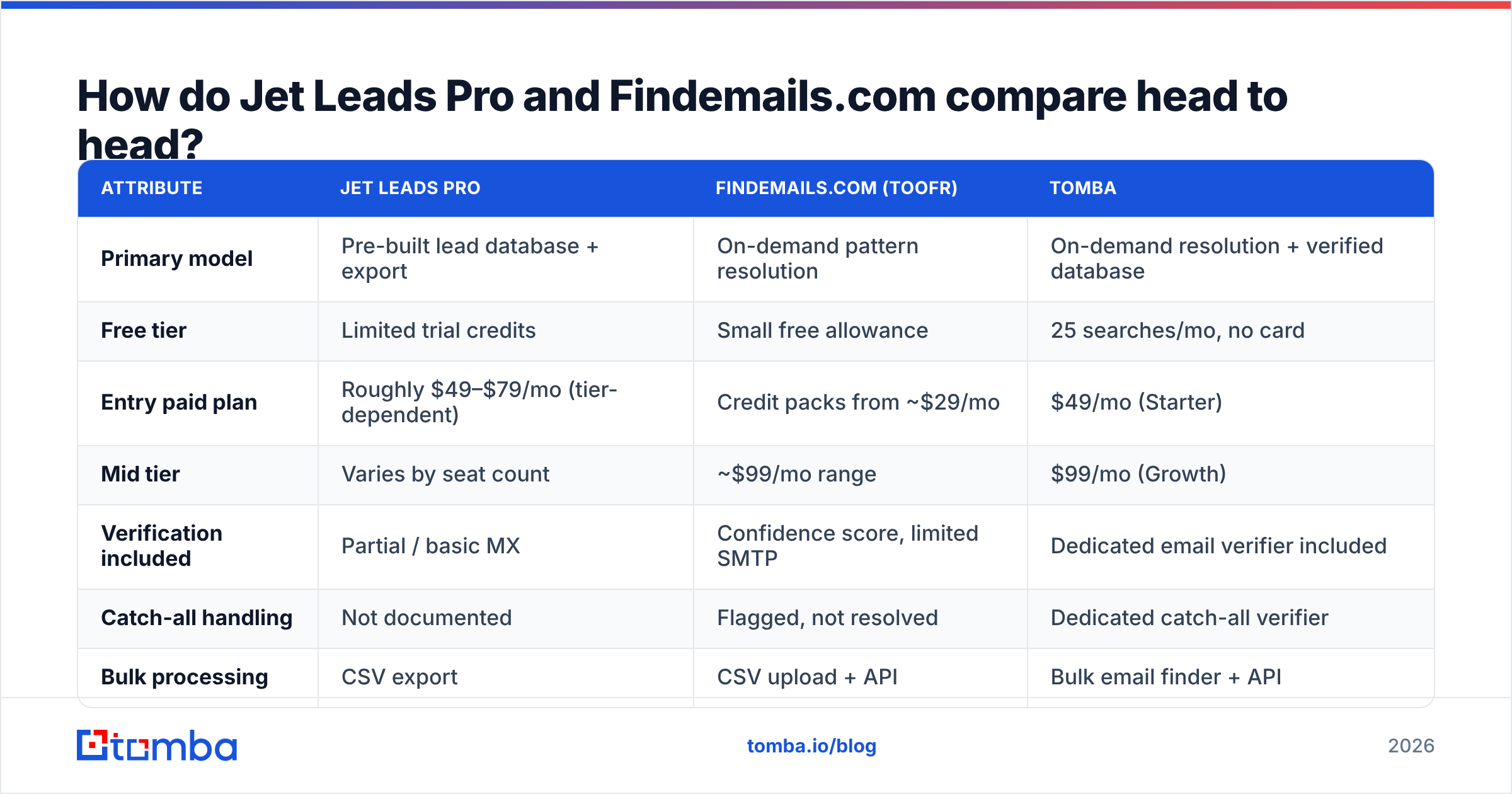
Here's the practical comparison. Both vendors change packaging often. Check the live pricing pages before you commit, and treat any number here as a snapshot rather than a contract.
| Attribute | Jet Leads Pro | Findemails.com (Toofr) | Tomba |
|---|---|---|---|
| Primary model | Pre-built lead database + export | On-demand pattern resolution | On-demand resolution + verified database |
| Free tier | Limited trial credits | Small free allowance | 25 searches/mo, no card |
| Entry paid plan | Roughly $49–$79/mo (tier-dependent) | Credit packs from ~$29/mo | $49/mo (Starter) |
| Mid tier | Varies by seat count | ~$99/mo range | $99/mo (Growth) |
| Verification included | Partial / basic MX | Confidence score, limited SMTP | Dedicated email verifier included |
| Catch-all handling | Not documented | Flagged, not resolved | Dedicated catch-all verifier |
| Bulk processing | CSV export | CSV upload + API | Bulk email finder + API |
| Public API docs | Thin | Yes, documented | Yes — Tomba API |
| Phone numbers | Sometimes included | No | Separate phone finder |
| Data-source transparency | Low | Medium | Published sources |
A few things jump out of that grid.
First, the price comparison is misleading if you stop at the sticker. Findemails looks cheaper at entry. But its output often needs a second pass through a standalone verifier before you'd dare put it in a sequence. Your real cost per usable contact is then the finder price, plus the verifier price, plus the credits you burned on rows that failed. Two tools, two invoices, two sets of rate limits.
Second, catch-all handling is the quiet dividing line. Roughly a fifth of B2B domains are set up as catch-all. On those domains, an SMTP check returns "accepted" for asdfgh@company.com just as readily as for the CEO. A finder that can't separate "verified" from "accepted by a catch-all" is handing you a bucket of unlabeled risk.
Third, API depth predicts whether the tool survives past month three. Every team that starts in a dashboard eventually wants lookups inside its enrichment pipeline. Findemails passes that test. Jet Leads Pro's documentation is thin, so ask for a sandbox key before you sign anything annual.

Which one is more accurate in practice?#
Neither publishes an audited number, so treat every marketing accuracy claim as unverified. What you can do is run the same controlled test on both. It takes about an hour and costs less than a month of the wrong tool.
Build a 100-contact ground-truth list. Pull contacts whose addresses you already know are live — people who replied to you in the last 90 days, or colleagues at partner companies. Strip the emails, keep name plus domain.
Run the list through each tool. Record three things per row: did it return anything, did it return the correct address, and what confidence did it attach.
Score four buckets, not two.
- Hit — returned the correct address.
- Miss — returned a wrong address with high confidence. This is the expensive failure; it produces a hard bounce.
- Null — returned nothing. Annoying but honest, and cheap.
- Catch-all — returned something on a domain that accepts everything. Unknowable without deeper checks.
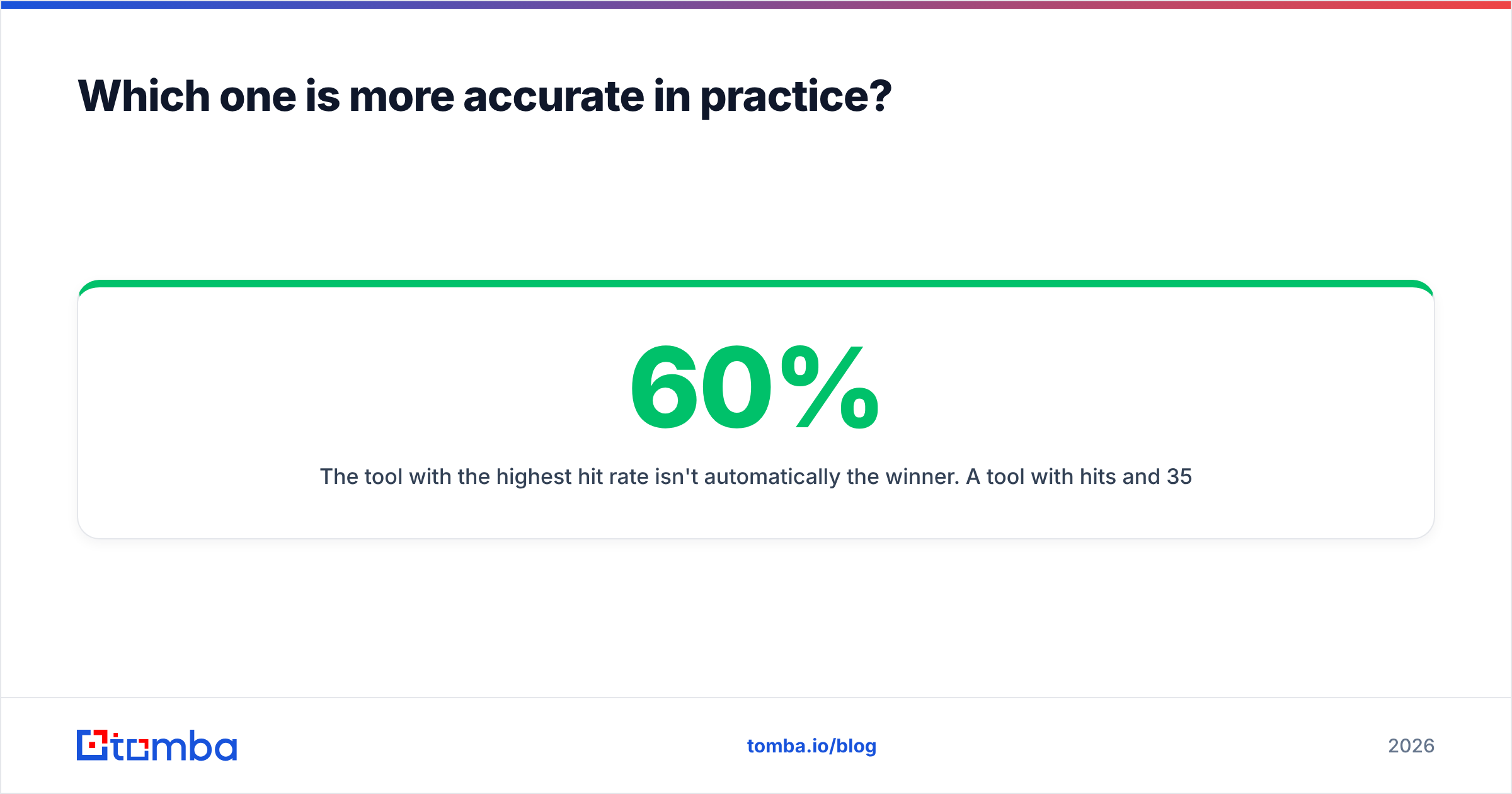
The tool with the highest hit rate isn't automatically the winner. A tool with 60% hits and 35% nulls often beats one with 70% hits and 25% misses. Nulls cost you a credit; misses cost you sender reputation. Hard bounces above 2% start pulling your inbox placement down. Recovering sender reputation then takes weeks of reduced volume.
This is why "accuracy" as a single percentage means very little. Ask any vendor how they classify catch-all results in their accuracy math. The ones with a clear answer are usually the ones worth paying.

What do they cost per usable contact?#
Credits are the industry's favorite unit of obfuscation. Here's how to turn marketing pricing into a number you can budget against.
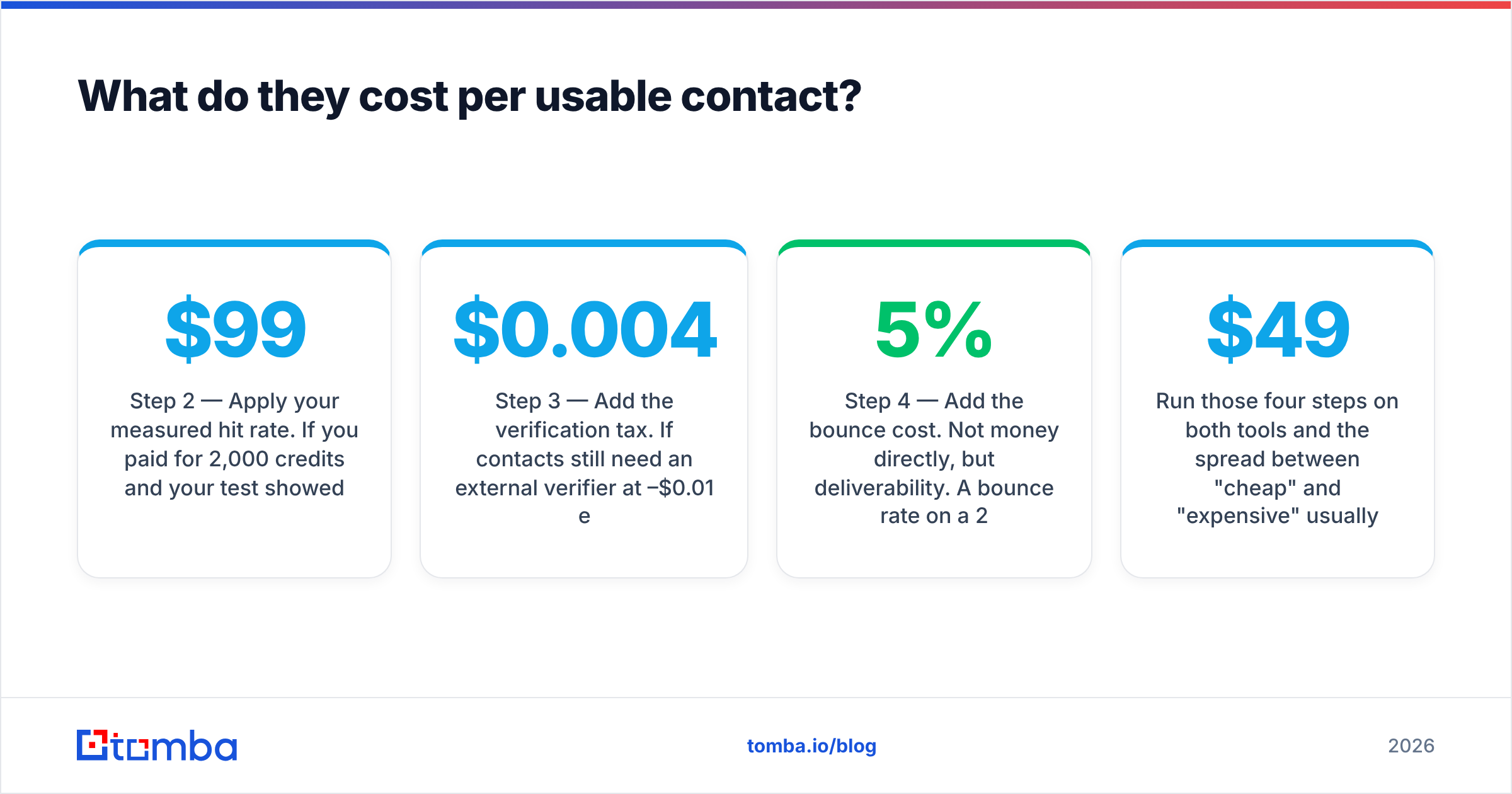
Step 1 — Find the real credit consumption rule. Some tools charge a credit on every lookup, including failures. Others charge only on a successful return. That single policy difference can double or halve your effective cost. Findemails has been reasonable here. Jet Leads Pro's list-export model makes per-row accounting murkier, because you buy rows in blocks.
Step 2 — Apply your measured hit rate. If you paid $99 for 2,000 credits and your test showed a 55% usable rate, you bought 1,100 usable contacts at roughly nine cents each — not five.
Step 3 — Add the verification tax. If contacts still need an external verifier at $0.004–$0.01 each, add it. For 2,000 rows that's another $8–$20, plus the overhead of moving CSVs between two systems.
Step 4 — Add the bounce cost. Not money directly, but deliverability. A 5% bounce rate on a 2,000-contact send means 100 hard bounces. That is enough to get a young sending domain throttled. The cost shows up two weeks later as a collapsed reply rate.
Run those four steps on both tools and the spread between "cheap" and "expensive" usually inverts. For reference, Tomba pricing bundles finding and verification in the same plan, specifically to kill step three — Starter is $49/mo, Growth $99/mo, Pro $249/mo, with a free tier at 25 searches a month for testing before you commit.

Who should pick which tool?#
Pick Findemails.com (Toofr) if: you're a solo founder or small team doing under a few hundred lookups a month, you value a documented API over a pretty dashboard, and you're happy to add your own verification layer. It's an honest tool with a narrow scope, and it doesn't pretend otherwise.
Pick Jet Leads Pro if: you want list-building speed above all else, your outbound is high-volume and low-personalization, and you'll accept a chunk of stale rows as a cost of doing business. Ask hard questions about refresh cadence first. Insist on a trial export you can spot-check before paying.
Pick neither if: you need catch-all resolution, phone numbers, and enrichment in one place, or your compliance team asks where the data came from. That's where both tools run out of road. Platforms that publish their data sources and bundle verification answer that question without a support ticket.
A note on alternatives worth shortlisting: the email-finder market has more credible options than these two. Want pre-built list volume with strong coverage in specific verticals? BookYourData is a solid database-first option, and its pay-as-you-go pricing avoids subscription lock-in. Want to resolve individual contacts on demand with verification baked in? Tomba and Hunter are the natural comparison set. Check current user sentiment on G2 before you sign anything annual. Review volume there is a better signal than any vendor's own case studies.
What should your evaluation checklist actually contain?#
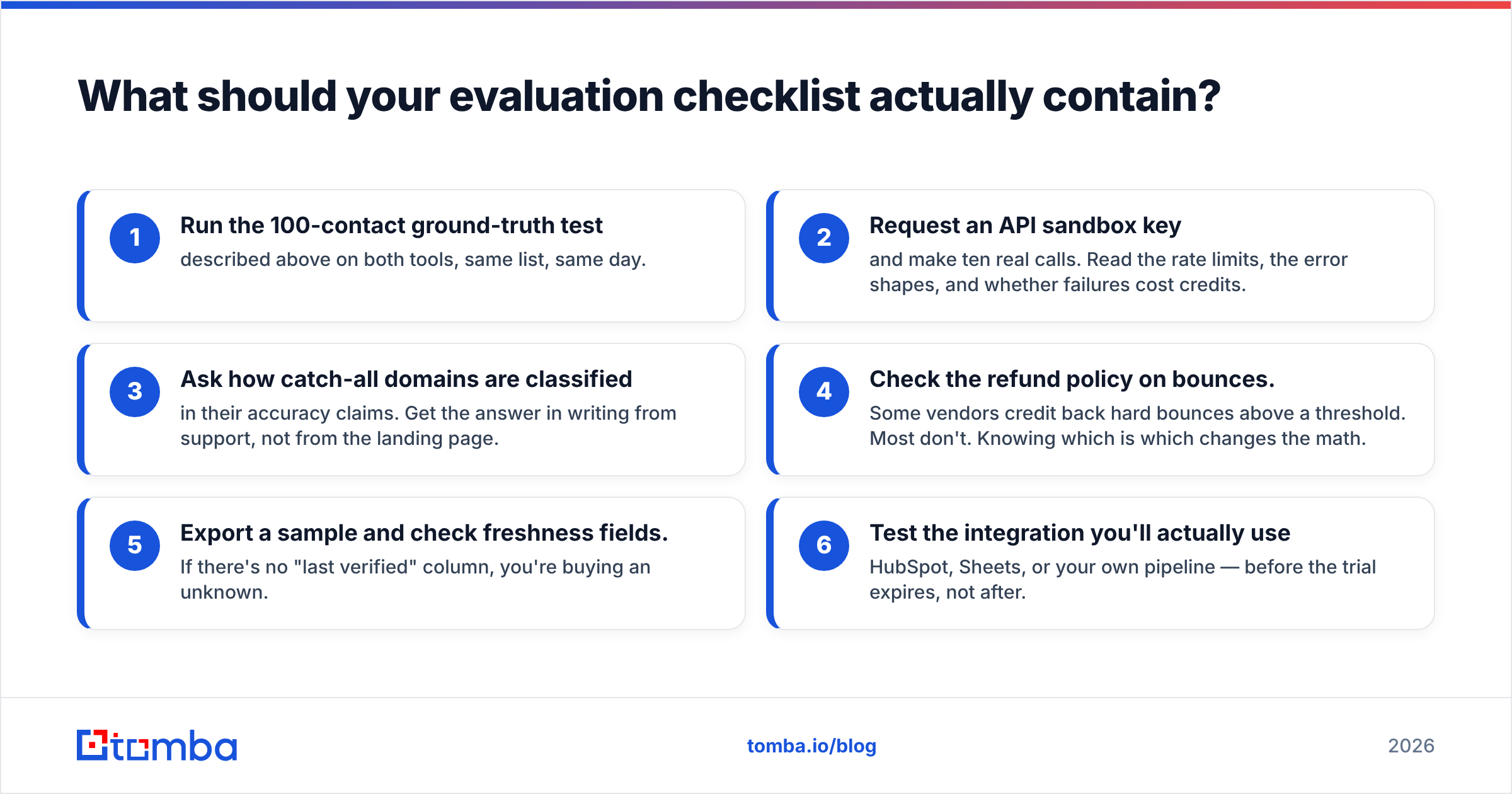
Before you commit budget to either tool, walk this list. It takes an afternoon, and it prevents the classic mistake of discovering the limits in month two.
- Run the 100-contact ground-truth test described above on both tools, same list, same day.
- Request an API sandbox key and make ten real calls. Read the rate limits, the error shapes, and whether failures cost credits.
- Ask how catch-all domains are classified in their accuracy claims. Get the answer in writing from support, not from the landing page.
- Check the refund policy on bounces. Some vendors credit back hard bounces above a threshold. Most don't. Knowing which is which changes the math.
- Export a sample and check freshness fields. If there's no "last verified" column, you're buying an unknown.
- Test the integration you'll actually use — HubSpot, Sheets, or your own pipeline — before the trial expires, not after.
That checklist is tool-agnostic on purpose. It'll serve you just as well when the next entrant shows up with a bigger accuracy claim and a smaller price tag.
Jet Leads Pro vs Findemails.com: is there a clear winner?#
Findemails.com wins on transparency and API quality. Jet Leads Pro wins on raw list-building speed. Neither wins on total cost per verified contact, because both push verification onto you.
That's the honest verdict. These are competent tools serving narrow use cases. If your use case matches one of them precisely, buy it and move on. The trap is assuming either one is a general-purpose contact data layer for a growing outbound team. They aren't built for that, and the seams show around month three: catch-all domains you can't resolve, no phone coverage, and a second verification bill you didn't plan for.
If you're evaluating this category seriously, add at least one platform that bundles finding and verification under one plan and one API. Run the same ground-truth test across all three. Let the hit-rate-minus-miss-rate number decide, not the homepage.
Ready to run the test? Start with the Tomba Email Finder free tier — 25 searches a month, no card required. Pull the same 100-contact ground-truth list you'd use on Jet Leads Pro or Findemails, compare hit rates side by side, and check how catch-all domains get classified. If the numbers hold up, Starter is $49/mo with verification, domain search, and full API access in the same plan — so there's no second invoice waiting at the verification step.
Related guides#
// get started
Find, verify and enrich your first contacts today
Start on the free plan with 25 searches a month, then scale when your team is ready.
Free plan · No credit card required · GDPR & CCPA
// about the author