Jet Leads Pro vs Proofy: Which B2B Email Tool Wins in 2026?
Jet Leads Pro builds lists. Proofy cleans them. Most teams compare the two as if they do the same job — here is the honest breakdown of pricing, accuracy, workflow fit, and which one you actually need first.
TL;DR
- These are not competitors in the strict sense. Jet Leads Pro is positioned as a lead-sourcing and contact-discovery product. Proofy is an email verification service. One fills your list, the other decides what stays on it.
- If you have no list yet, a verifier is the wrong first purchase. Buying Proofy before you have contacts is like buying a water filter before you have a tap.
- If you already bought a list or scraped one, verification is non-negotiable. Purchased and scraped data decays fast, and unverified sends are the fastest route to a burned sending domain.
- Pricing models differ structurally: discovery tools bill by monthly credits/seats, verification tools typically bill per-email in prepaid packs. Compare cost-per-usable-contact, not headline price.
- The pragmatic setup for most teams is one platform that does both. Tomba runs find + verify on the same credit pool from $49/mo, which removes the "two vendors, two bills, two exports" tax.
What are Jet Leads Pro and Proofy, actually?#
Start with the category, because the category decides whether the comparison even makes sense.
Jet Leads Pro sits in the lead-generation / contact-discovery bucket. Products in this class give you a way to go from "I know the company or the person" to "I have a work email and, sometimes, a phone number." They are judged on database size, coverage in your target geographies, hit rate, and how cleanly they push data into your CRM or sequencer.
Proofy sits in the email verification bucket. It takes a list you already have and runs syntax checks, domain and MX record lookups, disposable-domain detection, role-account flagging, and SMTP-level mailbox probing. It is judged on how accurately it separates deliverable from undeliverable, how it handles catch-all domains, and how fast it chews through large files.
One important caveat before you read further: verify current pricing and feature claims on each vendor's own site before you buy. Both products have changed plans over the last two years, and any number you read in a blog post — including this one — is a snapshot, not a contract. What does not change is the structural difference between the two categories, and that is what this comparison is built on.

Is Jet Leads Pro better than Proofy?#
Wrong question, and it costs teams money every quarter. The right question is which stage of the pipeline is currently broken.
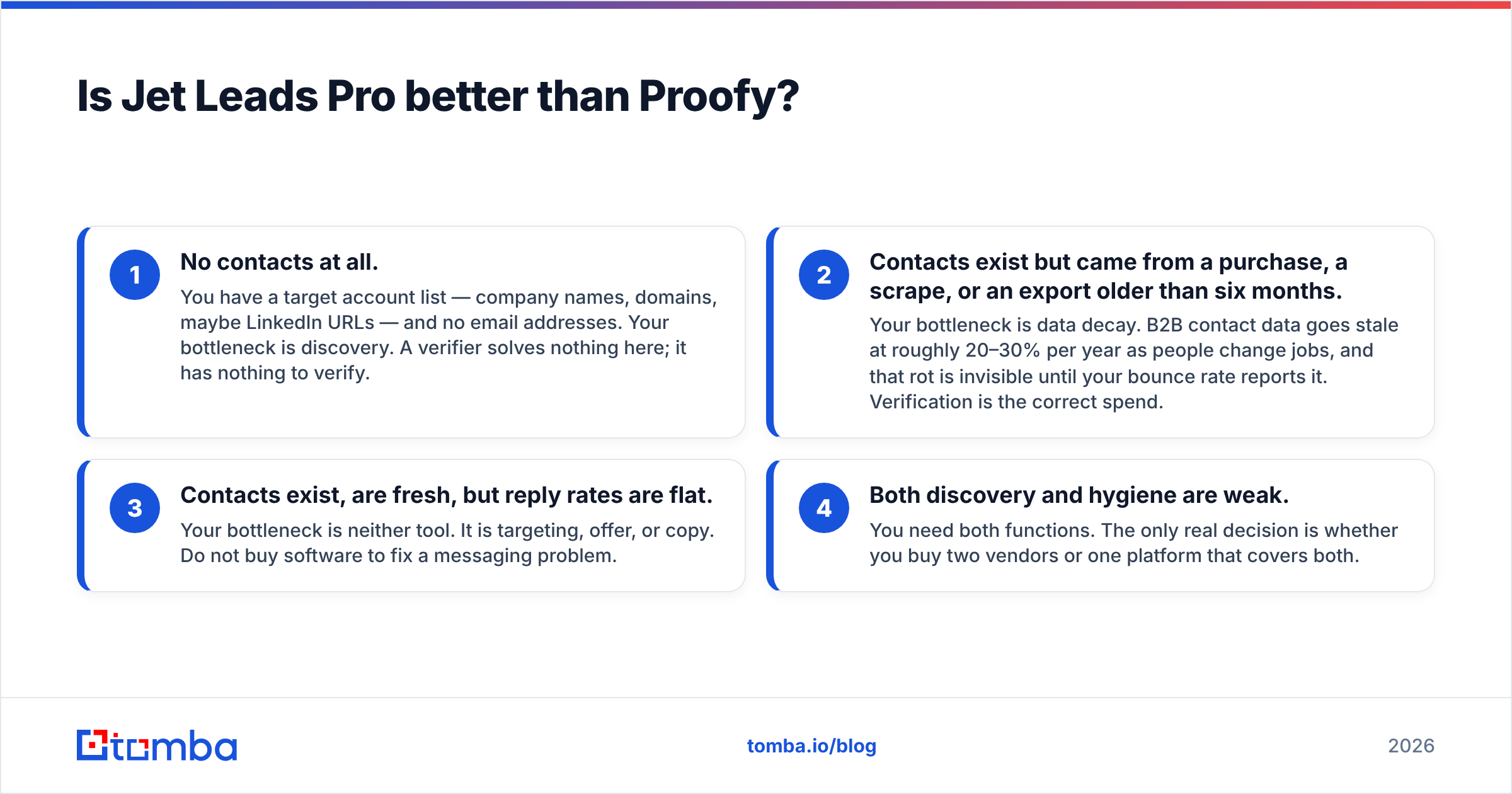
Here is the four-stage test. Run it honestly:
- No contacts at all. You have a target account list — company names, domains, maybe LinkedIn URLs — and no email addresses. Your bottleneck is discovery. A verifier solves nothing here; it has nothing to verify.
- Contacts exist but came from a purchase, a scrape, or an export older than six months. Your bottleneck is data decay. B2B contact data goes stale at roughly 20–30% per year as people change jobs, and that rot is invisible until your bounce rate reports it. Verification is the correct spend.
- Contacts exist, are fresh, but reply rates are flat. Your bottleneck is neither tool. It is targeting, offer, or copy. Do not buy software to fix a messaging problem.
- Both discovery and hygiene are weak. You need both functions. The only real decision is whether you buy two vendors or one platform that covers both.
Most teams that land on a "Jet Leads Pro vs Proofy" search are actually in bucket 4 and have not realised it. They tried a finder, got a list with an uncomfortable share of guesses in it, and went looking for a verifier to clean up after it.
How do the two compare feature by feature?#

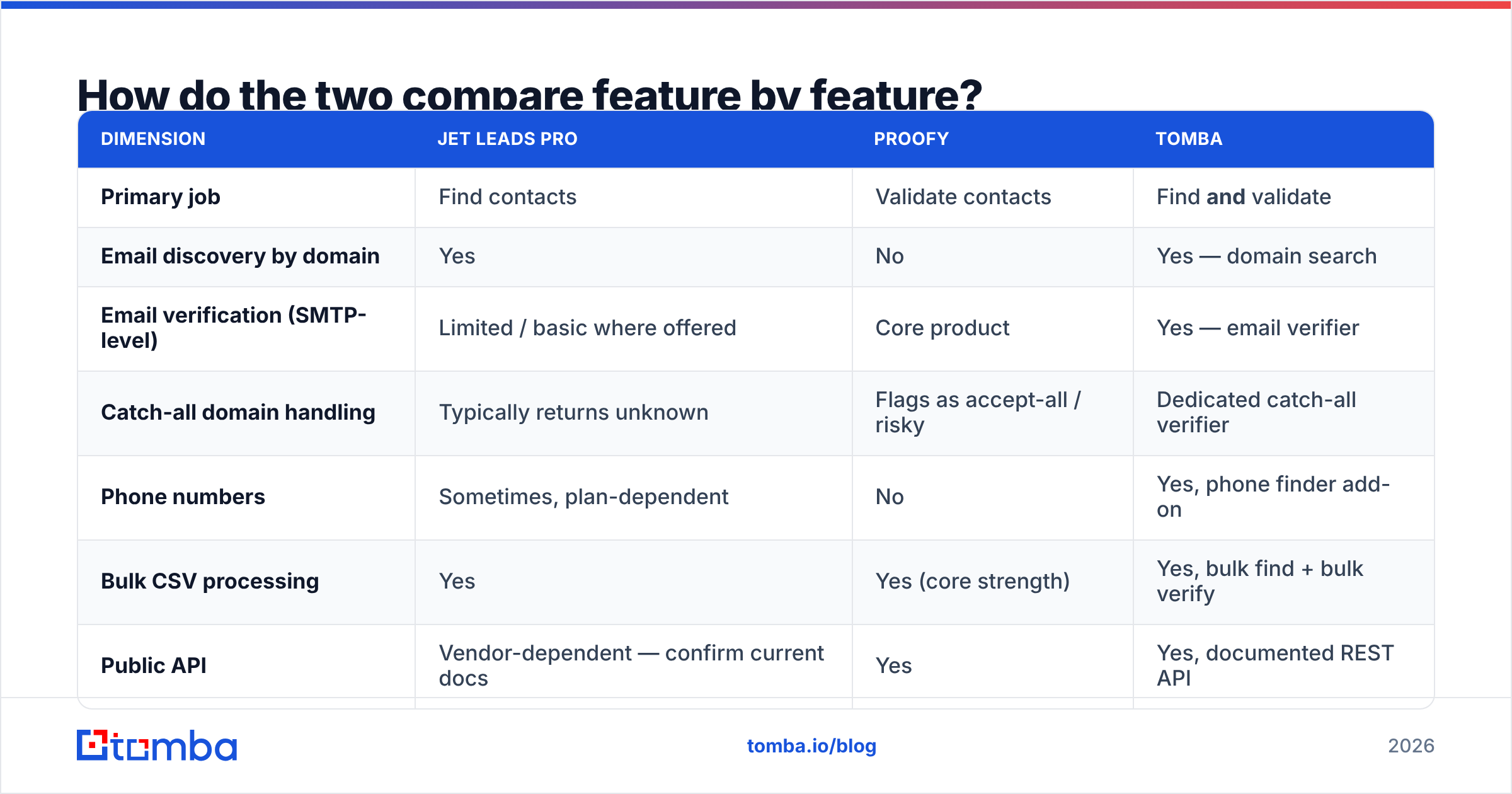
| Dimension | Jet Leads Pro | Proofy | Tomba |
|---|---|---|---|
| Primary job | Find contacts | Validate contacts | Find and validate |
| Email discovery by domain | Yes | No | Yes — domain search |
| Email verification (SMTP-level) | Limited / basic where offered | Core product | Yes — email verifier |
| Catch-all domain handling | Typically returns unknown | Flags as accept-all / risky | Dedicated catch-all verifier |
| Phone numbers | Sometimes, plan-dependent | No | Yes, phone finder add-on |
| Bulk CSV processing | Yes | Yes (core strength) | Yes, bulk find + bulk verify |
| Public API | Vendor-dependent — confirm current docs | Yes | Yes, documented REST API |
| Free entry point | Trial credits, varies | Free test credits | 25 searches/mo, free forever |
| Entry paid tier | Credit-based subscription | Prepaid per-email packs | $49/mo Starter |
| Billing model | Monthly credits | Pay-per-verification | Monthly credits covering both |
The row that matters most for budgeting is the last one. Credit subscriptions and prepaid verification packs are not comparable on sticker price. A $29 pack of 5,000 verifications looks cheaper than a $49/mo finder plan until you notice the pack does not produce a single new contact. You are comparing a saw to a sandpaper sheet.
What does verification actually catch?#
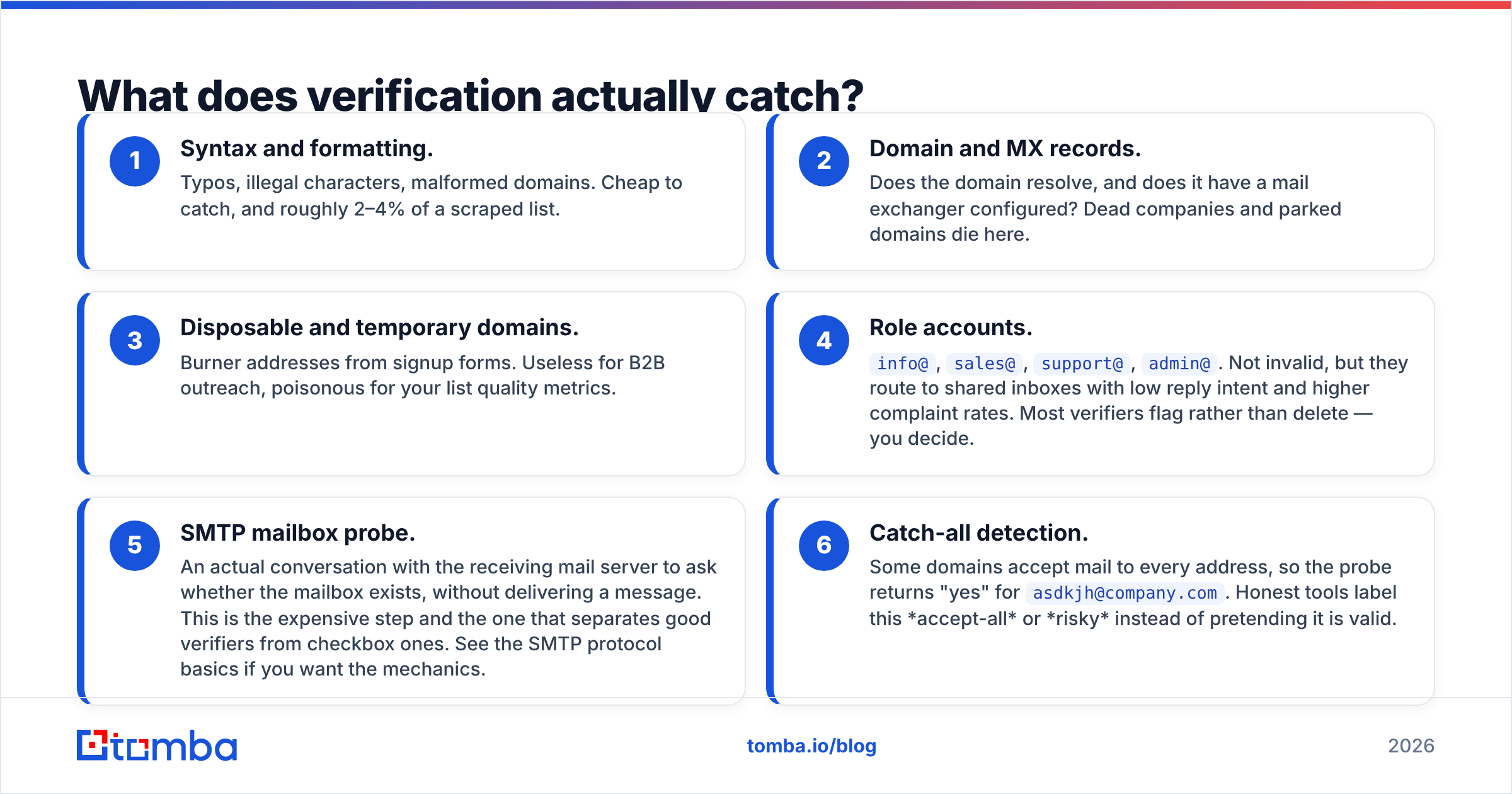
This is where teams underestimate the work. A serious verification pass is not a regex check on the "@" sign. It is a sequence, and each step kills a different category of bad address:
- Syntax and formatting. Typos, illegal characters, malformed domains. Cheap to catch, and roughly 2–4% of a scraped list.
- Domain and MX records. Does the domain resolve, and does it have a mail exchanger configured? Dead companies and parked domains die here.
- Disposable and temporary domains. Burner addresses from signup forms. Useless for B2B outreach, poisonous for your list quality metrics.
- Role accounts.
info@,sales@,support@,admin@. Not invalid, but they route to shared inboxes with low reply intent and higher complaint rates. Most verifiers flag rather than delete — you decide. - SMTP mailbox probe. An actual conversation with the receiving mail server to ask whether the mailbox exists, without delivering a message. This is the expensive step and the one that separates good verifiers from checkbox ones. See the SMTP protocol basics if you want the mechanics.
- Catch-all detection. Some domains accept mail to every address, so the probe returns "yes" for
asdkjh@company.com. Honest tools label this accept-all or risky instead of pretending it is valid.
Point 6 is the single biggest source of disappointment with any verifier, including the good ones. If a vendor reports 98% valid on a list heavy with catch-all domains, read the segment breakdown before you celebrate. Tomba splits this out with a dedicated catch-all verifier precisely so the "risky" bucket does not get quietly folded into "valid."
How accurate is each tool in practice?#

Accuracy claims in this market are close to useless without knowing the test set. A tool tested on US SaaS companies with 500+ employees will post numbers no tool can reproduce on European SMEs or Middle Eastern firms.
Run your own test. It takes an hour and it is the only benchmark that predicts your results:
- Build a 100-contact control list from accounts you genuinely target — same industry, same company size, same countries.
- Include 20 contacts you can independently confirm (existing customers, past deals, people you have emailed successfully).
- Run the same list through each tool on free or trial credits.
- Score three numbers, not one: hit rate (how many addresses returned), precision on the known-good 20, and the share of results labelled risky or unknown.
- Send a small real campaign to a 50-address sample and measure the actual bounce rate. This is the ground truth; everything before it is a proxy.
A tool that returns 90 addresses with a 12% bounce rate is worse than one that returns 70 with a 1% bounce rate. The second costs you fewer contacts and protects your email deliverability, which is the asset you cannot buy back once damaged.
When you evaluate any vendor's claims, cross-check against independent review volume on G2's email verification category rather than the vendor's own case-study page. Recency of reviews matters more than average score.

What does each option cost in real terms?#
Reframe the question: what is your cost per usable, deliverable, non-bouncing contact?
Say you need 2,000 verified contacts this month.
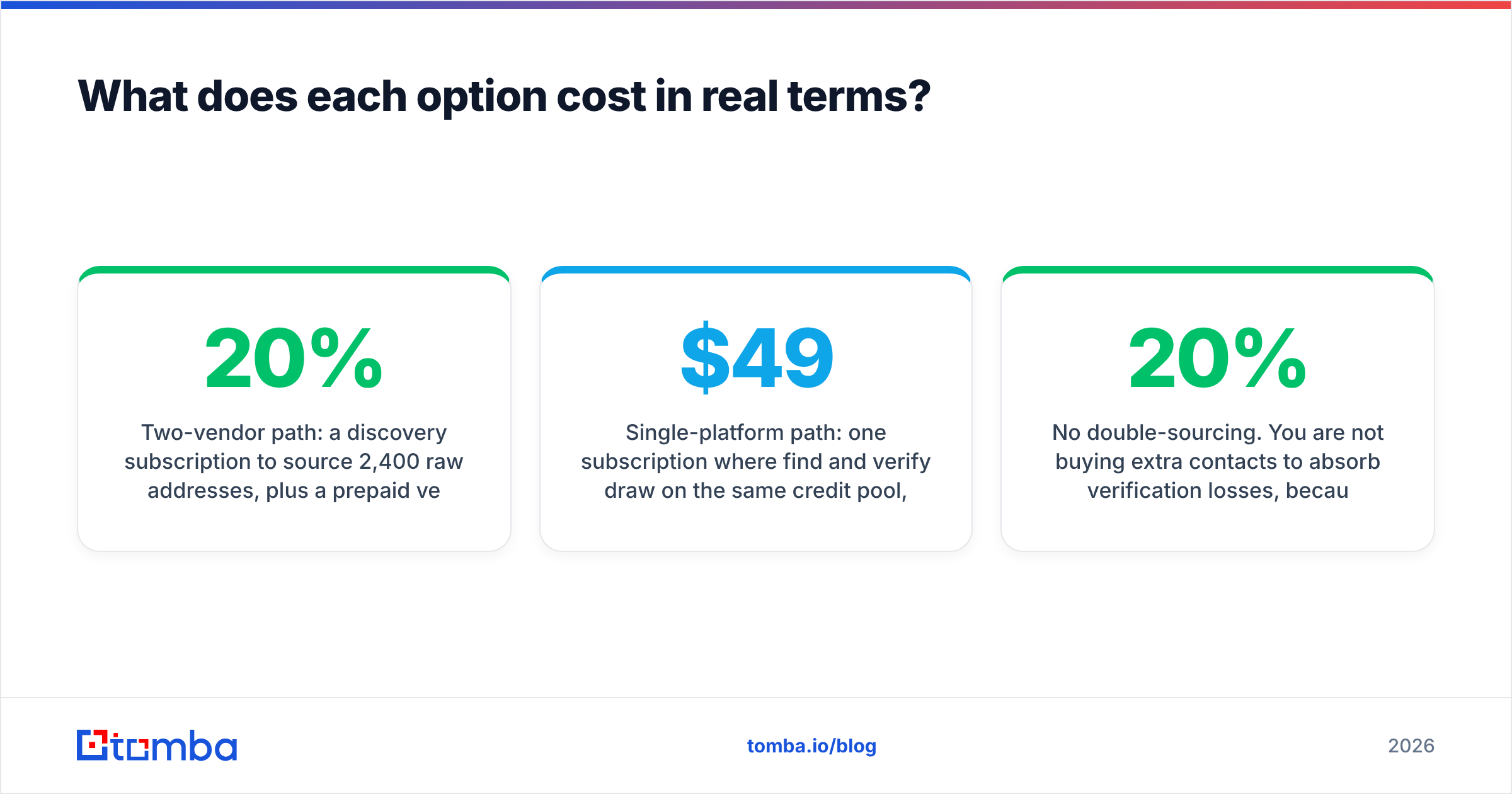
Two-vendor path: a discovery subscription to source 2,400 raw addresses, plus a prepaid verification pack to clean them. You pay twice, you export and re-import CSVs between systems, and you lose the 15–20% that verification rejects — meaning you had to source more than you needed. Add the hours someone spends moving files.
Single-platform path: one subscription where find and verify draw on the same credit pool, verification runs inline at discovery, and rejected addresses never enter your sequencer in the first place. Tomba pricing starts at $49/mo for Starter, $99/mo for Growth, and $249/mo for Pro, with a free tier at 25 searches per month if you want to test the hit rate before spending anything.
The single-platform path is not automatically cheaper on paper. It is usually cheaper in practice because of three things the spreadsheet misses:
- No double-sourcing. You are not buying 20% extra contacts to absorb verification losses, because bad addresses are filtered at discovery.
- No CSV round trip. Export/clean/re-import is 30–60 minutes per campaign and a reliable source of duplicate and mis-mapped rows.
- One renewal, one support queue, one API key. Anyone who has chased two vendors about one broken sync knows the value of this.
That said, if you already own a large in-house database and only need cleaning, a dedicated verifier is a legitimate and focused purchase. Specialists exist for a reason. Vendors like Proofy and peers such as BookYourData have built real businesses on doing one part of the chain well, and forcing an all-in-one on a team that only needs hygiene is just as wasteful as the reverse.
Which should you choose for cold outreach in 2026?#
Match the tool to the situation:
- You are starting from company names and nothing else. You need discovery first. A verifier has no input to work with. Start with an email finder or a domain-level search, then verify what it returns.
- You inherited a 40,000-row spreadsheet of unknown age. Verification first, absolutely, before a single send. The cost of cleaning is a rounding error next to the cost of a burned domain.
- You run continuous outbound at volume. You need both, running continuously, ideally on one API so enrichment and hygiene happen in the same call. Re-verify anything older than 90 days.
- You are a solo founder testing an ICP. Free tiers only. Prove the channel works on 50 contacts before you commit to anything annual.
- You run a high-compliance motion (finance, health, EU/UK). Prioritise vendors with clear documented data sourcing and deletion workflows over raw database size. Ask for the documentation in writing during the trial, not after.
One habit that outperforms any tool choice: re-verify before every send, not once at import. Data ages between purchase and campaign. A list verified in January and sent in April is not a verified list — it is a list that was verified. Teams that bake a verification step into the send workflow itself, rather than the acquisition workflow, consistently report lower bounce rates than teams with better tools and worse process. HubSpot's guidance on maintaining clean contact databases makes the same point from the marketing-ops side.
The bottom line#
Jet Leads Pro and Proofy answer different questions. Comparing them head to head only makes sense once you have decided whether your bottleneck is finding contacts or trusting them. Buy the one that fixes your actual broken stage, and be honest about which stage that is.
If the answer is "both, and I would rather not run two subscriptions," start with the Tomba Email Finder. It finds addresses by domain, name, or company and verifies them in the same workflow, on one credit pool, with the same API key. The free tier gives you 25 searches a month — enough to run the 100-contact control test described above against whatever you are using today, and decide with your own numbers instead of someone else's benchmark.
Related guides#
// get started
Find, verify and enrich your first contacts today
Start on the free plan with 25 searches a month, then scale when your team is ready.
Free plan · No credit card required · GDPR & CCPA
// about the author