Jet Leads Pro vs SalesQL: Which Email Finder Wins in 2026?
Jet Leads Pro and SalesQL both promise verified B2B contacts, but they source data in very different ways. Here's how they compare on accuracy, pricing, LinkedIn coverage, and bulk work — plus when neither is the right call.
Jet Leads Pro vs SalesQL comes down to one question: do you want lists, or do you want profiles? Both tools find B2B email addresses. They just start from opposite ends of the pipeline. Here's how they compare on accuracy, pricing, LinkedIn coverage, and bulk work — and when neither one is the right buy.
TL;DR
- SalesQL is LinkedIn-first. It lives in your browser, reads the profile on screen, and returns personal plus work emails. Great if prospecting starts in Sales Navigator.
- Jet Leads Pro is list-first. It sells bulk pulls and export volume, not one-profile enrichment. That suits SDR teams building 5,000-row campaigns.
- Neither ships a real verification layer. Both hand you "valid" flags. Neither replaces a dedicated email verifier.
- Cost per usable contact beats cost per credit. A $39 plan at a 68% deliverable rate costs more than a $49 plan at 93%.
- Our pick: SalesQL if LinkedIn is your source of truth. Jet Leads Pro if you want volume exports. Tomba if you need domain search, verification, and an API in one place.
Jet Leads Pro vs SalesQL: what does each tool do?#
Both tools answer the same question — "what's this person's email?" — from opposite ends of the pipeline.
SalesQL is a Chrome extension built on top of LinkedIn. Open a profile or a Sales Navigator search, click the icon, and it returns email addresses plus phone numbers where available. Often both work and personal. It has been around long enough to collect real reviews on G2's lead intelligence category. Its identity is bound to the LinkedIn surface. Take LinkedIn away and SalesQL has very little to do.
Jet Leads Pro sits at the "lead list generator" end of the market. You define a target set — industry, geography, title, company size — and it produces exportable rows of contacts. The pitch is throughput. Instead of enriching 40 profiles a day by hand, you pull a few thousand and sort it out in a spreadsheet.
That difference matters more than any feature checklist. One tool is a scalpel attached to a social network. The other is a bucket. Decide which shape your motion needs before you compare prices.
One caveat: Jet Leads Pro publishes less independent review data than SalesQL does. Smaller vendors also change pricing and credit rules often. Treat every number below as "verify on the vendor's page before you buy." That holds for this whole category, not just one tool.
How do Jet Leads Pro and SalesQL actually find emails?#
The sourcing method predicts the failure modes. Here's what happens under the hood across this category:
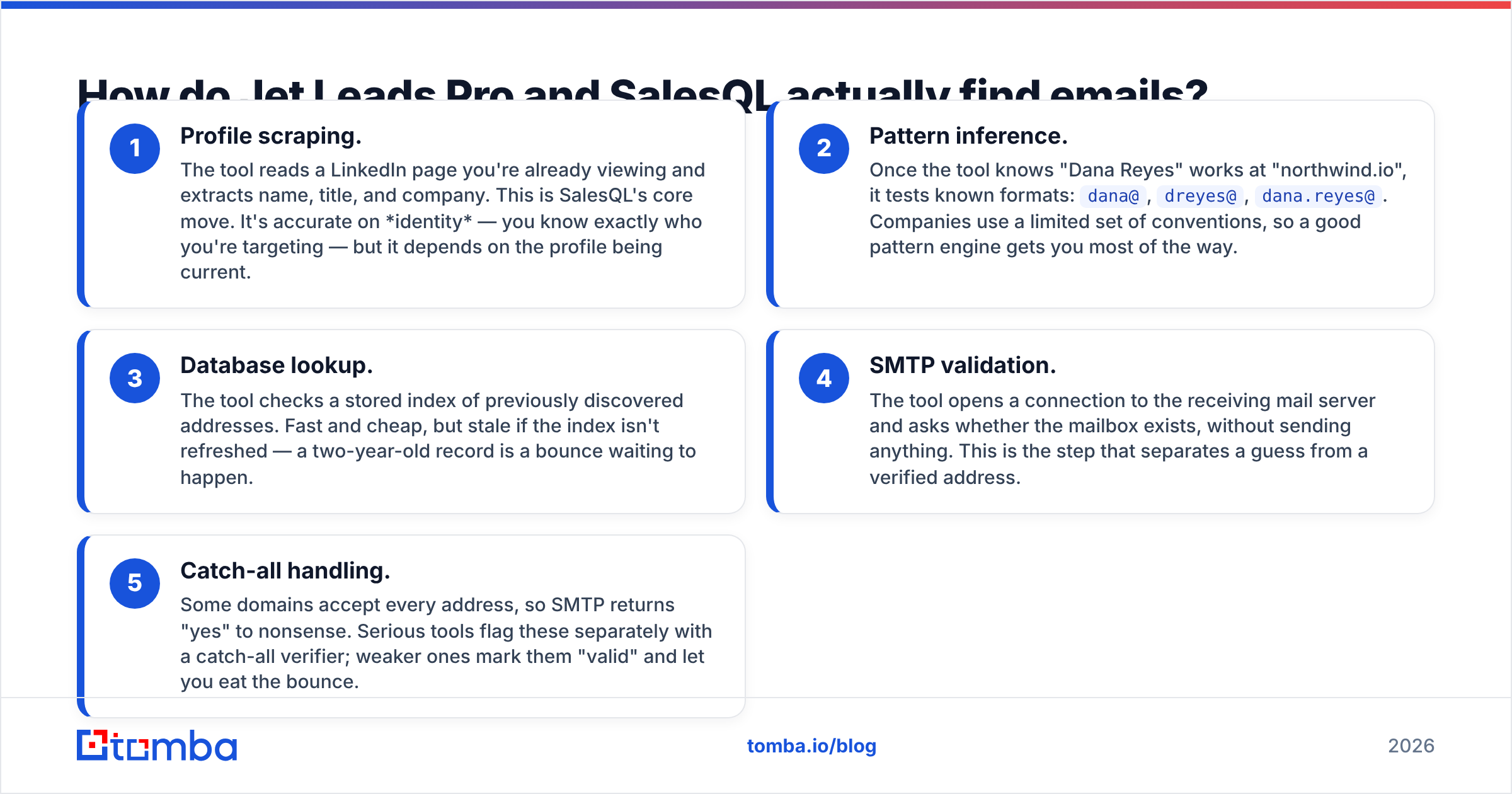
- Profile scraping. The tool reads the LinkedIn page you're viewing and pulls name, title, and company. This is SalesQL's core move. It nails identity, but only if the profile is current.
- Pattern inference. Knowing "Dana Reyes" works at "northwind.io", it tests
dana@,dreyes@,dana.reyes@. Most companies use a handful of conventions, so a good engine gets you far. - Database lookup. The tool checks a stored index of known addresses. Fast and cheap, but stale if nobody refreshes it. A two-year-old record is a bounce waiting to happen.
- SMTP validation. The tool asks the mail server whether the mailbox exists, without sending anything. This step separates a guess from a verified address.
- Catch-all handling. Some domains accept every address, so SMTP says "yes" to nonsense. Good tools flag these with a catch-all verifier. Weak ones mark them "valid" and hand you the bounce.
SalesQL is strongest at steps 1 and 2. Jet Leads Pro leans on step 3 for volume. Both go quiet at step 5 — the step that wrecks sender reputation at scale.
Which one is more accurate?#
Accuracy is the only metric that survives a real campaign. Vendors love to blur two numbers:
- Hit rate (coverage): of 1,000 prospects submitted, how many came back with any address?
- Deliverable rate (precision): of the addresses returned, how many actually landed in an inbox?
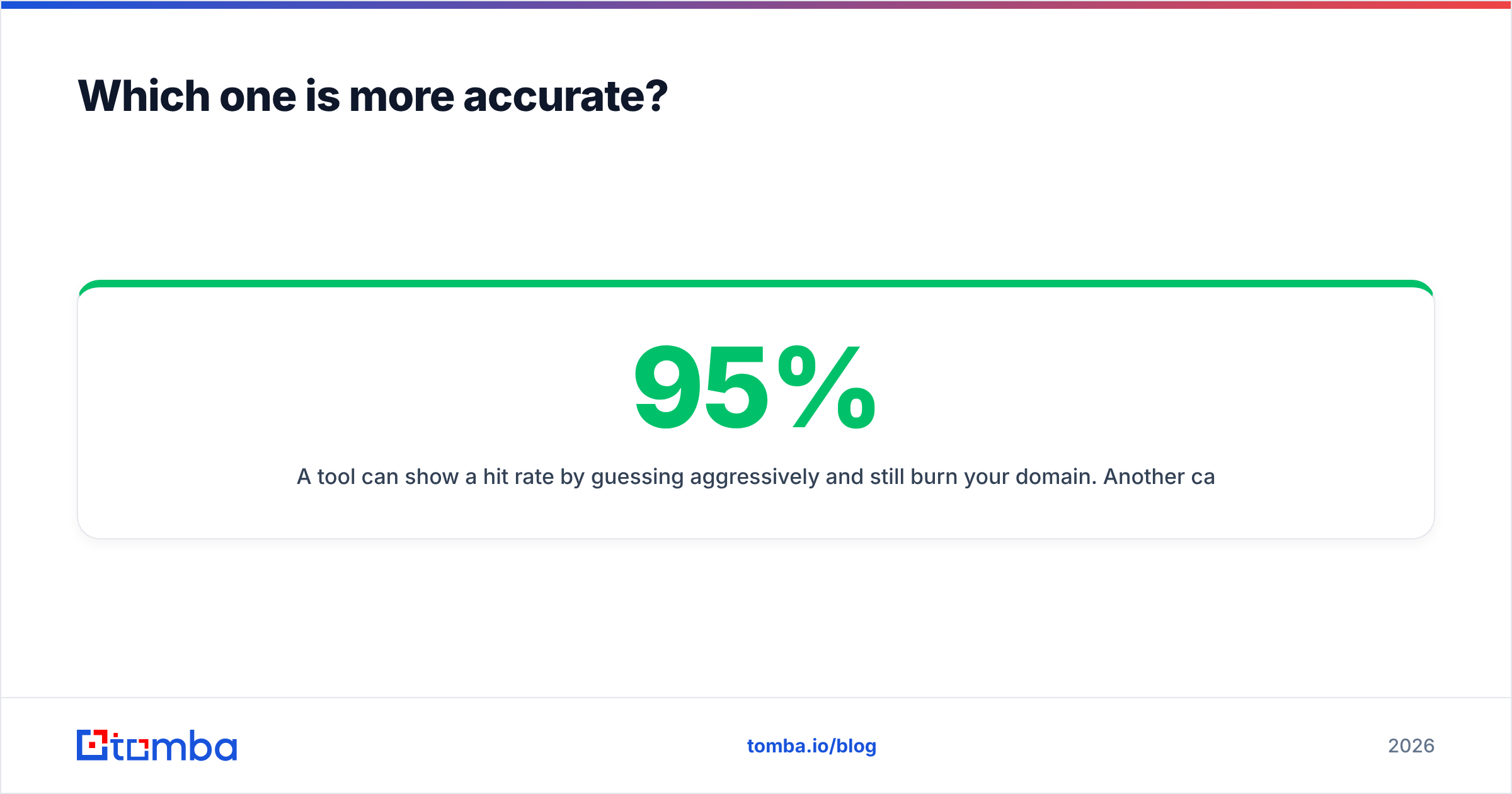
A tool can post a 95% hit rate by guessing hard and still burn your domain. Another might return addresses for only 60% of your list and deliver 97% of them. The second tool is usually the better buy. Bounces are not a neutral cost — mailbox providers read them as proof you don't know who you're mailing.

In practical terms:
SalesQL does well on coverage for mid-market and enterprise targets with active LinkedIn profiles. It is one of the few tools that surfaces personal addresses. That cuts both ways. Personal Gmail addresses deliver well and reply badly for B2B offers. In several jurisdictions, cold-mailing them carries more compliance risk than mailing a work address. Check your counsel and LinkedIn's user agreement first.
Jet Leads Pro optimises for volume, and volume-first tools trade precision for row count. The honest way to settle Jet Leads Pro vs SalesQL is a test on your own data, not a vendor's published figure. Pull 200 contacts from each. Run them through an independent verifier. Count the "valid" results. Same 200 prospects, both tools, one afternoon.
Run the test on a list you already know. Take 100 contacts you've emailed successfully in the last quarter and submit them to each tool. You now have ground truth, and you'll see exactly which vendor is guessing.
How do pricing and credits compare?#
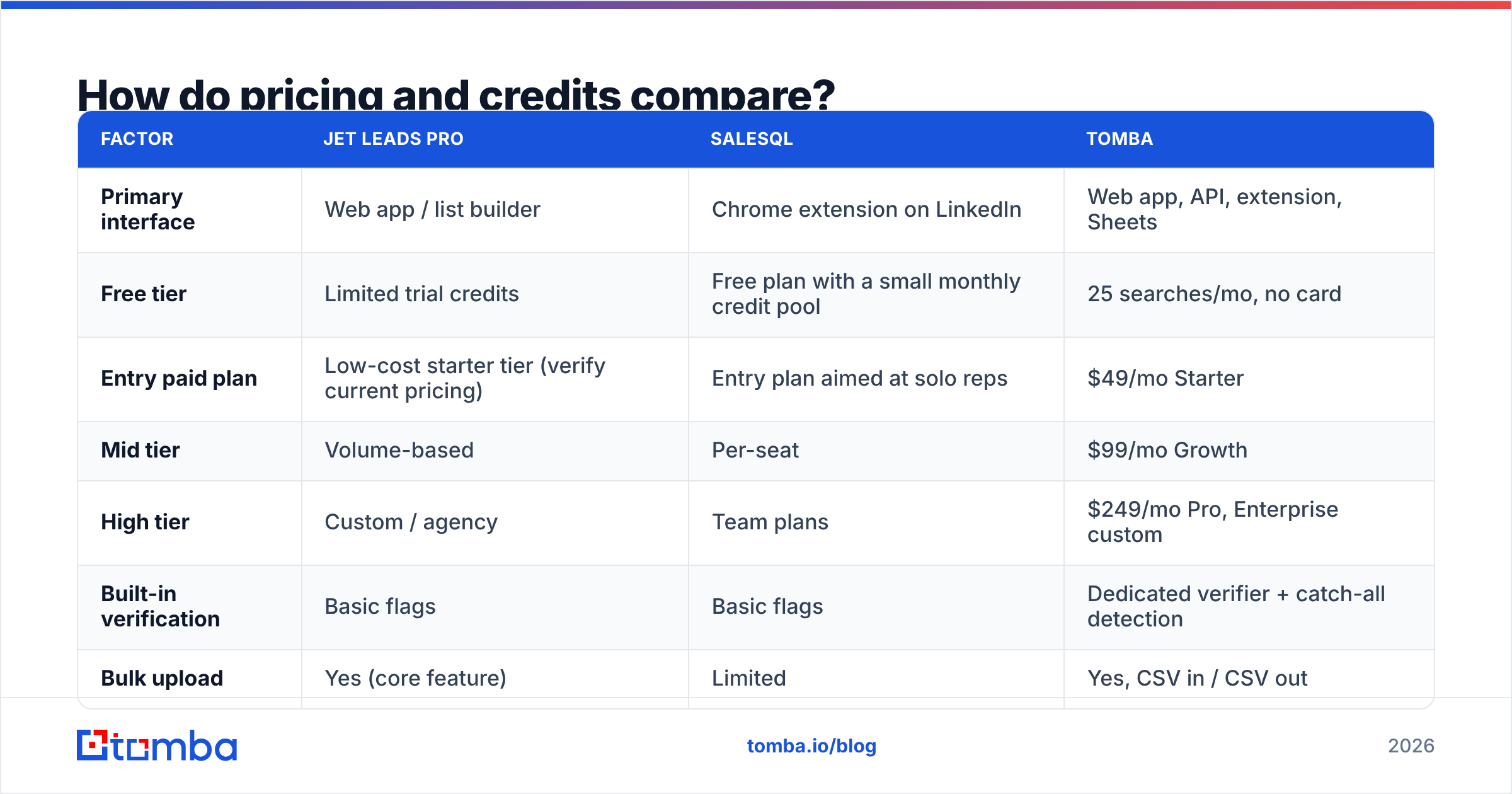
Pricing here is hard to compare on purpose. Each vendor defines a "credit" differently. Some charge for a search whether or not it returns anything. Some charge separately for email and phone. Some charge on export rather than lookup.

| Factor | Jet Leads Pro | SalesQL | Tomba |
|---|---|---|---|
| Primary interface | Web app / list builder | Chrome extension on LinkedIn | Web app, API, extension, Sheets |
| Free tier | Limited trial credits | Free plan with a small monthly credit pool | 25 searches/mo, no card |
| Entry paid plan | Low-cost starter tier (verify current pricing) | Entry plan aimed at solo reps | $49/mo Starter |
| Mid tier | Volume-based | Per-seat | $99/mo Growth |
| High tier | Custom / agency | Team plans | $249/mo Pro, Enterprise custom |
| Built-in verification | Basic flags | Basic flags | Dedicated verifier + catch-all detection |
| Bulk upload | Yes (core feature) | Limited | Yes, CSV in / CSV out |
| Public API | Limited | Yes | Yes, documented, with SDKs |
| Works without LinkedIn | Yes | Effectively no | Yes |
| Phone numbers | Some plans | Yes | Yes, with validation |
Two things to notice. First, SalesQL's per-seat model scales with headcount, not usage. Five reps means five subscriptions, whether they run 50 lookups or 5,000.
Second, list builders like Jet Leads Pro price on export volume. That works right up until 30% of the export turns out to be unusable — and you've already paid for it.
For the third column, Tomba pricing starts free at 25 searches a month, then $49/mo Starter, $99/mo Growth, and $249/mo Pro. Enterprise is quoted custom. The number that matters isn't the sticker. It's the sticker divided by verified contacts delivered.
Which tool fits which workflow?#
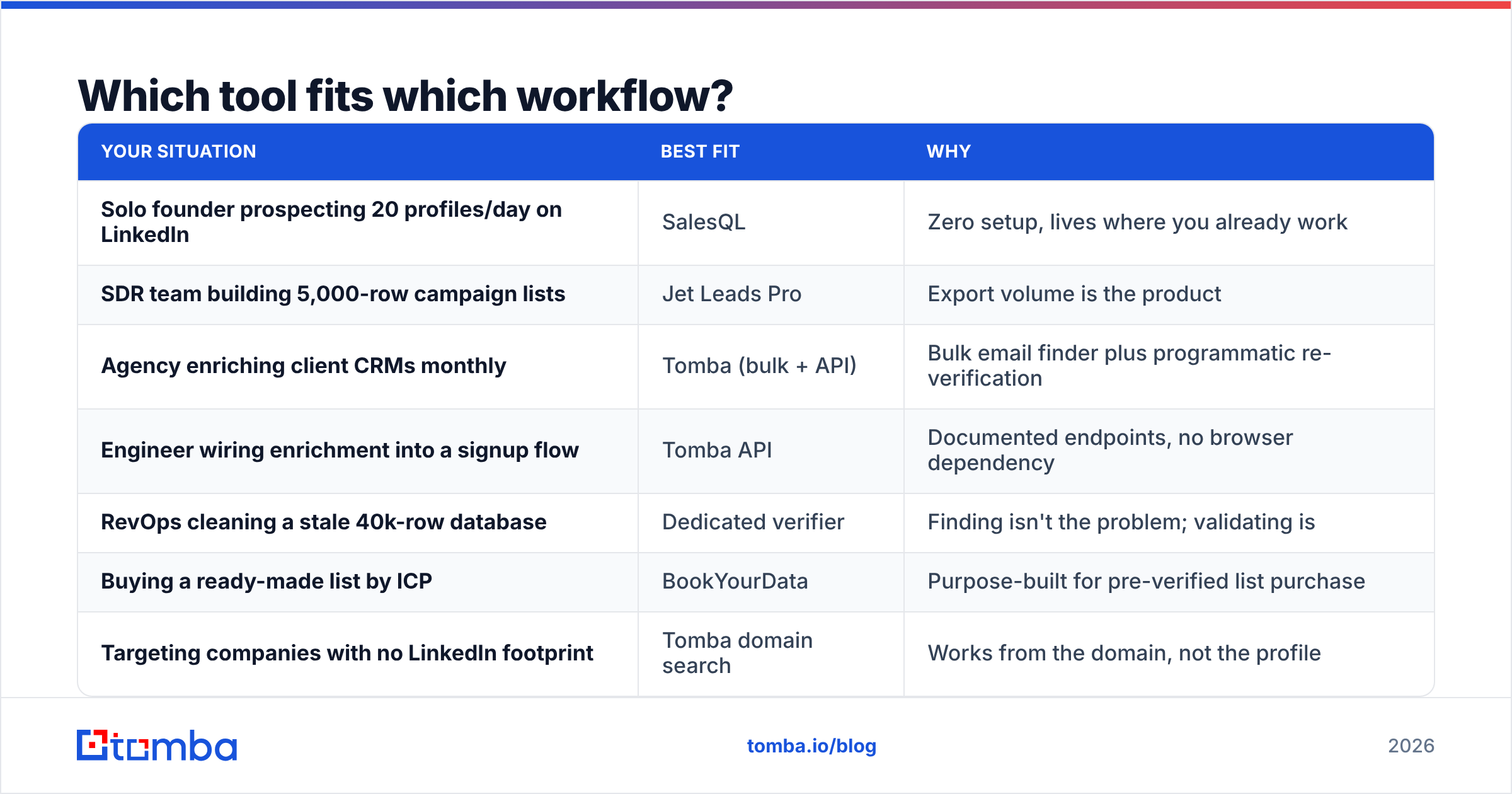
| Your situation | Best fit | Why |
|---|---|---|
| Solo founder prospecting 20 profiles/day on LinkedIn | SalesQL | Zero setup, lives where you already work |
| SDR team building 5,000-row campaign lists | Jet Leads Pro | Export volume is the product |
| Agency enriching client CRMs monthly | Tomba (bulk + API) | Bulk email finder plus programmatic re-verification |
| Engineer wiring enrichment into a signup flow | Tomba API | Documented endpoints, no browser dependency |
| RevOps cleaning a stale 40k-row database | Dedicated verifier | Finding isn't the problem; validating is |
| Buying a ready-made list by ICP | BookYourData | Purpose-built for pre-verified list purchase |
| Targeting companies with no LinkedIn footprint | Tomba domain search | Works from the domain, not the profile |
That last row is the blind spot nobody advertises. Plenty of SMB, manufacturing, logistics, and regional services companies have thin or abandoned LinkedIn pages. A LinkedIn-first tool cannot see them at all. If your ICP skews that way, find emails by domain instead of by profile. You'll surface contacts your competitors' tooling never reaches.

Where do both tools fall short?#
Verification depth. Neither tool is built as a verification product. A "valid" badge from a finder means "our system believes this is right." A verification pass means "we opened an SMTP conversation and the server accepted the mailbox." Different claims, different bounce rates. Sending more than a few hundred emails a month? Run finder output through a real verifier first.
Catch-all domains. Roughly a fifth of B2B domains are catch-all, and they break naive validation. A tool that marks a catch-all address "valid" without labeling it is handing you the risk. Segment these into a smaller send and watch the reply rate before you scale.
Browser dependence. Extensions work beautifully until LinkedIn changes its DOM, rate-limits your session, or flags the account. Teams built entirely on one extension have lost a week of pipeline to an overnight UI update. Keep a non-browser path — an API or a bulk CSV route — as a fallback.
Data freshness. B2B contact databases decay 2–3% a month through job changes alone. Ask a vendor when a record was last re-verified, not when it was first collected. A vague answer means the record is a hypothesis. Tomba publishes its data sources so you can audit where a contact came from.
Compliance posture. Personal emails, EU prospects, and phone numbers each carry their own rules under GDPR, CAN-SPAM, and local telemarketing law. "The tool gave it to me" is not a defense. Set your policy before your reps set it for you.
Jet Leads Pro vs SalesQL: what should you buy?#
Start from your bottleneck, not from a feature grid.
If your bottleneck is rep throughput on LinkedIn, SalesQL is a rational buy. It removes friction at the moment a rep is already looking at a prospect. The personal-email coverage helps with hard-to-reach titles, with the compliance caveat above.
If your bottleneck is list volume, Jet Leads Pro's export-first model does the job — as long as you budget for a verification pass on top. Price the whole stack, not the line item.
If your bottleneck is data quality and automation, neither tool is the answer. You want domain-level discovery that doesn't lean on a social network. You want a verifier that tells catch-all from confirmed. You want an API that runs enrichment without a human clicking anything. Tomba covers all three. The LinkedIn finder handles profile lookups, domain search covers what LinkedIn can't see, and the verifier catches what both would let through.
And if you'd rather skip discovery for a campaign, buying a pre-verified list from a specialist like BookYourData is a fair shortcut. Different tool, different job — often cheaper when your ICP is broad and well defined.
Ready to test it on your own list?#
Take 100 prospects you've already emailed successfully. Run them through Tomba's Email Finder. You'll get a real hit rate on data you can check yourself, with no vendor benchmark involved. The free tier covers 25 searches a month with no card, and Starter is $49/mo. Every result carries a verification status instead of a vague green checkmark. Run the same 100 rows through whichever tool you're weighing, compare the deliverable counts, and buy the winner on your data.
Related guides#
// get started
Find, verify and enrich your first contacts today
Start on the free plan with 25 searches a month, then scale when your team is ready.
Free plan · No credit card required · GDPR & CCPA
// about the author