Jet Leads Pro vs Wiza: Which LinkedIn Email Finder Wins?
Both tools promise verified emails from LinkedIn searches, but they price, verify, and export very differently. Here is the honest breakdown — plus when a domain-first email finder beats either one.
TL;DR
- Wiza is the more established option. It is a LinkedIn- and Sales Navigator-native exporter with real-time verification, CRM push, and an API. If your prospecting starts inside a LinkedIn search, it is the safer default.
- Jet Leads Pro is the lighter, cheaper-feeling option — smaller footprint, thinner public documentation, and pricing that changes more often. Verify current credit limits on the vendor's own page before you commit budget.
- Neither tool is a full data platform. Both are extraction layers. Firmographics, phone coverage, and re-verification cadence are where the gap between "list" and "pipeline" actually opens.
- The metric that matters is cost per verified, deliverable contact, not cost per credit. A $0.03 credit that returns a catch-all guess is more expensive than a $0.08 credit that returns a confirmed mailbox.
- If most of your targeting is company-first rather than profile-first, a domain-based email finder will out-perform both — you are not paying for LinkedIn scraping you do not need.
What are Jet Leads Pro and Wiza?#
Both products solve the same narrow problem: you have a list of people on LinkedIn, and you need work email addresses you can actually send to.
Wiza is the better-known of the two. It runs as a Chrome extension plus a web app, sits on top of LinkedIn and Sales Navigator, and turns a saved search or a list of profiles into a CSV of contacts with verified emails attached. It verifies at export time rather than serving from a stale cache, supports phone numbers on higher tiers, and pushes to CRMs like HubSpot, Salesforce, Outreach, and Salesloft. You can read its current feature set on the official Wiza site and sanity-check the marketing against user reviews on G2.
Jet Leads Pro occupies the budget end of the same category: export LinkedIn-sourced leads, enrich with emails, download. Be honest with yourself about the evidence available — its public documentation, changelog, and third-party review volume are all thinner than Wiza's. That is not automatically disqualifying (every tool starts small), but it changes how you should evaluate it. With a thinly documented vendor, you test before you trust, and you test on your ICP, not a demo list of Fortune 500 CTOs that every provider covers well.
One structural note that applies to both: LinkedIn's user agreement restricts automated scraping of the platform. Tools in this category operate in a grey zone, and account restrictions are a real, recurring risk. Any comparison that ignores that is selling you something.

How does a LinkedIn email finder actually get an address?#
Understanding the mechanism tells you exactly where each tool will fail. Almost every provider in this space runs the same five-step chain:
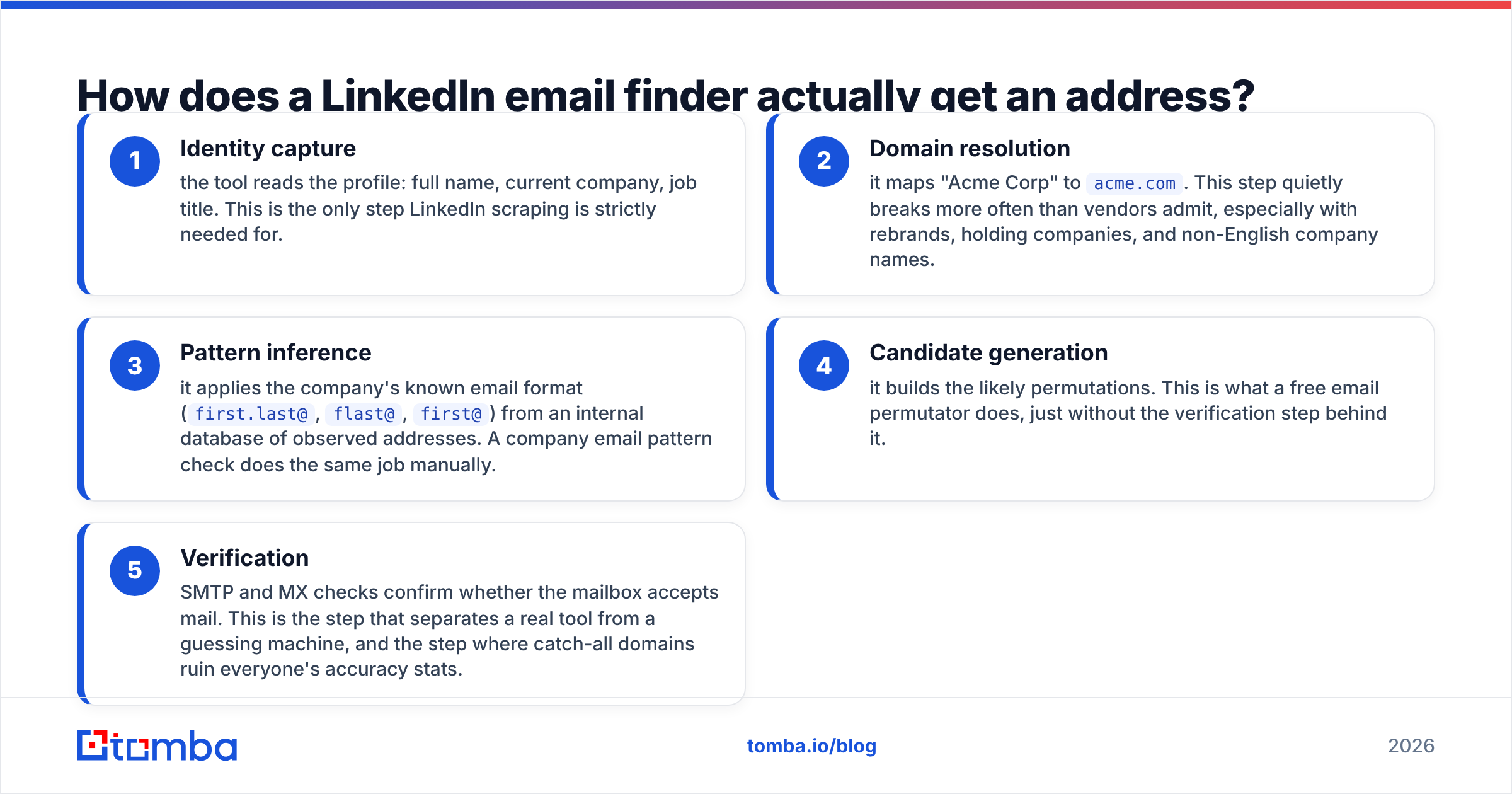
- Identity capture — the tool reads the profile: full name, current company, job title. This is the only step LinkedIn scraping is strictly needed for.
- Domain resolution — it maps "Acme Corp" to
acme.com. This step quietly breaks more often than vendors admit, especially with rebrands, holding companies, and non-English company names. - Pattern inference — it applies the company's known email format (
first.last@,flast@,first@) from an internal database of observed addresses. A company email pattern check does the same job manually. - Candidate generation — it builds the likely permutations. This is what a free email permutator does, just without the verification step behind it.
- Verification — SMTP and MX checks confirm whether the mailbox accepts mail. This is the step that separates a real tool from a guessing machine, and the step where catch-all domains ruin everyone's accuracy stats.
Steps 3 through 5 are where Wiza and Jet Leads Pro diverge from each other — and where both diverge from domain-first tools. If your ICP lives at companies with clean, well-observed email patterns, all of these tools converge on similar results. If your ICP is SMB, non-US, or catch-all heavy, the quality of step 5 decides everything.
Whose data is more accurate?#
Accuracy claims in this category are close to meaningless without definitions, so here is the honest version: Wiza's real-time verification model gives it a structural advantage over any tool that serves cached results, and Jet Leads Pro has not published enough methodology to independently assess its bounce rate.
Watch for three tricks when you read any vendor's accuracy number:
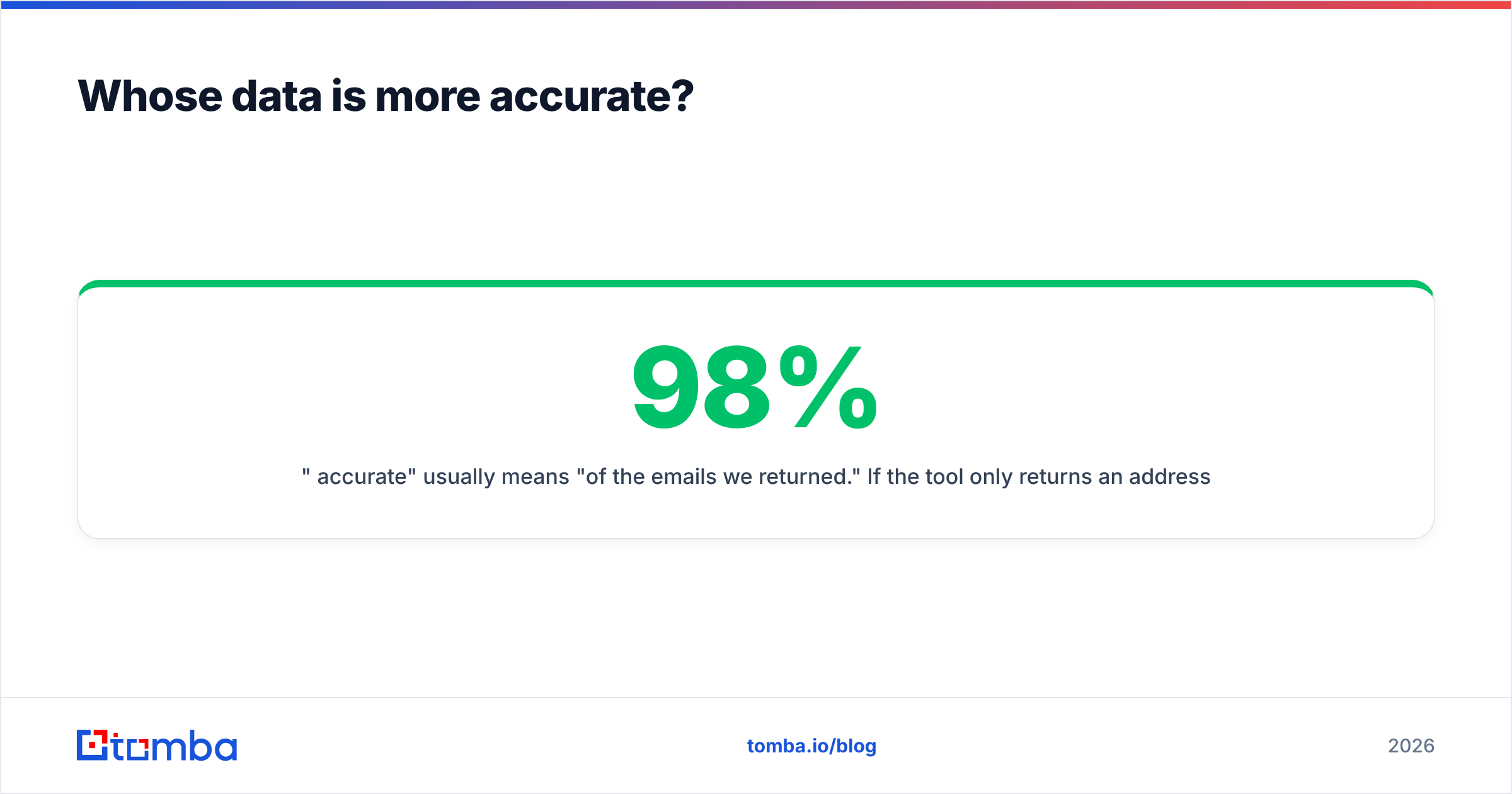
- "98% accurate" usually means "of the emails we returned." If the tool only returns an address for 40% of your list, a 98% hit rate on that 40% is a much weaker result than 90% accuracy on 75% coverage.
- Catch-all domains get counted as wins. A catch-all accepts every address at the domain, so SMTP verification returns "valid" for nonsense. Serious tools flag these separately — that is exactly what a catch-all verifier is for.
- Credits are usually charged on results, not attempts — which sounds fair until you realise "accept-all" results also consume credits.

The practical test takes twenty minutes: take 100 contacts you already have confirmed emails for, strip the emails, run the list through each tool, and measure both coverage and match rate against your known-good column. Do not skip this. Vendor benchmarks are run on vendor-friendly lists.
Jet Leads Pro vs Wiza: how do they compare feature by feature?#
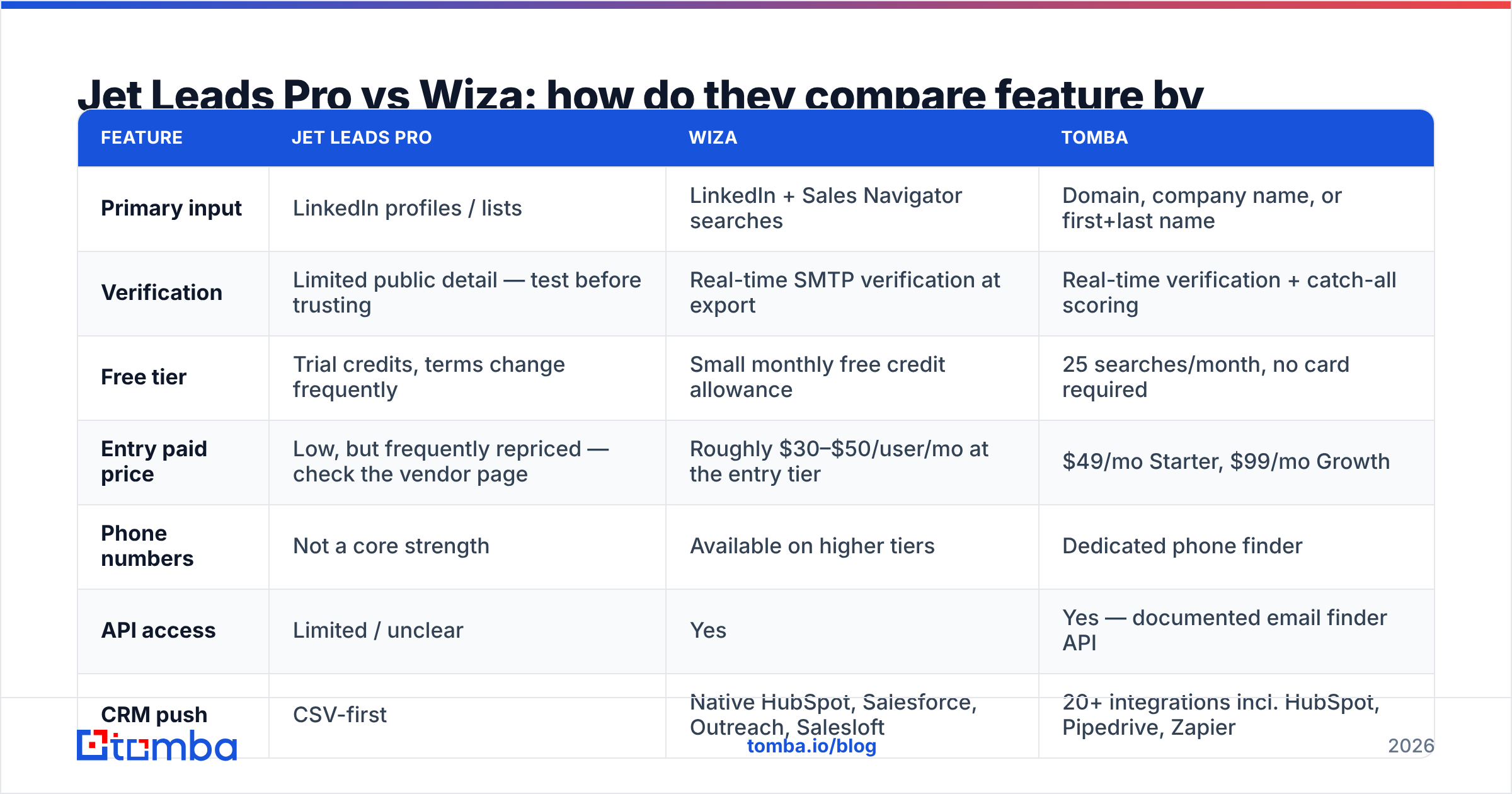
| Feature | Jet Leads Pro | Wiza | Tomba |
|---|---|---|---|
| Primary input | LinkedIn profiles / lists | LinkedIn + Sales Navigator searches | Domain, company name, or first+last name |
| Verification | Limited public detail — test before trusting | Real-time SMTP verification at export | Real-time verification + catch-all scoring |
| Free tier | Trial credits, terms change frequently | Small monthly free credit allowance | 25 searches/month, no card required |
| Entry paid price | Low, but frequently repriced — check the vendor page | Roughly $30–$50/user/mo at the entry tier | $49/mo Starter, $99/mo Growth |
| Phone numbers | Not a core strength | Available on higher tiers | Dedicated phone finder |
| API access | Limited / unclear | Yes | Yes — documented email finder API |
| CRM push | CSV-first | Native HubSpot, Salesforce, Outreach, Salesloft | 20+ integrations incl. HubSpot, Pipedrive, Zapier |
| Bulk workflow | Manual CSV | Bulk list export | Bulk email finder + Sheets/Excel add-ons |
| LinkedIn-account risk | Present (scraping-based) | Present (scraping-based) | None — no LinkedIn automation required |

Pricing on both LinkedIn-native tools moves more than published blog posts can keep up with. Treat the numbers above as a shape, not a quote, and confirm against the live pricing pages before you buy. Tomba's tiers are stable and listed publicly on the Tomba pricing page.
Which one costs less per usable lead?#
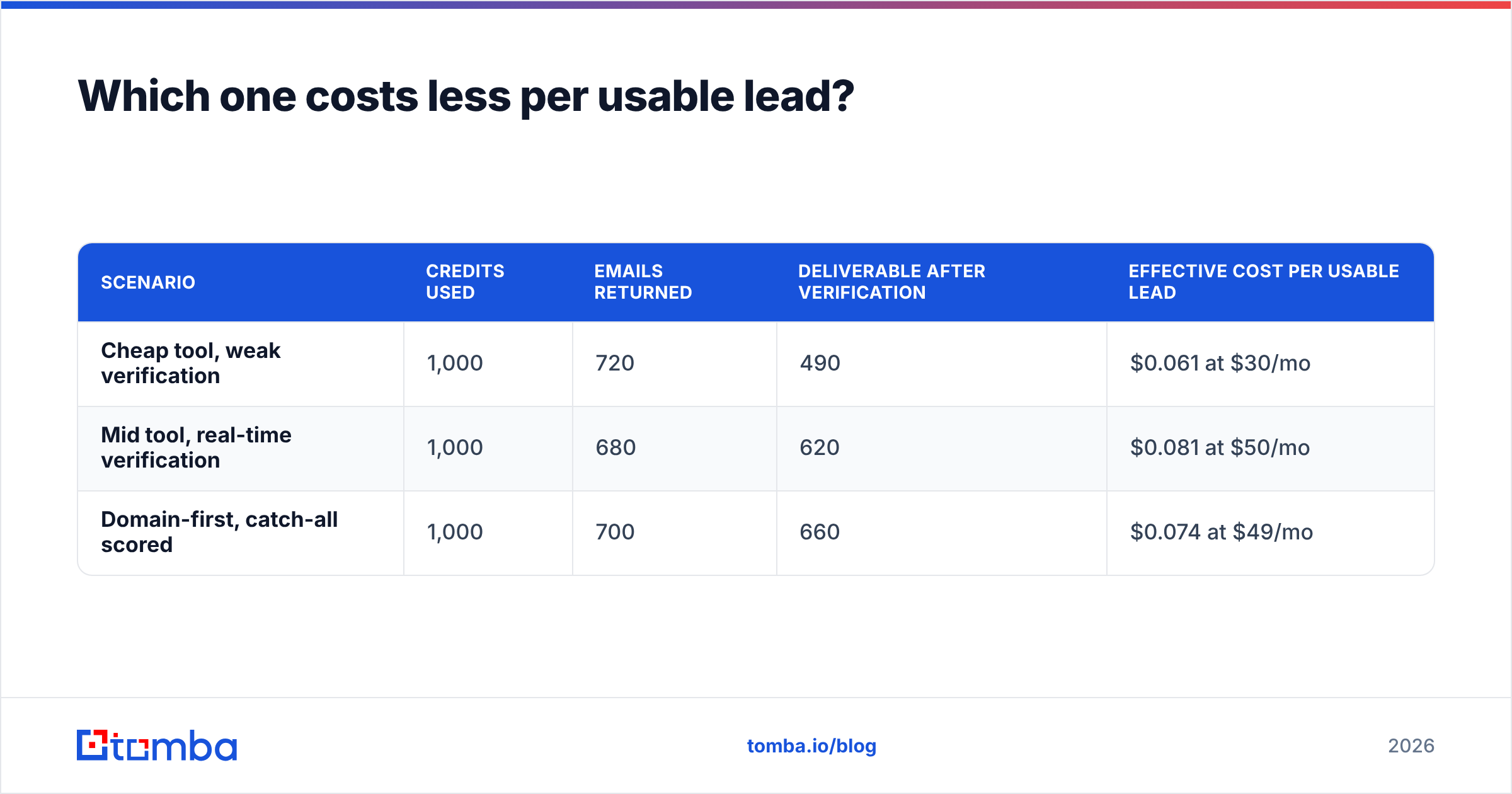
The honest answer: whichever one returns fewer catch-alls on your specific ICP. Sticker price is the least important variable in this comparison.
Run the arithmetic on a 1,000-contact month:
| Scenario | Credits used | Emails returned | Deliverable after verification | Effective cost per usable lead |
|---|---|---|---|---|
| Cheap tool, weak verification | 1,000 | 720 | 490 | $0.061 at $30/mo |
| Mid tool, real-time verification | 1,000 | 680 | 620 | $0.081 at $50/mo |
| Domain-first, catch-all scored | 1,000 | 700 | 660 | $0.074 at $49/mo |
Notice what happens: the cheapest per-credit option produces the most returned emails and the fewest usable ones. Those 230 undeliverable addresses do not just waste credits — they burn sender reputation, which costs far more than the credit differential. A bounce rate above 3% is where mailbox providers start throttling you, and recovering a damaged sending domain takes weeks.
This is why a standalone email verifier step earns its keep regardless of which finder you pick. Even the best extraction tool returns some decay; B2B contact data goes stale at roughly 25–30% per year as people change jobs.

Which tool fits which team?#
Pick Wiza if: your reps live inside Sales Navigator, your targeting is persona-led rather than account-led, and you want exports landing in HubSpot or Outreach without a CSV round-trip. The real-time verification and mature CRM integrations are worth the premium over a bare exporter. Budget for a Sales Navigator seat on top — Wiza's best workflows assume you have one.
Pick Jet Leads Pro if: you are running a low-volume, price-sensitive operation, you are comfortable validating a less-documented vendor yourself, and you will re-verify every list before sending. Test it on 100 known contacts first, and do not build a core process on top of a tool whose pricing page changes quarterly.
Pick a domain-first finder if: you already know which companies you want to sell to. This is the case for most ABM, agency, and vertical-SaaS teams, and it is where LinkedIn-native tools quietly waste money. If your target list is 300 named accounts, you do not need profile scraping — you need domain search to return every published address at those domains, filtered by department and seniority, with no LinkedIn account exposure at all.
The three approaches are not mutually exclusive. A common mature stack looks like: domain search for named accounts, a LinkedIn exporter for persona discovery in new segments, and one verification layer in front of the sending tool so nothing unverified reaches the ESP.
What do both tools miss?#
Four gaps show up in almost every LinkedIn-exporter evaluation:
- Re-verification cadence. Exporting once is easy. Keeping a 40,000-row database current is the actual job. Look for bulk re-verification and data enrichment rather than one-shot exports.
- Catch-all handling. If the tool returns "valid" on accept-all domains without labelling them, your reported bounce rate and your real bounce rate will diverge badly. A catch-all finder resolves this class of address specifically.
- Non-LinkedIn sources. Plenty of decision-makers — particularly in manufacturing, construction, local services, and non-US markets — have thin or nonexistent LinkedIn presence. A LinkedIn-only tool simply cannot see them.
- Account risk. Scraping-based extraction puts your sales reps' LinkedIn accounts at risk of restriction. That is a real operational cost that never appears on a pricing page.
None of this makes Wiza a bad tool — it is genuinely good at what it does. It makes it a specific tool, and specific tools break when you push them outside their lane.
So which one wins?#
Wiza wins the head-to-head on merit. It is more mature, verifies in real time, integrates natively with the CRMs your team already uses, and has enough public review volume that you can validate the claims independently. Jet Leads Pro competes on price, and price alone is a weak moat when the downstream cost of a bad address is measured in domain reputation.
But the more useful conclusion is that the matchup itself may be the wrong question. If your prospecting is genuinely profile-first — you find people, then figure out where they work — a LinkedIn exporter is the right category and Wiza is the stronger pick within it. If you are account-first, you are paying a scraping premium for data you could pull directly from company domains, faster, with cleaner verification and zero LinkedIn exposure.
Run both against 100 known-good contacts. Measure coverage, match rate, and catch-all percentage separately. Then buy the one that wins on your list, not on a comparison post — including this one.
Ready to test the account-first approach? Start with the Tomba Email Finder — 25 free searches a month, no credit card, no LinkedIn extension required. Drop in a domain or a name plus company, get a verified address with a confidence score and a catch-all flag, and compare the result against whatever you are exporting today. If domain-first coverage beats your current stack on your own ICP, Starter is $49/mo and Growth is $99/mo — and your reps' LinkedIn accounts stay out of the blast radius entirely.
Related guides#
// get started
Find, verify and enrich your first contacts today
Start on the free plan with 25 searches a month, then scale when your team is ready.
Free plan · No credit card required · GDPR & CCPA
// about the author