Kaspr vs Lead Carrot (2026): Which B2B Contact Tool Wins?
Kaspr sells LinkedIn phone numbers. Lead Carrot sells pre-built local business lists. They solve different problems badly if you pick wrong — here is the honest breakdown of pricing, accuracy, export limits, and who each one actually fits.
TL;DR
- Kaspr is a LinkedIn-first contact revealer owned by Cognism. Its strongest asset is European mobile numbers pulled while you browse a profile. Its weakness is that it only works where LinkedIn works.
- Lead Carrot is a list-first local-business database aimed at agencies and SMB service sellers. It gives you scraped company records with contact details and website signals, not enterprise org charts.
- They are not really competitors. One reveals a contact you already found; the other hands you a list you never had.
- Neither ships a serious verification layer, so both need an email verifier in front of your sequence unless you enjoy 20%+ bounce rates.
- Pick Kaspr for SDR calling motions into mid-market EU/UK accounts. Pick Lead Carrot for high-volume local agency prospecting. Pick a dedicated finder + verifier stack if email is your primary channel.
What are Kaspr and Lead Carrot, exactly?#
Start with the shape of each product, because the category labels hide more than they reveal.
Kaspr is a Chrome extension plus a small web app. You open a LinkedIn profile, a Sales Navigator list, or a LinkedIn group, click the widget, and Kaspr returns phone numbers and email addresses for the people on screen. It was acquired by Cognism in 2022 and now sits under that umbrella, which matters for two reasons: the phone data quality benefits from Cognism's compliance infrastructure, and the pricing is structured to nudge heavy users upstream into the parent product.
Lead Carrot is a different animal. It is a searchable database of business records — largely local and SMB — that you filter by niche, location, and technology or presence signals (does this dentist have a Facebook pixel, does this contractor have an SSL certificate, is the site mobile-friendly). You export the matching set as a CSV and go. The core buyer is a marketing agency or a local services seller who needs 500 plumbing companies in three metro areas, not the VP of Engineering at a Series C SaaS.
That difference explains almost every disagreement people have about these two tools. Someone who calls Kaspr "expensive for what you get" is usually trying to build bulk lists with it. Someone who calls Lead Carrot "inaccurate" is usually hunting named decision-makers at companies with 200+ employees. Both complaints are really category errors.

How do Kaspr and Lead Carrot compare feature by feature?#
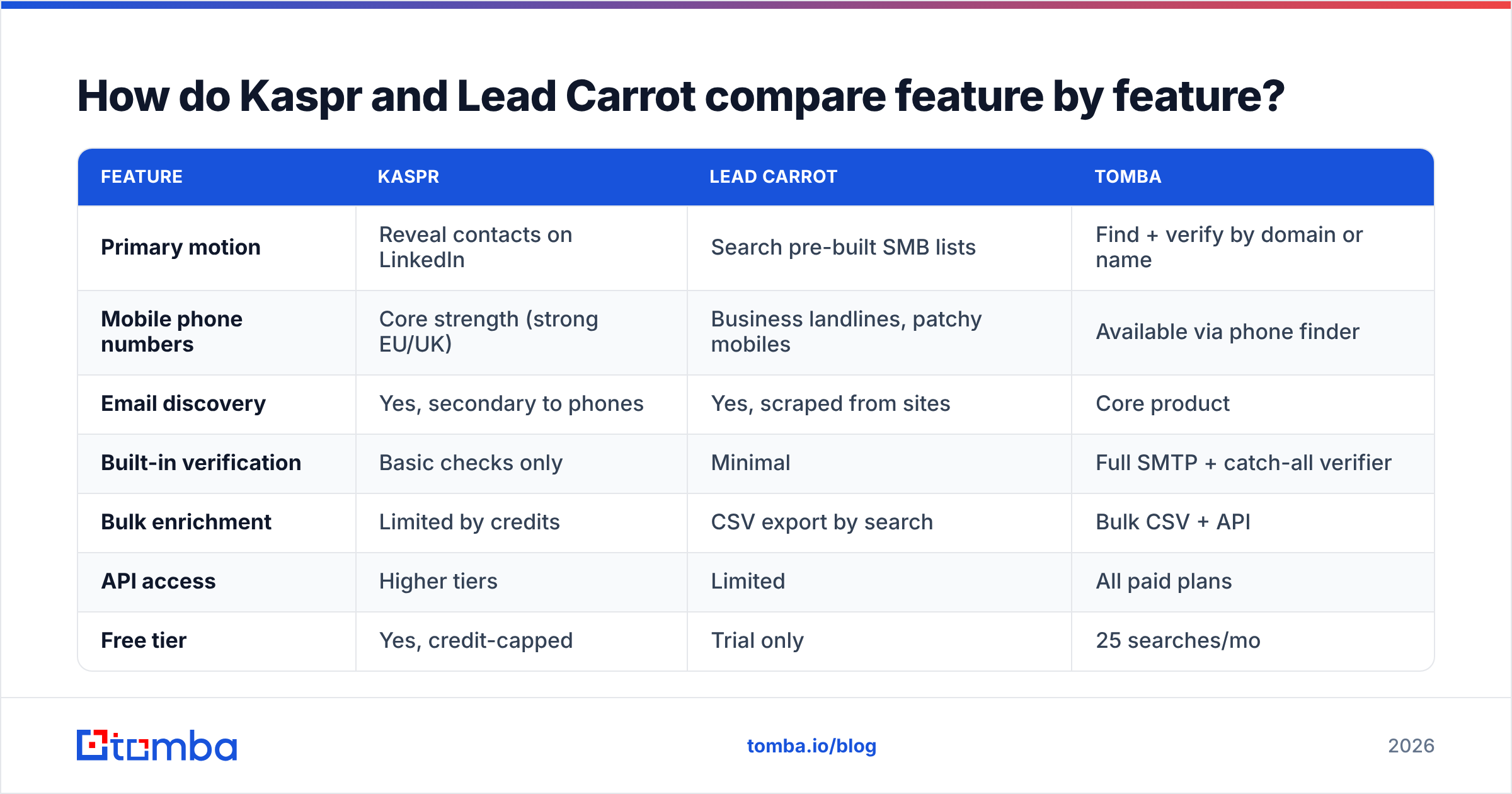
Here is the side-by-side. Treat pricing as directional — both vendors have repriced in the last 18 months, and Kaspr's plans are quoted in euros.
| Feature | Kaspr | Lead Carrot | Tomba |
|---|---|---|---|
| Primary motion | Reveal contacts on LinkedIn | Search pre-built SMB lists | Find + verify by domain or name |
| Mobile phone numbers | Core strength (strong EU/UK) | Business landlines, patchy mobiles | Available via phone finder |
| Email discovery | Yes, secondary to phones | Yes, scraped from sites | Core product |
| Built-in verification | Basic checks only | Minimal | Full SMTP + catch-all verifier |
| Bulk enrichment | Limited by credits | CSV export by search | Bulk CSV + API |
| API access | Higher tiers | Limited | All paid plans |
| Free tier | Yes, credit-capped | Trial only | 25 searches/mo |
| Entry paid price | ~€49/user/mo | ~$47/mo (listed) | $49/mo Starter |
| Best fit | SDRs cold calling EU accounts | Agencies selling to local SMBs | Email-led outbound at scale |
Two things stand out. First, Kaspr's credit model is per-seat and per-type — phone credits, email credits, and export credits are tracked separately, which is where most of the "I ran out on day nine" reviews come from. Second, Lead Carrot's value is the filtering, not the enrichment. If the niche-plus-geography filter matches your ICP, the tool feels cheap. If it does not, no amount of credits helps you.
Which one has better data accuracy?#
Different questions, different answers.
For direct mobile numbers on European mid-market prospects, Kaspr wins outright. Cognism's diamond-verified phone process and GDPR notification workflow are genuinely better than what a scraped-database product can offer, and buyers on G2 consistently rate Kaspr's phone match rate as its standout feature. Expect usable mobiles on a meaningful share of LinkedIn profiles in DACH, France, Benelux, and the UK, with weaker coverage in APAC and LATAM.
For email addresses, neither tool is best in class, and this is where the honest answer costs someone a sale. Kaspr's emails are a secondary data product; you will see a mix of verified corporate addresses and pattern-derived guesses with no clear label distinguishing them. Lead Carrot's emails are frequently role addresses scraped from website footers — info@, contact@, office@ — which are fine for a local-services pitch and useless for a named-executive sequence.

The practical accuracy checklist for either tool:
- Never trust an unlabeled email. If the vendor does not tell you the confidence score and the verification method, assume it is a pattern guess.
- Segment role addresses out.
info@addresses skew your reply rate metrics and often route to a shared inbox no buyer reads. - Catch-all domains need their own workflow. Roughly a fifth of B2B domains accept everything at the SMTP layer; a standard verifier returns "unknown" and your list silently rots. Run them through a catch-all verifier instead of deleting or blindly sending.
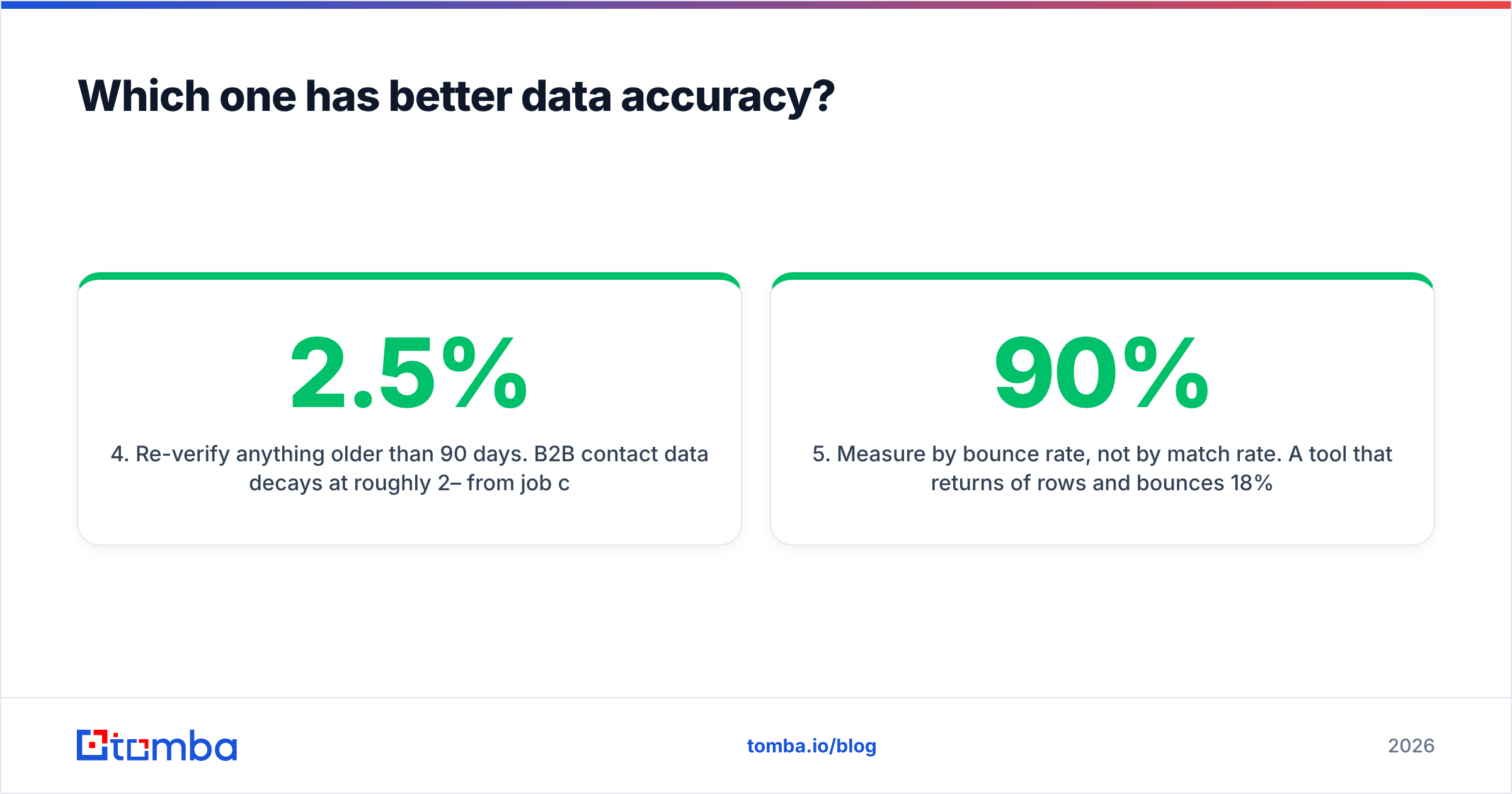
- Re-verify anything older than 90 days. B2B contact data decays at roughly 2–2.5% per month from job changes alone, so a list exported in January is materially wrong by April.
- Measure by bounce rate, not by match rate. A tool that returns 90% of rows and bounces 18% is worse than one that returns 60% and bounces 1%.
How much do Kaspr and Lead Carrot cost in 2026?#
Both vendors publish pricing, which is refreshing, but the sticker price and the real price diverge quickly.
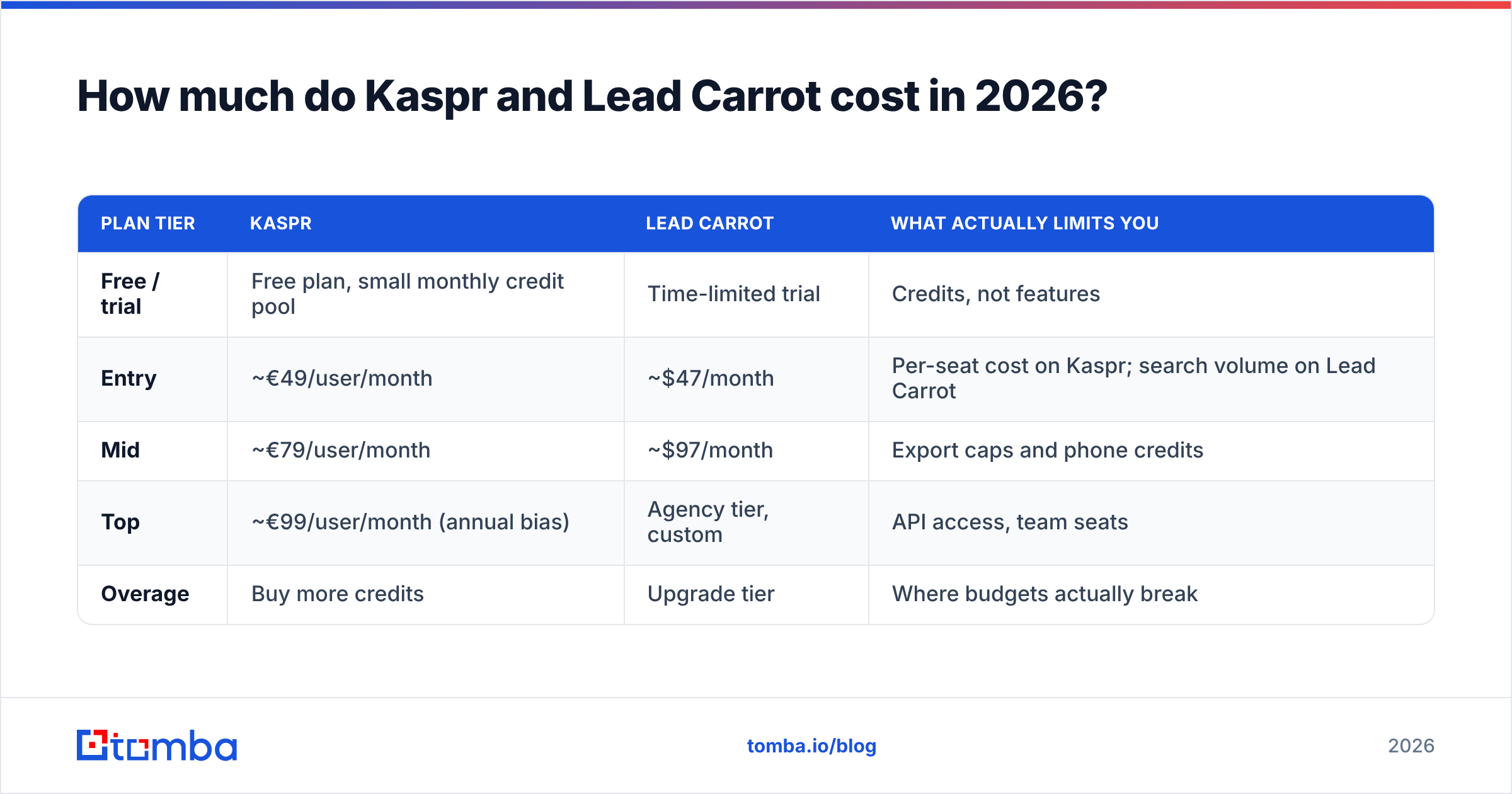
| Plan tier | Kaspr | Lead Carrot | What actually limits you |
|---|---|---|---|
| Free / trial | Free plan, small monthly credit pool | Time-limited trial | Credits, not features |
| Entry | ~€49/user/month | ~$47/month | Per-seat cost on Kaspr; search volume on Lead Carrot |
| Mid | ~€79/user/month | ~$97/month | Export caps and phone credits |
| Top | ~€99/user/month (annual bias) | Agency tier, custom | API access, team seats |
| Overage | Buy more credits | Upgrade tier | Where budgets actually break |
Kaspr's cost scales with headcount because it is a per-seat extension. Five SDRs on the business tier is a materially different number from one founder testing it. Lead Carrot scales with list appetite, which is more forgiving for a solo agency owner and less forgiving for a team that wants concurrent logins.
For reference, Tomba pricing runs a free tier at 25 searches per month, Starter at $49/mo, Growth at $99/mo, and Pro at $249/mo, with API access included on paid plans rather than gated to the top tier. The comparison is not apples to apples — Tomba does not sell LinkedIn phone reveals the way Kaspr does — but it sets the reference point for what domain-level email discovery and verification should cost.


Which tool fits which team?#
Skip the feature matrix for a second and match the tool to the motion.
- You run a phone-first SDR team selling into European mid-market. Kaspr. The mobile coverage is the product, the LinkedIn workflow keeps reps inside the tab they already live in, and the Cognism lineage means the compliance story survives a procurement review. Budget per seat, not per contact.
- You sell web design, SEO, or ads to local businesses. Lead Carrot. The niche-plus-geography filters with website signals are exactly the qualification layer that motion needs — you want to find the roofer whose site has no SSL, not the CMO of a public company.
- Email is your primary channel and volume matters. Neither, alone. You want a domain-led finder with real verification and an API. Start with domain search to map who works at a target company, then verify before anything enters a sequence.
- You are enriching an existing CRM list. Neither is built for this. Both are acquisition tools. Use a bulk enrichment workflow or a proper bulk email finder with CSV in, CSV out, and per-row confidence scoring.
- You need multi-channel — email, phone, and LinkedIn. Kaspr plus a verification layer, or a finder with a phone finder module alongside it. Do not expect one $49 tool to do all three well.
Where do both tools fall short?#
Kaspr's ceiling is LinkedIn itself. Everything flows through profile pages and Sales Navigator lists, so if your ICP is under-represented on LinkedIn — regional manufacturers, trades, healthcare practices, most of the long tail — the tool has nothing to reveal. Credit exhaustion is the second common complaint: separate pools for phones, emails, and exports mean a rep can hit a wall mid-week without warning. And bulk enrichment of an existing list is awkward by design, because the product wants you inside the browser extension.
Lead Carrot's ceiling is data depth. Scraped SMB records are good at "which businesses match this profile" and weak at "who is the decision-maker and what is their direct email." Records go stale — a scraped directory does not know a business closed in March. The UI is functional rather than polished, and integrations are thin compared to what a modern RevOps stack expects. If your workflow assumes native HubSpot integration or a webhook per new record, plan for manual CSV steps.
Both share one structural gap: neither is a verification product. Kaspr does some validity checking; Lead Carrot does very little. That is not a scandal — verification is a separate discipline with real SMTP infrastructure behind it — but it means the output of either tool is an input to your list hygiene process, not the end of it. Every major ESP and deliverability guide, including HubSpot's own list-hygiene documentation, treats bounce rate above 2% as a sender-reputation problem, and unverified scraped lists routinely land at five to ten times that.
Do you need a verification layer either way?#
Yes, and the math is not subtle.
Take 1,000 exported contacts. At a conservative 15% invalid rate — normal for scraped or pattern-derived emails — you send 150 messages into hard bounces. Mailbox providers read that as a sender who does not know their audience. Your domain reputation drops, your inbox placement on the remaining 850 drops with it, and the campaign underperforms for reasons that have nothing to do with your copy. You then blame the offer and rewrite it, which fixes nothing.
Running the same list through verification first costs a fraction of a cent per record and removes the invalid segment before it touches your sending domain. The order matters:
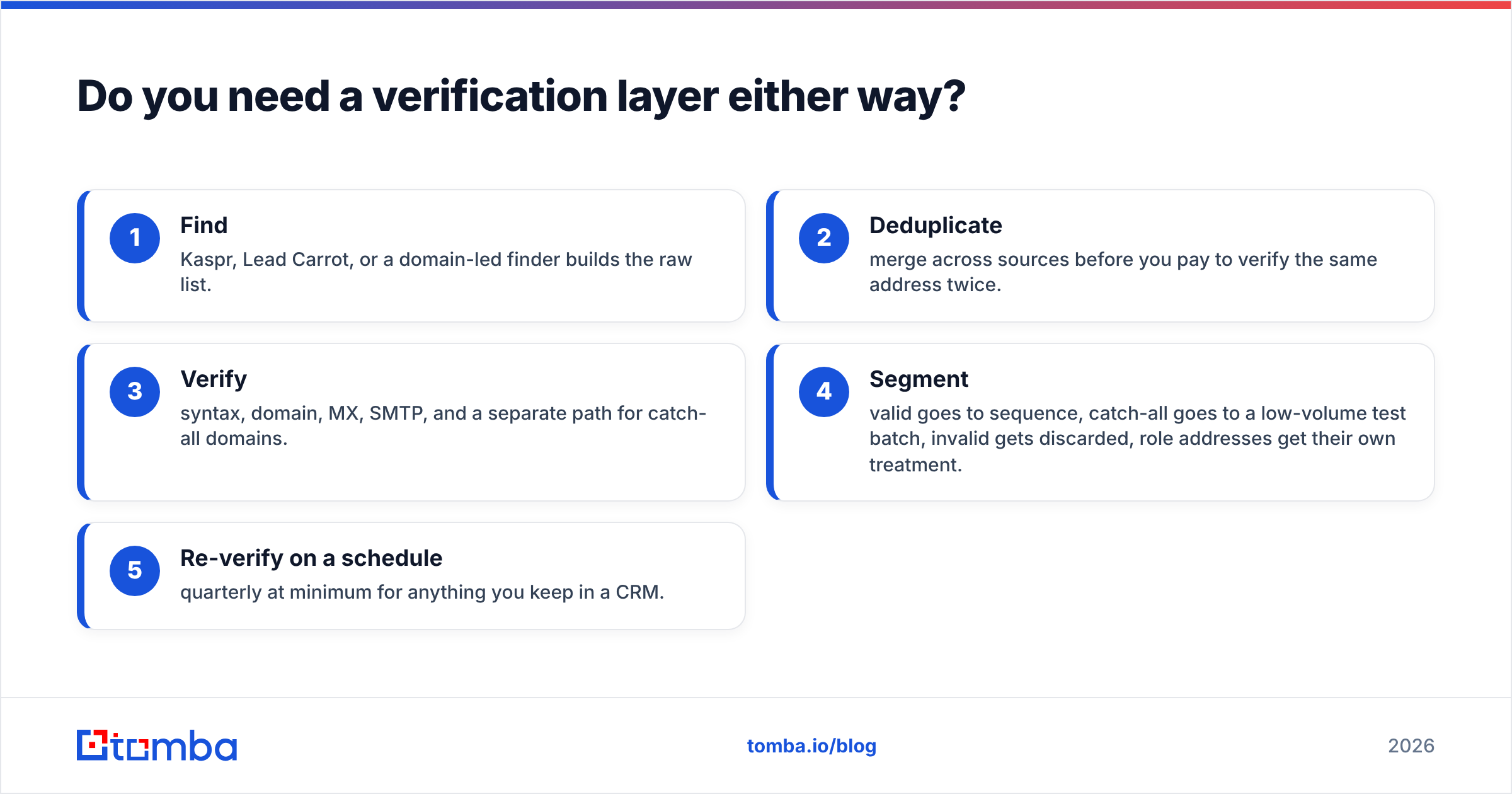
- Find — Kaspr, Lead Carrot, or a domain-led finder builds the raw list.
- Deduplicate — merge across sources before you pay to verify the same address twice.
- Verify — syntax, domain, MX, SMTP, and a separate path for catch-all domains.
- Segment — valid goes to sequence, catch-all goes to a low-volume test batch, invalid gets discarded, role addresses get their own treatment.
- Re-verify on a schedule — quarterly at minimum for anything you keep in a CRM.
If you want to sanity-check a handful of addresses before committing budget, the free email checker will tell you fast whether a sample from either tool holds up. Run twenty rows from a Kaspr export and twenty from a Lead Carrot export and you will learn more in ten minutes than from any comparison article, including this one.
Kaspr vs Lead Carrot: which should you pick?#
If you have to choose one and you are calling European prospects, choose Kaspr. The mobile number quality is real, the LinkedIn workflow is frictionless for reps, and the compliance posture holds up. Accept that you are buying a phone product with email as a bonus, and budget per seat.
If you are an agency selling to local businesses, choose Lead Carrot. The filtering is the value, the price is friendly to a solo operator, and role-address emails are genuinely acceptable for a "your site has no SSL certificate" pitch to a 6-person company.
If neither describes you — if you are running email-led outbound into defined target accounts — the honest answer is that this matchup is the wrong bracket. You want domain-level coverage, confidence-scored results, catch-all handling, and an API that drops into your existing pipeline, not a browser extension or a local-business directory.
That is the gap Tomba fills. The Tomba Email Finder resolves professional addresses by domain, name, or company with a confidence score and verification attached, so what lands in your sequence has already survived the checks that decide whether your next 1,000 sends reach an inbox or a spam folder. Start on the free tier at 25 searches a month, test it against a sample from whichever tool you are already running, and let the bounce rate pick the winner.
Related guides#
// get started
Find, verify and enrich your first contacts today
Start on the free plan with 25 searches a month, then scale when your team is ready.
Free plan · No credit card required · GDPR & CCPA
// about the author