Kaspr vs Leadsforge: Which B2B Lead Data Tool Wins in 2026?
Kaspr scrapes contacts off LinkedIn profiles. Leadsforge builds lists from a chat prompt. They solve different halves of the same problem — here's which one actually belongs in your stack, and where both fall short.
TL;DR
- Kaspr is a LinkedIn-first contact revealer. You browse a profile, click the extension, and it returns mobile numbers and emails for that person. Its strength is phone data on individual prospects you've already identified.
- Leadsforge is an AI list builder. You describe an ICP in plain language and it assembles a list. Its strength is going from zero to a few hundred names without touching filters.
- They are not really competitors. Kaspr answers "what's this person's number?" Leadsforge answers "who should I be contacting?" Teams that buy one often end up needing the other.
- Neither is an accuracy leader on email. Both lean on database lookups plus pattern inference. If you send cold email at volume, you need a dedicated verification layer on top of either.
- Cost model is the real decision point. Kaspr prices per seat with per-seat credit pools; Leadsforge prices around list volume. Small teams with one power user and large teams with many casual users land on opposite answers.
What is Kaspr and who is it for?#
Kaspr is a contact-data extension that sits on top of LinkedIn. You open a profile, Sales Navigator search, or group member list, click the Kaspr extension, and it surfaces the person's mobile number, direct dial where available, and professional email. Kaspr was acquired by Cognism, which means its European phone coverage is unusually strong compared to US-centric tools.
The typical Kaspr user is an SDR or founder who does their own prospecting inside LinkedIn and wants to call, not just email. If your motion is "find the VP of Ops at these 40 target accounts, get their mobile, run a call-first sequence," Kaspr fits the shape of that day.
What Kaspr does not do well is build a list from nothing. It has a lightweight search, but the product is designed around enrichment of profiles you've already surfaced. Your prospecting quality still depends on how good you are at LinkedIn search.
What is Leadsforge and how does it work differently?#
Leadsforge approaches the same problem from the other end. Instead of an extension that enriches profiles one at a time, it offers a conversational interface: you describe who you want ("Series A fintech companies in the UK, heads of compliance, 50–200 employees") and the system returns a list with contact details attached.
The pitch is speed for people who find traditional filter panels intimidating. No boolean, no saved search syntax, no Sales Navigator seat. You type, it builds.
The trade-off is control. Filter panels are ugly, but they are deterministic — you know exactly what "employee count 50–200 AND industry = financial services" returned and why. A natural-language layer introduces interpretation. When the list comes back slightly off-ICP, you are debugging a prompt rather than adjusting a filter. Experienced RevOps people generally hate this; first-time founders generally love it.
How do the two tools split the prospecting job?#
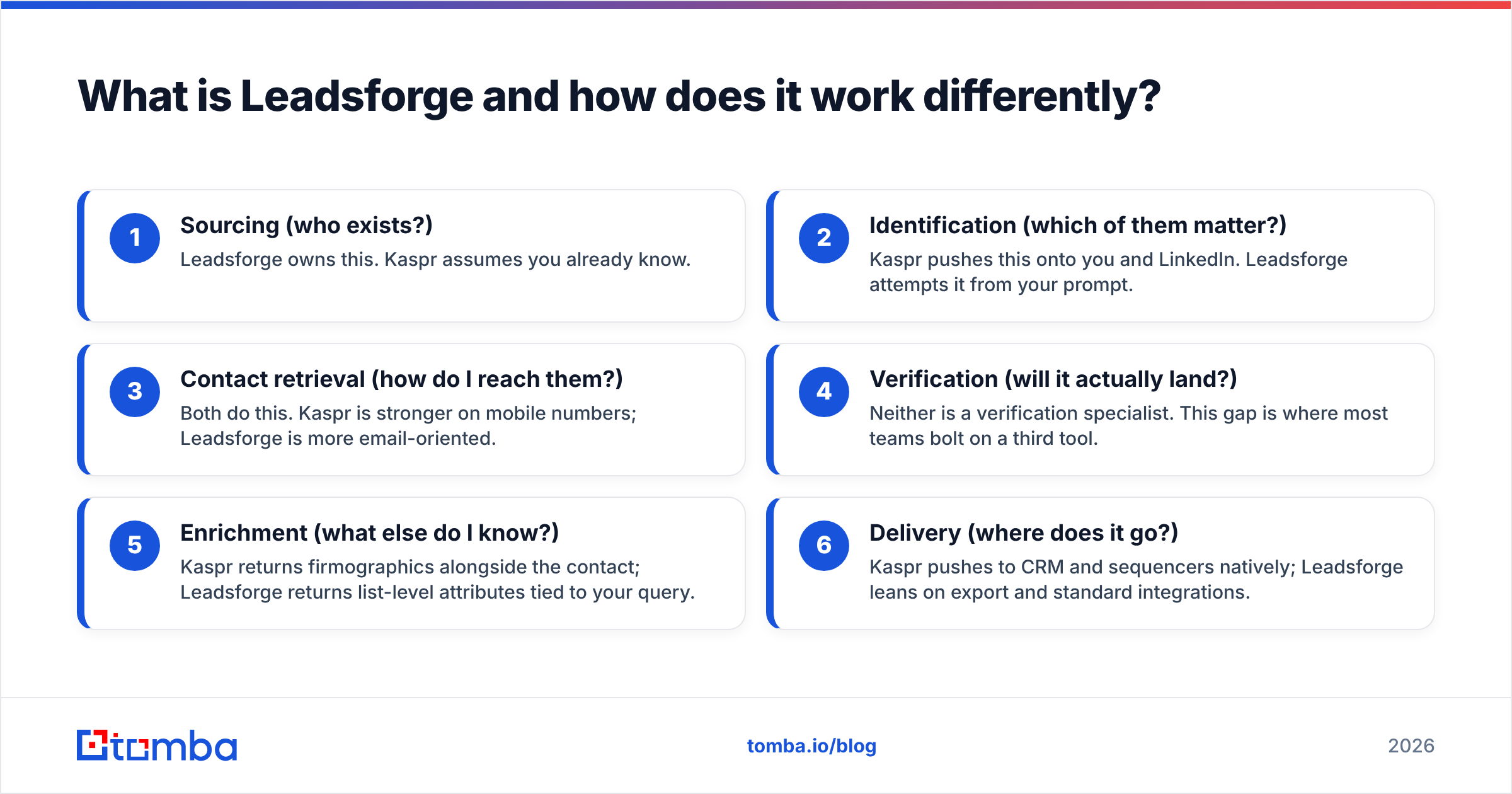
- Sourcing (who exists?) — Leadsforge owns this. Kaspr assumes you already know.
- Identification (which of them matter?) — Kaspr pushes this onto you and LinkedIn. Leadsforge attempts it from your prompt.
- Contact retrieval (how do I reach them?) — Both do this. Kaspr is stronger on mobile numbers; Leadsforge is more email-oriented.
- Verification (will it actually land?) — Neither is a verification specialist. This gap is where most teams bolt on a third tool.
- Enrichment (what else do I know?) — Kaspr returns firmographics alongside the contact; Leadsforge returns list-level attributes tied to your query.
- Delivery (where does it go?) — Kaspr pushes to CRM and sequencers natively; Leadsforge leans on export and standard integrations.

Which has better data accuracy?#
Honest answer: it depends entirely on which field you care about, and both vendors publish self-reported numbers that you should treat as marketing.
Kaspr's advantage is mobile phone data in EMEA. Its parent company built a phone-verified database, and that lineage shows. If you're calling into France, Germany, the Netherlands, or the UK, Kaspr's connect rates are competitive with anything on the market. US mobile coverage is thinner — not bad, just not the differentiator.
Leadsforge's advantage is breadth at the list level. Because it aggregates from multiple upstream sources rather than being anchored to one proprietary phone database, you get wider company coverage. The cost is inconsistency: within a single 300-row export, some rows will be excellent and some will be stale by eighteen months.

The pattern that shows up across every contact-data benchmark is the same: tools optimize for either depth on a narrow field (Kaspr's phones) or breadth across many fields (aggregator-style products). Nobody wins both. That's why the accuracy question is really a question about your motion.
A practical test before you buy either: pull 50 contacts you already know are correct — current customers, people you've emailed this quarter — and run them through a trial of each tool. Measure match rate and correctness separately. A tool that returns something for 90% of rows but is right on 60% of them is worse than one that returns nothing for half your list and is right every time, because the first one silently poisons your sender reputation.
That's also the case for running any list through an independent email verifier regardless of source. Vendor-side validation is graded by the vendor. A second opinion costs a fraction of a cent per row and catches the difference between "pattern looks right" and "the mailbox accepts mail."
Kaspr vs Leadsforge: full feature comparison#
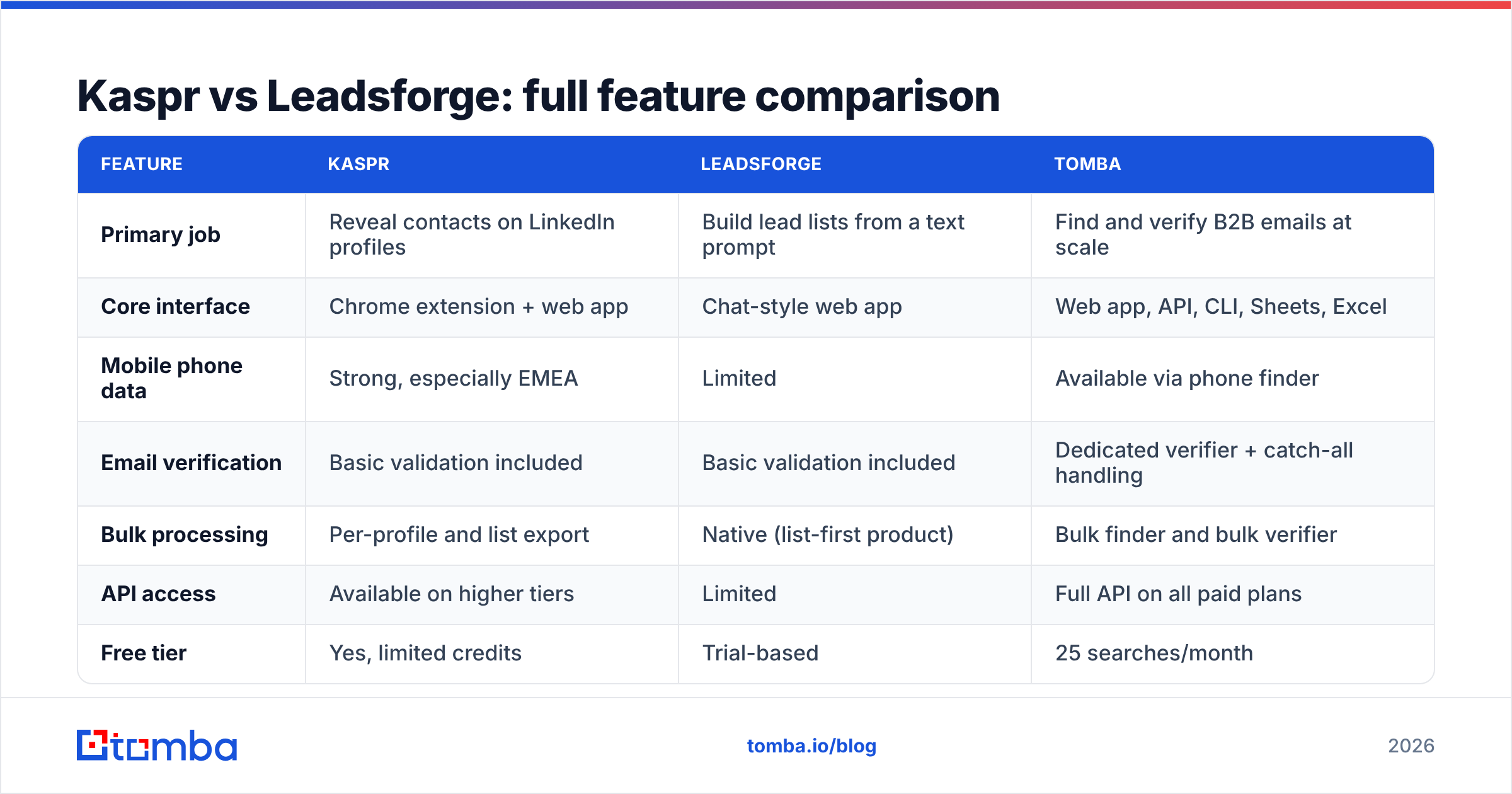
| Feature | Kaspr | Leadsforge | Tomba |
|---|---|---|---|
| Primary job | Reveal contacts on LinkedIn profiles | Build lead lists from a text prompt | Find and verify B2B emails at scale |
| Core interface | Chrome extension + web app | Chat-style web app | Web app, API, CLI, Sheets, Excel |
| Mobile phone data | Strong, especially EMEA | Limited | Available via phone finder |
| Email verification | Basic validation included | Basic validation included | Dedicated verifier + catch-all handling |
| Bulk processing | Per-profile and list export | Native (list-first product) | Bulk finder and bulk verifier |
| API access | Available on higher tiers | Limited | Full API on all paid plans |
| Free tier | Yes, limited credits | Trial-based | 25 searches/month |
| Entry paid price | Around €45–€49 per user/month | Volume-based; confirm current tiers | $49/month (Starter) |
| Pricing model | Per seat, per-seat credits | Per list volume | Flat plan, shared credits |
| Best for | Call-first SDRs in Europe | Founders building a first ICP list | Teams running high-volume cold email |
Pricing changes frequently on all three products. Verify current numbers on each vendor's page — the figures above reflect publicly listed tiers as of writing, and Leadsforge in particular has revised its packaging more than once.
How do the pricing models actually differ?#
This is where most evaluations should start, because the sticker price hides the real cost.
Kaspr charges per seat. Each user gets their own credit pool. That works beautifully if you have three SDRs who each prospect daily. It works terribly if you have twelve people who each need forty contacts a month, because you're buying twelve seats to use a fraction of twelve credit pools. Seat-based pricing on data tools always punishes wide, shallow usage.
Leadsforge charges around list volume. One operator can build lists for the whole team, and the cost tracks output rather than headcount. That inverts the math: wide, shallow teams do well; a single power user who runs thousands of lookups a month pays more than they would on a seat plan.
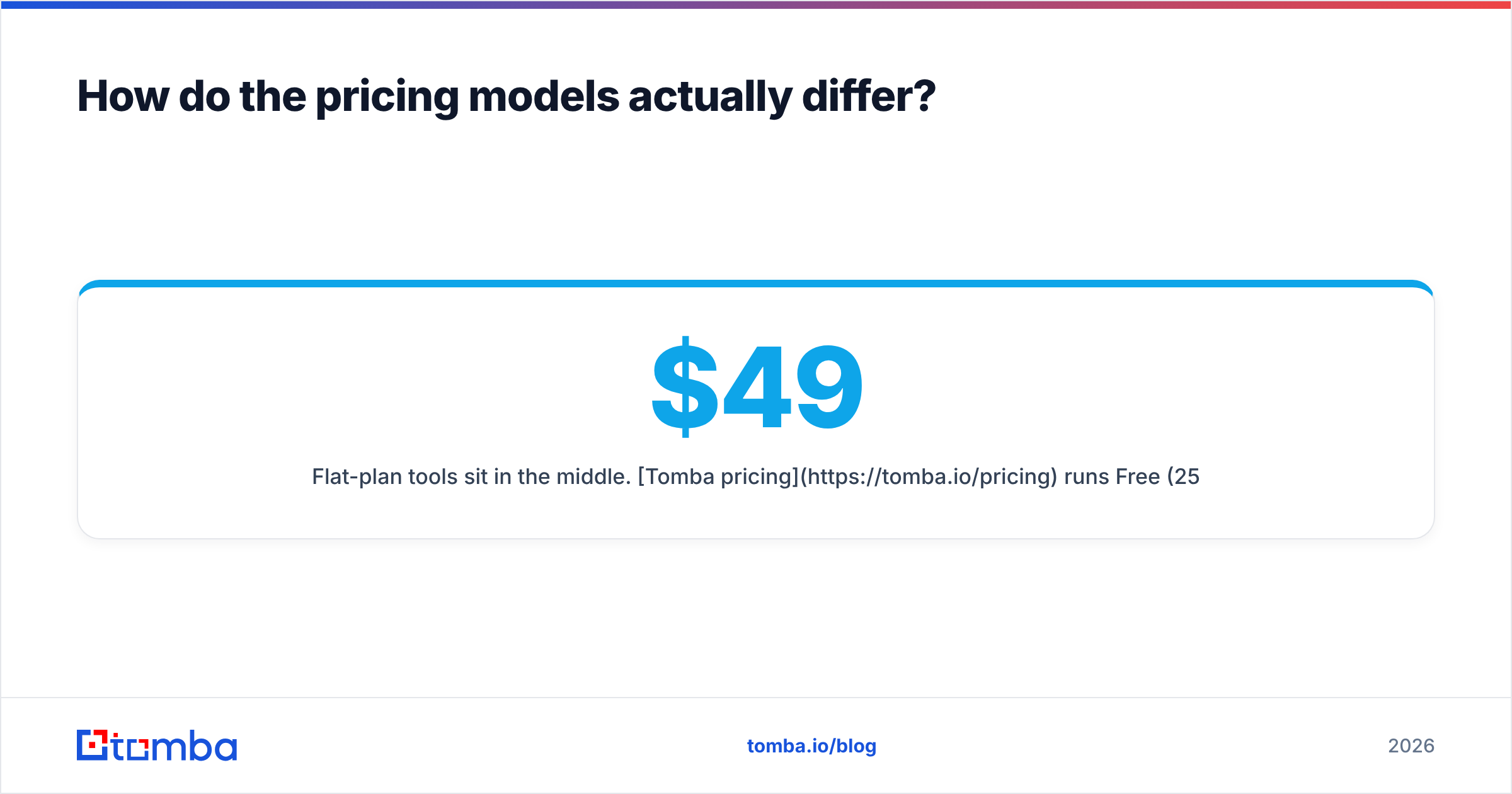
Flat-plan tools sit in the middle. Tomba pricing runs Free (25 searches/month), Starter at $49/month, Growth at $99/month, and Pro at $249/month, with credits shared across the account rather than fenced per user. If your usage is spiky — quiet weeks, then a 5,000-row push before a campaign — shared pools avoid the situation where one rep is out of credits while three others have full ones sitting idle.
Run your own numbers before trusting any of these framings. Take your actual monthly contact volume, divide by the number of people who need access, and see which curve you land on. Teams routinely overpay by 3x because they picked a pricing model that fights their org chart.
Is Kaspr or Leadsforge better for cold email?#
Neither is built primarily for cold email, and that matters more than either vendor admits.
Kaspr's center of gravity is the phone. Its email data is a secondary field, adequate for a call-first team that sends the occasional follow-up but not designed for someone shipping 2,000 sends a week. If you build a cold email program on Kaspr exports without an additional verification pass, expect bounce rates that get you throttled.
Leadsforge is more email-oriented, but the aggregation model means variable freshness. A list assembled from multiple upstream sources will contain contacts that were accurate when originally collected and are not accurate now. Nothing in the chat interface tells you which rows are which.
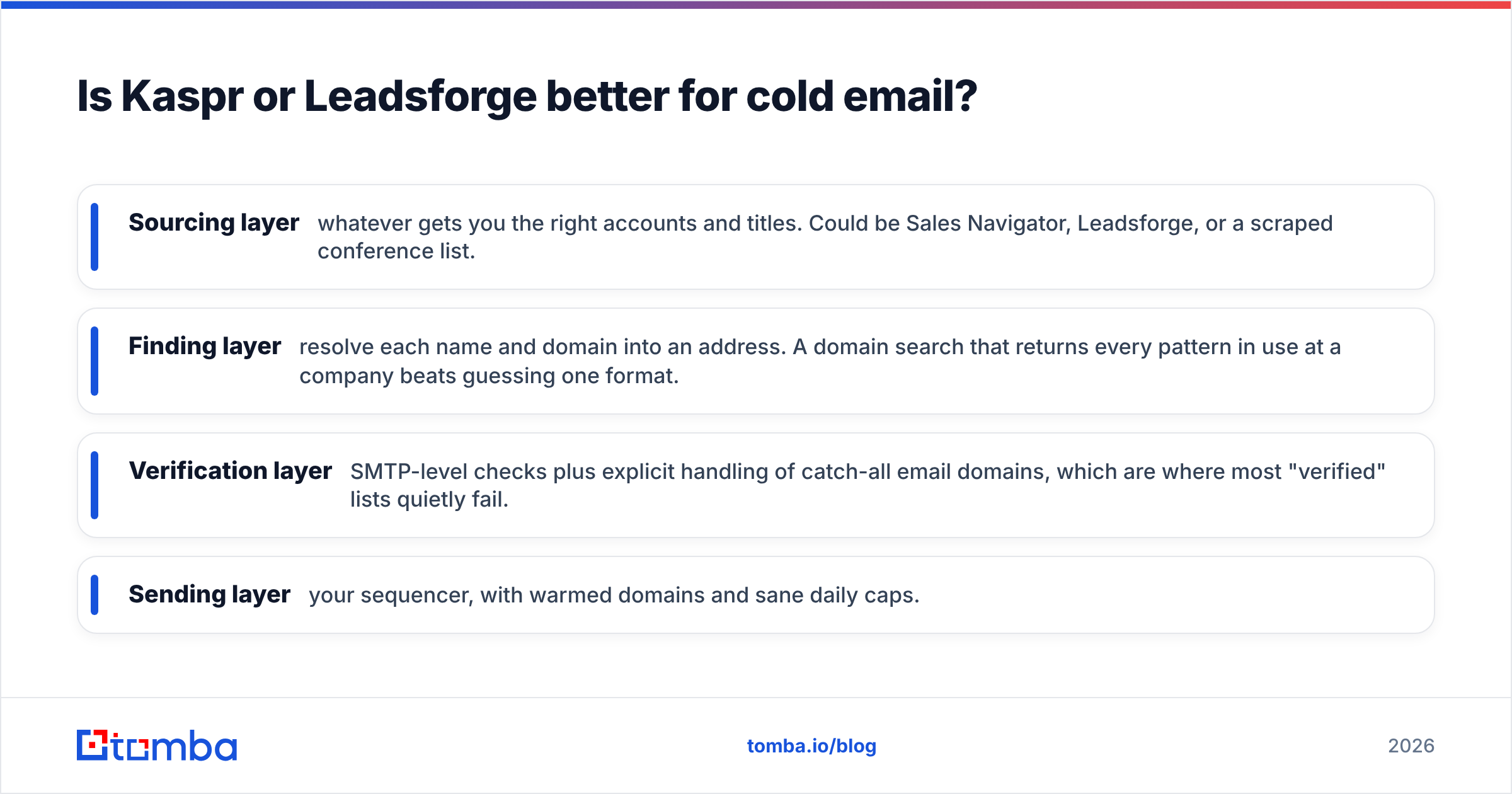
For a cold email motion specifically, the stack that actually works looks like this:
- Sourcing layer — whatever gets you the right accounts and titles. Could be Sales Navigator, Leadsforge, or a scraped conference list.
- Finding layer — resolve each name and domain into an address. A domain search that returns every pattern in use at a company beats guessing one format.
- Verification layer — SMTP-level checks plus explicit handling of catch-all email domains, which are where most "verified" lists quietly fail.
- Sending layer — your sequencer, with warmed domains and sane daily caps.
Skipping the third step is the single most common reason cold email programs die in month two. Bounces above roughly 3% start moving your sender reputation in the wrong direction, and reputation damage takes weeks to undo.

What about compliance and LinkedIn's terms?#
Any tool that reads data from LinkedIn profiles operates in tension with LinkedIn's user agreement, which prohibits automated scraping. Enforcement is inconsistent, but account restrictions do happen, and they happen to the rep, not the vendor. If your entire prospecting motion depends on one LinkedIn account staying alive, extension-based tools carry a risk you should price in.
On the privacy side, both tools process personal data of EU residents, which puts them under GDPR. Kaspr, through its Cognism lineage, has invested visibly in compliance infrastructure including notified-contact processes in several European markets. Leadsforge is a smaller operation and its documentation is correspondingly thinner. If you sell into Europe and your legal team asks where a contact came from, you need a vendor that can answer. Ask both for their lawful-basis documentation and data-sourcing statement before signing — a vendor that can't produce one in a week is telling you something.
It's worth checking how any provider documents its data sources. "We aggregate from public and partner sources" is not documentation. A real answer names categories, retention, and how removal requests are handled.

Which should you choose?#
Choose Kaspr if your reps live inside LinkedIn, you sell into Europe, and calling is a real part of your motion rather than a checkbox. The mobile data is the product. Everything else is a bonus. Budget for per-seat costs scaling linearly with headcount, and add a verification tool if email volume grows.
Choose Leadsforge if you don't yet have a defined ICP, you're one or two people, and the bottleneck is "I don't know who to contact" rather than "I can't reach the people I've found." The conversational build is genuinely faster for a first list. Plan to migrate once your targeting gets precise enough that prompts stop being a good interface for it.
Choose neither if your primary problem is volume email with low bounce rates. That's a different product category, and buying a LinkedIn extension or an AI list builder to solve it means paying twice — once for the tool, once for the deliverability cleanup afterwards.
A reasonable middle path that a lot of teams land on: keep a sourcing tool for discovery, then run every contact through a dedicated finder and verifier before it reaches your sequencer. That's two line items instead of three, and the second one is usually the cheapest thing in the stack.
Frequently asked questions#
Can I use Kaspr and Leadsforge together? Yes, and some teams do — Leadsforge for list construction, Kaspr for phone enrichment on the highest-value accounts. It's expensive but coherent. Just don't pay for overlapping email credits in both.
Which has the better free tier? Kaspr's free plan gives you a small monthly credit allowance that renews, which is enough to evaluate data quality properly. Leadsforge's trial is time-boxed. For a genuine accuracy test, a renewing free tier is more useful.
Do either integrate with my CRM? Kaspr has native pushes to the major CRMs and several sequencers. Leadsforge relies more on exports and general-purpose connectors. Check your specific stack — "integrates with HubSpot" can mean anything from a real two-way sync to a CSV you upload yourself. G2 reviews are useful here because users complain loudly about shallow integrations.
How many contacts should I test before committing? At least 100, drawn from accounts you actually target. Anything smaller gives you noise. Run the same 100 through both tools plus a verifier, and compare match rate and true accuracy side by side.
Where Tomba fits#
If the job you're hiring for is "turn a list of companies and names into deliverable email addresses, reliably, at volume," that's what the Tomba Email Finder is built for. Domain search across an entire company, bulk processing for lists you already have, catch-all handling that doesn't just shrug, and a full API on every paid plan — no seat tax, no credit pools fenced off per user. Start on the free tier with 25 searches a month, run it against contacts you can independently verify, and compare the numbers to whatever your current tool returns. That's the only benchmark that matters.
Related guides#
// get started
Find, verify and enrich your first contacts today
Start on the free plan with 25 searches a month, then scale when your team is ready.
Free plan · No credit card required · GDPR & CCPA
// about the author