Keap vs Salesforce (2026): Which CRM Fits Your Team?
Keap is built for small teams that want automation out of the box. Salesforce is built for companies that need a platform. Here is the honest pricing, feature, and setup-cost breakdown for 2026.
TL;DR
- Keap is a small-business CRM with marketing automation, email, and payments bundled in. Plans start around $249/mo for 2 users and 1,500 contacts. You can be live in about two weeks.
- Salesforce Sales Cloud is a configurable platform. Starter is $25/user/mo, but the version most B2B teams actually buy (Enterprise) is $175/user/mo before add-ons, and real deployments run 6-16 weeks.
- The dividing line is headcount and process complexity, not budget. Under ~10 reps with one sales motion, Keap wins. Over ~25 reps, multiple products, territories, or approval chains, Salesforce wins.
- Both platforms are only as good as the contact data you load into them. Neither Keap nor Salesforce finds or verifies B2B email addresses — that's a separate layer you have to solve.
- Total cost of ownership is the real comparison. Salesforce's admin, integration, and add-on spend routinely doubles the license line. Keap's ceiling shows up as workflow limits, not invoices.
What is Keap and who actually uses it?#
Keap (formerly Infusionsoft) is an all-in-one CRM for small businesses that sell through a repeatable, mostly-one-person-per-deal motion. Think agencies, home services, coaches, clinics, boutique consultancies, and e-commerce brands with a sales component.
The pitch is bundling. In one subscription you get contact management, a visual automation builder, email and SMS broadcasts, landing pages, appointment scheduling, quotes, invoices, and payment collection. For a five-person company, that replaces four or five separate tools and the glue code between them.
What Keap is not: a platform. You don't build custom objects, you don't write Apex, and you don't model a 14-stage enterprise pipeline with territory-based record visibility. Keap has opinions about how small businesses sell, and it enforces them. That's the source of both its speed and its ceiling.
Current Keap pricing starts at roughly $249/mo including two users and 1,500 contacts, scaling with contact volume rather than seats. Additional users run about $39/mo each. Note that Keap charges a one-time onboarding fee (typically $499-$999 depending on plan) that a lot of comparison posts quietly omit.
What is Salesforce Sales Cloud, and is Starter the same product?#
No — and that distinction is where most Keap vs Salesforce comparisons go wrong.
Salesforce Sales Cloud is a configuration platform. Objects, fields, page layouts, validation rules, approval processes, flows, permission sets, and a 4,000+ app marketplace. When a company says "we run on Salesforce," they usually mean a system an admin has spent months shaping around their specific sales process.
The tiers matter enormously:
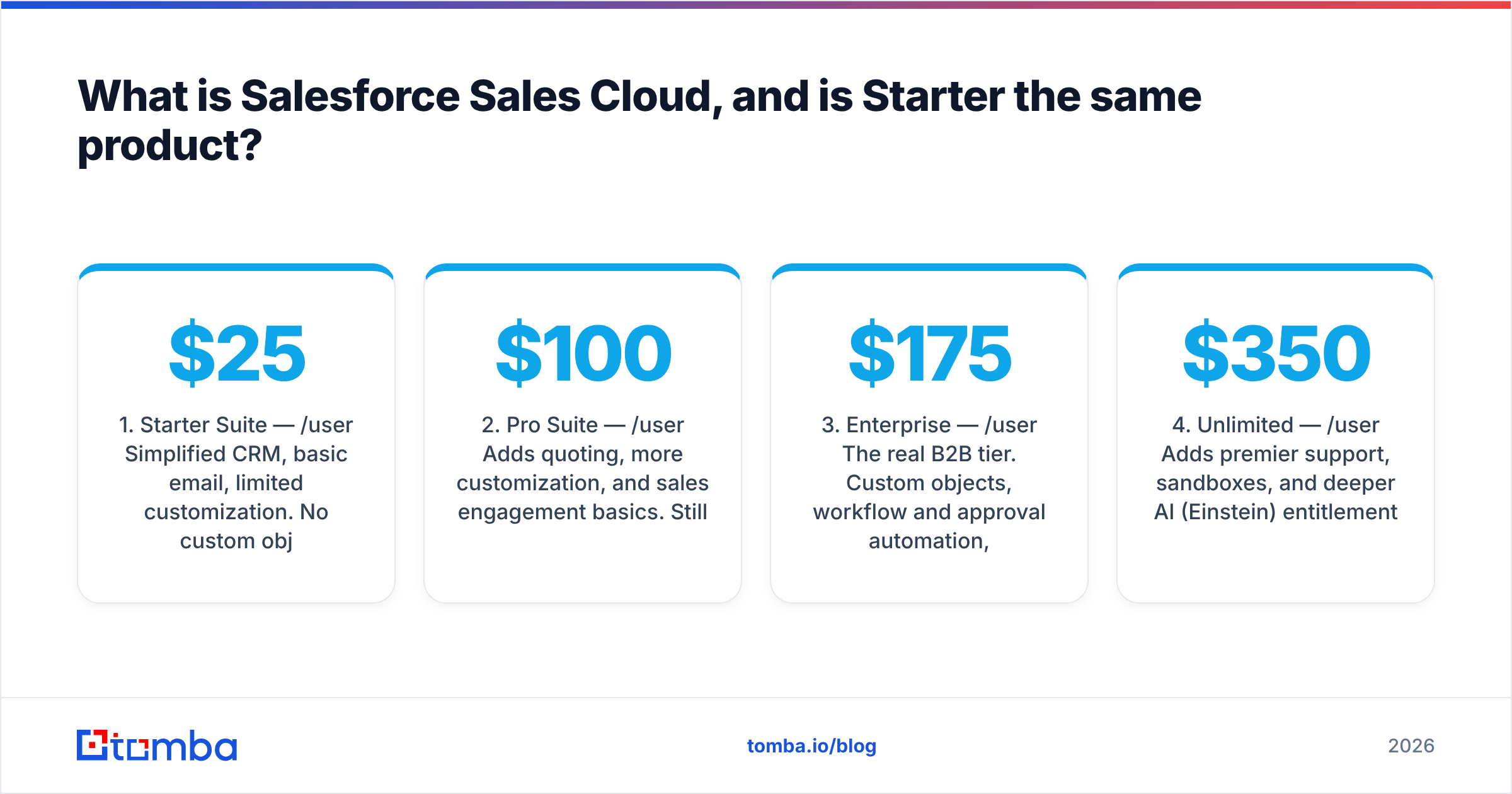
- Starter Suite — $25/user/mo. Simplified CRM, basic email, limited customization. No custom objects, no advanced forecasting, no workflow approvals. It competes with HubSpot Starter and Pipedrive, not with Keap's automation depth.
- Pro Suite — $100/user/mo. Adds quoting, more customization, and sales engagement basics. Still capped relative to what most people picture.
- Enterprise — $175/user/mo. The real B2B tier. Custom objects, workflow and approval automation, advanced reporting, territory management, API access at scale.
- Unlimited — $350/user/mo. Adds premier support, sandboxes, and deeper AI (Einstein) entitlements.
- Agentforce / Einstein 1 — $500/user/mo. AI agents, Data Cloud entitlements, and the full automation stack.
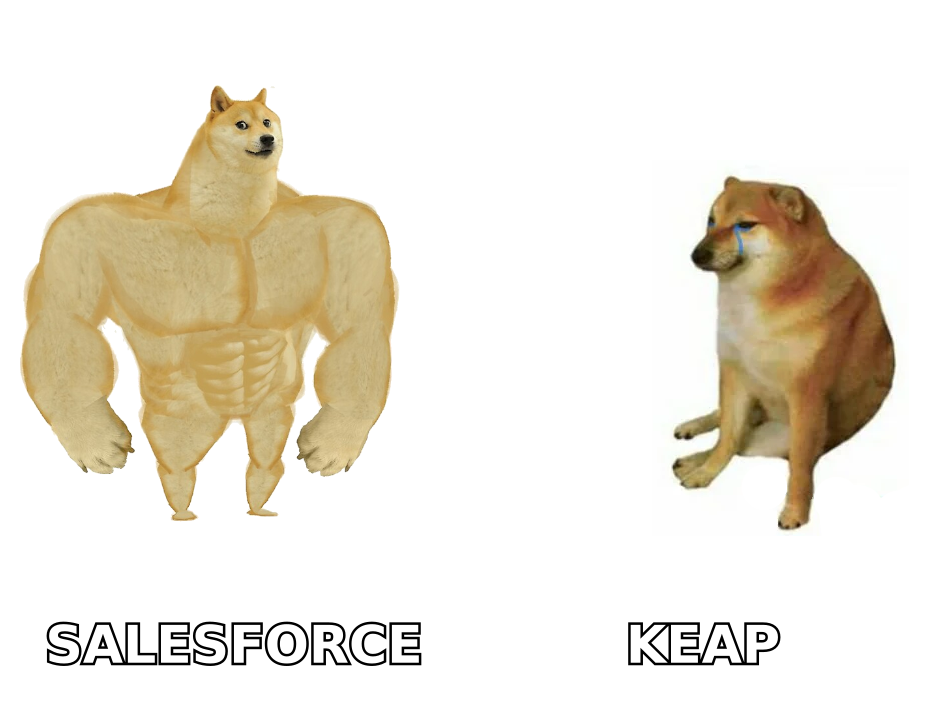
The honest read: if you compare Keap's $249/mo against Salesforce Starter's $25/user/mo and stop there, you'll conclude Salesforce is cheap. Then you'll discover that the features you were comparing against Keap — real automation, quoting, custom fields at volume — live two or three tiers up. Check Salesforce's own pricing page before you model anything.
Keap vs Salesforce: how do they compare head to head?#
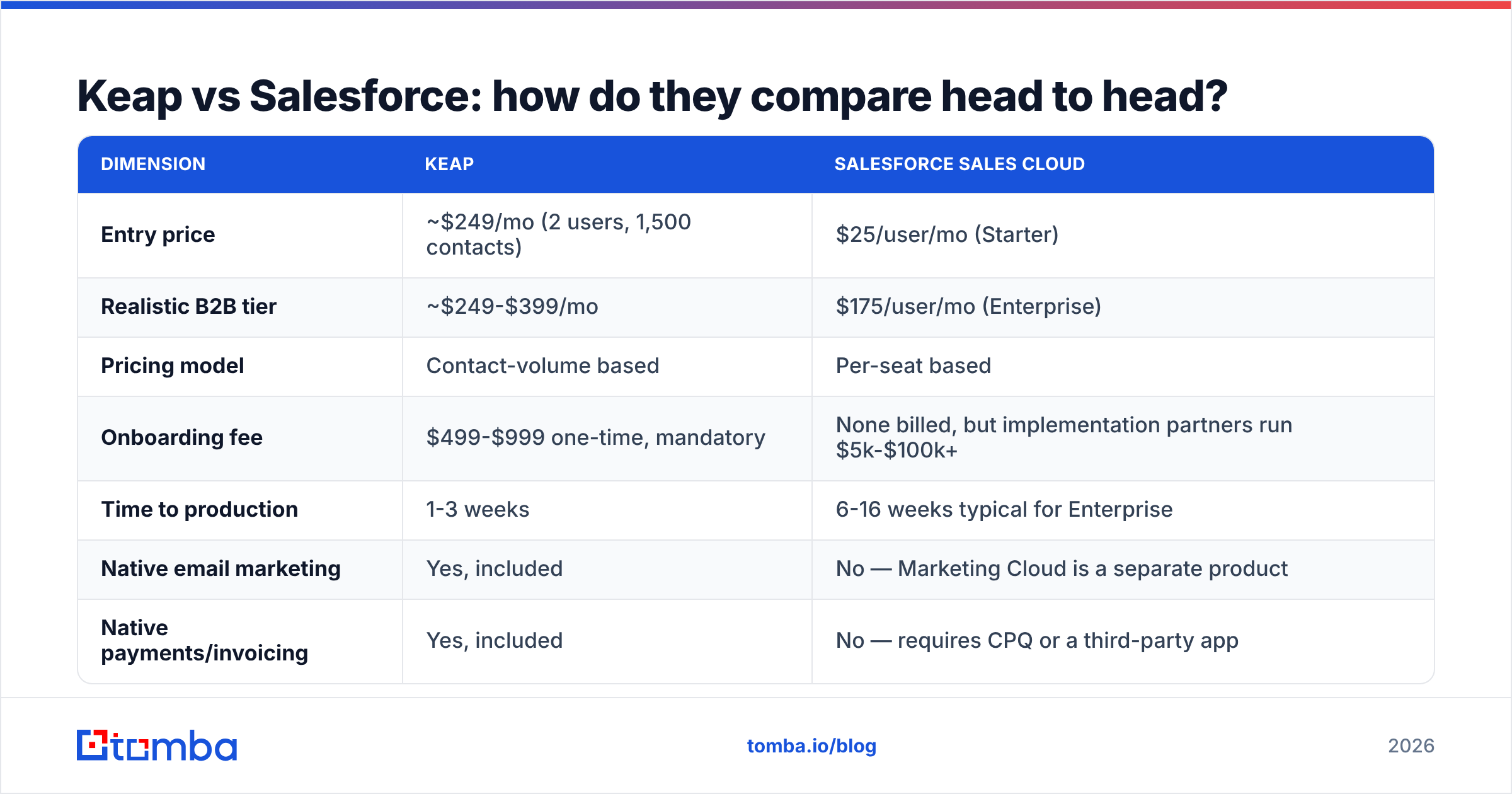
| Dimension | Keap | Salesforce Sales Cloud |
|---|---|---|
| Entry price | ~$249/mo (2 users, 1,500 contacts) | $25/user/mo (Starter) |
| Realistic B2B tier | ~$249-$399/mo | $175/user/mo (Enterprise) |
| Pricing model | Contact-volume based | Per-seat based |
| Onboarding fee | $499-$999 one-time, mandatory | None billed, but implementation partners run $5k-$100k+ |
| Time to production | 1-3 weeks | 6-16 weeks typical for Enterprise |
| Native email marketing | Yes, included | No — Marketing Cloud is a separate product |
| Native payments/invoicing | Yes, included | No — requires CPQ or a third-party app |
| Custom objects | No | Yes (Enterprise and up) |
| Approval workflows | Basic | Full, multi-step, role-aware |
| Territory management | No | Yes (Enterprise and up) |
| API access | Yes, REST | Yes, with per-tier call limits |
| App marketplace | ~100 integrations | 4,000+ on AppExchange |
| Admin required | No | Effectively yes above ~20 seats |
| Best fit | 2-15 person businesses | 25+ rep organizations |
| Biggest weakness | Hits a ceiling on process complexity | Cost and configuration drag |
The table tells the strategic story: Keap bundles the go-to-market stack and caps flexibility. Salesforce unbundles everything and caps nothing — which is also why the bill grows.
Which one has better automation?#
Different kinds of automation, and this is the most misunderstood part of the comparison.
Keap automates the customer journey. Its Campaign Builder is a visual canvas where you drag sequences: form submitted → tag applied → wait 2 days → send email → if opened, create task for owner → if not, send SMS. Marketing and sales automation live in the same canvas. A non-technical operator can build a working nurture sequence in an afternoon. That is genuinely rare.
Salesforce automates the internal process. Flow Builder handles record-triggered logic, screen flows for guided selling, approval chains that route a discount request through two managers, and field updates across related objects. It is vastly more powerful and it assumes someone on your team knows what they're doing. If you don't have an admin, half of Enterprise's value sits unused.
A practical test: write down your three most annoying manual tasks.
- If they sound like "I keep manually sending follow-up emails to people who downloaded the guide" — that's Keap.
- If they sound like "deals over $50k need VP approval and we keep losing track" — that's Salesforce.
- If they sound like "our reps spend two hours a day looking up contact details" — that's neither, and it's a data problem you solve upstream with an email finder before records ever hit the CRM.
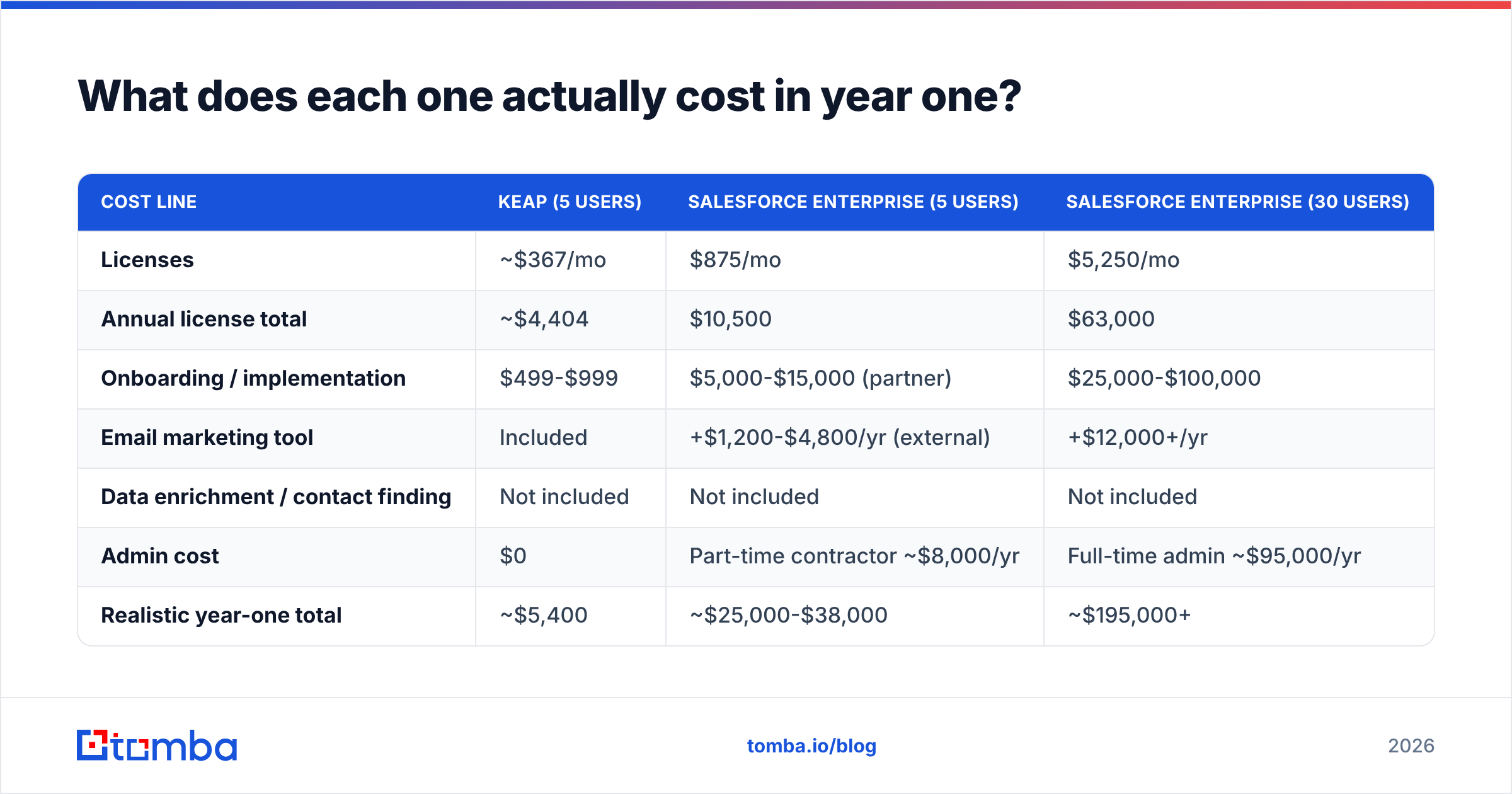
What does each one actually cost in year one?#
Model the full year, not the sticker.
| Cost line | Keap (5 users) | Salesforce Enterprise (5 users) | Salesforce Enterprise (30 users) |
|---|---|---|---|
| Licenses | ~$367/mo | $875/mo | $5,250/mo |
| Annual license total | ~$4,404 | $10,500 | $63,000 |
| Onboarding / implementation | $499-$999 | $5,000-$15,000 (partner) | $25,000-$100,000 |
| Email marketing tool | Included | +$1,200-$4,800/yr (external) | +$12,000+/yr |
| Data enrichment / contact finding | Not included | Not included | Not included |
| Admin cost | $0 | Part-time contractor ~$8,000/yr | Full-time admin ~$95,000/yr |
| Realistic year-one total | ~$5,400 | ~$25,000-$38,000 | ~$195,000+ |
Two things jump out. First, at five seats the gap is roughly 5x, not the 3x the license pages suggest. Second, at thirty seats the Salesforce number stops being a software decision and becomes an operating expense with a headcount attached — which is fine if the pipeline justifies it, and ruinous if it doesn't.
Independent review sites reflect the same tension: Salesforce consistently scores high on capability and low on ease of setup, while Keap scores the inverse. Skim the verified reviews on G2 for both products and the pattern is hard to miss.
Is Keap better than Salesforce for small teams?#
Yes, for most teams under about fifteen people — with one important caveat.
Keap wins on small teams because the cost of Salesforce isn't the license, it's the attention. Salesforce rewards organizations that can dedicate someone to owning it. A six-person agency cannot. They'll buy Enterprise, configure 20% of it, never build the flows, and end up with an expensive contact list that reps resent updating.
Keap's constraint is honest and visible from day one: if your sales process needs custom objects, multi-currency, complex territory rules, or a quoting engine with product bundles and approval tiers, Keap will not bend far enough. You'll know within a month.
The caveat: if you're a small team inside a company that will be 60 people in two years, and you're venture-funded with a clear scaling plan, starting on Salesforce can be cheaper than migrating later. CRM migrations are brutal — historical activity data, custom fields, and automation logic rarely transfer cleanly. Buying ahead of your size is defensible when the growth is already funded.
For a broader look at the terminology and how CRM fits the wider stack, Tomba's B2B glossary covers the definitions most of these vendor pages assume you already know.
Is Salesforce worth it for mid-market and enterprise?#
Generally yes, and the reason is boring: it's the only one of the two that survives organizational complexity.
Once you have multiple sales teams, a channel motion, regional compliance requirements, a RevOps function, and an exec team that wants forecast accuracy by segment, you need a system that models your org chart and your product catalog. Salesforce does that. Keap does not attempt to.
What you're buying at that scale:
- Reporting that executives trust. Custom report types, joined reports, dashboards by role, forecast categories.
- Governance. Field-level security, sharing rules, audit trails, sandbox environments for testing changes before they hit production.
- The ecosystem. AppExchange means your marketing automation, CPQ, e-signature, conversation intelligence, and data vendors all have native connectors. That reduces integration risk in a way a smaller platform can't match.
- Vendor durability. Salesforce isn't going anywhere, which matters when you're committing a five-year data strategy to it.
Analyst coverage of the CRM market from firms like Gartner consistently places Salesforce at the top for completeness of vision — and equally consistently flags cost and complexity as the trade-off buyers underestimate.
What neither Keap nor Salesforce does for you?#
Find and verify the contact data.
This is the gap that sinks CRM projects regardless of which one you pick. You can have an immaculately configured Salesforce org with a 22-stage pipeline and beautiful dashboards, and it still produces nothing if the contact records are stale, guessed, or missing decision-maker emails entirely. Same for Keap — a perfect nurture campaign sent to invalid addresses just damages your sender reputation.
Neither vendor solves this natively at a useful quality level. Salesforce sells Data Cloud and integrates with data vendors, but that's additional spend and additional configuration. Keap has no enrichment layer at all.
What a working data layer looks like in practice:
- Find the contacts. Use domain search to pull every public email pattern at a target account, or the email finder for named prospects.
- Verify before import. Run addresses through an email verifier so bounces never touch your sending domain. This matters more in Keap, where CRM and email sending share the same infrastructure.
- Enrich the record. Job title, company size, tech stack, LinkedIn — data enrichment fills the fields your CRM scoring rules depend on.
- Push it in. Tomba's HubSpot integration, Salesforce connector, or Zapier route the cleaned records straight into whichever CRM you chose.
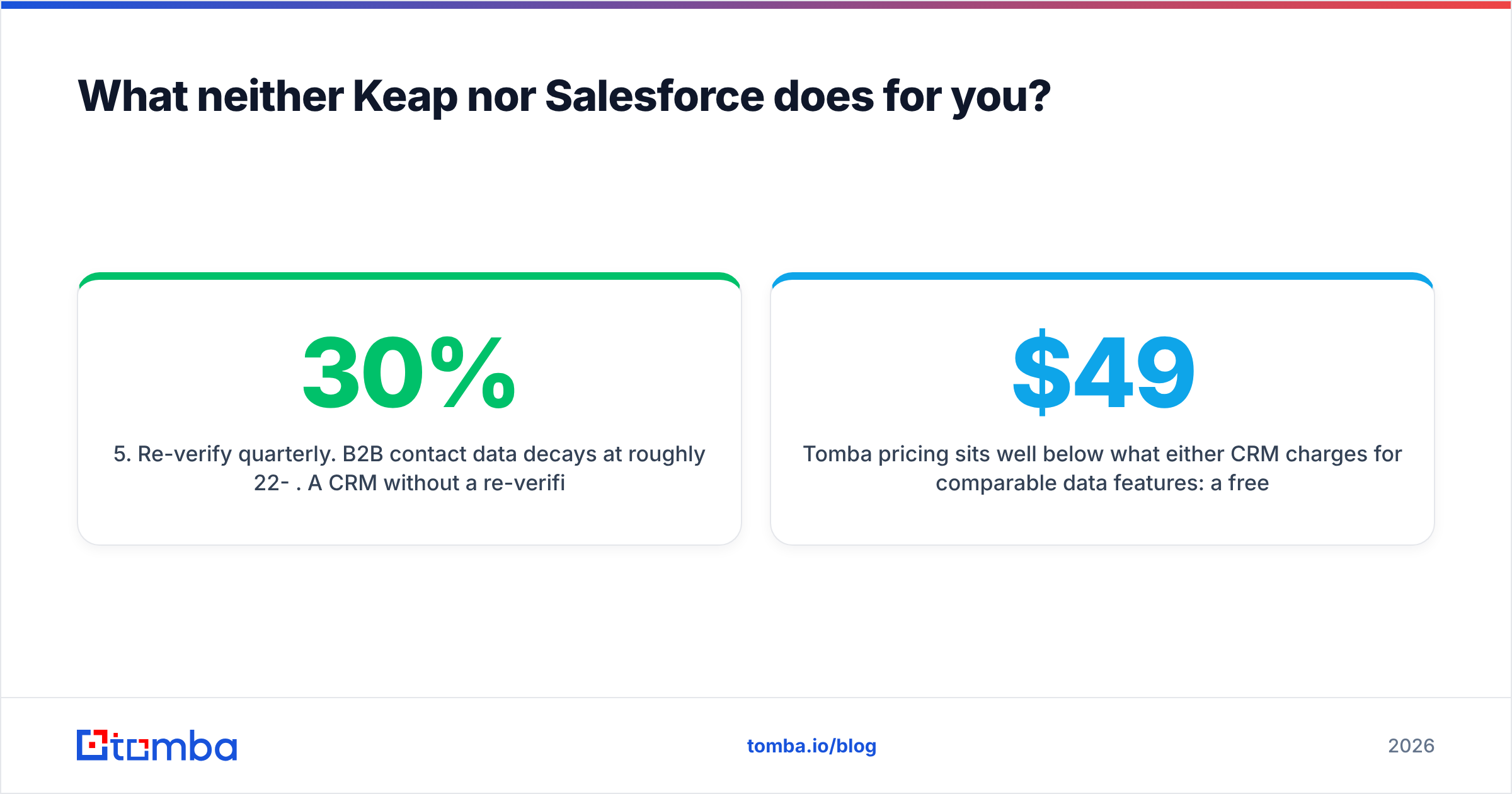
- Re-verify quarterly. B2B contact data decays at roughly 22-30% per year. A CRM without a re-verification cadence degrades quietly until someone notices reply rates halved.
Tomba pricing sits well below what either CRM charges for comparable data features: a free tier with 25 searches/mo, Starter at $49/mo, Growth at $99/mo, Pro at $249/mo, and Enterprise custom. Full details are on the Tomba pricing page.
Worth noting: if your problem is primarily volume of verified B2B contacts rather than finding specific people, a database-first provider like BookYourData is a reasonable adjacent option — it solves a different slice of the same problem, and plenty of teams run both a finder and a database.
How do you actually choose between Keap and Salesforce?#
Answer five questions honestly.
- How many people will touch the CRM in 18 months? Under 15 → Keap. Over 25 → Salesforce. In between → look at the next four questions.
- Do you have, or will you hire, someone who owns the CRM? No → Keap. Salesforce without an owner is shelfware with a subscription.
- Is your sales process one motion or several? One repeatable motion → Keap handles it. Multiple products, segments, or regions with different stages → Salesforce.
- Do you need marketing email, landing pages, and payments in the same tool? Yes → Keap includes them; matching that in Salesforce means Marketing Cloud plus CPQ plus integration work.
- What's your tolerance for a migration in three years? Low, and growth is funded → start on Salesforce. Otherwise the cost of Keap now plus a migration later is usually still lower than three years of underused Salesforce Enterprise.
One anti-pattern to avoid: buying Salesforce Enterprise "because we'll grow into it" without a funded growth plan and without an admin. That is the single most common way companies spend $40,000 on a contact list.
Final verdict: which CRM should you pick in 2026?#
Pick Keap if you're a small business selling a repeatable service or product, you want marketing automation and payments bundled, you don't have an admin, and you'd rather be live in two weeks than perfectly configured in four months.
Pick Salesforce if you have 25+ people in revenue roles, more than one sales motion, real reporting and governance requirements, and either an admin on staff or budget for an implementation partner.
Pick neither yet if your actual bottleneck is that reps can't find verified contact data. Fixing the CRM won't fix an empty pipeline. Sort the data layer first, then choose the system that files it.
Whichever CRM you land on, the records going into it decide whether it earns its cost. Start with the Tomba Email Finder — find verified professional emails by domain, name, or company, then push them into Keap or Salesforce already clean. The free tier gives you 25 searches a month to test accuracy against your own target accounts before you commit a dollar.
Related guides#
// get started
Find, verify and enrich your first contacts today
Start on the free plan with 25 searches a month, then scale when your team is ready.
Free plan · No credit card required · GDPR & CCPA
// about the author