Keyplay Pricing Pros and Cons: Reviews and Real Costs (2026)
Keyplay sells account intelligence on annual contracts, not per-search credits. Here's how the pricing model actually works, what reviewers praise and complain about, and when a cheaper contact-data stack does the same job.
Weighing the Keyplay pricing pros and cons? Here is the short answer. Keyplay scores accounts on an annual contract. It tells you which companies to chase. It does not hand you the emails of the people who work there.
TL;DR
- Keyplay is an account intelligence and ICP scoring platform, not an email finder. It tells you which companies to target, not which person to email.
- Keyplay pricing is annual, and it scales with seats and tracked accounts. There is no real pay-as-you-go tier. Entry deals land in the four- to five-figure-per-year range.
- Reviewers praise the scoring accuracy, the custom "signals," and the support. The common gripes: cost, the ICP learning curve, and thin contact data.
- The core Keyplay pricing pros and cons trade-off: you pay a platform fee for judgment. You still need a second tool for emails and phone numbers.
- Most Keyplay pricing pros and cons debates end the same way. If your gap is reaching people at accounts you already know, a $49/mo email finder beats a $12k/yr account platform.
What is Keyplay and who actually buys it?#
Keyplay is an account intelligence platform with one job. It scores and curates your market so reps stop sequencing companies that were never going to buy. You define an ICP. Keyplay applies AI scoring plus custom attributes — "signals" like hiring for a role, using a tool, or having a certain team shape. It then pushes a ranked account list into your CRM.
The typical buyer is a RevOps, growth, or demand-gen lead at a B2B SaaS company with 20–200 employees. That person already has a CRM full of junk accounts. They need a clear way to pick the 2,000 that matter. You can see the product positioning on keyplay.io directly.
What Keyplay is not: a contact database. It tells you that Acme Corp scores 91/100 against your ICP. It will not hand you the VP of Engineering's verified work email or mobile number. A dedicated email finder does that. Hold onto that split, because it drives almost every pricing complaint below.
How does Keyplay pricing actually work?#
Keyplay does not price like a credit-based data tool. It prices like software. Six factors shape most of the Keyplay pricing pros and cons you will read about. Here is the structure most buyers meet:
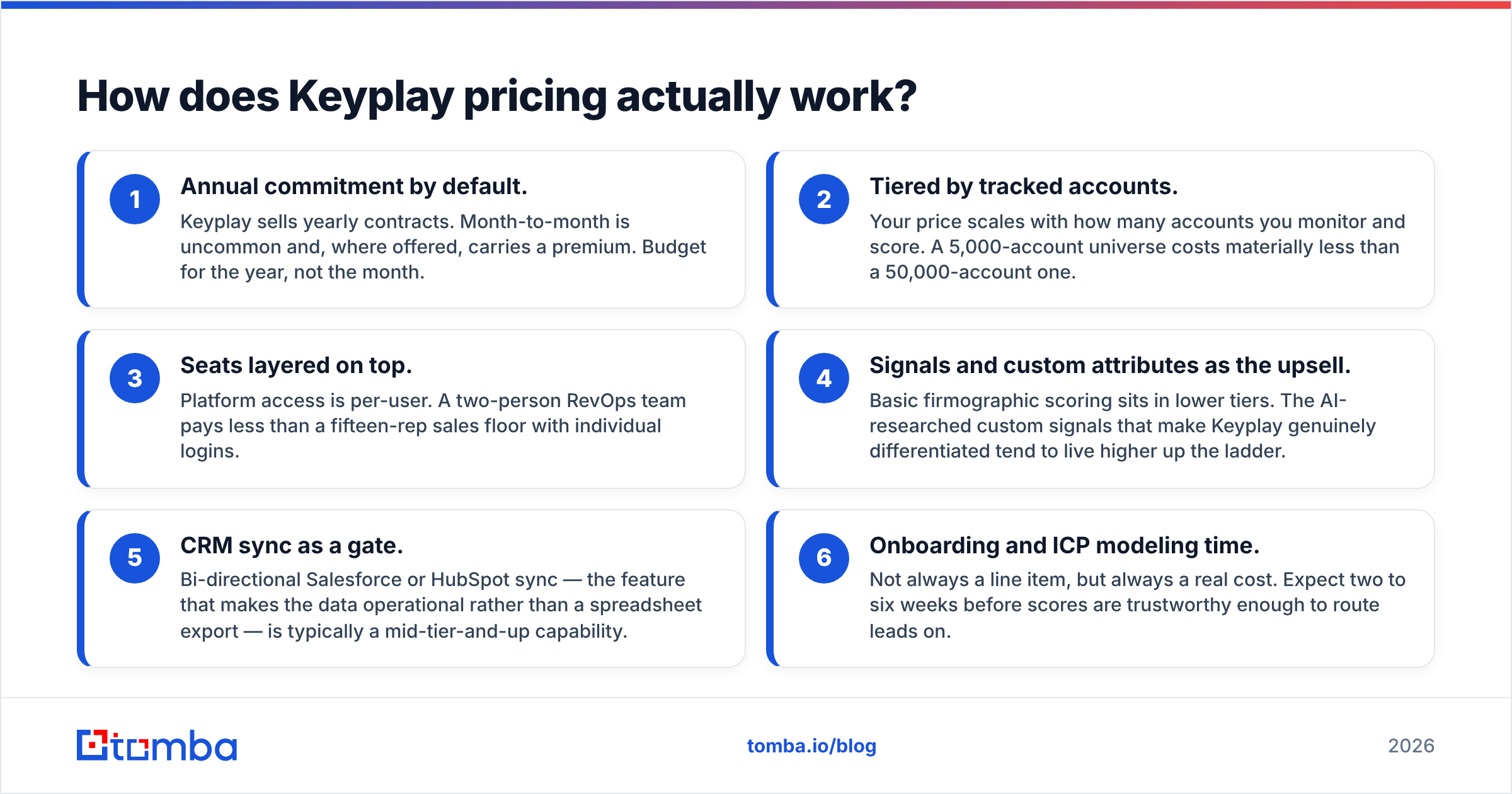
- Annual commitment by default. Keyplay sells yearly contracts. Month-to-month is rare, and it carries a premium where offered. Budget for the year, not the month.
- Tiered by tracked accounts. Your price scales with how many accounts you watch and score. A 5,000-account universe costs far less than a 50,000-account one.
- Seats layered on top. Platform access is per user. A two-person RevOps team pays less than a fifteen-rep sales floor.
Those three set the floor. The next three are where quotes drift upward:
- Signals as the upsell. Basic firmographic scoring sits in lower tiers. The AI-researched custom signals that make Keyplay stand out tend to live higher up.
- CRM sync as a gate. Two-way Salesforce or HubSpot sync is usually a mid-tier feature. Without it, your scores live in a spreadsheet.
- Onboarding and ICP modeling time. This is rarely a line item, but it is always a real cost. Expect two to six weeks before you can route leads on the scores.
Entry pricing has been quoted in the low five figures per year for a typical mid-market setup. Smaller deals land lower. Multi-team rollouts climb well past it. Vendors move numbers every quarter, so treat any figure you read on a blog — this one included — as a range to check. Ask for the quote in writing. Make sure it names the account cap, the seat count, and the signal allowance.

What do Keyplay reviews say?#
Reviews are where the Keyplay pricing pros and cons stop being theory. Sentiment on Keyplay is unusually warm for a data tool. Most data vendors get hammered on accuracy. Scan the G2 category listings for account-based marketing and sales intelligence software, and a few patterns stand out.
What reviewers repeatedly praise:
- Scoring that holds up. Reps stop arguing with the list. It is the most common positive theme.
- Custom signals. You can ask which companies have an in-house design team and get a researched answer at list scale. People name this feature when asked why they renewed.
- Support quality. Fast replies, hands-on ICP workshops, and quick feature turnaround come up a lot.
- Clean lists out of the box. Less dedupe and junk-account cleanup than reviewers expected.
What reviewers complain about:
- Price against seat count. Teams under five people say the value is real, but the per-seat math is hard to justify for a weekly tool.
- Setup effort. Your model is only as good as your inputs. Several reviewers describe a rocky first month.
- Contact data depth. This is the steady gap. Keyplay gets you the account. You still need emails and direct dials from somewhere else.
- Overlap anxiety. Buyers who own a broad sales intelligence suite worry they pay twice for firmographics.
Review sites lean toward customers who were onboarded well. Read the two-star reviews first. They show you where the product breaks under real conditions.
What are the real Keyplay pricing pros and cons?#
| Dimension | Pro | Con |
|---|---|---|
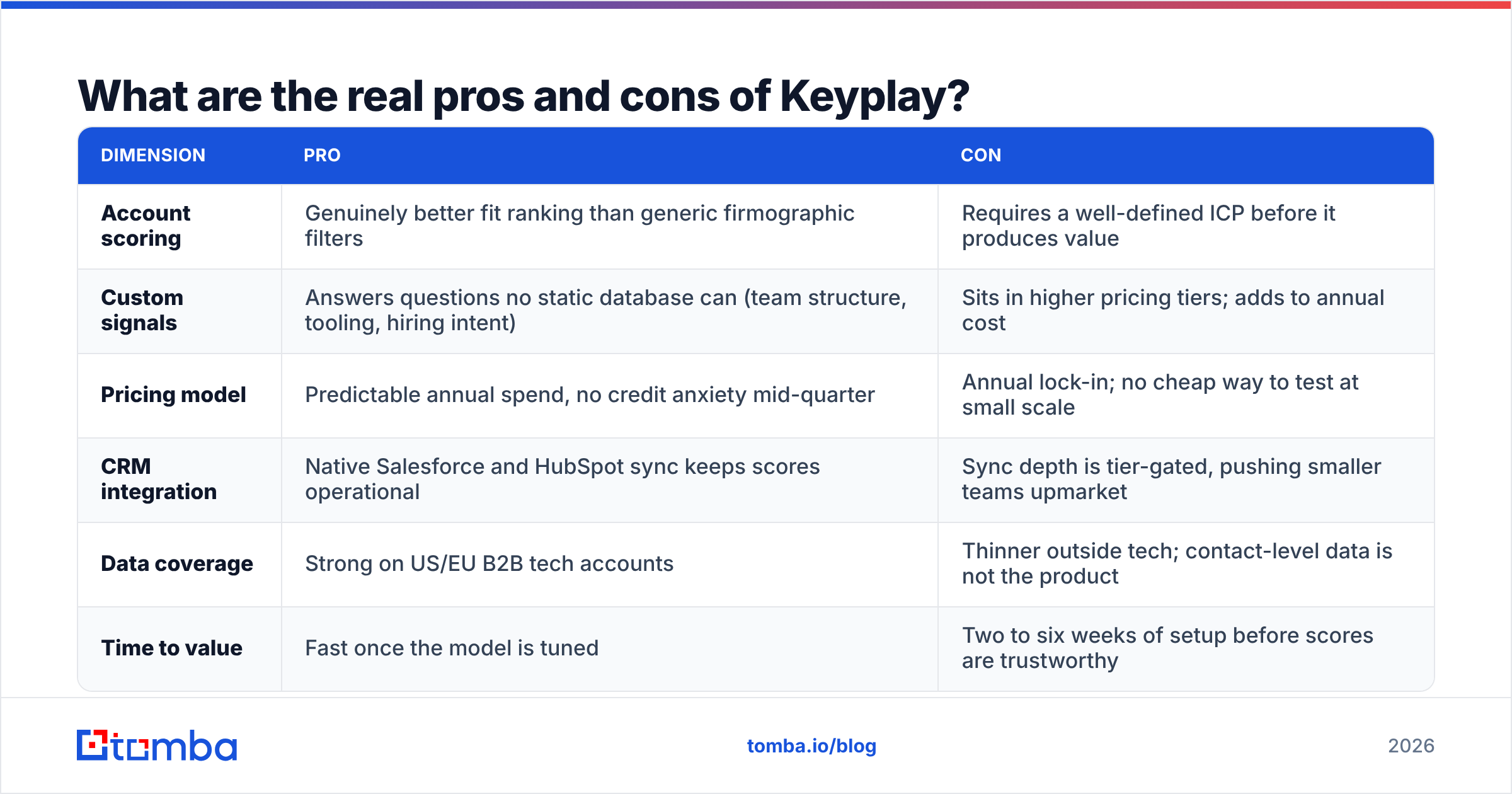
| Account scoring | Genuinely better fit ranking than generic firmographic filters | Requires a well-defined ICP before it produces value |
| Custom signals | Answers questions no static database can (team structure, tooling, hiring intent) | Sits in higher pricing tiers; adds to annual cost |
| Pricing model | Predictable annual spend, no credit anxiety mid-quarter | Annual lock-in; no cheap way to test at small scale |
| CRM integration | Native Salesforce and HubSpot sync keeps scores operational | Sync depth is tier-gated, pushing smaller teams upmarket |
| Data coverage | Strong on US/EU B2B tech accounts | Thinner outside tech; contact-level data is not the product |
| Time to value | Fast once the model is tuned | Two to six weeks of setup before scores are trustworthy |
The honest summary of the Keyplay pricing pros and cons: this is a strong product with a pricing model that assumes a real budget and a real GTM motion. It is not a tool you buy to try prospecting.
How does Keyplay compare to the alternatives?#
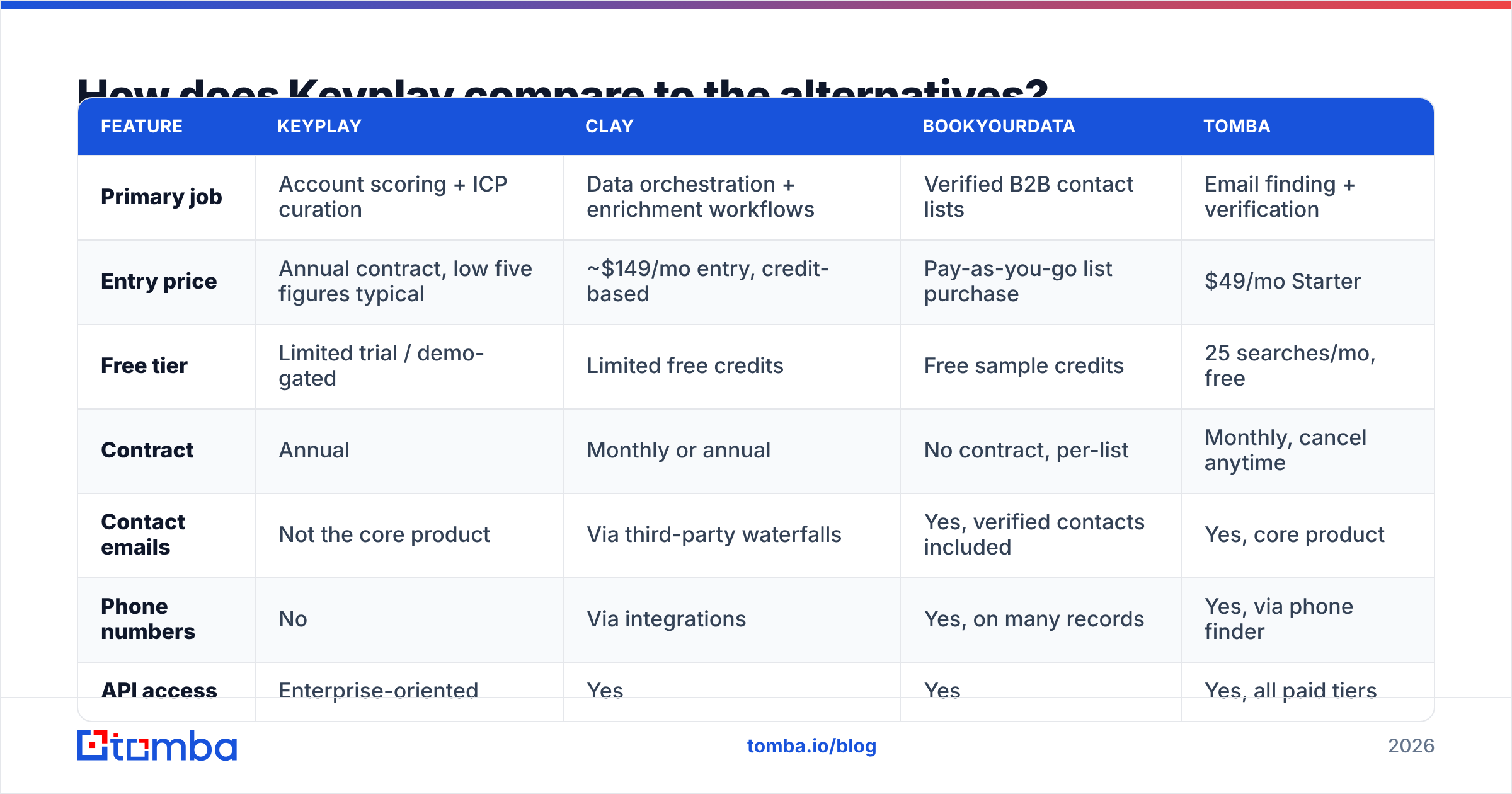
Keyplay sits in an awkward middle. It is above simple list tools and below full ABM suites. Here is how the layer breaks down:
| Feature | Keyplay | Clay | BookYourData | Tomba |
|---|---|---|---|---|
| Primary job | Account scoring + ICP curation | Data orchestration + enrichment workflows | Verified B2B contact lists | Email finding + verification |
| Entry price | Annual contract, low five figures typical | ~$149/mo entry, credit-based | Pay-as-you-go list purchase | $49/mo Starter |
| Free tier | Limited trial / demo-gated | Limited free credits | Free sample credits | 25 searches/mo, free |
| Contract | Annual | Monthly or annual | No contract, per-list | Monthly, cancel anytime |
| Contact emails | Not the core product | Via third-party waterfalls | Yes, verified contacts included | Yes, core product |
| Phone numbers | No | Via integrations | Yes, on many records | Yes, via phone finder |
| API access | Enterprise-oriented | Yes | Yes | Yes, all paid tiers |
| Best for | RevOps defining who to target | Ops teams building custom enrichment flows | Teams wanting clean, ready-to-use lists | Teams that know the accounts, need the people |
A few notes on that table. Clay is the closest competitor, since both tools help you figure out who is worth your time. The difference: Clay makes you build the logic, while Keyplay ships an opinion. BookYourData solves a different half of the problem. If you want verified contacts at accounts you already chose, buying a targeted list is faster and cheaper than licensing a scoring platform. Tomba sits at the execution layer. Once your account list exists, domain search and data enrichment turn company names into people you can reach.
Most teams that shop Keyplay end up buying two tools, not one. That is the number to budget against.
What hidden costs should you budget for?#
The sticker price is rarely the total price. Four line items catch buyers off guard, and they shift the Keyplay pricing pros and cons math for small teams:
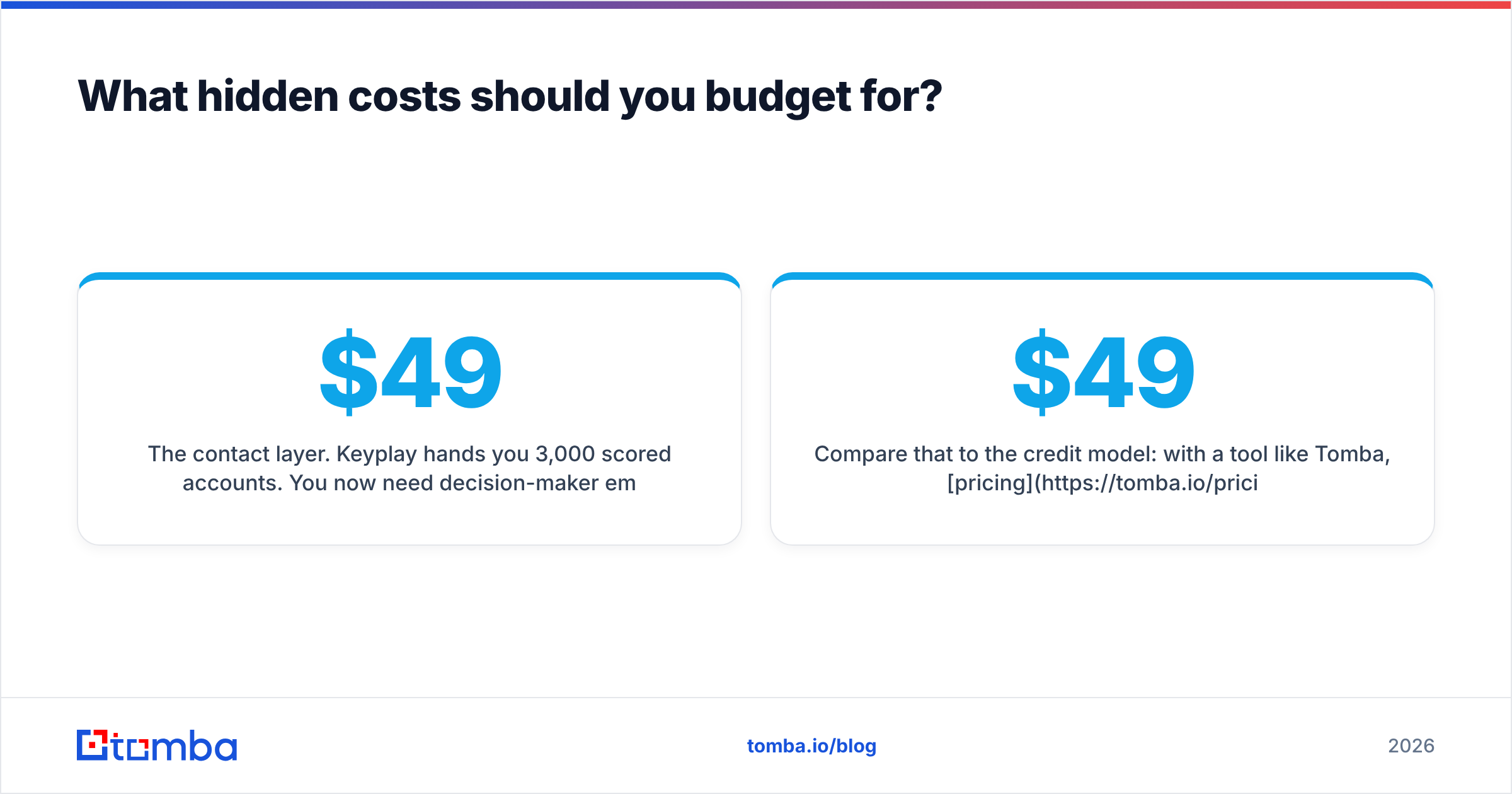
- The contact layer. Keyplay hands you 3,000 scored accounts. You still need decision-maker emails at those accounts. That is a separate subscription — a bulk email finder or a contact database — from $49/mo to several hundred.
- Seat creep. The plan you sign covers three users. Six months later, seven people want access. Mid-term seats rarely carry your original discount.
- Account cap overruns. A new segment means more tracked accounts. Depending on the contract, you either upgrade tiers or lose sight of that segment.
- Internal ICP time. Someone spends 20–40 hours building and correcting the model. At a RevOps salary, that is a few thousand dollars in month one.
Compare that to the credit model. With Tomba, pricing starts at a free tier with 25 searches/mo, then Starter at $49/mo, Growth at $99/mo, and Pro at $249/mo. You scale spend with usage instead of negotiating a floor. Neither model wins outright. They just fail in different ways. Platform pricing fails when adoption is low. Credit pricing fails when volume spikes.
Is Keyplay worth it for your team?#
Run this filter before you book the demo, and weigh the Keyplay pricing pros and cons against your own numbers:
- Do you have more accounts than you can work? If your TAM is 400 companies, you do not need scoring. You need a list and a phone. If it is 40,000, scoring earns its keep.
- Is your ICP knowable from data? Keyplay works best when fit tracks observable signals: headcount by function, tech stack, hiring patterns. If your best customers share something invisible, scoring helps less.
- Do you have a RevOps owner? Without one, Keyplay becomes an expensive spreadsheet. Someone has to tune the model and defend it to sales.
If the first three answers are yes, two questions remain:
- Can you commit for 12 months? If your GTM motion may change in the next two quarters, an annual contract is the wrong tool.
- What is your actual bottleneck? Be very specific. "We do not know who to call" is a Keyplay problem. "We know who to call, but half our emails bounce" is an email verification problem, and it costs far less to fix.
Most teams that cancel after year one got question five wrong. They bought targeting software to fix a reachability problem.
What about the CRM side of the equation?#
Whatever you buy, the data has to land where reps work. Keyplay's Salesforce and HubSpot syncs are a real strength. Scores show up as fields, lists become campaigns, and routing rules can act on fit tiers. If you run HubSpot, ask during the demo which objects sync both ways. Also ask whether custom signal fields come along or need manual mapping.
The same goes for your contact layer. An email tool that dumps CSVs creates manual work forever. Check that your pick offers native CRM writes or a clean API. Tomba's integrations cover HubSpot, Salesforce, Pipedrive, Zapier, and Sheets. Enriched contacts land against the accounts your scoring tool picked, with no export step in between.
The verdict#
Here is the verdict on the Keyplay pricing pros and cons. Keyplay is a well-built, well-reviewed product. Its pricing aims at funded B2B SaaS teams with a RevOps function and a TAM too large to work by hand. The pros — scoring accuracy, custom signals, support — are real, and reviewers confirm them. The cons — annual lock-in, seat math for small teams, and the missing contact layer — are just as real.
If you are evaluating it, price the whole stack, not the platform. Account intelligence plus contact data plus sequencing is the real budget line. Work through that math. If your true gap is the second item — you know the companies, you just cannot reach the people — start there instead. It is cheaper, and it moves pipeline faster.
Start with the reachability layer. Tomba Email Finder turns a domain and a name into a verified work email in seconds. You get 25 free searches a month to test coverage on your own list. Paid plans start at $49/mo with no annual commitment. Run it against your top 100 target accounts this week. You may find that your targeting problem was a contact-data problem all along.
Related guides#
// get started
Find, verify and enrich your first contacts today
Start on the free plan with 25 searches a month, then scale when your team is ready.
Free plan · No credit card required · GDPR & CCPA
// about the author