Klenty Pricing Reviews Pros and Cons: 2026 Buyer Guide
A neutral breakdown of Klenty's 2026 plans, what reviewers actually praise and complain about, and where the per-seat math stops making sense for small outbound teams.
This guide walks through Klenty pricing reviews pros and cons for 2026: what a seat really costs, what buyers praise, what they complain about, and when a cheaper stack wins.
TL;DR
- Klenty is a per-seat sales engagement platform: email, calls, LinkedIn, and SMS in one cadence. Plans start near $60/user/month on annual billing. The Pro tier runs $85–$100/user/month.
- Your real cost is seats times contract length, not the sticker price.
- Reviewers praise the sequence builder, the multichannel cadence logic, and fast support. They gripe about per-seat billing, thin reporting, and CRM sync bugs.
- Klenty does not sell verified contact data. You still need a separate tool to find and verify addresses before a sequence can run.
- If your team is 1–3 people, the per-seat model is where budgets break. A data layer plus a lighter sending tool often costs less than half.
- Buy Klenty if you have 5+ reps running structured multichannel cadences into a CRM. Skip it if you mostly need accurate contacts and a simple way to send.
What is Klenty and who actually buys it?#
Klenty is a sales engagement platform. Think of it as the conveyor belt in a factory. It does not make the product, which is your contact data, and it does not decide what the product says. It moves things through fixed stations on a schedule, and it tells you where they fell off the belt.
In practice you upload or sync a list of prospects, then build a multi-step cadence: email on day 1, LinkedIn view on day 3, call task on day 5, follow-up email on day 7. Klenty runs the automated steps and queues the human ones. It connects to Gmail, Outlook, and the major CRMs, and higher tiers include a dialer.
The typical buyer is an SDR team of five to thirty reps. They already have a CRM of record — HubSpot, Salesforce, or Pipedrive — and they want cadence discipline without building it inside the CRM.
Solo founders and two-person teams try Klenty too. That is where most of the pricing frustration in reviews starts. The product is built around seats, and seats are exactly what small teams cannot afford.
What Klenty is not: a contact database. It sequences the people you give it. You source and verify those people upstream, usually with an email finder and an email verifier step before anyone enters a cadence. Getting that order wrong is the most common reason a Klenty trial produces bad numbers. You are measuring your list quality, not the tool.
What does Klenty pricing actually cost in 2026?#
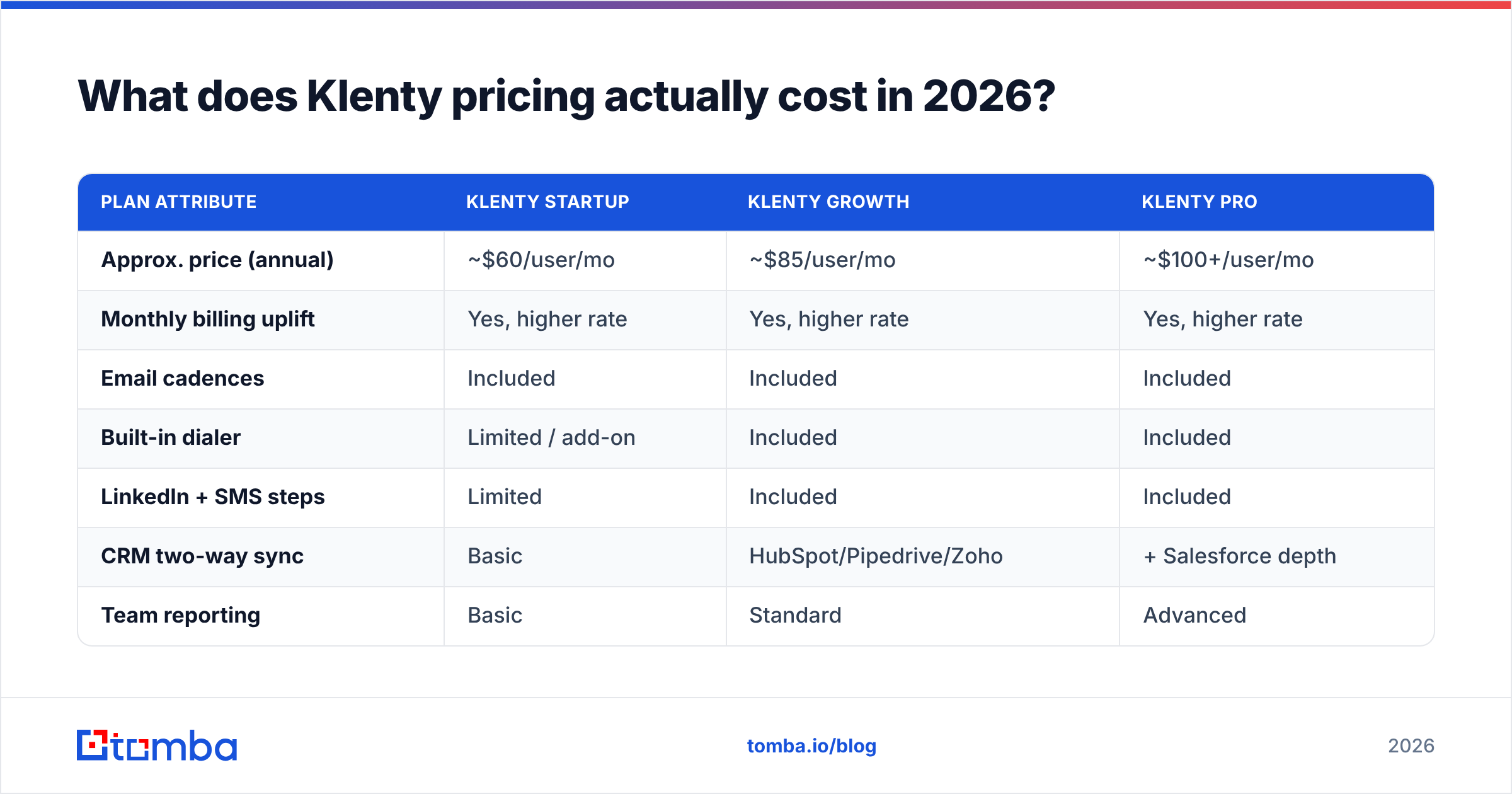
Most Klenty pricing reviews pros and cons write-ups stop at the sticker price. Klenty publishes tiered per-user pricing on klenty.com, and those headline numbers understate real spend for two reasons. The cheapest rate assumes annual prepay. And several features most teams treat as baseline — the dialer, multiple mailboxes per user, advanced routing — sit above the entry tier.
Here is the structure as of 2026. Vendors change tiers often, so confirm on the live pricing page before you sign.
| Plan attribute | Klenty Startup | Klenty Growth | Klenty Pro |
|---|---|---|---|
| Approx. price (annual) | ~$60/user/mo | ~$85/user/mo | ~$100+/user/mo |
| Monthly billing uplift | Yes, higher rate | Yes, higher rate | Yes, higher rate |
| Email cadences | Included | Included | Included |
| Built-in dialer | Limited / add-on | Included | Included |
| LinkedIn + SMS steps | Limited | Included | Included |
| CRM two-way sync | Basic | HubSpot/Pipedrive/Zoho | + Salesforce depth |
| Team reporting | Basic | Standard | Advanced |
| Minimum seats | Often 2+ | Often 2+ | Often 2+ |
| Verified contact data | Not core | Not core | Not core |
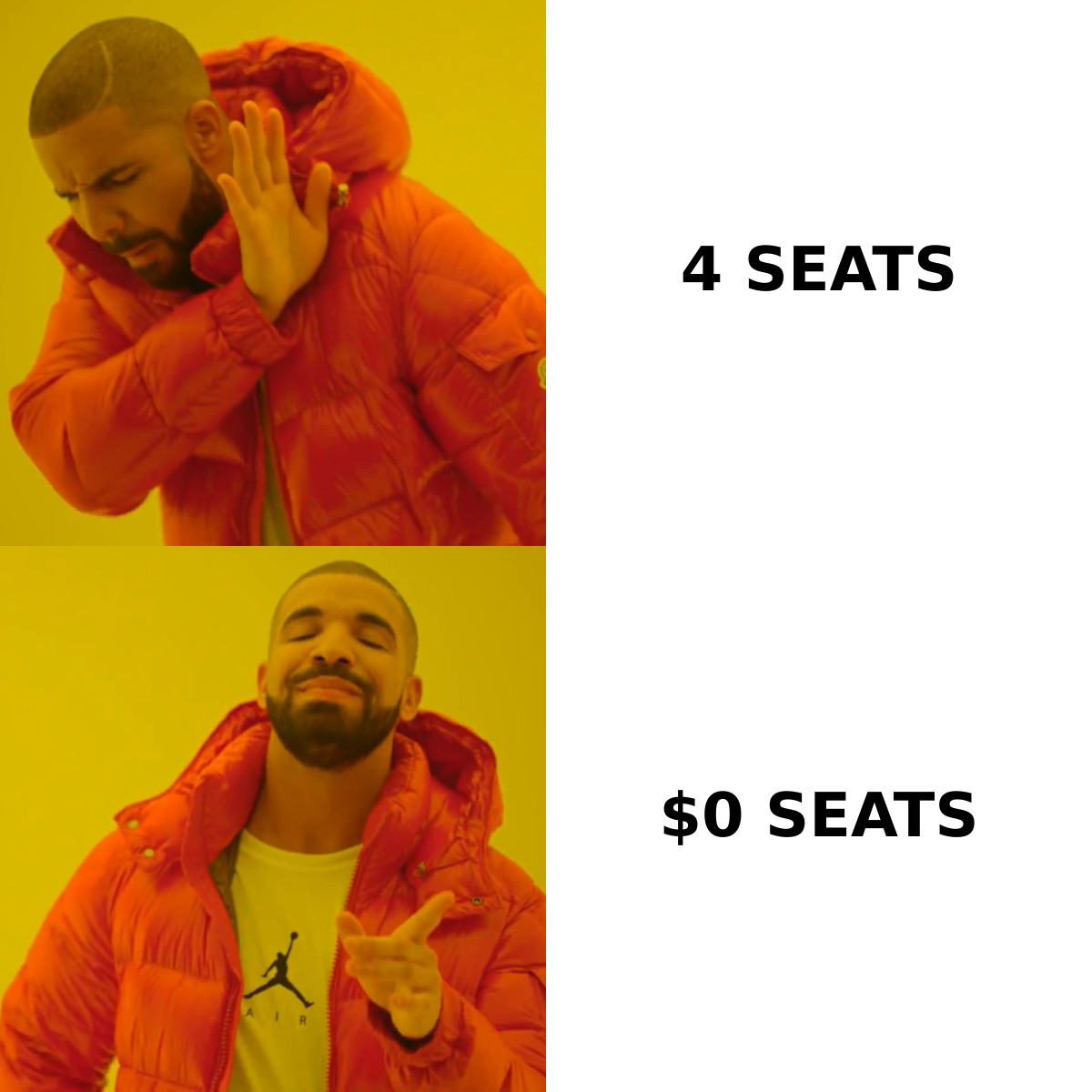
The math that matters: a four-person SDR pod on Growth costs about $340 a month, or a bit over $4,000 a year. That is before you source a single contact. Add a data provider at $99–$300 a month plus a verification budget, and your outbound stack becomes a five-figure line item. That is fine at scale. At two seats it usually is not.
One cost never shows on the pricing page: mailbox infrastructure. Serious senders run several domains and inboxes per rep to protect email deliverability. Per-seat platforms often cap how many sending accounts one seat can attach. Ask that question during the demo, and get the answer in writing.
Klenty pricing reviews pros and cons: what buyers say#
Aggregate sentiment on G2 and Capterra puts Klenty in the well-liked-but-not-loved band. Scores run strong on ease of use and support, softer on value for money and reporting. Read a few hundred reviews and the same themes repeat.
What reviewers genuinely like:
- The cadence builder is easy to read. You can look at a sequence and see what happens on day 9 without decoding a flowchart. For teams onboarding new SDRs, that beats feature count.
- Support answers. Live chat and onboarding help come up often, and in a good way. For a mid-market tool, that is a real edge over self-serve-only rivals.
- Multichannel is native. Call tasks, LinkedIn steps, and SMS sit in one cadence instead of three tools.
- CRM sync runs both ways on the right tiers. Activity logs back to the CRM with no Zapier scaffolding, which saves RevOps hours each month.
What reviewers complain about:
- Per-seat pricing adds up fast. The gripe is less the rate than how it scales. Adding two reps means a budget conversation.
- Reporting depth stops early. Teams that want cohort analysis, per-variant confidence, or granular attribution export to a BI tool.
- Deliverability is your problem. Klenty sends. It does not fix a burned domain, a missing SPF record, or a list full of dead addresses.
- Sync edge cases show up. Duplicate contacts and field-mapping surprises appear in reviews, usually after a CRM schema change.
- Advanced routing has a learning curve. The basics are easy. Conditional branching and mailbox rotation take real setup time.
None of these are deal-breakers. They are the normal trade-offs of a mid-market platform, and most have workarounds. The pricing one does not. It is structural.
Is Klenty worth it compared to the alternatives?#
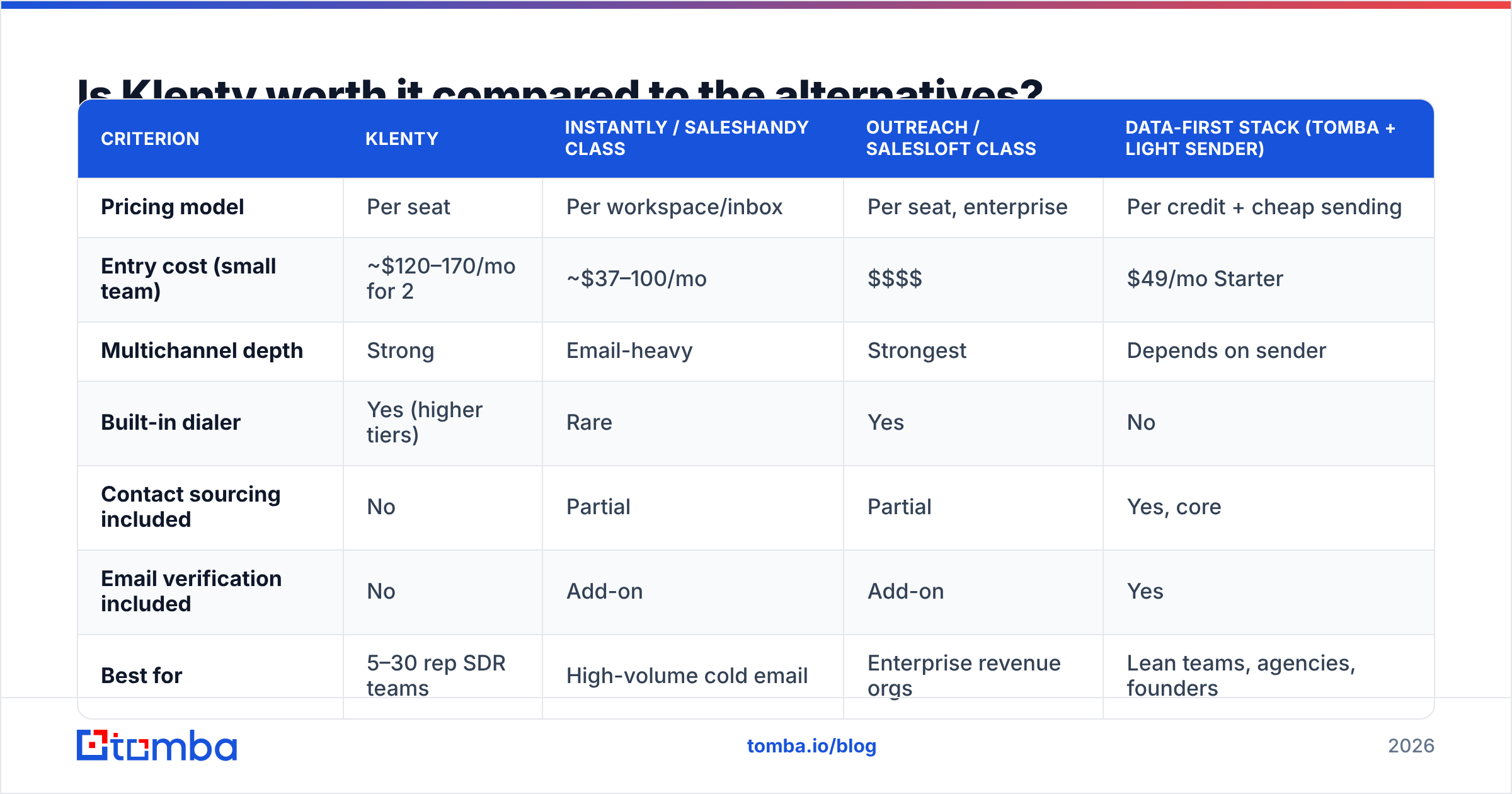
That depends on team size and what you already own. Klenty competes on three fronts at once, and it wins on one of them.
| Criterion | Klenty | Instantly / Saleshandy class | Outreach / Salesloft class | Data-first stack (Tomba + light sender) |
|---|---|---|---|---|
| Pricing model | Per seat | Per workspace/inbox | Per seat, enterprise | Per credit + cheap sending |
| Entry cost (small team) | ~$120–170/mo for 2 | ~$37–100/mo | $$$$ | $49/mo Starter |
| Multichannel depth | Strong | Email-heavy | Strongest | Depends on sender |
| Built-in dialer | Yes (higher tiers) | Rare | Yes | No |
| Contact sourcing included | No | Partial | Partial | Yes, core |
| Email verification included | No | Add-on | Add-on | Yes |
| Best for | 5–30 rep SDR teams | High-volume cold email | Enterprise revenue orgs | Lean teams, agencies, founders |
| Reporting depth | Moderate | Basic–moderate | Deep | Depends on sender |
Where Klenty wins: the 5–30 rep SDR team that needs calls, email, and LinkedIn in one cadence. Add reporting a manager can read and a CRM that stays clean, without Outreach-level pricing or a six-week rollout. That segment is real and well served.
Where it loses: the one-to-three-person team. At that size the per-seat model is pure overhead, and the tool does not fix your real bottleneck. Small teams rarely fail outbound because their cadence logic was too simple. They fail because half the list bounced.
One adjacent category deserves an honest mention. Purchased-list providers like BookYourData solve the other half of the problem: pay-as-you-go verified contacts instead of sequencing. They pair fine with a sender. If your constraint is "I need 5,000 verified contacts this quarter, not a cadence engine," that route is worth a look next to a self-serve finder. The two are complements more often than substitutes.
Weighing a specific swap? Read the Instantly alternative and Saleshandy alternative breakdowns before you sign an annual contract either way.

How should you sequence your outbound stack?#
Get the order right and the tooling question mostly answers itself. Outbound has four layers, and they fail in order. A problem at layer one cannot be fixed by spending more at layer four.
- Source. Find the right people at the right accounts. That is a data problem. Solve it with domain search, enrichment, and LinkedIn lookup, not with your sending tool.
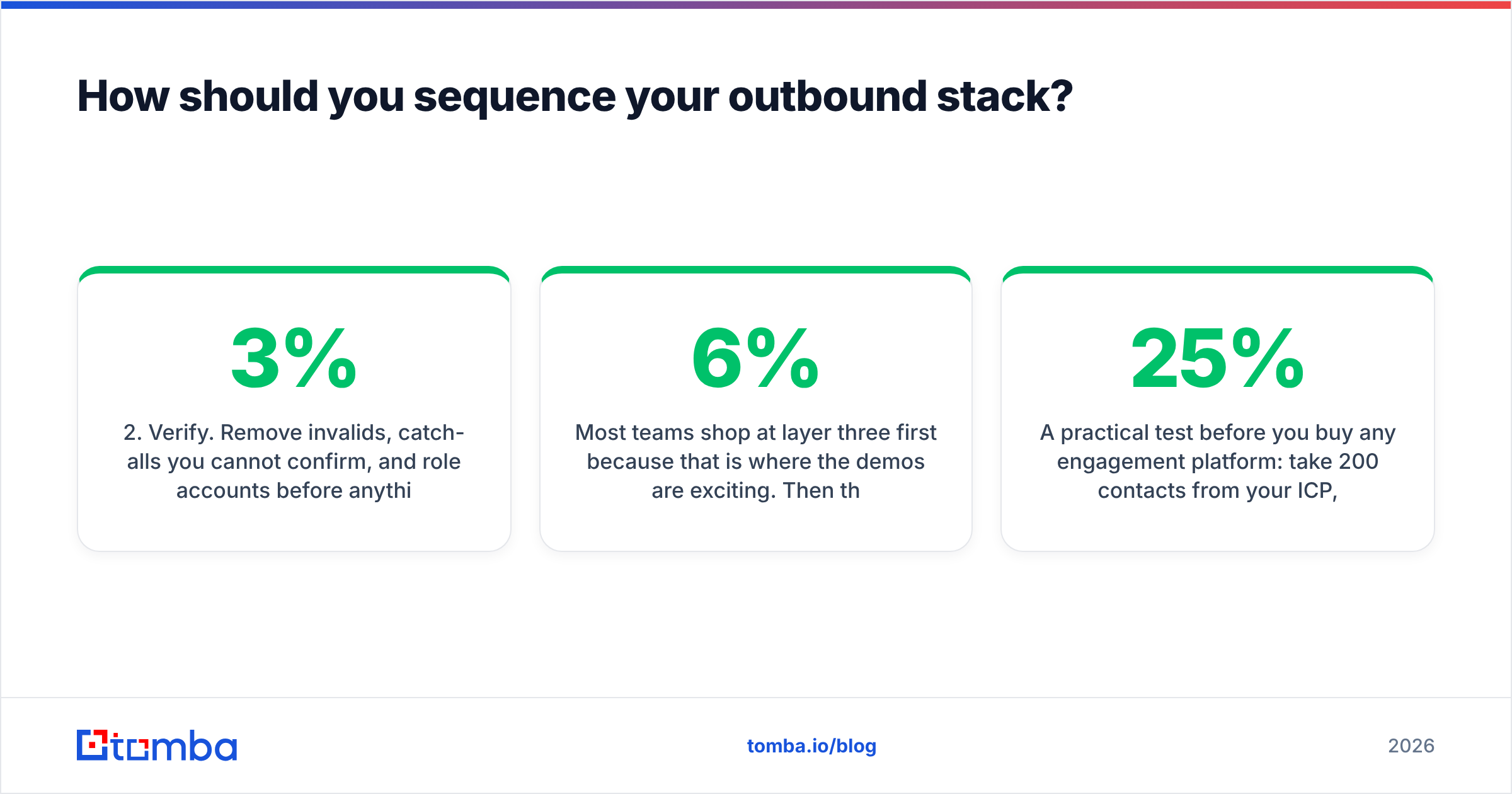
- Verify. Drop invalids, unconfirmed catch-alls, and role accounts before anything sends. Keep bounces under 3%. Past 5%, your domain reputation takes damage.
- Send. Warm domains, sane daily volume per mailbox, authentication set up. This is where Klenty, Instantly, Saleshandy, and Outreach compete.
- Measure. Reply rate by segment, meetings booked, pipeline created. Every layer above gets judged here.
Most teams shop at layer three first, because that is where the demos are exciting. Then they run a sequence into an unverified list, see a 6% bounce rate and a 0.4% reply rate, and blame the platform. The platform was fine. The list was not.
Here is a cheap test before you buy any engagement platform. Take 200 contacts from your ICP and run them through verification. If 25% fail, your problem is upstream, and no cadence tool will rescue it. Fix layer two first. Then shop layer three with clean numbers and a real baseline.
What questions should you ask before signing a Klenty contract?#
Leverage in this category comes from asking the boring questions early. Bring this list to the demo:
- What is the seat minimum, and what if we shrink? Mid-term seat cuts are often blocked on annual contracts. Get the downgrade path in writing.
- How many sending mailboxes does one seat include? If the answer is one, your per-rep volume ceiling is much lower than you planned.
- What is the monthly-billing premium? Compare the annual rate to the month-to-month rate. Six months at the higher rate can beat twelve months in the wrong tool.
- Which CRM fields sync, and in which direction? Ask for the field map, not a yes.
- What happens to sequence data if we cancel? Export formats and retention windows vary more than you expect.
- Is there a real trial, or only a guided demo? A trial you can load your own data into beats any feature matrix, including this one.
Gartner and peer-review sites help you build a shortlist. They will not tell you how a tool behaves against your CRM schema. Two weeks of hands-on testing will.
Who should buy Klenty, and who should not?#
Buy Klenty if: you run a 5+ rep SDR team, you need calls and email in one cadence, you have a CRM of record that must stay clean, and your sourcing problem is already solved. At that size the per-seat cost is a small slice of loaded rep cost, and the time savings are real.
Do not buy Klenty if: you are one to three people, your bounce rate is above 4%, or you cannot name your data source without saying "we scraped it." Spend that budget on contact quality first. You can add a sequencing platform in quarter two, once your list is clean and your volume earns it.
The uncomfortable truth in most Klenty pricing reviews pros and cons roundups is simple. The tool is fine, and the buying order is wrong. Teams shop for the engagement layer while their data layer leaks. Klenty will faithfully send your emails to addresses that do not exist, log it all in your CRM, and report exactly how badly it went.
Start with the layer that actually moves reply rates#
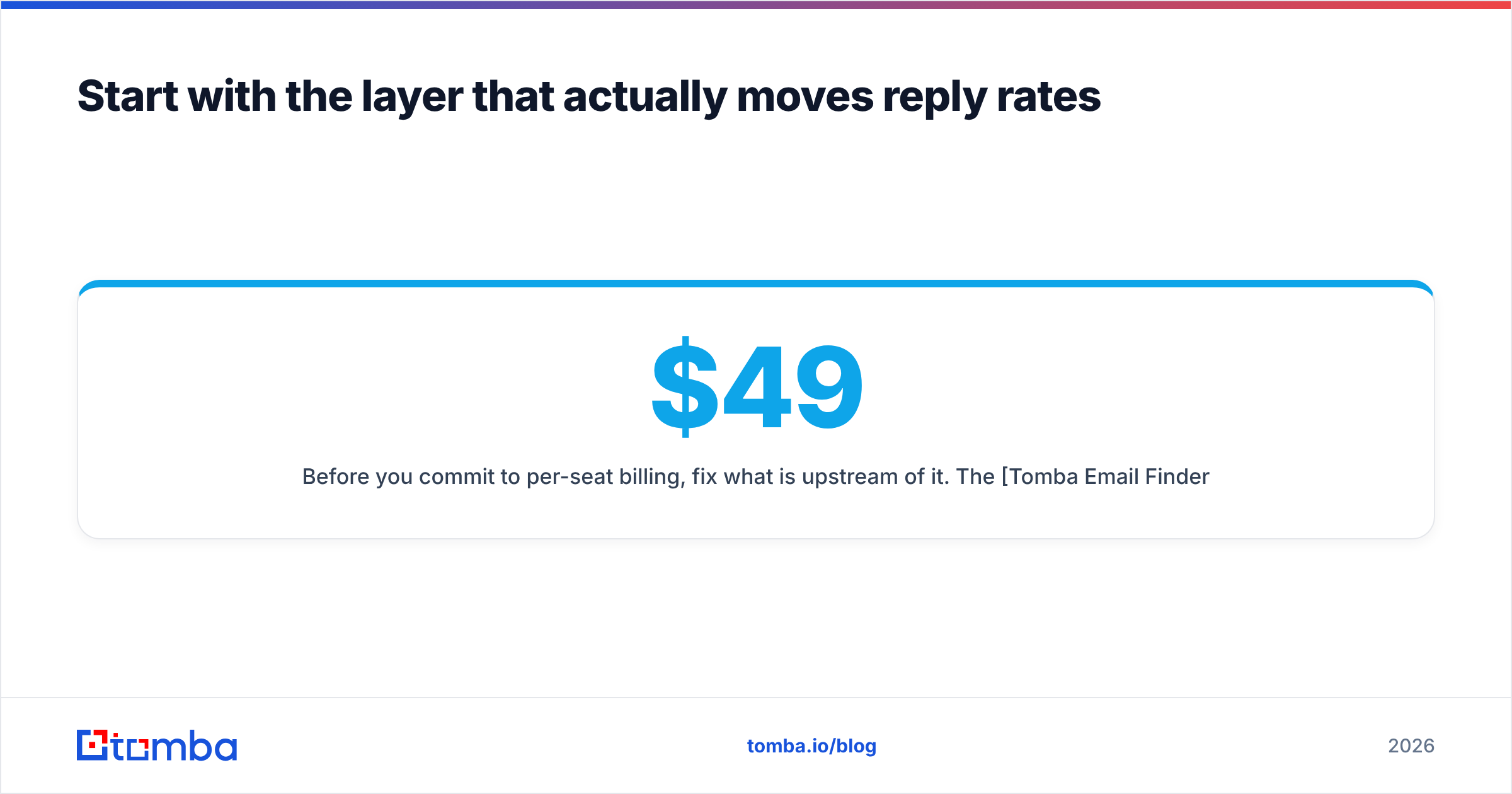
Before you commit to per-seat billing, fix what sits upstream of it. The Tomba Email Finder gives you verified professional emails by domain, name, or company. The free tier covers 25 searches a month, so you can test accuracy on your own ICP with no card and no seat minimum. Paid plans start at $49/month (Starter), $99/month (Growth), and $249/month (Pro), and every plan includes verification, so bad addresses never reach your sequencer.
Check the full Tomba pricing breakdown, run 200 real prospects through it, and compare the survival rate against the list you were about to load into Klenty. If the numbers improve, you just found the cheapest reply-rate gain available to you. That is the practical takeaway from any honest look at Klenty pricing reviews pros and cons: fix the data layer first, then pay for seats.
Related guides#
// get started
Find, verify and enrich your first contacts today
Start on the free plan with 25 searches a month, then scale when your team is ready.
Free plan · No credit card required · GDPR & CCPA
// about the author