9 Best LavaReach Alternatives in 2026 (Free and Paid)
LavaReach put AI research agents on the GTM map, but it is not the right fit for every team or budget. Here are nine LavaReach alternatives compared on data accuracy, pricing, workflow fit, and what they actually cost per usable contact.
TL;DR
- LavaReach is an AI research layer, not a contact database. If your real problem is "I cannot get accurate email addresses," a research agent will not fix it.
- The nine alternatives below split into three groups: AI research/orchestration platforms (Clay, Unify, Persana), contact-data providers (Tomba, Apollo, BookYourData, RocketReach, Findymail), and enrichment APIs (Clearbit/Breeze).
- Price per usable contact matters more than sticker price. A $500/mo platform that returns 40% bounced emails is more expensive than a $49/mo finder with verification built in.
- Tomba starts free (25 searches/mo) and runs $49/mo on Starter, with email finding, verification, and enrichment in one API instead of three vendors.
- Most teams over-buy. Run the 30-day test in the last section before you sign an annual contract with anyone, including us.
What is LavaReach and what does it actually do?#
LavaReach (lavareach.com) sits in the category that got hot around 2024 and has not cooled since: AI research agents for go-to-market teams. Instead of handing you a static list, the product is designed to go read the web the way an SDR would — company sites, job boards, news, public filings — and turn that into structured fields you can act on: does this account use Kubernetes, did they just open a London office, who owns RevOps.
The analogy that helps: a contact database is a phone book. An AI research agent is an intern who reads the company's website before you call. Both are useful. They are not substitutes, and a lot of the frustration behind the phrase "LavaReach alternatives" comes from teams buying the intern when they needed the phone book.
That distinction drives everything below. Before you shortlist a replacement, get honest about which of the three jobs you are actually buying:
- Find and verify contact data. You have target accounts and need deliverable emails and direct dials. This is a data problem with an accuracy benchmark.
- Research and qualify accounts. You have a list but no idea which accounts are worth a sequence. This is a signal problem.
- Orchestrate the whole pipeline. You want a table where enrichment, scoring, AI copy, and CRM push all live together. This is a workflow problem.
Mixing them up is the single most expensive mistake in this category. Teams pay platform prices for problem #1, which the market solves for under $100/mo.
Why do teams look for LavaReach alternatives?#
Across buying conversations, the same five reasons come up:
- Pricing opacity. LavaReach does not publish a fully self-serve price list at the time of writing, so procurement cannot model cost before a call. Compare that to a page like Tomba pricing, where you can see the tier before you talk to anyone. For a three-person sales team, "book a demo to see pricing" is often a dealbreaker on its own.
- Credit math. AI research burns credits per account, per field, per run. Costs that look fine on 200 accounts get uncomfortable at 20,000.
- Contact coverage. Research agents are strong at company-level context and weaker at the last mile — the actual verified email of the actual person. Many teams end up bolting a finder on top anyway, which means two bills.
- Latency and determinism. Agentic research is slower and less repeatable than a database lookup. If you need an email inside a form-fill webhook in under a second, a research agent is the wrong shape of tool.
- Team size. Solo founders and small agencies rarely need orchestration. They need 2,000 good emails a month.

What should you compare before switching?#
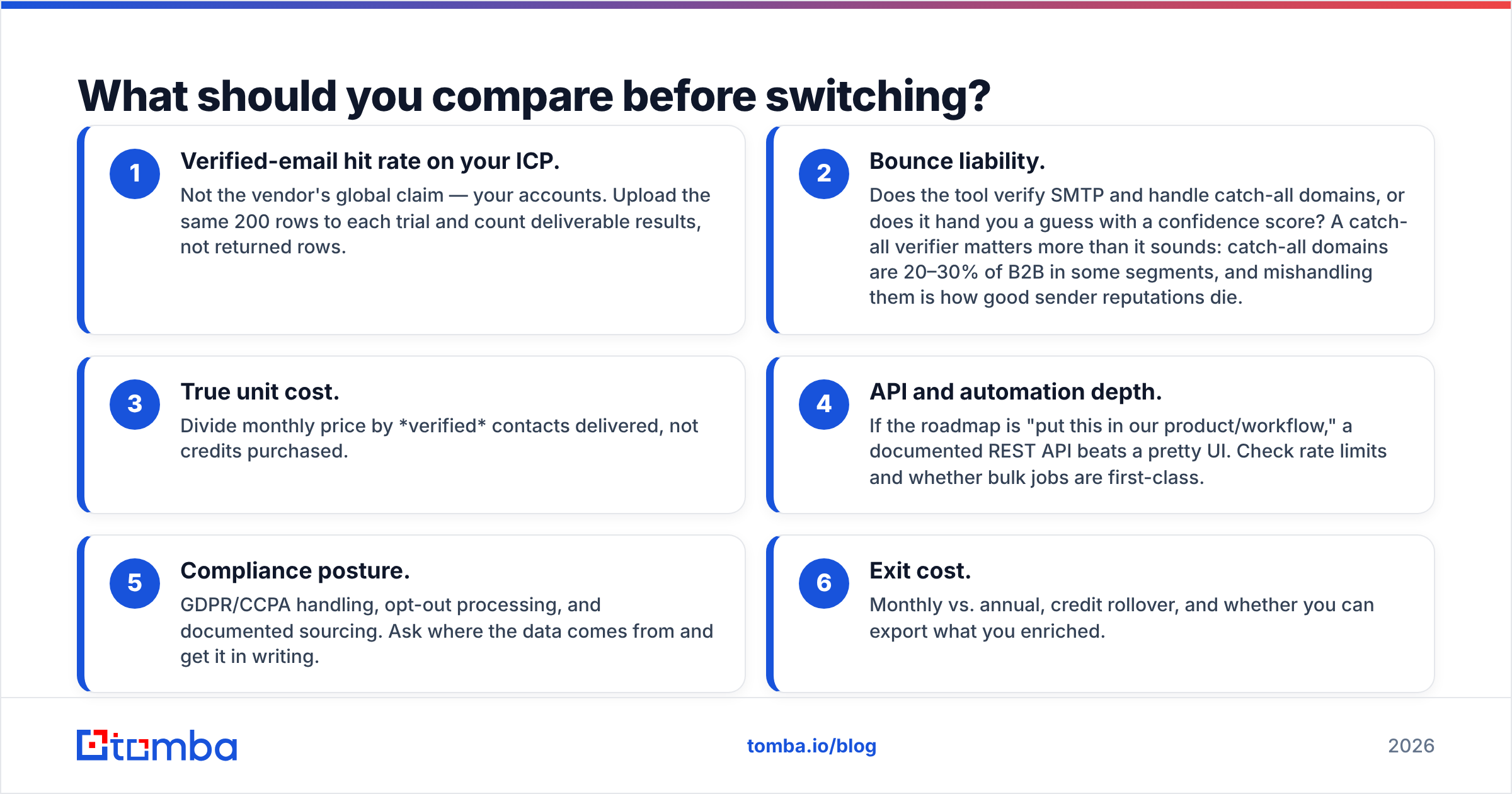
Score every candidate on these six, in this order. The first two account for most of the outcome.
- Verified-email hit rate on your ICP. Not the vendor's global claim — your accounts. Upload the same 200 rows to each trial and count deliverable results, not returned rows.
- Bounce liability. Does the tool verify SMTP and handle catch-all domains, or does it hand you a guess with a confidence score? A catch-all verifier matters more than it sounds: catch-all domains are 20–30% of B2B in some segments, and mishandling them is how good sender reputations die.
- True unit cost. Divide monthly price by verified contacts delivered, not credits purchased.
- API and automation depth. If the roadmap is "put this in our product/workflow," a documented REST API beats a pretty UI. Check rate limits and whether bulk jobs are first-class.
- Compliance posture. GDPR/CCPA handling, opt-out processing, and documented sourcing. Ask where the data comes from and get it in writing.
- Exit cost. Monthly vs. annual, credit rollover, and whether you can export what you enriched.
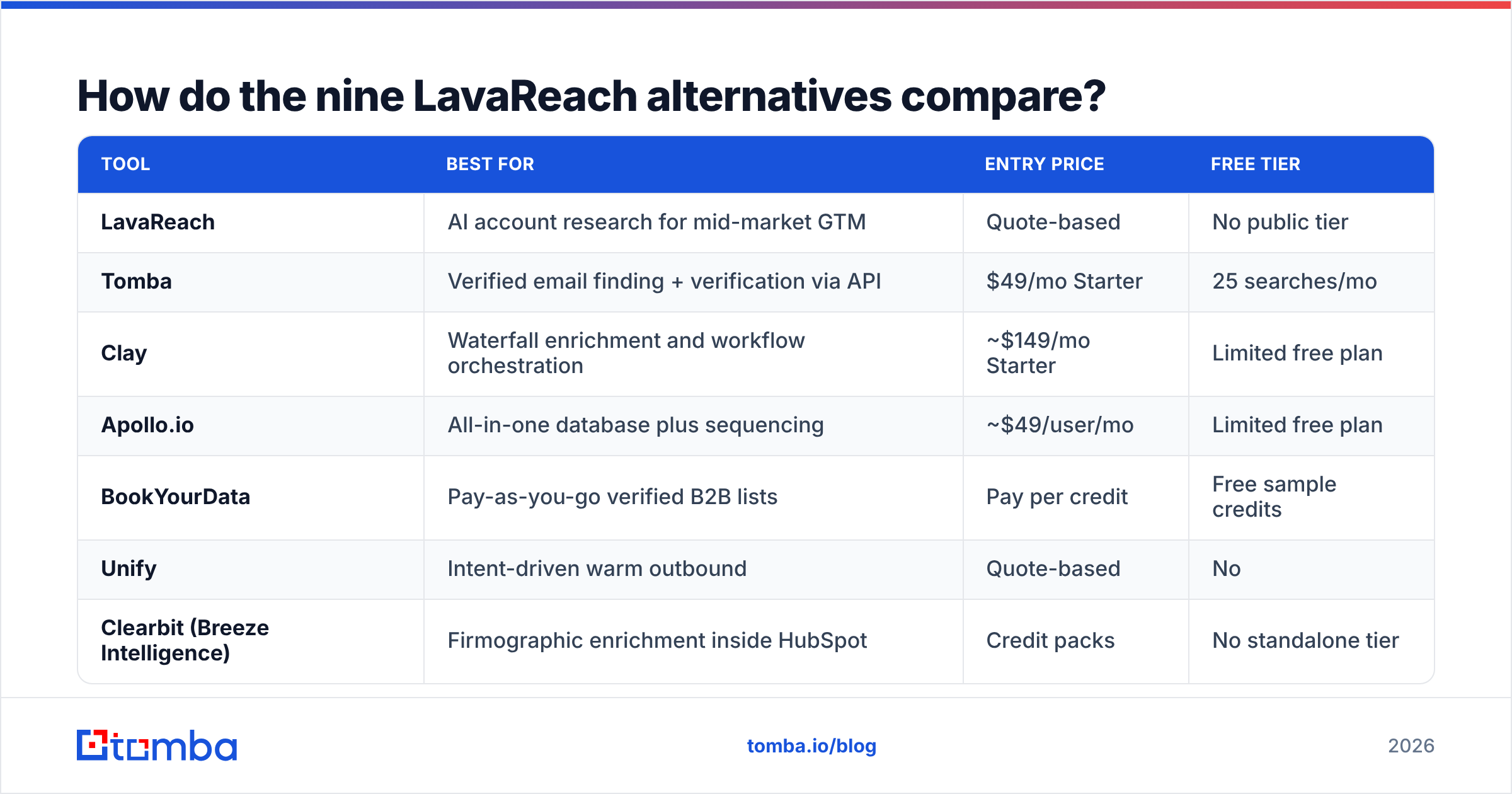
How do the nine LavaReach alternatives compare?#
Prices are list prices at the time of writing and change often — confirm on each vendor's page before you buy. Free tier means genuinely free, not a time-limited trial.
| Tool | Best for | Entry price | Free tier |
|---|---|---|---|
| LavaReach | AI account research for mid-market GTM | Quote-based | No public tier |
| Tomba | Verified email finding + verification via API | $49/mo Starter | 25 searches/mo |
| Clay | Waterfall enrichment and workflow orchestration | ~$149/mo Starter | Limited free plan |
| Apollo.io | All-in-one database plus sequencing | ~$49/user/mo | Limited free plan |
| BookYourData | Pay-as-you-go verified B2B lists | Pay per credit | Free sample credits |
| Unify | Intent-driven warm outbound | Quote-based | No |
| Clearbit (Breeze Intelligence) | Firmographic enrichment inside HubSpot | Credit packs | No standalone tier |
| RocketReach | Broad contact lookup, direct dials | ~$39–$80/mo | Limited lookups |
| Findymail | Lean email finding for cold email teams | ~$49/mo | Trial credits |
| Persana AI | AI enrichment agents on top of many sources | ~$85/mo | Limited free plan |
1. Tomba — best for verified emails without platform pricing#
Tomba is the option to look at when the job is problem #1: get the right address, confirm it is deliverable, and stop there. The email finder takes a name plus a domain and returns the address with a confidence score and the source pattern; the email verifier runs syntax, MX, SMTP, and catch-all checks before the address enters your sequencer.
The practical difference versus a research platform is unit economics and latency. Free tier gives 25 searches/mo, Starter is $49/mo, Growth $99/mo, Pro $249/mo, Enterprise custom. Domain search, phone finder, and data enrichment run on the same API key, so there is no second vendor for the last mile.
What it is not: an AI agent that reads a company's job board and tells you they are hiring a VP of Data. If you need that signal, pair Tomba with a research tool rather than replacing one with the other.
Best for: founders, agencies, and engineering teams embedding contact lookup in a product or workflow.
2. Clay — best for waterfall enrichment#
Clay is the most common landing spot for teams leaving a single-vendor tool. It is a spreadsheet that calls 100+ data providers in sequence: try provider A, if empty try B, then C, then let a GPT column write the research summary. Coverage goes up because you are querying many sources; so does complexity, and so does cost once credits compound.
Clay (clay.com) is genuinely powerful and genuinely a skill investment. Budget a week to get good at it. If nobody on your team owns the table, it becomes shelfware fast.
Best for: RevOps teams with an owner and a real enrichment budget.
3. Apollo.io — best all-in-one for small teams#

Apollo bundles a large contact database with sequencing, dialer, and basic CRM. For a five-rep team that wants one login and one bill, it is hard to beat on convenience. The tradeoffs are data freshness on long-tail accounts and a sequencer that is adequate rather than excellent. Teams that outgrow it usually keep the sequencer and swap the data layer, or go the other way — see Apollo alternatives for that comparison in detail.
Best for: small teams that want prospecting and sending under one roof.
4. BookYourData — best for pay-as-you-go verified lists#
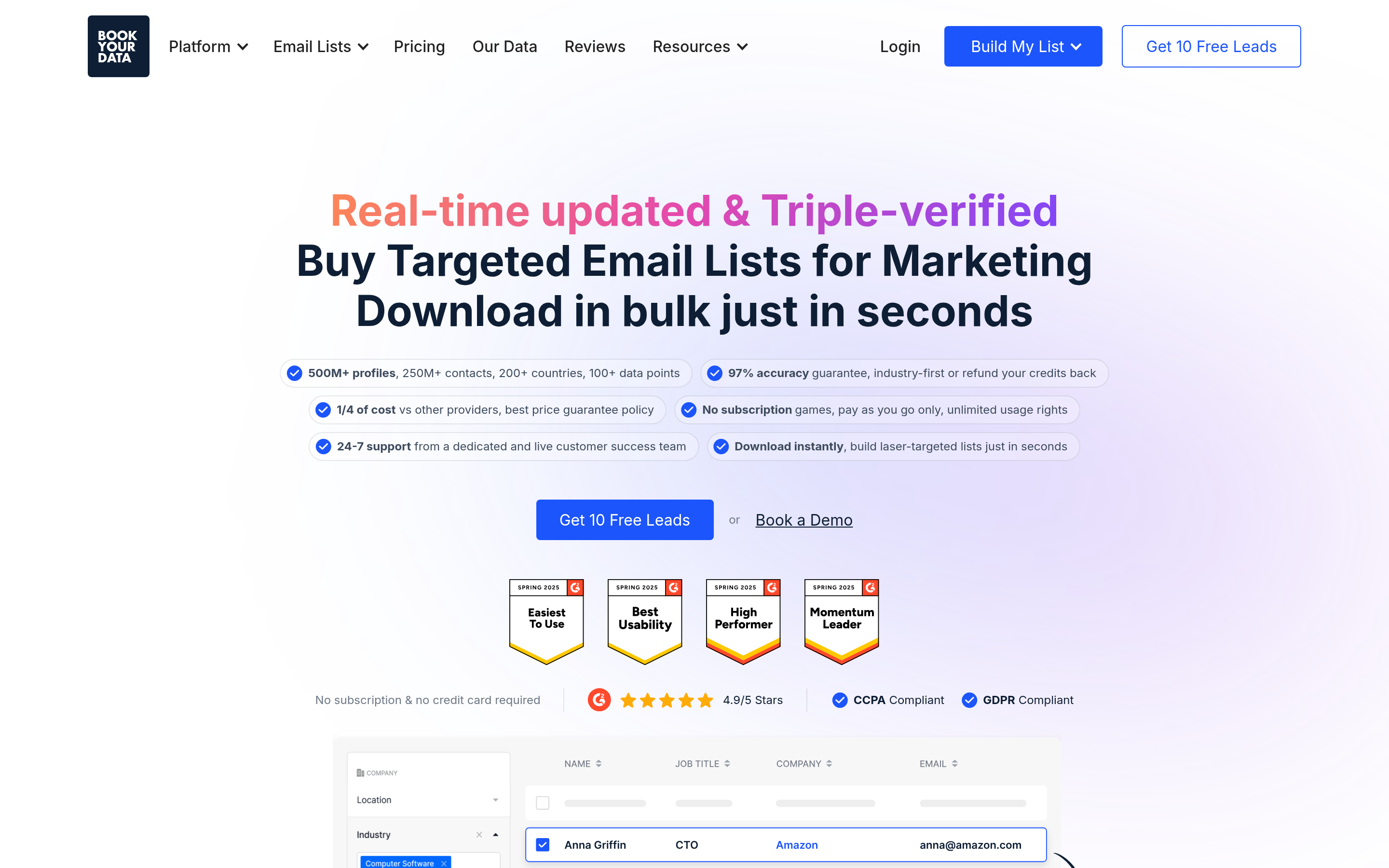
BookYourData (bookyourdata.com) takes a different and refreshingly simple position: build a filtered list, see the count, pay for the credits, download it. No seat minimums, no annual commitment, and a stated accuracy guarantee with credit replacement on bounces.
It is the right answer when you need 5,000 verified contacts in a defined segment this week and have no interest in operating a platform. It is not trying to be a research agent, and it does not pretend to be. For campaign-based buyers — agencies, event marketers, one-off ABM pushes — that clarity is the feature.
Best for: teams that buy lists in bursts rather than running continuous enrichment.
5. Unify — best for intent-led warm outbound#
Unify combines website visitor identification, intent signals, and AI-assisted sequencing so reps work accounts that are already showing interest. It overlaps with LavaReach on the "tell me which accounts matter" job and pushes further into execution. Pricing is quote-based, and it assumes meaningful site traffic — under roughly 5,000 monthly visitors, the signal layer has little to chew on. If visitor identification is the piece you want, website visitor reveal covers that specific job without the platform commitment.
Best for: companies with real inbound traffic and a team to work it.
6. Clearbit / Breeze Intelligence — best inside HubSpot#
Now folded into HubSpot as Breeze Intelligence, this is firmographic enrichment that lives where your CRM already is. Excellent for filling in company size, industry, and tech on records you already have. Weak as a prospecting tool — it enriches what you give it rather than finding new people.
Best for: HubSpot shops that want cleaner records, not new contacts.
7. RocketReach — best for direct dials at breadth#
RocketReach has one of the larger contact indexes and is strong on personal emails and phone numbers, which matters for recruiting and for senior-exec outreach. Verification is lighter than dedicated verifiers, so pair it with a verification step. Monthly plans mean you can switch off without a fight.
Best for: recruiters and anyone who needs mobile numbers more than company emails.
8. Findymail — best lean finder for cold emailers#
Findymail is built around one promise: bounce-safe emails for cold email campaigns, with native exports into the usual sending tools. Narrow scope, low friction, easy to evaluate in an afternoon. The catch is that narrow scope — no research layer, limited firmographics, and coverage that thins outside common Western B2B segments.
Best for: agencies running high-volume cold email who value deliverability over data depth.
9. Persana AI — best budget AI enrichment#
Persana aggregates multiple data sources behind AI agents that enrich and score, at a price well under enterprise platforms. It is the closest low-cost analogue to what LavaReach does. Expect more rough edges and less support depth; check current reviews on G2 before committing, since this part of the market moves quarterly.
Best for: teams that want agent-style enrichment on a startup budget.
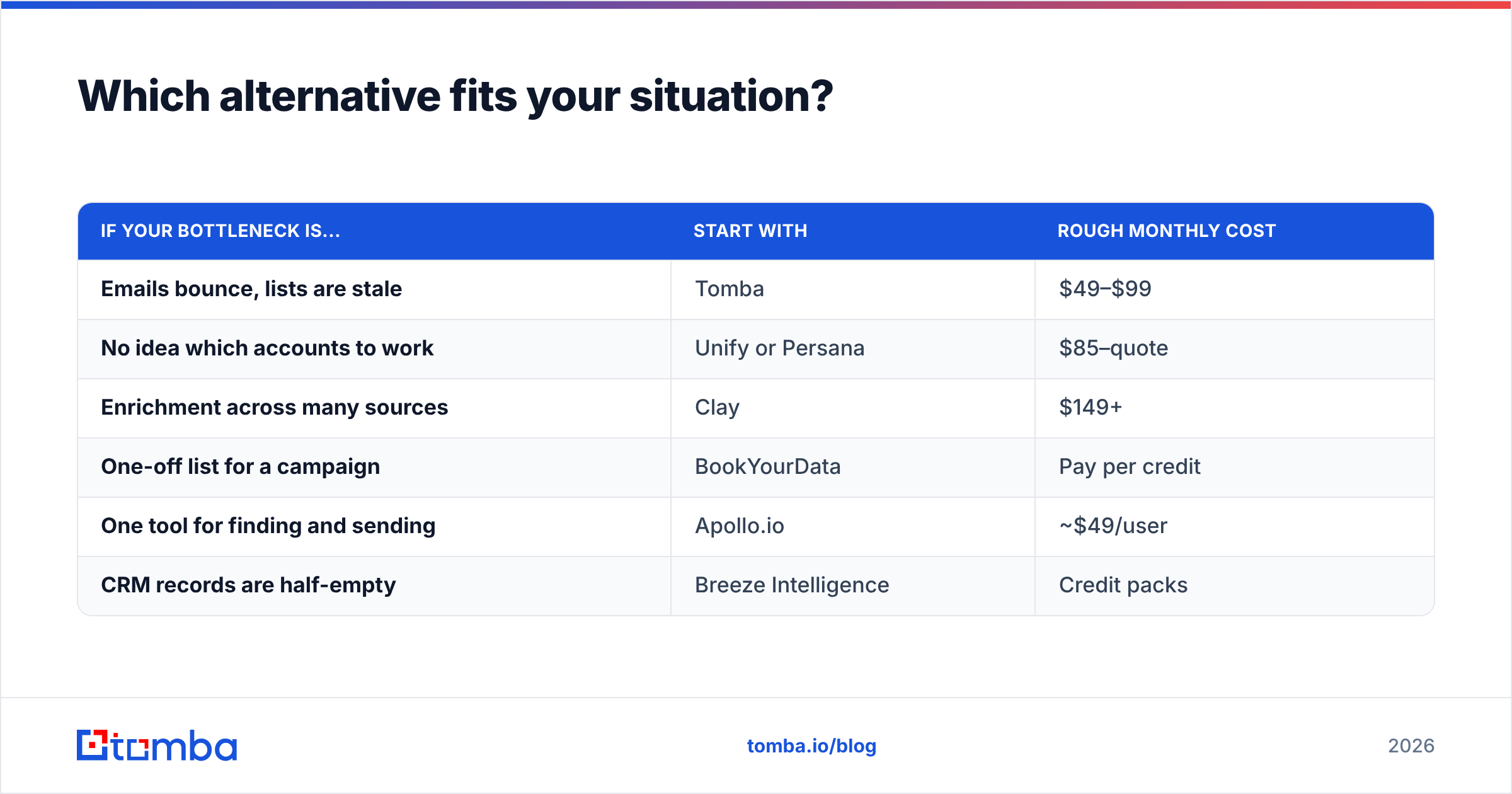
Which alternative fits your situation?#
| If your bottleneck is... | Start with | Rough monthly cost |
|---|---|---|
| Emails bounce, lists are stale | Tomba | $49–$99 |
| No idea which accounts to work | Unify or Persana | $85–quote |
| Enrichment across many sources | Clay | $149+ |
| One-off list for a campaign | BookYourData | Pay per credit |
| One tool for finding and sending | Apollo.io | ~$49/user |
| CRM records are half-empty | Breeze Intelligence | Credit packs |

Is an AI research agent worth it over a plain email finder?#
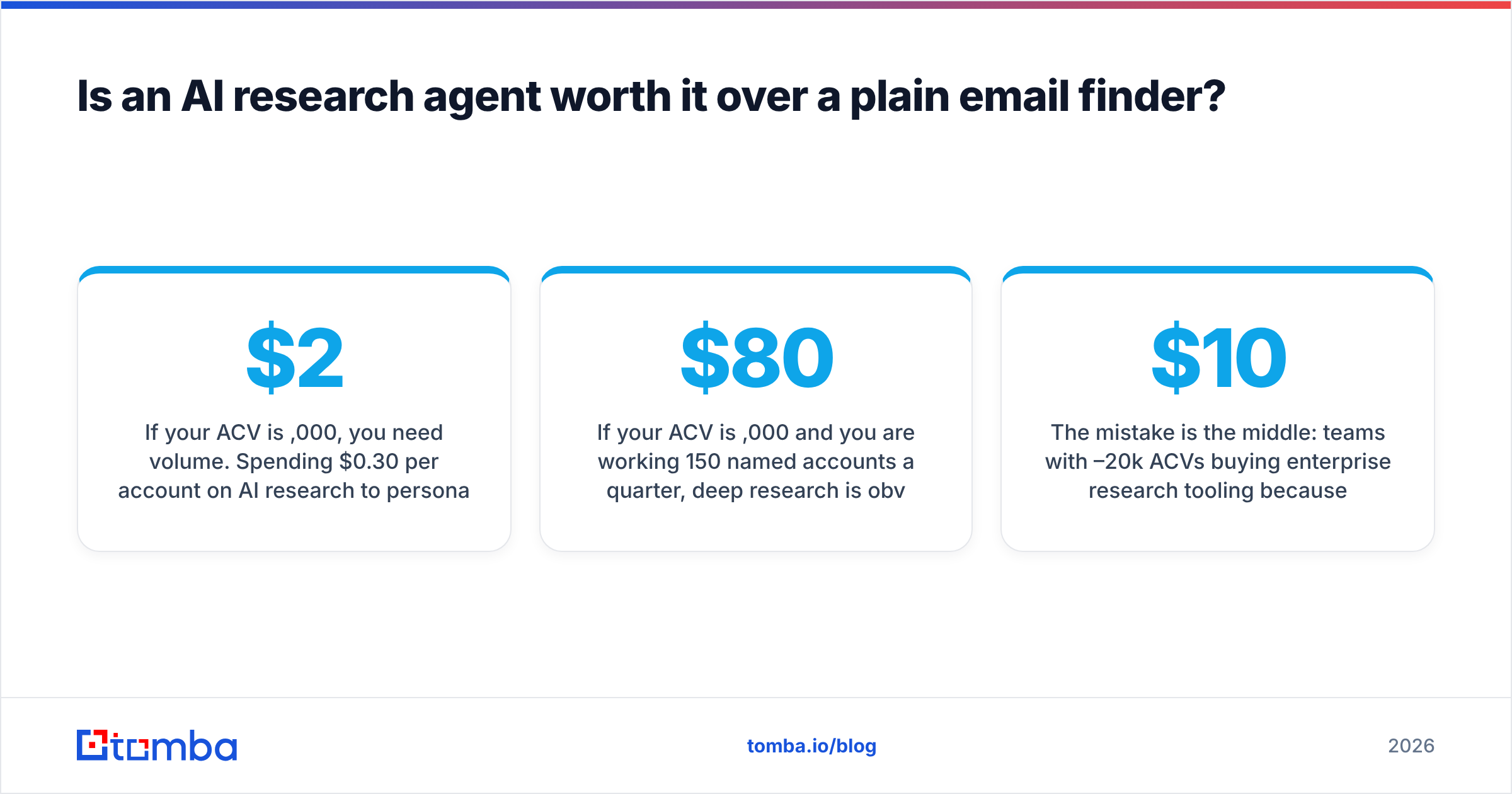
It depends on your average contract value, and the math is not subtle.
If your ACV is $2,000, you need volume. Spending $0.30 per account on AI research to personalize an email that has a 2% reply rate rarely pays back. Get 5,000 verified contacts for $99 and let the offer do the work.
If your ACV is $80,000 and you are working 150 named accounts a quarter, deep research is obviously worth it — one extra meeting covers the annual bill. That is LavaReach's home turf, and it is a legitimate one.
The mistake is the middle: teams with $10–20k ACVs buying enterprise research tooling because the demo was impressive, then discovering the bottleneck was never insight. It was that 28% of their emails bounced. Run a bulk verify on last quarter's list before you buy anything. If your bounce rate is above 5%, your problem is data hygiene, and no agent will fix it.
How do you test alternatives in 30 days without wasting budget?#
- Week 1. Build one golden set: 200 contacts across your real ICP, with 50 you already know the correct email for. That control group is how you measure accuracy instead of trusting marketing claims.
- Week 2. Run the same set through two or three candidates on free or monthly plans. Record hit rate, verified rate, and bounces after sending.
- Week 3. Send from a separate domain at low volume. Track bounce rate, spam placement, and reply rate per source.
- Week 4. Compute cost per replied contact, not cost per credit. Then buy monthly, never annual, until you have two clean months.
Most teams find their shortlist collapses to two tools: one that supplies verified contact data cheaply, and one that supplies signal where the deal size justifies it. That is a healthier stack than one platform that half-does both.
Start with the data layer#
If you are evaluating LavaReach alternatives because emails bounce, credits vanish, or pricing will not survive procurement, fix the contact layer first — it is the cheapest, fastest change with the most direct effect on pipeline. Tomba Email Finder gives you 25 free searches a month to test against your own golden set, $49/mo when you scale, and one API that covers finding, verification, catch-all handling, and enrichment. Run your 200-row control list through it this week and compare the verified hit rate to whatever you are paying for now. If the numbers do not move, you have lost an afternoon. If they do, you have just cut your cost per meeting.
Related guides#
// get started
Find, verify and enrich your first contacts today
Start on the free plan with 25 searches a month, then scale when your team is ready.
Free plan · No credit card required · GDPR & CCPA
// about the author