Lead Capture Strategies That Actually Convert in 2026
Most lead capture forms leak 70% of the traffic they see. Here's what actually converts in 2026 — progressive profiling, exit-intent, enrichment-backed short forms — and what to stop doing.
TL;DR
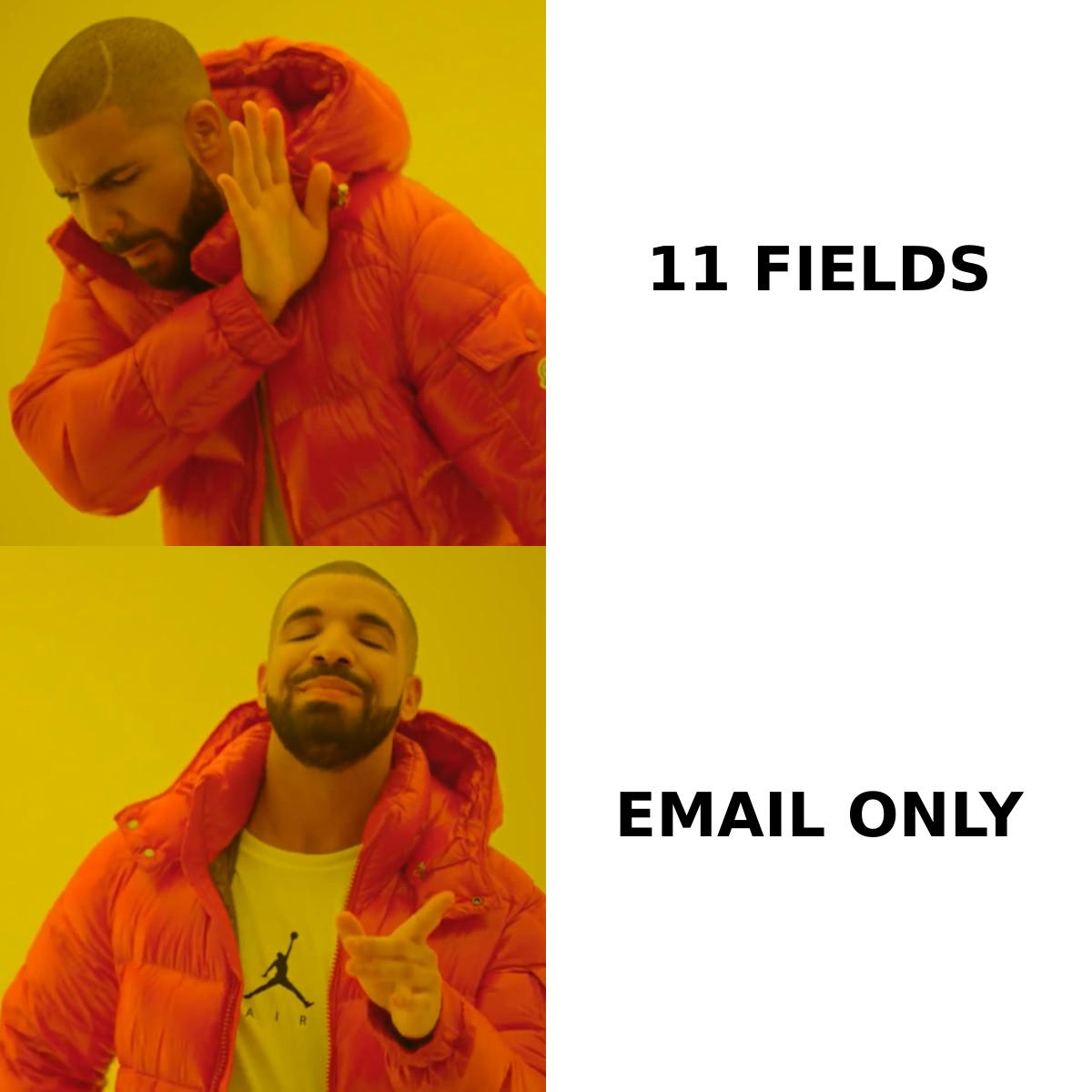
- The single highest-leverage lead capture change in 2026 is cutting form fields and back-filling the rest with enrichment. Three fields beat eleven fields almost every time, and you lose nothing because the data still lands in your CRM.
- Exit-intent and scroll-triggered capture outperform static sidebar forms by a wide margin, but only when the offer matches the page's intent. A generic "subscribe" box on a pricing page is wasted real estate.
- Progressive profiling is the compromise that ends the sales-vs-marketing field war: ask two things now, two more on the next visit.
- Website visitor identification captures the 95%+ of traffic that never fills anything out. It's the fastest-growing capture channel and the least understood.
- Capture volume means nothing without verification. An unverified list inflates your numbers and quietly destroys your sender reputation.
What are lead capture strategies, really?#
Lead capture strategies are the specific mechanisms you use to convert anonymous traffic into a contactable record — plus the rules that decide what you ask for, when you ask, and what you do with the gaps.
Think of it like a restaurant host stand. The bad version demands your name, phone number, party size, dietary restrictions, and how you heard about us before you're allowed through the door. The good version seats you, then learns the rest over the course of the meal. Most B2B sites still run the bad version and then wonder why the waitlist is empty.
Technically, a capture strategy has four moving parts:
- The trigger — what causes the capture moment to appear (page load, scroll depth, exit intent, time on page, click on a CTA, anonymous-visitor match).
- The offer — what the visitor gets in exchange (content, a tool, a demo, a discount, access).
- The ask — how many fields, which fields, and in what order.
- The backfill — what you enrich after submission so the ask can stay short.
Nearly every "our conversion rate is terrible" diagnosis traces back to a mismatch between those four. A high-friction ask attached to a low-value offer is the classic failure. So is a great offer buried behind a trigger nobody sees.

Which lead capture strategies actually convert in 2026?#
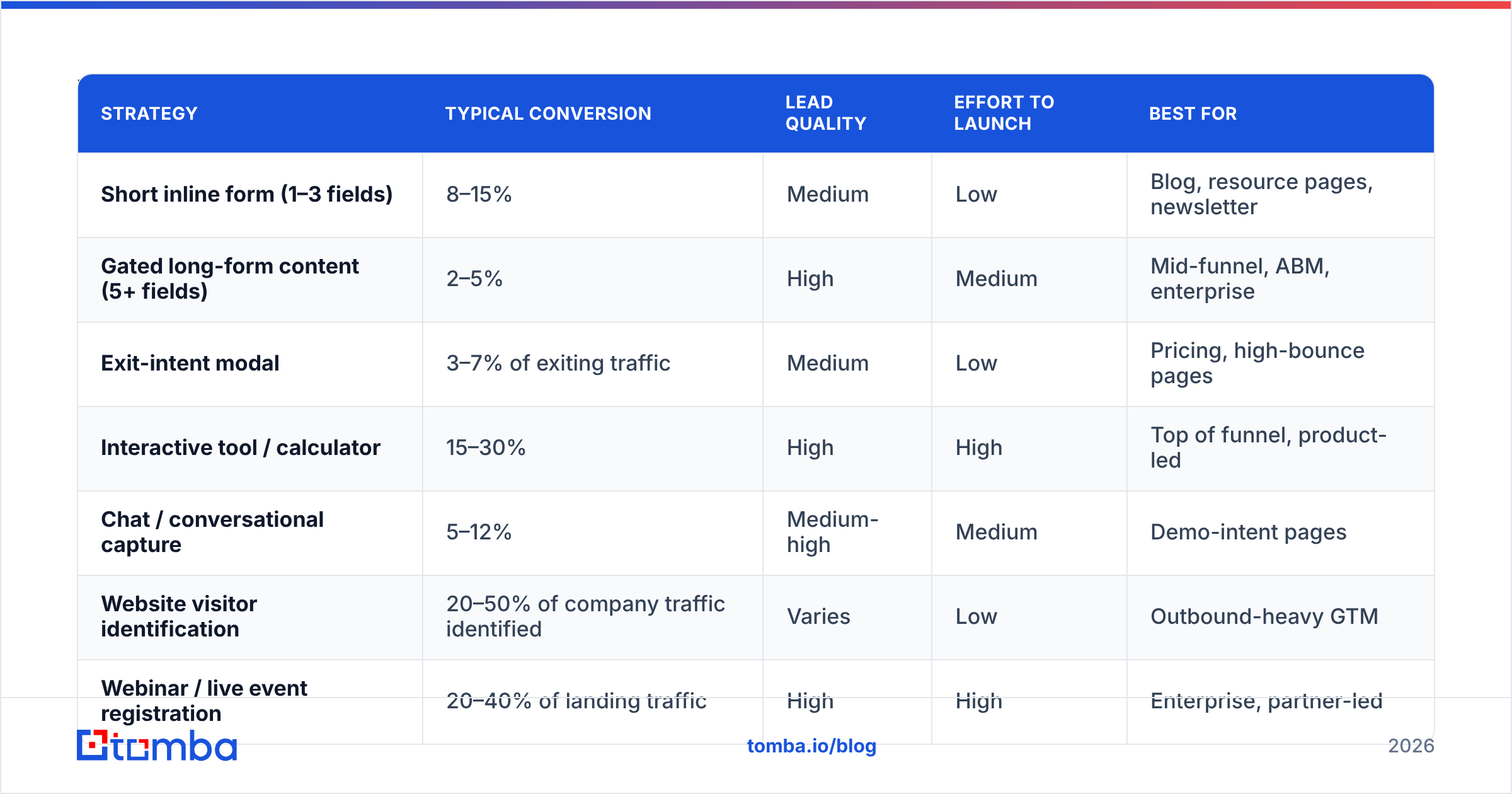
Here's the honest comparison. Conversion ranges below reflect typical B2B SaaS and services benchmarks reported across vendor studies and reviewer aggregates like G2 — treat them as directional, not gospel, because vertical and traffic quality swing them hard.
| Strategy | Typical conversion | Lead quality | Effort to launch | Best for |
|---|---|---|---|---|
| Short inline form (1–3 fields) | 8–15% | Medium | Low | Blog, resource pages, newsletter |
| Gated long-form content (5+ fields) | 2–5% | High | Medium | Mid-funnel, ABM, enterprise |
| Exit-intent modal | 3–7% of exiting traffic | Medium | Low | Pricing, high-bounce pages |
| Interactive tool / calculator | 15–30% | High | High | Top of funnel, product-led |
| Chat / conversational capture | 5–12% | Medium-high | Medium | Demo-intent pages |
| Website visitor identification | 20–50% of company traffic identified | Varies | Low | Outbound-heavy GTM |
| Webinar / live event registration | 20–40% of landing traffic | High | High | Enterprise, partner-led |
Three things jump out of that table.
First, interactive tools crush static forms and it isn't close. A pricing calculator, a benchmark quiz, a free checker — these convert at 3x a PDF download because the visitor gets value before they pay with data. The cost is engineering time, which is why most teams skip them and keep publishing ebooks.
Second, exit-intent is cheap and underused. You're capturing traffic that has already decided to leave, so the downside is close to zero. The mistake is using it to push the same offer the page already failed to sell.
Third, visitor identification changes the math because it doesn't require conversion at all. If 3% of your traffic fills out a form, 97% leaves anonymous. Tools that reveal anonymous traffic match visiting companies against firmographic data so your sales team can work accounts that never raised a hand. It's not a replacement for forms — the intent signal is weaker — but it's found revenue.
How many form fields should you actually ask for?#
Fewer than you're asking for now. That's nearly always the answer.
The field-count debate is really an argument about who absorbs the cost. Marketing wants fewer fields (more leads). Sales wants more fields (better routing and qualification). Both are right, which is why the argument never ends internally.
Enrichment ends it. You ask for a work email, and you append company name, size, industry, tech stack, job title, seniority, and location from a data provider. Sales gets its fields. Marketing gets its conversion rate. Nobody had to lose.
A practical field ladder:
- Email only — newsletter, blog subscribe, tool access. Everything else gets enriched.
- Email + name — content downloads where personalization matters in the follow-up sequence.
- Email + name + company — demo requests. Company lets you route by account before enrichment finishes.
- Email + name + company + one qualifying question — high-intent enterprise forms only. The qualifier should be something enrichment genuinely cannot know, like budget timing or the specific problem they're solving.
- Anything longer — justify each field with a named person who will actually read it. If nobody can name the consumer of "How did you hear about us?", delete it.
The rule of thumb: if a data vendor can find it, don't ask for it. Firmographics, technographics, headcount, revenue band, LinkedIn URL, and phone number are all appendable. Intent, timing, and pain are not.
What should you do with a captured lead in the first 60 seconds?#
Verify, enrich, route, respond — in that order. The clock matters more than most teams admit; HubSpot's research on lead response consistently shows conversion falling off a cliff after the first hour.
Verify first. A captured email that bounces is worse than no lead — it damages your sender reputation, poisons your deliverability for real prospects, and inflates the top of your funnel with garbage. Real-time email verification at the point of submission catches typos ("gmial.com"), disposable addresses, role accounts, and dead mailboxes before they enter your database. Do this inline, not in a monthly cleanup job.
Then enrich. Pass the verified email to a data enrichment endpoint and append the fields you deliberately didn't ask for. This is also the moment to append a phone number if your motion includes calling.
Then route. Score against fit criteria and assign. A lead that sits unassigned for a day has effectively not been captured.
Then respond. Automated confirmation is table stakes. For high-fit leads, a human reply inside the hour is the differentiator — and it's still rare enough to feel remarkable to the buyer.
What's the difference between inbound capture and outbound capture?#
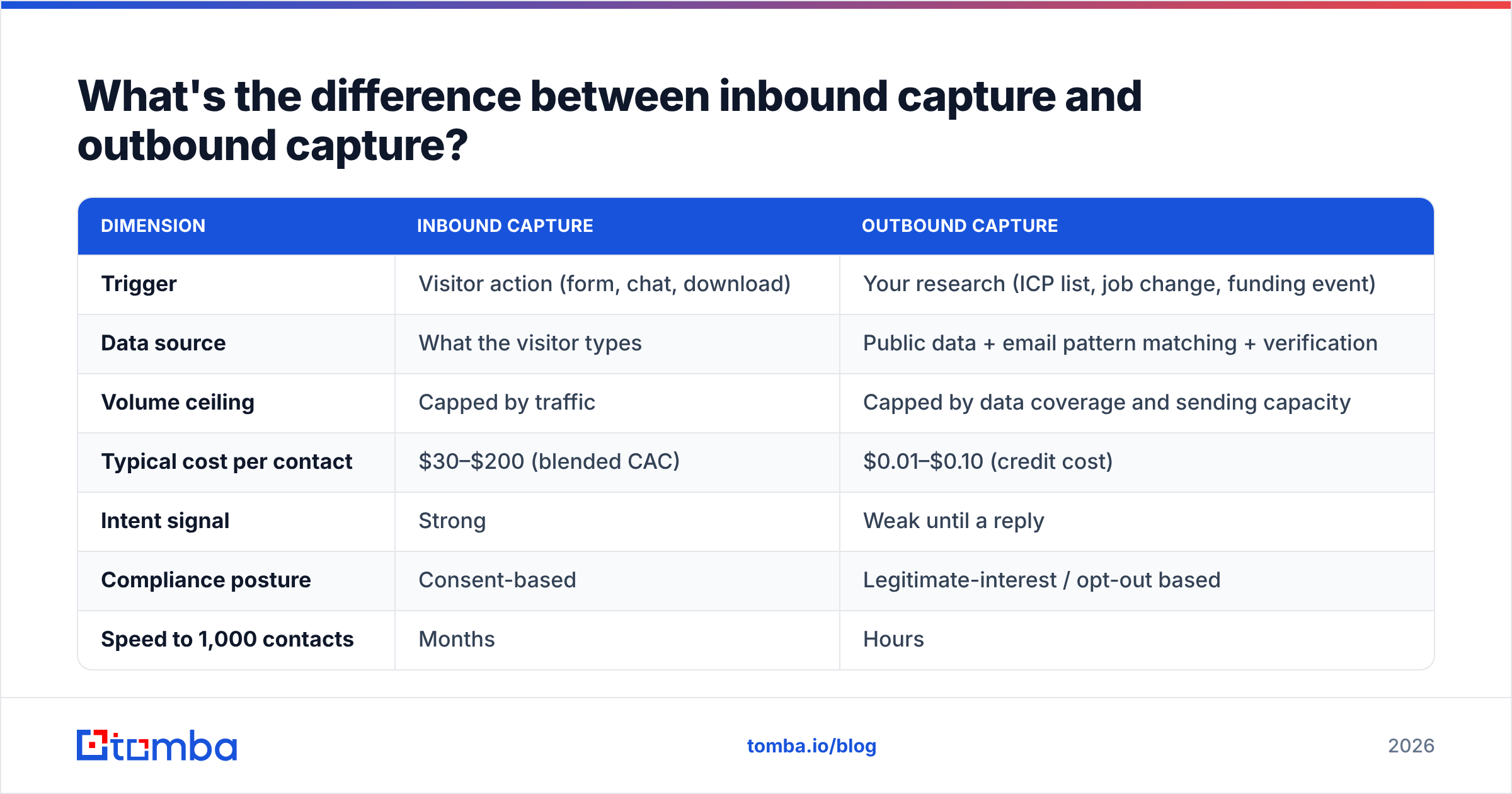
Inbound capture waits for intent. Outbound capture manufactures the contact record before intent exists. Most teams treat these as separate departments with separate tools, and that separation costs them.
| Dimension | Inbound capture | Outbound capture |
|---|---|---|
| Trigger | Visitor action (form, chat, download) | Your research (ICP list, job change, funding event) |
| Data source | What the visitor types | Public data + email pattern matching + verification |
| Volume ceiling | Capped by traffic | Capped by data coverage and sending capacity |
| Typical cost per contact | $30–$200 (blended CAC) | $0.01–$0.10 (credit cost) |
| Intent signal | Strong | Weak until a reply |
| Compliance posture | Consent-based | Legitimate-interest / opt-out based |
| Speed to 1,000 contacts | Months | Hours |
The productive move is to treat them as one pipeline with two entrances. A visitor identification hit is an outbound contact with an inbound intent signal attached — which makes it the highest-value record in your database. When your reveal tool tells you a director at a target account read your pricing page twice, you use domain search to pull the relevant contacts at that company, verify them, and reach out with context. That's not cold outreach. That's warm outreach that happened to start anonymously.
For teams building outbound lists at scale, a bulk email finder turns a list of company domains and target roles into verified contact records without manual research. Providers differ meaningfully on coverage by region and company size — BookYourData is strong on pre-built, pay-as-you-go B2B lists if you want records without building the search yourself, while a finder-first approach gives you tighter control over exactly which contacts enter your CRM.
How do you stop your capture forms from leaking?#
Run this audit quarterly. It takes an afternoon and typically recovers more conversions than a redesign.
- Check mobile rendering on every form. More than half of B2B blog traffic is mobile. A form that requires horizontal scrolling or has a submit button below a sticky footer is a zero-conversion form on that device.
- Time the load. Forms embedded via third-party scripts often appear two to four seconds after the page. Visitors scroll past a blank space. Render a static placeholder at the correct dimensions.
- Kill the reCAPTCHA v2 checkbox where you can. Invisible or score-based bot protection removes a friction step that measurably costs conversions.
- Test one field removal at a time. Removing three fields at once tells you nothing about which one mattered.
- Read your own error states. Submit a bad email, a plus-addressed email, an apostrophe surname, and a non-US phone format. Broken validation on legitimate inputs is a silent leak — check any address format if you're unsure whether your regex is over-rejecting.
- Confirm the thank-you page does work. A dead-end "Thanks!" page is a wasted asset. Offer the next step: book a call, read the adjacent resource, join the community.
Point six is where most teams have the largest untapped gain. The visitor just demonstrated maximum intent. Giving them a full stop instead of a next action is the conversion equivalent of hanging up on a caller who said yes.
Which lead capture strategy should you pick first?#
Match the strategy to your current bottleneck, not to what's trending.
If your traffic is decent but conversions are low — your ask is too heavy or your offer is too generic. Cut fields to two, add enrichment, and replace at least one gated PDF with an interactive tool. Expected impact: largest of any option here.
If your conversions are fine but lead quality is bad — you're capturing the wrong people, not capturing badly. Add a single qualifying question that enrichment can't answer, and score on fit before routing. Don't add fields; add one.
If your traffic is thin — forms won't save you. Build the outbound side: define your ICP, source verified contacts, and run sequences. Capture optimization on 800 monthly visitors is rearranging deck chairs.
If you have strong traffic from target accounts who never convert — visitor identification plus outbound follow-up. This is the classic enterprise pattern where buying committees research for months without touching a form.
If your sender reputation is shaky — pause capture optimization entirely and fix hygiene first. Verify your existing list, check your SPF record, and confirm you're not on any blacklists. Pouring new leads into a broken sending setup just burns them.
What does a modern capture stack look like?#
You need four layers, and they should talk to each other automatically:
- Capture layer — your forms, modals, chat, and visitor identification. Whatever CMS or landing page builder you already use is almost certainly fine. This is not where teams lose.
- Verification layer — real-time API validation at submission plus periodic list hygiene. Non-negotiable if you send email at any volume.
- Enrichment layer — appends the fields you chose not to ask for. Should fire within seconds of submission via webhook, not as a nightly batch.
- Destination layer — your CRM and sequencing tool, with routing rules that fire on enriched data rather than raw form data.
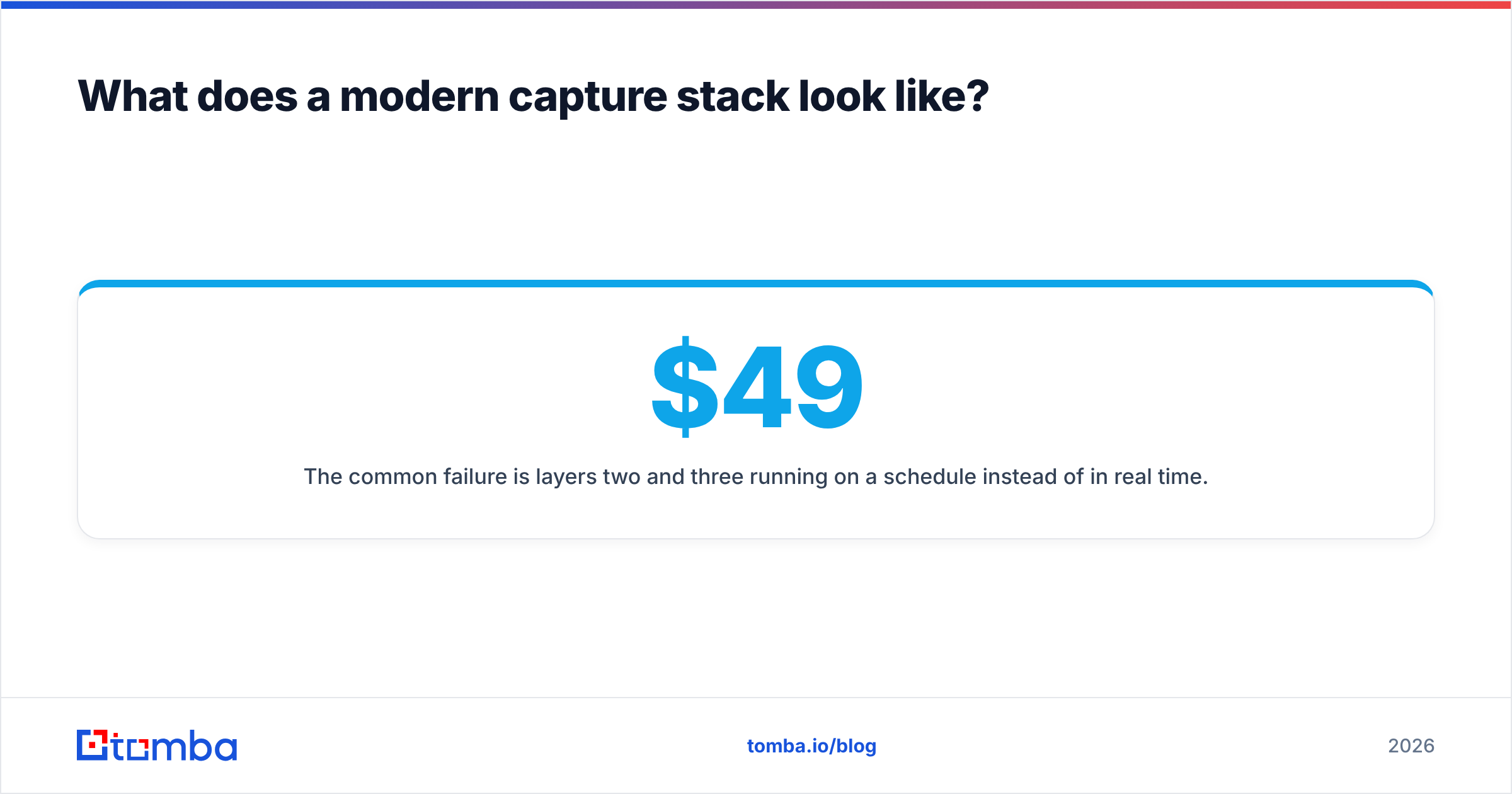
The common failure is layers two and three running on a schedule instead of in real time. If enrichment happens overnight, your routing rules run on incomplete records, your highest-fit leads sit in a default queue, and your speed-to-lead advantage evaporates. Wire it with webhooks. Tomba's API and HubSpot integration are built for exactly this handoff, and pricing scales with usage rather than seats — the Free tier covers 25 searches a month for testing, Starter runs $49/mo, Growth $99/mo, and Pro $249/mo. Full Tomba pricing is public if you want to model the cost per enriched record against your current CAC.
Common questions#
Does gating content still work in 2026? Selectively. Gate things with genuine scarcity or utility — original research, templates, tools, benchmark data. Don't gate a 1,200-word explainer that ranks on Google anyway; you're trading search traffic for a handful of low-intent emails.
Should I use a double opt-in? For newsletter and marketing lists, yes. It cuts list size and improves every downstream metric — open rate, reply rate, deliverability, and your relationship with inbox providers. For demo requests, no; the sales follow-up is the confirmation.
How do I handle catch-all domains? Many enterprise domains accept all mail, so standard verification returns "unknown." Use a dedicated catch-all verifier rather than either discarding them (you'll lose real enterprise leads) or treating them as valid (you'll bounce).
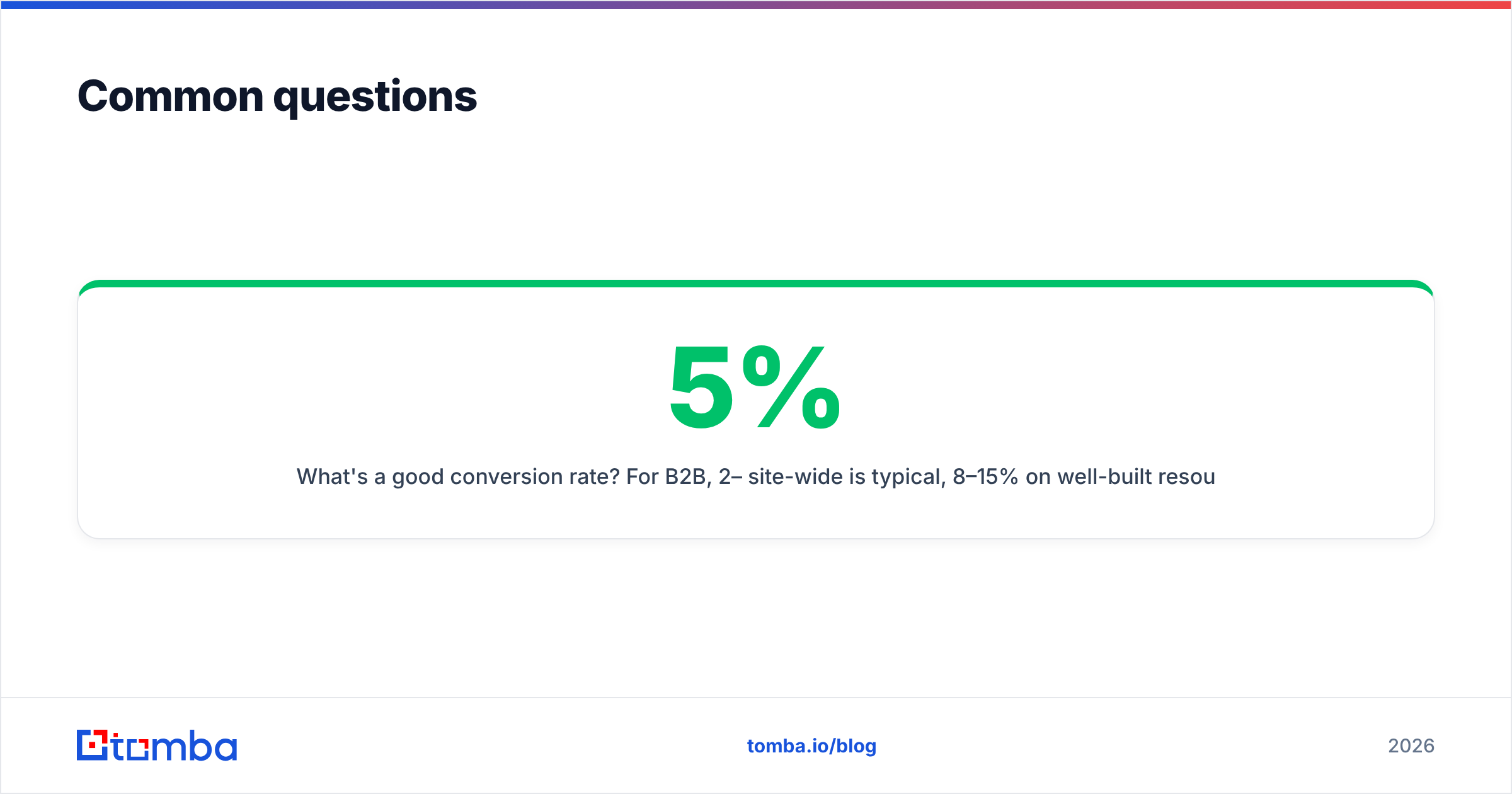
What's a good conversion rate? For B2B, 2–5% site-wide is typical, 8–15% on well-built resource pages, and 20%+ on interactive tools. If someone quotes you 30% site-wide, they're measuring a landing page, not a site.
Where to start this week#
Pick the two-field form. Cut every capture form on your site to email plus one field, wire verification at the submission point, and enrich the rest on the back end. It's a single afternoon of work and it's the change most likely to move your number.
When you're ready to build the enrichment side, the Tomba Email Finder is the piece that makes short forms viable — it turns a domain and a name into a verified work email, and it's the same engine behind the enrichment, domain search, and bulk tools your capture stack will lean on. Start on the free tier, run it against a hundred existing records, and measure the match rate against whatever you're paying for today before you commit to anything.
Related guides#
// get started
Find, verify and enrich your first contacts today
Start on the free plan with 25 searches a month, then scale when your team is ready.
Free plan · No credit card required · GDPR & CCPA
// about the author